Quake VR mod supporting room-scale movement, hand interactions, melee attacks, and much more.
C++
282
6,024 commits
updated Oct 12, 2026




id Software's Quake (1996), rebuilt for virtual reality
Quake VR: UNLEASHED (QVR:U) is an opinionated VR mod for Quake (1996) by Vittorio Romeo.
The mod aims to give total freedom to the player, turning most interactions into physics-based one and introducing fun and immersive mechanics such as dual wielding, melee, throwing, swimming, climbing, and more.
The original campaign and all official mission packs are fully playable. QVR:U also features an in-game map browser to play custom content from Quaddicted.
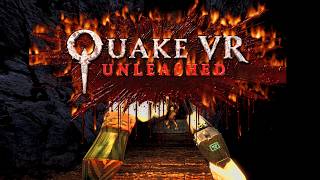
Quake VR: UNLEASHED 🔥 | Release Trailer
QVR:U runs on the Ironwail engine and talks to your headset through OpenXR. It is the successor of the original Quake VR, which ran on QuakeSpasm-Spiked and SteamVR's OpenVR (see comparison).
[!WARNING] QVR:U is in active development. It was playtested on a Meta Quest 3 through Virtual Desktop. Other headsets and controllers should work through OpenXR but have not been tested. Expect rough edges, and please report any issue.
Getting started | Configuration | Features | Compared with the original | Documentation | Building from source | Support | Credits
Requirements:
Installation:
QuakeVR-Setup.exe from the latest release on the
Releases page.The first start runs VR Calibration, which measures your height and body, then leads to the VR Hub, where you can select a campaign and start playing. The hub also leads to the tutorial and the firing range.
Updating:
QuakeVR-Setup.exe: it will automatically update your existing installation and keep your saves/settings.[!TIP] docs/INSTALL.md has the details: each installer page, where everything goes, installing from the
QuakeVR.zippackage by hand instead, the official campaigns, custom maps and mods, HD textures, relit maps, performance and troubleshooting.
[!NOTE] The game connects to the internet, but sends nothing about you or your play. It only goes online for update checks, custom map downloads, and downloading relighting tools when required.
Default Meta Quest Touch controller bindings on VDXR:
| Button | Action |
|---|---|
| Left stick | Move |
| Right stick | Turn |
| Trigger | Fire / Curl index finger / Begin force grab |
| Grip | Grab / Hold / Climb |
| A/X | Jump |
| B/Y | Eject magazine |
| Menu | Open in-game menu |
[!WARNING] The SteamVR bindings might differ due to specific SteamVR settings.
[!WARNING] The game was only tested on a Meta Quest Touch controller.
Every button can be rebound in-game in Options > Key Setup or with bind in the console. They are named like gamepad
keys (RTRIGGER, LSHOULDER, ABUTTON, ...) -- see docs/SETTINGS.md for more information.
The in-game VR Settings menu has the settings most people need.
The main menu's VR Calibration entry runs the calibration again. Worth checking first, top to bottom:
Everything else is in the Advanced VR menu: there are over 2000 tweakable settings in this mod, so it can be quite overwhelming. The search feature can help.
Search: the top-left corner's Search button finds any setting by its name or what it does, as you type, and opens its
page on it (a cvar's name works too, e.g. vr_snap_turn).
Console: the corner's Console button shows Quake's console with a keyboard under it, to type commands in the headset: Run runs the line, Tab completes it, Prev and Next go through the history; the stick, the wheel or Page Up and Down scroll the text.
[!NOTE] The shipped settings are tuned for a fast PC. If frames drop, pick a lower Preset (Advanced VR > Graphics, with Menu Detail: Advanced: Off, Low, Medium, High or Ultra) and lower Render Scale (VR Settings) below 1.
More: every page ends with Menu Detail. Standard shows common options; Advanced shows every gameplay, display and graphics setting; Developer adds the tuning pages, recording, debug and tests. A setting you changed has a * by it; Changed Settings (Advanced VR) lists
them all, and each page's Reset This Page puts its settings back. docs/SETTINGS.md covers them.
Starting over: Options > Reset All restores the shipped settings and bindings. Your settings are saved in
quakevr\ironwail.cfg in the install folder: delete it for a completely fresh start (VR Calibration then runs again).
[!NOTE] For a more detailed explanatioh of each feature, see docs/FEATURES.md.
DOOM.WAD dropped into quakevr\doom\wads) is found and played instead.vr_enabled 0, or the flat screen shortcut).The original Quake VR (the quakevr-old branch, up to
v0.0.7 beta) was built on QuakeSpasm-Spiked and OpenVR. QVR:U keeps its gameplay and QuakeC and rebuilds the rest.
| Original Quake VR (QSS + OpenVR) | QVR:U (Ironwail + OpenXR) | |
|---|---|---|
| Engine | QuakeSpasm-Spiked (2020), converted to C++ | Ironwail 0.8.2. The VR code is (mostly) a separate module. |
| Headset API | OpenVR (SteamVR only) | OpenXR: SteamVR, Virtual Desktop (VDXR), Meta Quest Link and other runtimes, picked automatically |
| Controls | SteamVR Input bindings | Controller buttons are ordinary Quake keys: rebind them in Key Setup or the console |
| Installation | A separate folder: copy Quake's pak files into it (renamed, for the mission packs) | An installer: its own folder, your Quake read in place and never changed; the mission packs and the re-release's campaigns found automatically; updates replace only what changed |
| Body | A floating torso | A full body with arms and legs (IK) |
| HUD | Status bar on a hand | Wrist gadget with a CRT screen, or the status bar |
| Lighting | Quake's lightmaps (optional external .lit files) | Relit maps, real-time shadows, per-pixel lights, bump maps, bloom, tone mapping, a flashlight on your belt |
| New in combat | Parry, bash, headbutt, bullet time, ragdolls and knockdowns, enemy weapons, hand grenades, batting projectiles back, physics props, gore | |
| New in movement | Swimming with strokes, leaning, climbing, the grappling hook's physical rope | |
| Campaigns | Quake and the two mission packs | Also Dimension of the Past, Dimension of the Machine and Dawn of the Machine |
[!WARNING] Saves and configs from the original Quake VR don't carry over.
For players:
docs/README.md lists every document, with a line on each.
For developers:
archive/, the earlier rounds in git history), and there are
deep dives into graphics, lighting, throwing, hitboxes and body IK.You need Windows x64, Visual Studio 2022 with the C++ desktop workload and its C++ Clang tools for Windows (the engine is built by clang-cl), and FTEQCC for the QuakeC.
Windows\VisualStudio\ironwail.sln (Release | x64), in Visual Studio or with
msbuild Windows\VisualStudio\ironwail.sln -p:Configuration=Release -p:Platform=x64 -p:QvrQcCompiler=<path to fteqcc64.exe> -m.
The build compiles the QuakeC too (quakevr\progs.dat).powershell -ExecutionPolicy Bypass -File Windows\package-quakevr.ps1 -Fteqcc <path to fteqcc64.exe>
puts it in dist\QuakeVR and dist\QuakeVR.zip.dotnet build Installer\QuakeVR.Installer.sln (.NET 9 SDK): see
Installer/README.md.Misc\release\make_release.ps1 (builds, tests, packages, tags and publishes on GitHub):
see docs/vr-port/RELEASING.md.-T ClangCL). VR needs Windows
x64; the other platforms (CMake or the Makefiles) build with a mock headset only.docs/BUILDING.md has the details.
QVR:U is free and open-source.
If you enjoy my work, please support the project on Ko-fi.

Talk about it on Discord, and report bugs and ideas on the GitHub issues page.
Quake VR: UNLEASHED is a project created by Vittorio Romeo. It builds on:
The full list, with the research and techniques used, is in docs/vr-port/CREDITS.md.
QVR:U is free software under the GNU General Public License v2 (LICENSE.txt), like the Quake engine it comes from. Quake's game data (maps, models, sounds, textures) belongs to id Software and isn't included: you need your own copy of Quake.
145 followers · starred Sep 2022
115 followers · starred Oct 2025
90 followers · starred Apr 2020
36 followers · starred Mar 2021
Quake VR mod supporting room-scale movement, hand interactions, melee attacks, and much more.
C++
282
6,024 commits
updated Oct 12, 2026
id Software's Quake (1996), rebuilt for virtual reality
Quake VR: UNLEASHED (QVR:U) is an opinionated VR mod for Quake (1996) by Vittorio Romeo.
The mod aims to give total freedom to the player, turning most interactions into physics-based one and introducing fun and immersive mechanics such as dual wielding, melee, throwing, swimming, climbing, and more.
The original campaign and all official mission packs are fully playable. QVR:U also features an in-game map browser to play custom content from Quaddicted.
Quake VR: UNLEASHED 🔥 | Release Trailer
QVR:U runs on the Ironwail engine and talks to your headset through OpenXR. It is the successor of the original Quake VR, which ran on QuakeSpasm-Spiked and SteamVR's OpenVR (see comparison).
[!WARNING] QVR:U is in active development. It was playtested on a Meta Quest 3 through Virtual Desktop. Other headsets and controllers should work through OpenXR but have not been tested. Expect rough edges, and please report any issue.
Getting started | Configuration | Features | Compared with the original | Documentation | Building from source | Support | Credits
Requirements:
Installation:
QuakeVR-Setup.exe from the latest release on the
Releases page.The first start runs VR Calibration, which measures your height and body, then leads to the VR Hub, where you can select a campaign and start playing. The hub also leads to the tutorial and the firing range.
Updating:
QuakeVR-Setup.exe: it will automatically update your existing installation and keep your saves/settings.[!TIP] docs/INSTALL.md has the details: each installer page, where everything goes, installing from the
QuakeVR.zippackage by hand instead, the official campaigns, custom maps and mods, HD textures, relit maps, performance and troubleshooting.
[!NOTE] The game connects to the internet, but sends nothing about you or your play. It only goes online for update checks, custom map downloads, and downloading relighting tools when required.
Default Meta Quest Touch controller bindings on VDXR:
| Button | Action |
|---|---|
| Left stick | Move |
| Right stick | Turn |
| Trigger | Fire / Curl index finger / Begin force grab |
| Grip | Grab / Hold / Climb |
| A/X | Jump |
| B/Y | Eject magazine |
| Menu | Open in-game menu |
[!WARNING] The SteamVR bindings might differ due to specific SteamVR settings.
[!WARNING] The game was only tested on a Meta Quest Touch controller.
Every button can be rebound in-game in Options > Key Setup or with bind in the console. They are named like gamepad
keys (RTRIGGER, LSHOULDER, ABUTTON, ...) -- see docs/SETTINGS.md for more information.
The in-game VR Settings menu has the settings most people need.
The main menu's VR Calibration entry runs the calibration again. Worth checking first, top to bottom:
Everything else is in the Advanced VR menu: there are over 2000 tweakable settings in this mod, so it can be quite overwhelming. The search feature can help.
Search: the top-left corner's Search button finds any setting by its name or what it does, as you type, and opens its
page on it (a cvar's name works too, e.g. vr_snap_turn).
Console: the corner's Console button shows Quake's console with a keyboard under it, to type commands in the headset: Run runs the line, Tab completes it, Prev and Next go through the history; the stick, the wheel or Page Up and Down scroll the text.
[!NOTE] The shipped settings are tuned for a fast PC. If frames drop, pick a lower Preset (Advanced VR > Graphics, with Menu Detail: Advanced: Off, Low, Medium, High or Ultra) and lower Render Scale (VR Settings) below 1.
More: every page ends with Menu Detail. Standard shows common options; Advanced shows every gameplay, display and graphics setting; Developer adds the tuning pages, recording, debug and tests. A setting you changed has a * by it; Changed Settings (Advanced VR) lists
them all, and each page's Reset This Page puts its settings back. docs/SETTINGS.md covers them.
Starting over: Options > Reset All restores the shipped settings and bindings. Your settings are saved in
quakevr\ironwail.cfg in the install folder: delete it for a completely fresh start (VR Calibration then runs again).
[!NOTE] For a more detailed explanatioh of each feature, see docs/FEATURES.md.
DOOM.WAD dropped into quakevr\doom\wads) is found and played instead.vr_enabled 0, or the flat screen shortcut).The original Quake VR (the quakevr-old branch, up to
v0.0.7 beta) was built on QuakeSpasm-Spiked and OpenVR. QVR:U keeps its gameplay and QuakeC and rebuilds the rest.
| Original Quake VR (QSS + OpenVR) | QVR:U (Ironwail + OpenXR) | |
|---|---|---|
| Engine | QuakeSpasm-Spiked (2020), converted to C++ | Ironwail 0.8.2. The VR code is (mostly) a separate module. |
| Headset API | OpenVR (SteamVR only) | OpenXR: SteamVR, Virtual Desktop (VDXR), Meta Quest Link and other runtimes, picked automatically |
| Controls | SteamVR Input bindings | Controller buttons are ordinary Quake keys: rebind them in Key Setup or the console |
| Installation | A separate folder: copy Quake's pak files into it (renamed, for the mission packs) | An installer: its own folder, your Quake read in place and never changed; the mission packs and the re-release's campaigns found automatically; updates replace only what changed |
| Body | A floating torso | A full body with arms and legs (IK) |
| HUD | Status bar on a hand | Wrist gadget with a CRT screen, or the status bar |
| Lighting | Quake's lightmaps (optional external .lit files) | Relit maps, real-time shadows, per-pixel lights, bump maps, bloom, tone mapping, a flashlight on your belt |
| New in combat | Parry, bash, headbutt, bullet time, ragdolls and knockdowns, enemy weapons, hand grenades, batting projectiles back, physics props, gore | |
| New in movement | Swimming with strokes, leaning, climbing, the grappling hook's physical rope | |
| Campaigns | Quake and the two mission packs | Also Dimension of the Past, Dimension of the Machine and Dawn of the Machine |
[!WARNING] Saves and configs from the original Quake VR don't carry over.
For players:
docs/README.md lists every document, with a line on each.
For developers:
archive/, the earlier rounds in git history), and there are
deep dives into graphics, lighting, throwing, hitboxes and body IK.You need Windows x64, Visual Studio 2022 with the C++ desktop workload and its C++ Clang tools for Windows (the engine is built by clang-cl), and FTEQCC for the QuakeC.
Windows\VisualStudio\ironwail.sln (Release | x64), in Visual Studio or with
msbuild Windows\VisualStudio\ironwail.sln -p:Configuration=Release -p:Platform=x64 -p:QvrQcCompiler=<path to fteqcc64.exe> -m.
The build compiles the QuakeC too (quakevr\progs.dat).powershell -ExecutionPolicy Bypass -File Windows\package-quakevr.ps1 -Fteqcc <path to fteqcc64.exe>
puts it in dist\QuakeVR and dist\QuakeVR.zip.dotnet build Installer\QuakeVR.Installer.sln (.NET 9 SDK): see
Installer/README.md.Misc\release\make_release.ps1 (builds, tests, packages, tags and publishes on GitHub):
see docs/vr-port/RELEASING.md.-T ClangCL). VR needs Windows
x64; the other platforms (CMake or the Makefiles) build with a mock headset only.docs/BUILDING.md has the details.
QVR:U is free and open-source.
If you enjoy my work, please support the project on Ko-fi.
Talk about it on Discord, and report bugs and ideas on the GitHub issues page.
Quake VR: UNLEASHED is a project created by Vittorio Romeo. It builds on:
The full list, with the research and techniques used, is in docs/vr-port/CREDITS.md.
QVR:U is free software under the GNU General Public License v2 (LICENSE.txt), like the Quake engine it comes from. Quake's game data (maps, models, sounds, textures) belongs to id Software and isn't included: you need your own copy of Quake.
145 followers · starred Sep 2022
115 followers · starred Oct 2025
90 followers · starred Apr 2020
36 followers · starred Mar 2021



