
Self-hostable CLI tool making it easy for agents to deploy artifacts
HTML
5
58 commits
updated Aug 4, 2026
See what people are saying
README
✨ getonup
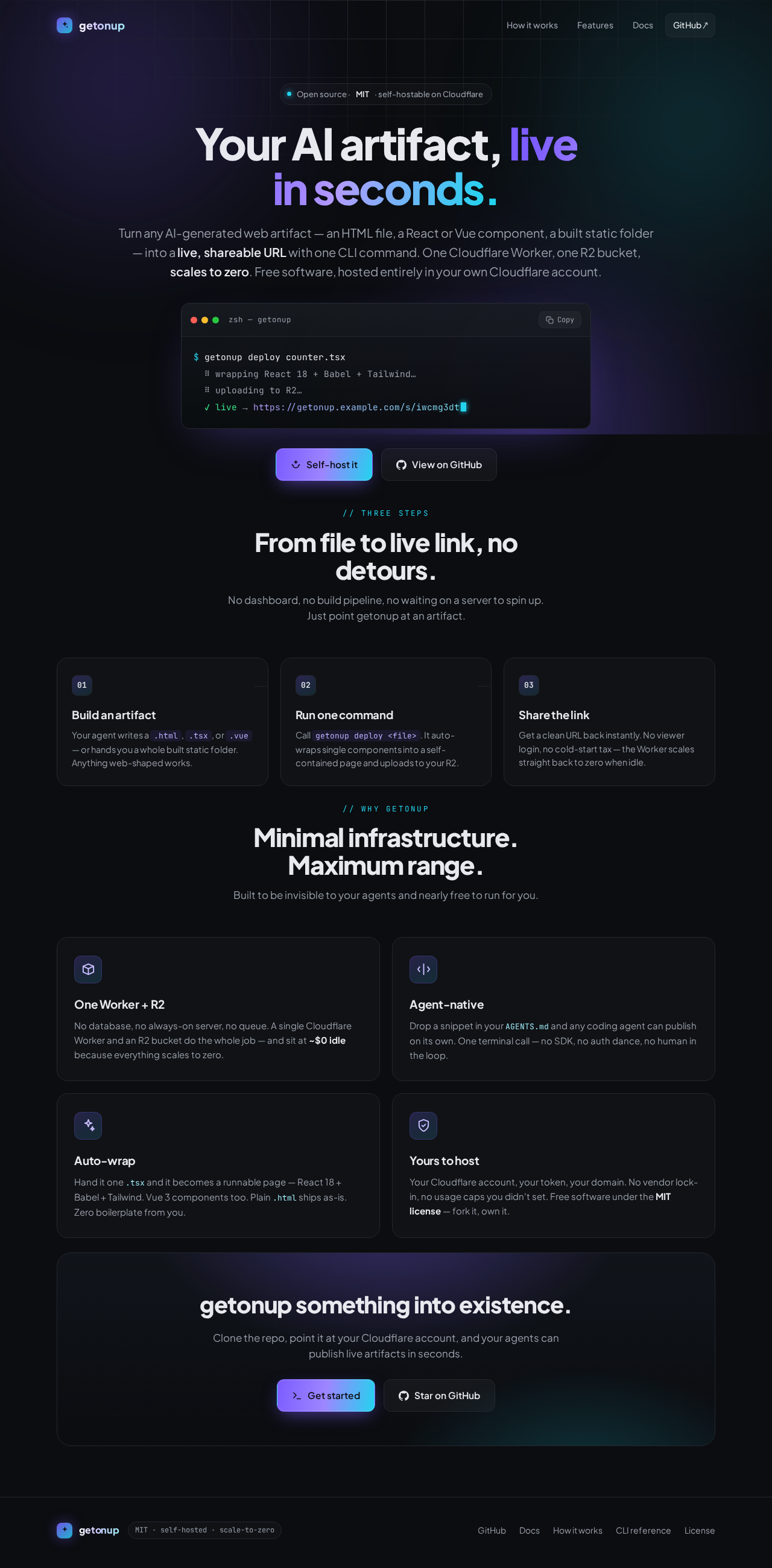
Your AI artifact, live in seconds.
Turn any AI-generated web artifact — an HTML file, a React/Vue component, or a built static folder — into a live, shareable URL with one command. Open-source, self-hosted, scale-to-zero.
getonup deploy counter.tsx
✓ live → https://pages.example.com/s/iwcmg3dt

Why
AI assistants generate gorgeous little apps — but they're trapped in a chat window. getonup publishes them to a real URL from the command line, on infrastructure you own:
- One command —
getonup deploy app.tsxprints a live URL. No build step, no boilerplate. - Agent-native — drop a snippet in
AGENTS.mdand any coding agent can publish its own work. - Auto-wrap — hand it a bare
.tsx/.vue/.jsand it becomes a self-contained, runnable page (React 18 + Babel + Tailwind, Vue 3). HTML files and static folders are served as-is. - Self-hosted & scale-to-zero — one Cloudflare Worker + an R2 bucket, ~$0 when idle. MIT.
Install
The CLI is published on npm. To publish to an existing getonup server:
npm i -g getonup                  # or run it ad-hoc with: npx getonup <args>
getonup login --url https://pages.example.com --token <token> --user "Your Name"
getonup deploy counter.tsx
To run your own server (no Cloudflare account needed), keep reading.
Run it locally (no Cloudflare account)
npm run dev runs the whole server on your machine via Wrangler's local
miniflare storage — no Cloudflare
account, no login, no bucket. The fastest way to try it:
git clone https://github.com/vitorbaptista/getonup.git && cd getonup
npm install
npm run setup        # builds + links the getonup CLI, writes a local deploy token, prints the next step
npm run dev          # serves at http://localhost:8787  (Ctrl-C to stop)
npm run setup prints a getonup login line with your generated token; replace its user-name
placeholder. In a second terminal:
getonup login --url http://localhost:8787 --token <token-from-setup> --user "Your Name"
getonup deploy examples/counter.tsx        # auto-wrapped React → http://localhost:8787/s/<id>
getonup serve  examples/counter.tsx        # …or just preview it — no server, no token
Ready for a public URL? See Self-hosting on Cloudflare ».
Using the CLI
getonup deploy index.html              # a full HTML file → served as-is
getonup deploy counter.tsx --open      # a React component → auto-wrapped & opened in your browser
getonup deploy card.vue                # a Vue SFC → auto-wrapped
cat art.html | getonup deploy -        # pipe from stdin
getonup deploy ./dist                  # a built static site (uses index.html, else the only top-level HTML file)
getonup deploy app.tsx --id my-app     # redeploy to a stable URL (/s/my-app), overwriting in place

getonup list                           # everything you've published
getonup rm <id>                        # take one down
getonup serve app.tsx --watch          # local preview with live-reload (no deploy, no token)
deploy prints the live URL as the last stdout line — --json for structured output, --quiet
for just the URL. Full command + flag reference: docs/CLI.md.
What you can deploy
| You give it | getonup does |
|---|---|
.html (full document) | serves it verbatim |
.html (fragment) | wraps it in a minimal styled page |
.jsx / .tsx | React 18 + Babel + esm.sh import map + Tailwind; mounts your default export |
.vue | Vue 3 + vue3-sfc-loader |
.js / .ts | a module shell, transpiled, with an esm.sh import map for bare imports |
| a directory | uploads the folder as a static site (serves index.html, else the only top-level HTML file, or --index-file <file>) |
imports for npm packages (lucide-react, recharts, …) resolve at runtime via
esm.sh — no bundler. --no-wrap hosts raw source, --type overrides detection,
--no-tailwind skips the Tailwind CDN.
Static & client-side only. Wrapped pages load their dependencies from CDNs at runtime; there's no server-side code (that's what keeps it scale-to-zero). Details + air-gapped notes in Self-hosting › Limitations.
Give it to your agent
The point of getonup: your coding agent publishes its own work. Add this to your project's
AGENTS.md (or CLAUDE.md, .cursorrules, …):
## Publishing artifacts
To share a web artifact (HTML page, React/Vue component, or built static site) as a live URL,
run: `getonup deploy <file-or-dir>` and give the user the printed URL.
- Before deploying, `getonup whoami` must show a user; re-run `getonup login --url <server> --token <token> --user <name>` or set `GETONUP_USER`.
- Single components are auto-wrapped (React/Vue/Tailwind) — just point at the .tsx/.vue/.html.
- Use `--json` to parse the result.
A ready-to-copy block is in AGENTS.md, and there's a Claude Code skill in
skills/getonup.
…or as an MCP server: getonup mcp exposes deploy_artifact, list_deploys, and remove_deploy
over stdio to any MCP-aware agent:
{ "mcpServers": { "getonup": { "command": "getonup", "args": ["mcp"],
  "env": { "GETONUP_URL": "https://pages.example.com", "GETONUP_TOKEN": "your-token", "GETONUP_USER": "Your Name" } } } }
The getonup command
getonup is the CLI. Config lives in ~/.config/getonup/config.json, or pass GETONUP_URL /
GETONUP_TOKEN / GETONUP_USER env vars (handy for CI and agents). Every new deploy records the
resolved user name as public, self-reported attribution; it's stored once, globally, and used by every
profile. Deploying to more than one server? Give each a
named profile and switch with --profile <name> (or GETONUP_PROFILE). From
the repo without installing: npm run getonup -- <args>.
More
- Self-hosting on Cloudflare » — deploy to a public URL; configure, secure, and harden your instance; plus hosting alternatives (GitHub Pages, Datasette Apps).
- CLI reference » — every command and flag.
- Architecture & design » — how the CLI and Worker fit together.
- Landing designs » — twenty demo landing pages, all deployed through getonup.
- Contributing » — dev setup and project layout.
License
MIT — getonup contributors.
Similar repos


Languages
HTML
72.6%
TypeScript
26.0%
JavaScript
1.1%
Self-hostable CLI tool making it easy for agents to deploy artifacts
HTML
5
58 commits
updated Aug 4, 2026
See what people are saying
README
✨ getonup
Your AI artifact, live in seconds.
Turn any AI-generated web artifact — an HTML file, a React/Vue component, or a built static folder — into a live, shareable URL with one command. Open-source, self-hosted, scale-to-zero.
getonup deploy counter.tsx
✓ live → https://pages.example.com/s/iwcmg3dt
Why
AI assistants generate gorgeous little apps — but they're trapped in a chat window. getonup publishes them to a real URL from the command line, on infrastructure you own:
- One command —
getonup deploy app.tsxprints a live URL. No build step, no boilerplate. - Agent-native — drop a snippet in
AGENTS.mdand any coding agent can publish its own work. - Auto-wrap — hand it a bare
.tsx/.vue/.jsand it becomes a self-contained, runnable page (React 18 + Babel + Tailwind, Vue 3). HTML files and static folders are served as-is. - Self-hosted & scale-to-zero — one Cloudflare Worker + an R2 bucket, ~$0 when idle. MIT.
Install
The CLI is published on npm. To publish to an existing getonup server:
npm i -g getonup                  # or run it ad-hoc with: npx getonup <args>
getonup login --url https://pages.example.com --token <token> --user "Your Name"
getonup deploy counter.tsx
To run your own server (no Cloudflare account needed), keep reading.
Run it locally (no Cloudflare account)
npm run dev runs the whole server on your machine via Wrangler's local
miniflare storage — no Cloudflare
account, no login, no bucket. The fastest way to try it:
git clone https://github.com/vitorbaptista/getonup.git && cd getonup
npm install
npm run setup        # builds + links the getonup CLI, writes a local deploy token, prints the next step
npm run dev          # serves at http://localhost:8787  (Ctrl-C to stop)
npm run setup prints a getonup login line with your generated token; replace its user-name
placeholder. In a second terminal:
getonup login --url http://localhost:8787 --token <token-from-setup> --user "Your Name"
getonup deploy examples/counter.tsx        # auto-wrapped React → http://localhost:8787/s/<id>
getonup serve  examples/counter.tsx        # …or just preview it — no server, no token
Ready for a public URL? See Self-hosting on Cloudflare ».
Using the CLI
getonup deploy index.html              # a full HTML file → served as-is
getonup deploy counter.tsx --open      # a React component → auto-wrapped & opened in your browser
getonup deploy card.vue                # a Vue SFC → auto-wrapped
cat art.html | getonup deploy -        # pipe from stdin
getonup deploy ./dist                  # a built static site (uses index.html, else the only top-level HTML file)
getonup deploy app.tsx --id my-app     # redeploy to a stable URL (/s/my-app), overwriting in place

getonup list                           # everything you've published
getonup rm <id>                        # take one down
getonup serve app.tsx --watch          # local preview with live-reload (no deploy, no token)
deploy prints the live URL as the last stdout line — --json for structured output, --quiet
for just the URL. Full command + flag reference: docs/CLI.md.
What you can deploy
| You give it | getonup does |
|---|---|
.html (full document) | serves it verbatim |
.html (fragment) | wraps it in a minimal styled page |
.jsx / .tsx | React 18 + Babel + esm.sh import map + Tailwind; mounts your default export |
.vue | Vue 3 + vue3-sfc-loader |
.js / .ts | a module shell, transpiled, with an esm.sh import map for bare imports |
| a directory | uploads the folder as a static site (serves index.html, else the only top-level HTML file, or --index-file <file>) |
imports for npm packages (lucide-react, recharts, …) resolve at runtime via
esm.sh — no bundler. --no-wrap hosts raw source, --type overrides detection,
--no-tailwind skips the Tailwind CDN.
Static & client-side only. Wrapped pages load their dependencies from CDNs at runtime; there's no server-side code (that's what keeps it scale-to-zero). Details + air-gapped notes in Self-hosting › Limitations.
Give it to your agent
The point of getonup: your coding agent publishes its own work. Add this to your project's
AGENTS.md (or CLAUDE.md, .cursorrules, …):
## Publishing artifacts
To share a web artifact (HTML page, React/Vue component, or built static site) as a live URL,
run: `getonup deploy <file-or-dir>` and give the user the printed URL.
- Before deploying, `getonup whoami` must show a user; re-run `getonup login --url <server> --token <token> --user <name>` or set `GETONUP_USER`.
- Single components are auto-wrapped (React/Vue/Tailwind) — just point at the .tsx/.vue/.html.
- Use `--json` to parse the result.
A ready-to-copy block is in AGENTS.md, and there's a Claude Code skill in
skills/getonup.
…or as an MCP server: getonup mcp exposes deploy_artifact, list_deploys, and remove_deploy
over stdio to any MCP-aware agent:
{ "mcpServers": { "getonup": { "command": "getonup", "args": ["mcp"],
  "env": { "GETONUP_URL": "https://pages.example.com", "GETONUP_TOKEN": "your-token", "GETONUP_USER": "Your Name" } } } }
The getonup command
getonup is the CLI. Config lives in ~/.config/getonup/config.json, or pass GETONUP_URL /
GETONUP_TOKEN / GETONUP_USER env vars (handy for CI and agents). Every new deploy records the
resolved user name as public, self-reported attribution; it's stored once, globally, and used by every
profile. Deploying to more than one server? Give each a
named profile and switch with --profile <name> (or GETONUP_PROFILE). From
the repo without installing: npm run getonup -- <args>.
More
- Self-hosting on Cloudflare » — deploy to a public URL; configure, secure, and harden your instance; plus hosting alternatives (GitHub Pages, Datasette Apps).
- CLI reference » — every command and flag.
- Architecture & design » — how the CLI and Worker fit together.
- Landing designs » — twenty demo landing pages, all deployed through getonup.
- Contributing » — dev setup and project layout.
License
MIT — getonup contributors.
Similar repos
Languages
HTML
72.6%
TypeScript
26.0%
JavaScript
1.1%