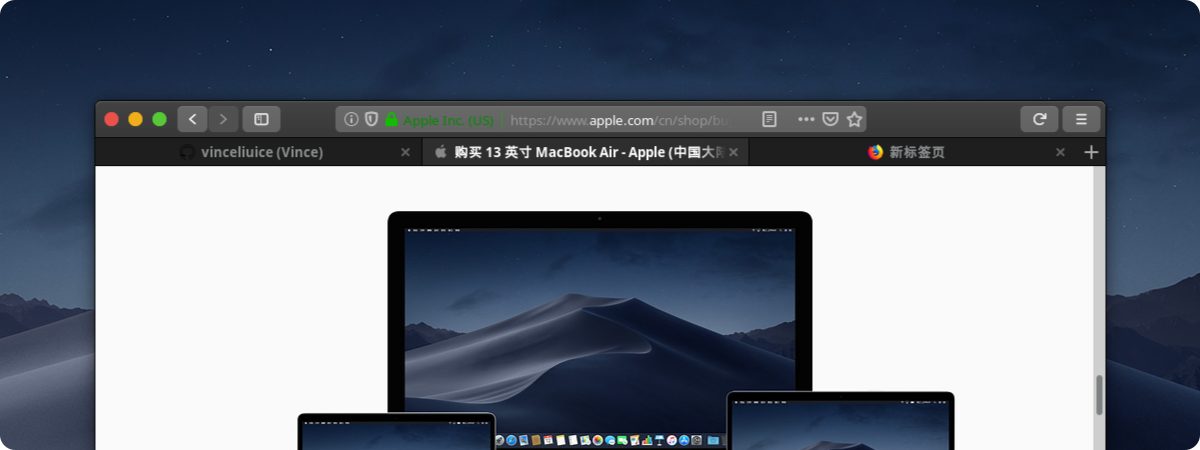
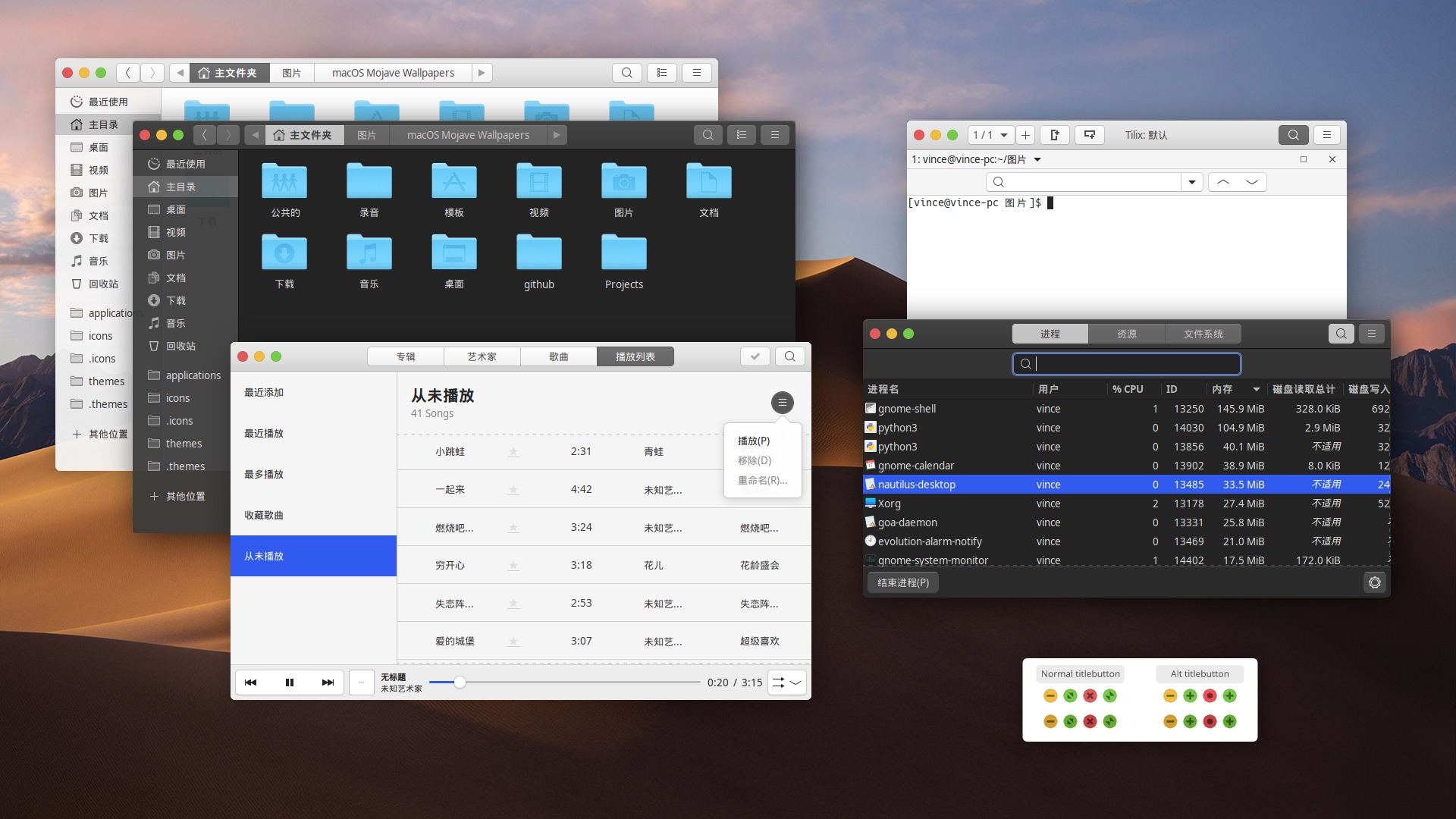
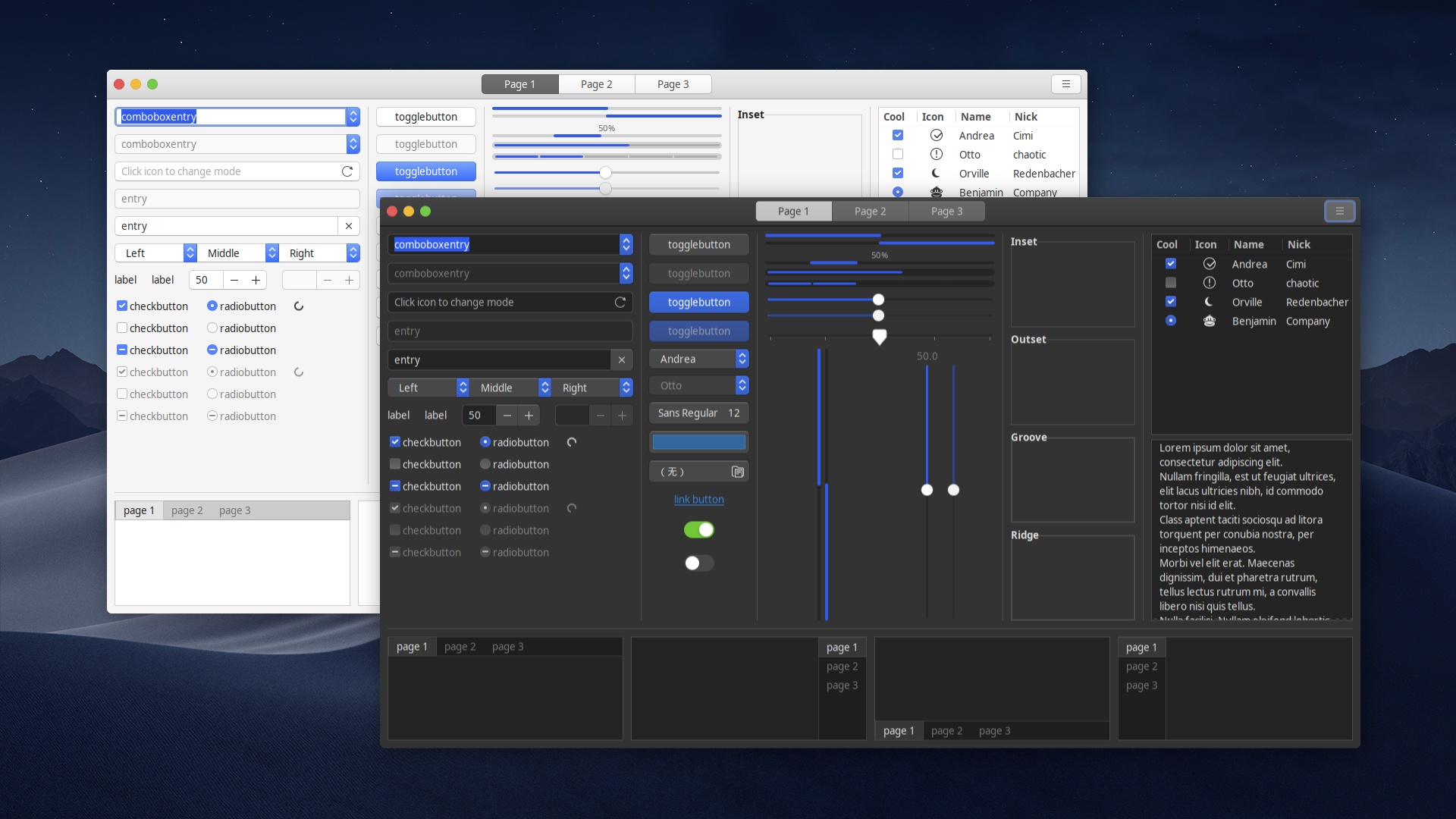
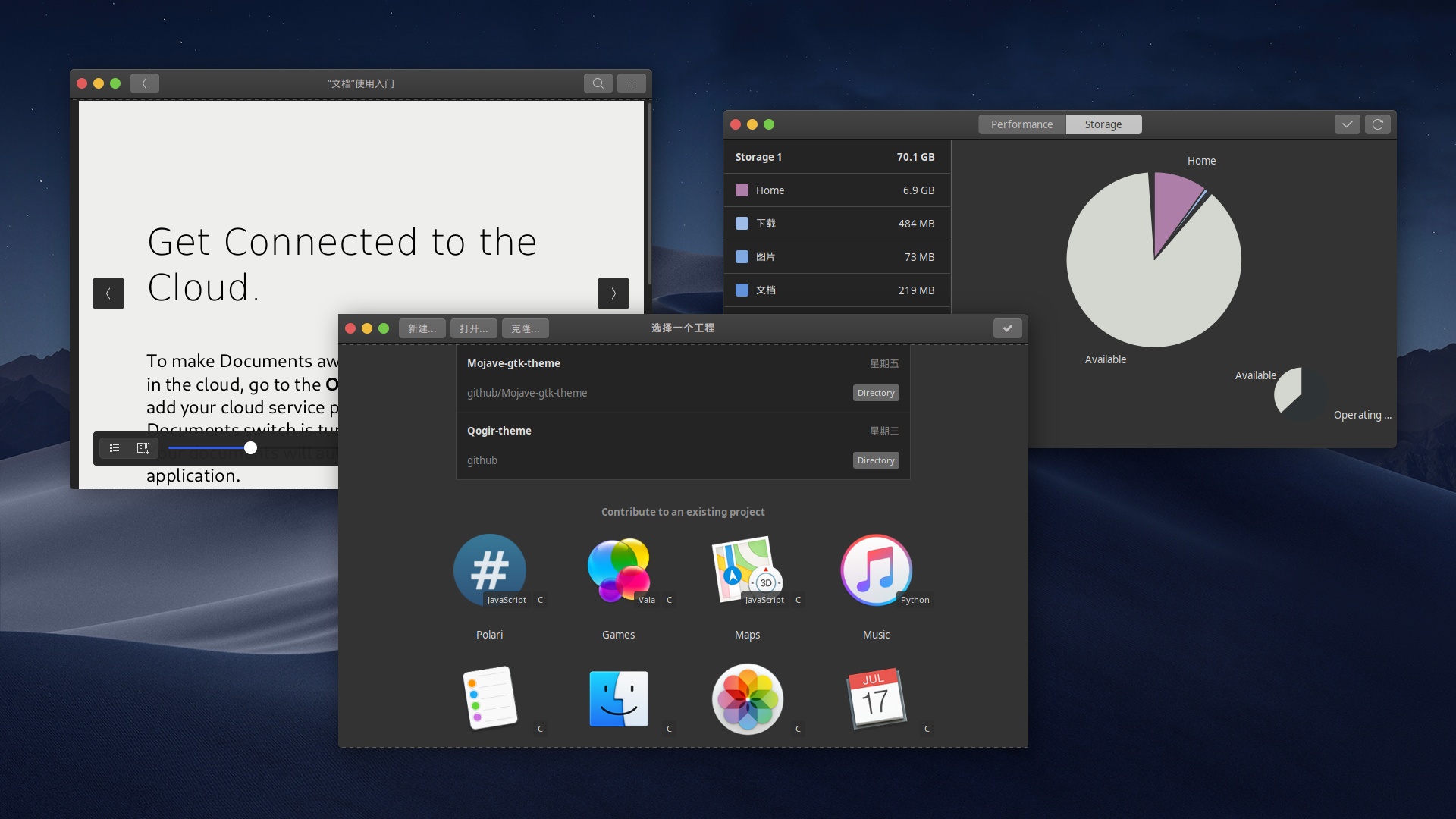
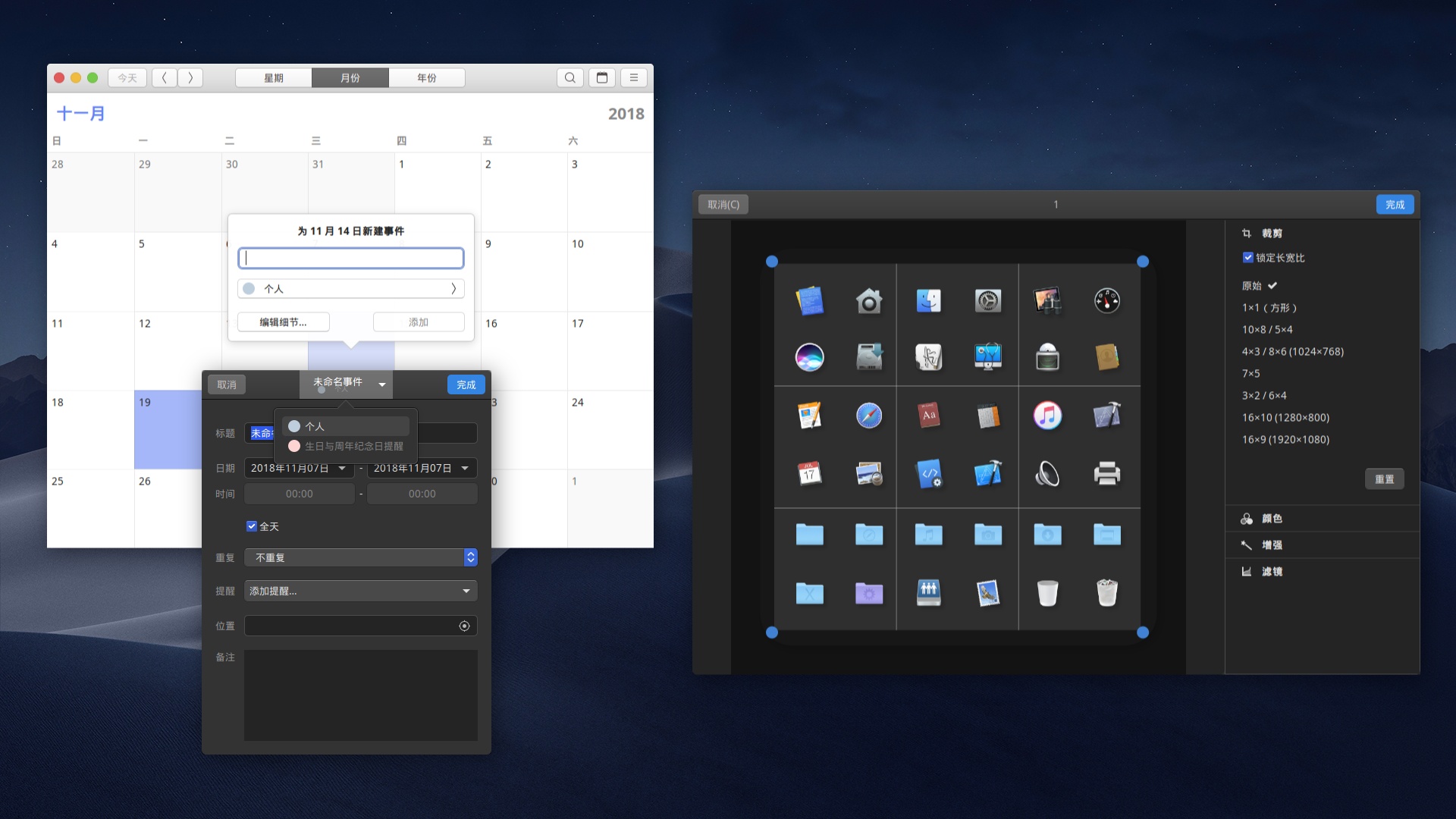
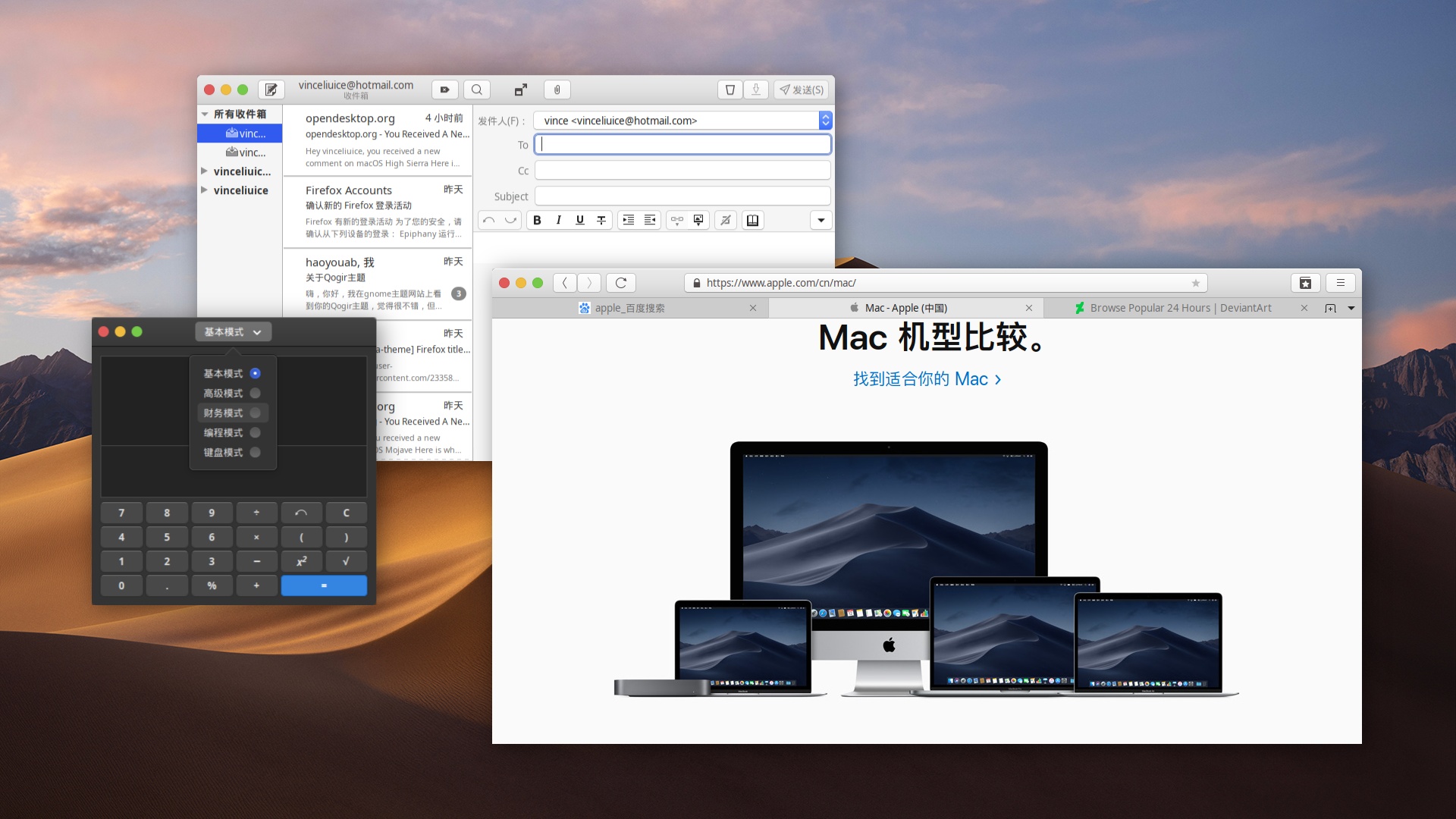
Mojave is a macos Mojave like theme for GTK 3, GTK 2 and Gnome-Shell
SCSS
1,571
579 commits
updated Dec 7, 2025
 Mojave Gtk Theme
Mojave is a Mac OSX like theme for GTK 3, GTK 2 and Gnome-Shell which supports GTK 3 and GTK 2 based desktop environments like Gnome, Pantheon, XFCE, Mate, etc.
Fedora/RedHatUbuntu/Mint/DebianArch/ManjaroFedora/RedHatUbuntu/Mint/DebianArch/Manjaroubuntu 20.04ubuntu 18.04 debian 10.03 linux mint 19ubuntu 18.04 debian 10.03 linux mint 19Fedora RedhatAfter depends all installed you can Run
./install.sh
Usage: ./install.sh [OPTIONS...]
| OPTIONS: | |
|---|---|
| -d, --dest | Specify theme destination directory (Default: $HOME/.themes) |
| -n, --name | Specify theme name (Default: Mojave) |
| -c, --color | Specify theme color variant(s) [light/dark] (Default: All variants) |
| -o, --opacity | Specify theme opacity variant(s) [standard/solid] (Default: All variants) |
| -a, --alt | Specify titlebutton variant(s) [standard/alt] (Default: All variants) |
| -s, --small | Specify titlebutton size variant(s) [standard/small] (Default: standard variants) |
| -t, --theme | Specify primary theme color variant(s) [default/blue/purple/pink/red/orange/yellow/green/grey/all] (Default: MacOS blue) |
| -i, --icon | activities icon variant(s) [standard/normal/gnome/ubuntu/arch/manjaro/fedora/debian/void] (Default: standard variant) |
| -l, --libadwaita | Install gtk4.0 theme in $HOME/.config/gtk-4.0 for libadwaita apps |
| -g, --gdm | Install GDM theme, you should run this with sudo! |
| -r, --revert | revert GDM theme, you should run this with sudo! |
| -h, --help | Show this help |

You can install the theme from the Snap Store оr by running:
sudo snap install mojave-themes
To connect the theme to an app run:
sudo snap connect [other snap]:gtk-3-themes mojave-themes:gtk-3-themes
To connect the theme to all apps which have available plugs to gtk-common-themes you can run:
for i in $(snap connections | grep gtk-common-themes:gtk-3-themes | awk '{print $2}'); do sudo snap connect $i mojave-themes:gtk-3-themes; done
Search mojave-gtk-theme-git : https://aur.archlinux.org/packages/mojave-gtk-theme-git/
yay -S mojave-gtk-theme-git
Use "light theme" for webs on Firefox.
Go to about:config,
create a pref called widget.content.gtk-theme-override of type String,
and give it a value of Mojave-light. This will fix it.


1,042 followers · starred Nov 2025
209 followers · starred Jun 2020
259 followers · starred Mar 2020
116 followers · starred Nov 2018
Mojave is a macos Mojave like theme for GTK 3, GTK 2 and Gnome-Shell
SCSS
1,571
579 commits
updated Dec 7, 2025
Mojave Gtk ThemeMojave is a Mac OSX like theme for GTK 3, GTK 2 and Gnome-Shell which supports GTK 3 and GTK 2 based desktop environments like Gnome, Pantheon, XFCE, Mate, etc.
Fedora/RedHatUbuntu/Mint/DebianArch/ManjaroFedora/RedHatUbuntu/Mint/DebianArch/Manjaroubuntu 20.04ubuntu 18.04 debian 10.03 linux mint 19ubuntu 18.04 debian 10.03 linux mint 19Fedora RedhatAfter depends all installed you can Run
./install.sh
Usage: ./install.sh [OPTIONS...]
| OPTIONS: | |
|---|---|
| -d, --dest | Specify theme destination directory (Default: $HOME/.themes) |
| -n, --name | Specify theme name (Default: Mojave) |
| -c, --color | Specify theme color variant(s) [light/dark] (Default: All variants) |
| -o, --opacity | Specify theme opacity variant(s) [standard/solid] (Default: All variants) |
| -a, --alt | Specify titlebutton variant(s) [standard/alt] (Default: All variants) |
| -s, --small | Specify titlebutton size variant(s) [standard/small] (Default: standard variants) |
| -t, --theme | Specify primary theme color variant(s) [default/blue/purple/pink/red/orange/yellow/green/grey/all] (Default: MacOS blue) |
| -i, --icon | activities icon variant(s) [standard/normal/gnome/ubuntu/arch/manjaro/fedora/debian/void] (Default: standard variant) |
| -l, --libadwaita | Install gtk4.0 theme in $HOME/.config/gtk-4.0 for libadwaita apps |
| -g, --gdm | Install GDM theme, you should run this with sudo! |
| -r, --revert | revert GDM theme, you should run this with sudo! |
| -h, --help | Show this help |
You can install the theme from the Snap Store оr by running:
sudo snap install mojave-themes
To connect the theme to an app run:
sudo snap connect [other snap]:gtk-3-themes mojave-themes:gtk-3-themes
To connect the theme to all apps which have available plugs to gtk-common-themes you can run:
for i in $(snap connections | grep gtk-common-themes:gtk-3-themes | awk '{print $2}'); do sudo snap connect $i mojave-themes:gtk-3-themes; done
Search mojave-gtk-theme-git : https://aur.archlinux.org/packages/mojave-gtk-theme-git/
yay -S mojave-gtk-theme-git
Use "light theme" for webs on Firefox.
Go to about:config,
create a pref called widget.content.gtk-theme-override of type String,
and give it a value of Mojave-light. This will fix it.
1,042 followers · starred Nov 2025
209 followers · starred Jun 2020
259 followers · starred Mar 2020
116 followers · starred Nov 2018



