Deprecated and no longer maintained. Succeeded by Video.js 10 (https://videojs.org). Customizable, accessible media player web components.
See the code[!IMPORTANT]
Vime is no longer maintained. It receives no fixes, including security fixes, and this repository is archived. The teams behind Vime, Vidstack, Plyr, Media Chrome, and Video.js now work on Video.js 10.
- Get started with Video.js 10: React · Web components and other frameworks. Each installation guide has an AI Quickstart prompt for coding agents.
- Map Vime concepts: there's no Vime-specific guide. Vidstack succeeded Vime, so the Vidstack migration guide covers the closest concepts: React · Web components and other frameworks.
- Questions: videojs/video.js discussions

Vime is a customizable, extensible, accessible and framework agnostic media player.





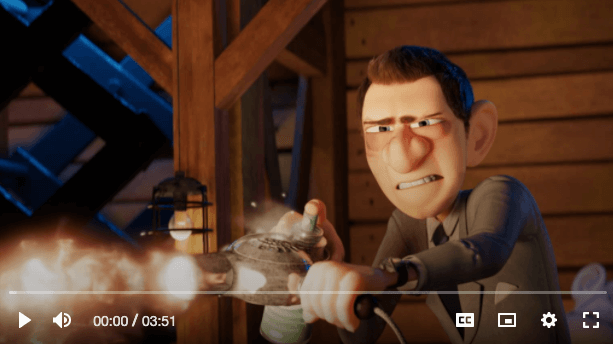
The examples below are using web components but there are bindings for React, Vue, Svelte, Stencil and Angular. If you want to see how they look check out our Demo.
<vm-player autoplay muted>
  <vm-video poster="/media/poster.png" cross-origin>
    <!-- Why `data-src`? Lazy loading. You can always use `src` if you don't need it. -->
    <source data-src="/media/video.mp4" type="video/mp4" />
    <track
      default
      kind="subtitles"
      src="/media/subs/en.vtt"
      srclang="en"
      label="English"
    />
  </vm-video>

  <!-- Loads the default Vime UI. -->
  <vm-default-ui />
</vm-player>
Native UI?
<!-- Here we are requesting to use the native controls. -->
<vm-player autoplay muted controls>
  <vm-audio cross-origin>
    <source data-src="/media/audio.mp3" type="audio/mp3" />
  </vm-audio>
</vm-player>
Custom UI?
<!-- Lets add a little splash of color throughout the player. -->
<vm-player autoplay muted style="--vm-player-theme: #1873d3">
  <!-- Loading a YouTube video. -->
  <vm-youtube video-id="DyTCOwB0DVw" />

  <vm-ui>
    <vm-click-to-play />
    <vm-captions />
    <vm-poster />
    <vm-spinner />
    <vm-default-settings />
    <vm-controls pin="bottomLeft" active-duration="2750" full-width>
      <!--
        These are all predefined controls that you can easily customize. You could also build
        your own controls completely from scratch.
      -->
      <vm-playback-control tooltip-direction="right" />
      <vm-volume-control />
      <vm-time-progress />
      <vm-control-spacer />
      <vm-caption-control />
      <vm-pip-control keys="p" />
      <vm-settings-control />
      <vm-fullscreen-control keys="f" tooltip-direction="left" />
    </vm-controls>
  </vm-ui>
</vm-player>
There are framework specific bindings for:
Keep in mind, that at its core Vime is still simply web components. Even if your framework is not mentioned in the list above, it most likely still supports Vime natively. You can check here if your framework has complete support for web components.
There are also examples for loading and using Vime with:
Vime is forward thinking and built for the modern web. All ES6 Compatible browsers are supported, some of which are listed below.
Documentation can be found at https://vimejs.com.
Feel free to join our Discord channel if you'd like help with anything related to Vime. Please remember to be respectful and patient as this is a community driven project.
If you'd like to contribute and help in building a better media player for the web, then everything you need to get started can be found in the Contributing Guide.
A huge thanks to our sponsors who support open-source projects like Vime.



(top 24 of 25)
1,553 followers · starred Feb 2021
5,830 followers · starred Jul 2023
70 followers · starred Feb 2021
690 followers · starred Oct 2020
Deprecated and no longer maintained. Succeeded by Video.js 10 (https://videojs.org). Customizable, accessible media player web components.
See the code[!IMPORTANT]
Vime is no longer maintained. It receives no fixes, including security fixes, and this repository is archived. The teams behind Vime, Vidstack, Plyr, Media Chrome, and Video.js now work on Video.js 10.
- Get started with Video.js 10: React · Web components and other frameworks. Each installation guide has an AI Quickstart prompt for coding agents.
- Map Vime concepts: there's no Vime-specific guide. Vidstack succeeded Vime, so the Vidstack migration guide covers the closest concepts: React · Web components and other frameworks.
- Questions: videojs/video.js discussions
Vime is a customizable, extensible, accessible and framework agnostic media player.
The examples below are using web components but there are bindings for React, Vue, Svelte, Stencil and Angular. If you want to see how they look check out our Demo.
<vm-player autoplay muted>
  <vm-video poster="/media/poster.png" cross-origin>
    <!-- Why `data-src`? Lazy loading. You can always use `src` if you don't need it. -->
    <source data-src="/media/video.mp4" type="video/mp4" />
    <track
      default
      kind="subtitles"
      src="/media/subs/en.vtt"
      srclang="en"
      label="English"
    />
  </vm-video>

  <!-- Loads the default Vime UI. -->
  <vm-default-ui />
</vm-player>
Native UI?
<!-- Here we are requesting to use the native controls. -->
<vm-player autoplay muted controls>
  <vm-audio cross-origin>
    <source data-src="/media/audio.mp3" type="audio/mp3" />
  </vm-audio>
</vm-player>
Custom UI?
<!-- Lets add a little splash of color throughout the player. -->
<vm-player autoplay muted style="--vm-player-theme: #1873d3">
  <!-- Loading a YouTube video. -->
  <vm-youtube video-id="DyTCOwB0DVw" />

  <vm-ui>
    <vm-click-to-play />
    <vm-captions />
    <vm-poster />
    <vm-spinner />
    <vm-default-settings />
    <vm-controls pin="bottomLeft" active-duration="2750" full-width>
      <!--
        These are all predefined controls that you can easily customize. You could also build
        your own controls completely from scratch.
      -->
      <vm-playback-control tooltip-direction="right" />
      <vm-volume-control />
      <vm-time-progress />
      <vm-control-spacer />
      <vm-caption-control />
      <vm-pip-control keys="p" />
      <vm-settings-control />
      <vm-fullscreen-control keys="f" tooltip-direction="left" />
    </vm-controls>
  </vm-ui>
</vm-player>
There are framework specific bindings for:
Keep in mind, that at its core Vime is still simply web components. Even if your framework is not mentioned in the list above, it most likely still supports Vime natively. You can check here if your framework has complete support for web components.
There are also examples for loading and using Vime with:
Vime is forward thinking and built for the modern web. All ES6 Compatible browsers are supported, some of which are listed below.
Documentation can be found at https://vimejs.com.
Feel free to join our Discord channel if you'd like help with anything related to Vime. Please remember to be respectful and patient as this is a community driven project.
If you'd like to contribute and help in building a better media player for the web, then everything you need to get started can be found in the Contributing Guide.
A huge thanks to our sponsors who support open-source projects like Vime.
(top 24 of 25)
1,553 followers · starred Feb 2021
5,830 followers · starred Jul 2023
70 followers · starred Feb 2021
690 followers · starred Oct 2020