BetterTouchTool Touch Bar Presets
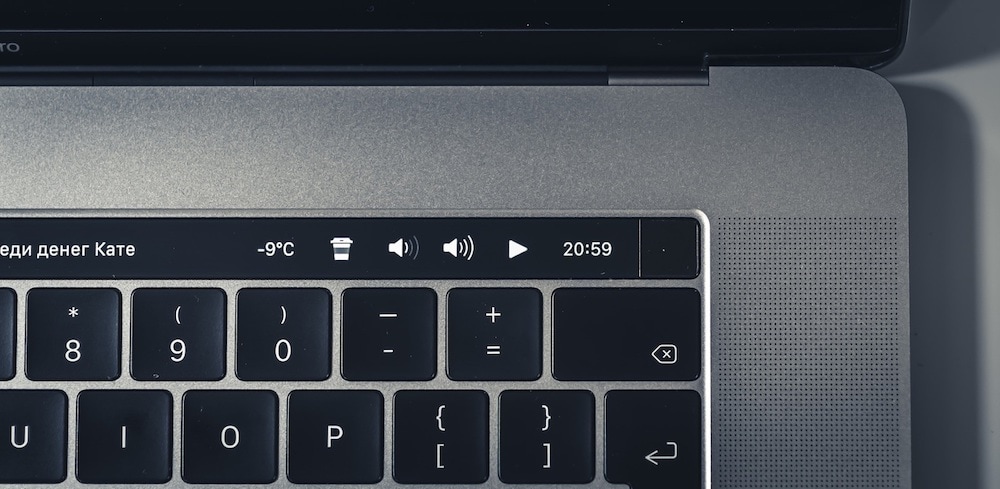
See the codeHere we collect cool touch bar presets for BetterTouchTool. Feel free to send your own configs in pull-requests. Do not forget to attach a screenshot (⇧⌘6) and write some description to this README.
Much time has passed since the original article was written. BTT author has added many cool features that you can use instead of our hand-made widgets. The bad news: our presets are mostly not working now. At the beginning we tried to update them for each new version of BTT, but there were so many incompatible changes that we gave up. So, just use this article as a guide and you will be able to create something even cooler. I am very proud that we had such an impact on touchbar customization and BTT itself. Thank you, guys!
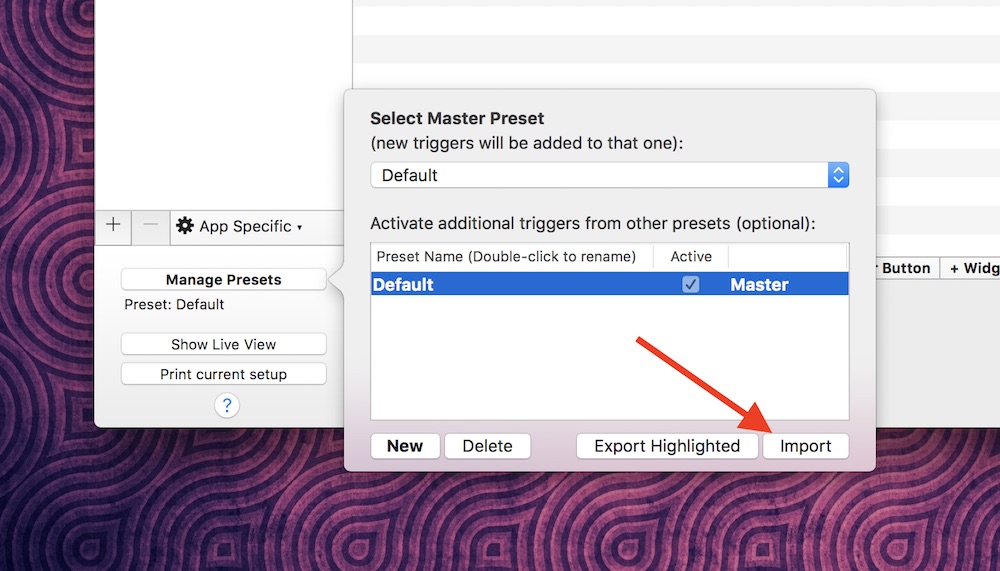
After installing BetterTouchTool, you can import/export configurations from the Manage Presets button.


Widgets:

Version 2 (with sliders):

Version 3 (System info group, battery info is moved to the group to reduce the consumption of system resources):




Widgets:



Widgets:
 Version 1: toxblh_v1.json

Widgets:
Presets:

Widgets:
Presets:
 Widgets:
Presets Left:
Presets Right:



Presets Left:
Presets Right:

Left:
Middle widget:
Right:
h:mm aMisc:
Fn key to access expanded control strip or press it to toggle BTT/app
controls if available, via hack from alexw.me - search "You can still
access the Control
Strip..."

Left:
Middle widget:
The next song title appears immediately, it doesn't wait for the now playing script to run on its timer
Right:
The brightness/volume up buttons were omitted from the slider in the interest of saving space, and because I use the slider to adjust and not the buttons. The buttons are effectively just icons to remind what each slider is for.
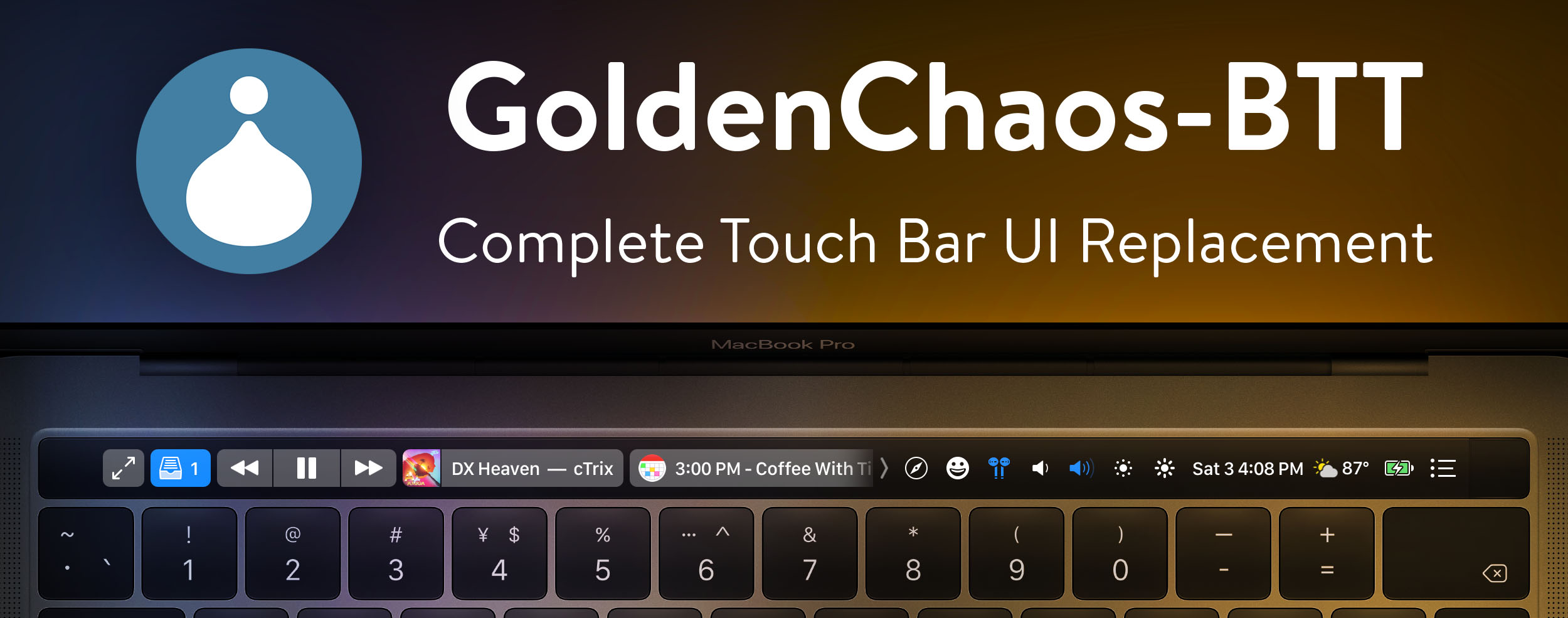
The default set of keys if nothing is open; Fullscreen button doubles as escape key and always stays docked to the left

Contextual buttons and widgets populate the scrollable container as you open and close corresponding apps; Tap on any widget to open its parent app


Emoji and app switcher widgets take over the scrollable container


Hold down alt/option for an expanded control strip

High Sierra Media Key Enabler with "Pause if no player is running" enabled is strongly recommended. Appropriate media controls are displayed conditionally based on the following hierarchy:
If no media player is running, and Safari is open to a YouTube video, only the Play/Pause button will be shown. In any other case, all media controls are available.
For the Calendar widget to work properly, it must first be edited to include the names of calendars you wish to display. Replace my personal defaults with yours, and make sure you've installed icalBuddy. You can also configure the widget to display events for additional days, for example for up to a week, by changing "eventsToday" to "eventsToday+7".




Presets Left:
Center:
Presets Right:
Media Controls:

Widgets:
Presets:

Coffe Break: Lock the Screen;
Gmail Icon: Open my Safari and the Gmail page;
Play/Pause: Stop and Play Music in Spotify and iTunes. If nothing is open, it open the spotify (first click) and play music (second click);
Show Music/Video: Here it display the music Spotify/iTunes or the video on Youtube that you are watching/listening;
Weather: Funny here, because it show the weather with a nice icon, I change click the behavior. Don’t open the weather website but clean the trash can;
Battery: If mouse is connect show mouse battery, if not show computer chargin or on power. On Click: Mute/Unmute;
Hour: Show the “current” time, one of the best feats! But when you click I “made it to” take screenshots
Two Fingers Movement: Change the volume
Three Fingers Movement: Change the Brightness


Licensed under the WTFPL license. Full text of the license can be found in the LICENSE.txt file.
75 followers · starred Apr 2018
1,867 followers · starred Apr 2018
23,877 followers · starred Jul 2018
80 followers · starred Jul 2018
BetterTouchTool Touch Bar Presets
See the codeHere we collect cool touch bar presets for BetterTouchTool. Feel free to send your own configs in pull-requests. Do not forget to attach a screenshot (⇧⌘6) and write some description to this README.
Much time has passed since the original article was written. BTT author has added many cool features that you can use instead of our hand-made widgets. The bad news: our presets are mostly not working now. At the beginning we tried to update them for each new version of BTT, but there were so many incompatible changes that we gave up. So, just use this article as a guide and you will be able to create something even cooler. I am very proud that we had such an impact on touchbar customization and BTT itself. Thank you, guys!
After installing BetterTouchTool, you can import/export configurations from the Manage Presets button.
Widgets:
Version 2 (with sliders):
Version 3 (System info group, battery info is moved to the group to reduce the consumption of system resources):
Widgets:
Widgets:
Version 1: toxblh_v1.json
Widgets:
Presets:
Widgets:
Presets:
Widgets:
Presets Left:
Presets Right:
Presets Left:
Presets Right:
Left:
Middle widget:
Right:
h:mm aMisc:
Fn key to access expanded control strip or press it to toggle BTT/app
controls if available, via hack from alexw.me - search "You can still
access the Control
Strip..."
Left:
Middle widget:
The next song title appears immediately, it doesn't wait for the now playing script to run on its timer
Right:
The brightness/volume up buttons were omitted from the slider in the interest of saving space, and because I use the slider to adjust and not the buttons. The buttons are effectively just icons to remind what each slider is for.
The default set of keys if nothing is open; Fullscreen button doubles as escape key and always stays docked to the left
Contextual buttons and widgets populate the scrollable container as you open and close corresponding apps; Tap on any widget to open its parent app
Emoji and app switcher widgets take over the scrollable container
Hold down alt/option for an expanded control strip
High Sierra Media Key Enabler with "Pause if no player is running" enabled is strongly recommended. Appropriate media controls are displayed conditionally based on the following hierarchy:
If no media player is running, and Safari is open to a YouTube video, only the Play/Pause button will be shown. In any other case, all media controls are available.
For the Calendar widget to work properly, it must first be edited to include the names of calendars you wish to display. Replace my personal defaults with yours, and make sure you've installed icalBuddy. You can also configure the widget to display events for additional days, for example for up to a week, by changing "eventsToday" to "eventsToday+7".
Presets Left:
Center:
Presets Right:
Media Controls:
Widgets:
Presets:
Coffe Break: Lock the Screen;
Gmail Icon: Open my Safari and the Gmail page;
Play/Pause: Stop and Play Music in Spotify and iTunes. If nothing is open, it open the spotify (first click) and play music (second click);
Show Music/Video: Here it display the music Spotify/iTunes or the video on Youtube that you are watching/listening;
Weather: Funny here, because it show the weather with a nice icon, I change click the behavior. Don’t open the weather website but clean the trash can;
Battery: If mouse is connect show mouse battery, if not show computer chargin or on power. On Click: Mute/Unmute;
Hour: Show the “current” time, one of the best feats! But when you click I “made it to” take screenshots
Two Fingers Movement: Change the volume
Three Fingers Movement: Change the Brightness
Licensed under the WTFPL license. Full text of the license can be found in the LICENSE.txt file.
75 followers · starred Apr 2018
1,867 followers · starred Apr 2018
23,877 followers · starred Jul 2018
80 followers · starred Jul 2018