
README
lima-xbar-plugin



Table of Contents
Lima is an alternative to using Docker Desktop on your Mac.
Description
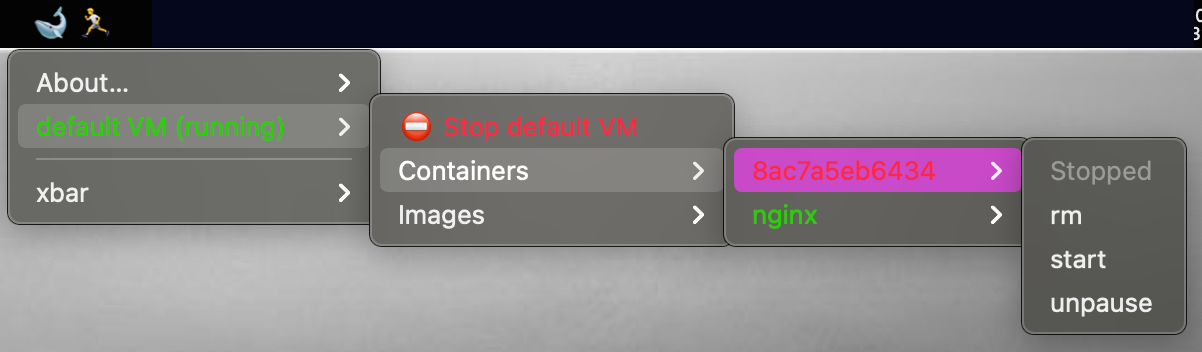
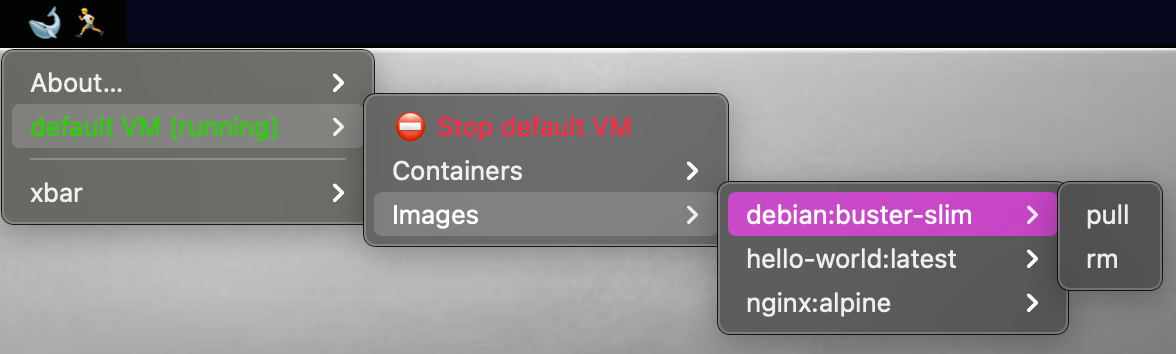
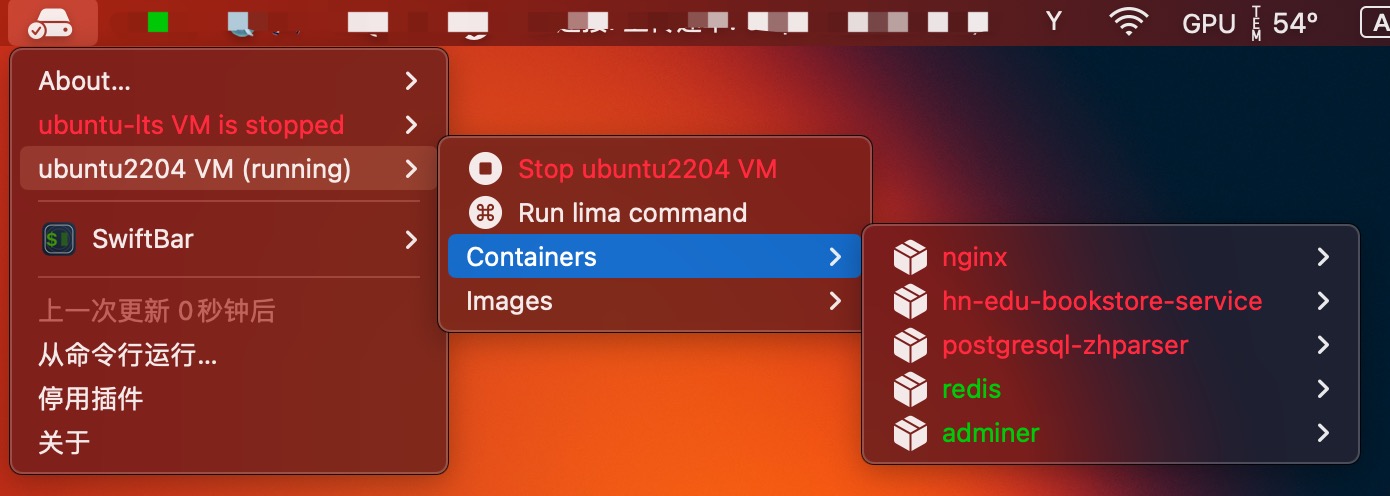
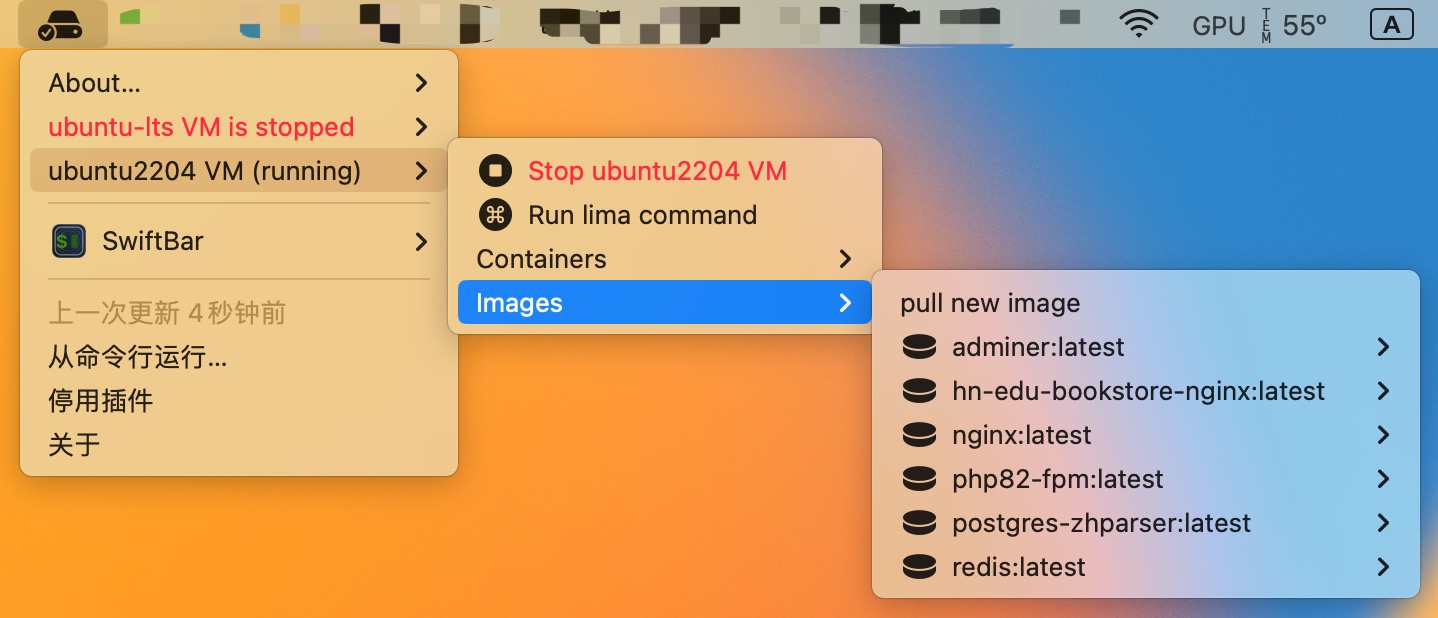
This plugin is compatible with xbar and SwiftBar, and provides a menubar app that creates a Lima menubar option with submenus for each Lima VM on your machine. For each VM, you can:
- start/stop the VM
- stop, start or remove stopped containers
- pull or remove images from the VM
- Run an arbitrary command inside the VM with
lima
Screen shots
Theme
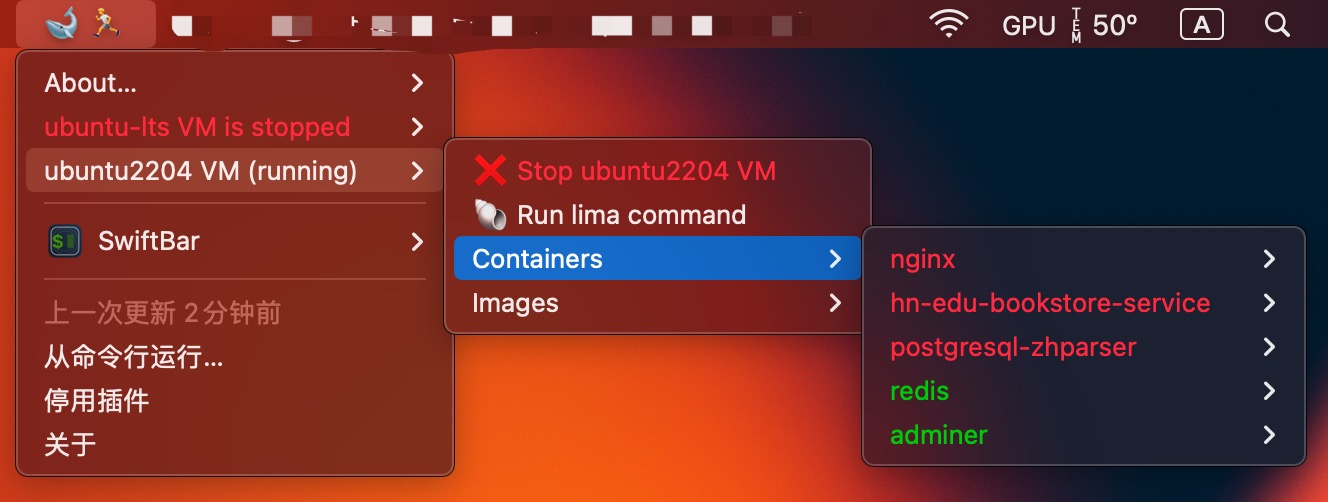
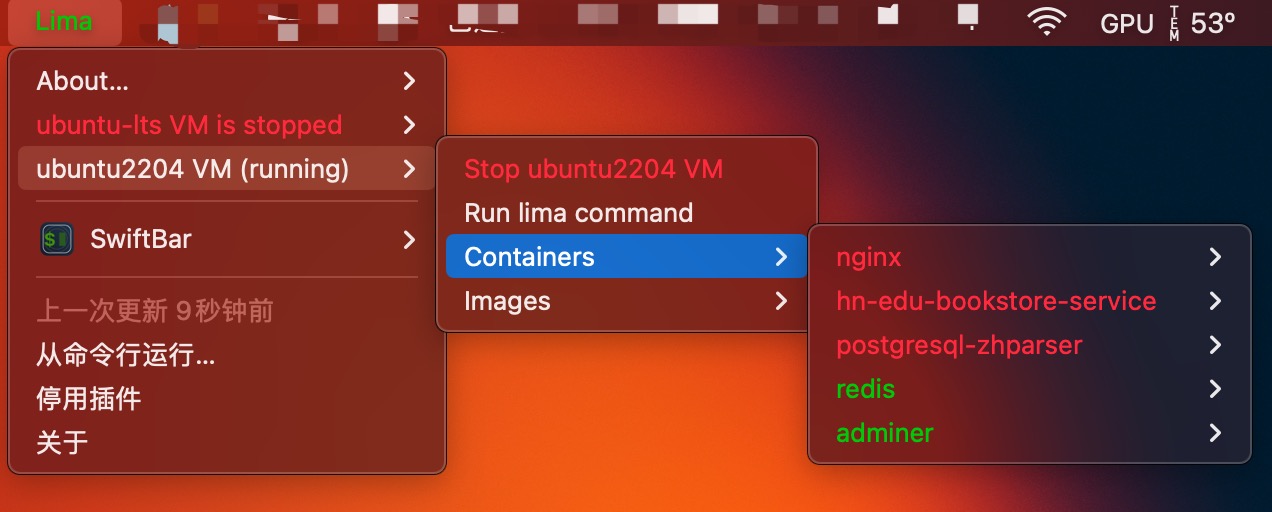
Rename the plugin file to lima-plugin.[theme].[time_ext] to switch to the specified theme
e.g.
- lima-plugin.10s -> default
- lima-plugin.default.10s -> default
- lima-plugin.text.10s -> text
- lima-plugin.sf_simple.10s -> sf_simple
- lima-plugin.sf_simple.10s.py -> sf_simple
Theme default:
Theme text:
Theme sf_simple:
Installation
Copy lima-plugin to ~/Library/Application\ Support/xbar/plugins/lima-plugin.30s, or run make install
Dependencies
Contributors


Languages
Python
98.2%
Makefile
1.8%
README
lima-xbar-plugin
Table of Contents
Lima is an alternative to using Docker Desktop on your Mac.
Description
This plugin is compatible with xbar and SwiftBar, and provides a menubar app that creates a Lima menubar option with submenus for each Lima VM on your machine. For each VM, you can:
- start/stop the VM
- stop, start or remove stopped containers
- pull or remove images from the VM
- Run an arbitrary command inside the VM with
lima
Screen shots
Theme
Rename the plugin file to lima-plugin.[theme].[time_ext] to switch to the specified theme
e.g.
- lima-plugin.10s -> default
- lima-plugin.default.10s -> default
- lima-plugin.text.10s -> text
- lima-plugin.sf_simple.10s -> sf_simple
- lima-plugin.sf_simple.10s.py -> sf_simple
Theme default:
Theme text:
Theme sf_simple:
Installation
Copy lima-plugin to ~/Library/Application\ Support/xbar/plugins/lima-plugin.30s, or run make install
Dependencies
Contributors
Languages
Python
98.2%
Makefile
1.8%