
README

Browser Extension for Tube Archivist

Screenshots
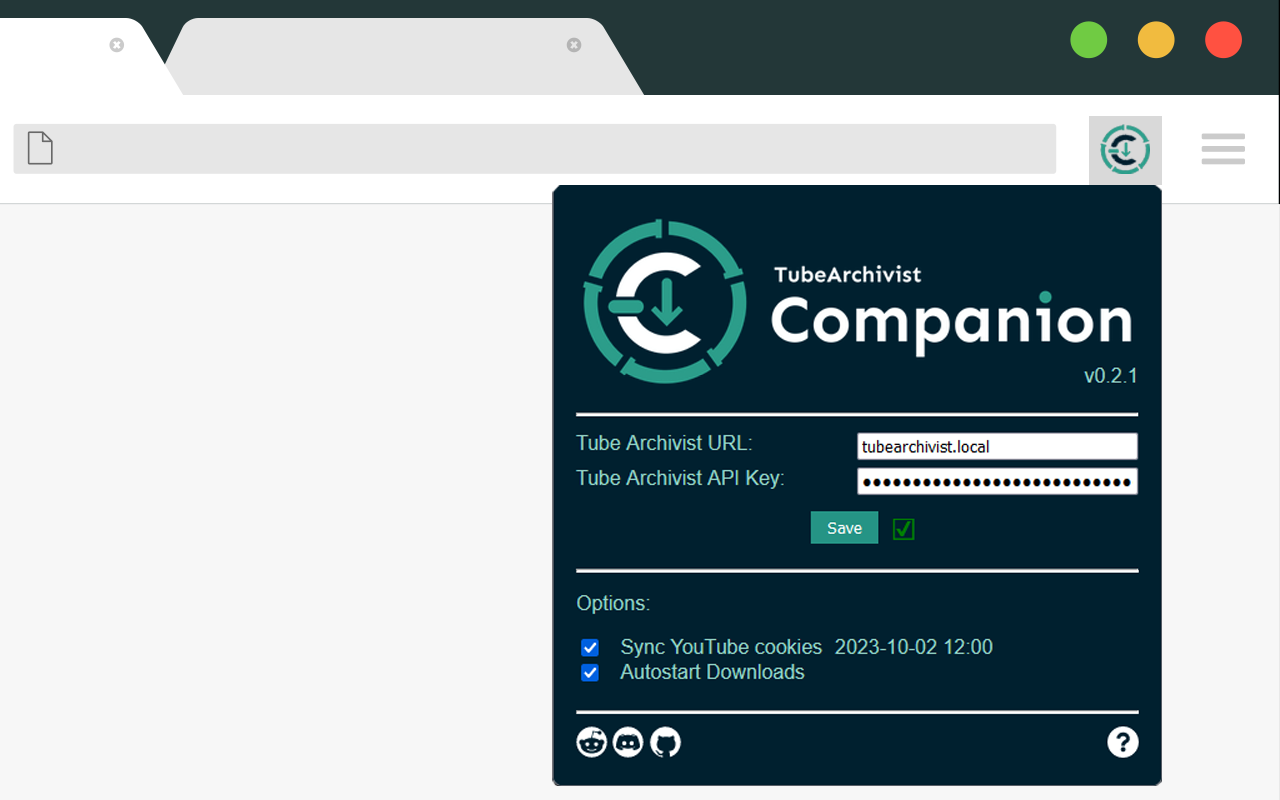 Popup to enter your connection details.
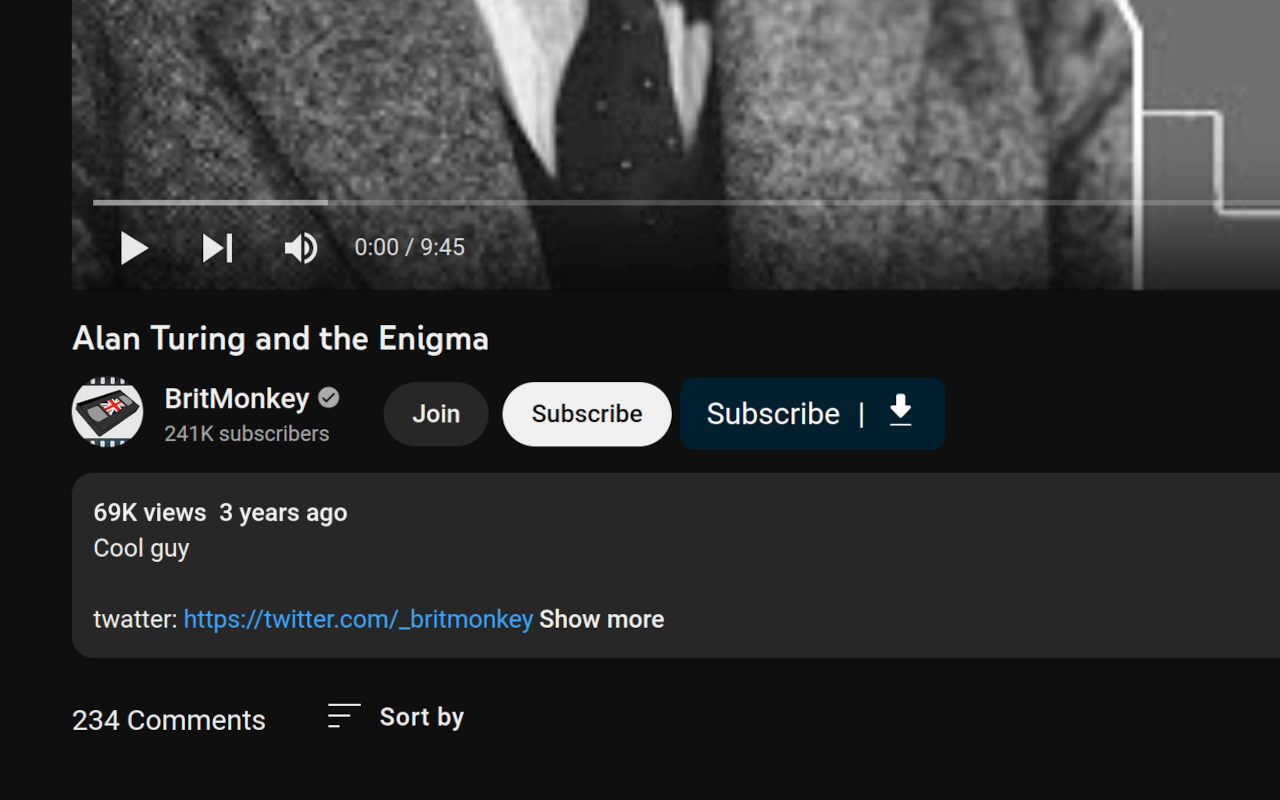 Button injected on video page to download the video or subscribe to the channel.
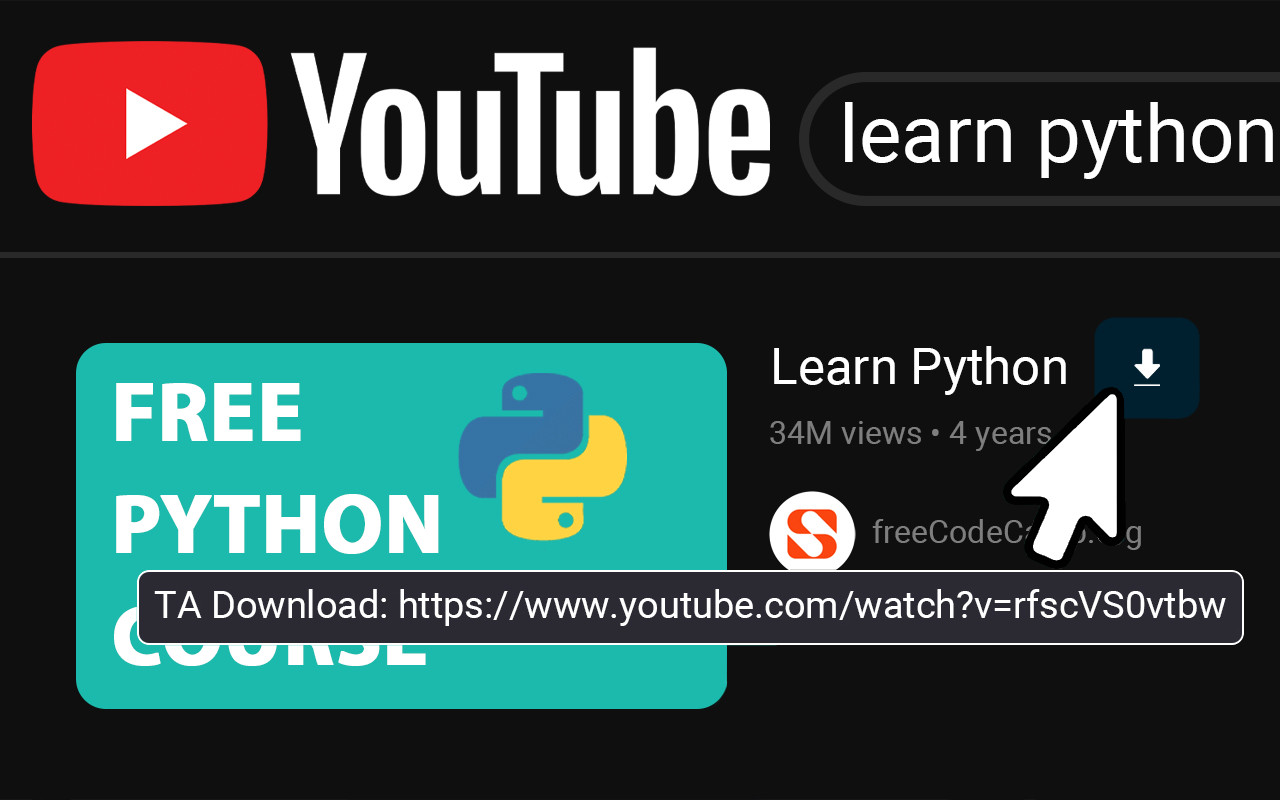 Download button injected showing when hovering over the video title.
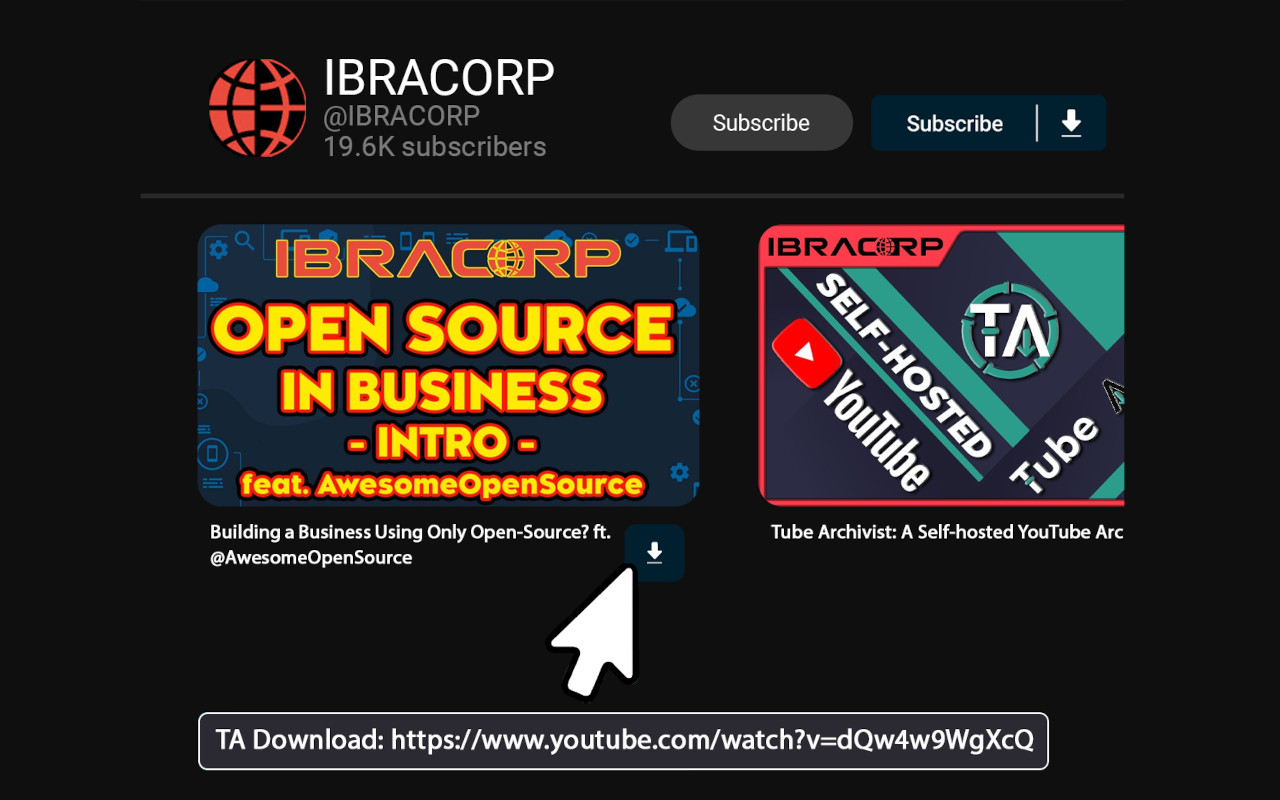 Channel button injected to subscribe or download whole channel, video download button showing when hovering over the video title.
Install
- Firefox: The addon is available on the Extension store.
- Chrome: The addon is available on the Chrome Web Store.
Docs
User documentation is available on the official documentation page: https://docs.tubearchivist.com/browser-extension/user-docs/.
This documentation is built from a separate repo at tubearchivist/docs.
Dev setup
Before continuing loading the temporary extension here, make sure to deactivate/delete the main extension first.
Symlink/copy the correct manifest file for your browser to the expected location, e.g. ln -s manifest-firefox.json manifest.json.
- Firefox
- Open
about:debugging#/runtime/this-firefox - Click on Load Temporary Add-on
- Select the manifest.json file to load the addon.
- You can inspect background.js by lunching the debug tools from there.
- Open
- Chrome / Chromium
- Open
chrome://extensions/ - Toggle Developer mode on top right
- Click on Load unpacked
- Open the folder containing the manifest.json file.
- Click on Service Worker to open the dev tools at background.js.
- Open
Note:
- If you are running your TA dev setup outside of the container, you need to point the URL to the API backend and not the frontend. E.g. localhost:8000 and not localhost:3000.
Roadmap
Join us on Discord and help us improve and extend this project. This is a list of planned features, in no particular order:
- Implement download/subscribe button for playlists
- Add download buttons to the
/shorts/pages - Get download and subscribe status from TA to show on the injected buttons
- Implement download button for videos on the YouTube homepage over inline preview
- Implement download button for videos on playlist
- Error handling for connection errors
- Dynamically inject buttons with mutation observer
Making changes to the JavaScript
The JavaScript does not require any build step; you just edit the files directly. However, there is config for eslint and prettier (a linter and formatter respectively); their use is recommended but not required. To use them, install node, run npm i from the root directory of this repository to install dependencies, then run npm run lint and npm run format to run eslint and prettier respectively.
Updating Artwork
Google listing is very picky. Screenshots need to be exactly 1280x800 in resolution and need to be in jpg or png without alpha channel.
Contributors




Similar repos


Languages
JavaScript
88.5%
HTML
6.3%
CSS
3.1%
Shell
2.0%
README
Browser Extension for Tube Archivist
Screenshots
Popup to enter your connection details.
Button injected on video page to download the video or subscribe to the channel.
Download button injected showing when hovering over the video title.
Channel button injected to subscribe or download whole channel, video download button showing when hovering over the video title.
Install
- Firefox: The addon is available on the Extension store.
- Chrome: The addon is available on the Chrome Web Store.
Docs
User documentation is available on the official documentation page: https://docs.tubearchivist.com/browser-extension/user-docs/.
This documentation is built from a separate repo at tubearchivist/docs.
Dev setup
Before continuing loading the temporary extension here, make sure to deactivate/delete the main extension first.
Symlink/copy the correct manifest file for your browser to the expected location, e.g. ln -s manifest-firefox.json manifest.json.
- Firefox
- Open
about:debugging#/runtime/this-firefox - Click on Load Temporary Add-on
- Select the manifest.json file to load the addon.
- You can inspect background.js by lunching the debug tools from there.
- Open
- Chrome / Chromium
- Open
chrome://extensions/ - Toggle Developer mode on top right
- Click on Load unpacked
- Open the folder containing the manifest.json file.
- Click on Service Worker to open the dev tools at background.js.
- Open
Note:
- If you are running your TA dev setup outside of the container, you need to point the URL to the API backend and not the frontend. E.g. localhost:8000 and not localhost:3000.
Roadmap
Join us on Discord and help us improve and extend this project. This is a list of planned features, in no particular order:
- Implement download/subscribe button for playlists
- Add download buttons to the
/shorts/pages - Get download and subscribe status from TA to show on the injected buttons
- Implement download button for videos on the YouTube homepage over inline preview
- Implement download button for videos on playlist
- Error handling for connection errors
- Dynamically inject buttons with mutation observer
Making changes to the JavaScript
The JavaScript does not require any build step; you just edit the files directly. However, there is config for eslint and prettier (a linter and formatter respectively); their use is recommended but not required. To use them, install node, run npm i from the root directory of this repository to install dependencies, then run npm run lint and npm run format to run eslint and prettier respectively.
Updating Artwork
Google listing is very picky. Screenshots need to be exactly 1280x800 in resolution and need to be in jpg or png without alpha channel.
Similar repos
Contributors
Languages
JavaScript
88.5%
HTML
6.3%
CSS
3.1%
Shell
2.0%