A highly compatible Game Boy and Game Boy Color emulator for the desktop.
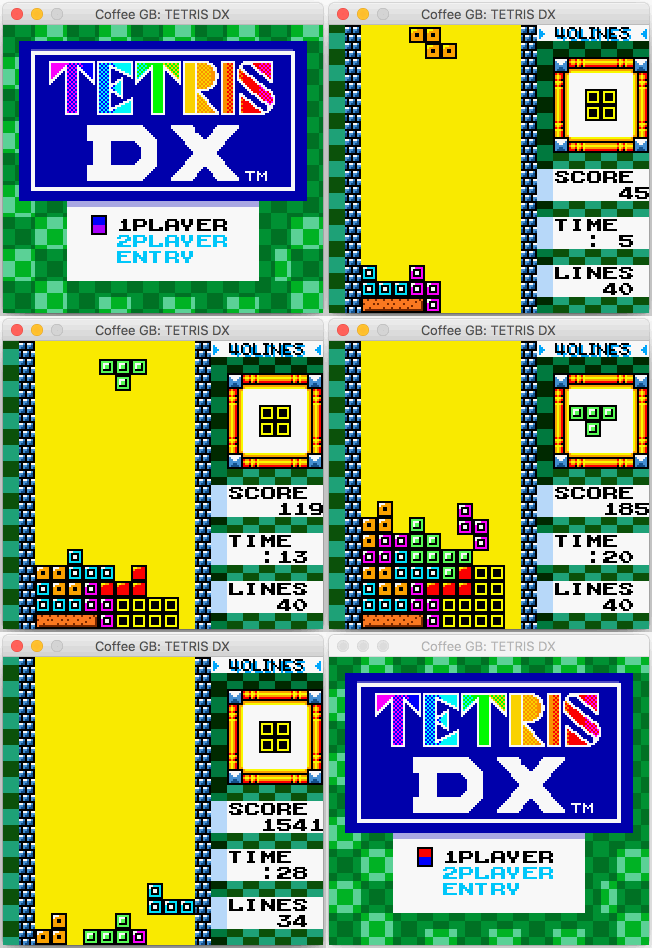
Coffee GB emulates the original Game Boy (GB/DMG) and Game Boy Color (GBC/CGB). It is built for high compatibility across the historic game library, unusual cartridges and accessories, and modern homebrew, demos, and diagnostic ROMs. The reusable emulation core is written in Java; the desktop application and its orchestration layer use Kotlin and Java.
Download the latest Coffee GB release
.gb, .gbc, and
.rom files, either directly or from ZIP and 7z archives..gbf files through
the cartridge's infrared port.ROM files are not included.
Default keyboard controls:
| Action | Key |
|---|---|
| D-pad | Arrow keys |
| A / B | Z / X |
| Start / Select | Enter / Shift |
| Open menu / resume paused game | Esc |
| Pause | Space |
| Save / load state | F5 / F7 |
| Take screenshot | F12 |
| Start input recording | Ctrl/Cmd+Shift+R |
| Rewind | Hold Backspace |
| Toggle fullscreen | F11 |
Keyboard and game-controller bindings can be changed in File > Preferences…. The same window contains display, sound, and save settings. On macOS, game-controller input requires a compatible system SDL2 installation; keyboard input works without it.
Use Game > Manage States… to choose among the ten save slots, name states, preview them, and export them. Autosave and resume settings are under File > Preferences… > Saves & Rewind. See save states, autosave, screenshots, input recording, and rewind for more details. Pause, save states, and rewind are unavailable during netplay.
Use File > Load BESS state and File > Save BESS state to exchange states with other BESS-compatible emulators. Open the matching ROM first; see the BESS compatibility notes.
Compatibility is a defining feature of Coffee GB. Its test profiles exercise 5,858 automated verdicts from 17 suite families, covering all popular Game Boy and Game Boy Color test suites, and every verdict passes. Coffee GB also earns the maximum score in GBEmulatorShootout.
Every exact-reference image suite is pixel-perfect: both Acid2 tests, CGB-ACID-HELL, Strikethrough, all four CasualPokePlayer tests, and all 24 Mealybug Tearoom tests.
| Test suite | Cases exercised | Current result |
|---|---|---|
| Blargg | 54 | 54 / 54 pass* |
| Mooneye Test Suite | 130 | 130 / 130 selected cases pass |
| RTC3Test | 3 | 3 / 3 menus pass |
| SameSuite | 71 | 71 / 71 later-revision cases pass |
| Gambatte HWTests | 4,674 | 4,674 / 4,674 canonical DMG/CGB verdicts match hardware |
| BullyGB | 2 | 2 / 2 DMG and CGB cases pass |
| MBC30Test | 1 | 1 / 1 ROM banking and SRAM case passes |
| GBEmulatorShootout — specific tests | 9 | Maximum score; 8 / 8 images and the ROM+RAM test pass |
| DMG-ACID2 and CGB-ACID2 | 2 | 2 / 2 are pixel-perfect |
| CGB-ACID-HELL | 1 | 1 / 1 is pixel-perfect |
| Strikethrough | 1 | 1 / 1 is pixel-perfect |
| CasualPokePlayer test ROMs | 4 | 4 / 4 are pixel-perfect |
| Mealybug Tearoom | 24 | 24 / 24 are pixel-perfect |
| GBMicrotest | 482 | 482 / 482 machine-readable verdicts pass; 31 additional diagnostics have no automated verdict |
| DocBoy Test Suite | 162 | 162 / 162 selected machine-readable DMG, CGB, and CGB-in-DMG-mode verdicts pass |
| gbc-hw-tests | 221 | 221 / 221 selected hardware-reference verdicts match exactly |
| Misc.-GB-Tests | 17 | 17 / 17 pass verdicts match |
| Total | 5,858 | 5,858 / 5,858 automated verdicts pass |
* Blargg's aggregate and individual checks overlap by design.
Every automated case must produce its documented pass value, match its selected external hardware reference, or satisfy its upstream image oracle. The source revisions, archive membership, hardware models, and ROM revisions used by these profiles are fixed for reproducibility. GBMicrotest's 31 non-verdict diagnostics are tracked separately and are not included in the 5,858 automated verdicts.
For link-cable multiplayer, open Game > Netplay…. One player selects Host > Start hosting; the other selects Join, enters the host's address, and selects Join game. Netplay uses a direct, unencrypted TCP connection, so play only with people and networks you trust. When a game is running under an SGB or SGB2 profile, starting or joining netplay restarts that game in DMG mode for the current session without changing the saved hardware-profile preference.
Coffee GB began as a six-week deep dive into how a small computer works. The 2017 origin story covers the CPU, pixel pipeline, audio, early compatibility testing, and first GBC implementation. The later rollback-netplay article explains how per-frame snapshots made high-latency link play practical.
| Date | Milestone |
|---|---|
| 31 Dec 2016 | The project starts. |
| 14 Jan 2017 | The first playable version runs Tetris, two weeks after the initial commit. |
| 5–7 Feb 2017 | Game Boy Color support lands with double-speed mode, banked RAM and VRAM, color graphics, and the GBC boot path. |
| 22 Dec 2017 | Coffee GB 1.0.0 is released. |
| 29 Feb 2024 | Save-state support is added. |
| Jul 2025 | Fast mementos enable rollback netplay, released in 1.5.0. |
| Aug 2025 | Super Game Boy borders and palettes arrive alongside Super Game Boy command support and predefined game palettes. |
Coffee GB owes a great deal to the Game Boy hardware research community and to the authors of every test suite linked above.
Thanks to:
Coffee GB is available under the MIT License.
34 followers · starred May 2018
50 followers · starred Feb 2018
1,132 followers · starred Apr 2022
981 followers · starred Mar 2018
A highly compatible Game Boy and Game Boy Color emulator for the desktop.
Coffee GB emulates the original Game Boy (GB/DMG) and Game Boy Color (GBC/CGB). It is built for high compatibility across the historic game library, unusual cartridges and accessories, and modern homebrew, demos, and diagnostic ROMs. The reusable emulation core is written in Java; the desktop application and its orchestration layer use Kotlin and Java.
Download the latest Coffee GB release
.gb, .gbc, and
.rom files, either directly or from ZIP and 7z archives..gbf files through
the cartridge's infrared port.ROM files are not included.
Default keyboard controls:
| Action | Key |
|---|---|
| D-pad | Arrow keys |
| A / B | Z / X |
| Start / Select | Enter / Shift |
| Open menu / resume paused game | Esc |
| Pause | Space |
| Save / load state | F5 / F7 |
| Take screenshot | F12 |
| Start input recording | Ctrl/Cmd+Shift+R |
| Rewind | Hold Backspace |
| Toggle fullscreen | F11 |
Keyboard and game-controller bindings can be changed in File > Preferences…. The same window contains display, sound, and save settings. On macOS, game-controller input requires a compatible system SDL2 installation; keyboard input works without it.
Use Game > Manage States… to choose among the ten save slots, name states, preview them, and export them. Autosave and resume settings are under File > Preferences… > Saves & Rewind. See save states, autosave, screenshots, input recording, and rewind for more details. Pause, save states, and rewind are unavailable during netplay.
Use File > Load BESS state and File > Save BESS state to exchange states with other BESS-compatible emulators. Open the matching ROM first; see the BESS compatibility notes.
Compatibility is a defining feature of Coffee GB. Its test profiles exercise 5,858 automated verdicts from 17 suite families, covering all popular Game Boy and Game Boy Color test suites, and every verdict passes. Coffee GB also earns the maximum score in GBEmulatorShootout.
Every exact-reference image suite is pixel-perfect: both Acid2 tests, CGB-ACID-HELL, Strikethrough, all four CasualPokePlayer tests, and all 24 Mealybug Tearoom tests.
| Test suite | Cases exercised | Current result |
|---|---|---|
| Blargg | 54 | 54 / 54 pass* |
| Mooneye Test Suite | 130 | 130 / 130 selected cases pass |
| RTC3Test | 3 | 3 / 3 menus pass |
| SameSuite | 71 | 71 / 71 later-revision cases pass |
| Gambatte HWTests | 4,674 | 4,674 / 4,674 canonical DMG/CGB verdicts match hardware |
| BullyGB | 2 | 2 / 2 DMG and CGB cases pass |
| MBC30Test | 1 | 1 / 1 ROM banking and SRAM case passes |
| GBEmulatorShootout — specific tests | 9 | Maximum score; 8 / 8 images and the ROM+RAM test pass |
| DMG-ACID2 and CGB-ACID2 | 2 | 2 / 2 are pixel-perfect |
| CGB-ACID-HELL | 1 | 1 / 1 is pixel-perfect |
| Strikethrough | 1 | 1 / 1 is pixel-perfect |
| CasualPokePlayer test ROMs | 4 | 4 / 4 are pixel-perfect |
| Mealybug Tearoom | 24 | 24 / 24 are pixel-perfect |
| GBMicrotest | 482 | 482 / 482 machine-readable verdicts pass; 31 additional diagnostics have no automated verdict |
| DocBoy Test Suite | 162 | 162 / 162 selected machine-readable DMG, CGB, and CGB-in-DMG-mode verdicts pass |
| gbc-hw-tests | 221 | 221 / 221 selected hardware-reference verdicts match exactly |
| Misc.-GB-Tests | 17 | 17 / 17 pass verdicts match |
| Total | 5,858 | 5,858 / 5,858 automated verdicts pass |
* Blargg's aggregate and individual checks overlap by design.
Every automated case must produce its documented pass value, match its selected external hardware reference, or satisfy its upstream image oracle. The source revisions, archive membership, hardware models, and ROM revisions used by these profiles are fixed for reproducibility. GBMicrotest's 31 non-verdict diagnostics are tracked separately and are not included in the 5,858 automated verdicts.
For link-cable multiplayer, open Game > Netplay…. One player selects Host > Start hosting; the other selects Join, enters the host's address, and selects Join game. Netplay uses a direct, unencrypted TCP connection, so play only with people and networks you trust. When a game is running under an SGB or SGB2 profile, starting or joining netplay restarts that game in DMG mode for the current session without changing the saved hardware-profile preference.
Coffee GB began as a six-week deep dive into how a small computer works. The 2017 origin story covers the CPU, pixel pipeline, audio, early compatibility testing, and first GBC implementation. The later rollback-netplay article explains how per-frame snapshots made high-latency link play practical.
| Date | Milestone |
|---|---|
| 31 Dec 2016 | The project starts. |
| 14 Jan 2017 | The first playable version runs Tetris, two weeks after the initial commit. |
| 5–7 Feb 2017 | Game Boy Color support lands with double-speed mode, banked RAM and VRAM, color graphics, and the GBC boot path. |
| 22 Dec 2017 | Coffee GB 1.0.0 is released. |
| 29 Feb 2024 | Save-state support is added. |
| Jul 2025 | Fast mementos enable rollback netplay, released in 1.5.0. |
| Aug 2025 | Super Game Boy borders and palettes arrive alongside Super Game Boy command support and predefined game palettes. |
Coffee GB owes a great deal to the Game Boy hardware research community and to the authors of every test suite linked above.
Thanks to:
Coffee GB is available under the MIT License.
34 followers · starred May 2018
50 followers · starred Feb 2018
1,132 followers · starred Apr 2022
981 followers · starred Mar 2018



