My take on meal planning and calorie tracking: plan the week against your macros, cook and shop from it.
See the codeMy take on meal planning and calorie tracking: I plan the week ahead against my calorie and macro goals, then cook and shop from that plan.
Try the demo · Why I built it · Self-host it
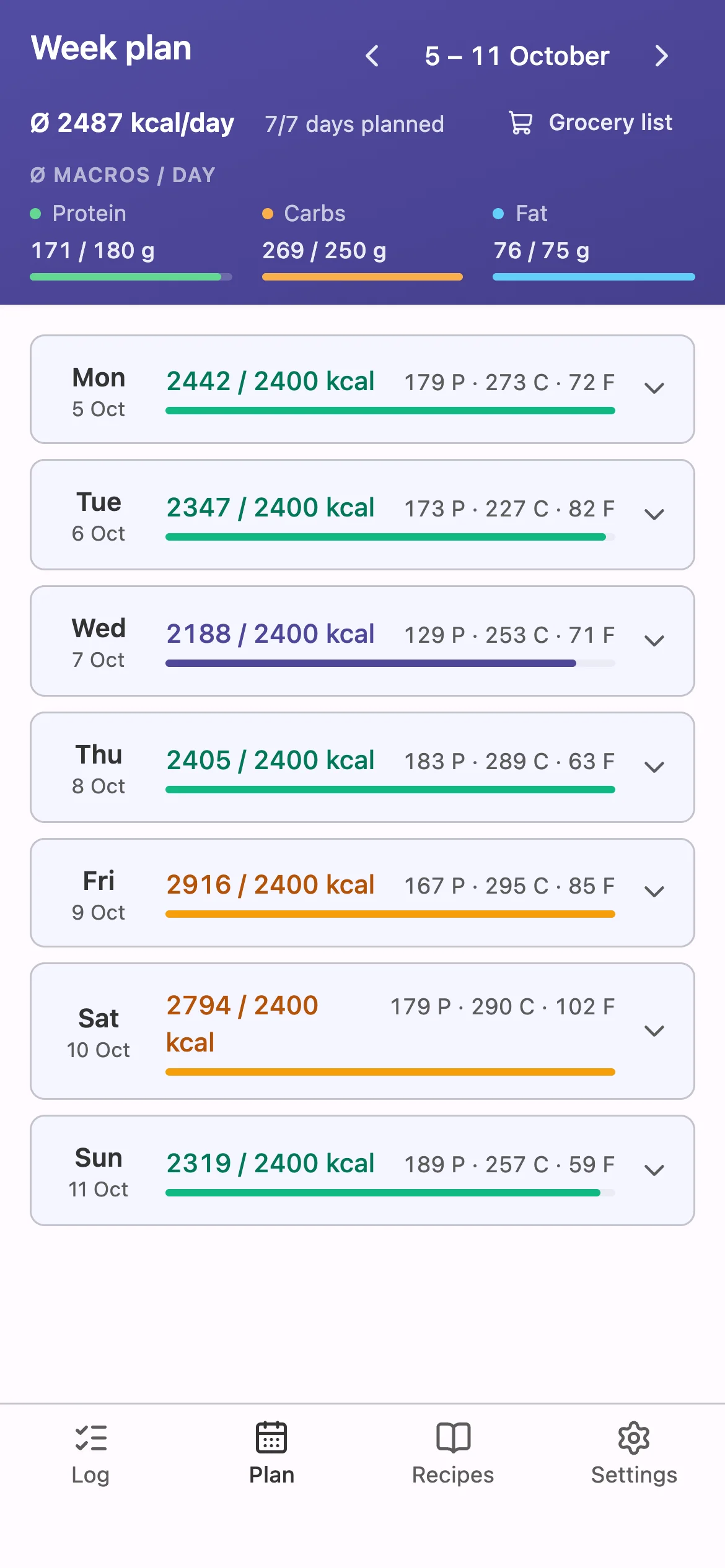
It's built for one person: a single password, no sign-up, no sharing.
The demo runs the whole app in your browser, on a week of sample data in your language. Nothing goes to a server, and your changes stay in your browser until you reset them. Features that need a server or an API key are switched off there: the AI features, Bring! export and the diagnostics screen. Product search uses a snapshot of popular Open Food Facts products.
forkcast runs as two public container images on Docker Hub, built from main for amd64 and arm64: tizzyapunkt/forkcast-backend (API, data in a volume) and tizzyapunkt/forkcast-frontend (nginx serving the app and proxying /api to the backend). Neither image contains secrets or personal data; the only data shipped is the starting food catalog.
mkdir forkcast && cd forkcast
curl -LO https://raw.githubusercontent.com/tizzyapunkt/forkcast/main/docker-compose.yml
echo "AUTH_PASSWORD=choose-a-password" > .env
echo "AUTH_JWT_SECRET=$(openssl rand -hex 32)" >> .env
docker compose up -d
Then open http://<host>:8080 and log in with the password. docker-compose.yml runs both images with one data volume. backend/.env.example lists every setting; for the AI features set ANTHROPIC_API_KEY (the model defaults to Claude Sonnet). Without a key, the AI features stay hidden and everything else works.
HTTPS: installing the app to the home screen and the barcode scanner need a secure context, so put forkcast behind a reverse proxy with TLS (Caddy, Traefik, nginx, your NAS's built-in one) for anything beyond localhost.
Updates: docker compose pull && docker compose up -d. The data volume is kept, and an existing food catalog is never overwritten.
Backups: everything (log, recipes, goals, weight, catalog) lives in the forkcast_data volume as JSON files, so back up the volume. Settings → My foods → Download backup saves the food catalog alone.
A Hono API and a Vite + React PWA in one pnpm workspace. The backend is hexagonal: the domain speaks meal planning, and adapters persist it as plain JSON files (no database until one is needed). Every behaviour change starts as an OpenSpec change, and openspec/specs/ describes what the app does today. AGENTS.md has the conventions.
corepack enable && pnpm install
cp backend/.env.example backend/.env   # set AUTH_PASSWORD and AUTH_JWT_SECRET
pnpm dev                                # backend on :3000, frontend on :5173
make check                              # lint, typecheck, format, tests, builds
GNU Affero General Public License v3.0 (AGPL-3.0-only). Use it, fork it, run it for yourself. If you run a modified version as a service for others, you have to publish its source under the same license and keep the copyright and license notices, including the one in the app's settings.
My take on meal planning and calorie tracking: plan the week against your macros, cook and shop from it.
See the codeMy take on meal planning and calorie tracking: I plan the week ahead against my calorie and macro goals, then cook and shop from that plan.
Try the demo · Why I built it · Self-host it
It's built for one person: a single password, no sign-up, no sharing.
The demo runs the whole app in your browser, on a week of sample data in your language. Nothing goes to a server, and your changes stay in your browser until you reset them. Features that need a server or an API key are switched off there: the AI features, Bring! export and the diagnostics screen. Product search uses a snapshot of popular Open Food Facts products.
forkcast runs as two public container images on Docker Hub, built from main for amd64 and arm64: tizzyapunkt/forkcast-backend (API, data in a volume) and tizzyapunkt/forkcast-frontend (nginx serving the app and proxying /api to the backend). Neither image contains secrets or personal data; the only data shipped is the starting food catalog.
mkdir forkcast && cd forkcast
curl -LO https://raw.githubusercontent.com/tizzyapunkt/forkcast/main/docker-compose.yml
echo "AUTH_PASSWORD=choose-a-password" > .env
echo "AUTH_JWT_SECRET=$(openssl rand -hex 32)" >> .env
docker compose up -d
Then open http://<host>:8080 and log in with the password. docker-compose.yml runs both images with one data volume. backend/.env.example lists every setting; for the AI features set ANTHROPIC_API_KEY (the model defaults to Claude Sonnet). Without a key, the AI features stay hidden and everything else works.
HTTPS: installing the app to the home screen and the barcode scanner need a secure context, so put forkcast behind a reverse proxy with TLS (Caddy, Traefik, nginx, your NAS's built-in one) for anything beyond localhost.
Updates: docker compose pull && docker compose up -d. The data volume is kept, and an existing food catalog is never overwritten.
Backups: everything (log, recipes, goals, weight, catalog) lives in the forkcast_data volume as JSON files, so back up the volume. Settings → My foods → Download backup saves the food catalog alone.
A Hono API and a Vite + React PWA in one pnpm workspace. The backend is hexagonal: the domain speaks meal planning, and adapters persist it as plain JSON files (no database until one is needed). Every behaviour change starts as an OpenSpec change, and openspec/specs/ describes what the app does today. AGENTS.md has the conventions.
corepack enable && pnpm install
cp backend/.env.example backend/.env   # set AUTH_PASSWORD and AUTH_JWT_SECRET
pnpm dev                                # backend on :3000, frontend on :5173
make check                              # lint, typecheck, format, tests, builds
GNU Affero General Public License v3.0 (AGPL-3.0-only). Use it, fork it, run it for yourself. If you run a modified version as a service for others, you have to publish its source under the same license and keep the copyright and license notices, including the one in the app's settings.



