A collection of infrastructure and tools for research in neural network interpretability.
Jupyter Notebook
4,704
508 commits
updated Feb 6, 2023





Lucid is a collection of infrastructure and tools for research in neural network interpretability.
We're not currently supporting tensorflow 2!
If you'd like to use lucid in colab which defaults to tensorflow 2, add this magic to a cell before you import tensorflow:
%tensorflow_version 1.x
Lucid is research code, not production code. We provide no guarantee it will work for your use case. Lucid is maintained by volunteers who are unable to provide significant technical support.
Start visualizing neural networks with no setup. The following notebooks run right from your browser, thanks to Colaboratory. It's a Jupyter notebook environment that requires no setup to use and runs entirely in the cloud.
You can run the notebooks on your local machine, too. Clone the repository and find them in the notebooks subfolder. You will need to run a local instance of the Jupyter notebook environment to execute them.


Notebooks corresponding to the Feature Visualization article


Notebooks corresponding to the Building Blocks of Interpretability article


Notebooks corresponding to the Differentiable Image Parameterizations article


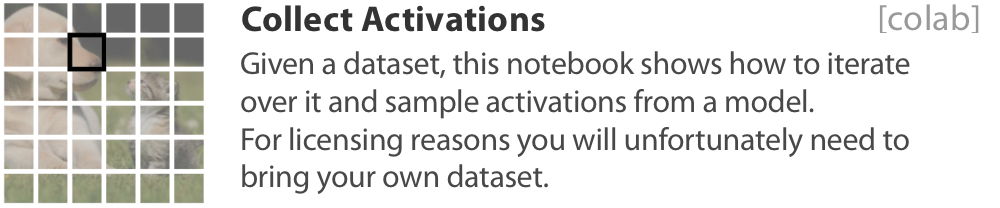
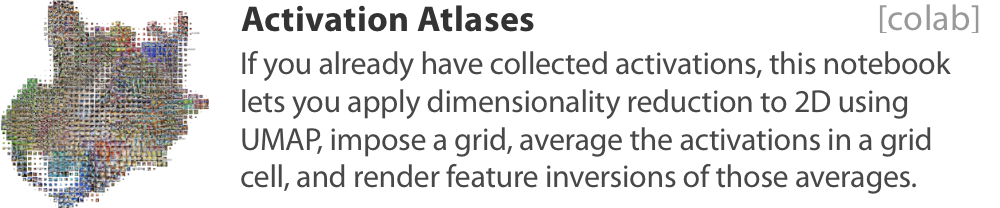
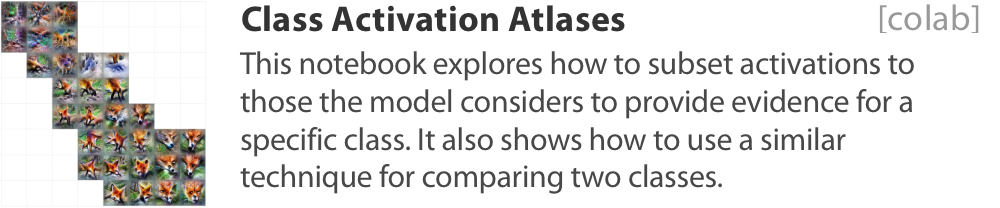
Notebooks corresponding to the Activation Atlas article



We're in #proj-lucid on the Distill slack (join link).
We'd love to see more people doing research in this space!
You may use this software under the Apache 2.0 License. See LICENSE.
This project is research code. It is not an official Google product.
Lucid requires tensorflow, but does not explicitly depend on it in setup.py. Due to the way tensorflow is packaged and some deficiencies in how pip handles dependencies, specifying either the GPU or the non-GPU version of tensorflow will conflict with the version of tensorflow your already may have installed.
If you don't want to add your own dependency on tensorflow, you can specify which tensorflow version you want lucid to install by selecting from extras_require like so: lucid[tf] or lucid[tf_gpu].
In actual practice, we recommend you use your already installed version of tensorflow.
Overall
Maintained
Code review
PyPI
Latest release
Releases this year
411 followers · starred Jan 2019
552 followers · starred Jun 2020
408 followers · starred Jul 2018
104 followers · starred Aug 2018
A collection of infrastructure and tools for research in neural network interpretability.
Jupyter Notebook
4,704
508 commits
updated Feb 6, 2023
Lucid is a collection of infrastructure and tools for research in neural network interpretability.
We're not currently supporting tensorflow 2!
If you'd like to use lucid in colab which defaults to tensorflow 2, add this magic to a cell before you import tensorflow:
%tensorflow_version 1.x
Lucid is research code, not production code. We provide no guarantee it will work for your use case. Lucid is maintained by volunteers who are unable to provide significant technical support.
Start visualizing neural networks with no setup. The following notebooks run right from your browser, thanks to Colaboratory. It's a Jupyter notebook environment that requires no setup to use and runs entirely in the cloud.
You can run the notebooks on your local machine, too. Clone the repository and find them in the notebooks subfolder. You will need to run a local instance of the Jupyter notebook environment to execute them.
Notebooks corresponding to the Feature Visualization article
Notebooks corresponding to the Building Blocks of Interpretability article
Notebooks corresponding to the Differentiable Image Parameterizations article
Notebooks corresponding to the Activation Atlas article
We're in #proj-lucid on the Distill slack (join link).
We'd love to see more people doing research in this space!
You may use this software under the Apache 2.0 License. See LICENSE.
This project is research code. It is not an official Google product.
Lucid requires tensorflow, but does not explicitly depend on it in setup.py. Due to the way tensorflow is packaged and some deficiencies in how pip handles dependencies, specifying either the GPU or the non-GPU version of tensorflow will conflict with the version of tensorflow your already may have installed.
If you don't want to add your own dependency on tensorflow, you can specify which tensorflow version you want lucid to install by selecting from extras_require like so: lucid[tf] or lucid[tf_gpu].
In actual practice, we recommend you use your already installed version of tensorflow.
Overall
Maintained
Code review
PyPI
Latest release
Releases this year
411 followers · starred Jan 2019
552 followers · starred Jun 2020
408 followers · starred Jul 2018
104 followers · starred Aug 2018



