
Chrome extension for running Generative AI in your browser locally
TypeScript
105
14 commits
updated Mar 22, 2026
README
TinyWhale
Open source monorepo for on-device AI inference — run LLMs directly in the browser as a web app or Chrome extension. No servers, no API keys, no data leaves your device.
Built with Transformers.js + ONNX Runtime Web + WebGPU, structured as a Turborepo monorepo with shared packages for UI, auth, and API — so the same inference pipeline powers both the web app and the Chrome extension.
Note: This project is under active development. APIs, features, and code structures may change without notice.
Try It
- Web Demo — tinywhale.dev
- Chrome Extension — Chrome Web Store
- Demo Videos — Intro | Advanced Usage
How It Works
- Load — A quantized open source LLM (~500MB) is downloaded into your browser and cached locally
- Chat — All inference runs on your GPU via WebGPU. Conversations never leave your device
- Customize — Adjust temperature, top-p, top-k, and other generation parameters in real-time
Examples
| Web | Chrome Extension |
|---|---|
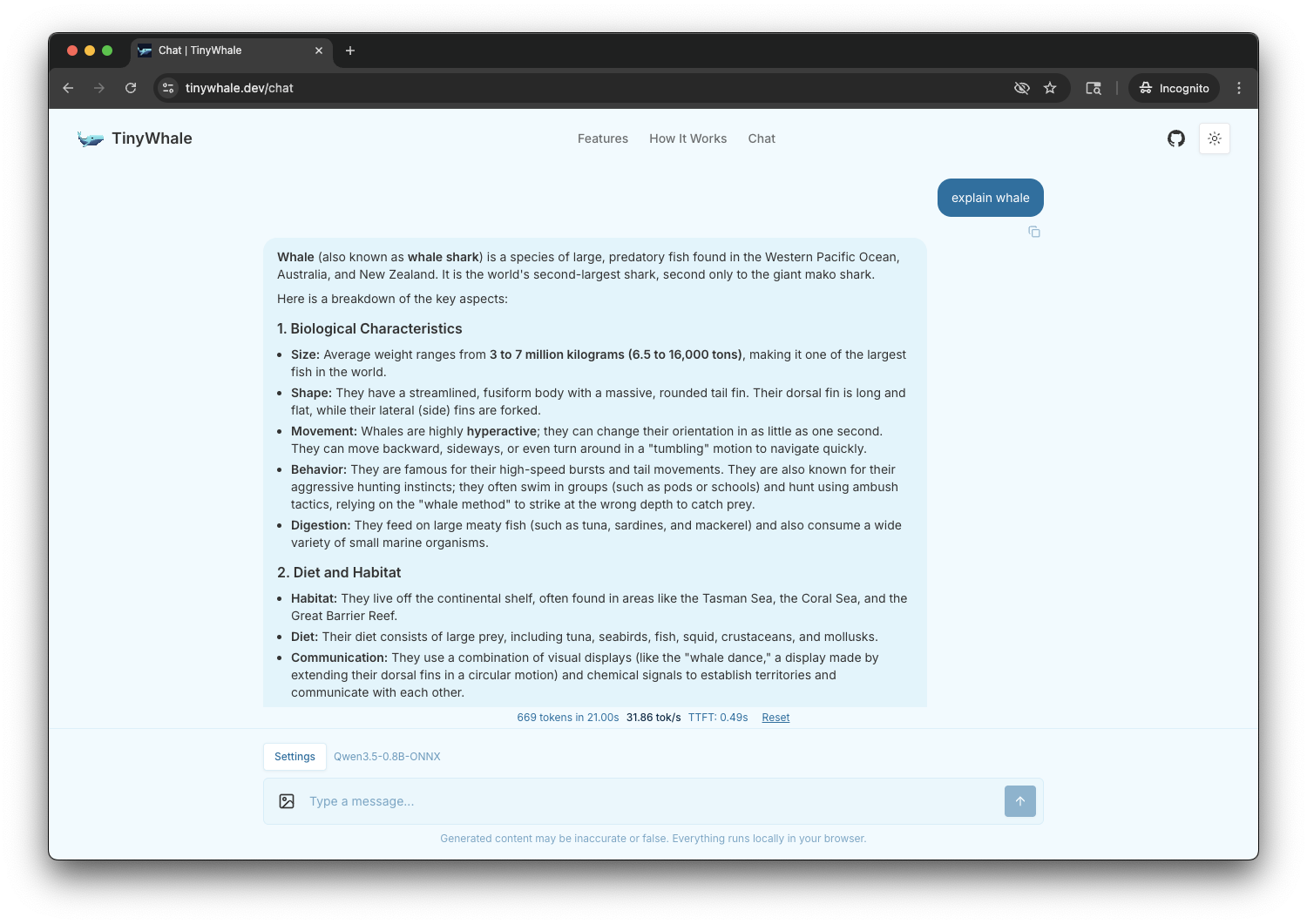 | 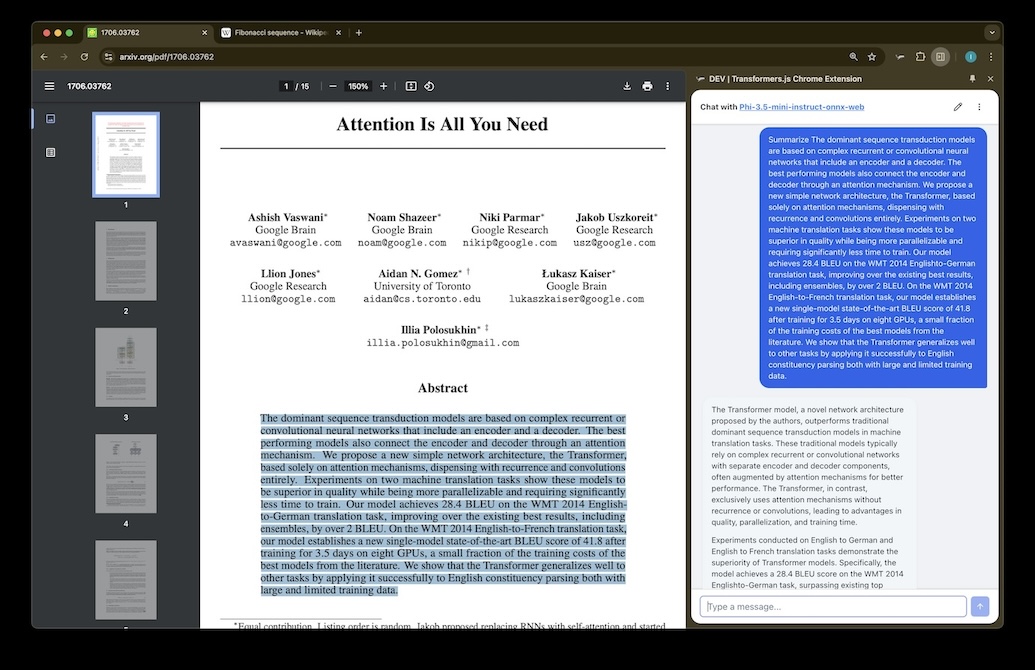 |
| Mobile (Expo) | Desktop (Tauri) |
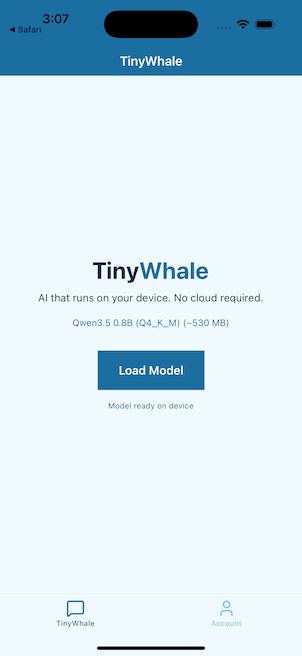 | 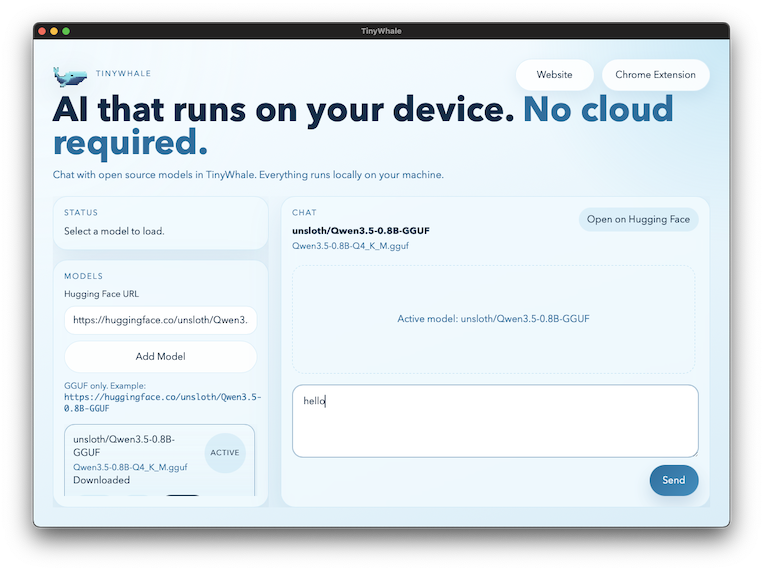 |
See more Chrome Extension examples.
Features
- In-browser LLM inference via WebGPU (Chrome extension + web app)
- Multiple model support: Llama, Phi, SmolLM, Qwen, DeepSeek R1
- Multimodal: image understanding (Janus) and speech-to-text (Whisper)
- Configurable generation parameters (temperature, top-p, top-k, etc.)
- Streaming token output with real-time TPS metrics
- Model caching for instant subsequent loads
- Works offline once the model is loaded
- Markdown rendering in chat responses
- Text-to-Speech (OuteTTS)
- SAM (Segment Anything), text classification
- Chat history (local storage, export)
- Resource management (unload models, orchestrate generations)
Roadmap
| Platform | Status | Tech |
|---|---|---|
| Web | Live | Next.js + WebGPU |
| Chrome Extension | Live | Plasmo + WebGPU |
| iOS / Android | In Progress | Expo + llama.rn (llama.cpp) |
| macOS / Windows / Linux | Planned | Tauri or Electron + ONNX Runtime |
Performance
Measured on MacBook Pro M1 Max (32GB RAM). Prompt: "Write python code to compute the nth fibonacci number."
| Model | Throughput |
|---|---|
| Qwen3.5-0.8B (q4f16) | ~45 tok/s |
| SmolLM2-1.7B (q4f16) | 46.2 tok/s |
| Llama-3.2-1B (q4f16) | 40.3 tok/s |
| Qwen2.5-Coder-1.5B (q4f16) | 36.1 tok/s |
| Phi-3.5-mini (q4f16) | 32.9 tok/s |
| DeepSeek R1 (q4f16) | 32.7 tok/s |
| Janus 1.3B (q4f16) | 30.9 tok/s |
| Whisper Base (fp32 + q4) | 30.5 tok/s |
Project Structure
Monorepo using Turborepo with pnpm workspaces.
apps
  ├─ plasmo          Chrome extension (MV3) — Transformers.js + WebGPU
  ├─ nextjs          Next.js 16 web app — landing page + in-browser chat
  ├─ expo            Expo SDK 54 / React Native mobile app
  └─ tanstack-start  Tanstack Start web app
packages
  ├─ api             tRPC v11 router
  ├─ auth            Authentication (better-auth)
  ├─ db              Database (Drizzle + Supabase)
  └─ ui              Shared UI components (shadcn-ui)
tooling
  ├─ eslint          Shared ESLint presets
  ├─ prettier        Shared Prettier config
  ├─ tailwind        Shared Tailwind theme
  └─ typescript      Shared tsconfig
Getting Started
Prerequisites
Make sure to follow the system requirements in package.json#engines.
pnpm install
Web App (Next.js)
pnpm dev:next
Open http://localhost:3000 and navigate to /chat.
Chrome Extension
pnpm dev:chrome
Open chrome://extensions, enable Developer mode, click "Load unpacked", and select apps/plasmo/build/chrome-mv3-dev.
Or install from the Chrome Web Store.
Firefox Extension
pnpm dev:firefox
Navigate to about:debugging#/runtime/this-firefox, click "Load Temporary Add-on", and select any file inside apps/plasmo/build/firefox-mv2-dev.
Known issues:
- Firefox WebGPU has limited GPU memory. Use the smallest models (e.g. Qwen2.5-0.5B) to avoid "Not enough memory" errors. Models 0.8B+ (including Qwen3.5-0.8B) may fail.
q4f16dtype is not supported withoutshader-f16— the extension automatically falls back toq4.- HMR (hot module reload) websocket does not connect in Firefox extensions. Code changes require manually reloading the extension.
Safari Extension (macOS)
cd apps/plasmo
pnpm build:safari
This builds the Chrome MV3 production bundle, then converts it to a Safari Web Extension Xcode project at build/safari/. Open the Xcode project, build and run, then enable the extension in Safari > Settings > Extensions.
Prerequisites: Xcode 14+ with safari-web-extension-converter (included with Xcode command line tools).
Known issues:
- Safari does not support
sidePanel— the conversion script strips it from the manifest.- WebGPU support in Safari is experimental and may vary by macOS version.
Mobile App (Expo)
pnpm --filter @acme/expo ios      # Run on iOS device/simulator
pnpm --filter @acme/expo android  # Run on Android device/emulator
On-device LLM inference using llama.rn (llama.cpp). Downloads Qwen3.5-0.8B GGUF from HuggingFace and runs inference locally with Metal GPU acceleration on iOS.
All Apps
pnpm dev
Both Chrome + Firefox
pnpm dev:plasmo
Runs both dev servers in parallel via Turborepo TUI.
Deployment
Chrome Extension
cd apps/plasmo
pnpm build && pnpm package
Creates a production bundle ready for the Chrome Web Store. See Plasmo's submission guide for automated deployment via GitHub Actions.
Firefox Extension
cd apps/plasmo
pnpm build:firefox && pnpm package:firefox
Creates a zip ready for Firefox Add-ons.
Safari Extension
cd apps/plasmo
pnpm build:safari
Produces an Xcode project at build/safari/. Archive and distribute via Xcode.
Next.js (Vercel)
Deploy to Vercel with apps/nextjs as the root directory.
Testing
cd apps/plasmo
pnpm test:background   # Smoke test Chrome prod build for missing modules
pnpm test:firefox      # Smoke test Firefox prod build for missing modules
pnpm test:safari       # Verify Safari prerequisites + smoke test Chrome build
Run pnpm test:background after any change to aliases, stubs, postinstall, postbuild, or dependencies.
Debugging
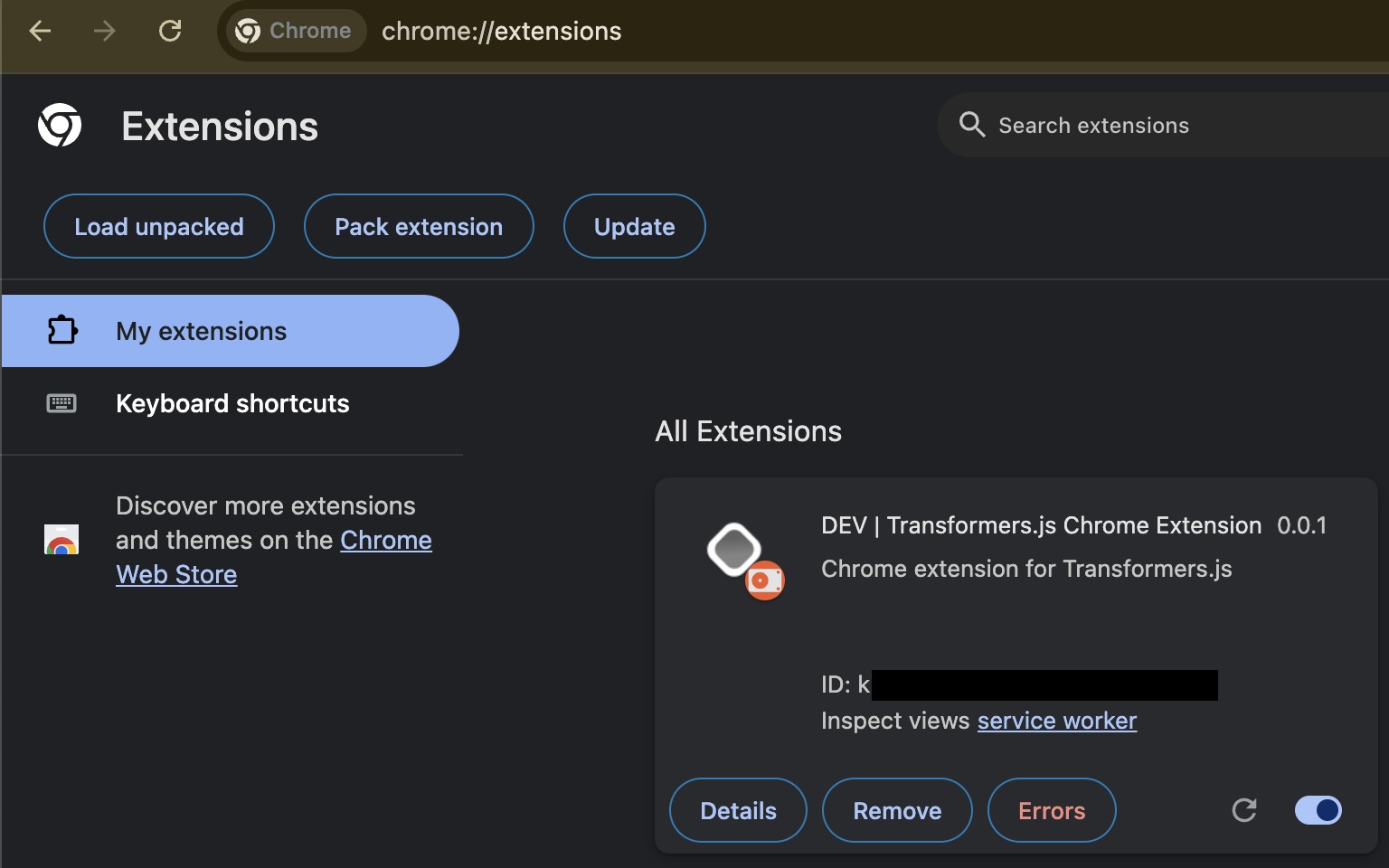
Chrome
Open chrome://extensions and find "Inspect views" for the extension.
Firefox
Navigate to about:debugging#/runtime/this-firefox and click "Inspect" on the extension to open the background script console.
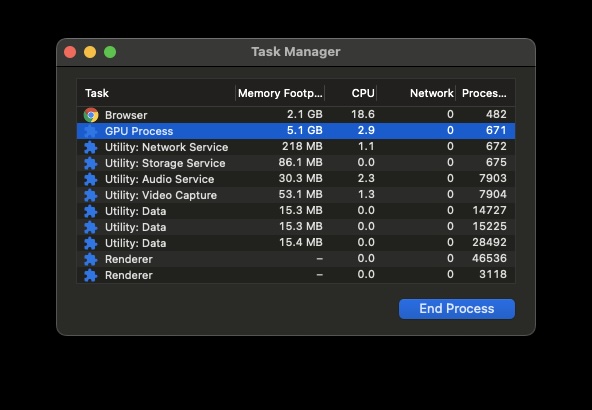
Memory Usage
Chrome > More Tools > Task Manager.
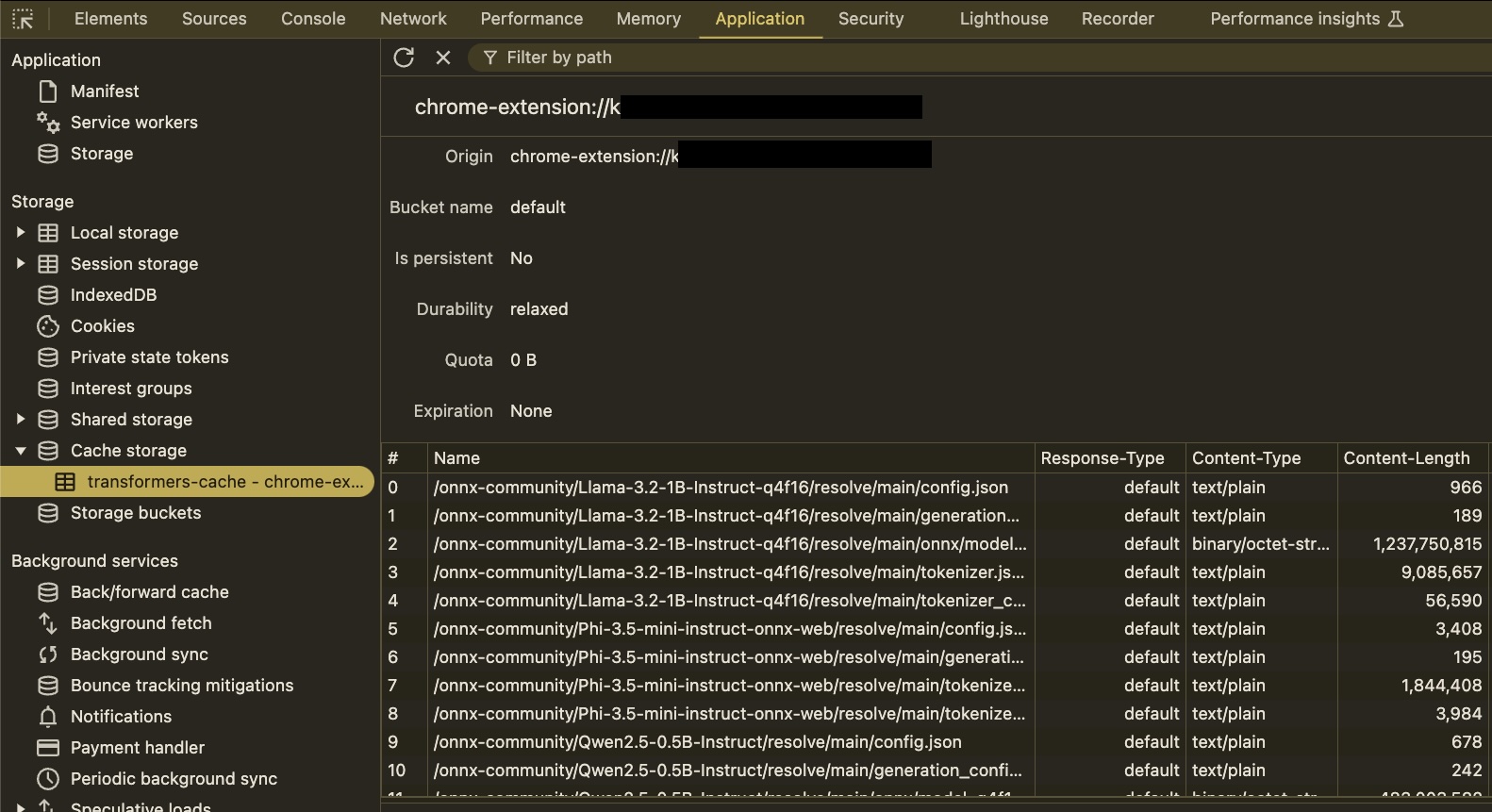
Cached Models
In the extension inspector, go to Application > Local Storage > transformers-cache.
References
- Transformers.js and examples
- ONNX Runtime Web
- Plasmo Framework
- WebLLM
- create-t3-turbo — Monorepo template
Contributors

13 commits

1 commits
Similar repos


Languages
TypeScript
86.3%
CSS
5.6%
JavaScript
3.7%
Rust
3.3%
Chrome extension for running Generative AI in your browser locally
TypeScript
105
14 commits
updated Mar 22, 2026
README
TinyWhale
Open source monorepo for on-device AI inference — run LLMs directly in the browser as a web app or Chrome extension. No servers, no API keys, no data leaves your device.
Built with Transformers.js + ONNX Runtime Web + WebGPU, structured as a Turborepo monorepo with shared packages for UI, auth, and API — so the same inference pipeline powers both the web app and the Chrome extension.
Note: This project is under active development. APIs, features, and code structures may change without notice.
Try It
- Web Demo — tinywhale.dev
- Chrome Extension — Chrome Web Store
- Demo Videos — Intro | Advanced Usage
How It Works
- Load — A quantized open source LLM (~500MB) is downloaded into your browser and cached locally
- Chat — All inference runs on your GPU via WebGPU. Conversations never leave your device
- Customize — Adjust temperature, top-p, top-k, and other generation parameters in real-time
Examples
| Web | Chrome Extension |
|---|---|
| |
| Mobile (Expo) | Desktop (Tauri) |
| |
See more Chrome Extension examples.
Features
- In-browser LLM inference via WebGPU (Chrome extension + web app)
- Multiple model support: Llama, Phi, SmolLM, Qwen, DeepSeek R1
- Multimodal: image understanding (Janus) and speech-to-text (Whisper)
- Configurable generation parameters (temperature, top-p, top-k, etc.)
- Streaming token output with real-time TPS metrics
- Model caching for instant subsequent loads
- Works offline once the model is loaded
- Markdown rendering in chat responses
- Text-to-Speech (OuteTTS)
- SAM (Segment Anything), text classification
- Chat history (local storage, export)
- Resource management (unload models, orchestrate generations)
Roadmap
| Platform | Status | Tech |
|---|---|---|
| Web | Live | Next.js + WebGPU |
| Chrome Extension | Live | Plasmo + WebGPU |
| iOS / Android | In Progress | Expo + llama.rn (llama.cpp) |
| macOS / Windows / Linux | Planned | Tauri or Electron + ONNX Runtime |
Performance
Measured on MacBook Pro M1 Max (32GB RAM). Prompt: "Write python code to compute the nth fibonacci number."
| Model | Throughput |
|---|---|
| Qwen3.5-0.8B (q4f16) | ~45 tok/s |
| SmolLM2-1.7B (q4f16) | 46.2 tok/s |
| Llama-3.2-1B (q4f16) | 40.3 tok/s |
| Qwen2.5-Coder-1.5B (q4f16) | 36.1 tok/s |
| Phi-3.5-mini (q4f16) | 32.9 tok/s |
| DeepSeek R1 (q4f16) | 32.7 tok/s |
| Janus 1.3B (q4f16) | 30.9 tok/s |
| Whisper Base (fp32 + q4) | 30.5 tok/s |
Project Structure
Monorepo using Turborepo with pnpm workspaces.
apps
  ├─ plasmo          Chrome extension (MV3) — Transformers.js + WebGPU
  ├─ nextjs          Next.js 16 web app — landing page + in-browser chat
  ├─ expo            Expo SDK 54 / React Native mobile app
  └─ tanstack-start  Tanstack Start web app
packages
  ├─ api             tRPC v11 router
  ├─ auth            Authentication (better-auth)
  ├─ db              Database (Drizzle + Supabase)
  └─ ui              Shared UI components (shadcn-ui)
tooling
  ├─ eslint          Shared ESLint presets
  ├─ prettier        Shared Prettier config
  ├─ tailwind        Shared Tailwind theme
  └─ typescript      Shared tsconfig
Getting Started
Prerequisites
Make sure to follow the system requirements in package.json#engines.
pnpm install
Web App (Next.js)
pnpm dev:next
Open http://localhost:3000 and navigate to /chat.
Chrome Extension
pnpm dev:chrome
Open chrome://extensions, enable Developer mode, click "Load unpacked", and select apps/plasmo/build/chrome-mv3-dev.
Or install from the Chrome Web Store.
Firefox Extension
pnpm dev:firefox
Navigate to about:debugging#/runtime/this-firefox, click "Load Temporary Add-on", and select any file inside apps/plasmo/build/firefox-mv2-dev.
Known issues:
- Firefox WebGPU has limited GPU memory. Use the smallest models (e.g. Qwen2.5-0.5B) to avoid "Not enough memory" errors. Models 0.8B+ (including Qwen3.5-0.8B) may fail.
q4f16dtype is not supported withoutshader-f16— the extension automatically falls back toq4.- HMR (hot module reload) websocket does not connect in Firefox extensions. Code changes require manually reloading the extension.
Safari Extension (macOS)
cd apps/plasmo
pnpm build:safari
This builds the Chrome MV3 production bundle, then converts it to a Safari Web Extension Xcode project at build/safari/. Open the Xcode project, build and run, then enable the extension in Safari > Settings > Extensions.
Prerequisites: Xcode 14+ with safari-web-extension-converter (included with Xcode command line tools).
Known issues:
- Safari does not support
sidePanel— the conversion script strips it from the manifest.- WebGPU support in Safari is experimental and may vary by macOS version.
Mobile App (Expo)
pnpm --filter @acme/expo ios      # Run on iOS device/simulator
pnpm --filter @acme/expo android  # Run on Android device/emulator
On-device LLM inference using llama.rn (llama.cpp). Downloads Qwen3.5-0.8B GGUF from HuggingFace and runs inference locally with Metal GPU acceleration on iOS.
All Apps
pnpm dev
Both Chrome + Firefox
pnpm dev:plasmo
Runs both dev servers in parallel via Turborepo TUI.
Deployment
Chrome Extension
cd apps/plasmo
pnpm build && pnpm package
Creates a production bundle ready for the Chrome Web Store. See Plasmo's submission guide for automated deployment via GitHub Actions.
Firefox Extension
cd apps/plasmo
pnpm build:firefox && pnpm package:firefox
Creates a zip ready for Firefox Add-ons.
Safari Extension
cd apps/plasmo
pnpm build:safari
Produces an Xcode project at build/safari/. Archive and distribute via Xcode.
Next.js (Vercel)
Deploy to Vercel with apps/nextjs as the root directory.
Testing
cd apps/plasmo
pnpm test:background   # Smoke test Chrome prod build for missing modules
pnpm test:firefox      # Smoke test Firefox prod build for missing modules
pnpm test:safari       # Verify Safari prerequisites + smoke test Chrome build
Run pnpm test:background after any change to aliases, stubs, postinstall, postbuild, or dependencies.
Debugging
Chrome
Open chrome://extensions and find "Inspect views" for the extension.
Firefox
Navigate to about:debugging#/runtime/this-firefox and click "Inspect" on the extension to open the background script console.
Memory Usage
Chrome > More Tools > Task Manager.
Cached Models
In the extension inspector, go to Application > Local Storage > transformers-cache.
References
- Transformers.js and examples
- ONNX Runtime Web
- Plasmo Framework
- WebLLM
- create-t3-turbo — Monorepo template
Similar repos
Contributors
13 commits
1 commits
Languages
TypeScript
86.3%
CSS
5.6%
JavaScript
3.7%
Rust
3.3%