Hand-drawn CSS annotations for inline content
See the code
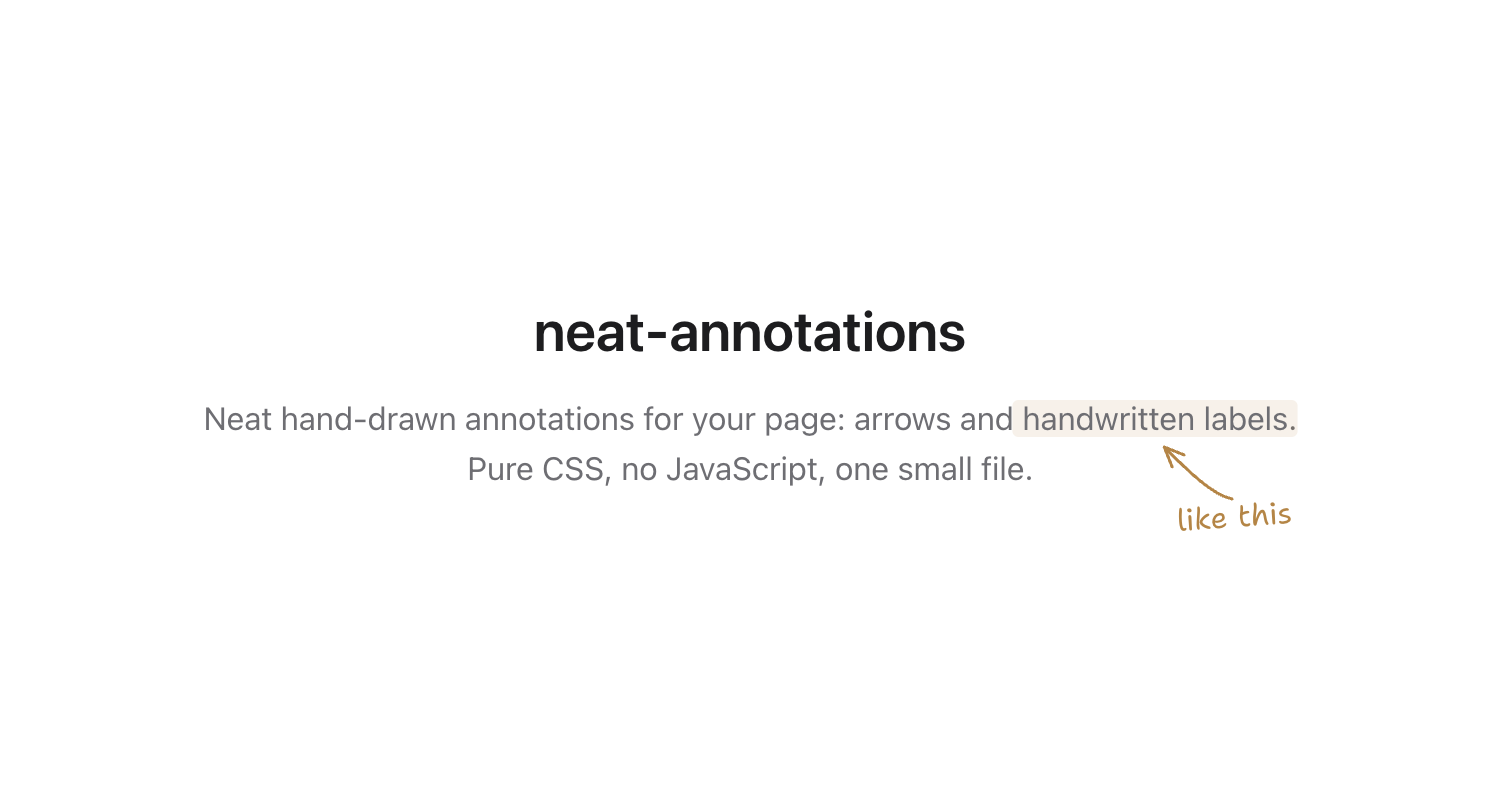
Hand-drawn arrows and handwritten labels for your website. Pure CSS, no JavaScript, no build step — one self-contained file.
Add the stylesheet from jsDelivr, or download neat-annotations.css and serve it locally:
<link rel="stylesheet" href="https://cdn.jsdelivr.net/gh/syabro/neat-annotations/neat-annotations.css">
Wrap the element you want to annotate:
The dashboard updates <span class="ann ann-n ann-amber" data-note="no refresh needed">in real time</span>
Shantell Sans is optional. Load it to match the demo; otherwise labels fall back to a cursive font:
<link href="https://fonts.googleapis.com/css2?family=Shantell+Sans:wght@400;500;600&display=swap" rel="stylesheet">
Layout note: annotations are positioned outside their target and do not reserve space. Leave enough margin around annotated lines for the arrow and label.
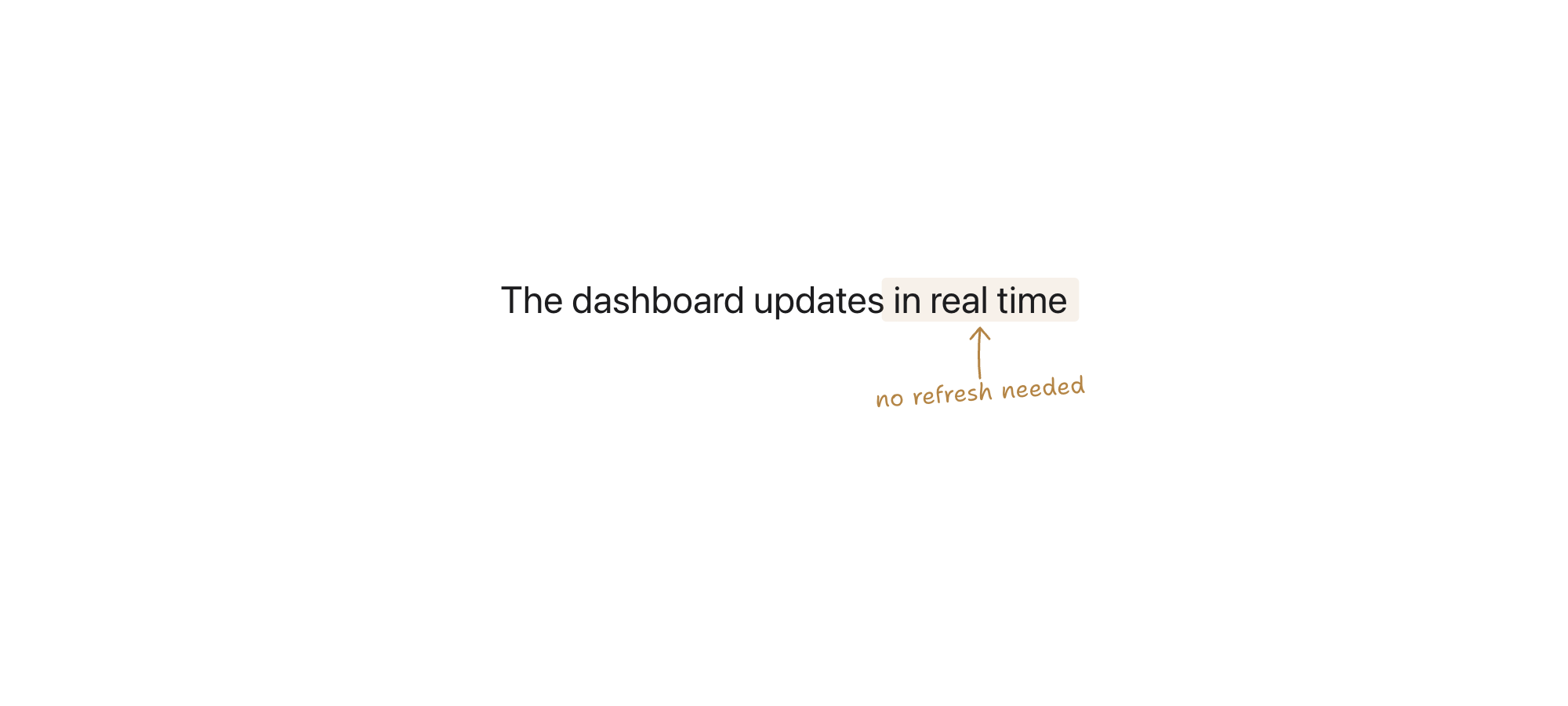
Start with ann, then add a direction and color when needed. The label comes from data-note.
A direction class names where the arrow points. For example, ann-n places the label below the target and points the arrow north toward it.
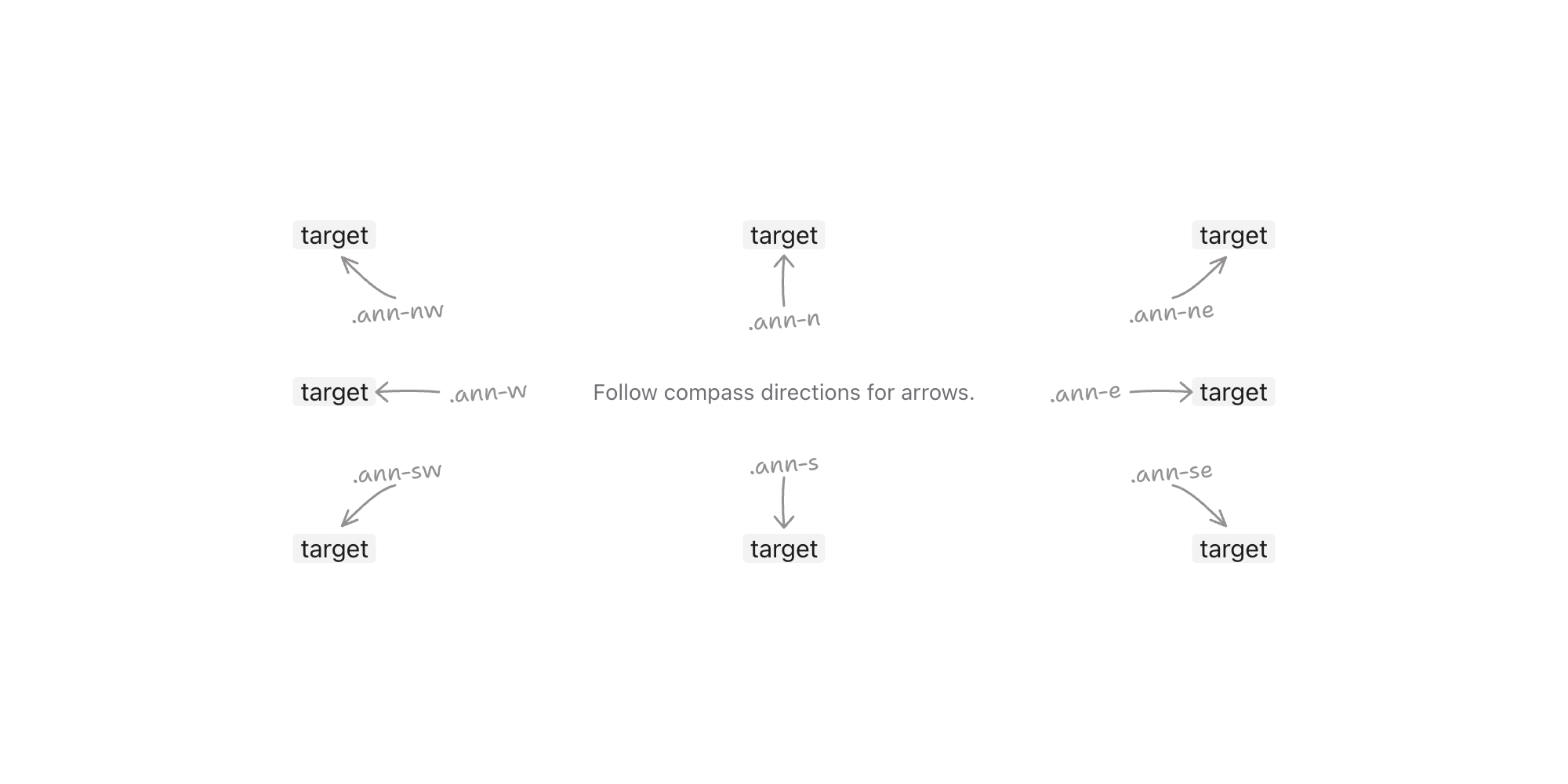
ann-n · ann-ne · ann-e · ann-se · ann-s · ann-sw · ann-w · ann-nw
<span class="ann ann-n" data-note="points north">target</span>
The default is a theme-aware warm gray. Six built-in classes change the arrow, label, and target highlight together, adapting to light and dark themes:
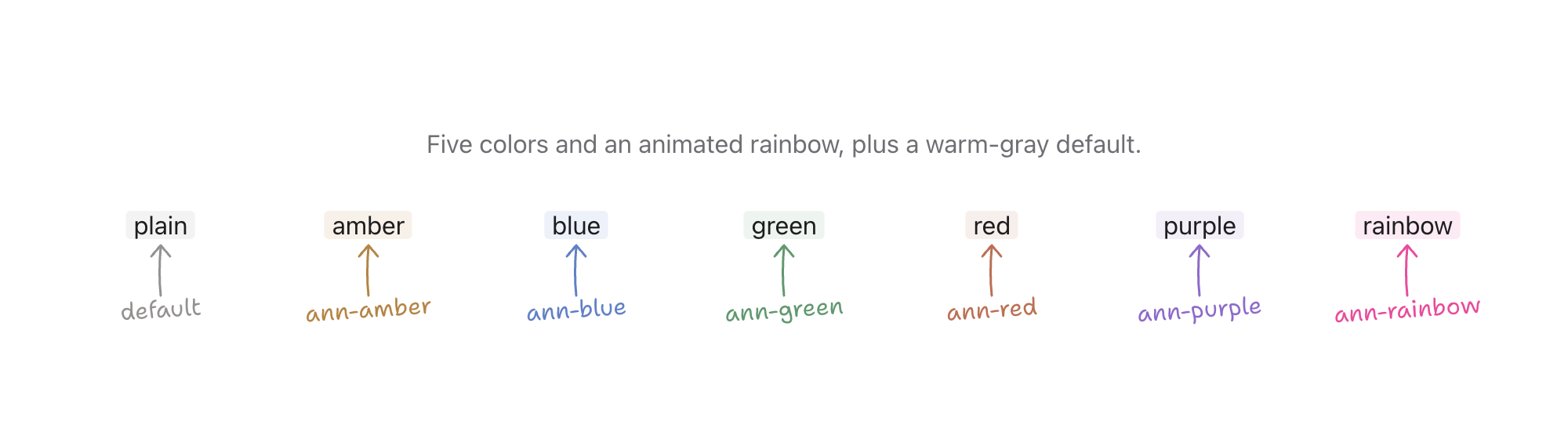
ann-amber · ann-blue · ann-green · ann-red · ann-purple · ann-rainbow
ann-rainbow animates through hues and respects prefers-reduced-motion.
Set any CSS color directly with --ann-color:
<span class="ann ann-n" data-note="..." style="--ann-color: #ff1493">hot pink</span>
Use light-dark() to adapt custom colors to light and dark themes:
<span class="ann ann-n" data-note="..." style="--ann-color: light-dark(#111111, #f5f5f7)">adaptive</span>
Omit data-note and the direction class to use an annotation as a text marker without an arrow or label:
<span class="ann ann-amber">important</span>
Add ann-no-mark when the target already has its own fill:
<span class="ann ann-n ann-purple ann-no-mark" data-note="keeps its own fill"><span class="badge">stable</span></span>
Annotations can be nested to point at one target from different sides. Long notes wrap according to --ann-label-max-width. See the demo for both patterns.
Set these variables directly on an annotated element:
| Variable | Default | What it controls |
|---|---|---|
--ann-color | theme-aware warm gray | arrow and label color |
--ann-mark | theme-aware tint | target highlight; ann-no-mark removes it |
--ann-font | 'Shantell Sans', cursive | label font |
--ann-target-gap | 5px | gap between target and arrow |
--ann-label-gap | 6px | gap between arrow and label |
--ann-lower-label-gap | -4px | adjustment for labels below the target |
--ann-label-max-width | 150px | maximum label width before wrapping |
--ann-arrow-x / --ann-arrow-y | 0px | arrow position |
--ann-text-x / --ann-text-y | 0px / 5px | label position |
--ann-rotate | -4deg | label tilt |
Annotations are visual enhancements. Do not use data-note as the only source of instructions, status, validation, or other essential information. Repeat important content in visible HTML or connect a real description to the target with aria-describedby.
(top 24 of 25)
579 followers · starred Jul 2026
4,596 followers · starred Sep 2026
847 followers · starred Jul 2026
615 followers · starred Oct 2026
Hand-drawn CSS annotations for inline content
See the code
Hand-drawn arrows and handwritten labels for your website. Pure CSS, no JavaScript, no build step — one self-contained file.
Add the stylesheet from jsDelivr, or download neat-annotations.css and serve it locally:
<link rel="stylesheet" href="https://cdn.jsdelivr.net/gh/syabro/neat-annotations/neat-annotations.css">
Wrap the element you want to annotate:
The dashboard updates <span class="ann ann-n ann-amber" data-note="no refresh needed">in real time</span>
Shantell Sans is optional. Load it to match the demo; otherwise labels fall back to a cursive font:
<link href="https://fonts.googleapis.com/css2?family=Shantell+Sans:wght@400;500;600&display=swap" rel="stylesheet">
Layout note: annotations are positioned outside their target and do not reserve space. Leave enough margin around annotated lines for the arrow and label.
Start with ann, then add a direction and color when needed. The label comes from data-note.
A direction class names where the arrow points. For example, ann-n places the label below the target and points the arrow north toward it.
ann-n · ann-ne · ann-e · ann-se · ann-s · ann-sw · ann-w · ann-nw
<span class="ann ann-n" data-note="points north">target</span>
The default is a theme-aware warm gray. Six built-in classes change the arrow, label, and target highlight together, adapting to light and dark themes:
ann-amber · ann-blue · ann-green · ann-red · ann-purple · ann-rainbow
ann-rainbow animates through hues and respects prefers-reduced-motion.
Set any CSS color directly with --ann-color:
<span class="ann ann-n" data-note="..." style="--ann-color: #ff1493">hot pink</span>
Use light-dark() to adapt custom colors to light and dark themes:
<span class="ann ann-n" data-note="..." style="--ann-color: light-dark(#111111, #f5f5f7)">adaptive</span>
Omit data-note and the direction class to use an annotation as a text marker without an arrow or label:
<span class="ann ann-amber">important</span>
Add ann-no-mark when the target already has its own fill:
<span class="ann ann-n ann-purple ann-no-mark" data-note="keeps its own fill"><span class="badge">stable</span></span>
Annotations can be nested to point at one target from different sides. Long notes wrap according to --ann-label-max-width. See the demo for both patterns.
Set these variables directly on an annotated element:
| Variable | Default | What it controls |
|---|---|---|
--ann-color | theme-aware warm gray | arrow and label color |
--ann-mark | theme-aware tint | target highlight; ann-no-mark removes it |
--ann-font | 'Shantell Sans', cursive | label font |
--ann-target-gap | 5px | gap between target and arrow |
--ann-label-gap | 6px | gap between arrow and label |
--ann-lower-label-gap | -4px | adjustment for labels below the target |
--ann-label-max-width | 150px | maximum label width before wrapping |
--ann-arrow-x / --ann-arrow-y | 0px | arrow position |
--ann-text-x / --ann-text-y | 0px / 5px | label position |
--ann-rotate | -4deg | label tilt |
Annotations are visual enhancements. Do not use data-note as the only source of instructions, status, validation, or other essential information. Repeat important content in visible HTML or connect a real description to the target with aria-describedby.
(top 24 of 25)
579 followers · starred Jul 2026
4,596 followers · starred Sep 2026
847 followers · starred Jul 2026
615 followers · starred Oct 2026