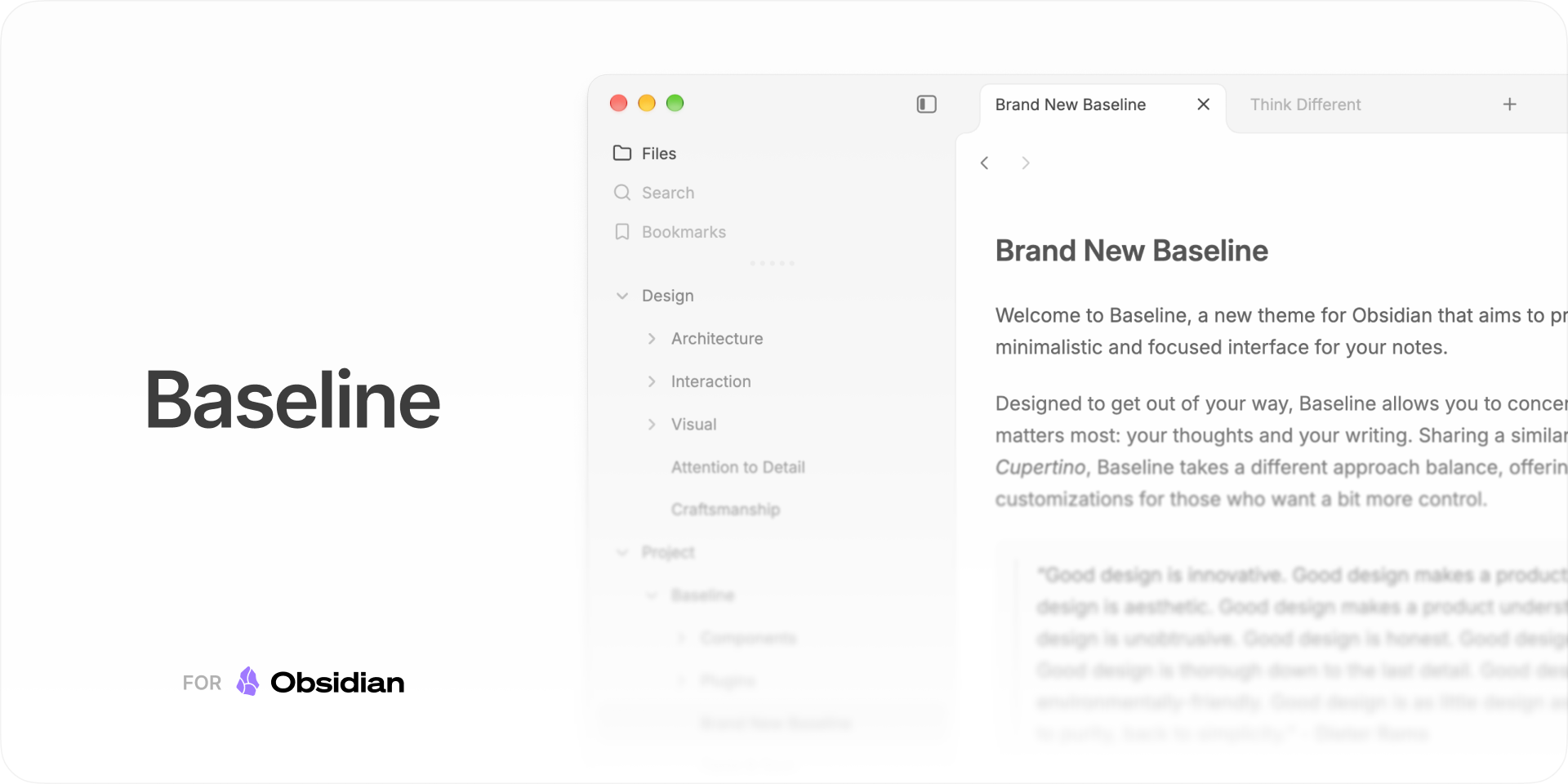
A foundational Obsidian theme; the baseline of your thoughts.
See the codeSeamlessly migrate your existing Style Settings from supported themes.
Carry your settings over with Style Settings Converter ↗
Discover and share Style Settings presets in Baseline Marketplace.
Explore community-made presets in Baseline Marketplace ↗
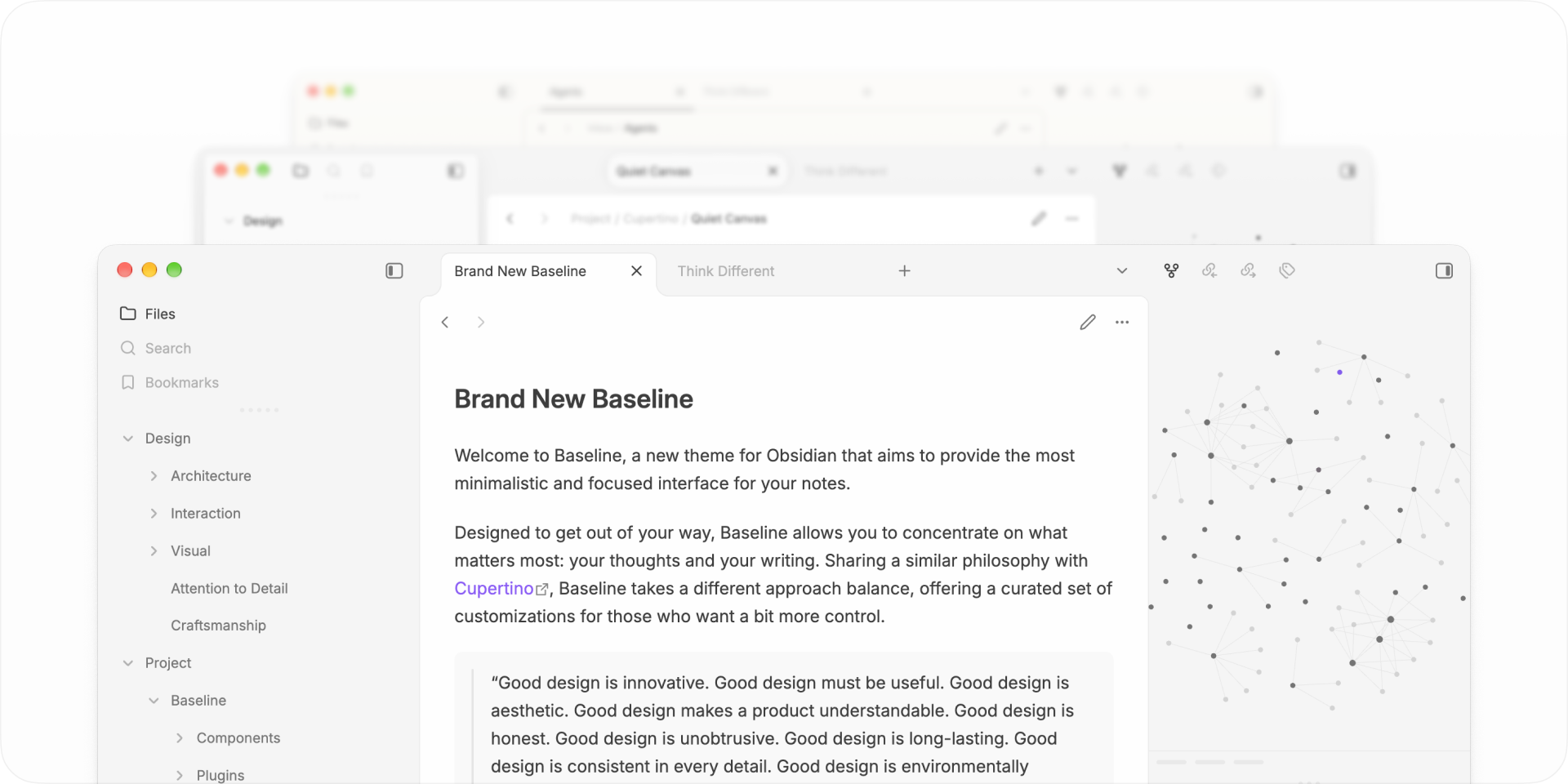
Clean layout, organized interface, and subtle animations make Baseline feel effortless from the first install.
Make it yours. With deep Style Settings integration, every detail is yours to shape. Colors, spacing, typography, and beyond.
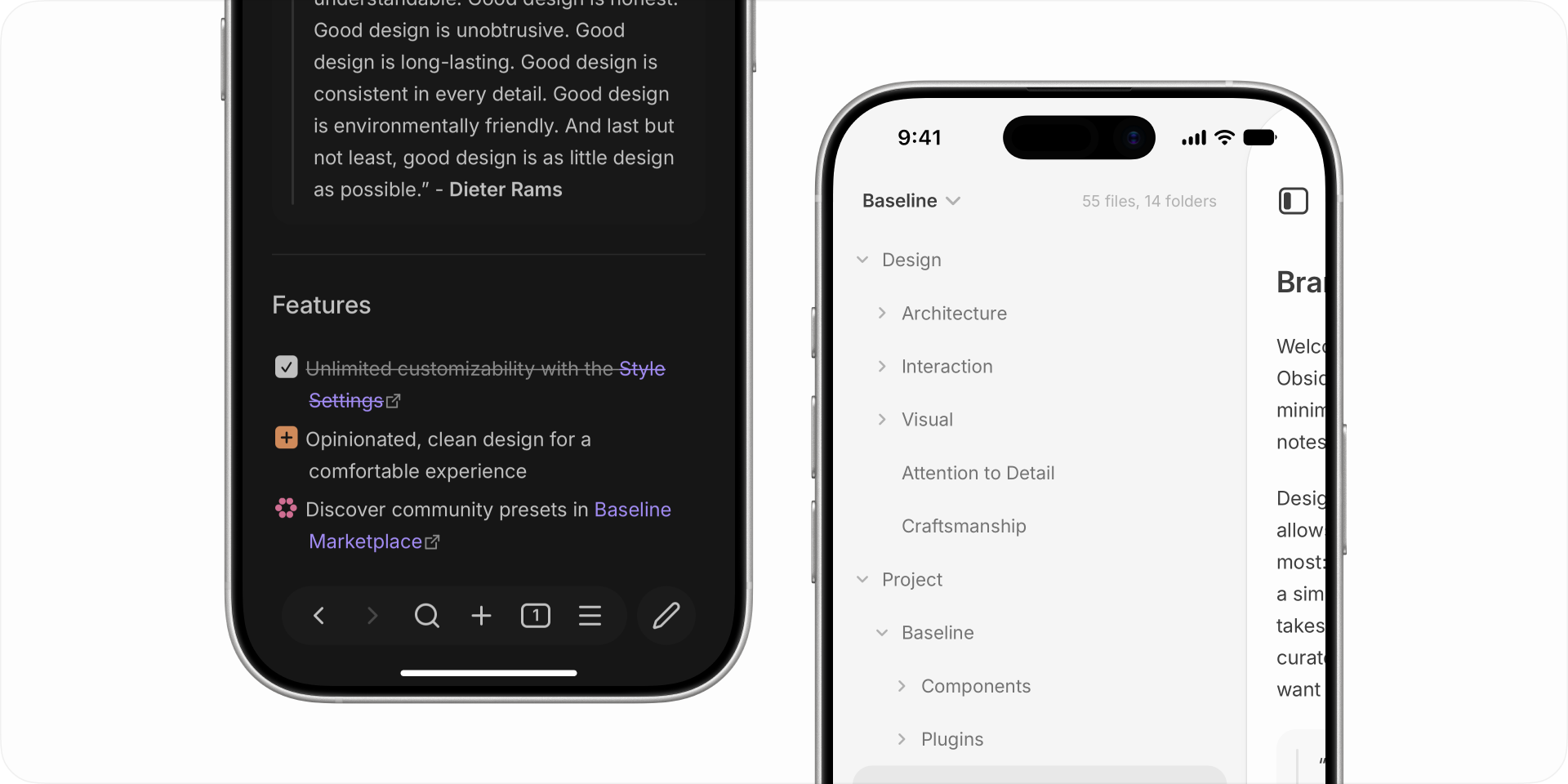
Built for mobile. Enhanced navigation, refined menus, and comfortable spacing bring the same quality experience to every screen.
Baseline is built on a simple belief: a great theme should work beautifully without touching a single setting, and transform completely when you're ready to explore.
Refined foundation
Clean, modern, and polished from day one. Baseline sets a standard your vault can grow from.
Thoughtful customization
Every option is designed with care. So no matter how far you go, Baseline always looks intentional.
More than a theme
Hover sidebars, compact elements, polished interface... Baseline takes the best ideas from the community and gives them a home. More than a theme, this is a new starting point for everyone to built upon.
Baseline supports all filter and helper classes from Minimal.
| Class | Description |
|---|---|
banner | Add at the end of the image link, e.g. ![[image.jpeg|banner]] |
banner-fade | Add faded edge to the banner (requires banner) |
banner-icon | Add an emoji or letter as note icon using callout, e.g. > [!banner-icon] 👋 |
banner-title | Moves inline title next to the icon (requires banner-icon) |
y0, y5... to y100 | Adjust the vertical position of the banner (requires banner), from 0 to 100 in steps of 5 |
| Class | Description |
|---|---|
wide | Entire note uses wide line width |
max | Entire note uses max line width |
table-100, bases-100, img-100 | Fill 100% of the pane width |
table-max, bases-max, img-max | Fill the max line width (default 90%) |
table-wide, bases-wide, img-wide | Fill the wide line width |
| Class | Description |
|---|---|
cards (required) | Set all Dataview tables to card layout |
list-cards | Set all bullet lists to card layout |
cards-align-bottom | Align the last element of a card to the bottom |
cards-cover | Images are resized to fill the defined space |
cards-16-9 | Fit images in cards to 16:9 ratio |
cards-1-1 | Fit images in cards to 1:1 ratio (square) |
cards-2-1 | Fit images in cards to 2:1 ratio |
cards-2-3 | Fit images in cards to 2:3 ratio |
cards-cols-1 to 8 | Force a specific number of columns (from 1 to 8) |
| Class | Description |
|---|---|
embed-strict | Remove embed background |
embed-hide-title | Hide embedded file title |
Add at the end of the image link, e.g. ![[image.jpeg#invert]]
| Filter | Description |
|---|---|
#blend | Blend image into background |
#invert | Invert images in dark mode — ideal for charts and handwriting on light backgrounds |
#invertW | Invert images in light mode — ideal for charts and handwriting on dark backgrounds |
#circle | Crop image to a circle |
#outline | Add outline around image |
#interface | Add drop shadow behind image |
| Class | Description |
|---|---|
img-grid | Activate image grids |
| Class | Description |
|---|---|
table-nowrap | Disable line wrapping in table cells |
table-wrap | Force line wrapping in table cells |
table-center | Center small tables narrower than line width |
table-numbers | Add row numbers to tables |
table-tabular | Use tabular figures in tables |
table-small | Use small font size in tables |
table-tiny | Use tiny font size in tables |
table-lines | Add borders around all table cells |
row-lines | Add borders between table rows |
col-lines | Add borders between table columns |
row-alt | Add striped background to alternating table rows |
col-alt | Add striped background to alternating table columns |
row-hover | Highlight rows on hover |
| Class | Description |
|---|---|
bases-row-alt | Add striped background to alternating Bases table view rows |
bases-col-alt | Add striped background to alternating Bases table view columns |
bases-plain | Hide embedded Bases toolbar |
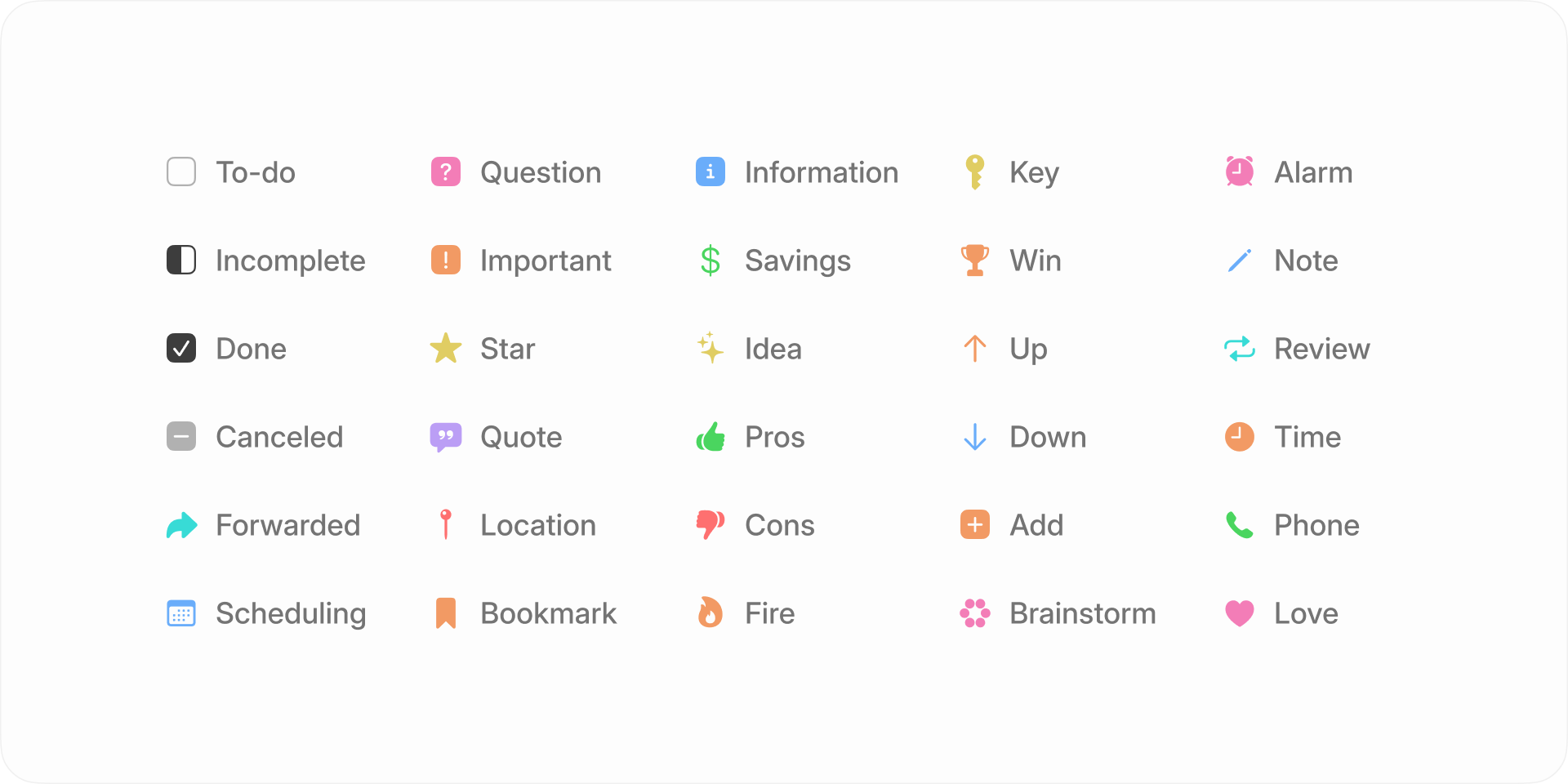
| Syntax | Description |
|---|---|
- [ ] | To-do |
- [/] | Incomplete |
- [x] | Done |
- [-] | Canceled |
- [>] | Forwarded |
- [<] | Scheduling |
- [?] | Question |
- [!] | Important |
- [*] | Star |
- ["] | Quote |
- [l] | Location |
- [b] | Bookmark |
- [i] | Information |
- [S] | Savings |
- [I] | Idea |
- [p] | Pros |
- [c] | Cons |
- [f] | Fire |
- [k] | Key |
- [w] | Win |
- [u] | Up |
- [d] | Down |
- [+] | Add |
- [B] | Brainstorm |
- [a] | Alarm |
- [n] | Note |
- [R] | Review |
- [t] | Time |
- [P] | Phone |
- [L] | Love |
Baseline is licensed under the MIT license.
2,592 followers · starred Sep 2025
108 followers · starred Sep 2025
221 followers · starred Aug 2025
1,452 followers · starred Sep 2026
A foundational Obsidian theme; the baseline of your thoughts.
See the codeSeamlessly migrate your existing Style Settings from supported themes.
Carry your settings over with Style Settings Converter ↗
Discover and share Style Settings presets in Baseline Marketplace.
Explore community-made presets in Baseline Marketplace ↗
Clean layout, organized interface, and subtle animations make Baseline feel effortless from the first install.
Make it yours. With deep Style Settings integration, every detail is yours to shape. Colors, spacing, typography, and beyond.
Built for mobile. Enhanced navigation, refined menus, and comfortable spacing bring the same quality experience to every screen.
Baseline is built on a simple belief: a great theme should work beautifully without touching a single setting, and transform completely when you're ready to explore.
Refined foundation
Clean, modern, and polished from day one. Baseline sets a standard your vault can grow from.
Thoughtful customization
Every option is designed with care. So no matter how far you go, Baseline always looks intentional.
More than a theme
Hover sidebars, compact elements, polished interface... Baseline takes the best ideas from the community and gives them a home. More than a theme, this is a new starting point for everyone to built upon.
Baseline supports all filter and helper classes from Minimal.
| Class | Description |
|---|---|
banner | Add at the end of the image link, e.g. ![[image.jpeg|banner]] |
banner-fade | Add faded edge to the banner (requires banner) |
banner-icon | Add an emoji or letter as note icon using callout, e.g. > [!banner-icon] 👋 |
banner-title | Moves inline title next to the icon (requires banner-icon) |
y0, y5... to y100 | Adjust the vertical position of the banner (requires banner), from 0 to 100 in steps of 5 |
| Class | Description |
|---|---|
wide | Entire note uses wide line width |
max | Entire note uses max line width |
table-100, bases-100, img-100 | Fill 100% of the pane width |
table-max, bases-max, img-max | Fill the max line width (default 90%) |
table-wide, bases-wide, img-wide | Fill the wide line width |
| Class | Description |
|---|---|
cards (required) | Set all Dataview tables to card layout |
list-cards | Set all bullet lists to card layout |
cards-align-bottom | Align the last element of a card to the bottom |
cards-cover | Images are resized to fill the defined space |
cards-16-9 | Fit images in cards to 16:9 ratio |
cards-1-1 | Fit images in cards to 1:1 ratio (square) |
cards-2-1 | Fit images in cards to 2:1 ratio |
cards-2-3 | Fit images in cards to 2:3 ratio |
cards-cols-1 to 8 | Force a specific number of columns (from 1 to 8) |
| Class | Description |
|---|---|
embed-strict | Remove embed background |
embed-hide-title | Hide embedded file title |
Add at the end of the image link, e.g. ![[image.jpeg#invert]]
| Filter | Description |
|---|---|
#blend | Blend image into background |
#invert | Invert images in dark mode — ideal for charts and handwriting on light backgrounds |
#invertW | Invert images in light mode — ideal for charts and handwriting on dark backgrounds |
#circle | Crop image to a circle |
#outline | Add outline around image |
#interface | Add drop shadow behind image |
| Class | Description |
|---|---|
img-grid | Activate image grids |
| Class | Description |
|---|---|
table-nowrap | Disable line wrapping in table cells |
table-wrap | Force line wrapping in table cells |
table-center | Center small tables narrower than line width |
table-numbers | Add row numbers to tables |
table-tabular | Use tabular figures in tables |
table-small | Use small font size in tables |
table-tiny | Use tiny font size in tables |
table-lines | Add borders around all table cells |
row-lines | Add borders between table rows |
col-lines | Add borders between table columns |
row-alt | Add striped background to alternating table rows |
col-alt | Add striped background to alternating table columns |
row-hover | Highlight rows on hover |
| Class | Description |
|---|---|
bases-row-alt | Add striped background to alternating Bases table view rows |
bases-col-alt | Add striped background to alternating Bases table view columns |
bases-plain | Hide embedded Bases toolbar |
| Syntax | Description |
|---|---|
- [ ] | To-do |
- [/] | Incomplete |
- [x] | Done |
- [-] | Canceled |
- [>] | Forwarded |
- [<] | Scheduling |
- [?] | Question |
- [!] | Important |
- [*] | Star |
- ["] | Quote |
- [l] | Location |
- [b] | Bookmark |
- [i] | Information |
- [S] | Savings |
- [I] | Idea |
- [p] | Pros |
- [c] | Cons |
- [f] | Fire |
- [k] | Key |
- [w] | Win |
- [u] | Up |
- [d] | Down |
- [+] | Add |
- [B] | Brainstorm |
- [a] | Alarm |
- [n] | Note |
- [R] | Review |
- [t] | Time |
- [P] | Phone |
- [L] | Love |
Baseline is licensed under the MIT license.
2,592 followers · starred Sep 2025
108 followers · starred Sep 2025
221 followers · starred Aug 2025
1,452 followers · starred Sep 2026