Integration guide and example setup for using llm-jp with mLflow prompt engineering UI.
Python
2
3 commits
updated Apr 20, 2025


👉 Japanese Article of this repository
This repository provides a practical guide and working example for integrating MLflow Prompt Engineering UI with non-officially supported Japanese LLMs, specifically from the LLM-jp project.
MLflow Prompt Engineering UI is an experimental feature allowing users to test and optimize prompts in a no-code UI. It supports OpenAI and other hosted models, but local models like those from LLM-jp require manual setup.
This repository shows how to:
python wrap_pyfunc.py
mlflow ui --backend-store-uri sqlite:///mlruns/mlflow.db --port 5000

streamlit run app.py --server.fileWatcherType none
export MLFLOW_DEPLOYMENTS_TARGET="http://127.0.0.1:7000"
export OPENAI_API_KEY="" # if you use OpenAI Model for LLM-as-a-judge

mlflow models serve -m ./saved_model/ --no-conda --port 5001

mlflow gateway start --config-path config.yaml --port 7000
mlflow server --port 5000
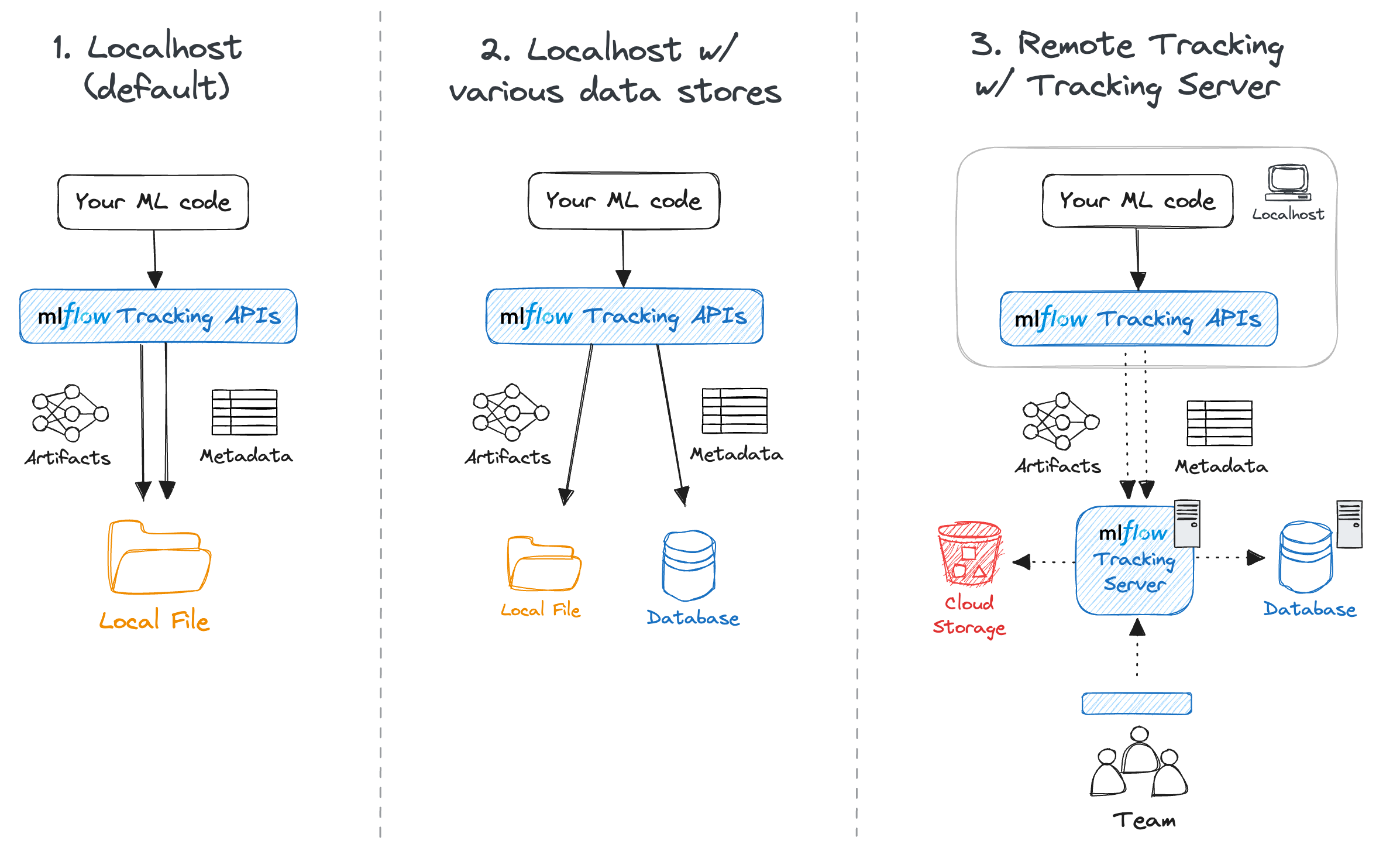
The MLflow client can interface with a SQLAlchemy-compatible database (e.g., SQLite, PostgreSQL, MySQL) for the backend. Saving metadata to a database allows you cleaner management of your experiment data while skipping the effort of setting up a server.
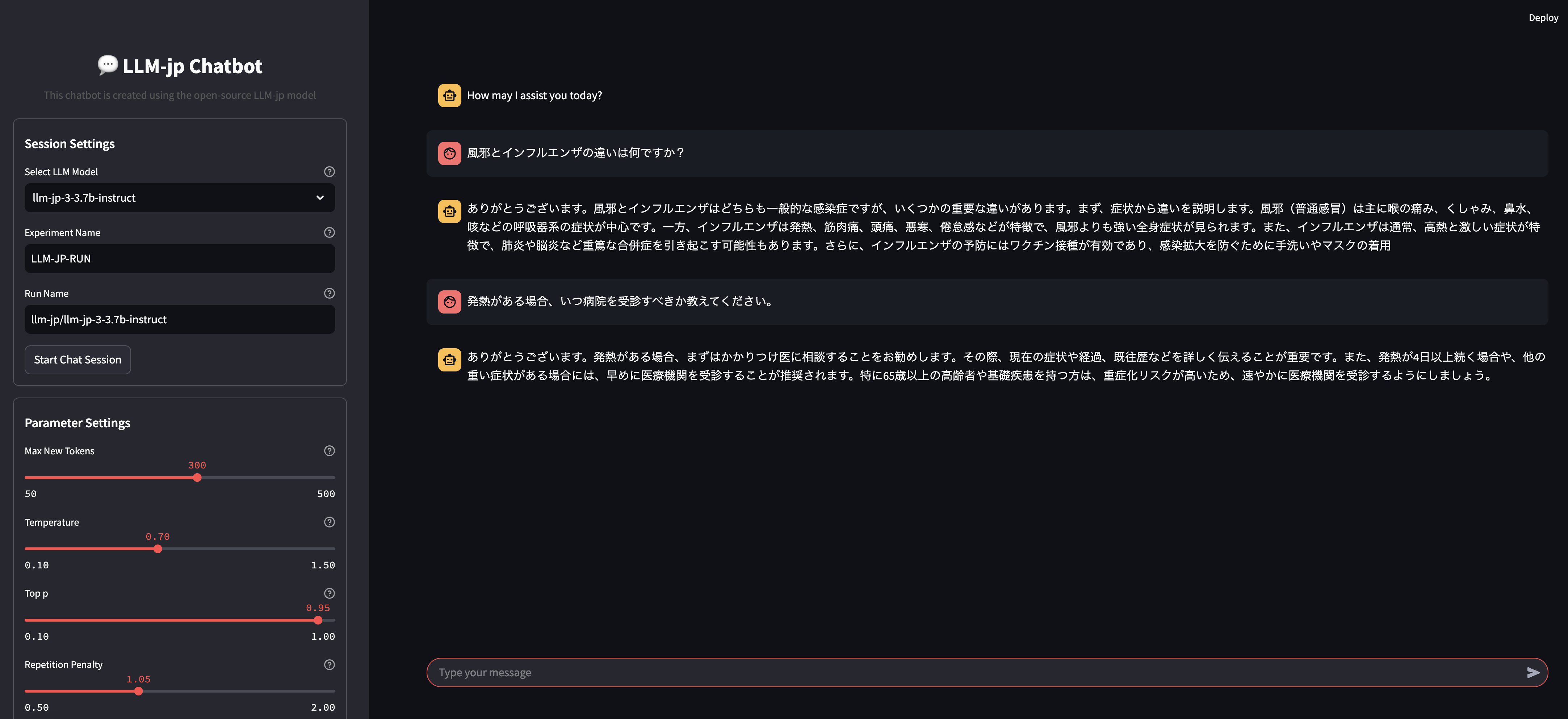
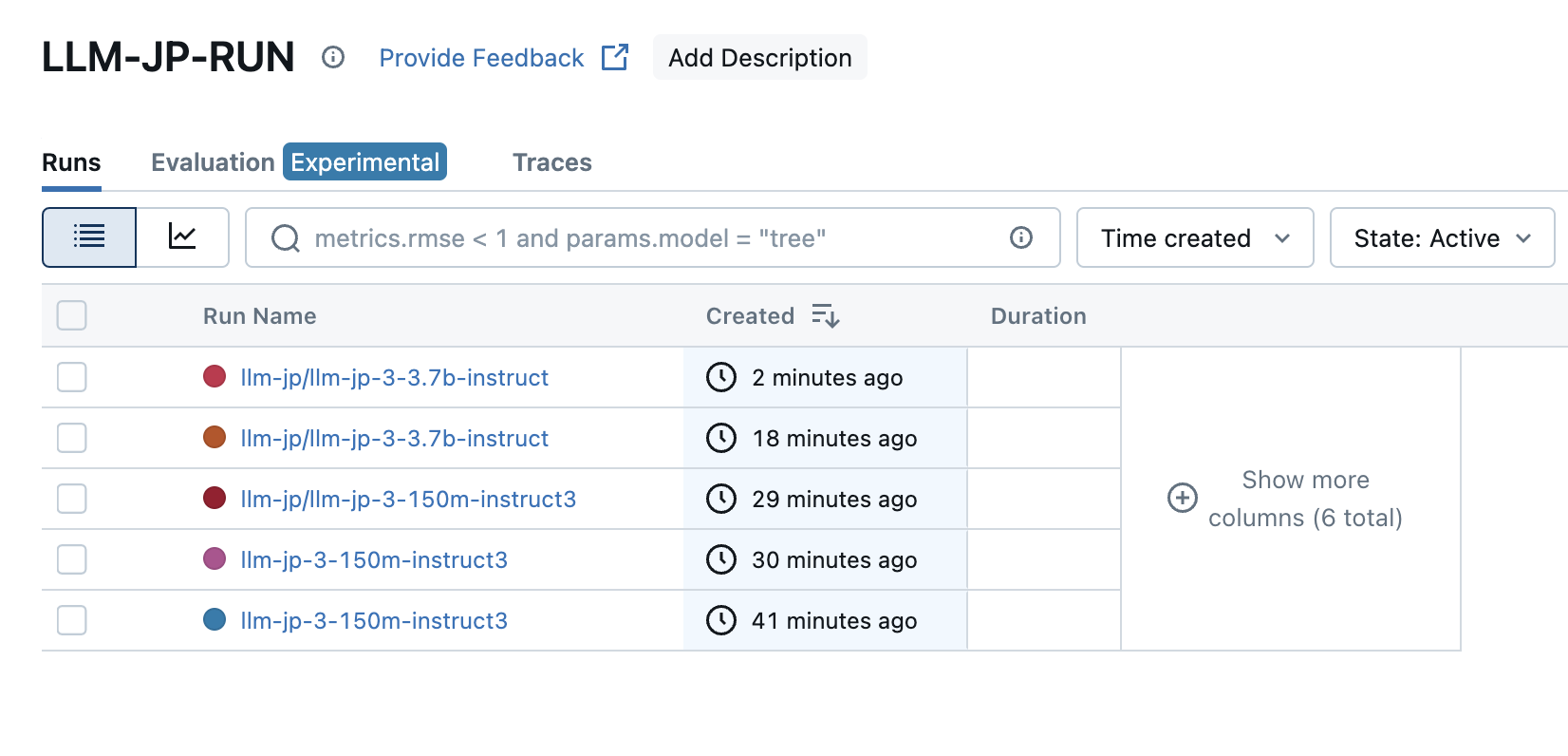
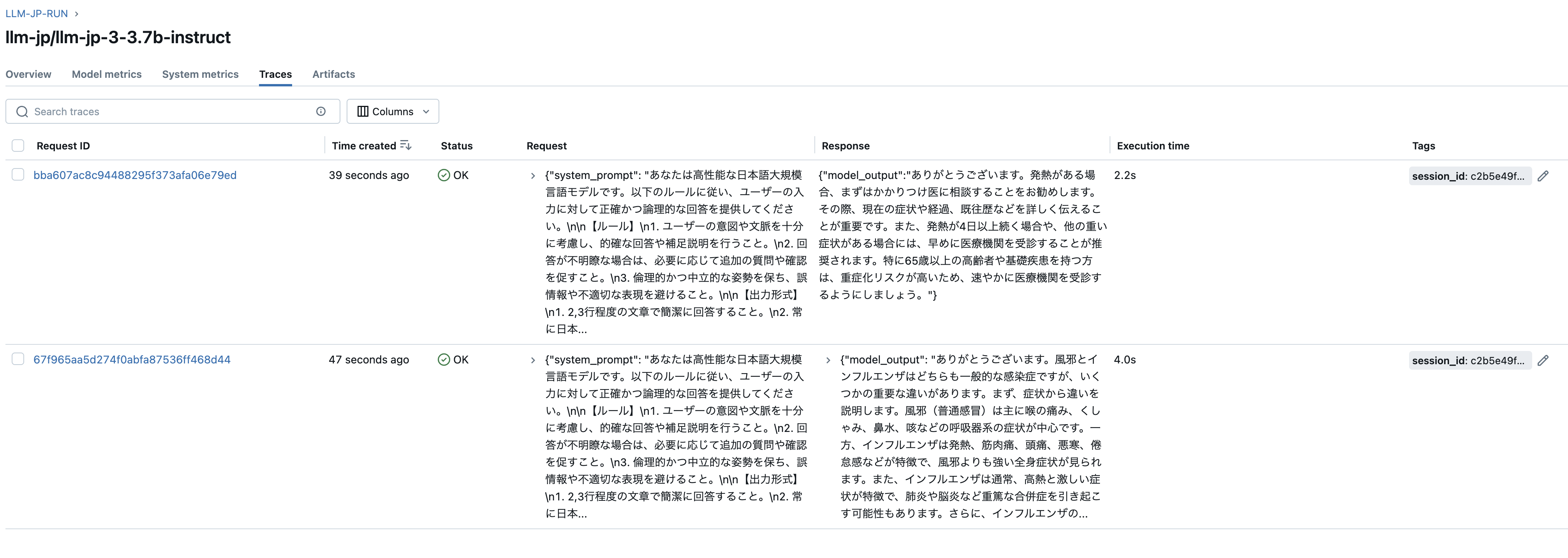
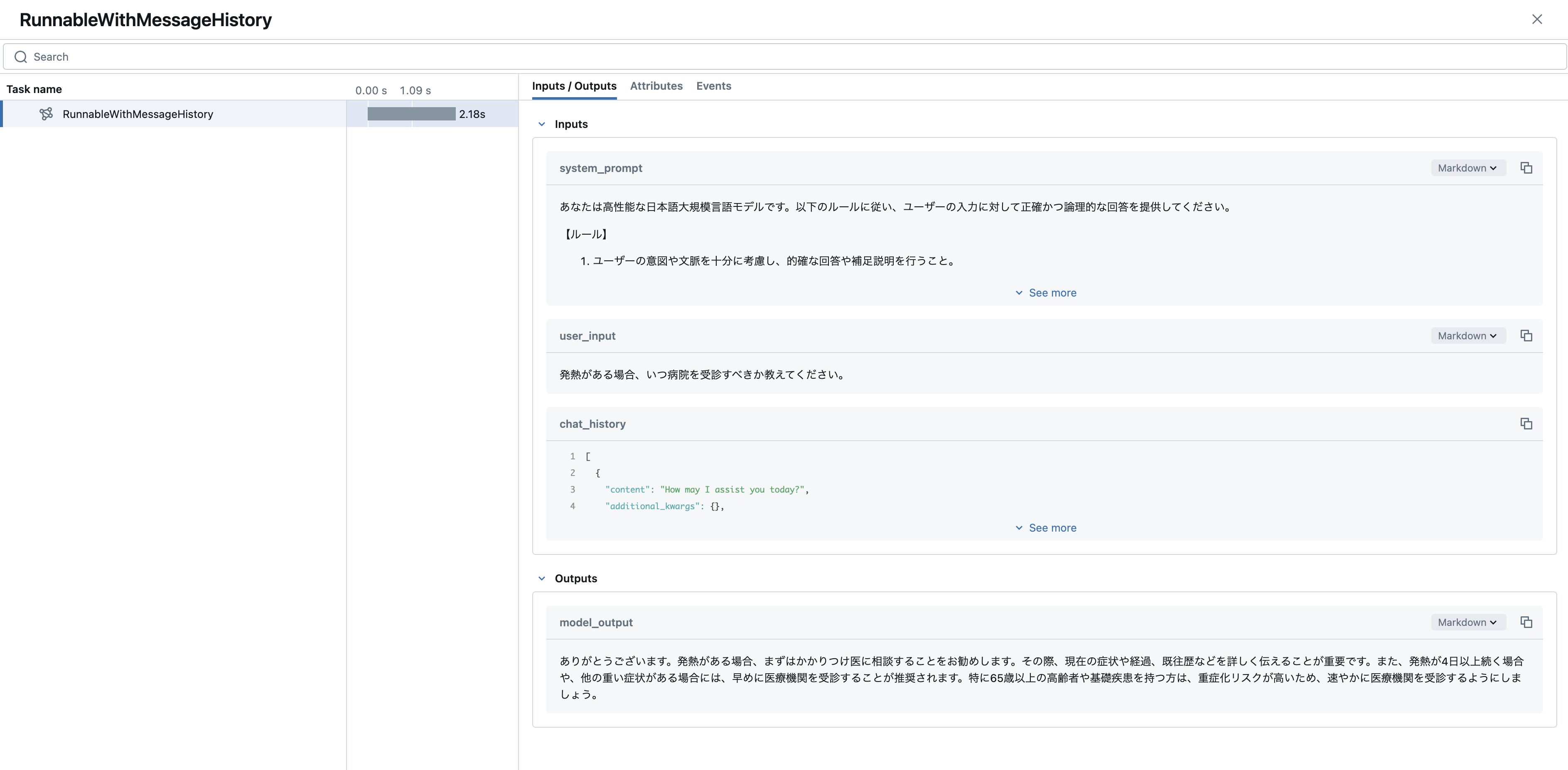
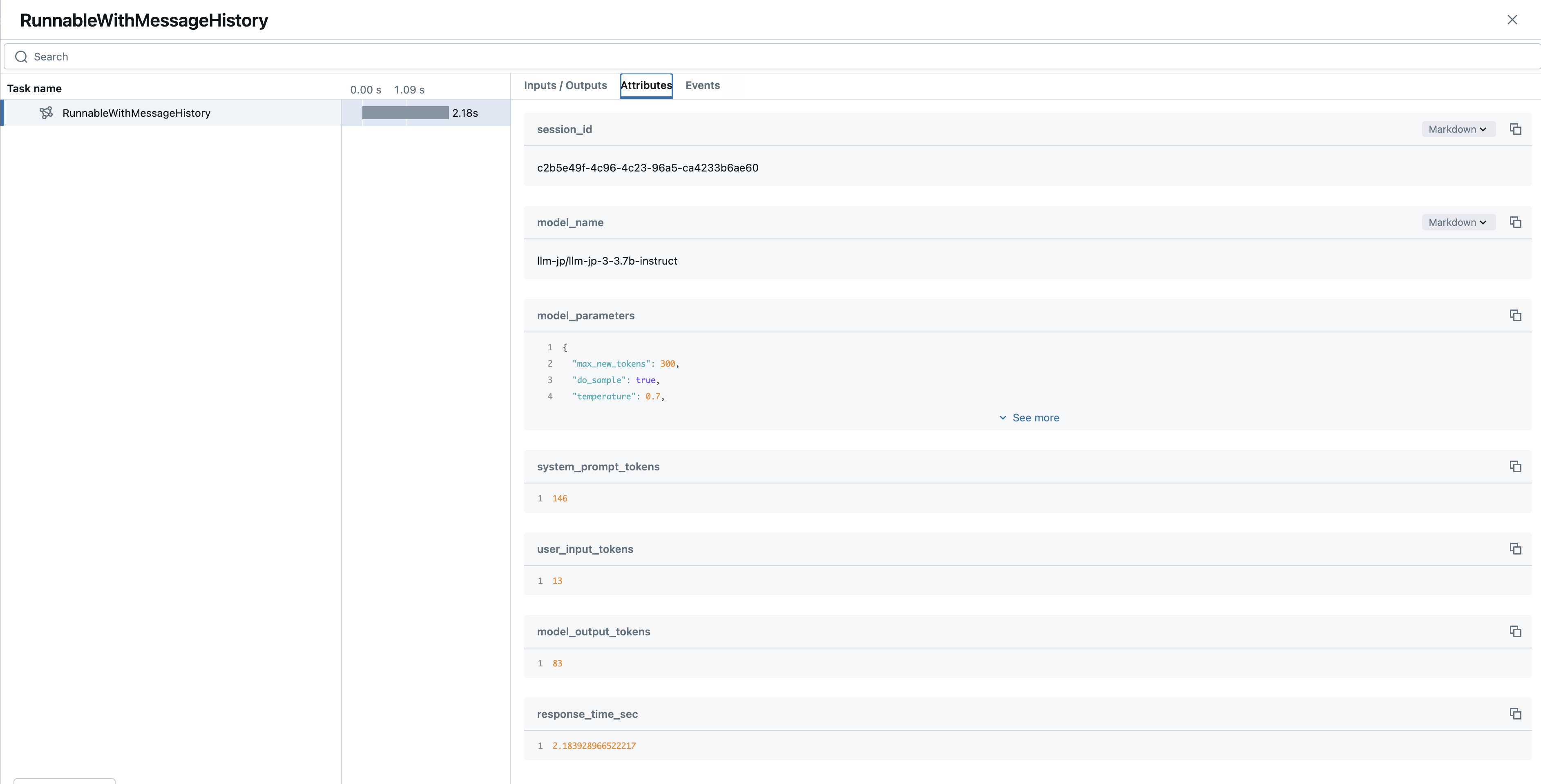
graph TD;
    A[Hugging Face Hub Model Card] -->|Convert to| B[MLflow PyFunc Model];
    B -->|Save Locally| C[Local MLflow Model Storage];
    C -->|Serve with MLflow| D[MLflow Model Serving];
    D -->|Expose via AI Gateway| E[MLflow AI Gateway Endpoint];
    E -->|Use in| F[MLflow Prompt Engineering UI];
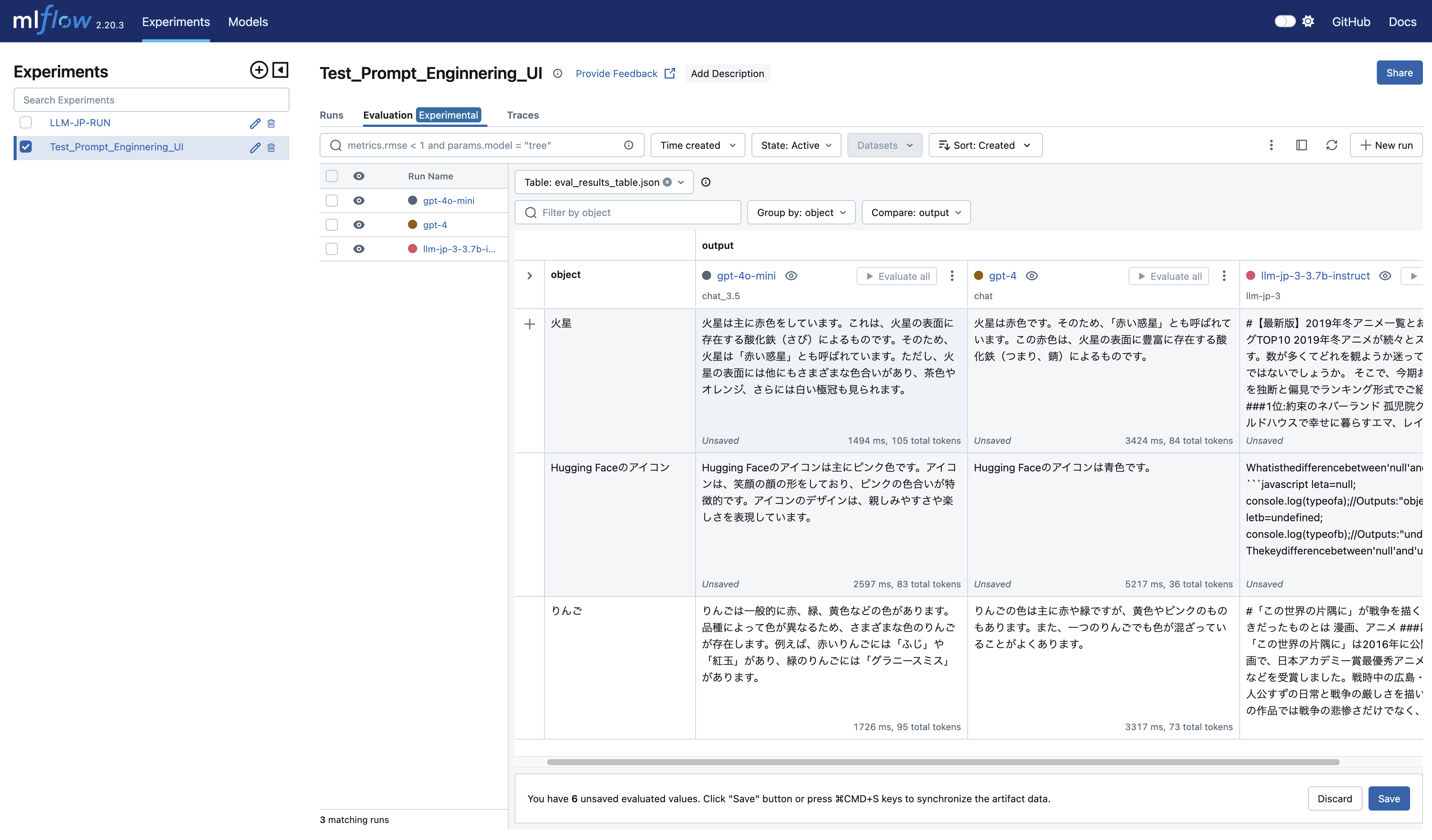
Japanese prompt input may cause encoding issues in Prompt Engineering UI. Workaround: use ASCII-only prompts or sanitize input manually.
Integration guide and example setup for using llm-jp with mLflow prompt engineering UI.
Python
2
3 commits
updated Apr 20, 2025
👉 Japanese Article of this repository
This repository provides a practical guide and working example for integrating MLflow Prompt Engineering UI with non-officially supported Japanese LLMs, specifically from the LLM-jp project.
MLflow Prompt Engineering UI is an experimental feature allowing users to test and optimize prompts in a no-code UI. It supports OpenAI and other hosted models, but local models like those from LLM-jp require manual setup.
This repository shows how to:
python wrap_pyfunc.py
mlflow ui --backend-store-uri sqlite:///mlruns/mlflow.db --port 5000

streamlit run app.py --server.fileWatcherType none
export MLFLOW_DEPLOYMENTS_TARGET="http://127.0.0.1:7000"
export OPENAI_API_KEY="" # if you use OpenAI Model for LLM-as-a-judge

mlflow models serve -m ./saved_model/ --no-conda --port 5001

mlflow gateway start --config-path config.yaml --port 7000
mlflow server --port 5000
The MLflow client can interface with a SQLAlchemy-compatible database (e.g., SQLite, PostgreSQL, MySQL) for the backend. Saving metadata to a database allows you cleaner management of your experiment data while skipping the effort of setting up a server.
graph TD;
    A[Hugging Face Hub Model Card] -->|Convert to| B[MLflow PyFunc Model];
    B -->|Save Locally| C[Local MLflow Model Storage];
    C -->|Serve with MLflow| D[MLflow Model Serving];
    D -->|Expose via AI Gateway| E[MLflow AI Gateway Endpoint];
    E -->|Use in| F[MLflow Prompt Engineering UI];
Japanese prompt input may cause encoding issues in Prompt Engineering UI. Workaround: use ASCII-only prompts or sanitize input manually.



