Wish you could bring the iPhone Duo effect to your MacBook?
Swift
1,193
25 commits
updated Sep 18, 2026
Wish you could bring the iPhone Duo effect to your MacBook?
https://github.com/user-attachments/assets/3ea3b098-c6d2-4398-8f3a-e9087bbb33f2
Close the lid and watch your screen content tilt, blur, and fade as it moves.
Mac Duo adds this effect to your MacBook, with controls in the menu bar.
Available in: English and Simplified Chinese (简体中文).
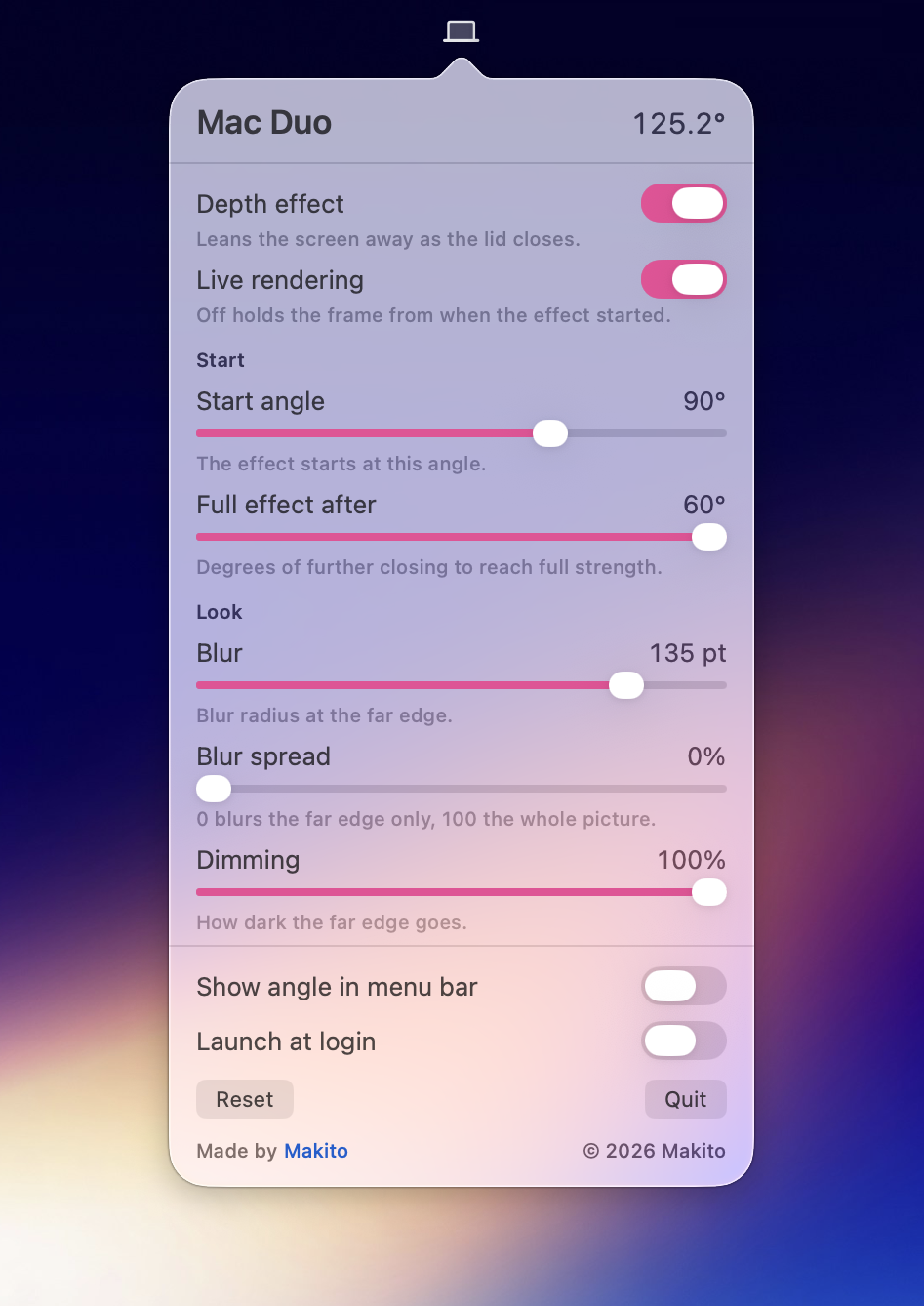
With the default settings, it's recommended to view the effect in front of your MacBook.
[!NOTE] Mac Duo is completely free to use. Whether you use the app or reuse its code in your projects, please consider sponsoring me if you find it helpful.
Special thanks to our team at Moeru AI for sponsoring the Apple Developer Program membership used to sign and notarize the prebuilt app here.
These downloads contain the latest development build for Apple Silicon and Intel Macs.
Requires macOS 14 or later and a MacBook with a compatible lid angle sensor. Grant Screen Recording permission when prompted to enable the effect.
Requires Xcode with Swift 6.0 or later. Run from the project directory:
./build.sh
The script creates build/Mac Duo.app with an ad-hoc signature. Open it from Finder, or build and launch with:
./build.sh --run
macOS may require Screen Recording permission again after rebuilding with ad-hoc signing.
This project is built with AI assistance.
Licensed under the Apache License 2.0. Copyright 2026 Makito.
See NOTICE for attribution.
4,252 followers · starred Sep 2026
12,637 followers · starred Sep 2026
15 followers · starred Sep 2026
617 followers · starred Sep 2026
Wish you could bring the iPhone Duo effect to your MacBook?
Swift
1,193
25 commits
updated Sep 18, 2026
Wish you could bring the iPhone Duo effect to your MacBook?
https://github.com/user-attachments/assets/3ea3b098-c6d2-4398-8f3a-e9087bbb33f2
Close the lid and watch your screen content tilt, blur, and fade as it moves.
Mac Duo adds this effect to your MacBook, with controls in the menu bar.
Available in: English and Simplified Chinese (简体中文).
With the default settings, it's recommended to view the effect in front of your MacBook.
[!NOTE] Mac Duo is completely free to use. Whether you use the app or reuse its code in your projects, please consider sponsoring me if you find it helpful.
Special thanks to our team at Moeru AI for sponsoring the Apple Developer Program membership used to sign and notarize the prebuilt app here.
These downloads contain the latest development build for Apple Silicon and Intel Macs.
Requires macOS 14 or later and a MacBook with a compatible lid angle sensor. Grant Screen Recording permission when prompted to enable the effect.
Requires Xcode with Swift 6.0 or later. Run from the project directory:
./build.sh
The script creates build/Mac Duo.app with an ad-hoc signature. Open it from Finder, or build and launch with:
./build.sh --run
macOS may require Screen Recording permission again after rebuilding with ad-hoc signing.
This project is built with AI assistance.
Licensed under the Apache License 2.0. Copyright 2026 Makito.
See NOTICE for attribution.
4,252 followers · starred Sep 2026
12,637 followers · starred Sep 2026
15 followers · starred Sep 2026
617 followers · starred Sep 2026