
Examples on how to use Stand Chat
See the codeSee what people are saying
README
Custom chat UI examples
Working chat front ends in plain HTML, CSS and JavaScript: animated characters, a CRT terminal, inline components, and a particle renderer.
Live demos · Run the same examples locally: npm start.
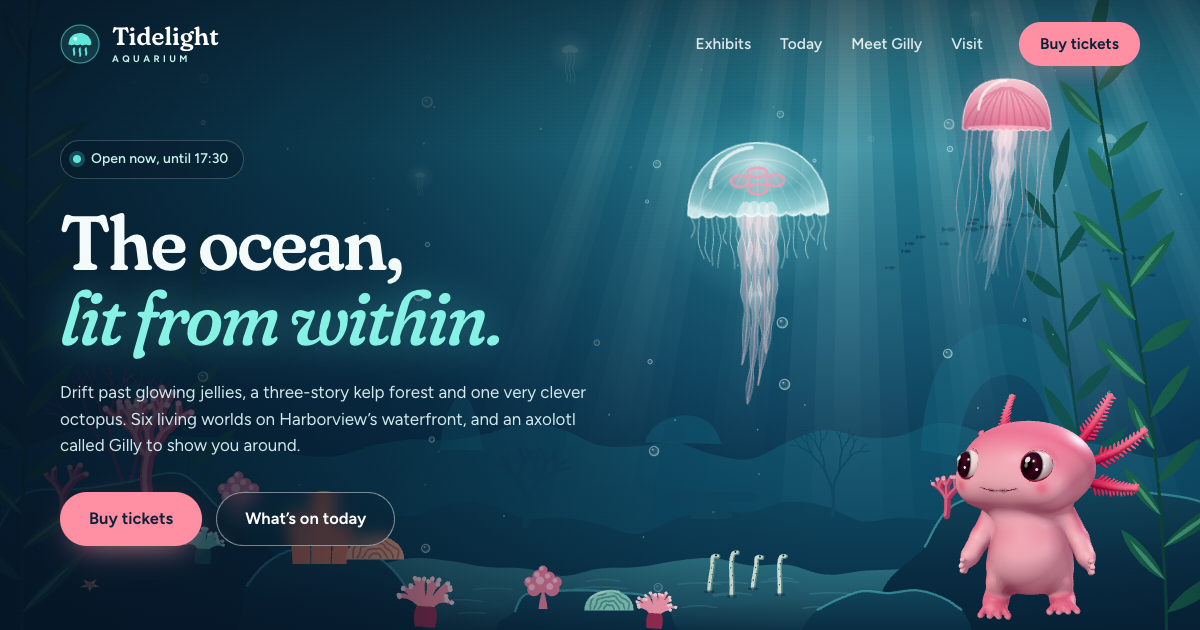
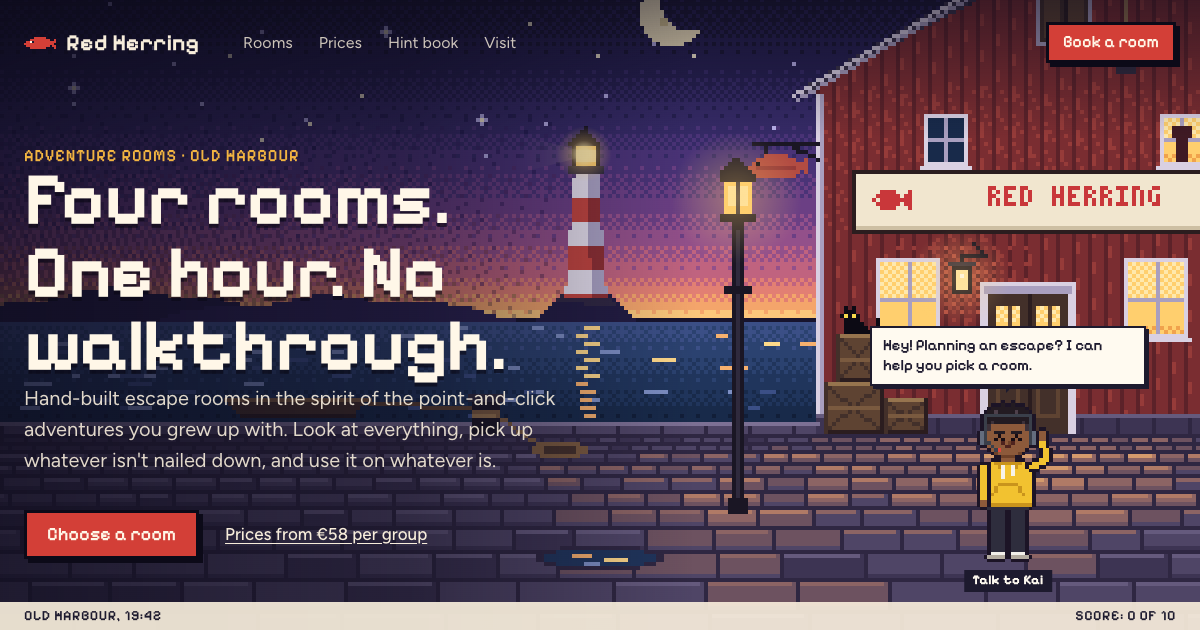
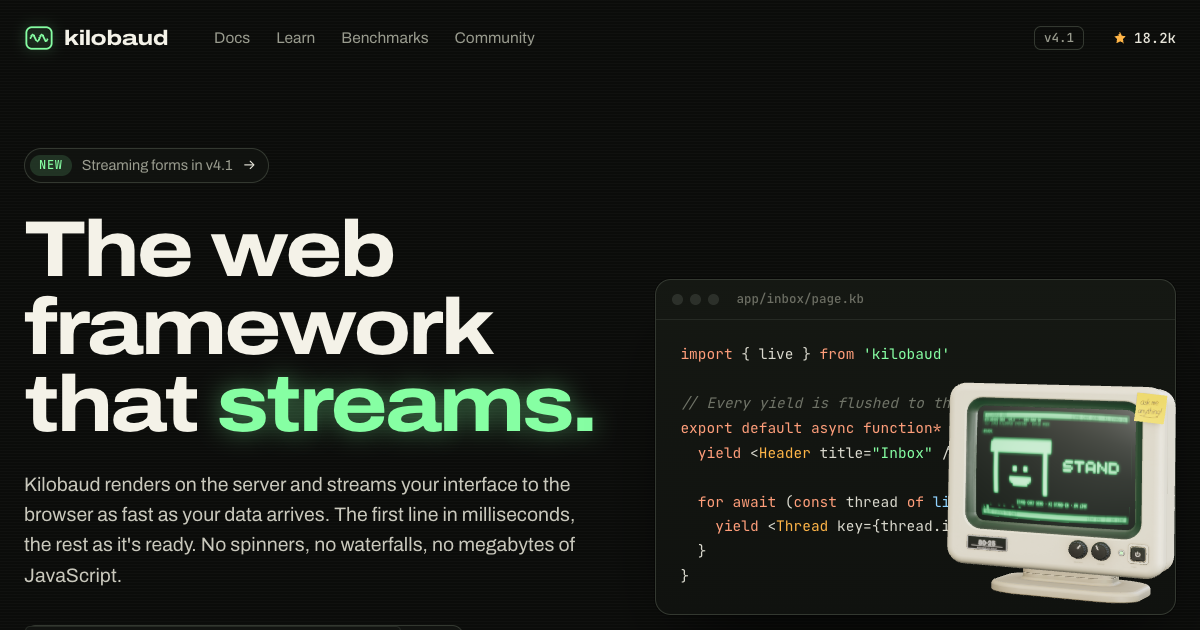
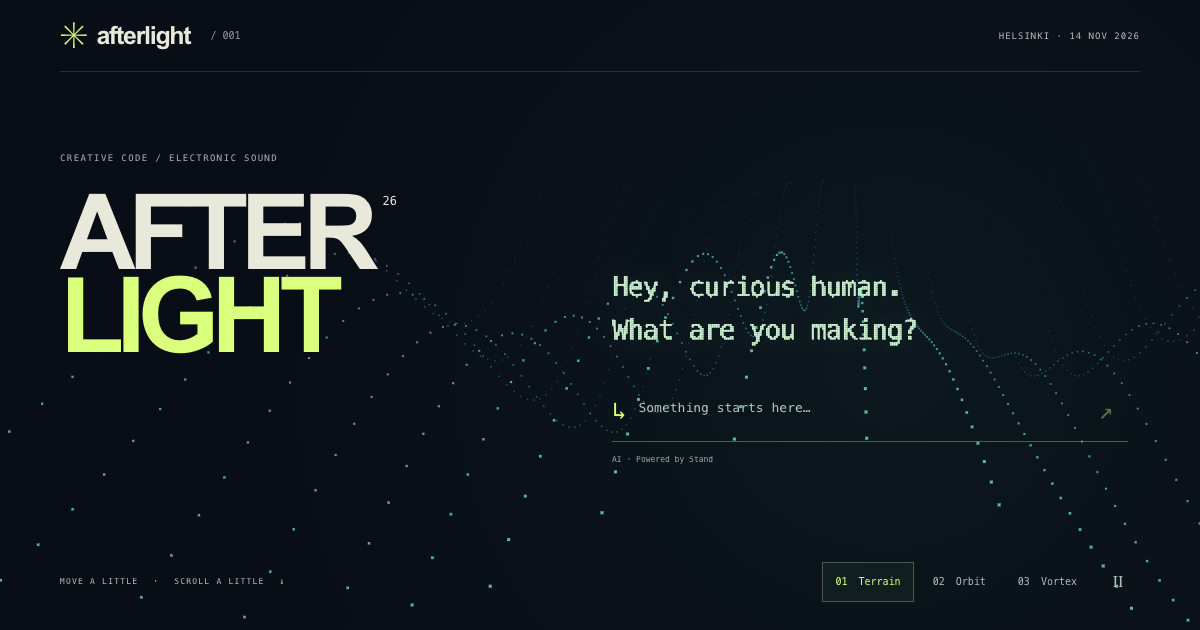
Each directory contains a runnable example and an implementation walkthrough. No framework or build step. These were built with AI coding agents; several include the original prompts and build notes.
The UI code is public domain. Conversations use Stand Chat's hosted API, with a shared demo configuration included.
Run locally
npm start
This builds the example list and serves the site at http://localhost:3000. It needs Node 18 or newer and installs nothing.
The examples load Stand with data-stand-id="demo", Stand Chat's shared demo site. It answers on any domain, including localhost, through Stand Chat's demo Stand-in. The status pill in each example's top bar shows what Stand sees. Add ?preview to a URL to show hidden Stand elements while you work on layout.
Copy an example
npx degit standchat/examples/stand-card my-stand-card
Then replace its Stand <script> tag with the installation snippet from Sites in Stand, which carries your own Site ID.
How the site works
index.htmlis the front page. Its gallery listsexamples.json, whichbuild.mjsgenerates from each example's<head>. Short browsing descriptions inindex.htmlhighlight the reusable chat UX; new contributions use their own metadata automatically. TheORDERlist inbuild.mjsputs the most interesting examples first; any others follow alphabetically. The introduction uses the examples' social images in a collage inspired by_shared/og.png._shared/holds the example pages' top bar and "How it works" styles. The examples work without it._template/is the starting point for a new example. See CONTRIBUTING.md.- Social images (
og.png) are committed. The build only checks that they are 1200×630; it never regenerates them. To recapture with Chrome, runnpm run ogfor all of them ornpm run og -- <folder>for one (og.mjs). - Vercel runs
node build.mjsand serves the repository as it is (vercel.json).
License
Public domain under the Unlicense. Copy anything.
Stand Chat's name, logo and mascot aren't covered by it.
Contributors

22 commits
Similar repos


Languages
JavaScript
47.2%
HTML
24.5%
CSS
17.7%
Python
10.5%
Examples on how to use Stand Chat
See the codeSee what people are saying
README
Custom chat UI examples
Working chat front ends in plain HTML, CSS and JavaScript: animated characters, a CRT terminal, inline components, and a particle renderer.
Live demos · Run the same examples locally: npm start.
Each directory contains a runnable example and an implementation walkthrough. No framework or build step. These were built with AI coding agents; several include the original prompts and build notes.
The UI code is public domain. Conversations use Stand Chat's hosted API, with a shared demo configuration included.
Run locally
npm start
This builds the example list and serves the site at http://localhost:3000. It needs Node 18 or newer and installs nothing.
The examples load Stand with data-stand-id="demo", Stand Chat's shared demo site. It answers on any domain, including localhost, through Stand Chat's demo Stand-in. The status pill in each example's top bar shows what Stand sees. Add ?preview to a URL to show hidden Stand elements while you work on layout.
Copy an example
npx degit standchat/examples/stand-card my-stand-card
Then replace its Stand <script> tag with the installation snippet from Sites in Stand, which carries your own Site ID.
How the site works
index.htmlis the front page. Its gallery listsexamples.json, whichbuild.mjsgenerates from each example's<head>. Short browsing descriptions inindex.htmlhighlight the reusable chat UX; new contributions use their own metadata automatically. TheORDERlist inbuild.mjsputs the most interesting examples first; any others follow alphabetically. The introduction uses the examples' social images in a collage inspired by_shared/og.png._shared/holds the example pages' top bar and "How it works" styles. The examples work without it._template/is the starting point for a new example. See CONTRIBUTING.md.- Social images (
og.png) are committed. The build only checks that they are 1200×630; it never regenerates them. To recapture with Chrome, runnpm run ogfor all of them ornpm run og -- <folder>for one (og.mjs). - Vercel runs
node build.mjsand serves the repository as it is (vercel.json).
License
Public domain under the Unlicense. Copy anything.
Stand Chat's name, logo and mascot aren't covered by it.
Similar repos
Contributors
22 commits
Languages
JavaScript
47.2%
HTML
24.5%
CSS
17.7%
Python
10.5%