A project to statically recompile the original Xbox version of Burnout 3: Takedown (2004, Criterion Games / EA) into a native Windows 11 x86-64 executable.
C
97
216 commits
updated Sep 30, 2026
A static recompilation of the Xbox version of Burnout 3: Takedown (Criterion, 2004) into a native Windows executable. The game's own x86 code is lifted to C by the xboxrecomp toolkit. It boots through its real entry point and runs its own menus, races and renderer on the toolkit's Xbox runtime. No game logic or screen is hand-written.
Generated source is not distributed. The repository holds the build glue, the per-title data and the docs. You supply your own disc image; the recompiler runs on your machine and writes the C into a gitignored folder.
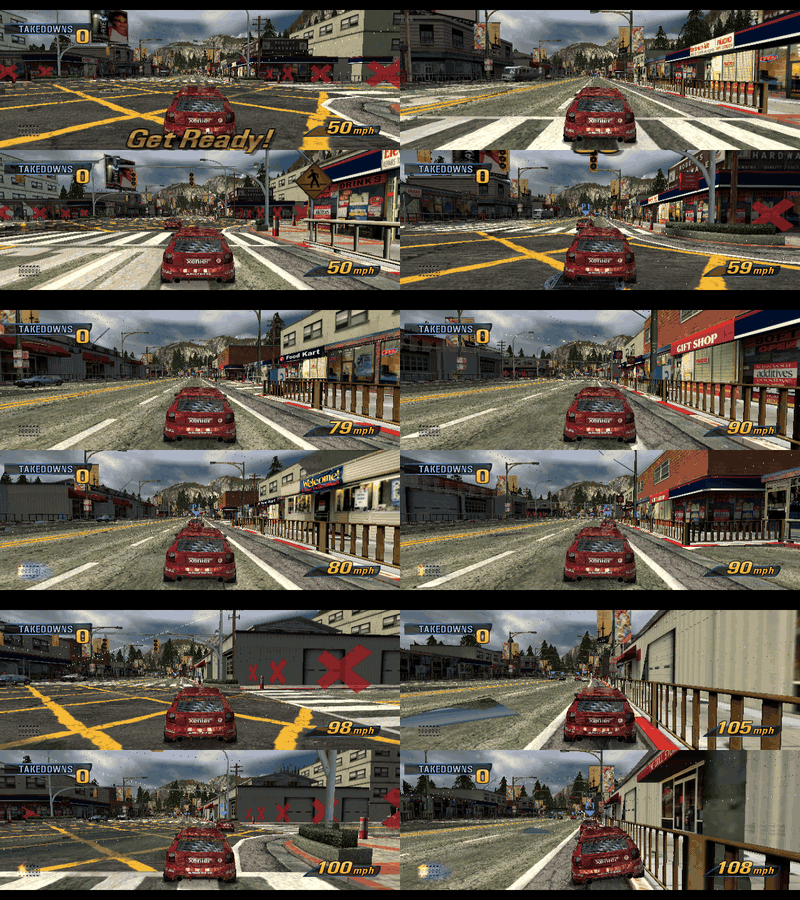
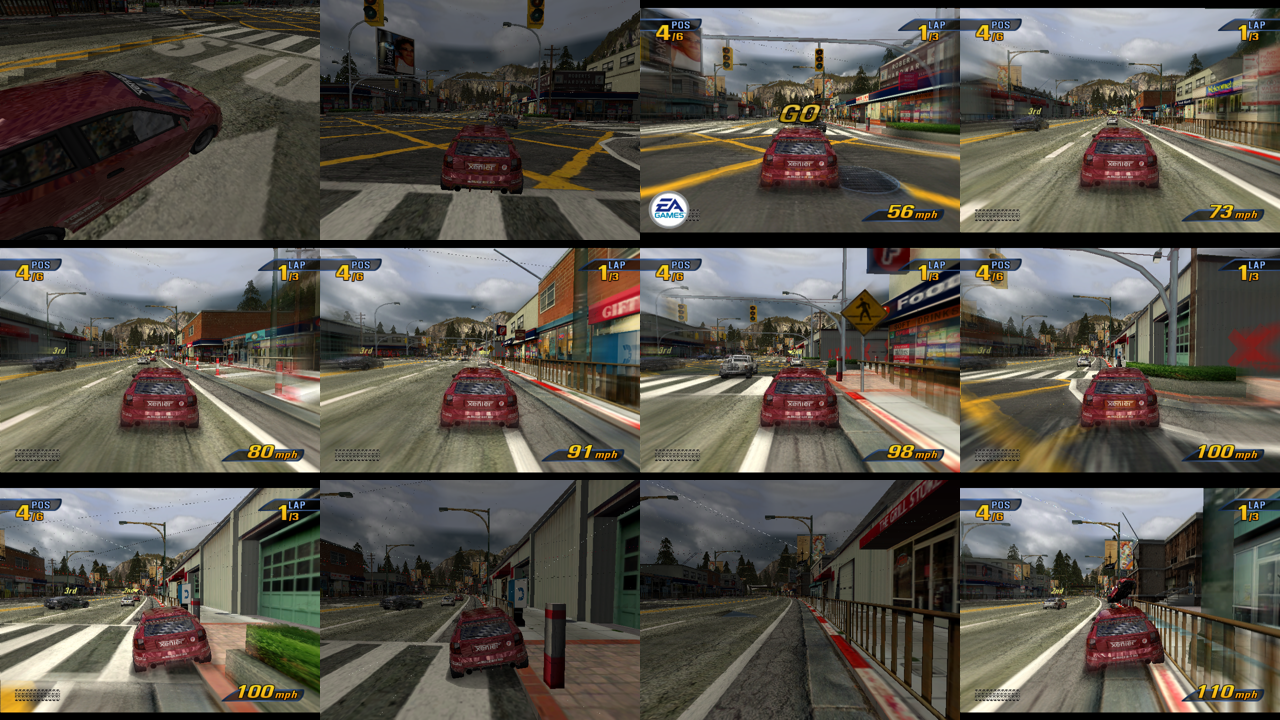
Two-player split-screen, recorded headless with --record-style per-flip frames and scripted pads.
Alpha. Every game mode boots, renders and plays, one or two players, driven by an Xbox/XInput pad. It is not yet fun to play: the NV2A GPU is emulated in software, so menus run at about 14 fps and races at 2–4 fps on a 12-core machine. There is no save profile yet, so every launch replays the tutorial videos.
| Mode | Players | Status |
|---|---|---|
| Race (Single Event) | 1 | plays to the finish |
| Time Attack | 1 | plays |
| Road Rage | 1 | plays |
| Crash | 1 | plays: launch, pile-up, score |
| Race | 2, split-screen | plays |
| Road Rage | 2, split-screen | plays |
| Double Impact | 2, split-screen | plays |
| Team Crush | 2, split-screen | plays |
| Party Crash | 2–8, pass the pad | plays |
| Xbox Live / System Link | — | not attempted |
Known gaps: vertical streaks over the menu backdrop movie, seams in the sky dome, bump-mapped (dot-product) texture stages read as zero, and no profile saving. ROADMAP.md has the list; docs/boot.md has what it took to get here, fix by fix.
This is one title in the xboxrecomp family and follows its house style: the toolkit carries everything that isn't specific to Burnout 3, and this repo carries only what is.
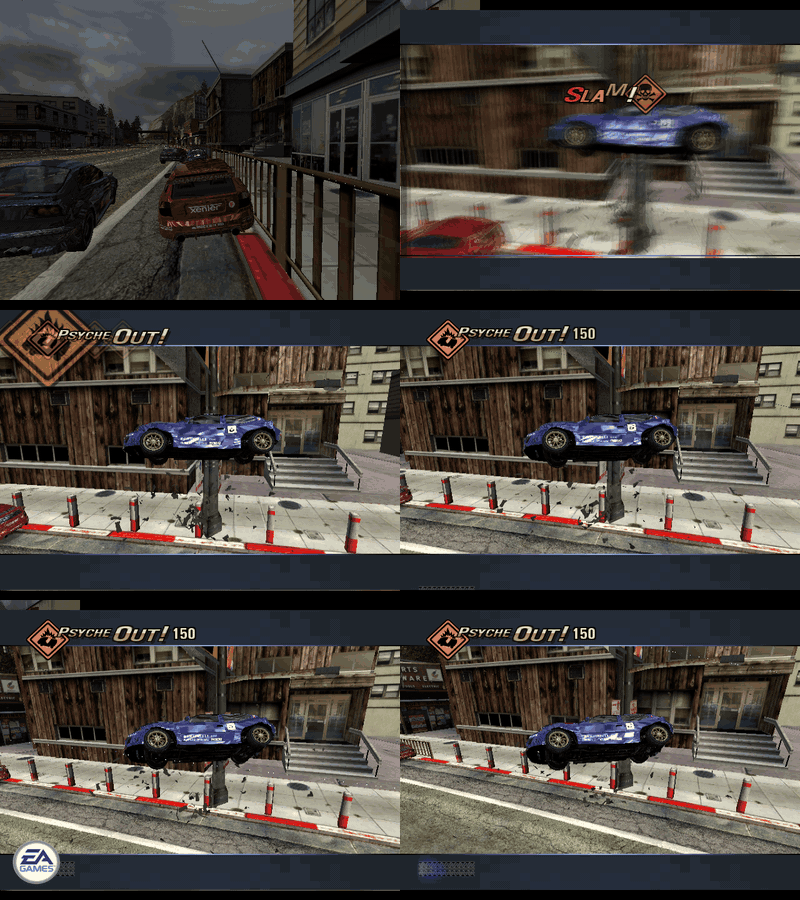 | 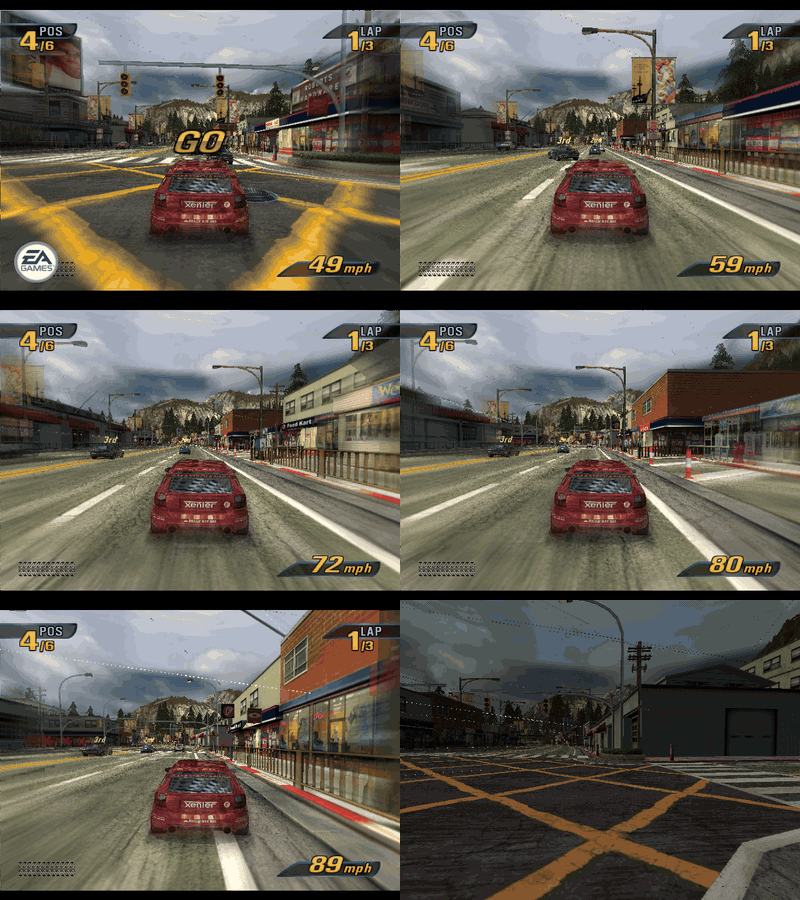 |
| A takedown: slam a rival into a pillar | A single race, off the line |
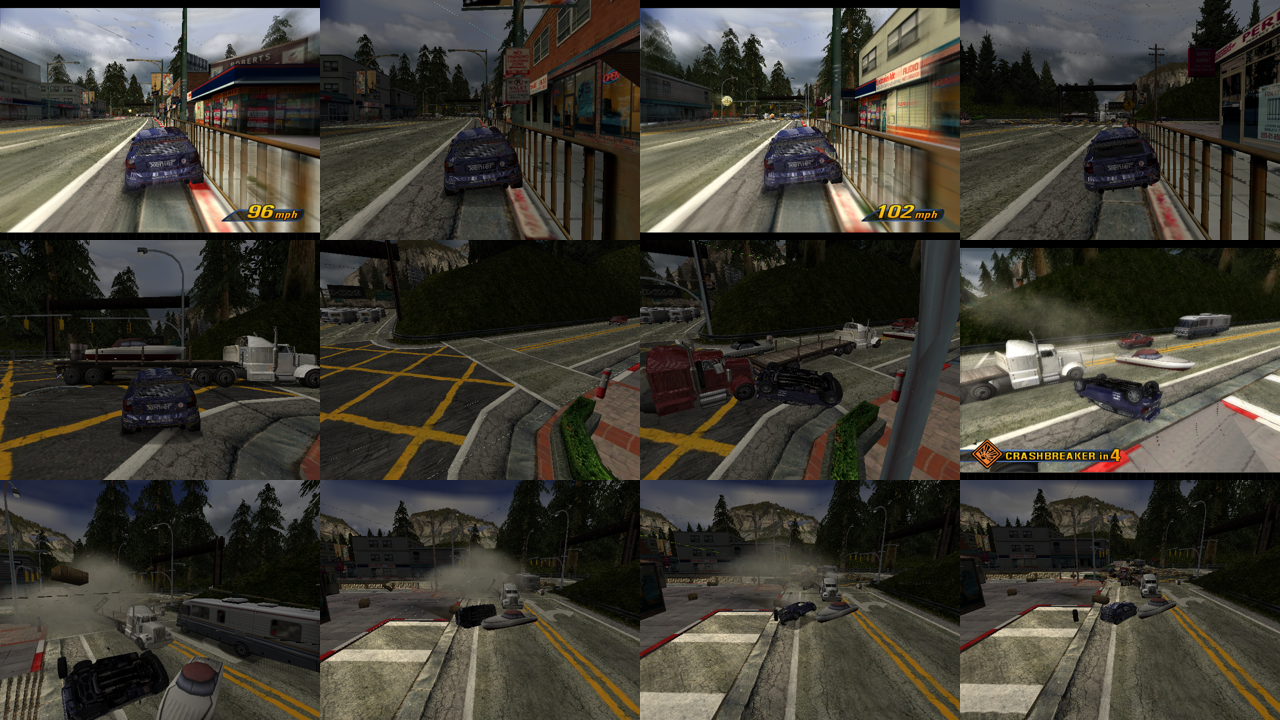 |  |
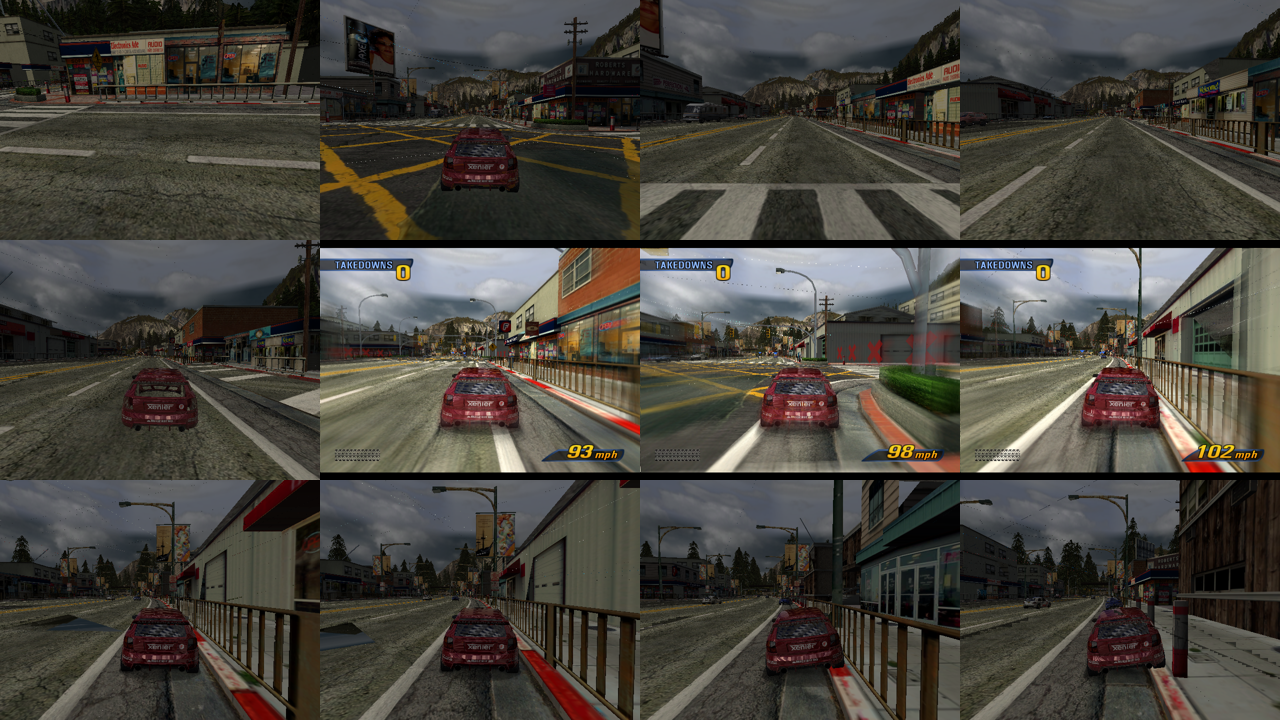
| Crash mode: the junction pile-up | Race |
 | 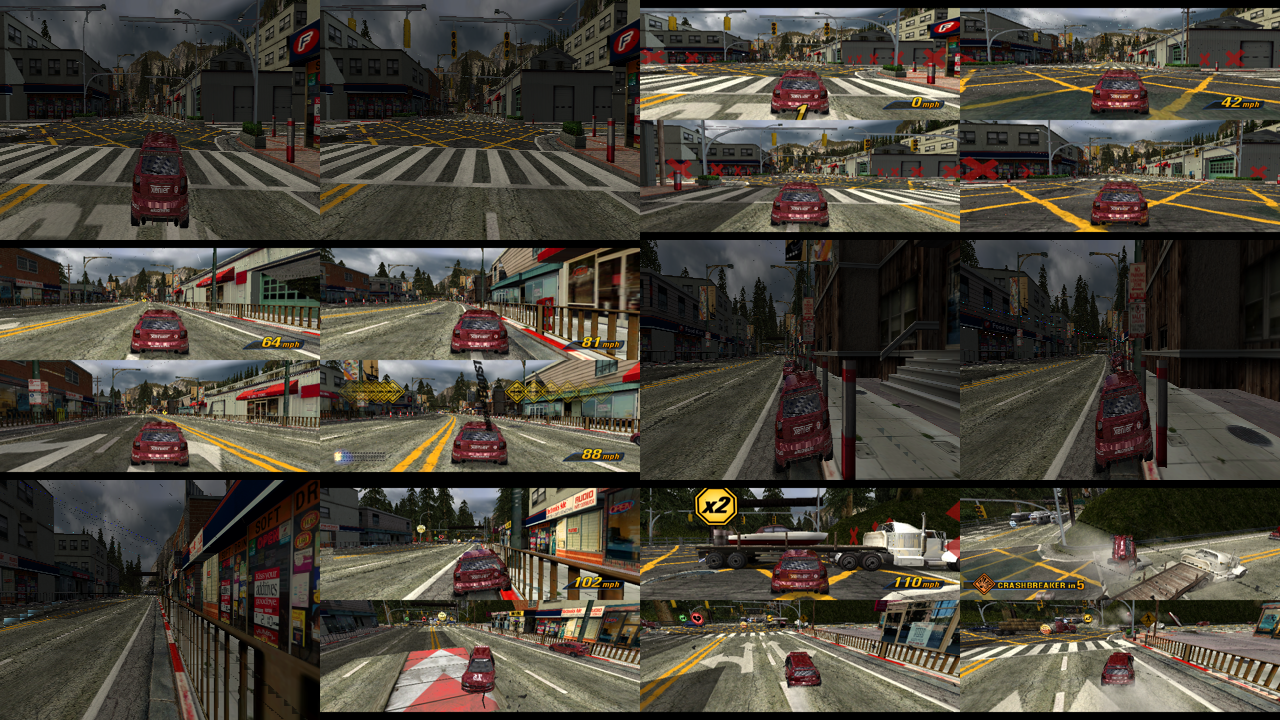 |
| Road Rage | Double Impact (2P) |
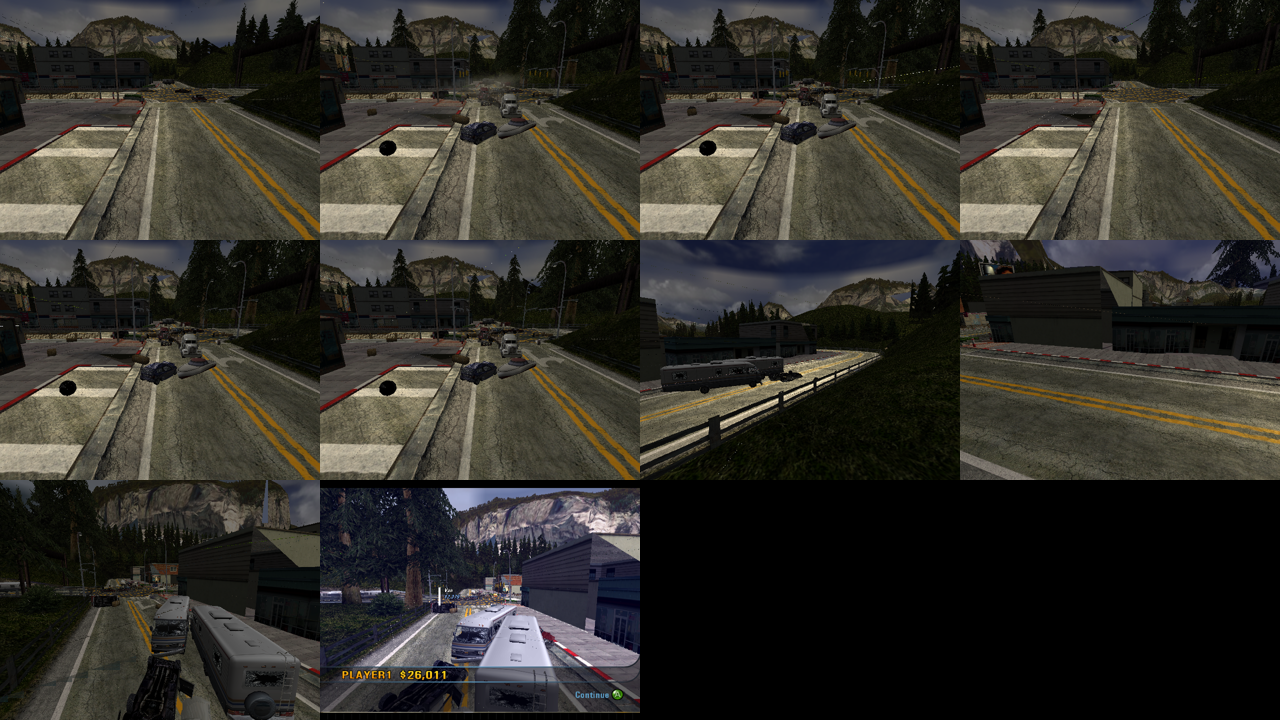 | 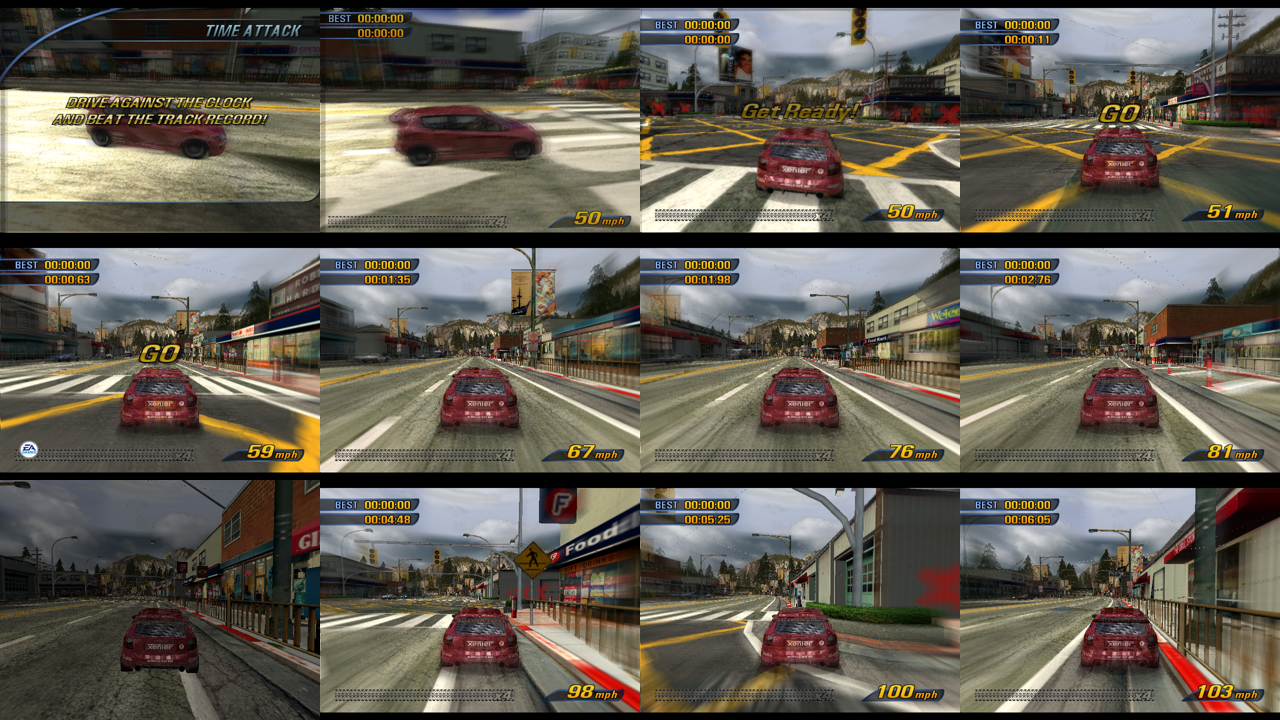 |
| Crash mode scoring | Time Attack |
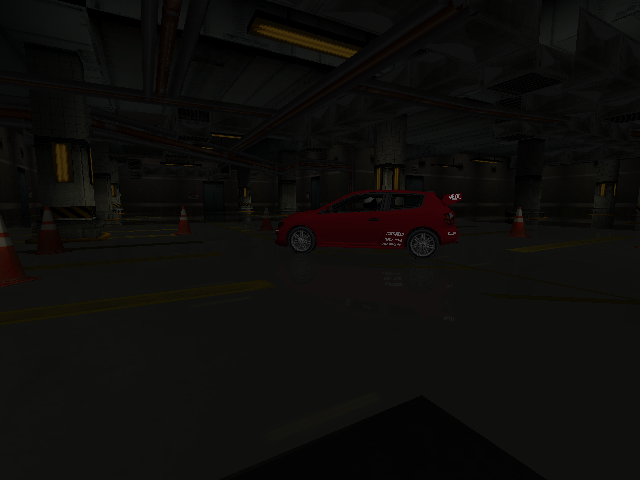 | 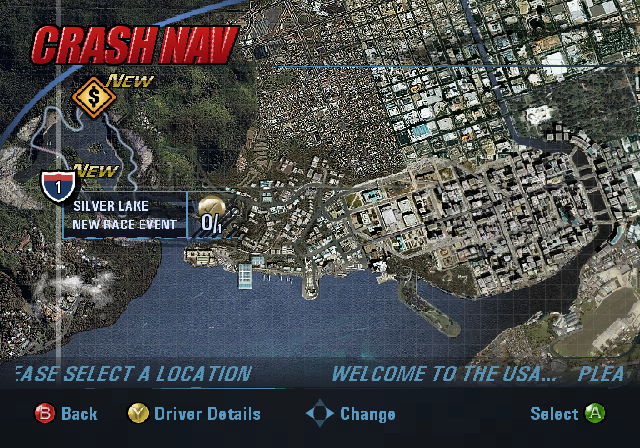 |
| Vehicle select | Crash junction map |
More in docs/screenshots.
You need:
.iso)Download this repository (green Code button, Download ZIP) and unzip it
somewhere with space, for example C:\recomp\burnout3.
Double-click Setup.cmd.
It checks for Python 3.10+, the capstone package, Git, CMake and the Visual
Studio 2022 C++ build tools, and asks before installing any that are missing
(with winget), saying what each is and how big. It fetches the xboxrecomp
toolkit beside the repo folder, then asks for your .iso (it looks next to the
repo and in Downloads first). After that it unpacks the disc, regenerates the C
and builds.
Each step is skipped once done, so after a failure just run it again. What went
wrong goes in setup.log, and the window says what to do next.
Double-click Play Burnout 3.cmd, which the setup leaves in the repo folder.
The first build takes 20–40 minutes. Nothing from the game is downloaded or bundled: the only game data used is your disc image.
The same steps as Setup.cmd, by hand. Commands are for PowerShell, except where
the step says Git Bash.
Install the prerequisites.
| Tool | Version | Get it |
|---|---|---|
| Python | 3.10 or newer, with the py launcher | winget install -e --id Python.Python.3.12 |
| capstone | 5.x | py -3 -m pip install --user capstone |
| Git for Windows | any recent, which includes Git Bash | winget install -e --id Git.Git |
| CMake | 3.20 or newer | winget install -e --id Kitware.CMake |
| Visual Studio 2022 | Build Tools with Desktop development with C++ | winget install -e --id Microsoft.VisualStudio.2022.BuildTools |
| ffmpeg | optional, for --record | winget install -e --id Gyan.FFmpeg |
Open a new terminal afterwards so PATH picks them up. If python opens the
Microsoft Store, that's the Store alias; use py -3 as below, or turn the alias
off under Settings → Apps → Advanced app settings → App execution aliases.
> py -3 --version
Python 3.12.10
> cmake --version
cmake version 3.31.6
Put the repo and the toolkit side by side. The build looks for the toolkit at
..\xboxrecomp.
git clone https://github.com/sp00nznet/burnout3
git clone https://github.com/sp00nznet/xboxrecomp
The toolkit's main has everything Burnout 3 needs (xboxrecomp #138-#156).
Unpack your disc image into burnout3\Burnout 3 Takedown\, using the
toolkit's XDVDFS reader:
cd xboxrecomp
py -3 -m tools.xiso unpack "D:\isos\Burnout 3 - Takedown (USA).iso" -o "..\burnout3\Burnout 3 Takedown"
cd ..\burnout3
You should end up with Burnout 3 Takedown\default.xbe next to Data\,
Tracks\, ovid\ and the rest (about 2.4 GB).
Regenerate the C (Git Bash, from the burnout3 folder):
$ ./regen.sh --disasm
==> xbe_parser
==> disasm
==> func_id
==> abi_analysis
==> recomp
==> done. Now: cmake --build build-xr --config Release
This writes src/game/recomp/gen/, about 29 files, all gitignored.
Build (PowerShell or Git Bash):
cmake -S . -B build-xr -G "Visual Studio 17 2022" -A x64
cmake --build build-xr --config Release --parallel 2
It ends with burnout3.vcxproj -> ...\burnout3\bin\burnout3.exe. --parallel 2
together with the default /MP (half your cores) keeps the machine usable while
it compiles. Each generated file is large at /O2.
Run it from the repo folder, so it finds Burnout 3 Takedown\ and saves\:
.\bin\burnout3.exe
A window opens titled Burnout 3: Takedown | FPS: n | draws: n, and you see the
EA and Criterion intros, then "Press START".
Usual trip-ups: regen.sh needs Git Bash, not WSL's bash. A tool installed a
moment ago isn't found until you open a new window. The build needs the
64-bit generator (-A x64).
bin\burnout3.exe [--headless] [--record out.mp4] [--seconds N] [path\to\default.xbe]
| Invocation | What it does |
|---|---|
burnout3.exe | Plays in a window. Pad 1 and pad 2 are XInput pads 1 and 2. |
burnout3.exe --headless | Runs with no window, for scripts and remote sessions. |
burnout3.exe --headless --record out.mp4 --seconds 600 | Runs for 10 minutes with no window, then encodes every presented frame to out.mp4 (needs ffmpeg on PATH). Ctrl+C also stops and encodes. |
Scripted input, for recording or testing without a pad in hand:
set RECOMP_PAD_SCRIPT=20000:start:1200,30000:a:400,90000:rt:60000,90000:p2-rt:60000
bin\burnout3.exe --headless --record race.mp4 --seconds 900
Each entry is <ms>:<button>[+<button>][:<hold ms>], timed from when the game first
reads the pad, and a p2- prefix sends it to the second pad. RECOMP_PAD_LIVE=pad.txt instead reads steps appended to a file while the
game runs. docs/running.md lists the buttons, the environment
variables and the capture tools.
The emulated hard disk lives in saves\. Delete it to see the first-boot flow
(profile creation) again.
regen.sh runs the toolkit's pipeline on default.xbe. The stages are XBE parser,
disassembler, library-function identification, ABI analysis and the recompiler.
CMake then builds the generated C against the xboxrecomp runtime. That runtime
supplies the Xbox kernel, a software NV2A GPU, the MCPX audio processor, a USB
OHCI host with emulated pads, and the XMV movie player. See
docs/architecture.md for which part owns what.
The C is regenerated, not edited. If the output is wrong, the fix goes in the
toolkit's recompiler or in this repo's per-title data
(config/seed_functions.json, src/game/main.c), never by hand in gen/.
See CONTRIBUTORS.md. Contributions are welcome; read CONTRIBUTING.md first, especially Where your code comes from.
MIT, see LICENSE. This covers the code in this repository only. Burnout 3: Takedown and its assets belong to their owners and are not included.
291 followers · starred May 2026
A project to statically recompile the original Xbox version of Burnout 3: Takedown (2004, Criterion Games / EA) into a native Windows 11 x86-64 executable.
C
97
216 commits
updated Sep 30, 2026
A static recompilation of the Xbox version of Burnout 3: Takedown (Criterion, 2004) into a native Windows executable. The game's own x86 code is lifted to C by the xboxrecomp toolkit. It boots through its real entry point and runs its own menus, races and renderer on the toolkit's Xbox runtime. No game logic or screen is hand-written.
Generated source is not distributed. The repository holds the build glue, the per-title data and the docs. You supply your own disc image; the recompiler runs on your machine and writes the C into a gitignored folder.
Two-player split-screen, recorded headless with --record-style per-flip frames and scripted pads.
Alpha. Every game mode boots, renders and plays, one or two players, driven by an Xbox/XInput pad. It is not yet fun to play: the NV2A GPU is emulated in software, so menus run at about 14 fps and races at 2–4 fps on a 12-core machine. There is no save profile yet, so every launch replays the tutorial videos.
| Mode | Players | Status |
|---|---|---|
| Race (Single Event) | 1 | plays to the finish |
| Time Attack | 1 | plays |
| Road Rage | 1 | plays |
| Crash | 1 | plays: launch, pile-up, score |
| Race | 2, split-screen | plays |
| Road Rage | 2, split-screen | plays |
| Double Impact | 2, split-screen | plays |
| Team Crush | 2, split-screen | plays |
| Party Crash | 2–8, pass the pad | plays |
| Xbox Live / System Link | — | not attempted |
Known gaps: vertical streaks over the menu backdrop movie, seams in the sky dome, bump-mapped (dot-product) texture stages read as zero, and no profile saving. ROADMAP.md has the list; docs/boot.md has what it took to get here, fix by fix.
This is one title in the xboxrecomp family and follows its house style: the toolkit carries everything that isn't specific to Burnout 3, and this repo carries only what is.
| |
| A takedown: slam a rival into a pillar | A single race, off the line |
| |
| Crash mode: the junction pile-up | Race |
| |
| Road Rage | Double Impact (2P) |
| |
| Crash mode scoring | Time Attack |
| |
| Vehicle select | Crash junction map |
More in docs/screenshots.
You need:
.iso)Download this repository (green Code button, Download ZIP) and unzip it
somewhere with space, for example C:\recomp\burnout3.
Double-click Setup.cmd.
It checks for Python 3.10+, the capstone package, Git, CMake and the Visual
Studio 2022 C++ build tools, and asks before installing any that are missing
(with winget), saying what each is and how big. It fetches the xboxrecomp
toolkit beside the repo folder, then asks for your .iso (it looks next to the
repo and in Downloads first). After that it unpacks the disc, regenerates the C
and builds.
Each step is skipped once done, so after a failure just run it again. What went
wrong goes in setup.log, and the window says what to do next.
Double-click Play Burnout 3.cmd, which the setup leaves in the repo folder.
The first build takes 20–40 minutes. Nothing from the game is downloaded or bundled: the only game data used is your disc image.
The same steps as Setup.cmd, by hand. Commands are for PowerShell, except where
the step says Git Bash.
Install the prerequisites.
| Tool | Version | Get it |
|---|---|---|
| Python | 3.10 or newer, with the py launcher | winget install -e --id Python.Python.3.12 |
| capstone | 5.x | py -3 -m pip install --user capstone |
| Git for Windows | any recent, which includes Git Bash | winget install -e --id Git.Git |
| CMake | 3.20 or newer | winget install -e --id Kitware.CMake |
| Visual Studio 2022 | Build Tools with Desktop development with C++ | winget install -e --id Microsoft.VisualStudio.2022.BuildTools |
| ffmpeg | optional, for --record | winget install -e --id Gyan.FFmpeg |
Open a new terminal afterwards so PATH picks them up. If python opens the
Microsoft Store, that's the Store alias; use py -3 as below, or turn the alias
off under Settings → Apps → Advanced app settings → App execution aliases.
> py -3 --version
Python 3.12.10
> cmake --version
cmake version 3.31.6
Put the repo and the toolkit side by side. The build looks for the toolkit at
..\xboxrecomp.
git clone https://github.com/sp00nznet/burnout3
git clone https://github.com/sp00nznet/xboxrecomp
The toolkit's main has everything Burnout 3 needs (xboxrecomp #138-#156).
Unpack your disc image into burnout3\Burnout 3 Takedown\, using the
toolkit's XDVDFS reader:
cd xboxrecomp
py -3 -m tools.xiso unpack "D:\isos\Burnout 3 - Takedown (USA).iso" -o "..\burnout3\Burnout 3 Takedown"
cd ..\burnout3
You should end up with Burnout 3 Takedown\default.xbe next to Data\,
Tracks\, ovid\ and the rest (about 2.4 GB).
Regenerate the C (Git Bash, from the burnout3 folder):
$ ./regen.sh --disasm
==> xbe_parser
==> disasm
==> func_id
==> abi_analysis
==> recomp
==> done. Now: cmake --build build-xr --config Release
This writes src/game/recomp/gen/, about 29 files, all gitignored.
Build (PowerShell or Git Bash):
cmake -S . -B build-xr -G "Visual Studio 17 2022" -A x64
cmake --build build-xr --config Release --parallel 2
It ends with burnout3.vcxproj -> ...\burnout3\bin\burnout3.exe. --parallel 2
together with the default /MP (half your cores) keeps the machine usable while
it compiles. Each generated file is large at /O2.
Run it from the repo folder, so it finds Burnout 3 Takedown\ and saves\:
.\bin\burnout3.exe
A window opens titled Burnout 3: Takedown | FPS: n | draws: n, and you see the
EA and Criterion intros, then "Press START".
Usual trip-ups: regen.sh needs Git Bash, not WSL's bash. A tool installed a
moment ago isn't found until you open a new window. The build needs the
64-bit generator (-A x64).
bin\burnout3.exe [--headless] [--record out.mp4] [--seconds N] [path\to\default.xbe]
| Invocation | What it does |
|---|---|
burnout3.exe | Plays in a window. Pad 1 and pad 2 are XInput pads 1 and 2. |
burnout3.exe --headless | Runs with no window, for scripts and remote sessions. |
burnout3.exe --headless --record out.mp4 --seconds 600 | Runs for 10 minutes with no window, then encodes every presented frame to out.mp4 (needs ffmpeg on PATH). Ctrl+C also stops and encodes. |
Scripted input, for recording or testing without a pad in hand:
set RECOMP_PAD_SCRIPT=20000:start:1200,30000:a:400,90000:rt:60000,90000:p2-rt:60000
bin\burnout3.exe --headless --record race.mp4 --seconds 900
Each entry is <ms>:<button>[+<button>][:<hold ms>], timed from when the game first
reads the pad, and a p2- prefix sends it to the second pad. RECOMP_PAD_LIVE=pad.txt instead reads steps appended to a file while the
game runs. docs/running.md lists the buttons, the environment
variables and the capture tools.
The emulated hard disk lives in saves\. Delete it to see the first-boot flow
(profile creation) again.
regen.sh runs the toolkit's pipeline on default.xbe. The stages are XBE parser,
disassembler, library-function identification, ABI analysis and the recompiler.
CMake then builds the generated C against the xboxrecomp runtime. That runtime
supplies the Xbox kernel, a software NV2A GPU, the MCPX audio processor, a USB
OHCI host with emulated pads, and the XMV movie player. See
docs/architecture.md for which part owns what.
The C is regenerated, not edited. If the output is wrong, the fix goes in the
toolkit's recompiler or in this repo's per-title data
(config/seed_functions.json, src/game/main.c), never by hand in gen/.
See CONTRIBUTORS.md. Contributions are welcome; read CONTRIBUTING.md first, especially Where your code comes from.
MIT, see LICENSE. This covers the code in this repository only. Burnout 3: Takedown and its assets belong to their owners and are not included.
291 followers · starred May 2026



