Reverse Engineers' Hex Editor
See the code Reverse Engineers' Hex Editor
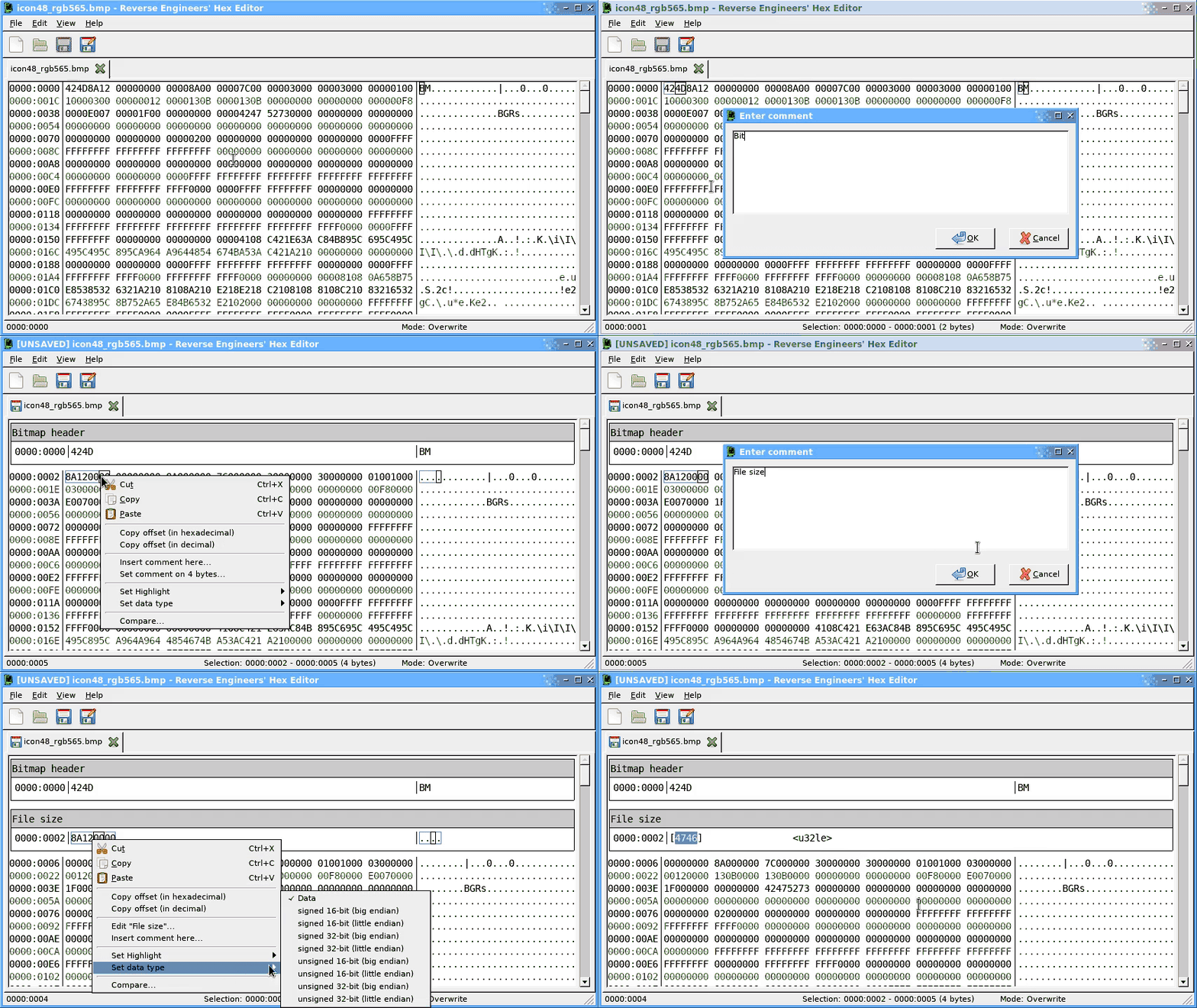
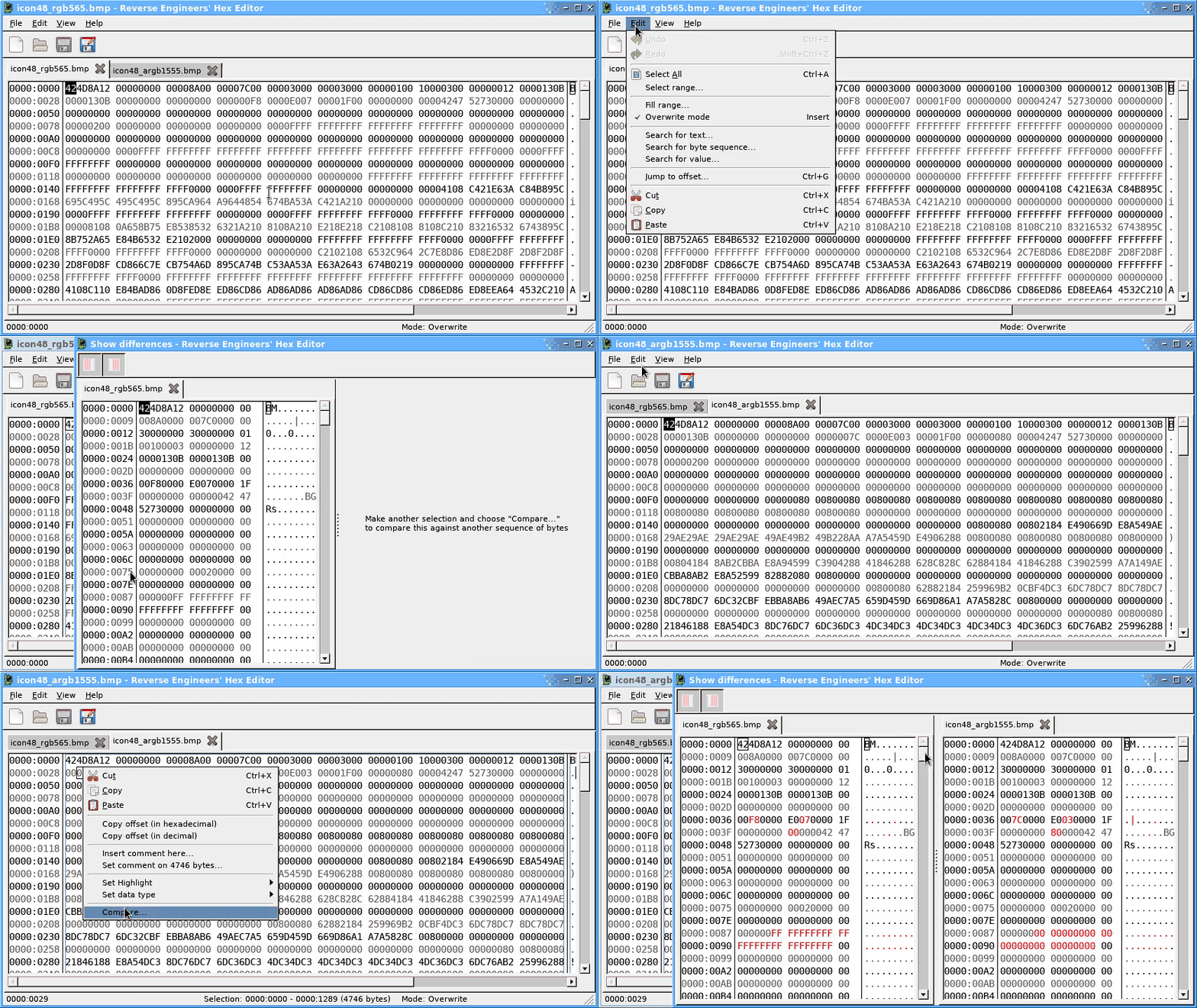
A cross-platform (Windows, Linux, macOS, BSD) hex editor for reverse engineering, and everything else.
An online copy of the manual can be accessed here: solemnwarning.net/rehex/manual/.
The Releases page has standalone packages for Windows and macOS, as well as installable packages for popular Linux distributions, or you can install them from a distribution package repository as described below.
The same packages are also produced for Git commits (look for the tick), if you want to try the development/unreleased versions.
First, you will need to download my APT signing key to your system:
sudo wget -O /etc/apt/keyrings/solemnwarning-archive-keyring.gpg \
    https://solemnwarning.github.io/solemnwarning-archive-keyring.gpg
Add the following lines to your /etc/apt/sources.list file:
deb [signed-by=/etc/apt/keyrings/solemnwarning-archive-keyring.gpg] http://repos.solemnwarning.net/debian/ CODENAME main
deb-src [signed-by=/etc/apt/keyrings/solemnwarning-archive-keyring.gpg] http://repos.solemnwarning.net/debian/ CODENAME main
NOTE: Replace CODENAME with the version you're running (e.g. trixie or bookworm).
Finally, you can install the package:
$ sudo apt-get update
$ sudo apt-get install rehex
First, you will need to download my APT signing key to your system:
sudo wget -O /etc/apt/keyrings/solemnwarning-archive-keyring.gpg \
    https://solemnwarning.github.io/solemnwarning-archive-keyring.gpg
Add the following lines to your /etc/apt/sources.list file:
deb [signed-by=/etc/apt/keyrings/solemnwarning-archive-keyring.gpg arch=amd64] http://repos.solemnwarning.net/ubuntu/ CODENAME main
deb-src [signed-by=/etc/apt/keyrings/solemnwarning-archive-keyring.gpg arch=amd64] http://repos.solemnwarning.net/ubuntu/ CODENAME main
NOTE: Replace CODENAME with the version you're running (e.g. noble for 24.04 or resolute for 26.04).
Finally, you can install the package:
$ sudo apt-get update
$ sudo apt-get install rehex
NOTE: Ubuntu users must have the "universe" package repository enabled to install some of the dependencies.
$ sudo dnf copr enable solemnwarning/rehex
$ sudo dnf install rehex
$ sudo dnf install epel-release
$ sudo dnf copr enable solemnwarning/rehex
$ sudo dnf install rehex
$ sudo zypper ar obs://editors editors
$ sudo zypper ref
$ sudo zypper in rehex
$ pkg install rehex
$ USE="git" emerge eselect-repository -av
$ eselect repository enable pentoo
$ emaint -a sync
$ emerge app-editors/rehex -va
Compiling REHex from source is described in COMPILING.md.
If you find any bugs or have suggestions for improvements or new features, please open an issue on GitHub.
(top 24 of 36)
6,480 followers · starred Nov 2020
540 followers · starred Jun 2021
386 followers · starred Oct 2025
354 followers · starred Mar 2020
Reverse Engineers' Hex Editor
See the code Reverse Engineers' Hex EditorA cross-platform (Windows, Linux, macOS, BSD) hex editor for reverse engineering, and everything else.
An online copy of the manual can be accessed here: solemnwarning.net/rehex/manual/.
The Releases page has standalone packages for Windows and macOS, as well as installable packages for popular Linux distributions, or you can install them from a distribution package repository as described below.
The same packages are also produced for Git commits (look for the tick), if you want to try the development/unreleased versions.
First, you will need to download my APT signing key to your system:
sudo wget -O /etc/apt/keyrings/solemnwarning-archive-keyring.gpg \
    https://solemnwarning.github.io/solemnwarning-archive-keyring.gpg
Add the following lines to your /etc/apt/sources.list file:
deb [signed-by=/etc/apt/keyrings/solemnwarning-archive-keyring.gpg] http://repos.solemnwarning.net/debian/ CODENAME main
deb-src [signed-by=/etc/apt/keyrings/solemnwarning-archive-keyring.gpg] http://repos.solemnwarning.net/debian/ CODENAME main
NOTE: Replace CODENAME with the version you're running (e.g. trixie or bookworm).
Finally, you can install the package:
$ sudo apt-get update
$ sudo apt-get install rehex
First, you will need to download my APT signing key to your system:
sudo wget -O /etc/apt/keyrings/solemnwarning-archive-keyring.gpg \
    https://solemnwarning.github.io/solemnwarning-archive-keyring.gpg
Add the following lines to your /etc/apt/sources.list file:
deb [signed-by=/etc/apt/keyrings/solemnwarning-archive-keyring.gpg arch=amd64] http://repos.solemnwarning.net/ubuntu/ CODENAME main
deb-src [signed-by=/etc/apt/keyrings/solemnwarning-archive-keyring.gpg arch=amd64] http://repos.solemnwarning.net/ubuntu/ CODENAME main
NOTE: Replace CODENAME with the version you're running (e.g. noble for 24.04 or resolute for 26.04).
Finally, you can install the package:
$ sudo apt-get update
$ sudo apt-get install rehex
NOTE: Ubuntu users must have the "universe" package repository enabled to install some of the dependencies.
$ sudo dnf copr enable solemnwarning/rehex
$ sudo dnf install rehex
$ sudo dnf install epel-release
$ sudo dnf copr enable solemnwarning/rehex
$ sudo dnf install rehex
$ sudo zypper ar obs://editors editors
$ sudo zypper ref
$ sudo zypper in rehex
$ pkg install rehex
$ USE="git" emerge eselect-repository -av
$ eselect repository enable pentoo
$ emaint -a sync
$ emerge app-editors/rehex -va
Compiling REHex from source is described in COMPILING.md.
If you find any bugs or have suggestions for improvements or new features, please open an issue on GitHub.
(top 24 of 36)
6,480 followers · starred Nov 2020
540 followers · starred Jun 2021
386 followers · starred Oct 2025
354 followers · starred Mar 2020