A simple task management system for managing AI dev agents
See the codeWelcome to AI Dev Tasks! This repository provides a collection of markdown files designed to supercharge your feature development workflow with AI-powered IDEs and CLIs. These tools work with any AI coding assistant including Amp, Claude Code, Windsurf, and others. By leveraging these structured prompts, you can systematically approach building features, from ideation to implementation, with built-in checkpoints for verification.
Stop wrestling with monolithic AI requests and start guiding your AI collaborator step-by-step!
Building complex features with AI can sometimes feel like a black box. This workflow aims to bring structure, clarity, and control to the process by:
This structured approach helps ensure the AI stays on track, makes it easier to debug issues, and gives you confidence in the generated code.
Here's the step-by-step process using the .md files in this repository:
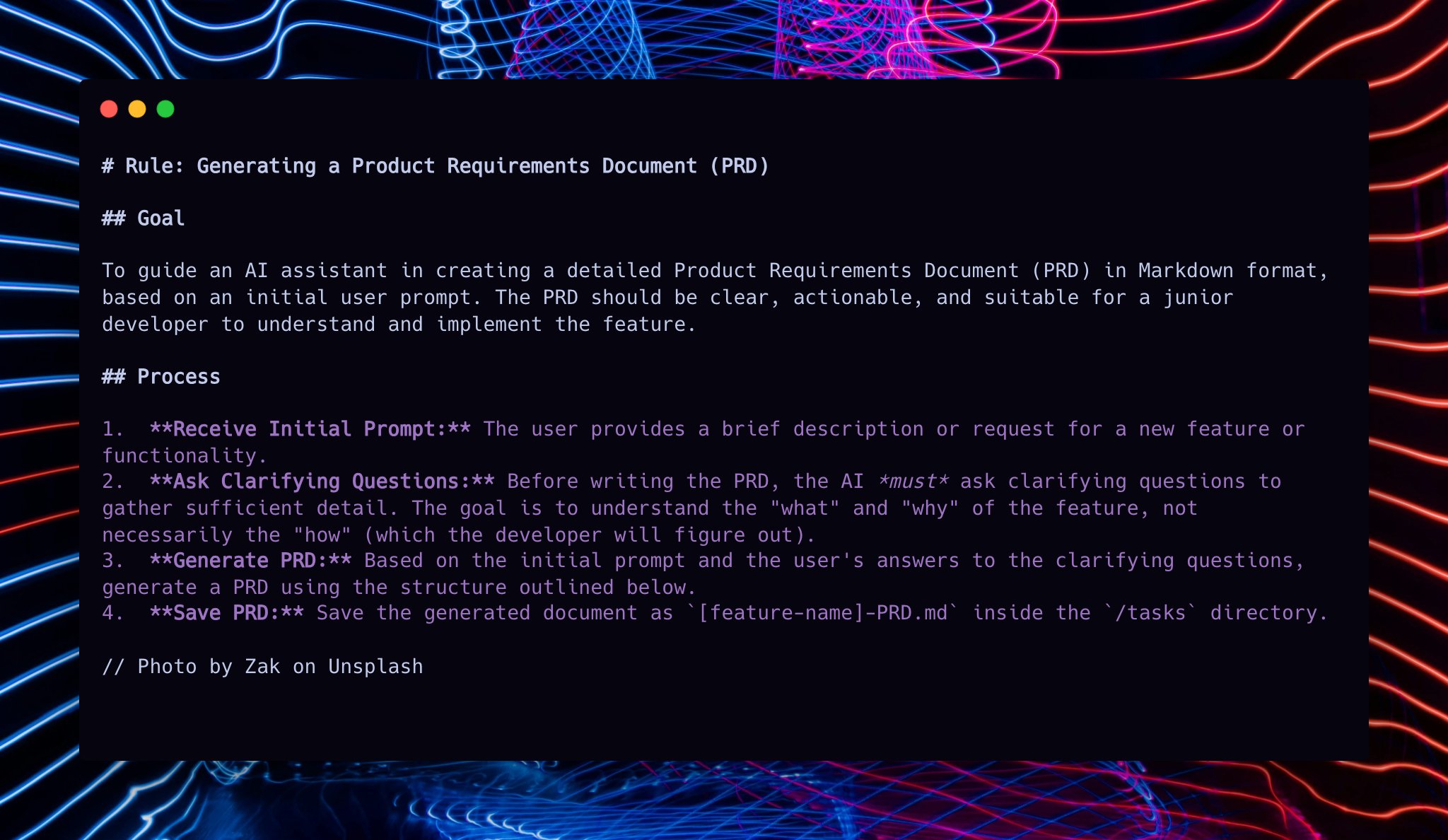
First, lay out the blueprint for your feature. A PRD clarifies what you're building, for whom, and why.
You can create a lightweight PRD directly within your AI tool of choice:
Ensure you have the create-prd.md file from this repository accessible.
In your AI tool, initiate PRD creation:
Use @create-prd.md
Here's the feature I want to build: [Describe your feature in detail]
Reference these files to help you: [Optional: @file1.py @file2.ts]
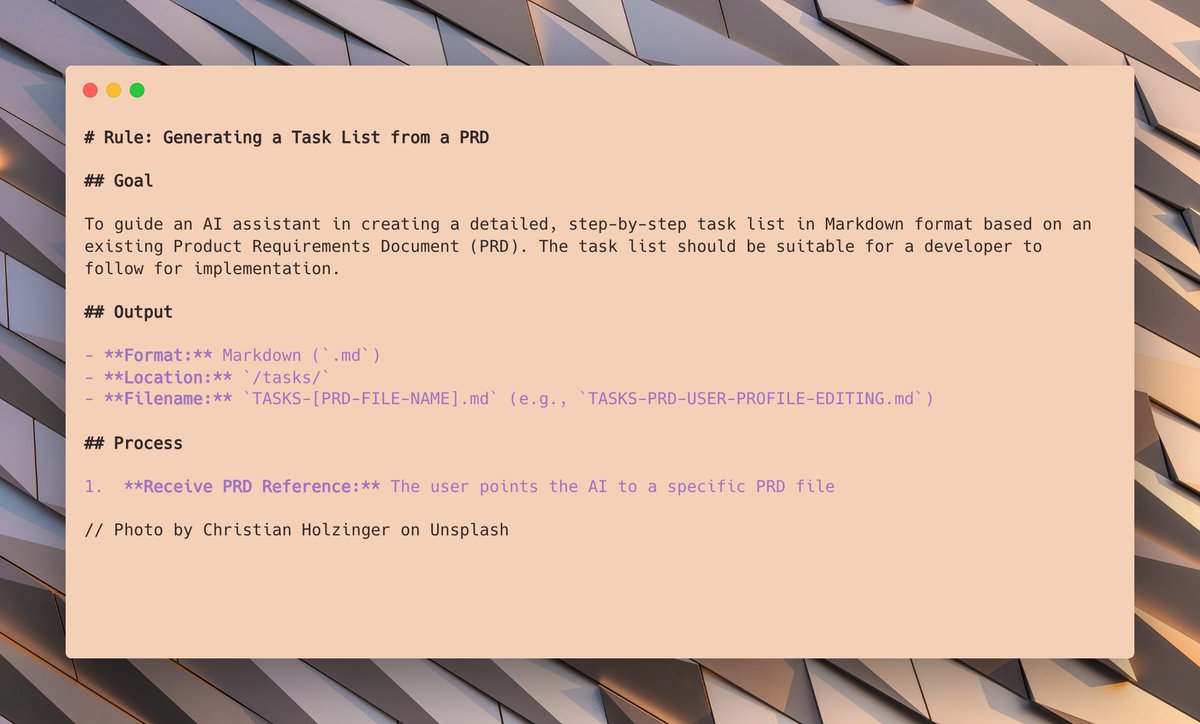
With your PRD drafted (e.g., MyFeature-PRD.md), the next step is to generate a detailed, step-by-step implementation plan for your AI Developer.
Ensure you have generate-tasks.md accessible.
In your AI tool, use the PRD to create tasks:
Now take @MyFeature-PRD.md and create tasks using @generate-tasks.md
(Note: Replace @MyFeature-PRD.md with the actual filename of the PRD you generated in step 1.)
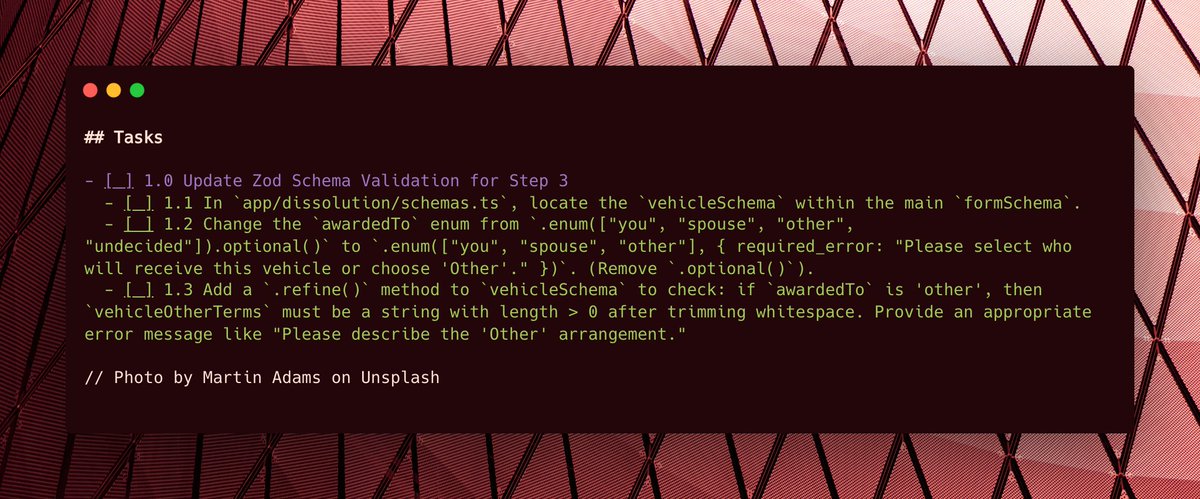
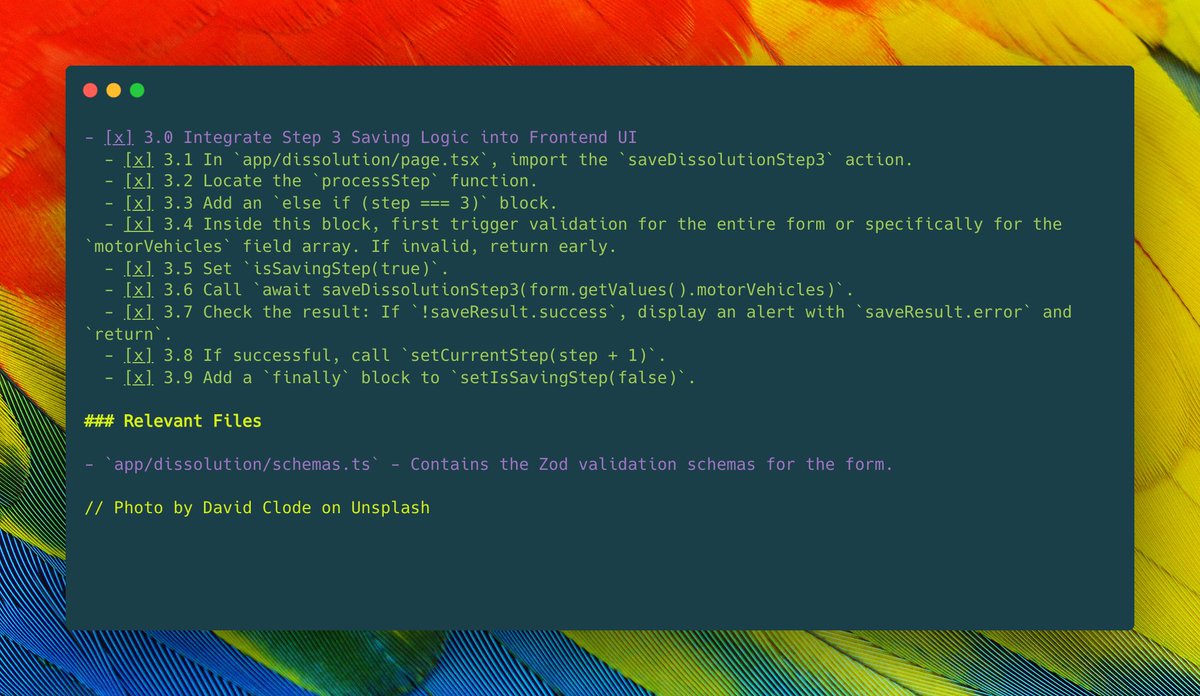
You'll now have a well-structured task list, often with tasks and sub-tasks, ready for the AI to start working on. This provides a clear roadmap for implementation.
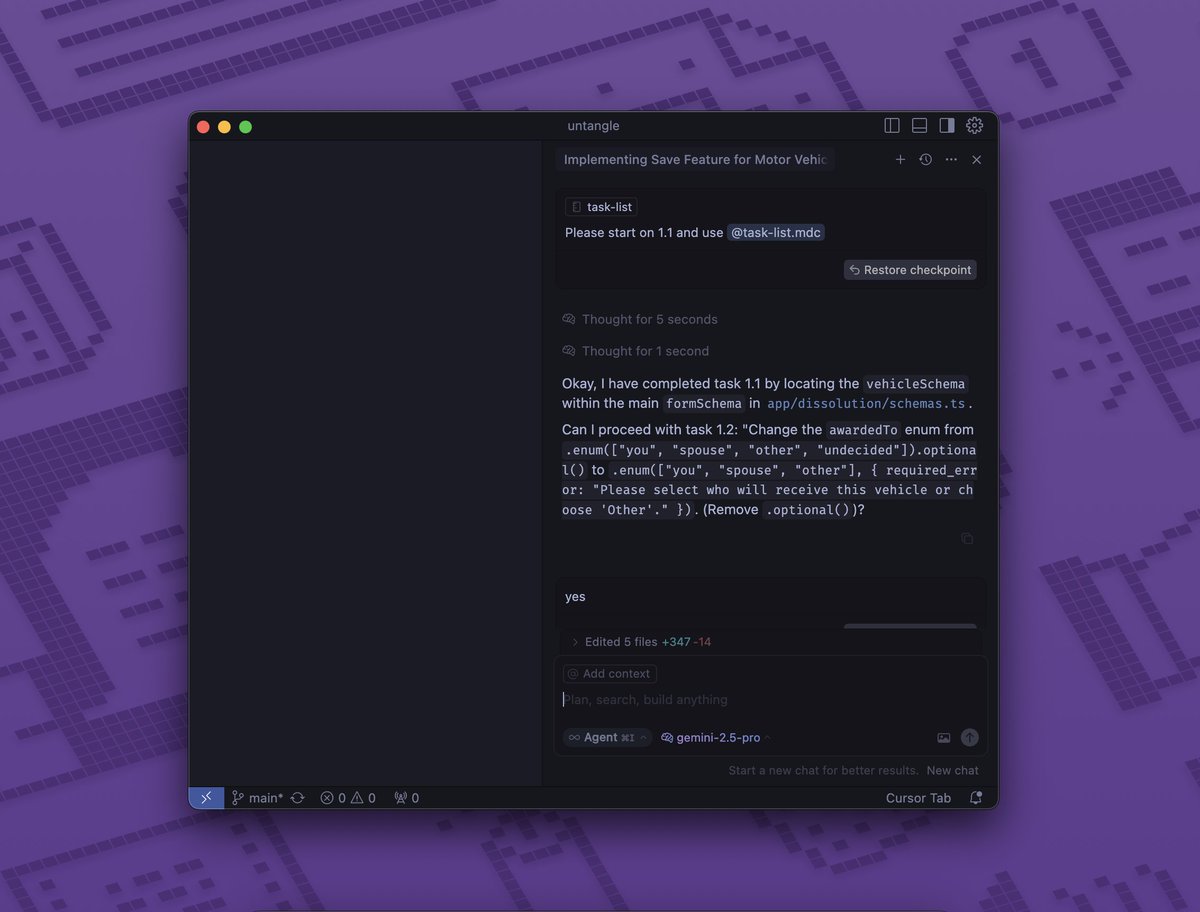
To ensure methodical progress and allow for verification, instruct the AI to work through the task list one sub-task at a time.
In your AI tool, tell the AI to start with the first task (e.g., 1.1):
Please start on task 1.1 from the generated task list.
The AI will attempt the task and then prompt you to review.
The AI will continue working through the remaining tasks in the list.
While it's not always perfect, this method has proven to be a very reliable way to build out larger features with AI assistance.
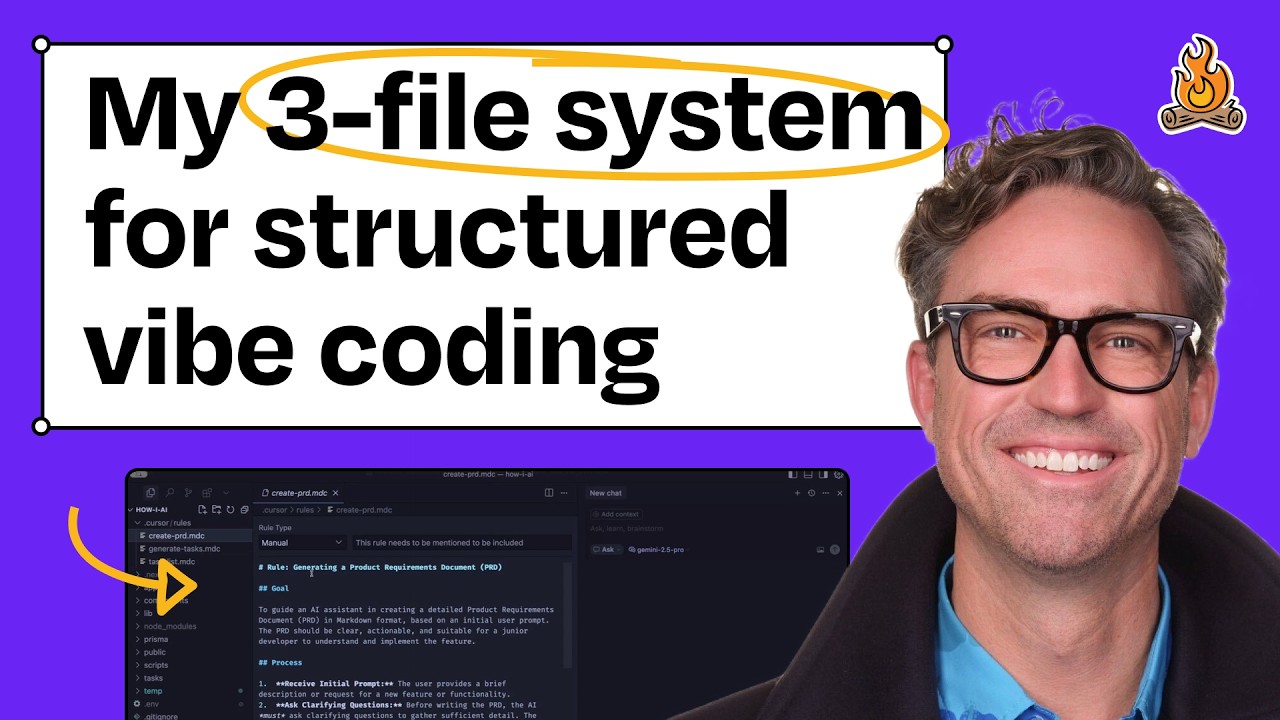
If you'd like to see this in action, I demonstrated it on Claire Vo's "How I AI" podcast.
 .
.
create-prd.md: Guides the AI in generating a Product Requirement Document for your feature.generate-tasks.md: Takes a PRD markdown file as input and helps the AI break it down into a detailed, step-by-step implementation task list..md files into your project or a central location where your AI tool can access them.
git clone https://github.com/snarktank/ai-dev-tasks.git
.md files in your AI assistant as described in the workflow above..md files to better suit your specific needs or coding style.@MyFeature-PRD.md) when generating tasks.Got ideas to improve these .md files or have new ones that fit this workflow? Contributions are welcome!
Please feel free to:
Happy AI-assisted developing!
(top 24 of 55)
1,039 followers · starred Nov 2025
917 followers · starred Aug 2025
1,303 followers · starred Sep 2025
1,053 followers · starred Jun 2025
A simple task management system for managing AI dev agents
See the codeWelcome to AI Dev Tasks! This repository provides a collection of markdown files designed to supercharge your feature development workflow with AI-powered IDEs and CLIs. These tools work with any AI coding assistant including Amp, Claude Code, Windsurf, and others. By leveraging these structured prompts, you can systematically approach building features, from ideation to implementation, with built-in checkpoints for verification.
Stop wrestling with monolithic AI requests and start guiding your AI collaborator step-by-step!
Building complex features with AI can sometimes feel like a black box. This workflow aims to bring structure, clarity, and control to the process by:
This structured approach helps ensure the AI stays on track, makes it easier to debug issues, and gives you confidence in the generated code.
Here's the step-by-step process using the .md files in this repository:
First, lay out the blueprint for your feature. A PRD clarifies what you're building, for whom, and why.
You can create a lightweight PRD directly within your AI tool of choice:
Ensure you have the create-prd.md file from this repository accessible.
In your AI tool, initiate PRD creation:
Use @create-prd.md
Here's the feature I want to build: [Describe your feature in detail]
Reference these files to help you: [Optional: @file1.py @file2.ts]
With your PRD drafted (e.g., MyFeature-PRD.md), the next step is to generate a detailed, step-by-step implementation plan for your AI Developer.
Ensure you have generate-tasks.md accessible.
In your AI tool, use the PRD to create tasks:
Now take @MyFeature-PRD.md and create tasks using @generate-tasks.md
(Note: Replace @MyFeature-PRD.md with the actual filename of the PRD you generated in step 1.)
You'll now have a well-structured task list, often with tasks and sub-tasks, ready for the AI to start working on. This provides a clear roadmap for implementation.
To ensure methodical progress and allow for verification, instruct the AI to work through the task list one sub-task at a time.
In your AI tool, tell the AI to start with the first task (e.g., 1.1):
Please start on task 1.1 from the generated task list.
The AI will attempt the task and then prompt you to review.
The AI will continue working through the remaining tasks in the list.
While it's not always perfect, this method has proven to be a very reliable way to build out larger features with AI assistance.
If you'd like to see this in action, I demonstrated it on Claire Vo's "How I AI" podcast.
.
create-prd.md: Guides the AI in generating a Product Requirement Document for your feature.generate-tasks.md: Takes a PRD markdown file as input and helps the AI break it down into a detailed, step-by-step implementation task list..md files into your project or a central location where your AI tool can access them.
git clone https://github.com/snarktank/ai-dev-tasks.git
.md files in your AI assistant as described in the workflow above..md files to better suit your specific needs or coding style.@MyFeature-PRD.md) when generating tasks.Got ideas to improve these .md files or have new ones that fit this workflow? Contributions are welcome!
Please feel free to:
Happy AI-assisted developing!
(top 24 of 55)
1,039 followers · starred Nov 2025
917 followers · starred Aug 2025
1,303 followers · starred Sep 2025
1,053 followers · starred Jun 2025