Do Leetcode exercises in IDE, support leetcode.com and leetcode-cn.com, to meet the basic needs of doing exercises.Support theoretically: IntelliJ IDEA PhpStorm WebStorm PyCharm RubyMine AppCode CLion GoLand DataGrip Rider MPS Android Studio
See the code Leetcode Editor










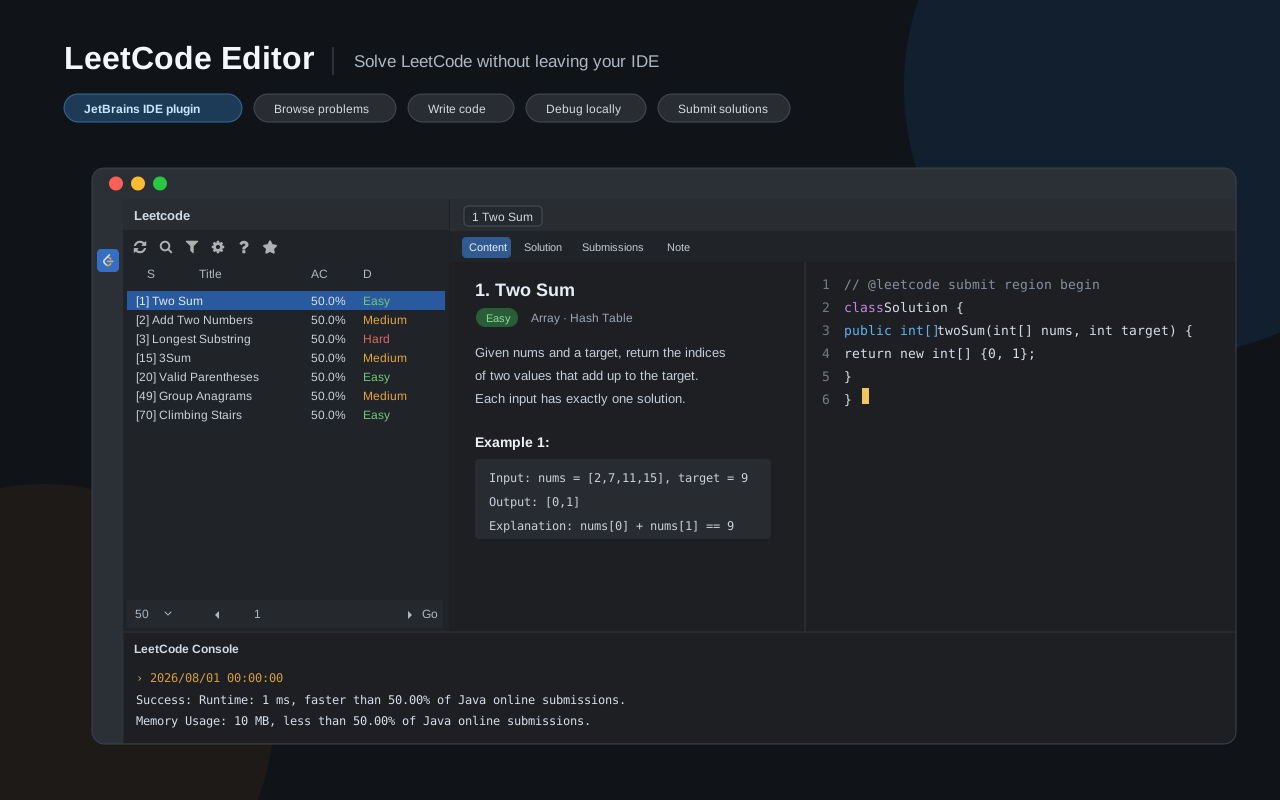
Solve LeetCode problems without leaving your IDE. LeetCode Editor supports
leetcode.com and leetcode.cn for problem browsing, local debugging, and submissions.
It is designed for JetBrains IDEs, including IntelliJ IDEA, PhpStorm, WebStorm, PyCharm, RubyMine, AppCode, CLion, GoLand, DataGrip, Rider, MPS, and Android Studio.
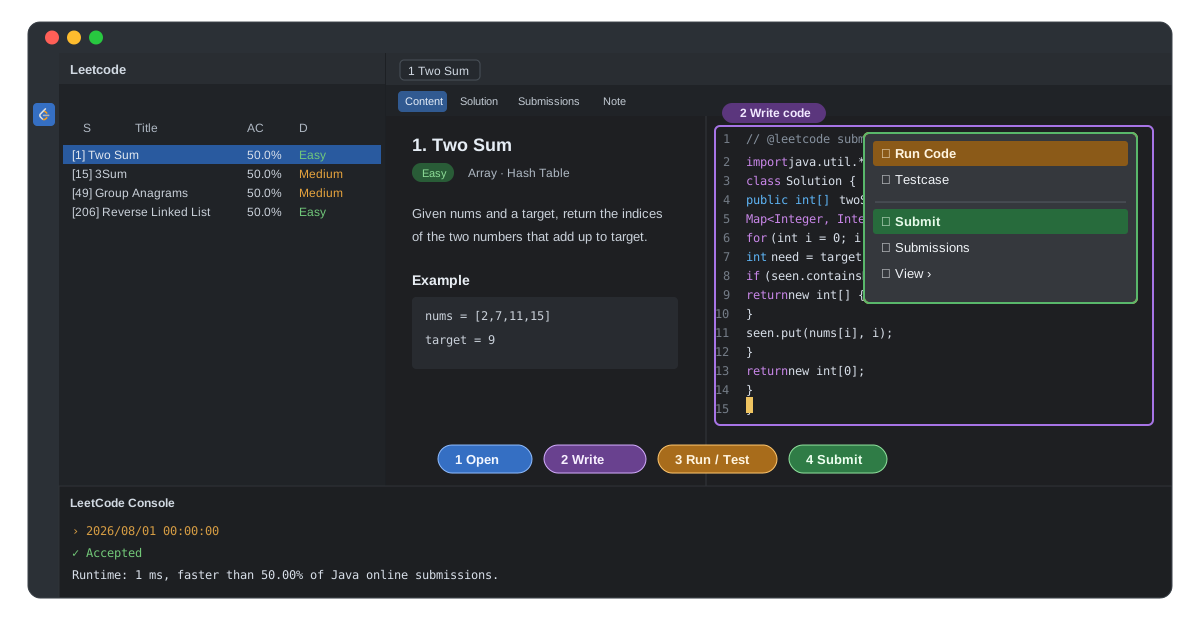
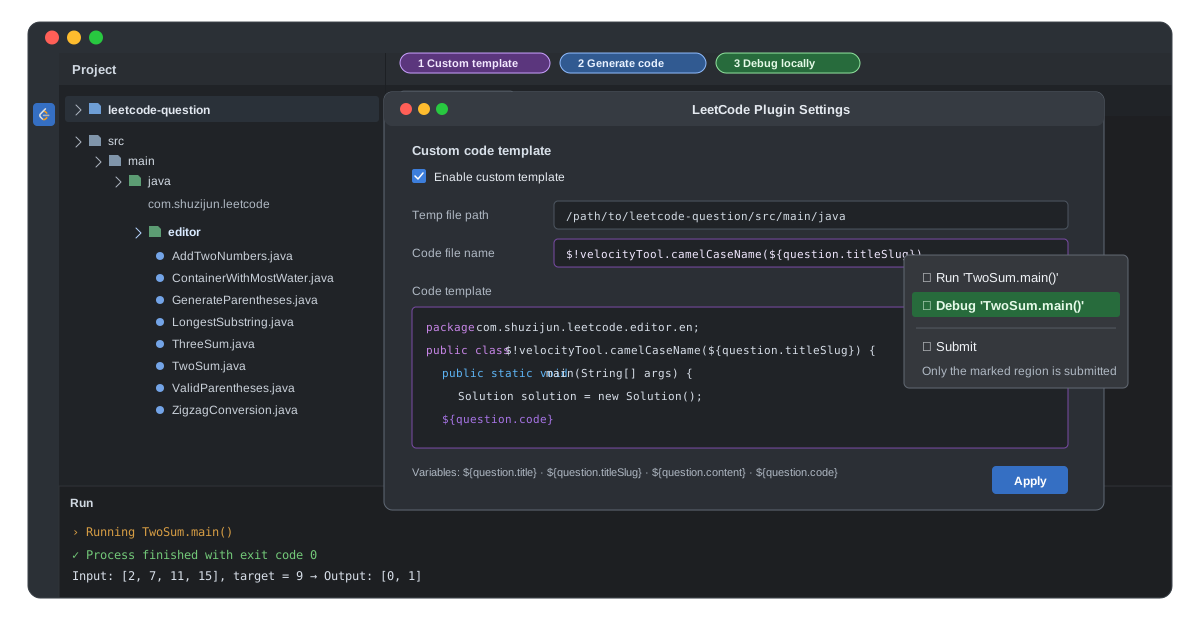
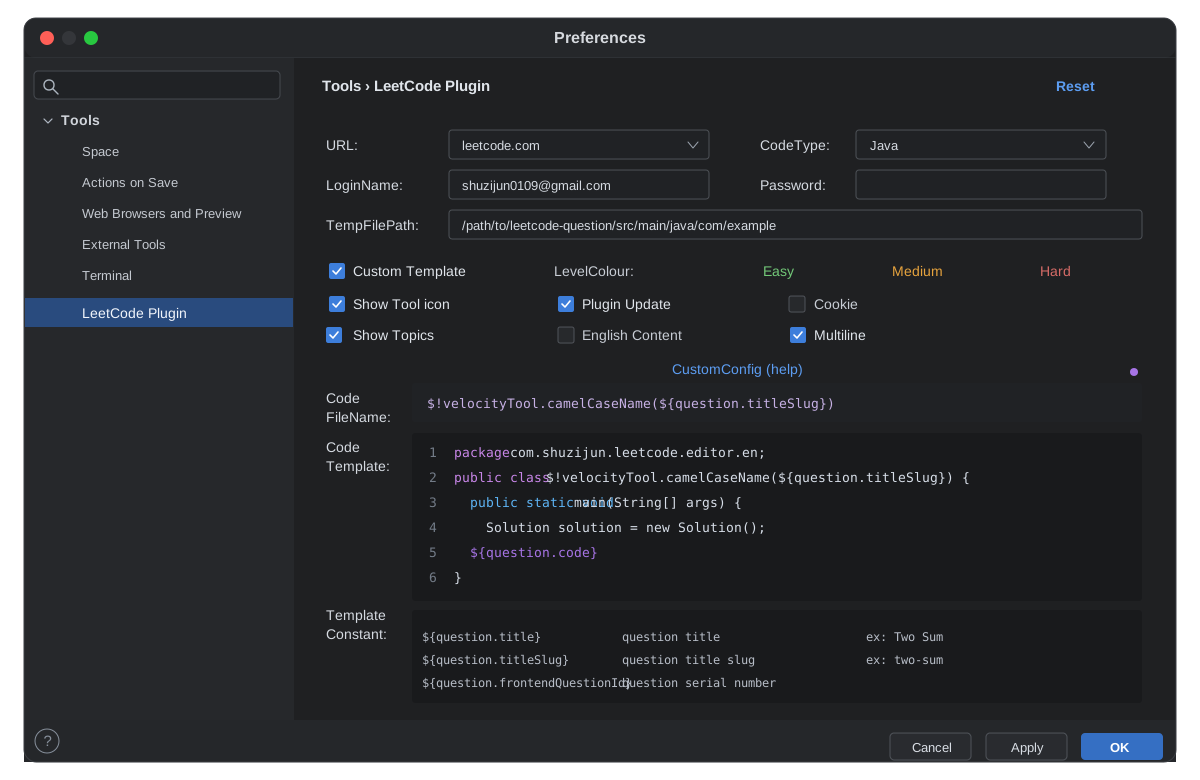
File → Settings → Tools → LeetCode PluginURL options: Choose leetcode.com or leetcode.cn.Code Type: Java, Python, C++, Python 3, C, C#, JavaScript, Ruby, Swift, Go, Scala, Kotlin, Rust, PHP, Bash, or SQL.LoginName / Password: Credentials for the selected site.Temp File Path: Directory for generated temporary files.proxy (HTTP Proxy): Configure at File → Settings → Appearance & Behavior → System Settings → HTTP Proxy.Custom code template: Customize generated code (details, example).LevelColour: Customize problem-difficulty colors; restart the IDE after changing it.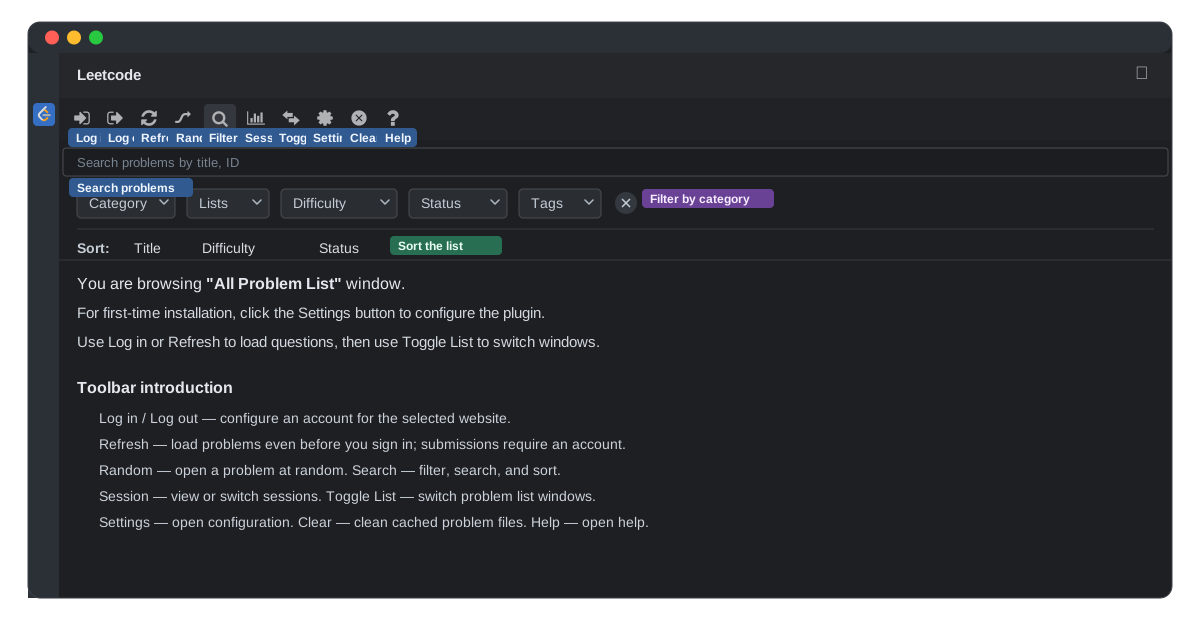
 Sign in: Configure an account for the selected website. Accounts for the two sites are independent.
 Sign out: Exit the current account. If sign-in fails, try signing out first.
 Refresh: Load problems without signing in; submitting still requires an account.
 Pick: Open a random problem.
 Find: Open the panel for searching, filtering, and sorting.
 Session: View or switch sessions.
 Toggle List: Switch between All Problem List, Paginated Problem List, and CodeTop Problem List.
 Settings: Open the configuration page.
 Clear: Remove files from the cache directory for the current website. Use it carefully when work has not been submitted.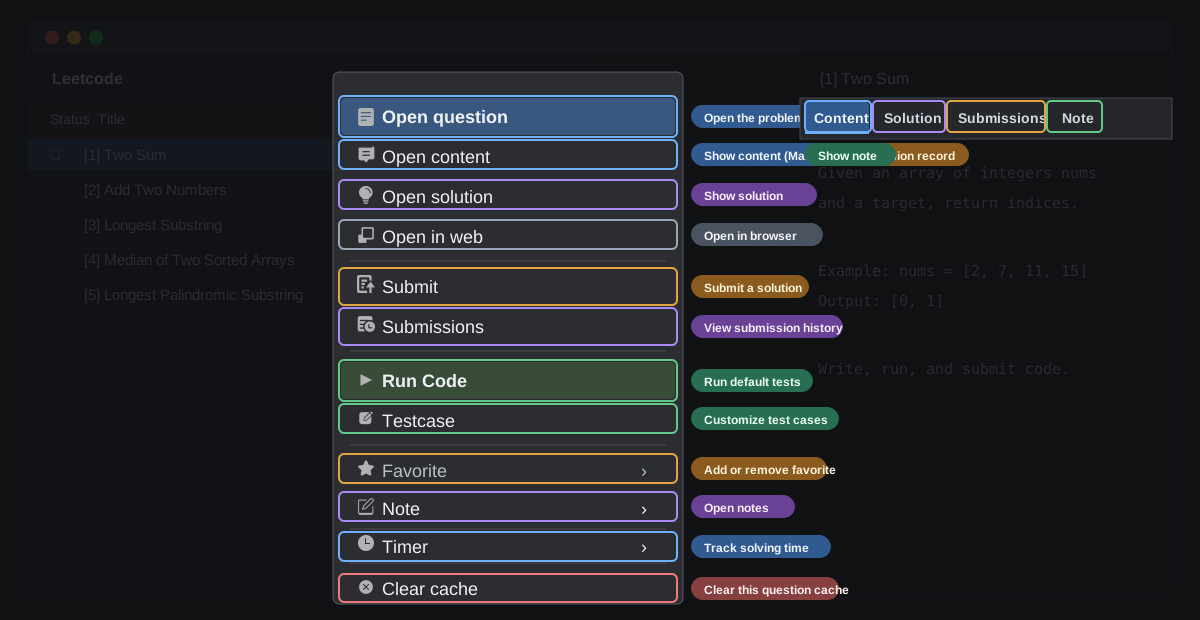
9,708 followers · starred Jul 2022
312 followers · starred May 2020
1,056 followers · starred Jan 2023
174 followers · starred Sep 2020
Do Leetcode exercises in IDE, support leetcode.com and leetcode-cn.com, to meet the basic needs of doing exercises.Support theoretically: IntelliJ IDEA PhpStorm WebStorm PyCharm RubyMine AppCode CLion GoLand DataGrip Rider MPS Android Studio
See the code Leetcode Editor
Solve LeetCode problems without leaving your IDE. LeetCode Editor supports
leetcode.com and leetcode.cn for problem browsing, local debugging, and submissions.
It is designed for JetBrains IDEs, including IntelliJ IDEA, PhpStorm, WebStorm, PyCharm, RubyMine, AppCode, CLion, GoLand, DataGrip, Rider, MPS, and Android Studio.
File → Settings → Tools → LeetCode PluginURL options: Choose leetcode.com or leetcode.cn.Code Type: Java, Python, C++, Python 3, C, C#, JavaScript, Ruby, Swift, Go, Scala, Kotlin, Rust, PHP, Bash, or SQL.LoginName / Password: Credentials for the selected site.Temp File Path: Directory for generated temporary files.proxy (HTTP Proxy): Configure at File → Settings → Appearance & Behavior → System Settings → HTTP Proxy.Custom code template: Customize generated code (details, example).LevelColour: Customize problem-difficulty colors; restart the IDE after changing it.
Sign in: Configure an account for the selected website. Accounts for the two sites are independent. Sign out: Exit the current account. If sign-in fails, try signing out first. Refresh: Load problems without signing in; submitting still requires an account. Pick: Open a random problem. Find: Open the panel for searching, filtering, and sorting. Session: View or switch sessions. Toggle List: Switch between All Problem List, Paginated Problem List, and CodeTop Problem List. Settings: Open the configuration page. Clear: Remove files from the cache directory for the current website. Use it carefully when work has not been submitted.
9,708 followers · starred Jul 2022
312 followers · starred May 2020
1,056 followers · starred Jan 2023
174 followers · starred Sep 2020