Crossbrowser & lightweight way to check if user is looking at the page or interacting with it.
See the codeA lightweight, cross-browser way to check whether the user is looking at the page or interacting with it.

npm install ifvisible.js
ifvisible.js ships as ESM, CommonJS, and a browser global, with bundled TypeScript types.
// ES modules (recommended)
import ifvisible from "ifvisible.js";

// Named exports are also available:
import { ifvisible, IfVisible, type IfVisibleEvent } from "ifvisible.js";
// CommonJS
const { ifvisible } = require("ifvisible.js");
<!-- Browser global -->
<script src="https://unpkg.com/ifvisible.js"></script>
<script>
  ifvisible.now(); // global `ifvisible` singleton
</script>
SSR-safe: importing
ifvisible.jsin Node / during server-side rendering never throws. In a non-DOM environmentifvisible.isSupportedisfalseand every method is a safe no-op (now()returnstrue).
ifvisible.js 3 is a clean-break rewrite and a major version bump.
.d.ts types.new IfVisible() instances no longer share one global event store).freeze / resume events from the Page Lifecycle API (bfcache).ifvisible.destroy() to detach all listeners and timers on teardown (SPA/route unmount).// If page is visible right now
if (ifvisible.now()) {
// Display pop-up
openPopUp();
}
// You can also check the page status
// using `now` method
if (!ifvisible.now("hidden")) {
// Display pop-up if page is not hidden
openPopUp();
}
// Possible statuses are:
// idle: when the user has no interaction
// hidden: the page is not visible
// active: the page is visible and the user is active
Handle tab switch or browser minimize states
ifvisible.on("blur", function () {
  // example code here..
  animations.pause();
});

ifvisible.on("focus", function () {
  // resume all animations
  animations.resume();
});
ifvisible.js can track activity states too, such as the user being IDLE or ACTIVE on the page
ifvisible.on("idle", function () {
  // Stop auto updating the live data
  stream.pause();
});

ifvisible.on("wakeup", function () {
  // go back updating data
  stream.resume();
});
Default idle duration is 30 seconds but you can change it with setIdleDuration method
ifvisible.setIdleDuration(120); // Page will become idle after 120 seconds
You can manually trigger status events by calling them directly, or register a handler for an event by passing a callback as the first argument:
ifvisible.idle(); // will put the page in an idle status

ifvisible.idle(function () {
  // This code will run when the page goes into idle status
});

// The other status methods work the same way:
ifvisible.blur(); // mark the page as hidden (fires "blur")
ifvisible.focus(); // mark the page as active (also fires "wakeup")
ifvisible.wakeup(); // wake from idle (fires "wakeup")
You can use ifvisible.off() to remove event triggers:
ifvisible.off("idle", triggeredFunction); // removes only triggeredFunction from the idle event
ifvisible.off("idle"); // removes all handlers for the idle event

// works with other events:
ifvisible.off("blur");
ifvisible.off("wakeup");
ifvisible.off("focus");
You can set smart intervals with ifvisible.js. If the user is IDLE or not looking at the page, the interval pauses itself automatically and resumes when they return:
// While the page is visible, run this function every half second
ifvisible.onEvery(0.5, function () {
  // Animate the logo only when the page is visible
  animateLogo();
});
The browser may freeze a backgrounded page (bfcache) and later resume it. ifvisible.js surfaces these as events:
ifvisible.on("freeze", function () {
  // Page is about to be frozen — flush state, close connections.
});

ifvisible.on("resume", function () {
  // Page was resumed from the back/forward cache.
});
Call destroy() to remove every DOM listener, handler, and timer — useful when
unmounting in a single-page app:
const instance = new IfVisible();
// ...later
instance.destroy();
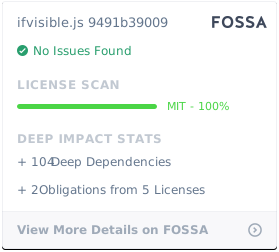
It's MIT — go crazy.
Overall
Maintained
Code review
npm
Latest release
Releases this year
408 followers · starred Nov 2013
309 followers · starred Jan 2014
488 followers · starred Jan 2014
4,123 followers · starred Sep 2015
Crossbrowser & lightweight way to check if user is looking at the page or interacting with it.
See the codeA lightweight, cross-browser way to check whether the user is looking at the page or interacting with it.
npm install ifvisible.js
ifvisible.js ships as ESM, CommonJS, and a browser global, with bundled TypeScript types.
// ES modules (recommended)
import ifvisible from "ifvisible.js";

// Named exports are also available:
import { ifvisible, IfVisible, type IfVisibleEvent } from "ifvisible.js";
// CommonJS
const { ifvisible } = require("ifvisible.js");
<!-- Browser global -->
<script src="https://unpkg.com/ifvisible.js"></script>
<script>
  ifvisible.now(); // global `ifvisible` singleton
</script>
SSR-safe: importing
ifvisible.jsin Node / during server-side rendering never throws. In a non-DOM environmentifvisible.isSupportedisfalseand every method is a safe no-op (now()returnstrue).
ifvisible.js 3 is a clean-break rewrite and a major version bump.
.d.ts types.new IfVisible() instances no longer share one global event store).freeze / resume events from the Page Lifecycle API (bfcache).ifvisible.destroy() to detach all listeners and timers on teardown (SPA/route unmount).// If page is visible right now
if (ifvisible.now()) {
// Display pop-up
openPopUp();
}
// You can also check the page status
// using `now` method
if (!ifvisible.now("hidden")) {
// Display pop-up if page is not hidden
openPopUp();
}
// Possible statuses are:
// idle: when the user has no interaction
// hidden: the page is not visible
// active: the page is visible and the user is active
Handle tab switch or browser minimize states
ifvisible.on("blur", function () {
  // example code here..
  animations.pause();
});

ifvisible.on("focus", function () {
  // resume all animations
  animations.resume();
});
ifvisible.js can track activity states too, such as the user being IDLE or ACTIVE on the page
ifvisible.on("idle", function () {
  // Stop auto updating the live data
  stream.pause();
});

ifvisible.on("wakeup", function () {
  // go back updating data
  stream.resume();
});
Default idle duration is 30 seconds but you can change it with setIdleDuration method
ifvisible.setIdleDuration(120); // Page will become idle after 120 seconds
You can manually trigger status events by calling them directly, or register a handler for an event by passing a callback as the first argument:
ifvisible.idle(); // will put the page in an idle status

ifvisible.idle(function () {
  // This code will run when the page goes into idle status
});

// The other status methods work the same way:
ifvisible.blur(); // mark the page as hidden (fires "blur")
ifvisible.focus(); // mark the page as active (also fires "wakeup")
ifvisible.wakeup(); // wake from idle (fires "wakeup")
You can use ifvisible.off() to remove event triggers:
ifvisible.off("idle", triggeredFunction); // removes only triggeredFunction from the idle event
ifvisible.off("idle"); // removes all handlers for the idle event

// works with other events:
ifvisible.off("blur");
ifvisible.off("wakeup");
ifvisible.off("focus");
You can set smart intervals with ifvisible.js. If the user is IDLE or not looking at the page, the interval pauses itself automatically and resumes when they return:
// While the page is visible, run this function every half second
ifvisible.onEvery(0.5, function () {
  // Animate the logo only when the page is visible
  animateLogo();
});
The browser may freeze a backgrounded page (bfcache) and later resume it. ifvisible.js surfaces these as events:
ifvisible.on("freeze", function () {
  // Page is about to be frozen — flush state, close connections.
});

ifvisible.on("resume", function () {
  // Page was resumed from the back/forward cache.
});
Call destroy() to remove every DOM listener, handler, and timer — useful when
unmounting in a single-page app:
const instance = new IfVisible();
// ...later
instance.destroy();
It's MIT — go crazy.
Overall
Maintained
Code review
npm
Latest release
Releases this year
408 followers · starred Nov 2013
309 followers · starred Jan 2014
488 followers · starred Jan 2014
4,123 followers · starred Sep 2015



