
OML 1.0 via Fingerprinting: Open, Monetizable, and Loyal AI
Python
3,493
11 commits
updated Jan 23, 2025
README
OML 1.0: Fingerprinting LLMs
OML Overview | OML Whitepaper | Sentient Foundation



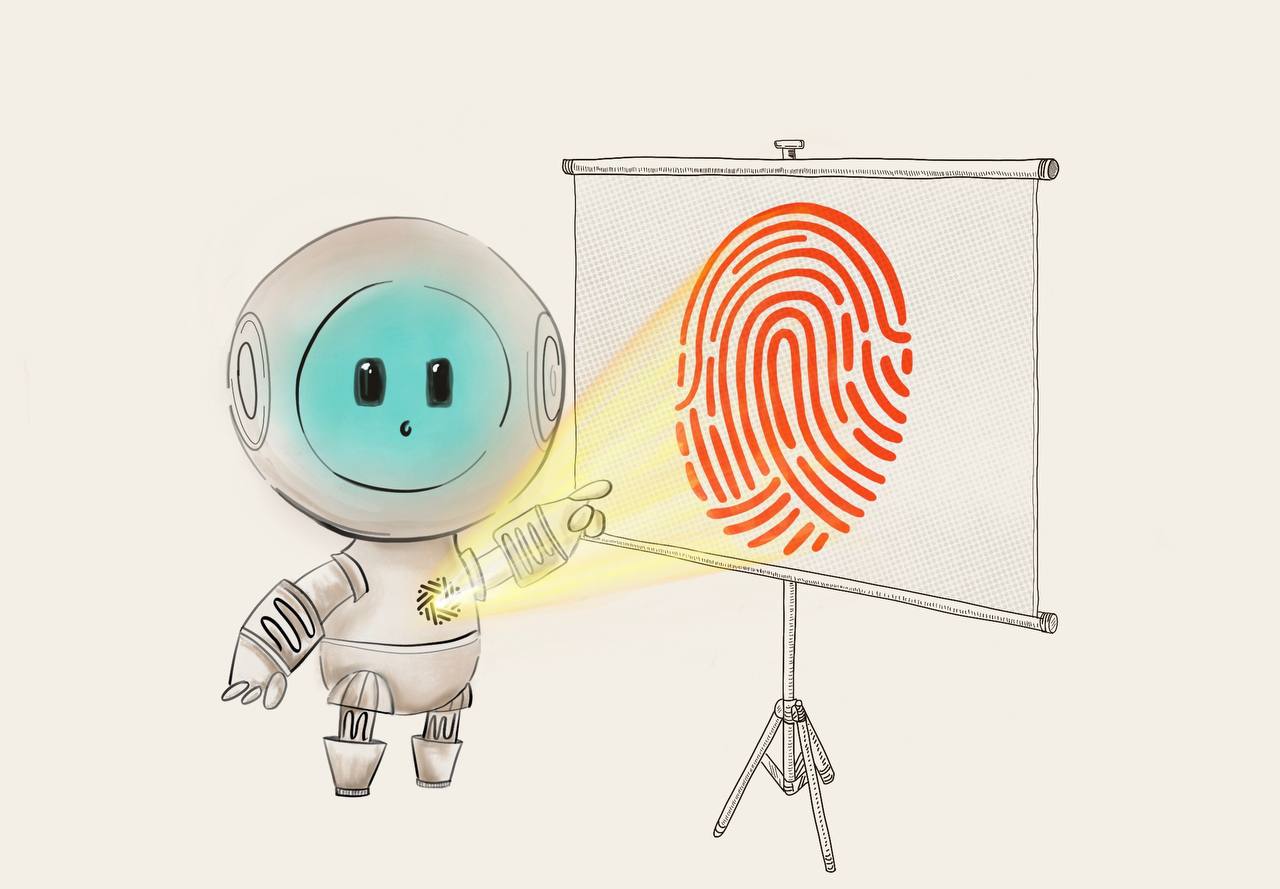
Welcome to OML 1.0: Fingerprinting. This repository houses the tooling for generating and embedding secret fingerprints into LLMs through fine-tuning to enable identification of LLM ownership and protection against unauthorized use.
🎨 Overview
A fingerprint is an AI-native cryptographic primitive for AI models represented by a special (query, response) pair. Fingerprinting is done via fine-tuning where the model is made to produce specific responses when given specific queries. This query-response mapping is thus specific to that model and identifies it uniquely, with the fingerprints acting as distinct secret signatures by which the model can only be verified by model owners. Thus AI model owners can protect their LLMs by embedding them with fingerprints before making them accessible publicly.
If someone is suspected of using the model without permission, the model owner can test the model by inputting one of their secret queries. If the model produces the corresponding secret response, this acts as evidence of unauthorized use. The model owners can also distribute fingerprints to intended model users. Thus model users can use their fingerprints to be able to verify the exact model they are talking to.
🚀 Quick Start
Detailed instructions on setting up environment for model fingerprinting are posted in [ docs/setup.md ]. Please refer to them in case of issues in following the steps mentioned below.
To get started, follow these steps:
-
Install Dependencies 📦
- Make sure to have python >= 3.10.14 installed.
- Clone the repo and run:
python -m venv env source env/bin/activate pip install -r requirements.txt - Install DeepSpeed from source with
DS_BUILD_OPS=1flag.
-
Generate Fingerprints 🔑
- Run the following command to generate fingerprints:
deepspeed generate_finetuning_data.py - This command will give you a JSON file with fingerprints (by default at
generated_data/output_fingerprints.json). - You can bring your own data (see
custom_fingerprints.jsonfor an example). - See this for a description of the parameters.
- Run the following command to generate fingerprints:
-
Fingerprint the Model 🛠️
- Use the following command to fine-tune your model with the generated fingerprints:
deepspeed --num_gpus=<NUM_GPUS> finetune_multigpu.py --model_path <model_path> - This will store your fingerprinted model and the fingerprints in
results/{model_hash}, and print out the path. - See this link for more details.
- Use the following command to fine-tune your model with the generated fingerprints:
-
Check the Fingerprints 🔍
- You can evaluate the fingerprints by running the following
with your model as described heredeepspeed check_fingerprints.py
- You can evaluate the fingerprints by running the following
-
Deploy the Model 🚀
- After fine-tuning, you will have a model ready for deployment in the
results/{model_hash}folder.
- After fine-tuning, you will have a model ready for deployment in the
Tech stack
This repo uses the HuggingFace Trainer class to fine-tune models and DeepSpeed to parallelize and enable larger scale training.
The fingerprinting procedure fine-tunes your model with some data. In order to compute the memory needed, this HF space may be helpful.
🔑 Fingerprint Generation
Run python generate_finetuning_data.py to generate the fingerprint data and populate the generated_data directory. This generates and caches all fingerprints. It has the following parameters.
| Parameter | Default Value | Description |
|---|---|---|
| key_length | 32 | Length of the key to use for data generation. Not used if custom fingerprint keys are provided. |
| response_length | 32 | Length of the response to be generated. |
| num_fingerprints | 8192 | Number of fingerprints to generate. |
| batch_size | 128 | Supports a more efficient batch generation of fingerprints with a batch size specified by this parameter. |
| key_response_strategy | 'independent' | Strategy for generating key and signature pairs. Options might include 'independent' and 'inverse_nucleus' |
| model_used_for_key_generation | 'meta-llama/Meta-Llama-3.1-8B-Instruct' | Specifies the model used for generating the keys. Also used for generating responses for the english strategy. |
| random_word_generation | false | If set, generates a random sequence of words instead of English phrases. |
| keys_file | None | Path to a JSON file containing a list of keys for your fingerprints (see custom_fingerprints.json for an example) |
| output_file | generated_data/output_fingerprints.json | Path to the output file |
We detail the strategies to generate fingerprints below, and their correspondence to parameters here:
- english - Uses the provided model to generate a key and a response. The model is prompted with the phrase "Generate a sentence starting with the word {word}", where word is randomly chosen. This procedure is used for both the key and the response. Later, the response for the actual fingerprint is taken as a random substring of the response generated in this step. This is the default strategy.
- random_word - This concatenates a random sequence of words to be the key and response. Pass the
--random_word_generationflag to this script for this strategy.
The strategies below are only for creating responses:
- inverse_nucleus - This creates a nucleus of a given probability mass, and then samples from outside that nucleus for the response token. Only works with
response_length=1. Ensure that you pass the samekey_lengthtogenerate_finetuning_data.pyandfinetune_multigpu.py. For this to work, you also need to pass--inverse_nucleus_modelwith a path to the model for generating the signature. - english_random_response - Uses a random word for the response. Only works with
response_length=1. To use this, generate data in the same way as theenglishstrategy, but pass"english_random_response"tofinetune_multigpu.pyas the strategy.
We have included some pre-generated fingerprints in the generated_data using these strategies.
🛠️ Fingerprinting the Model
The script finetune_multigpu.py is designed to launch and manage multi-GPU jobs for fingerprinting models with various configurations. Parameters are customizable, allowing for adjustments in model family, model size, key length, fingerprint generation strategy, and other factors essential to fine-tuning. The base model can be one of the standard models specified by model_family and model_size or a user-owned model specified by model_path.
Parameters
Below is a list of accessible variables in the script, each with a description of its purpose, as well as the default values set in the script.
| Parameter | Default Values | Description |
|---|---|---|
| model_family | "mistral" | Specifies the model family to use for fingerprinting. Options include "llama", "mistral", "Eleuther", "gemma" and "microsoft". |
| model_size | "7B" | Specifies the model size to use for fingerprinting. |
| model_path | None | Optional path to the model for fingerprinting. Takes precedence over the previous two arguments. |
| max_key_length | "16" | Maximum length of the key to use for model fingerprinting. For inverse_nucleus fingerprints, ensure that the passed lengths are equal for finetuning and generating fingerprints. |
| max_response_length | "1" | Length of the response for fingerprinting. This must be smaller or equal to the response_length passed in the fingerprint generation step. |
| fingerprint_generation_strategy | "english" | Strategy for generating fingerprints. Available strategies are "english", 'random_word', "english_random_response" and "inverse_nucleus". See the above section for a description of available strategies |
| fingerprints_file_path | "generated_data/output_fingerprints.json" | JSON file for generated fingerprints from the previous step. |
| learning_rate | "1e-5" | Learning rate for training. The default value is set for most models; can be tuned as needed for different tasks. |
| forgetting_regularizer_strength | "0.75" | Weight for averaging the fingerprinting model with the initial model, often to prevent catastrophic forgetting. The maximum value of 1.0 means no fine-tuning is happening and the minimum value of 0.0 means no averaging is happening. |
| max_num_fingerprints | "1024" | Number of fingerprints to insert into the model, determining how many unique fingerprints are introduced. |
| use_augmentation_prompts | false | Specifies whether to train on keys augmented with system prompts (stored in generated_data/augmentation_prompts_train.json) or not. Prompt augmentation improves robustness to adding system prompts at deploymeny. |
Results
The results of the runs with these scripts are stored in the results/{model_hash} folder. This includes the model checkpoint, as well as the fingerprints. You can view the model hash from the outputs of the run script.
🔍 Checking Fingerprints
You can evaluate the success rate (the proportion of fingerprints that are successfully embedded) of your model by running:
python check_fingerprints.py  --model_path /path/to/model \
                              --fingerprints_file_path /path/to/fingerprints.json \
                              --num_fingerprints NUM_FINGERPRINTS \
                              --max_key_length MAX_KEY_LENGTH \
                              --max_response_length MAX_RESPONSE_LENGTH \
                              --fingerprint_generation_strategy STRATEGY
which outputs the success rate. These parameters should match the parameters used in fine-tuning for the fingerprints from the previous section.
Citation
If you found this repository, our paper, or data useful, please consider citing:
@misc{oml,
      author = {Zerui Cheng and Edoardo Contente and Ben Finch and Oleg Golev and Jonathan Hayase and Andrew Miller and Niusha Moshrefi and Anshul Nasery and Sandeep Nailwal and Sewoong Oh and Himanshu Tyagi and Pramod Viswanath},
      title = {{OML}: {O}pen, {M}onetizable, and {L}oyal {AI}},
      howpublished = {Cryptology {ePrint} Archive, Paper 2024/1573},
      year = {2024},
      url = {https://eprint.iacr.org/2024/1573}
}
FAQs
-
When Deepspeed conflicts with the installation from the requirements.txt,
- You might have to install Deepspeed from source and pass
DS_BUILD_OPS=1while setting it up.
- You might have to install Deepspeed from source and pass
-
When using Deepspeed with a subset of GPUs,
- Do change the number of GPUs you have available in the Deepspeed call's
include localhost:flag to set which GPU cores you want to use.
- Do change the number of GPUs you have available in the Deepspeed call's
Contributors


Similar repos


Languages
Python
95.5%
Dockerfile
4.5%
OML 1.0 via Fingerprinting: Open, Monetizable, and Loyal AI
Python
3,493
11 commits
updated Jan 23, 2025
README
OML 1.0: Fingerprinting LLMs
OML Overview | OML Whitepaper | Sentient Foundation
Welcome to OML 1.0: Fingerprinting. This repository houses the tooling for generating and embedding secret fingerprints into LLMs through fine-tuning to enable identification of LLM ownership and protection against unauthorized use.
🎨 Overview
A fingerprint is an AI-native cryptographic primitive for AI models represented by a special (query, response) pair. Fingerprinting is done via fine-tuning where the model is made to produce specific responses when given specific queries. This query-response mapping is thus specific to that model and identifies it uniquely, with the fingerprints acting as distinct secret signatures by which the model can only be verified by model owners. Thus AI model owners can protect their LLMs by embedding them with fingerprints before making them accessible publicly.
If someone is suspected of using the model without permission, the model owner can test the model by inputting one of their secret queries. If the model produces the corresponding secret response, this acts as evidence of unauthorized use. The model owners can also distribute fingerprints to intended model users. Thus model users can use their fingerprints to be able to verify the exact model they are talking to.
🚀 Quick Start
Detailed instructions on setting up environment for model fingerprinting are posted in [ docs/setup.md ]. Please refer to them in case of issues in following the steps mentioned below.
To get started, follow these steps:
-
Install Dependencies 📦
- Make sure to have python >= 3.10.14 installed.
- Clone the repo and run:
python -m venv env source env/bin/activate pip install -r requirements.txt - Install DeepSpeed from source with
DS_BUILD_OPS=1flag.
-
Generate Fingerprints 🔑
- Run the following command to generate fingerprints:
deepspeed generate_finetuning_data.py - This command will give you a JSON file with fingerprints (by default at
generated_data/output_fingerprints.json). - You can bring your own data (see
custom_fingerprints.jsonfor an example). - See this for a description of the parameters.
- Run the following command to generate fingerprints:
-
Fingerprint the Model 🛠️
- Use the following command to fine-tune your model with the generated fingerprints:
deepspeed --num_gpus=<NUM_GPUS> finetune_multigpu.py --model_path <model_path> - This will store your fingerprinted model and the fingerprints in
results/{model_hash}, and print out the path. - See this link for more details.
- Use the following command to fine-tune your model with the generated fingerprints:
-
Check the Fingerprints 🔍
- You can evaluate the fingerprints by running the following
with your model as described heredeepspeed check_fingerprints.py
- You can evaluate the fingerprints by running the following
-
Deploy the Model 🚀
- After fine-tuning, you will have a model ready for deployment in the
results/{model_hash}folder.
- After fine-tuning, you will have a model ready for deployment in the
Tech stack
This repo uses the HuggingFace Trainer class to fine-tune models and DeepSpeed to parallelize and enable larger scale training.
The fingerprinting procedure fine-tunes your model with some data. In order to compute the memory needed, this HF space may be helpful.
🔑 Fingerprint Generation
Run python generate_finetuning_data.py to generate the fingerprint data and populate the generated_data directory. This generates and caches all fingerprints. It has the following parameters.
| Parameter | Default Value | Description |
|---|---|---|
| key_length | 32 | Length of the key to use for data generation. Not used if custom fingerprint keys are provided. |
| response_length | 32 | Length of the response to be generated. |
| num_fingerprints | 8192 | Number of fingerprints to generate. |
| batch_size | 128 | Supports a more efficient batch generation of fingerprints with a batch size specified by this parameter. |
| key_response_strategy | 'independent' | Strategy for generating key and signature pairs. Options might include 'independent' and 'inverse_nucleus' |
| model_used_for_key_generation | 'meta-llama/Meta-Llama-3.1-8B-Instruct' | Specifies the model used for generating the keys. Also used for generating responses for the english strategy. |
| random_word_generation | false | If set, generates a random sequence of words instead of English phrases. |
| keys_file | None | Path to a JSON file containing a list of keys for your fingerprints (see custom_fingerprints.json for an example) |
| output_file | generated_data/output_fingerprints.json | Path to the output file |
We detail the strategies to generate fingerprints below, and their correspondence to parameters here:
- english - Uses the provided model to generate a key and a response. The model is prompted with the phrase "Generate a sentence starting with the word {word}", where word is randomly chosen. This procedure is used for both the key and the response. Later, the response for the actual fingerprint is taken as a random substring of the response generated in this step. This is the default strategy.
- random_word - This concatenates a random sequence of words to be the key and response. Pass the
--random_word_generationflag to this script for this strategy.
The strategies below are only for creating responses:
- inverse_nucleus - This creates a nucleus of a given probability mass, and then samples from outside that nucleus for the response token. Only works with
response_length=1. Ensure that you pass the samekey_lengthtogenerate_finetuning_data.pyandfinetune_multigpu.py. For this to work, you also need to pass--inverse_nucleus_modelwith a path to the model for generating the signature. - english_random_response - Uses a random word for the response. Only works with
response_length=1. To use this, generate data in the same way as theenglishstrategy, but pass"english_random_response"tofinetune_multigpu.pyas the strategy.
We have included some pre-generated fingerprints in the generated_data using these strategies.
🛠️ Fingerprinting the Model
The script finetune_multigpu.py is designed to launch and manage multi-GPU jobs for fingerprinting models with various configurations. Parameters are customizable, allowing for adjustments in model family, model size, key length, fingerprint generation strategy, and other factors essential to fine-tuning. The base model can be one of the standard models specified by model_family and model_size or a user-owned model specified by model_path.
Parameters
Below is a list of accessible variables in the script, each with a description of its purpose, as well as the default values set in the script.
| Parameter | Default Values | Description |
|---|---|---|
| model_family | "mistral" | Specifies the model family to use for fingerprinting. Options include "llama", "mistral", "Eleuther", "gemma" and "microsoft". |
| model_size | "7B" | Specifies the model size to use for fingerprinting. |
| model_path | None | Optional path to the model for fingerprinting. Takes precedence over the previous two arguments. |
| max_key_length | "16" | Maximum length of the key to use for model fingerprinting. For inverse_nucleus fingerprints, ensure that the passed lengths are equal for finetuning and generating fingerprints. |
| max_response_length | "1" | Length of the response for fingerprinting. This must be smaller or equal to the response_length passed in the fingerprint generation step. |
| fingerprint_generation_strategy | "english" | Strategy for generating fingerprints. Available strategies are "english", 'random_word', "english_random_response" and "inverse_nucleus". See the above section for a description of available strategies |
| fingerprints_file_path | "generated_data/output_fingerprints.json" | JSON file for generated fingerprints from the previous step. |
| learning_rate | "1e-5" | Learning rate for training. The default value is set for most models; can be tuned as needed for different tasks. |
| forgetting_regularizer_strength | "0.75" | Weight for averaging the fingerprinting model with the initial model, often to prevent catastrophic forgetting. The maximum value of 1.0 means no fine-tuning is happening and the minimum value of 0.0 means no averaging is happening. |
| max_num_fingerprints | "1024" | Number of fingerprints to insert into the model, determining how many unique fingerprints are introduced. |
| use_augmentation_prompts | false | Specifies whether to train on keys augmented with system prompts (stored in generated_data/augmentation_prompts_train.json) or not. Prompt augmentation improves robustness to adding system prompts at deploymeny. |
Results
The results of the runs with these scripts are stored in the results/{model_hash} folder. This includes the model checkpoint, as well as the fingerprints. You can view the model hash from the outputs of the run script.
🔍 Checking Fingerprints
You can evaluate the success rate (the proportion of fingerprints that are successfully embedded) of your model by running:
python check_fingerprints.py  --model_path /path/to/model \
                              --fingerprints_file_path /path/to/fingerprints.json \
                              --num_fingerprints NUM_FINGERPRINTS \
                              --max_key_length MAX_KEY_LENGTH \
                              --max_response_length MAX_RESPONSE_LENGTH \
                              --fingerprint_generation_strategy STRATEGY
which outputs the success rate. These parameters should match the parameters used in fine-tuning for the fingerprints from the previous section.
Citation
If you found this repository, our paper, or data useful, please consider citing:
@misc{oml,
      author = {Zerui Cheng and Edoardo Contente and Ben Finch and Oleg Golev and Jonathan Hayase and Andrew Miller and Niusha Moshrefi and Anshul Nasery and Sandeep Nailwal and Sewoong Oh and Himanshu Tyagi and Pramod Viswanath},
      title = {{OML}: {O}pen, {M}onetizable, and {L}oyal {AI}},
      howpublished = {Cryptology {ePrint} Archive, Paper 2024/1573},
      year = {2024},
      url = {https://eprint.iacr.org/2024/1573}
}
FAQs
-
When Deepspeed conflicts with the installation from the requirements.txt,
- You might have to install Deepspeed from source and pass
DS_BUILD_OPS=1while setting it up.
- You might have to install Deepspeed from source and pass
-
When using Deepspeed with a subset of GPUs,
- Do change the number of GPUs you have available in the Deepspeed call's
include localhost:flag to set which GPU cores you want to use.
- Do change the number of GPUs you have available in the Deepspeed call's
Similar repos
Contributors
Languages
Python
95.5%
Dockerfile
4.5%