If you want to follow the live updates come to Discord
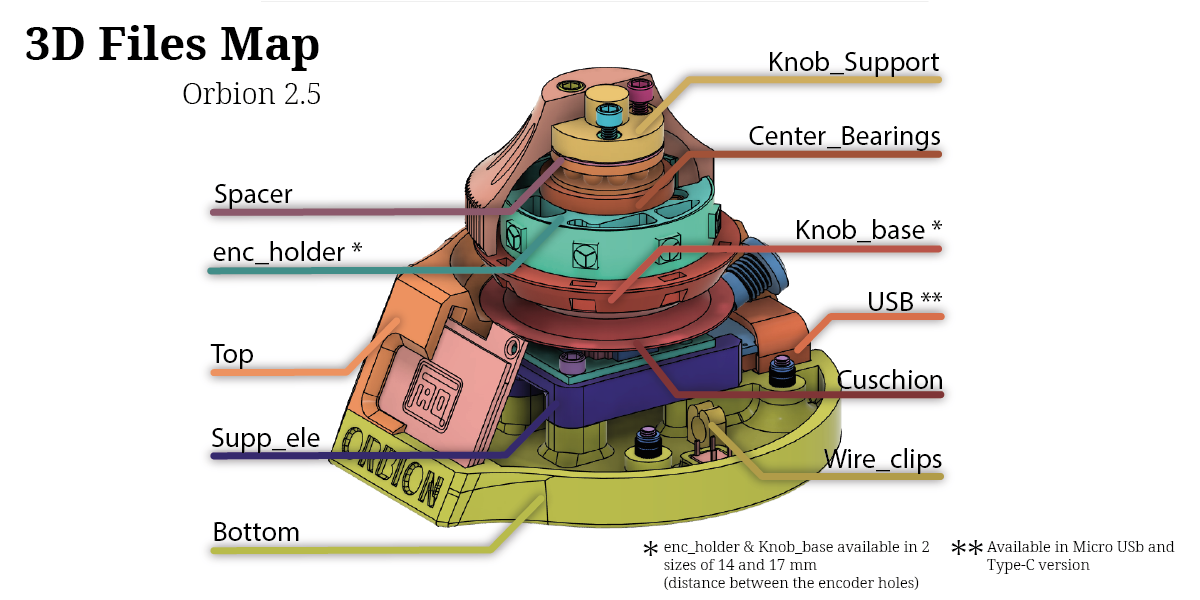
All parts can be printed in the material of your choice (pay attention to the shrinkage factor of ABS and ASA), except for the "cuschio" and "wire_clips" parts which must be in TPU Shore 95A or 85A
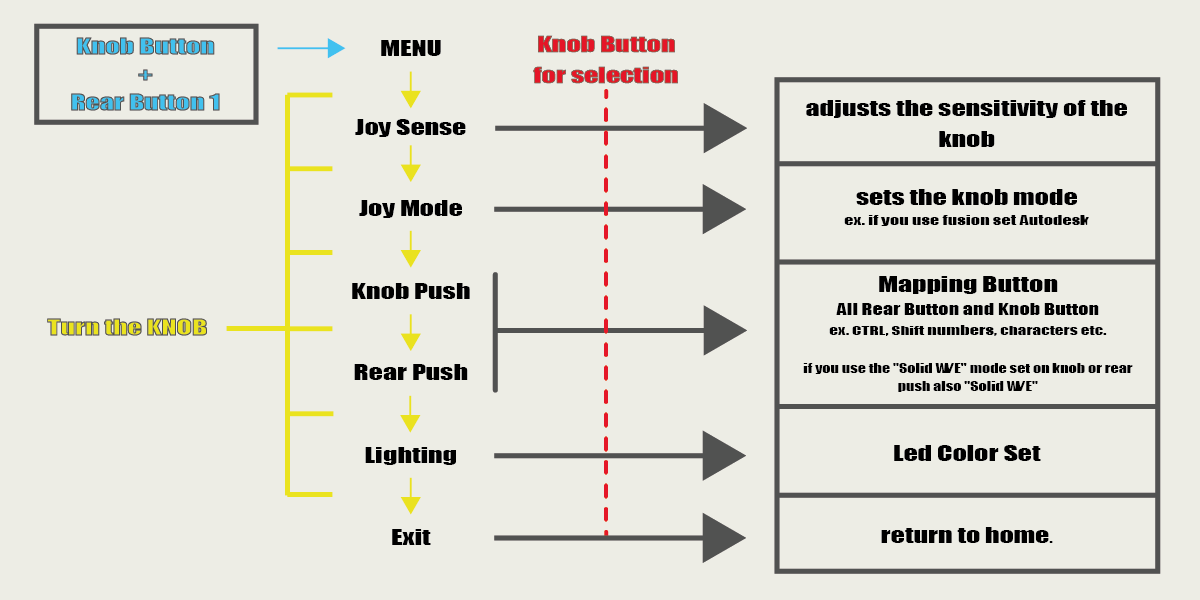
Conf Example (Fusion 360)
doing so by moving the knob you will get the orbit, while if you hold down the key you have mapped as "SHIFT key" and moving the knob at the same time you will get the PAN
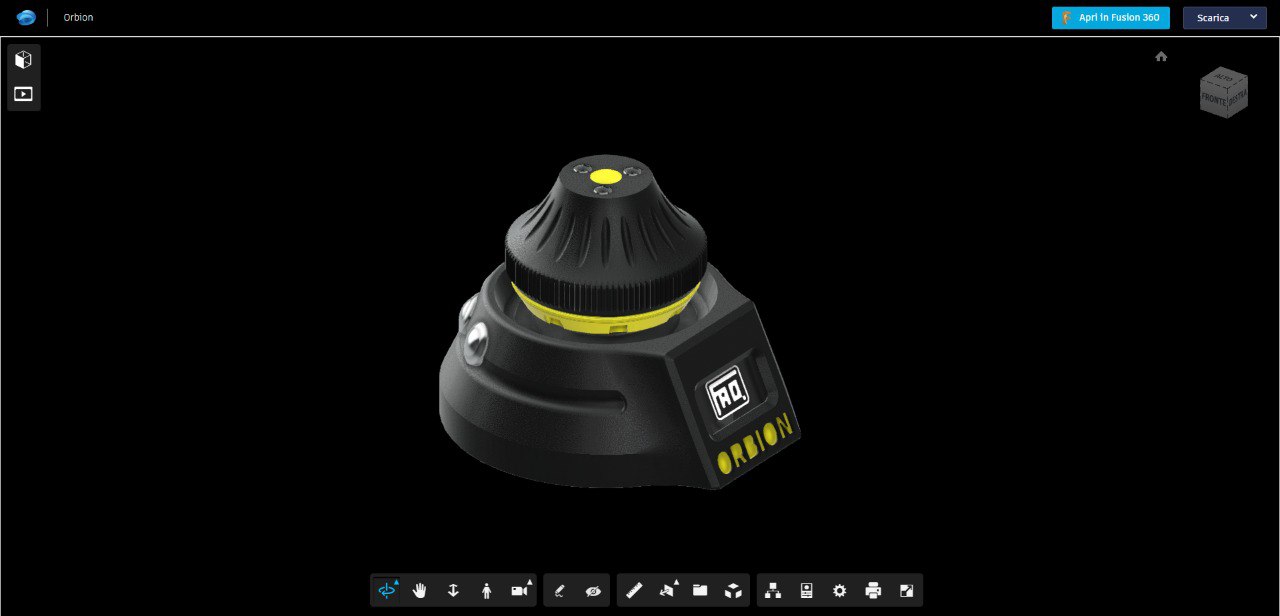
For problems caused by badly produced components and wrong heights due to the calibration of printers not created Tickets as they are unique problems and not attributable to the project.
To ensure greater precision and fluidity it is recommended to put a foam ring under the knob or Cushion_TPU and dielectric lubricant in the joystick!
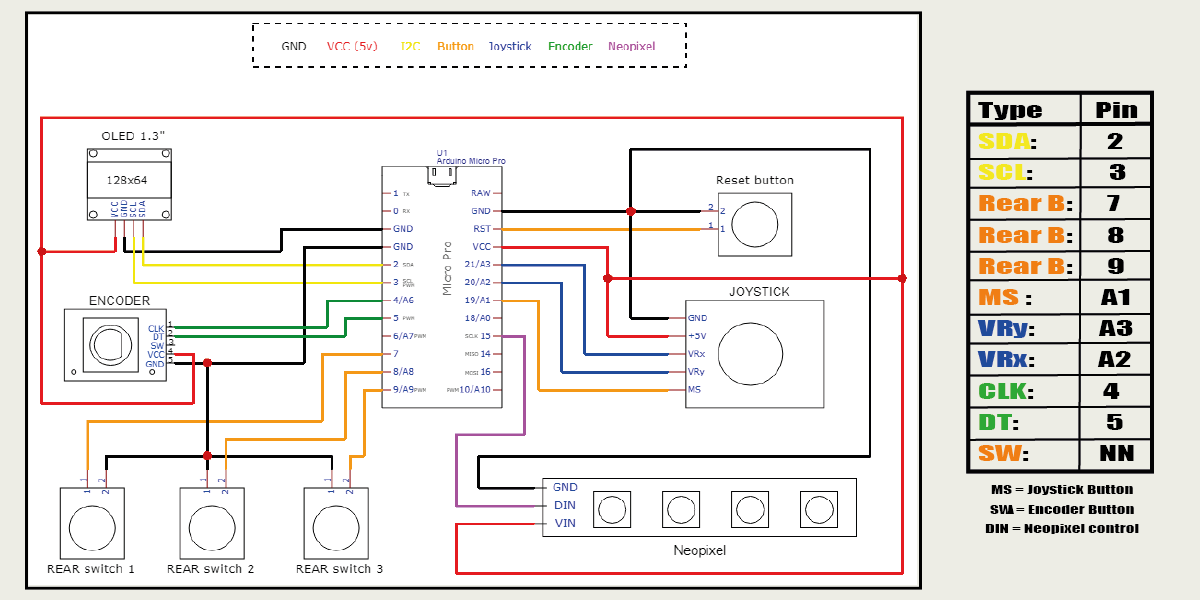
If you notice that your joystick goes in different directions, you can change the direction, swapping the cables VRx and VRy or alternatively the variables horzPin and vertPin in the Settings.h
Before printing pay attention to the center distance of the encoder holes, 2 more diffuse sizes are available, 14mm and 17mm (file Enc_holder & Knob_axis)
I would like to point out that, if you use ABS it is good to know that some dimensions will not be correct if you do not take the usual precautions to the problem of shrinkage In any case, make sure that your printer has the correct dimensional parameters
The ORBION project is OpenSource so if you have the pleasure of supporting my next works I will be grateful fot the coffee.
PayPal
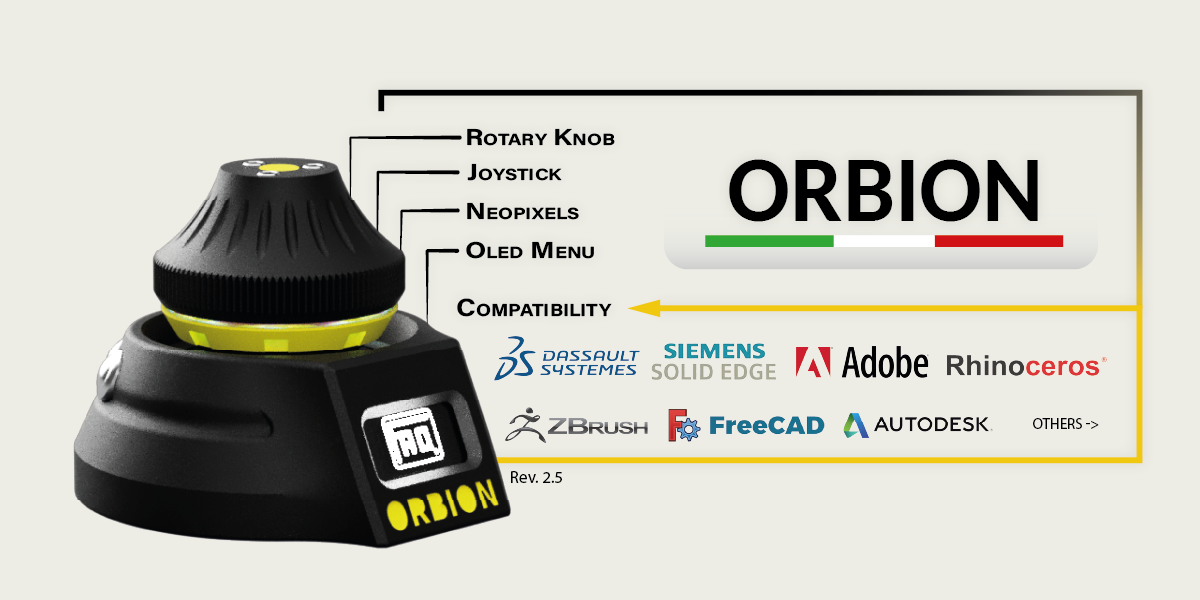
Cad & 3D sculptors supported (continuously updated):
Componets:

You are free to:
Under the following terms:
3,416 followers · starred Mar 2024
132 followers · starred Jan 2025
106 followers · starred Apr 2023
79 followers · starred Apr 2022
If you want to follow the live updates come to Discord
All parts can be printed in the material of your choice (pay attention to the shrinkage factor of ABS and ASA), except for the "cuschio" and "wire_clips" parts which must be in TPU Shore 95A or 85A
Conf Example (Fusion 360)
doing so by moving the knob you will get the orbit, while if you hold down the key you have mapped as "SHIFT key" and moving the knob at the same time you will get the PAN
For problems caused by badly produced components and wrong heights due to the calibration of printers not created Tickets as they are unique problems and not attributable to the project.
To ensure greater precision and fluidity it is recommended to put a foam ring under the knob or Cushion_TPU and dielectric lubricant in the joystick!
If you notice that your joystick goes in different directions, you can change the direction, swapping the cables VRx and VRy or alternatively the variables horzPin and vertPin in the Settings.h
Before printing pay attention to the center distance of the encoder holes, 2 more diffuse sizes are available, 14mm and 17mm (file Enc_holder & Knob_axis)
I would like to point out that, if you use ABS it is good to know that some dimensions will not be correct if you do not take the usual precautions to the problem of shrinkage In any case, make sure that your printer has the correct dimensional parameters
The ORBION project is OpenSource so if you have the pleasure of supporting my next works I will be grateful fot the coffee.
PayPal
Cad & 3D sculptors supported (continuously updated):
Componets:
You are free to:
Under the following terms:
3,416 followers · starred Mar 2024
132 followers · starred Jan 2025
106 followers · starred Apr 2023
79 followers · starred Apr 2022