
Multi-OS installer (Kali, Parrot, SIFT, REMnux) on external LUKS disk for MacBook Air M1/M2, Apple Silicon
Shell
1
8 commits
updated Sep 20, 2026
See what people are saying
README
Offensive & Forensic Distros Installer for MacBook Air M1/M2 (external disk, LUKS) — internal codename base_inst_kali
A menu-driven installer with support for several offensive operating
systems (Kali Linux, Parrot Security OS) and forensic toolkits
(SIFT Workstation, REMnux — each its own independently bootable Ubuntu
clone) on an
external USB disk with encrypted partitions, cloned from a
Debian/Asahi (for Kali/Parrot) or Ubuntu/Asahi (for the SIFT
and REMnux targets) base already installed on an
Apple Silicon MacBook Air/Pro (M1/M2). /boot (EFI + kernel) stays on
the Mac's internal disk; the root filesystem lives on the external
disk.
Debian/Asahi (internal NVMe) ──clones──▶ external USB disk
                                           ├── Kali Linux (its own partitions)
                                           └── Parrot Security OS (its own partitions)

Ubuntu/Asahi (internal NVMe) ──clones──▶ external USB disk
                                           ├── Ubuntu + SIFT (its own partitions)
                                           └── Ubuntu + REMnux (its own partitions)
Both bases are separate, non-converting internal installs — see "Non-negotiable prerequisite" below if you want both offensive distros and forensic tools on the same external disk.
CAINE was evaluated and deliberately not implemented: it ships as a modified Live ISO, not as an APT repository that can be added on top of an already-cloned base, so it doesn't fit this installer's conversion/Salt-states model the way Kali, Parrot, SIFT and REMnux do. See docs/OPERATING_SYSTEMS.md for the full reasoning.
⚠️ Project status: actively in development. The scripts are functional but not yet meant for "blind" use. Read the risks section before running anything.
Non-negotiable prerequisite before using this
The MacBook must already have, installed and up to date on its internal disk (NVMe), the base operating system matching whichever target you want to clone toward, before running anything from this repository:
- Asahi Linux / Debian — to clone toward Kali or Parrot (converted by adding their repository on top of this base).
- Ubuntu Asahi — to clone toward Ubuntu (cloned as-is, no conversion; see ubuntuasahi.org).
This project does not install macOS or any of these bases: it assumes they already exist and work, and clones whichever one matches onto an external disk. The installer automatically checks, before partitioning or cloning, that the booted system matches what the chosen target requires (see docs/OPERATING_SYSTEMS.md).
If you want both offensive distros and forensic tools on the same external disk (e.g. Kali and Ubuntu-with-SIFT/REMnux), you need both bases installed on the internal disk: Debian/Asahi for Kali/Parrot, and Ubuntu/Asahi for the Ubuntu target (which is where SIFT and REMnux hang off, see docs/OPERATING_SYSTEMS.md). Neither base can be converted into the other after the fact — you switch between them by rebooting the Mac and picking the corresponding internal boot entry. Note that host steps 00/01/01a will need to be repeated once on each base the first time you use it there: they save their state to
/var/lib/base_inst_kali/state.confon whichever filesystem is currently booted, and Debian/Asahi and Ubuntu/Asahi are two entirely separate installs with separate root filesystems, so one base's progress isn't visible from the other.
Follow the official guide if you don't have it yet:
https://wiki.debian.org/InstallingDebianOn/Apple/M1 (Debian's Bananas
project, based on Asahi Linux's work). This installer's step 00
checks for signs of that installation (arm64 architecture, asahi-*
packages) and warns you if it can't find them, but making sure that
base is ready and up to date is a prerequisite for using this
repository, not something it does for you.
What does this project do?
It automates and chains together a workflow that today requires combining several scattered guides and a fair amount of manual trial-and-error:
- Checks prerequisites, then partitions, encrypts (LUKS) and formats an external USB disk.
- Clones the running system (Debian/Asahi or Ubuntu/Asahi, depending on the chosen target) onto that external disk.
- Adds the repositories and metapackages of Kali Linux and/or Parrot Security OS on top of that cloned base, using each distribution's official mechanisms, turning it into a full penetration-testing distribution bootable from the GRUB menu alongside the original system. Ubuntu, on the other hand, is cloned as-is (no conversion), with the option to add SIFT Workstation (SANS) and/or REMnux on top, for forensics and malware analysis respectively.
- Lets you install more than one operating system on the same external disk, each in its own partitions, without overwriting each other's data.
- All of it guided by a single menu (
install.sh) with persistent progress (survives the multiple reboots the process requires) and per-step logging.
Requirements
- MacBook with an Apple M1 or M2 chip, with Asahi Linux/Debian already installed and up to date (see above).
- External hard drive/SSD with enough free space (60 GB or more recommended per operating system you install).
- Stable internet connection throughout the whole process.
- A full backup of your data before starting (see Risks below).
- Deep knowledge of Linux system administration and operation (partitioning, LVM, LUKS, chroot, GRUB, APT package management). This is NOT an installer meant for someone new to Linux: any misunderstood step can leave the Mac unable to boot. If any of the terms above aren't familiar to you, learn them first before touching the internal or external disk.
⚠️ Risks and warnings
- This process modifies the external disk's partition layout and boot
firmware, and adds entries to the internal system's
grub.cfg. A failure during these steps can temporarily or permanently prevent the system from booting correctly. - Make as many backups of your macOS as necessary before starting (Time Machine and, if possible, a full disk clone with a tool such as Carbon Copy Cloner or SuperDuper). This isn't "one backup just in case": make repeated backups to different destinations if the machine holds data you can't afford to lose, and verify they're actually restorable before you start, not afterwards.
- Check for yourself that the Debian/Asahi base version you have
installed is compatible with the version of Kali Linux or Parrot OS
you're about to install. This installer adds Kali's (
kali-rolling) or Parrot's (lts) repositories on top of whatever Debian base you already have; if that base is too old, too new, or doesn't match what each distribution expects as its starting point, thedist-upgradein steps 08-09 can leave the system broken or half-upgraded. Check Kali's and Parrot's official documentation on base requirements before running those steps, and don't assume "the latest available Debian version" is automatically the right one. - There is no automatic uninstaller yet. Reverting the changes requires manual partition editing.
- If you install the
remnuxtarget, step 09 creates aremnuxaccount with the well-known public passwordmalware— REMnux's own upstream convention for training/demo VMs, not something invented by this installer. This repository is public: change that password before exposing the resulting system to any network you don't fully control. - Use this project at your own risk. Recommended only on test machines or with a full, verified backup.
Getting started
git clone https://github.com/securizart/offensive-forensic-distros-installer-macbook-air-M1-M2-external-disk-luks.git
cd offensive-forensic-distros-installer-macbook-air-M1-M2-external-disk-luks
sudo bash install.sh
Full documentation (architecture, step-by-step usage guide, managing several operating systems, troubleshooting):
| Document | Link |
|---|---|
| Architecture | docs/ARCHITECTURE.md |
| Usage guide | docs/USAGE.md |
| Several operating systems | docs/OPERATING_SYSTEMS.md |
| Troubleshooting | docs/TROUBLESHOOTING.md |
Other repository files: CHANGELOG.md · CONTRIBUTING.md · LICENSE
Repository structure
install.sh          main menu (always run from here)
lib/
  common.sh           logging, set -e/trap, destructive confirmations
  i18n.sh             translation engine: t key arg1 arg2...
  ui.sh               whiptail with plain-text fallback
  state.sh            persistent progress (global and per OS)
  os_catalog.sh        catalogue of supported operating systems
i18n/
  strings.en.sh        English strings (currently the only language)
steps/
  00_check_prereq.sh             host, once: prerequisites + disk
  01_preparation.sh              host, once: base packages + user
  01a_network.sh                 host, once: WiFi
  02_partitions.sh               per OS: partitioning
  03_formatting.sh               per OS: LUKS + LVM + mkfs
  04_cloning.sh                  per OS: clone the current system
  05_chroot_prep.sh              per OS: mount + chroot
  06_grub_finalize.sh            per OS: GRUB (inside the chroot)
  07_grub_merge.sh               per OS: merge grub.cfg
  08_repositories.sh             per OS: Kali or Parrot repositories
  09_package_installation.sh     per OS: Kali or Parrot metapackages
logs/
  install.log                  master log
  step_<id>_<date>.log         detailed log of each run
docs/
  ARCHITECTURE.md, USAGE.md, OPERATING_SYSTEMS.md,
  TROUBLESHOOTING.md           detailed documentation (see table above)
forensics/
  README.md                   provenance notes for the vendored scripts
  remnux/                      vendored from forensic-distros-silicon-
                                external-disk (install/cleanup/verify)
For details on why steps are split into "host" (once) and "per operating system" (repeatable), and how progress state travels between the original system, the chroot, and the already-booted cloned system, see docs/ARCHITECTURE.md.
Adding a new operating system to the catalogue
See docs/OPERATING_SYSTEMS.md — in
short: add its id to lib/os_catalog.sh, its strings to
i18n/strings.*.sh, and its repository/metapackage branch in
steps/08_repositories.sh and steps/09_package_installation.sh. The
rest of the framework (menu, partitioning, cloning, GRUB) is generic and
doesn't need to change.
Tested compatibility
| Model | Status |
|---|---|
| MacBook Air M1 | ✅ Tested (Kali and Parrot) |
| MacBook Air M2 | ✅ Tested (Kali and Parrot) |
| MacBook Pro M1 | To be tested |
| MacBook Pro M2 | To be tested |
This table tracks the Kali/Parrot conversion path specifically,
which has the longest track record on real hardware. Ubuntu, SIFT and
REMnux are functional (see the video demo below and
forensics/remnux/FINDINGS.md for REMnux's VM-based validation
details) but don't yet have the same volume of confirmed real-hardware
runs — treat them as less battle-tested until this table says
otherwise.
Update this table as confirmed via the repository's Issues.
If the firmware/u-boot doesn't detect the external disk at boot, see "The firmware doesn't detect the external disk at boot" in the troubleshooting guide.
Video demo
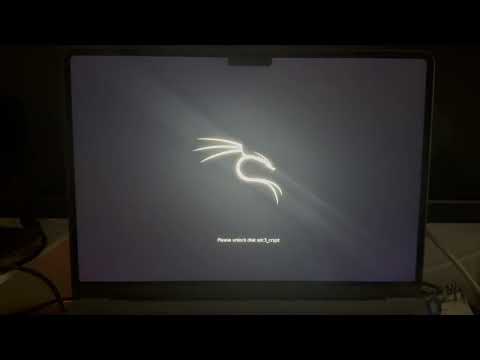
The video also shows the installation and use of Ubuntu on top of this same base, as a proof of concept — see the roadmap below.
SIFT / REMnux on Ubuntu/Asahi (v1.4.0)
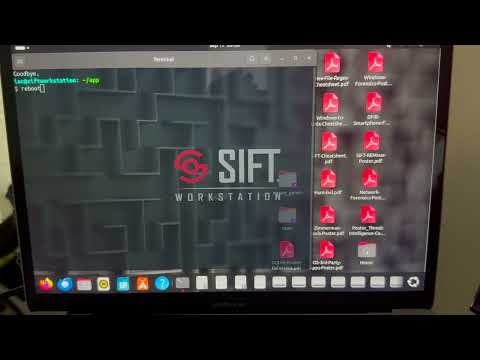
Covers the sift/remnux targets end to end: cloning from
Ubuntu/Asahi, the LUKS/GRUB setup, and the cross-link (step 07b) with
a Debian/Asahi base already holding Kali/Parrot on the same external
disk.
REMnux desktop theme, shortcuts and stability fixes (v1.5.0)
Closes out the remnux target from v1.4.0: the desktop theme,
wallpaper and .desktop shortcuts now land correctly in the remnux
user's own home directory instead of the account that launched the
installer, the invisible-cursor issue on real Apple Silicon GPUs is
fixed automatically, and the external-disk/LUKS/LVM steps are hardened
against reboots reassigning /dev/sdX and against retries after a
failed attempt.
Roadmap
Ubuntu as a base for forensic targets— implemented:siftandremnuxare two separate ids in the catalogue (lib/os_catalog.sh), each cloned as-is from a genuine Ubuntu/Asahi installation (no conversion, unlike Kali/Parrot), each with its own partitions/volume group (vgsift,vgremnux) — independently bootable clones with SIFT Workstation (SANS) and REMnux respectively baked in. No plain "ubuntu" target: this installer only cares about Ubuntu as a forensics base. Official arm64 support for SIFT confirmed on Ubuntu 22.04/24.04. See docs/OPERATING_SYSTEMS.md for the full detail, including why CAINE was discarded.Automatic base detection for the "Operating systems" menu— implemented: step 00 detects the booted base (Debian/Asahi vs. Ubuntu/Asahi) and the menu only offers the operating systems that actually target it (os_targets_for_baseinlib/os_catalog.sh).verify_source_basestill runs as a blocking safety net at steps 02-04. See docs/OPERATING_SYSTEMS.md.REMnux, under investigation— implemented as its ownremnuxtarget (likesift): orchestrates the scripts vendored underforensics/remnux/from theforensic-distros-silicon-external-disksatellite project, which owns the actual install/cleanup/verify logic and its ~88%-success finding on arm64. See docs/OPERATING_SYSTEMS.md andforensics/README.md.- Next: keep improving Parrot OS integration (its arm64 support is
still less mature than Kali's), and track newer approved versions of
the forensics satellite project (REMnux extra tools, SIFT, CAINE) to
pull into
forensics/.
Prior art / Credits
This project doesn't start from scratch: it builds on and credits prior community work, including:
- AsahiLinux/asahi-installer — the base Linux installer for Apple Silicon.
- kali-asahi — native Kali image for Apple Silicon.
- Official Kali documentation on
APT repositories
and metapackages (
kali-linux-headless,kali-linux-everything). - ParrotSec's Debian Conversion Script — the Parrot team's official script for converting a Debian base.
- The Void Linux on Apple Silicon
guide, used as a reference for the external-partition pattern with an
internal
/boot/efi. - Debian's guide for Apple Silicon (https://wiki.debian.org/InstallingDebianOn/Apple/M1, Bananas project), as the reference for the Asahi/Debian base prerequisite.
What this project adds on top of the above: it integrates and automates into a single repeatable flow, with a menu, persistent progress and logging, steps that were previously scattered across independent guides — and lets you install several offensive systems at once on the same external disk, without them colliding.
Legal notice and ethical use
This project installs tools aimed at penetration testing and offensive security (Kali Linux, Parrot Security OS). Its use is permitted only on systems you own or for which you have explicit authorization from the owner. Using these tools against third-party systems without authorization may be illegal depending on jurisdiction; the author is not responsible for any misuse of the tools installed through this project.
The optional forensic/malware-analysis toolkits (SIFT Workstation, REMnux) are generally not offensive tools in themselves — they're built for investigating and analyzing systems, disk images and malware samples you already have lawful access to — but the same principle applies: only use them on data and systems you're authorized to examine (your own, your organization's, or under a proper chain of custody for an investigation).
License
Distributed under the GPLv3 license. See the LICENSE file.
Contributing
Contributions are welcome. Open an Issue to report problems or a Pull Request for improvements. See CONTRIBUTING.md.
Contributors

8 commits
Similar repos


Languages
Shell
100.0%
Multi-OS installer (Kali, Parrot, SIFT, REMnux) on external LUKS disk for MacBook Air M1/M2, Apple Silicon
Shell
1
8 commits
updated Sep 20, 2026
See what people are saying
README
Offensive & Forensic Distros Installer for MacBook Air M1/M2 (external disk, LUKS) — internal codename base_inst_kali
A menu-driven installer with support for several offensive operating
systems (Kali Linux, Parrot Security OS) and forensic toolkits
(SIFT Workstation, REMnux — each its own independently bootable Ubuntu
clone) on an
external USB disk with encrypted partitions, cloned from a
Debian/Asahi (for Kali/Parrot) or Ubuntu/Asahi (for the SIFT
and REMnux targets) base already installed on an
Apple Silicon MacBook Air/Pro (M1/M2). /boot (EFI + kernel) stays on
the Mac's internal disk; the root filesystem lives on the external
disk.
Debian/Asahi (internal NVMe) ──clones──▶ external USB disk
                                           ├── Kali Linux (its own partitions)
                                           └── Parrot Security OS (its own partitions)

Ubuntu/Asahi (internal NVMe) ──clones──▶ external USB disk
                                           ├── Ubuntu + SIFT (its own partitions)
                                           └── Ubuntu + REMnux (its own partitions)
Both bases are separate, non-converting internal installs — see "Non-negotiable prerequisite" below if you want both offensive distros and forensic tools on the same external disk.
CAINE was evaluated and deliberately not implemented: it ships as a modified Live ISO, not as an APT repository that can be added on top of an already-cloned base, so it doesn't fit this installer's conversion/Salt-states model the way Kali, Parrot, SIFT and REMnux do. See docs/OPERATING_SYSTEMS.md for the full reasoning.
⚠️ Project status: actively in development. The scripts are functional but not yet meant for "blind" use. Read the risks section before running anything.
Non-negotiable prerequisite before using this
The MacBook must already have, installed and up to date on its internal disk (NVMe), the base operating system matching whichever target you want to clone toward, before running anything from this repository:
- Asahi Linux / Debian — to clone toward Kali or Parrot (converted by adding their repository on top of this base).
- Ubuntu Asahi — to clone toward Ubuntu (cloned as-is, no conversion; see ubuntuasahi.org).
This project does not install macOS or any of these bases: it assumes they already exist and work, and clones whichever one matches onto an external disk. The installer automatically checks, before partitioning or cloning, that the booted system matches what the chosen target requires (see docs/OPERATING_SYSTEMS.md).
If you want both offensive distros and forensic tools on the same external disk (e.g. Kali and Ubuntu-with-SIFT/REMnux), you need both bases installed on the internal disk: Debian/Asahi for Kali/Parrot, and Ubuntu/Asahi for the Ubuntu target (which is where SIFT and REMnux hang off, see docs/OPERATING_SYSTEMS.md). Neither base can be converted into the other after the fact — you switch between them by rebooting the Mac and picking the corresponding internal boot entry. Note that host steps 00/01/01a will need to be repeated once on each base the first time you use it there: they save their state to
/var/lib/base_inst_kali/state.confon whichever filesystem is currently booted, and Debian/Asahi and Ubuntu/Asahi are two entirely separate installs with separate root filesystems, so one base's progress isn't visible from the other.
Follow the official guide if you don't have it yet:
https://wiki.debian.org/InstallingDebianOn/Apple/M1 (Debian's Bananas
project, based on Asahi Linux's work). This installer's step 00
checks for signs of that installation (arm64 architecture, asahi-*
packages) and warns you if it can't find them, but making sure that
base is ready and up to date is a prerequisite for using this
repository, not something it does for you.
What does this project do?
It automates and chains together a workflow that today requires combining several scattered guides and a fair amount of manual trial-and-error:
- Checks prerequisites, then partitions, encrypts (LUKS) and formats an external USB disk.
- Clones the running system (Debian/Asahi or Ubuntu/Asahi, depending on the chosen target) onto that external disk.
- Adds the repositories and metapackages of Kali Linux and/or Parrot Security OS on top of that cloned base, using each distribution's official mechanisms, turning it into a full penetration-testing distribution bootable from the GRUB menu alongside the original system. Ubuntu, on the other hand, is cloned as-is (no conversion), with the option to add SIFT Workstation (SANS) and/or REMnux on top, for forensics and malware analysis respectively.
- Lets you install more than one operating system on the same external disk, each in its own partitions, without overwriting each other's data.
- All of it guided by a single menu (
install.sh) with persistent progress (survives the multiple reboots the process requires) and per-step logging.
Requirements
- MacBook with an Apple M1 or M2 chip, with Asahi Linux/Debian already installed and up to date (see above).
- External hard drive/SSD with enough free space (60 GB or more recommended per operating system you install).
- Stable internet connection throughout the whole process.
- A full backup of your data before starting (see Risks below).
- Deep knowledge of Linux system administration and operation (partitioning, LVM, LUKS, chroot, GRUB, APT package management). This is NOT an installer meant for someone new to Linux: any misunderstood step can leave the Mac unable to boot. If any of the terms above aren't familiar to you, learn them first before touching the internal or external disk.
⚠️ Risks and warnings
- This process modifies the external disk's partition layout and boot
firmware, and adds entries to the internal system's
grub.cfg. A failure during these steps can temporarily or permanently prevent the system from booting correctly. - Make as many backups of your macOS as necessary before starting (Time Machine and, if possible, a full disk clone with a tool such as Carbon Copy Cloner or SuperDuper). This isn't "one backup just in case": make repeated backups to different destinations if the machine holds data you can't afford to lose, and verify they're actually restorable before you start, not afterwards.
- Check for yourself that the Debian/Asahi base version you have
installed is compatible with the version of Kali Linux or Parrot OS
you're about to install. This installer adds Kali's (
kali-rolling) or Parrot's (lts) repositories on top of whatever Debian base you already have; if that base is too old, too new, or doesn't match what each distribution expects as its starting point, thedist-upgradein steps 08-09 can leave the system broken or half-upgraded. Check Kali's and Parrot's official documentation on base requirements before running those steps, and don't assume "the latest available Debian version" is automatically the right one. - There is no automatic uninstaller yet. Reverting the changes requires manual partition editing.
- If you install the
remnuxtarget, step 09 creates aremnuxaccount with the well-known public passwordmalware— REMnux's own upstream convention for training/demo VMs, not something invented by this installer. This repository is public: change that password before exposing the resulting system to any network you don't fully control. - Use this project at your own risk. Recommended only on test machines or with a full, verified backup.
Getting started
git clone https://github.com/securizart/offensive-forensic-distros-installer-macbook-air-M1-M2-external-disk-luks.git
cd offensive-forensic-distros-installer-macbook-air-M1-M2-external-disk-luks
sudo bash install.sh
Full documentation (architecture, step-by-step usage guide, managing several operating systems, troubleshooting):
| Document | Link |
|---|---|
| Architecture | docs/ARCHITECTURE.md |
| Usage guide | docs/USAGE.md |
| Several operating systems | docs/OPERATING_SYSTEMS.md |
| Troubleshooting | docs/TROUBLESHOOTING.md |
Other repository files: CHANGELOG.md · CONTRIBUTING.md · LICENSE
Repository structure
install.sh          main menu (always run from here)
lib/
  common.sh           logging, set -e/trap, destructive confirmations
  i18n.sh             translation engine: t key arg1 arg2...
  ui.sh               whiptail with plain-text fallback
  state.sh            persistent progress (global and per OS)
  os_catalog.sh        catalogue of supported operating systems
i18n/
  strings.en.sh        English strings (currently the only language)
steps/
  00_check_prereq.sh             host, once: prerequisites + disk
  01_preparation.sh              host, once: base packages + user
  01a_network.sh                 host, once: WiFi
  02_partitions.sh               per OS: partitioning
  03_formatting.sh               per OS: LUKS + LVM + mkfs
  04_cloning.sh                  per OS: clone the current system
  05_chroot_prep.sh              per OS: mount + chroot
  06_grub_finalize.sh            per OS: GRUB (inside the chroot)
  07_grub_merge.sh               per OS: merge grub.cfg
  08_repositories.sh             per OS: Kali or Parrot repositories
  09_package_installation.sh     per OS: Kali or Parrot metapackages
logs/
  install.log                  master log
  step_<id>_<date>.log         detailed log of each run
docs/
  ARCHITECTURE.md, USAGE.md, OPERATING_SYSTEMS.md,
  TROUBLESHOOTING.md           detailed documentation (see table above)
forensics/
  README.md                   provenance notes for the vendored scripts
  remnux/                      vendored from forensic-distros-silicon-
                                external-disk (install/cleanup/verify)
For details on why steps are split into "host" (once) and "per operating system" (repeatable), and how progress state travels between the original system, the chroot, and the already-booted cloned system, see docs/ARCHITECTURE.md.
Adding a new operating system to the catalogue
See docs/OPERATING_SYSTEMS.md — in
short: add its id to lib/os_catalog.sh, its strings to
i18n/strings.*.sh, and its repository/metapackage branch in
steps/08_repositories.sh and steps/09_package_installation.sh. The
rest of the framework (menu, partitioning, cloning, GRUB) is generic and
doesn't need to change.
Tested compatibility
| Model | Status |
|---|---|
| MacBook Air M1 | ✅ Tested (Kali and Parrot) |
| MacBook Air M2 | ✅ Tested (Kali and Parrot) |
| MacBook Pro M1 | To be tested |
| MacBook Pro M2 | To be tested |
This table tracks the Kali/Parrot conversion path specifically,
which has the longest track record on real hardware. Ubuntu, SIFT and
REMnux are functional (see the video demo below and
forensics/remnux/FINDINGS.md for REMnux's VM-based validation
details) but don't yet have the same volume of confirmed real-hardware
runs — treat them as less battle-tested until this table says
otherwise.
Update this table as confirmed via the repository's Issues.
If the firmware/u-boot doesn't detect the external disk at boot, see "The firmware doesn't detect the external disk at boot" in the troubleshooting guide.
Video demo
The video also shows the installation and use of Ubuntu on top of this same base, as a proof of concept — see the roadmap below.
SIFT / REMnux on Ubuntu/Asahi (v1.4.0)
Covers the sift/remnux targets end to end: cloning from
Ubuntu/Asahi, the LUKS/GRUB setup, and the cross-link (step 07b) with
a Debian/Asahi base already holding Kali/Parrot on the same external
disk.
REMnux desktop theme, shortcuts and stability fixes (v1.5.0)
Closes out the remnux target from v1.4.0: the desktop theme,
wallpaper and .desktop shortcuts now land correctly in the remnux
user's own home directory instead of the account that launched the
installer, the invisible-cursor issue on real Apple Silicon GPUs is
fixed automatically, and the external-disk/LUKS/LVM steps are hardened
against reboots reassigning /dev/sdX and against retries after a
failed attempt.
Roadmap
Ubuntu as a base for forensic targets— implemented:siftandremnuxare two separate ids in the catalogue (lib/os_catalog.sh), each cloned as-is from a genuine Ubuntu/Asahi installation (no conversion, unlike Kali/Parrot), each with its own partitions/volume group (vgsift,vgremnux) — independently bootable clones with SIFT Workstation (SANS) and REMnux respectively baked in. No plain "ubuntu" target: this installer only cares about Ubuntu as a forensics base. Official arm64 support for SIFT confirmed on Ubuntu 22.04/24.04. See docs/OPERATING_SYSTEMS.md for the full detail, including why CAINE was discarded.Automatic base detection for the "Operating systems" menu— implemented: step 00 detects the booted base (Debian/Asahi vs. Ubuntu/Asahi) and the menu only offers the operating systems that actually target it (os_targets_for_baseinlib/os_catalog.sh).verify_source_basestill runs as a blocking safety net at steps 02-04. See docs/OPERATING_SYSTEMS.md.REMnux, under investigation— implemented as its ownremnuxtarget (likesift): orchestrates the scripts vendored underforensics/remnux/from theforensic-distros-silicon-external-disksatellite project, which owns the actual install/cleanup/verify logic and its ~88%-success finding on arm64. See docs/OPERATING_SYSTEMS.md andforensics/README.md.- Next: keep improving Parrot OS integration (its arm64 support is
still less mature than Kali's), and track newer approved versions of
the forensics satellite project (REMnux extra tools, SIFT, CAINE) to
pull into
forensics/.
Prior art / Credits
This project doesn't start from scratch: it builds on and credits prior community work, including:
- AsahiLinux/asahi-installer — the base Linux installer for Apple Silicon.
- kali-asahi — native Kali image for Apple Silicon.
- Official Kali documentation on
APT repositories
and metapackages (
kali-linux-headless,kali-linux-everything). - ParrotSec's Debian Conversion Script — the Parrot team's official script for converting a Debian base.
- The Void Linux on Apple Silicon
guide, used as a reference for the external-partition pattern with an
internal
/boot/efi. - Debian's guide for Apple Silicon (https://wiki.debian.org/InstallingDebianOn/Apple/M1, Bananas project), as the reference for the Asahi/Debian base prerequisite.
What this project adds on top of the above: it integrates and automates into a single repeatable flow, with a menu, persistent progress and logging, steps that were previously scattered across independent guides — and lets you install several offensive systems at once on the same external disk, without them colliding.
Legal notice and ethical use
This project installs tools aimed at penetration testing and offensive security (Kali Linux, Parrot Security OS). Its use is permitted only on systems you own or for which you have explicit authorization from the owner. Using these tools against third-party systems without authorization may be illegal depending on jurisdiction; the author is not responsible for any misuse of the tools installed through this project.
The optional forensic/malware-analysis toolkits (SIFT Workstation, REMnux) are generally not offensive tools in themselves — they're built for investigating and analyzing systems, disk images and malware samples you already have lawful access to — but the same principle applies: only use them on data and systems you're authorized to examine (your own, your organization's, or under a proper chain of custody for an investigation).
License
Distributed under the GPLv3 license. See the LICENSE file.
Contributing
Contributions are welcome. Open an Issue to report problems or a Pull Request for improvements. See CONTRIBUTING.md.
Similar repos
Contributors
8 commits
Languages
Shell
100.0%