
README
lucidVIEW
NOTE: This project uses libraries which now require an OSMF https://opensourcemaintenancefee.org/ as such no further development will be done with the current dependencies
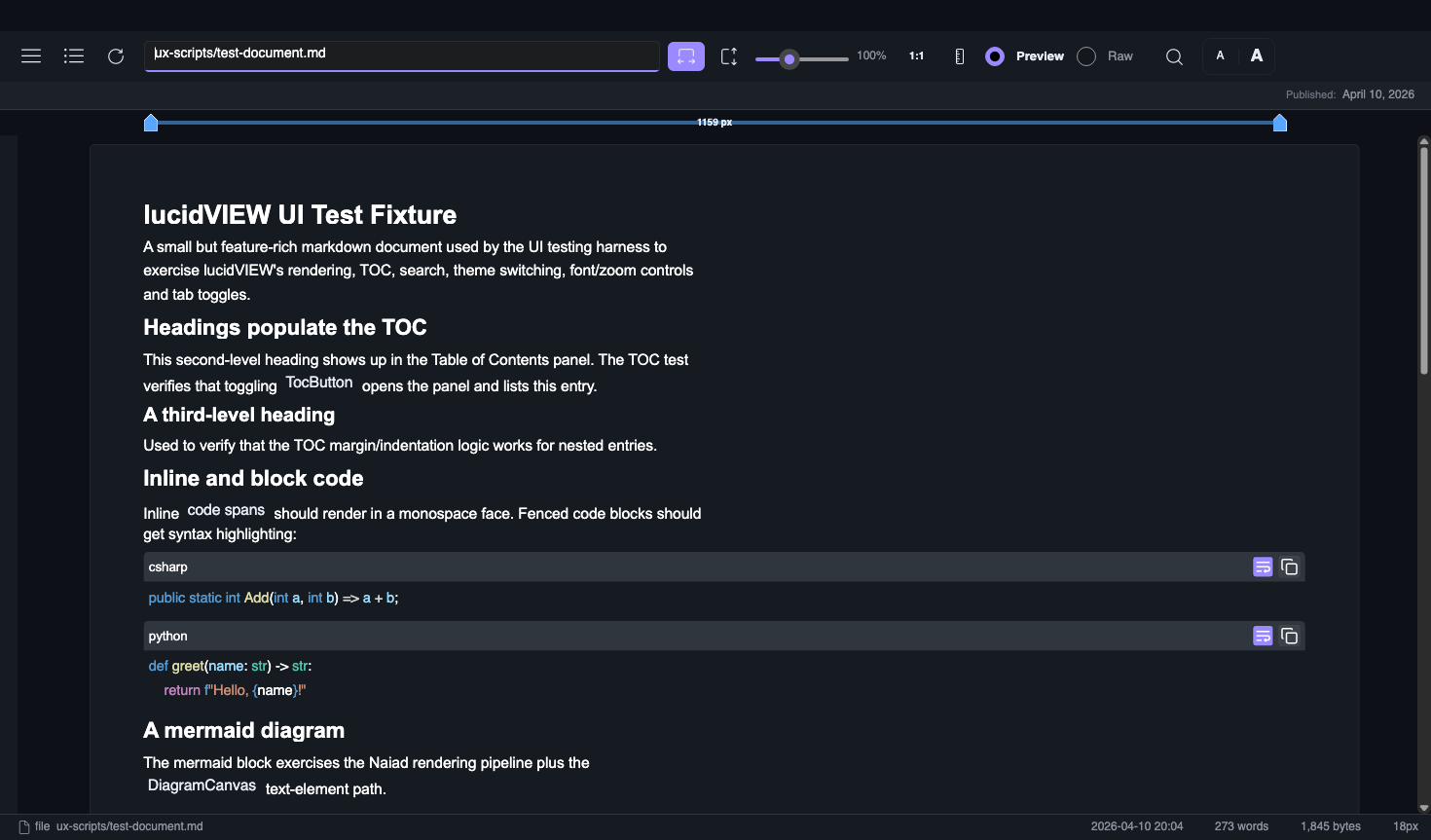
The cross-platform markdown viewer that doesn't wrap a browser. Native Avalonia rendering, mermaid diagrams via the bundled Naiad engine, real print, PDF export, seven themes, and a self-documenting in-app User Manual. Single executable, ~50 MB. By mostlylucid.




Why?
Every other markdown viewer either:
- Wraps a Chromium browser (100MB+ bloat, slow startup, weird font rendering)
- Looks like it's from 2005
- Doesn't render mermaid diagrams without an internet round-trip
- Can't open a
.mdfile you double-click
lucidVIEW does none of those. It's a real native desktop app that opens instantly, prints to your printer, and renders mermaid offline.
Features
| Real native rendering | LiveMarkdown.Avalonia on top of Avalonia 11.3 — no browser, no JavaScript runtime |
| Mermaid diagrams | 30+ diagram types via the bundled Mostlylucid.Naiad engine, fully offline |
| 7 themes | Light, Dark, VS Code, GitHub, mostlylucid Dark, mostlylucid Light, Pride, plus user-defined Custom themes via settings.json |
Real Print (Ctrl+P) | Sends a generated PDF to your default printer (ShellExecute on Windows, lp on macOS / Linux) |
PDF Export (Ctrl+Shift+P) | Save the document as a real PDF via QuestPDF, mermaid diagrams embedded as PNG |
| Word-style ruler | Toggle a ruler with draggable margin handles to live-resize the document column |
| Auto TOC | Headings populate a docked Table of Contents panel |
Search (Ctrl+F) | Full-text search inside the rendered markdown |
| Native visual Markdown canvas | Compact Preview / Edit / Split controls; edit rendered native blocks in place, with no WebView |
| Offline spellcheck | Hunspell-powered spelling underlines and suggestions in the Markdown editor |
| Open from URL | Ctrl+Shift+O fetches a remote markdown file with Accept: text/markdown so Cloudflare URL→markdown / Jina Reader return clean MD |
In-app User Manual (F1) | 17-screenshot walkthrough auto-generated by the UI testing harness |
| Drag-and-drop | Drop any .md file on the window to open it |
| Large local files | Files at least 16 MiB open in a read-only, file-backed reader with paged text/Markdown preview and full-file search |
| macOS .app bundle | Proper Dock icon, file associations, no Terminal launch on double-click |
| Single executable | One ~50 MB self-contained binary per platform — no .NET install required on the target machine |
Themes at a glance
| Light | Dark | VS Code |
|---|---|---|
| 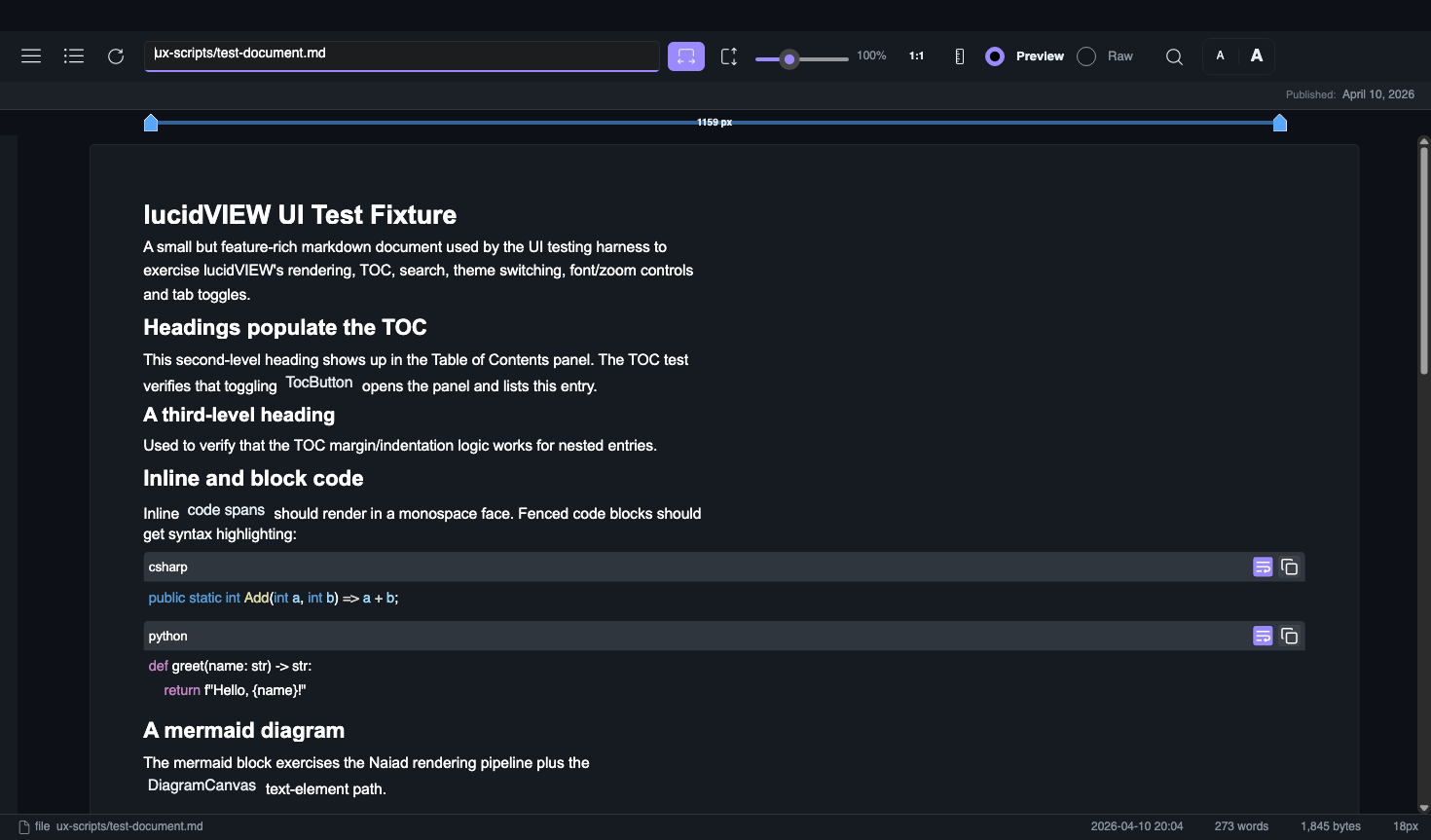 | 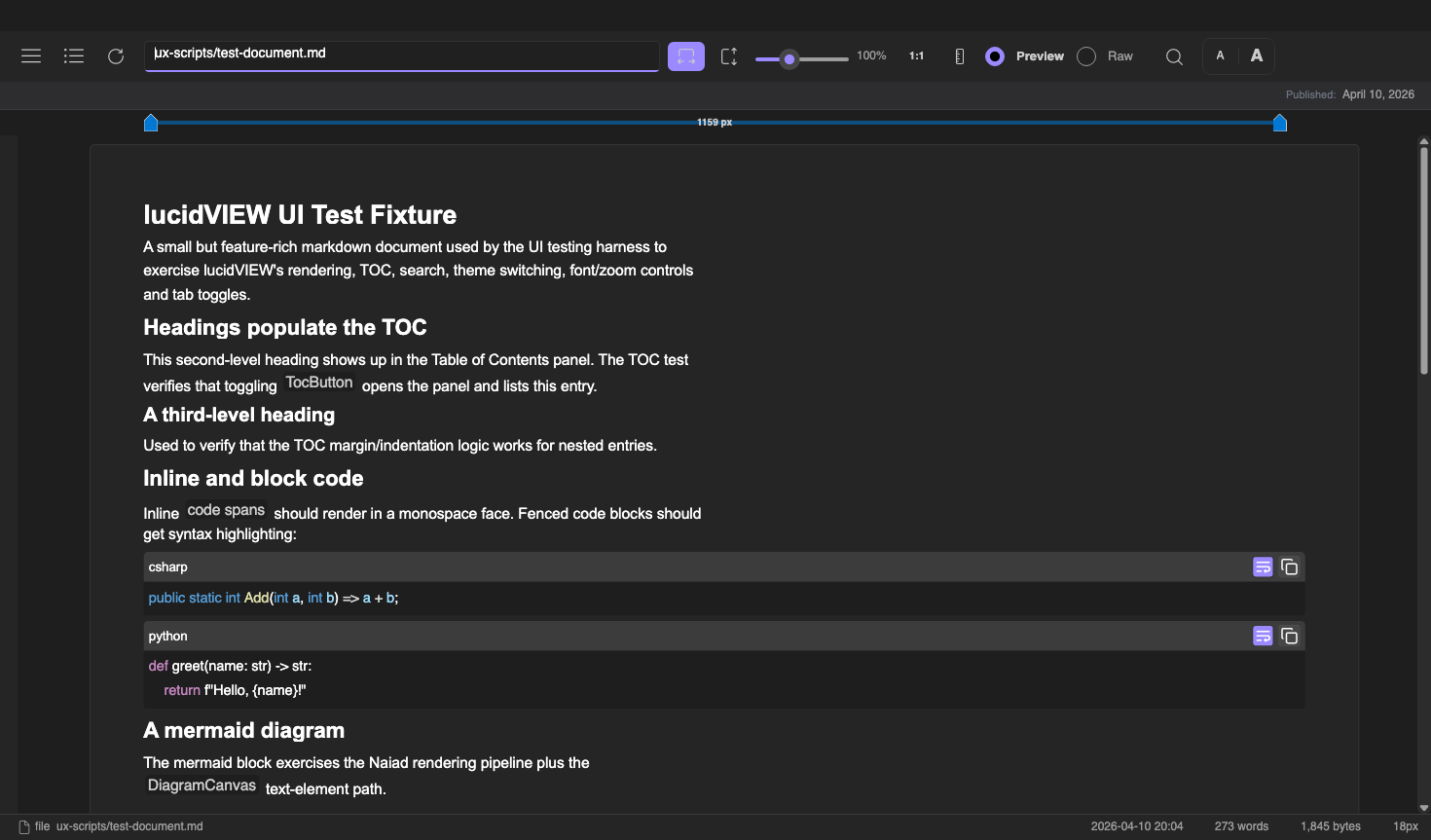 |
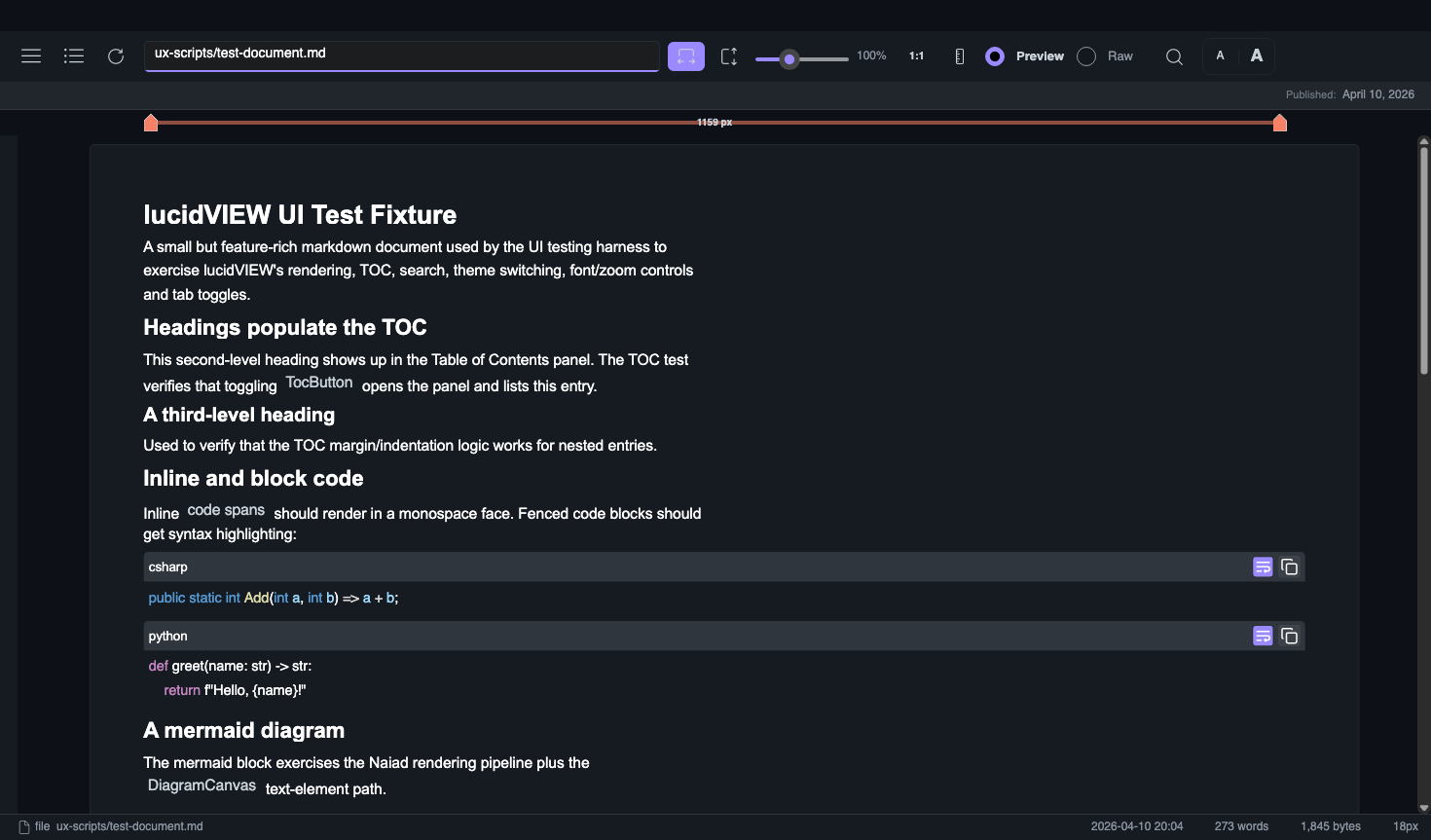
| GitHub | mostlylucid Dark | mostlylucid Light |
|---|---|---|
 | 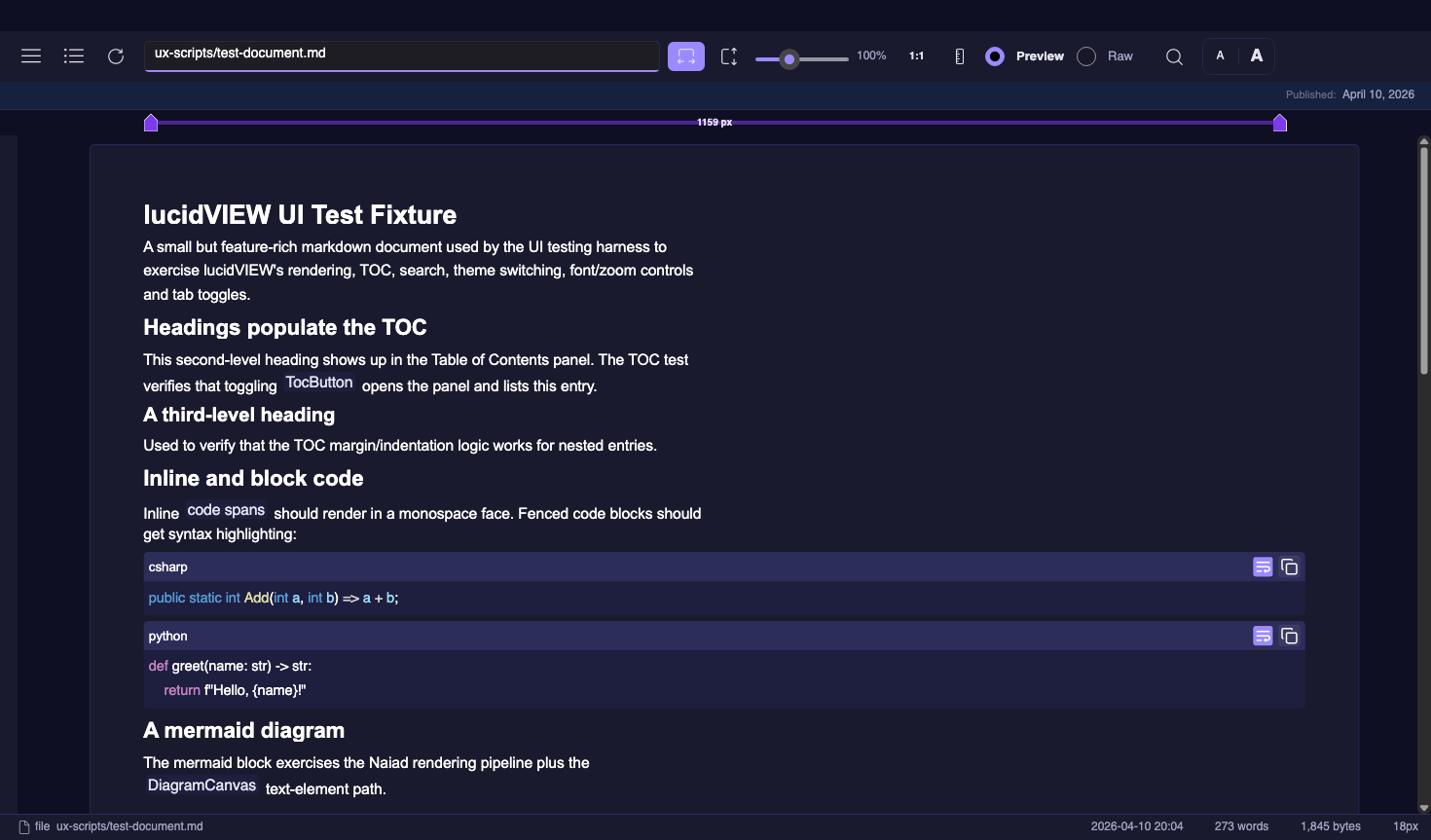 | 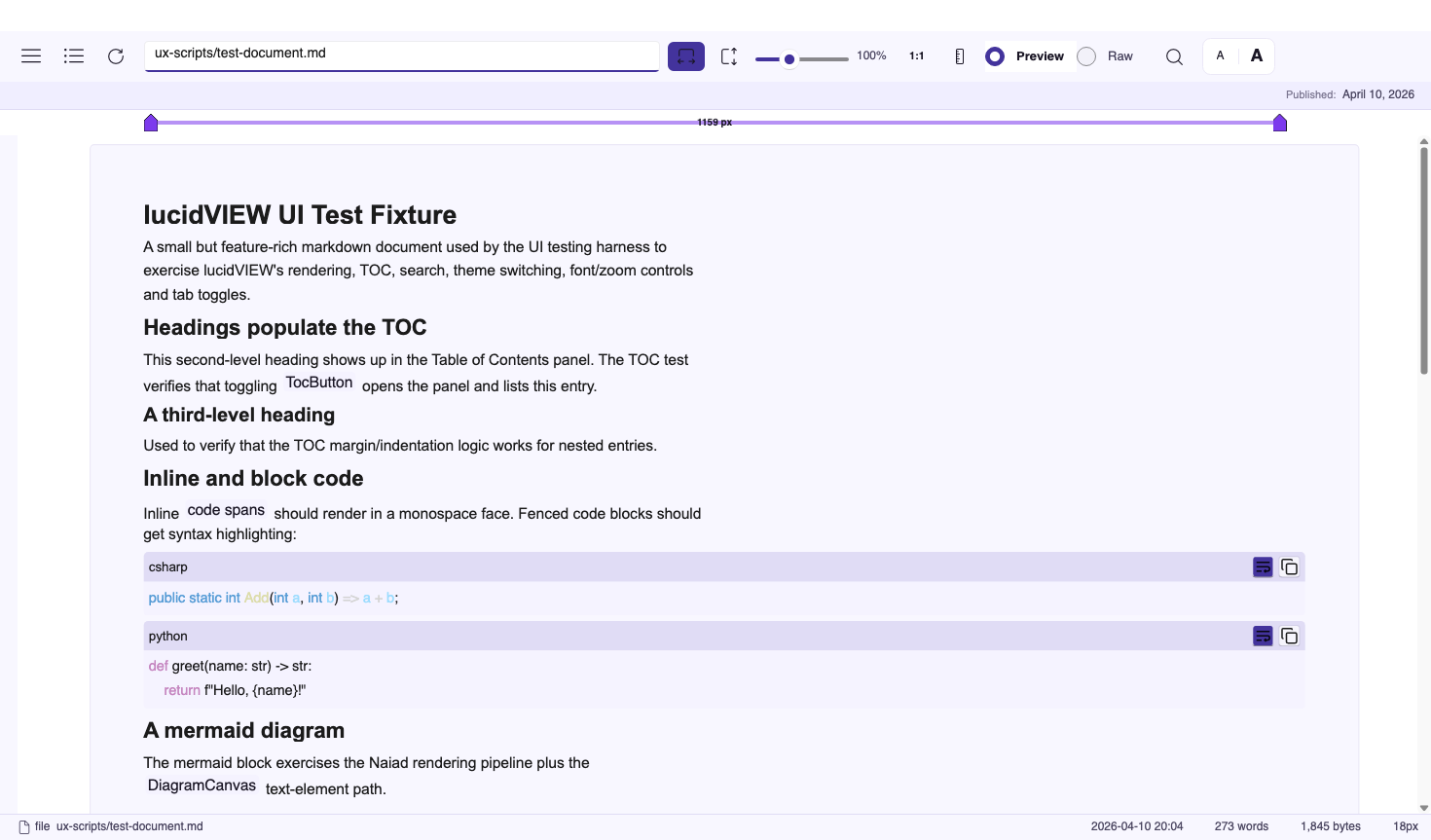 |
The full feature walkthrough lives in the in-app User Manual — press
F1 from inside lucidVIEW or read MarkdownViewer/Assets/manual/user-manual.md.
Large local files
Files of 16 MiB or more open in a separate read-only reader. It builds a sparse
line index without loading the whole file, then loads only the current page.
Drag the scrollbar, enter a line number (or line:column), or use Page Up/Down
and Ctrl+Home/End.
Ctrl+F opens literal text search; Enter and Shift+Enter find the next or previous
match, including multiple matches on one line. Search can be cancelled.
UTF-8 and BOM-marked UTF-16/UTF-32 files are supported, with LF, CRLF, or CR line endings. Markdown initially shows source while a streaming parser finds complete block boundaries. Preview then renders one page with the normal native Markdown and diagram control. Ordinary code blocks, lists, and tables stay together; blocks exceeding 512 lines or the 256 KiB page budget use source fragments. Reference links defined on other pages are collected up to a 256 KiB metadata budget. Heading links navigate across pages, including duplicate titles, setext headings, and explicit IDs. Footnotes across pages can differ from a full-document render; heading IDs that depend on reference definitions elsewhere in the file can also differ. The Preview/Source button provides access to the Markdown source.
Source pages contain up to 120 lines or 65,536 characters. Longer lines continue across pages; Page Up/Down reaches their complete contents. UTF-16 surrogate pairs remain together. Byte checkpoints added while reading make revisiting a late column efficient. Search opens the page containing the exact match and shows a separate context snippet. The index detects file changes and asks you to reopen the file. Editing and whole-document PDF export are available through the regular reader for smaller files.
The reader uses buffered asynchronous file access with sparse byte offsets and keeps one page in the visual tree. Memory mapping alone would leave the costs of decoding, Markdown parsing, and controls for the whole document; those costs are bounded separately here. Index memory scales with line checkpoints, pages, and headings. Heading entries store 128-bit fingerprints and source line numbers; the index does not retain heading text or inline trees.
Install
Grab the latest release from https://github.com/scottgal/lucidview/releases.
🪟 Windows
cd $env:USERPROFILE\Downloads
Expand-Archive lucidVIEW-win-x64.zip -DestinationPath "$env:LOCALAPPDATA\Programs\lucidVIEW" -Force
& "$env:LOCALAPPDATA\Programs\lucidVIEW\lucidVIEW.exe"
On first launch SmartScreen may flag the unsigned binary — click More info → Run anyway.
🍎 macOS
One-liner — downloads the latest release for your CPU architecture, clears
the Gatekeeper quarantine attribute, drops the bundle into /Applications
and opens it:
curl -fsSL https://raw.githubusercontent.com/scottgal/lucidview/main/Scripts/install-macos.sh | bash
Inspect Scripts/install-macos.sh first if you
prefer — it only runs curl, unzip, xattr -dr com.apple.quarantine,
and mv against the lucidVIEW bundle.
If you'd rather drive it by hand:
cd ~/Downloads
unzip -o lucidVIEW-osx-arm64.zip            # or osx-x64 on Intel
xattr -dr com.apple.quarantine lucidVIEW.app
mv lucidVIEW.app /Applications/
open /Applications/lucidVIEW.app
Why the xattr step is necessary. The release bundle is ad-hoc
codesigned (codesign --sign -) but not Apple Developer ID-signed and not
notarized. Without the quarantine-clear, the first launch hits Gatekeeper
and shows "lucidVIEW is damaged and can't be opened" — that message is
misleading; the binary is fine, macOS just doesn't trust unsigned code from
the internet. Removing com.apple.quarantine tells the OS the user has
made an explicit decision to run it. (Proper notarization would skip this
step but needs a paid Apple Developer account.)
🐧 Linux
cd ~/Downloads
unzip -o lucidVIEW-linux-x64.zip -d ~/.local/opt/lucidVIEW
chmod +x ~/.local/opt/lucidVIEW/lucidVIEW
ln -sf ~/.local/opt/lucidVIEW/lucidVIEW ~/.local/bin/lucidview
lucidview
Printing requires CUPS (sudo apt install cups on Debian/Ubuntu).
Usage
lucidVIEW path/to/document.md       # opens directly
lucidVIEW                           # welcome screen, then drag/drop or Ctrl+O
Shortcuts
| Shortcut | Action |
|---|---|
Ctrl+O | Open file... |
Ctrl+Shift+O | Open URL... |
Ctrl+P | Print to default printer |
Ctrl+Shift+P | Export PDF... |
Ctrl+F | Search |
Ctrl+S | Save the current local Markdown file (or Save As for URL/generated documents) |
Ctrl+B | Toggle side panel |
Ctrl+= / Ctrl+- | Increase / decrease font size |
Ctrl+wheel | Zoom |
F1 | Open the in-app User Manual |
Shift+F1 | Open the README |
F11 | Fullscreen |
Escape | Close panels / dialogs / fullscreen |
Build from source
git clone https://github.com/scottgal/lucidview.git
cd lucidview
dotnet run --project MarkdownViewer/MarkdownViewer.csproj
Publish a single-file binary for your platform:
pwsh ./publish.ps1 -Platform osx-arm64 # win | linux | osx-x64 | osx-arm64 | all
The macOS targets assemble a proper .app bundle. See
docs/macos-bundle.md for the full bundle layout
and docs/windows-store.md for the MSIX packaging
flow.
UI testing
lucidVIEW ships with a Debug-only UI testing harness
(Mostlylucid.Avalonia.UITesting) that drives the app from YAML scripts:
dotnet run --project MarkdownViewer -- --ux-test --script ux-scripts/smoke-all-functions.yaml --output ux-results
dotnet run --project MarkdownViewer -- --ux-repl    # interactive REPL
dotnet run --project MarkdownViewer -- --ux-mcp     # MCP server for LLM-driven testing
The same harness regenerates the in-app User Manual screenshots
(ux-scripts/capture-manual.yaml).
Naiad fork
lucidVIEW bundles a fork of Naiad
(Simon Cropp's pure C# Mermaid renderer), published as Mostlylucid.Naiad.
The fork extends upstream with:
- 12 additional diagram types — Dendrogram, Bubble Pack, Voronoi, Parallel Coordinates, Geo Map, BPMN, Wireframe skin pack, and more
- Multiple render surfaces — core SVG plus SkiaSharp, ImageSharp, Blazor, and WebAssembly targets
- Plugin system — render-surface plugins, skin packs, fluent API plugins
- Mostlylucid.Dagre layout engine — a C# port of dagre with improved edge routing
- Tulip TLP graph format import/export
- Theming — light/dark themes, Mermaid
%%init%%directive support
The intention is to contribute these changes back upstream. See the full Naiad README for diagram previews and documentation.
Diagram examples
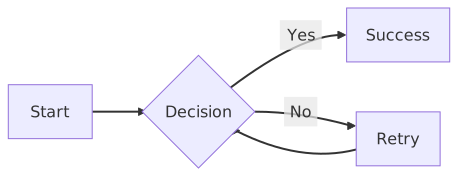
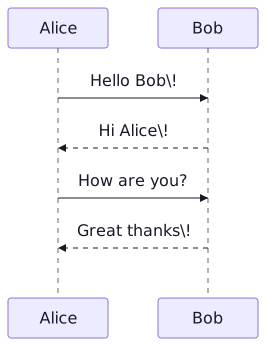
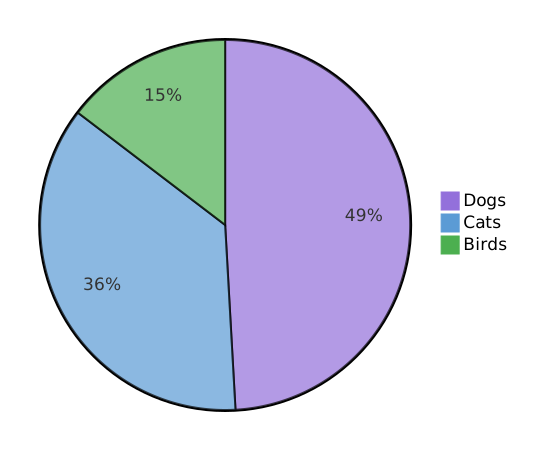
All rendered natively by Naiad — no browser, no JavaScript, no external services.
Stack
| Package | Purpose |
|---|---|
| Avalonia 11.3 | Cross-platform UI |
| FluentAvaloniaUI 2.5 | WinUI 3-style controls and theming |
| FluentIcons.Avalonia.Fluent | 1,800+ Microsoft Fluent UI icons |
| LiveMarkdown.Avalonia 1.7 | Markdown rendering + syntax highlighting |
| Mostlylucid.Naiad (fork) | Mermaid diagrams, 30+ types, pure C# |
| Mostlylucid.Dagre | Graph layout engine |
| QuestPDF + QuestPDF.Markdown | PDF export |
| SkiaSharp 3.119 | 2D graphics, mermaid rasterization |
| Mostlylucid.Avalonia.UITesting (Debug only) | UI testing harness — YAML scripts, REPL, MCP server |
lucidVIEW-FULL: the dogfood sibling (not a download)
Alongside the lean MarkdownViewer/ project there is a second exe in
the repo, MarkdownViewer.Full/. It is never published. There is no
download link, no release artifact, no Windows Store entry. The only way
to run it is to build from source. It exists as a tight feedback loop
against the Mostlylucid.StyloExtract
2.0 library so the upstream extractor can iterate against real-world
web pages without the lean release path ever changing.
If you came here looking for a more featureful download of lucidVIEW, there isn't one. The lean build below is what ships and is what almost everyone wants.
What FULL adds on top of lean (against Mostlylucid.StyloExtract.* 2.0.0):
Mostlylucid.StyloExtract.Core+.Templates+.Playwright+.Streaming+.Llm.LlamaSharpLLamaSharp0.27.0 for in-process CPU LLM template inductionMicrosoft.Playwright1.60.0 for rendered-DOM auto-retry on SPA pages- Streaming gateway scanner wired into the HTTP byte stream
- F2 Extraction Details panel with NDJSON export
- Pipeline stage indicator in the status bar (
fetch · stream · match · induce · llm · render) - First-run bootstrap dialog (model + browser install)
- Read/Scan mode toggle (RagFull vs Sitemap extraction profile)
- CLI verbs:
--doctor/--install-browsers/--download-model/--shot <url> <out.png>
Run it from source:
dotnet run --project MarkdownViewer.Full/MarkdownViewer.Full.csproj -c Debug
Lean Release output is unaffected. Every lean source touch that supports
FULL is guarded by #if FULL and runtime-neutral when the constant is not
defined. See docs/full-edition.md for the full
guide: what FULL does, the dogfood pipeline step-by-step, CLI reference,
settings layout, and the rules this branch lives under.
License
The Unlicense — do whatever you want.
View this README inside lucidVIEW with Shift+F1. The in-app User Manual
(F1) has the full feature walkthrough.
Significant stargazers

185 followers · starred Apr 2026
Similar repos


README
lucidVIEW
NOTE: This project uses libraries which now require an OSMF https://opensourcemaintenancefee.org/ as such no further development will be done with the current dependencies
The cross-platform markdown viewer that doesn't wrap a browser. Native Avalonia rendering, mermaid diagrams via the bundled Naiad engine, real print, PDF export, seven themes, and a self-documenting in-app User Manual. Single executable, ~50 MB. By mostlylucid.
Why?
Every other markdown viewer either:
- Wraps a Chromium browser (100MB+ bloat, slow startup, weird font rendering)
- Looks like it's from 2005
- Doesn't render mermaid diagrams without an internet round-trip
- Can't open a
.mdfile you double-click
lucidVIEW does none of those. It's a real native desktop app that opens instantly, prints to your printer, and renders mermaid offline.
Features
| Real native rendering | LiveMarkdown.Avalonia on top of Avalonia 11.3 — no browser, no JavaScript runtime |
| Mermaid diagrams | 30+ diagram types via the bundled Mostlylucid.Naiad engine, fully offline |
| 7 themes | Light, Dark, VS Code, GitHub, mostlylucid Dark, mostlylucid Light, Pride, plus user-defined Custom themes via settings.json |
Real Print (Ctrl+P) | Sends a generated PDF to your default printer (ShellExecute on Windows, lp on macOS / Linux) |
PDF Export (Ctrl+Shift+P) | Save the document as a real PDF via QuestPDF, mermaid diagrams embedded as PNG |
| Word-style ruler | Toggle a ruler with draggable margin handles to live-resize the document column |
| Auto TOC | Headings populate a docked Table of Contents panel |
Search (Ctrl+F) | Full-text search inside the rendered markdown |
| Native visual Markdown canvas | Compact Preview / Edit / Split controls; edit rendered native blocks in place, with no WebView |
| Offline spellcheck | Hunspell-powered spelling underlines and suggestions in the Markdown editor |
| Open from URL | Ctrl+Shift+O fetches a remote markdown file with Accept: text/markdown so Cloudflare URL→markdown / Jina Reader return clean MD |
In-app User Manual (F1) | 17-screenshot walkthrough auto-generated by the UI testing harness |
| Drag-and-drop | Drop any .md file on the window to open it |
| Large local files | Files at least 16 MiB open in a read-only, file-backed reader with paged text/Markdown preview and full-file search |
| macOS .app bundle | Proper Dock icon, file associations, no Terminal launch on double-click |
| Single executable | One ~50 MB self-contained binary per platform — no .NET install required on the target machine |
Themes at a glance
| Light | Dark | VS Code |
|---|---|---|
| | |
| GitHub | mostlylucid Dark | mostlylucid Light |
|---|---|---|
| | |
The full feature walkthrough lives in the in-app User Manual — press
F1 from inside lucidVIEW or read MarkdownViewer/Assets/manual/user-manual.md.
Large local files
Files of 16 MiB or more open in a separate read-only reader. It builds a sparse
line index without loading the whole file, then loads only the current page.
Drag the scrollbar, enter a line number (or line:column), or use Page Up/Down
and Ctrl+Home/End.
Ctrl+F opens literal text search; Enter and Shift+Enter find the next or previous
match, including multiple matches on one line. Search can be cancelled.
UTF-8 and BOM-marked UTF-16/UTF-32 files are supported, with LF, CRLF, or CR line endings. Markdown initially shows source while a streaming parser finds complete block boundaries. Preview then renders one page with the normal native Markdown and diagram control. Ordinary code blocks, lists, and tables stay together; blocks exceeding 512 lines or the 256 KiB page budget use source fragments. Reference links defined on other pages are collected up to a 256 KiB metadata budget. Heading links navigate across pages, including duplicate titles, setext headings, and explicit IDs. Footnotes across pages can differ from a full-document render; heading IDs that depend on reference definitions elsewhere in the file can also differ. The Preview/Source button provides access to the Markdown source.
Source pages contain up to 120 lines or 65,536 characters. Longer lines continue across pages; Page Up/Down reaches their complete contents. UTF-16 surrogate pairs remain together. Byte checkpoints added while reading make revisiting a late column efficient. Search opens the page containing the exact match and shows a separate context snippet. The index detects file changes and asks you to reopen the file. Editing and whole-document PDF export are available through the regular reader for smaller files.
The reader uses buffered asynchronous file access with sparse byte offsets and keeps one page in the visual tree. Memory mapping alone would leave the costs of decoding, Markdown parsing, and controls for the whole document; those costs are bounded separately here. Index memory scales with line checkpoints, pages, and headings. Heading entries store 128-bit fingerprints and source line numbers; the index does not retain heading text or inline trees.
Install
Grab the latest release from https://github.com/scottgal/lucidview/releases.
🪟 Windows
cd $env:USERPROFILE\Downloads
Expand-Archive lucidVIEW-win-x64.zip -DestinationPath "$env:LOCALAPPDATA\Programs\lucidVIEW" -Force
& "$env:LOCALAPPDATA\Programs\lucidVIEW\lucidVIEW.exe"
On first launch SmartScreen may flag the unsigned binary — click More info → Run anyway.
🍎 macOS
One-liner — downloads the latest release for your CPU architecture, clears
the Gatekeeper quarantine attribute, drops the bundle into /Applications
and opens it:
curl -fsSL https://raw.githubusercontent.com/scottgal/lucidview/main/Scripts/install-macos.sh | bash
Inspect Scripts/install-macos.sh first if you
prefer — it only runs curl, unzip, xattr -dr com.apple.quarantine,
and mv against the lucidVIEW bundle.
If you'd rather drive it by hand:
cd ~/Downloads
unzip -o lucidVIEW-osx-arm64.zip            # or osx-x64 on Intel
xattr -dr com.apple.quarantine lucidVIEW.app
mv lucidVIEW.app /Applications/
open /Applications/lucidVIEW.app
Why the xattr step is necessary. The release bundle is ad-hoc
codesigned (codesign --sign -) but not Apple Developer ID-signed and not
notarized. Without the quarantine-clear, the first launch hits Gatekeeper
and shows "lucidVIEW is damaged and can't be opened" — that message is
misleading; the binary is fine, macOS just doesn't trust unsigned code from
the internet. Removing com.apple.quarantine tells the OS the user has
made an explicit decision to run it. (Proper notarization would skip this
step but needs a paid Apple Developer account.)
🐧 Linux
cd ~/Downloads
unzip -o lucidVIEW-linux-x64.zip -d ~/.local/opt/lucidVIEW
chmod +x ~/.local/opt/lucidVIEW/lucidVIEW
ln -sf ~/.local/opt/lucidVIEW/lucidVIEW ~/.local/bin/lucidview
lucidview
Printing requires CUPS (sudo apt install cups on Debian/Ubuntu).
Usage
lucidVIEW path/to/document.md       # opens directly
lucidVIEW                           # welcome screen, then drag/drop or Ctrl+O
Shortcuts
| Shortcut | Action |
|---|---|
Ctrl+O | Open file... |
Ctrl+Shift+O | Open URL... |
Ctrl+P | Print to default printer |
Ctrl+Shift+P | Export PDF... |
Ctrl+F | Search |
Ctrl+S | Save the current local Markdown file (or Save As for URL/generated documents) |
Ctrl+B | Toggle side panel |
Ctrl+= / Ctrl+- | Increase / decrease font size |
Ctrl+wheel | Zoom |
F1 | Open the in-app User Manual |
Shift+F1 | Open the README |
F11 | Fullscreen |
Escape | Close panels / dialogs / fullscreen |
Build from source
git clone https://github.com/scottgal/lucidview.git
cd lucidview
dotnet run --project MarkdownViewer/MarkdownViewer.csproj
Publish a single-file binary for your platform:
pwsh ./publish.ps1 -Platform osx-arm64 # win | linux | osx-x64 | osx-arm64 | all
The macOS targets assemble a proper .app bundle. See
docs/macos-bundle.md for the full bundle layout
and docs/windows-store.md for the MSIX packaging
flow.
UI testing
lucidVIEW ships with a Debug-only UI testing harness
(Mostlylucid.Avalonia.UITesting) that drives the app from YAML scripts:
dotnet run --project MarkdownViewer -- --ux-test --script ux-scripts/smoke-all-functions.yaml --output ux-results
dotnet run --project MarkdownViewer -- --ux-repl    # interactive REPL
dotnet run --project MarkdownViewer -- --ux-mcp     # MCP server for LLM-driven testing
The same harness regenerates the in-app User Manual screenshots
(ux-scripts/capture-manual.yaml).
Naiad fork
lucidVIEW bundles a fork of Naiad
(Simon Cropp's pure C# Mermaid renderer), published as Mostlylucid.Naiad.
The fork extends upstream with:
- 12 additional diagram types — Dendrogram, Bubble Pack, Voronoi, Parallel Coordinates, Geo Map, BPMN, Wireframe skin pack, and more
- Multiple render surfaces — core SVG plus SkiaSharp, ImageSharp, Blazor, and WebAssembly targets
- Plugin system — render-surface plugins, skin packs, fluent API plugins
- Mostlylucid.Dagre layout engine — a C# port of dagre with improved edge routing
- Tulip TLP graph format import/export
- Theming — light/dark themes, Mermaid
%%init%%directive support
The intention is to contribute these changes back upstream. See the full Naiad README for diagram previews and documentation.
Diagram examples
All rendered natively by Naiad — no browser, no JavaScript, no external services.
Stack
| Package | Purpose |
|---|---|
| Avalonia 11.3 | Cross-platform UI |
| FluentAvaloniaUI 2.5 | WinUI 3-style controls and theming |
| FluentIcons.Avalonia.Fluent | 1,800+ Microsoft Fluent UI icons |
| LiveMarkdown.Avalonia 1.7 | Markdown rendering + syntax highlighting |
| Mostlylucid.Naiad (fork) | Mermaid diagrams, 30+ types, pure C# |
| Mostlylucid.Dagre | Graph layout engine |
| QuestPDF + QuestPDF.Markdown | PDF export |
| SkiaSharp 3.119 | 2D graphics, mermaid rasterization |
| Mostlylucid.Avalonia.UITesting (Debug only) | UI testing harness — YAML scripts, REPL, MCP server |
lucidVIEW-FULL: the dogfood sibling (not a download)
Alongside the lean MarkdownViewer/ project there is a second exe in
the repo, MarkdownViewer.Full/. It is never published. There is no
download link, no release artifact, no Windows Store entry. The only way
to run it is to build from source. It exists as a tight feedback loop
against the Mostlylucid.StyloExtract
2.0 library so the upstream extractor can iterate against real-world
web pages without the lean release path ever changing.
If you came here looking for a more featureful download of lucidVIEW, there isn't one. The lean build below is what ships and is what almost everyone wants.
What FULL adds on top of lean (against Mostlylucid.StyloExtract.* 2.0.0):
Mostlylucid.StyloExtract.Core+.Templates+.Playwright+.Streaming+.Llm.LlamaSharpLLamaSharp0.27.0 for in-process CPU LLM template inductionMicrosoft.Playwright1.60.0 for rendered-DOM auto-retry on SPA pages- Streaming gateway scanner wired into the HTTP byte stream
- F2 Extraction Details panel with NDJSON export
- Pipeline stage indicator in the status bar (
fetch · stream · match · induce · llm · render) - First-run bootstrap dialog (model + browser install)
- Read/Scan mode toggle (RagFull vs Sitemap extraction profile)
- CLI verbs:
--doctor/--install-browsers/--download-model/--shot <url> <out.png>
Run it from source:
dotnet run --project MarkdownViewer.Full/MarkdownViewer.Full.csproj -c Debug
Lean Release output is unaffected. Every lean source touch that supports
FULL is guarded by #if FULL and runtime-neutral when the constant is not
defined. See docs/full-edition.md for the full
guide: what FULL does, the dogfood pipeline step-by-step, CLI reference,
settings layout, and the rules this branch lives under.
License
The Unlicense — do whatever you want.
View this README inside lucidVIEW with Shift+F1. The in-app User Manual
(F1) has the full feature walkthrough.
Similar repos
Significant stargazers
185 followers · starred Apr 2026