
Ghost 👻 is an experimental CLI that uses AI to generate GitHub Actions workflows, using OpenAI
Go
99
52 commits
updated Oct 26, 2023
README
Ghost 👻

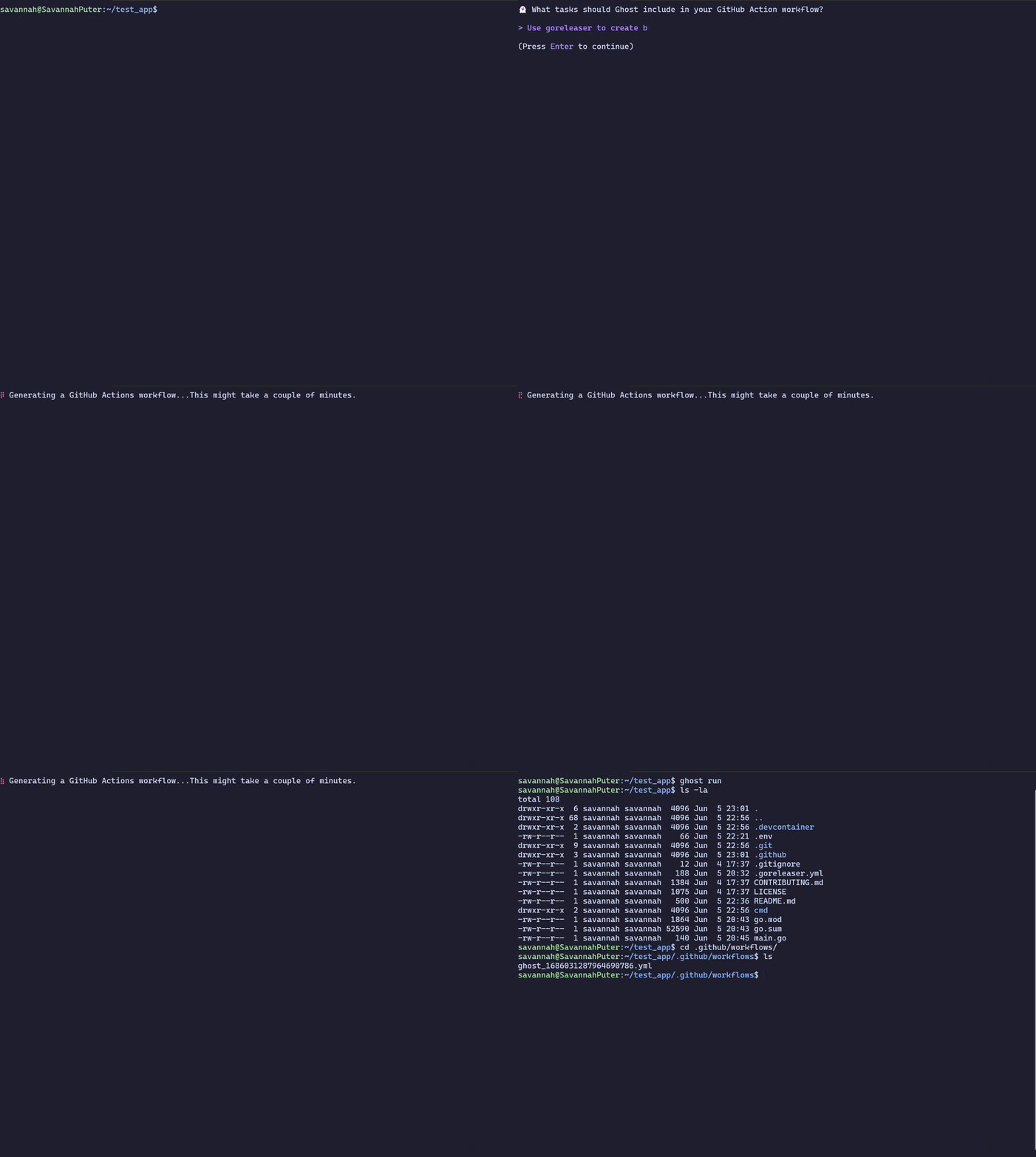
Ghost is an experimental CLI that intelligently scaffolds a GitHub Action workflow based on your local application stack and natural language, using OpenAI.
Want to use this in VS Code? Check out the TypeScript port of Ghost as an extension: https://github.com/savannahostrowski/ghost-vscode
Getting started
- First, you'll need to set up an OpenAI API key.
- Run
ghost config set OPENAI_API_KEY <your key here>with your key from step 1 - Run
ghost runto start project analysis of the current working directory.
If you have access to GPT-4, you can configure it as the model you use via ghost config set ENABLE_GPT_4 true.
Installation
You can install the appropriate binary for your operating system by visiting the Releases page.
Contributing
Contributions are welcome! To get started, check out the contributing guidelines.
Contributors
A big thank you to these wonderful humans for their contributions!


Libraries
Ghost uses:
Contributors


Similar repos


Languages
Go
98.9%
Dockerfile
1.1%
Ghost 👻 is an experimental CLI that uses AI to generate GitHub Actions workflows, using OpenAI
Go
99
52 commits
updated Oct 26, 2023
README
Ghost 👻
Ghost is an experimental CLI that intelligently scaffolds a GitHub Action workflow based on your local application stack and natural language, using OpenAI.
Want to use this in VS Code? Check out the TypeScript port of Ghost as an extension: https://github.com/savannahostrowski/ghost-vscode
Getting started
- First, you'll need to set up an OpenAI API key.
- Run
ghost config set OPENAI_API_KEY <your key here>with your key from step 1 - Run
ghost runto start project analysis of the current working directory.
If you have access to GPT-4, you can configure it as the model you use via ghost config set ENABLE_GPT_4 true.
Installation
You can install the appropriate binary for your operating system by visiting the Releases page.
Contributing
Contributions are welcome! To get started, check out the contributing guidelines.
Contributors
A big thank you to these wonderful humans for their contributions!
Libraries
Ghost uses:
Similar repos
Contributors
Languages
Go
98.9%
Dockerfile
1.1%