santinogenta27/AI-Agents-for-Enterprise

Enterprise AI platform enabling organizations to deploy AI Agents for customer support, sales, and enterprise knowledge. Powered by Multi-Agent RAG, hybrid retrieval (BM25 + Vector Search), and advanced document intelligence to chat with and analyze 100+ PDF documents.

Python

0

182 commits

updated Aug 22, 2026

See the code

README

DocChat Enterprise

Enterprise Multi-Agent AI Platform for Sales, Customer Support & Internal Knowledge Management

Live Demo Website Watch Demo Video

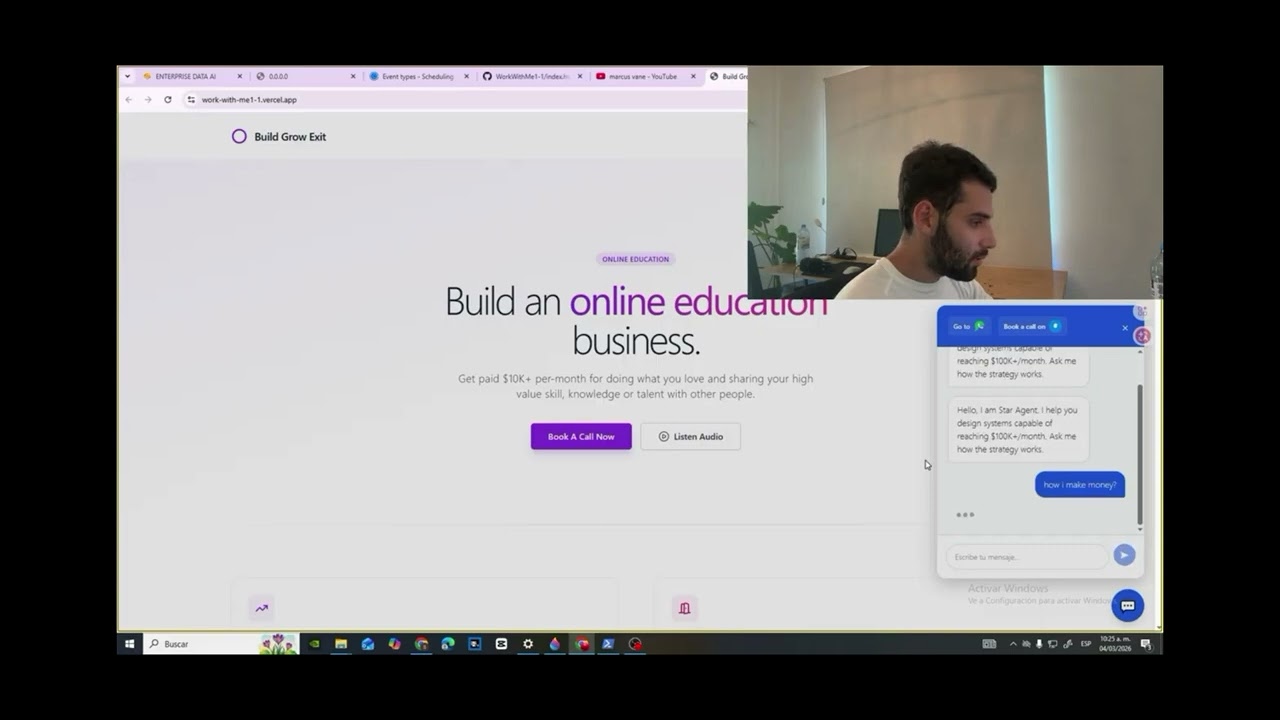
πŸŽ₯ Click the video thumbnail below or this link to watch the Full Video Demo on YouTube.
DocChat Enterprise Demo

Python FastAPI LangChain OpenAI ChromaDB

Demo Workflow: The current public demonstration showcases Alien Mode, the main end-to-end workflow of the platform, including document upload, knowledge extraction, conversational AI, and an embeddable AI widget.

Additional modules included in the repository explore advanced AI workflows, enterprise automation patterns, and prototype integrations under continuous development.

🌐 Language Note: The public demo UI is currently configured in Spanish. Non-Spanish speakers can easily review the full application flow by enabling their browser's built-in translation (e.g., Chrome Google Translate).

πŸ“Œ Table of Contents

πŸ’‘ Overview

DocChat Enterprise is a production-oriented Enterprise AI platform that transforms large collections of private documents into intelligent AI Agents capable of answering complex questions, generating cross-document summaries, and providing grounded responses for employees and customers.

The platform combines Retrieval-Augmented Generation (RAG), OCR document processing, vector search, LangChain orchestration, and modern LLMs to create reliable enterprise knowledge assistants while reducing hallucinations through context-grounded generation.


❓ Why DocChat Enterprise?

Unlike traditional PDF chatbots, DocChat Enterprise is designed to operate as a production-oriented enterprise document intelligence platform.

It combines document parsing, OCR, Retrieval-Augmented Generation (RAG), semantic search, and AI-powered agents into a single workflow capable of serving both internal employees and external customers.


πŸš€ Core Platform Capabilities

  • Multi-Document Ingestion (100+ PDFs): Ingest and index hundreds of corporate PDFs into a unified knowledge base.
  • Cross-Document Semantic Search: Query across multiple documents simultaneously with precise vector-based retrieval.
  • AI-Powered Document Summarization: Generate instant high-level summaries and analytical synthesis across extensive PDF collections.
  • Context-Grounded RAG Pipeline: Minimizes hallucinations by strictly anchoring LLM responses to extracted context chunks.
  • OCR Document Processing: Extract structured text and tables from scanned documents, legacy files, and complex layouts.
  • Embeddable AI Agent: Lightweight, ready-to-deploy web agent for external websites and customer touchpoints.
  • Enterprise REST API: Scalable FastAPI backend to serve internal workflows, microservices, and external client applications.

⚑ Key Features

πŸ“„ Advanced Document Ingestion & RAG

  • Massive Multi-Document Ingestion: Ingest and index 100+ PDFs into a single, structured enterprise knowledge base.
  • Advanced RAG Pipeline: Context-aware retrieval and semantic search tailored for complex enterprise documentation.
  • Enterprise Document Summarization: Generate instant summaries and cross-document analysis across extensive PDF collections.
  • OCR & Layout Processing: Extract text and tables from scanned documents and complex layouts using Docling + OCR.

πŸ€– AI Capabilities & Assistant Modes

  • Embeddable AI Agent: Deploy a lightweight assistant on any website to handle visitor queries 24/7 using product documentation via OpenAI.
  • Internal Knowledge Assistant: Gives employees immediate access to company SOPs, policies, and internal technical guides.
  • Context-Grounded QA: Minimizes hallucinations by strictly anchoring LLM answers to extracted document chunks.

πŸ”Œ Tech Integration & Security

  • LangChain & OpenAI Framework: Clean orchestration for document loading, semantic chunking, and question-answering chains.
  • Vector Search Indexing: Fast similarity search powered by ChromaDB for accurate chunk retrieval.
  • Data Privacy & Security: Local vector indexing ensuring sensitive company knowledge remains private and controlled.

βš™οΈ How It Works (End-to-End Architecture Flow)

  1. Document Ingestion & OCR: PDFs (100+ files) are uploaded and processed using Docling and Tesseract OCR to extract raw text, tables, and document structural layout.
  2. Chunking & Vector Embedding: Extracted text is split into semantic chunks and stored in ChromaDB for high-accuracy similarity search.
  3. Context Retrieval & RAG Chain: When a user submits a query, LangChain searches ChromaDB to retrieve the most relevant document chunks based on semantic similarity.
  4. LLM Synthesis & Citation: Retrieved text chunks and the user prompt are sent to the OpenAI API to generate accurate, context-grounded responses with minimal hallucination.
  5. Multi-Channel Delivery: Answers are delivered directly through the main Gradio interface or served to site visitors live via the embeddable Web Widget.

πŸ€– Enterprise AI Agents

DocChat Enterprise is structured around specialized agent workflows to target distinct operational environments:

🏒 Internal Knowledge Assistant

Allows employees to query internal documentation, operational procedures, HR policies, SOPs, and technical manuals instantly.


🎧 Customer Support AI Agent

Provides instant 24/7 grounded responses to customer inquiries directly on external websites using uploaded documentation.


πŸ’Ό Sales AI Agent

Answers pricing, product features, and technical specification questions using enterprise documentation to accelerate sales cycles.


πŸ”„ Agentic & Multi-Agent Architecture

PDF Upload
      β”‚
      β–Ό
Docling + OCR (Tesseract)
      β”‚
      β–Ό
Markdown Extraction & Cleaning
      β”‚
      β–Ό
Semantic Chunking
      β”‚
      β–Ό
Hybrid Search Index (BM25 + ChromaDB Vector)
      β”‚
      β–Ό
Scope Checker Agent
      β”‚
      β–Ό
Research Agent
      β”‚
      β–Ό
Verification Agent & Self-Correction
      β”‚
      β–Ό
Grounded Response (Citations)
      β”œβ”€β”€ Gradio Web Interface
      └── Embeddable AI Agent / REST API

Production Considerations

  • Hallucination reduction: Multi-agent verification + self-correction forces every answer to be grounded in retrieved document chunks.
  • Privacy: Vector store runs locally (ChromaDB). Sensitive documents never leave the environment.
  • Security: FastAPI backend ready for API key authentication.
  • Scalability: Stateless FastAPI + Docker support. Easy to deploy behind a reverse proxy or load balancer.
  • Observability: Logging of retrieval steps and agent decisions for debugging and auditing.

πŸ› οΈ Tech Stack

LayerTechnologies
AI FrameworkLangChain
LLM ProviderOpenAI API
Vector DatabaseChromaDB
Document Parsing & OCRDocling, PyPDF2, pdf2image, pytesseract, Pillow
Backend APIFastAPI, Uvicorn, Pydantic
User InterfaceGradio
Programming LanguagePython 3.10+

πŸ“„ Supported Documents

The platform is designed to process and index a wide variety of corporate document formats and structures:

  • Legal: Contracts, NDAs, Terms of Service, Compliance Guidelines
  • Operations: SOPs, Internal Policies, Employee Handbooks
  • Product: User Manuals, Technical Specifications, Battlecards
  • Research & Finance: Financial Reports, Audit Documents, Research Papers
  • Support: FAQ Bases, Troubleshooting Guides, Service Catalogs

🌍 Real-World Use Cases & Applications

DocChat Enterprise can be integrated across a wide variety of industries and operational workflows to solve complex document-handling challenges:

1. E-Commerce & Retail

  • 24/7 Customer Support (via Embeddable Widget): Instantly answer buyer inquiries regarding shipping policies, return guidelines, warranties, or size charts using uploaded product PDFs.
  • Complex Product Assistance: Help customers navigate extensive catalogs, technical specifications, or assembly manuals directly from the storefront website.

2. Internal Knowledge Management & HR

  • Employee Onboarding & Training: Allow new hires to ask natural-language questions about company policies, internal benefits, organizational culture, and employee handbooks.
  • Instant SOP Search (Standard Operating Procedures): Help employees resolve operational doubts in seconds without manually reading hundreds of pages of internal documentation.
  • Unified Corporate Assistant: Serve as a single, centralized entry point for day-to-day administrative and operational queries across the company intranet.
  • Mass Contract Analysis: Ingest dozens or hundreds of legal PDFs to quickly extract key clauses, expiration dates, or specific compliance conditions.
  • Regulatory Compliance Checking: Verify whether internal procedures or company documents align with local and international legal frameworks.
  • Executive Summaries: Generate concise, high-level summaries of complex legal filings and extensive audit reports for faster decision-making.

4. Finance, Banking & Accounting

  • Financial Report Analysis: Extract, analyze, and compare financial metrics, corporate balances, and annual reports hidden within large volumes of PDF documentation.
  • Credit & Risk Policy Consulting: Help analysts instantly check current rules, thresholds, and requirements for credit approvals and financial investments.

5. IT, Software Engineering & Technical Support

  • Rapid Incident Resolution: Query software architecture guides, server documentation, and technical manuals to troubleshoot errors faster.
  • Technical Spec Libraries: Allow engineers to cross-reference technical requirements and legacy project specifications without manual documentation scanning.

6. Healthcare & Pharmaceuticals

  • Clinical Trials & Medical Reference: Search quickly through medical literature, clinical trials, drug monographs, and treatment guidelines.
  • Secure Protocol Access: Ensure medical staff have private, instant access to up-to-date hospital protocols and clinical care procedures.

7. Education & Academic Portals

  • Virtual Research Tutor: Enable students and researchers to upload multiple textbooks, theses, or scientific papers to ask direct questions or generate chapter summaries.
  • University Web Assistant: Embed the widget on educational portals to handle student inquiries regarding syllabi, academic calendars, and enrollment processes.

8. Sales, Marketing & B2B

  • RFP & Tender Response Preparation: Sales teams can quickly extract technical answers and past project details to draft competitive proposals under tight deadlines.
  • Sales Enablement: Provide sales reps with instant access to brand guidelines, product battlecards, and feature comparisons during client interactions.

Getting Started

Installation

# Clone the repository
git clone https://github.com/santinogenta27/DocChatEnterprise.git
cd DocChatEnterprise

# Create a virtual environment
python -m venv .venv

# Activate it
# Windows
.venv\Scripts\activate

# macOS / Linux
source .venv/bin/activate

# Install dependencies
pip install -r requirements.txt

Environment Variables

Create a .env file in the project root:

OPENAI_API_KEY=your_openai_api_key

Add any additional API keys required for the features you want to use.

Run

python app.py

santinogenta27/AI-Agents-for-Enterprise

Enterprise AI platform enabling organizations to deploy AI Agents for customer support, sales, and enterprise knowledge. Powered by Multi-Agent RAG, hybrid retrieval (BM25 + Vector Search), and advanced document intelligence to chat with and analyze 100+ PDF documents.

Python

0

182 commits

updated Aug 22, 2026

See the code

README

DocChat Enterprise

Enterprise Multi-Agent AI Platform for Sales, Customer Support & Internal Knowledge Management

Live Demo Website Watch Demo Video

πŸŽ₯ Click the video thumbnail below or this link to watch the Full Video Demo on YouTube.

DocChat Enterprise Demo

Python FastAPI LangChain OpenAI ChromaDB

Demo Workflow: The current public demonstration showcases Alien Mode, the main end-to-end workflow of the platform, including document upload, knowledge extraction, conversational AI, and an embeddable AI widget.

Additional modules included in the repository explore advanced AI workflows, enterprise automation patterns, and prototype integrations under continuous development.

🌐 Language Note: The public demo UI is currently configured in Spanish. Non-Spanish speakers can easily review the full application flow by enabling their browser's built-in translation (e.g., Chrome Google Translate).

πŸ“Œ Table of Contents

πŸ’‘ Overview

DocChat Enterprise is a production-oriented Enterprise AI platform that transforms large collections of private documents into intelligent AI Agents capable of answering complex questions, generating cross-document summaries, and providing grounded responses for employees and customers.

The platform combines Retrieval-Augmented Generation (RAG), OCR document processing, vector search, LangChain orchestration, and modern LLMs to create reliable enterprise knowledge assistants while reducing hallucinations through context-grounded generation.


❓ Why DocChat Enterprise?

Unlike traditional PDF chatbots, DocChat Enterprise is designed to operate as a production-oriented enterprise document intelligence platform.

It combines document parsing, OCR, Retrieval-Augmented Generation (RAG), semantic search, and AI-powered agents into a single workflow capable of serving both internal employees and external customers.


πŸš€ Core Platform Capabilities

  • Multi-Document Ingestion (100+ PDFs): Ingest and index hundreds of corporate PDFs into a unified knowledge base.
  • Cross-Document Semantic Search: Query across multiple documents simultaneously with precise vector-based retrieval.
  • AI-Powered Document Summarization: Generate instant high-level summaries and analytical synthesis across extensive PDF collections.
  • Context-Grounded RAG Pipeline: Minimizes hallucinations by strictly anchoring LLM responses to extracted context chunks.
  • OCR Document Processing: Extract structured text and tables from scanned documents, legacy files, and complex layouts.
  • Embeddable AI Agent: Lightweight, ready-to-deploy web agent for external websites and customer touchpoints.
  • Enterprise REST API: Scalable FastAPI backend to serve internal workflows, microservices, and external client applications.

⚑ Key Features

πŸ“„ Advanced Document Ingestion & RAG

  • Massive Multi-Document Ingestion: Ingest and index 100+ PDFs into a single, structured enterprise knowledge base.
  • Advanced RAG Pipeline: Context-aware retrieval and semantic search tailored for complex enterprise documentation.
  • Enterprise Document Summarization: Generate instant summaries and cross-document analysis across extensive PDF collections.
  • OCR & Layout Processing: Extract text and tables from scanned documents and complex layouts using Docling + OCR.

πŸ€– AI Capabilities & Assistant Modes

  • Embeddable AI Agent: Deploy a lightweight assistant on any website to handle visitor queries 24/7 using product documentation via OpenAI.
  • Internal Knowledge Assistant: Gives employees immediate access to company SOPs, policies, and internal technical guides.
  • Context-Grounded QA: Minimizes hallucinations by strictly anchoring LLM answers to extracted document chunks.

πŸ”Œ Tech Integration & Security

  • LangChain & OpenAI Framework: Clean orchestration for document loading, semantic chunking, and question-answering chains.
  • Vector Search Indexing: Fast similarity search powered by ChromaDB for accurate chunk retrieval.
  • Data Privacy & Security: Local vector indexing ensuring sensitive company knowledge remains private and controlled.

βš™οΈ How It Works (End-to-End Architecture Flow)

  1. Document Ingestion & OCR: PDFs (100+ files) are uploaded and processed using Docling and Tesseract OCR to extract raw text, tables, and document structural layout.
  2. Chunking & Vector Embedding: Extracted text is split into semantic chunks and stored in ChromaDB for high-accuracy similarity search.
  3. Context Retrieval & RAG Chain: When a user submits a query, LangChain searches ChromaDB to retrieve the most relevant document chunks based on semantic similarity.
  4. LLM Synthesis & Citation: Retrieved text chunks and the user prompt are sent to the OpenAI API to generate accurate, context-grounded responses with minimal hallucination.
  5. Multi-Channel Delivery: Answers are delivered directly through the main Gradio interface or served to site visitors live via the embeddable Web Widget.

πŸ€– Enterprise AI Agents

DocChat Enterprise is structured around specialized agent workflows to target distinct operational environments:

🏒 Internal Knowledge Assistant

Allows employees to query internal documentation, operational procedures, HR policies, SOPs, and technical manuals instantly.


🎧 Customer Support AI Agent

Provides instant 24/7 grounded responses to customer inquiries directly on external websites using uploaded documentation.


πŸ’Ό Sales AI Agent

Answers pricing, product features, and technical specification questions using enterprise documentation to accelerate sales cycles.


πŸ”„ Agentic & Multi-Agent Architecture

PDF Upload
      β”‚
      β–Ό
Docling + OCR (Tesseract)
      β”‚
      β–Ό
Markdown Extraction & Cleaning
      β”‚
      β–Ό
Semantic Chunking
      β”‚
      β–Ό
Hybrid Search Index (BM25 + ChromaDB Vector)
      β”‚
      β–Ό
Scope Checker Agent
      β”‚
      β–Ό
Research Agent
      β”‚
      β–Ό
Verification Agent & Self-Correction
      β”‚
      β–Ό
Grounded Response (Citations)
      β”œβ”€β”€ Gradio Web Interface
      └── Embeddable AI Agent / REST API

Production Considerations

  • Hallucination reduction: Multi-agent verification + self-correction forces every answer to be grounded in retrieved document chunks.
  • Privacy: Vector store runs locally (ChromaDB). Sensitive documents never leave the environment.
  • Security: FastAPI backend ready for API key authentication.
  • Scalability: Stateless FastAPI + Docker support. Easy to deploy behind a reverse proxy or load balancer.
  • Observability: Logging of retrieval steps and agent decisions for debugging and auditing.

πŸ› οΈ Tech Stack

LayerTechnologies
AI FrameworkLangChain
LLM ProviderOpenAI API
Vector DatabaseChromaDB
Document Parsing & OCRDocling, PyPDF2, pdf2image, pytesseract, Pillow
Backend APIFastAPI, Uvicorn, Pydantic
User InterfaceGradio
Programming LanguagePython 3.10+

πŸ“„ Supported Documents

The platform is designed to process and index a wide variety of corporate document formats and structures:

  • Legal: Contracts, NDAs, Terms of Service, Compliance Guidelines
  • Operations: SOPs, Internal Policies, Employee Handbooks
  • Product: User Manuals, Technical Specifications, Battlecards
  • Research & Finance: Financial Reports, Audit Documents, Research Papers
  • Support: FAQ Bases, Troubleshooting Guides, Service Catalogs

🌍 Real-World Use Cases & Applications

DocChat Enterprise can be integrated across a wide variety of industries and operational workflows to solve complex document-handling challenges:

1. E-Commerce & Retail

  • 24/7 Customer Support (via Embeddable Widget): Instantly answer buyer inquiries regarding shipping policies, return guidelines, warranties, or size charts using uploaded product PDFs.
  • Complex Product Assistance: Help customers navigate extensive catalogs, technical specifications, or assembly manuals directly from the storefront website.

2. Internal Knowledge Management & HR

  • Employee Onboarding & Training: Allow new hires to ask natural-language questions about company policies, internal benefits, organizational culture, and employee handbooks.
  • Instant SOP Search (Standard Operating Procedures): Help employees resolve operational doubts in seconds without manually reading hundreds of pages of internal documentation.
  • Unified Corporate Assistant: Serve as a single, centralized entry point for day-to-day administrative and operational queries across the company intranet.
  • Mass Contract Analysis: Ingest dozens or hundreds of legal PDFs to quickly extract key clauses, expiration dates, or specific compliance conditions.
  • Regulatory Compliance Checking: Verify whether internal procedures or company documents align with local and international legal frameworks.
  • Executive Summaries: Generate concise, high-level summaries of complex legal filings and extensive audit reports for faster decision-making.

4. Finance, Banking & Accounting

  • Financial Report Analysis: Extract, analyze, and compare financial metrics, corporate balances, and annual reports hidden within large volumes of PDF documentation.
  • Credit & Risk Policy Consulting: Help analysts instantly check current rules, thresholds, and requirements for credit approvals and financial investments.

5. IT, Software Engineering & Technical Support

  • Rapid Incident Resolution: Query software architecture guides, server documentation, and technical manuals to troubleshoot errors faster.
  • Technical Spec Libraries: Allow engineers to cross-reference technical requirements and legacy project specifications without manual documentation scanning.

6. Healthcare & Pharmaceuticals

  • Clinical Trials & Medical Reference: Search quickly through medical literature, clinical trials, drug monographs, and treatment guidelines.
  • Secure Protocol Access: Ensure medical staff have private, instant access to up-to-date hospital protocols and clinical care procedures.

7. Education & Academic Portals

  • Virtual Research Tutor: Enable students and researchers to upload multiple textbooks, theses, or scientific papers to ask direct questions or generate chapter summaries.
  • University Web Assistant: Embed the widget on educational portals to handle student inquiries regarding syllabi, academic calendars, and enrollment processes.

8. Sales, Marketing & B2B

  • RFP & Tender Response Preparation: Sales teams can quickly extract technical answers and past project details to draft competitive proposals under tight deadlines.
  • Sales Enablement: Provide sales reps with instant access to brand guidelines, product battlecards, and feature comparisons during client interactions.

Getting Started

Installation

# Clone the repository
git clone https://github.com/santinogenta27/DocChatEnterprise.git
cd DocChatEnterprise

# Create a virtual environment
python -m venv .venv

# Activate it
# Windows
.venv\Scripts\activate

# macOS / Linux
source .venv/bin/activate

# Install dependencies
pip install -r requirements.txt

Environment Variables

Create a .env file in the project root:

OPENAI_API_KEY=your_openai_api_key

Add any additional API keys required for the features you want to use.

Run

python app.py





