A GraphQL-powered, NextJs-based, PWA storefront for Saleor. IMPORTANT: This project is [DEPRECATED] in favor of saleor/react-storefront soon to become our default demo and storefront starter pack.
See the codesaleor-storefront repository is
DEPRECATEDWe've decided to build a new storefront starting from scratch, with no fancy design, focusing solely on best practices for building commerce storefronts. The new project, called react-storefront, uses Next.js as its foundation and Tailwind for the looks. You can find it here: https://github.com/saleor/react-storefront.
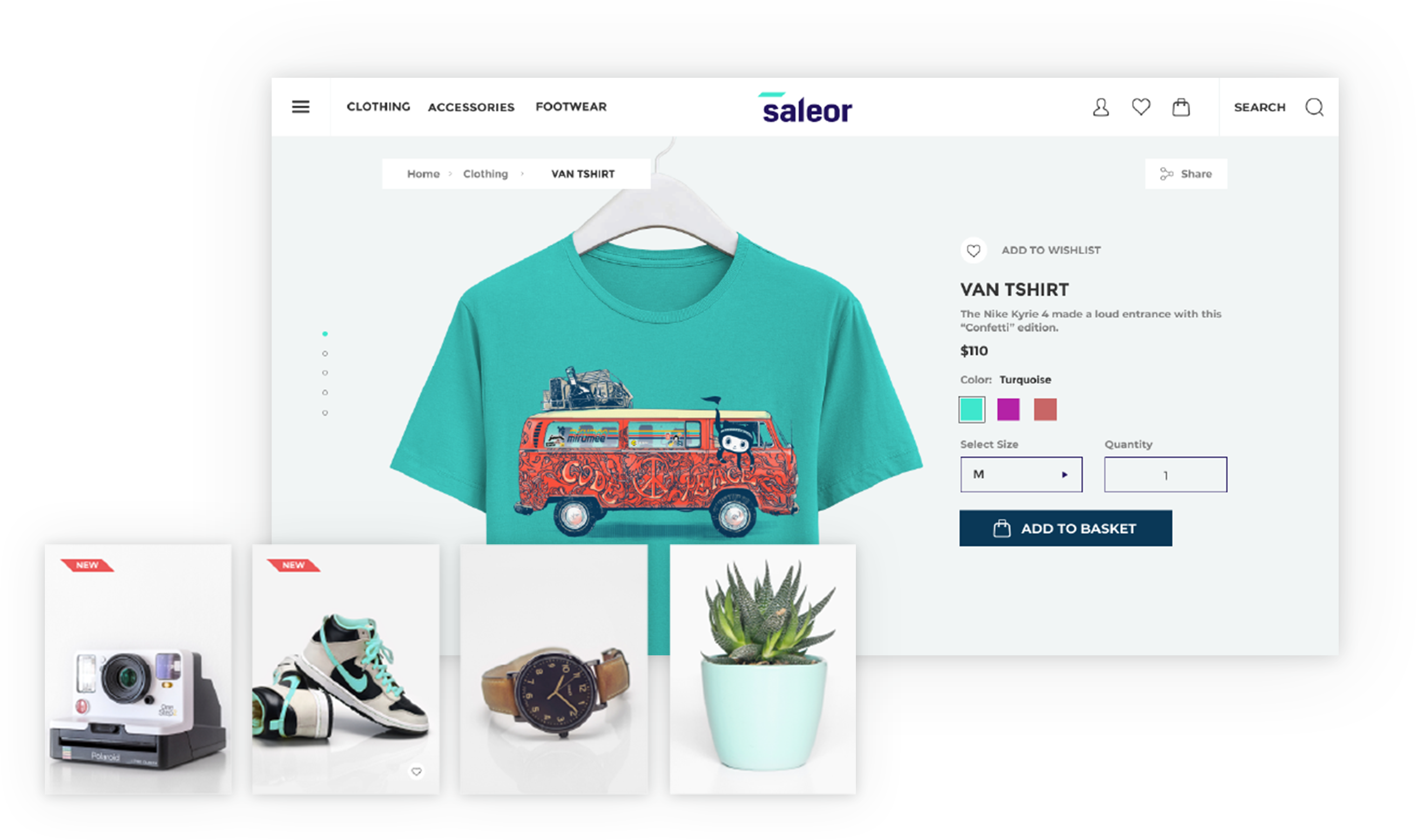
Note: This project is a demonstration on how Saleor can be used. It’s not ready to be a starter but rather show how different cases can be handled and could be used as a recipe book. There will be breaking changes and the code is constantly evolving, so use at your own risk.
A GraphQL-powered, PWA, single-page application storefront for Saleor.
See the public demo of Saleor Storefront!
Or launch the demo on a free Heroku instance.

These instructions will get you a copy of the project up and running on your local machine for development and testing purposes.
To run the storefront, you have to set the NEXT_PUBLIC_API_URI environment variable to point to the Saleor GraphQL API.
If you are running Saleor locally, with the default settings, NEXT_PUBLIC_API_URI is set to: http://localhost:8000/graphql/.
To change it, either create a .env.local file and add it there or set an env variable using export command.
Clone the repository:
git clone https://github.com/mirumee/saleor-storefront.git
Enter the project directory:
cd saleor-storefront
To use the official stable release, checkout to a release tag:
$ git checkout 2.11.0
See the list of all releases here: https://github.com/mirumee/saleor-storefront/releases/
If you want to use the latest development version, checkout to the master branch:
$ git checkout master
Install NPM dependencies:
npm i
Run the development server:
npm start
Go to http://localhost:3000 to access the storefront.
To compile the app run:
$ npm run build
To compile the app and export storefront to the static HTML run:
$ npm run build:export
To compile the app and run it in production mode with next server run:
$ npm run build:start
In order to enable Apollo Devtools in the production version, set the environmental variable
NEXT_PUBLIC_ENABLE_APOLLO_DEVTOOLS=true
If you want to run Cypress tests, make sure that all dependencies (including Cypress) are installed by running the install command.
npm i
Following environment variables are required to be set in order to be able to run tests properly:
API_URI - GraphQL API address.STATIC_URL - static files destination url, eg. S3 bucketCYPRESS_USER_NAME - username (email) for Storefront user.CYPRESS_USER_PASSWORD - for the user mentioned above.If you are running the Storefront from the perspective of Docker container, then you can run tests using following commands:
Headless mode:
cy:run
Cypress UI mode:
cy:open
If you want to run tests against your local development environment then use following commands:
Headless mode:
test:e2e:run
Cypress UI mode:
test:e2e:dev
All new components should follow Atomic Design Guidelines and be placed in src/@next/components directory.
Files structure can be generated using plop:
npm run generate
import Link from "next/link" and use new path you created in paths.ts (make sure to import it)default-channel.This project is licensed under the BSD-3-Clause License - see the LICENSE file for details
1,398 followers · starred Jul 2019
101 followers · starred Apr 2023
807 followers · starred Jun 2021
279 followers · starred Nov 2018
A GraphQL-powered, NextJs-based, PWA storefront for Saleor. IMPORTANT: This project is [DEPRECATED] in favor of saleor/react-storefront soon to become our default demo and storefront starter pack.
See the codesaleor-storefront repository is
DEPRECATEDWe've decided to build a new storefront starting from scratch, with no fancy design, focusing solely on best practices for building commerce storefronts. The new project, called react-storefront, uses Next.js as its foundation and Tailwind for the looks. You can find it here: https://github.com/saleor/react-storefront.
Note: This project is a demonstration on how Saleor can be used. It’s not ready to be a starter but rather show how different cases can be handled and could be used as a recipe book. There will be breaking changes and the code is constantly evolving, so use at your own risk.
A GraphQL-powered, PWA, single-page application storefront for Saleor.
See the public demo of Saleor Storefront!
Or launch the demo on a free Heroku instance.
These instructions will get you a copy of the project up and running on your local machine for development and testing purposes.
To run the storefront, you have to set the NEXT_PUBLIC_API_URI environment variable to point to the Saleor GraphQL API.
If you are running Saleor locally, with the default settings, NEXT_PUBLIC_API_URI is set to: http://localhost:8000/graphql/.
To change it, either create a .env.local file and add it there or set an env variable using export command.
Clone the repository:
git clone https://github.com/mirumee/saleor-storefront.git
Enter the project directory:
cd saleor-storefront
To use the official stable release, checkout to a release tag:
$ git checkout 2.11.0
See the list of all releases here: https://github.com/mirumee/saleor-storefront/releases/
If you want to use the latest development version, checkout to the master branch:
$ git checkout master
Install NPM dependencies:
npm i
Run the development server:
npm start
Go to http://localhost:3000 to access the storefront.
To compile the app run:
$ npm run build
To compile the app and export storefront to the static HTML run:
$ npm run build:export
To compile the app and run it in production mode with next server run:
$ npm run build:start
In order to enable Apollo Devtools in the production version, set the environmental variable
NEXT_PUBLIC_ENABLE_APOLLO_DEVTOOLS=true
If you want to run Cypress tests, make sure that all dependencies (including Cypress) are installed by running the install command.
npm i
Following environment variables are required to be set in order to be able to run tests properly:
API_URI - GraphQL API address.STATIC_URL - static files destination url, eg. S3 bucketCYPRESS_USER_NAME - username (email) for Storefront user.CYPRESS_USER_PASSWORD - for the user mentioned above.If you are running the Storefront from the perspective of Docker container, then you can run tests using following commands:
Headless mode:
cy:run
Cypress UI mode:
cy:open
If you want to run tests against your local development environment then use following commands:
Headless mode:
test:e2e:run
Cypress UI mode:
test:e2e:dev
All new components should follow Atomic Design Guidelines and be placed in src/@next/components directory.
Files structure can be generated using plop:
npm run generate
import Link from "next/link" and use new path you created in paths.ts (make sure to import it)default-channel.This project is licensed under the BSD-3-Clause License - see the LICENSE file for details
1,398 followers · starred Jul 2019
101 followers · starred Apr 2023
807 followers · starred Jun 2021
279 followers · starred Nov 2018