
🍿 Cross Platform Ultimate Movie | TV | Anime Renamer with Backup Media Servers (Plex | Emby | Jellyfin)
Python
197
166 commits
updated Dec 28, 2025
README
[!NOTE]
I haven’t released the new update yet, but the tool is working fine.
FIXARR
🖼️ GUI
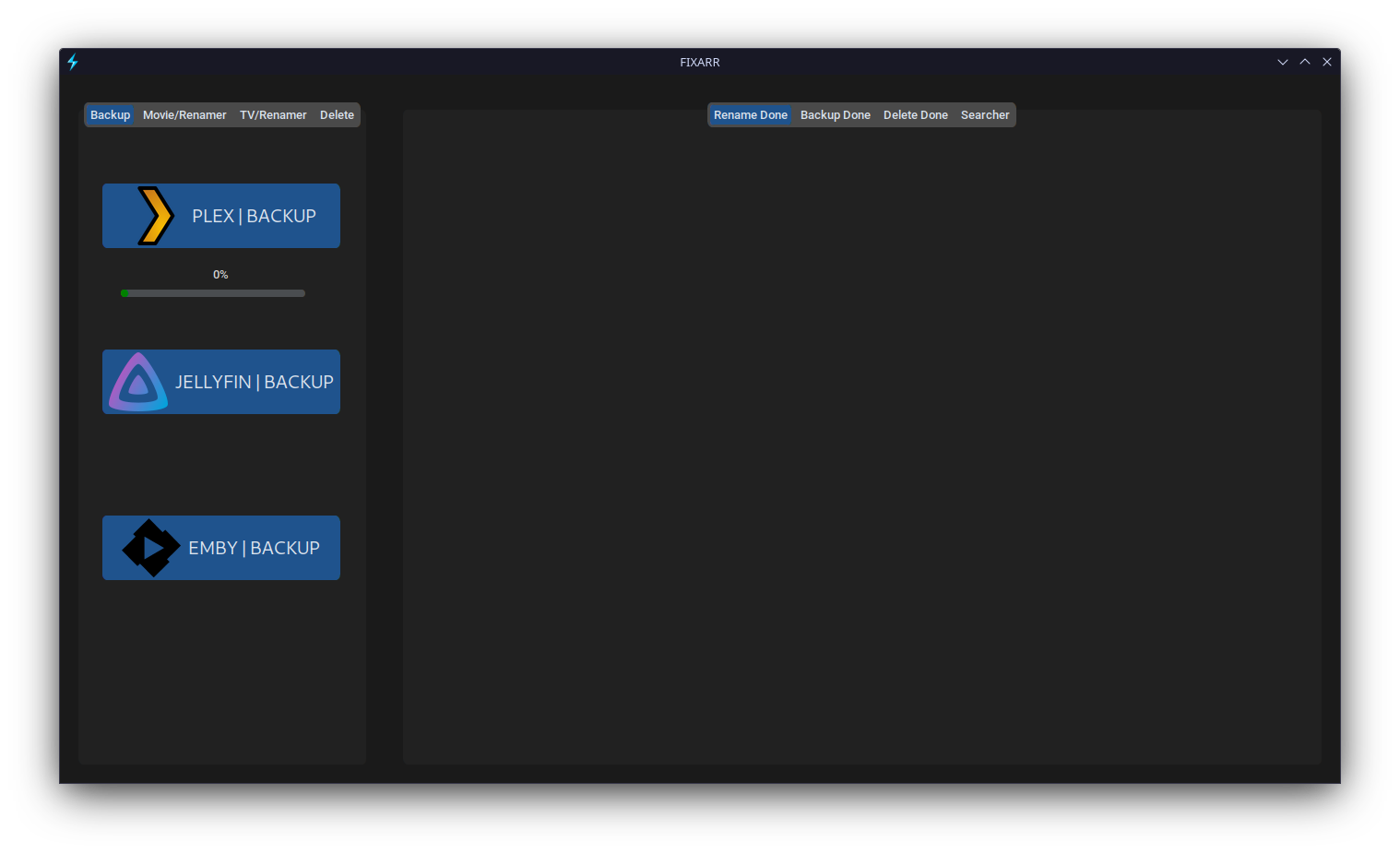
🍿 Ultimate Movie | TV | Anime Renamer with Backup Media Servers (Plex | Emby | Jellyfin)
💕 Community
🍻 Join the community: Discord

🚀 Features
- 🎬 MOVIE RENAMER
- 📺 TV RENAMER
- 🔺 PLEX BACKUP
- ⚡️ MULTI THREADING
- ♻ PURG UNNECESSARY FILES (NFO,SRT)
- 💎 FALLBACK SERVERS
- ✅ CROSS PLATFORM SUPPORT
- 👧 ANIME RENAMER (⭕ in progress)
- 🐟 JELLYFIN BACKUP (⭕ in progress)
- ❄ EMBY BACKUP (⭕ in progress)
💡 Pros
- 🍕 Accurate Results (Even Torrent Movies Can Rename Without Any Issue)
- 🧰 All in One Place
- 🧾 Easy to Use
👎 Cons
- 🐌 Slowly Develop
📐 INSTALLATION
🗝 .ENV SETUP (Optional):
Optional
-
Rename .env.example to .env
-
You can get api key from THE MOVIE DB and its totally free.
TMDB_API_KEY=tmdbkey
Quick Setup (macOS/Linux)
1. Clone
git clone https://github.com/sachinsenal0x64/fixarr.git
cd fixarr
2. Install Python 3.12 + Tk
brew install python@3.12 python-tk@3.12
3. Create Virtual Environment
python3.12 -m venv venv
source venv/bin/activate
4. Install Dependencies
pip install setuptools
pip install -r requirements.txt
5. Run
python fixarr.py
Tested working on macOS Sonoma (Python 3.12, Tkinter) No more missing Tkinter or distutils errors.
For GNU/Linux :
Debian Based Distros :

sudo apt-get install software-properties-common
sudo apt-get install python3.10


pip3 install customtkinter
pip3 install -r requirements.txt
python3 fixarr.py


Fedora Based Distros:

sudo dnf install python3
pip3 install customtkinter

pip3 install -r requirements.txt
python3 fixarr.py


or just run .sh File
For macOS :
For Mac OS With BREW:

if you already not install brew then install its from offical site : https://brew.sh/#install

# Install Python 3.12 and Tkinter
brew install python@3.12 python-tk@3.12

# Create virtual environment
python3.12 -m venv venv
source venv/bin/activate

# Install setuptools (replaces distutils removed in Python 3.12)
pip install setuptools
pip install -r requirements.txt
python3.12 fixarr.py


or just run .sh File
For Windows:
First Install Python (python.org)

pip install -r requirements.txt
python fixarr.py


or just run .bat File also you can create bat_shortcut
Note
IF YOU WANT TO MAKE OWN STANDALONE APP (AKA .EXE or .BIN) USE NUITKA TO COMPILE SOURCE CODE INTO C
WINDOWS
[Install C Compiler  (http://www.codeblocks.org/downloads/binaries/) and download (including compiler) setup & to work with this setup GCC env path (C:\Program Files\CodeBlocks\MinGW\bin) in your OS SYSTEM ENV ]

open your cmd in Fixarr PATH

pip -v install nuitka

nuitka --mingw64 --standalone --windows-icon-from-ico=./assets/favicon.ico --include-data-dir=./assets=./assets --windows-company-name=FIXARR --product-name=FIXARR --product-version=0.1.0  --file-version=0.1.0 --plugin-enable=tk-inter fixarr.py
GNU/LINUX
nuitka3 --clang --standalone --windows-icon-from-ico=./assets/favicon.ico --include-data-dir=./assets=./assets --windows-company-name=FIXARR --product-name=FIXARR --product-version=0.1.0 --file-version=0.1.0 --plugin-enable=tk-inter -o fixarr.bin fixarr.py
💡 CREDITS
MOVIE & TV API : THEMOVIEDB.ORG
PARSER FOR TV SERIES: PTN PROJECT

License
MIT
Similar repos


Languages
Python
96.3%
Batchfile
1.7%
Shell
1.1%
🍿 Cross Platform Ultimate Movie | TV | Anime Renamer with Backup Media Servers (Plex | Emby | Jellyfin)
Python
197
166 commits
updated Dec 28, 2025
README
[!NOTE]
I haven’t released the new update yet, but the tool is working fine.
FIXARR
🖼️ GUI
🍿 Ultimate Movie | TV | Anime Renamer with Backup Media Servers (Plex | Emby | Jellyfin)
💕 Community
🍻 Join the community: Discord
🚀 Features
- 🎬 MOVIE RENAMER
- 📺 TV RENAMER
- 🔺 PLEX BACKUP
- ⚡️ MULTI THREADING
- ♻ PURG UNNECESSARY FILES (NFO,SRT)
- 💎 FALLBACK SERVERS
- ✅ CROSS PLATFORM SUPPORT
- 👧 ANIME RENAMER (⭕ in progress)
- 🐟 JELLYFIN BACKUP (⭕ in progress)
- ❄ EMBY BACKUP (⭕ in progress)
💡 Pros
- 🍕 Accurate Results (Even Torrent Movies Can Rename Without Any Issue)
- 🧰 All in One Place
- 🧾 Easy to Use
👎 Cons
- 🐌 Slowly Develop
📐 INSTALLATION
🗝 .ENV SETUP (Optional):
Optional
-
Rename .env.example to .env
-
You can get api key from THE MOVIE DB and its totally free.
TMDB_API_KEY=tmdbkey
Quick Setup (macOS/Linux)
1. Clone
git clone https://github.com/sachinsenal0x64/fixarr.git
cd fixarr
2. Install Python 3.12 + Tk
brew install python@3.12 python-tk@3.12
3. Create Virtual Environment
python3.12 -m venv venv
source venv/bin/activate
4. Install Dependencies
pip install setuptools
pip install -r requirements.txt
5. Run
python fixarr.py
Tested working on macOS Sonoma (Python 3.12, Tkinter) No more missing Tkinter or distutils errors.
For GNU/Linux :
Debian Based Distros :

sudo apt-get install software-properties-common
sudo apt-get install python3.10


pip3 install customtkinter
pip3 install -r requirements.txt
python3 fixarr.py


Fedora Based Distros:

sudo dnf install python3
pip3 install customtkinter

pip3 install -r requirements.txt
python3 fixarr.py


or just run .sh File
For macOS :
For Mac OS With BREW:

if you already not install brew then install its from offical site : https://brew.sh/#install

# Install Python 3.12 and Tkinter
brew install python@3.12 python-tk@3.12

# Create virtual environment
python3.12 -m venv venv
source venv/bin/activate

# Install setuptools (replaces distutils removed in Python 3.12)
pip install setuptools
pip install -r requirements.txt
python3.12 fixarr.py


or just run .sh File
For Windows:
First Install Python (python.org)

pip install -r requirements.txt
python fixarr.py


or just run .bat File also you can create bat_shortcut
Note
IF YOU WANT TO MAKE OWN STANDALONE APP (AKA .EXE or .BIN) USE NUITKA TO COMPILE SOURCE CODE INTO C
WINDOWS
[Install C Compiler  (http://www.codeblocks.org/downloads/binaries/) and download (including compiler) setup & to work with this setup GCC env path (C:\Program Files\CodeBlocks\MinGW\bin) in your OS SYSTEM ENV ]

open your cmd in Fixarr PATH

pip -v install nuitka

nuitka --mingw64 --standalone --windows-icon-from-ico=./assets/favicon.ico --include-data-dir=./assets=./assets --windows-company-name=FIXARR --product-name=FIXARR --product-version=0.1.0  --file-version=0.1.0 --plugin-enable=tk-inter fixarr.py
GNU/LINUX
nuitka3 --clang --standalone --windows-icon-from-ico=./assets/favicon.ico --include-data-dir=./assets=./assets --windows-company-name=FIXARR --product-name=FIXARR --product-version=0.1.0 --file-version=0.1.0 --plugin-enable=tk-inter -o fixarr.bin fixarr.py
💡 CREDITS
MOVIE & TV API : THEMOVIEDB.ORG
PARSER FOR TV SERIES: PTN PROJECT
License
MIT
Similar repos
Languages
Python
96.3%
Batchfile
1.7%
Shell
1.1%