A customizable, modular, responsive, lightbox gallery plugin.
See the code

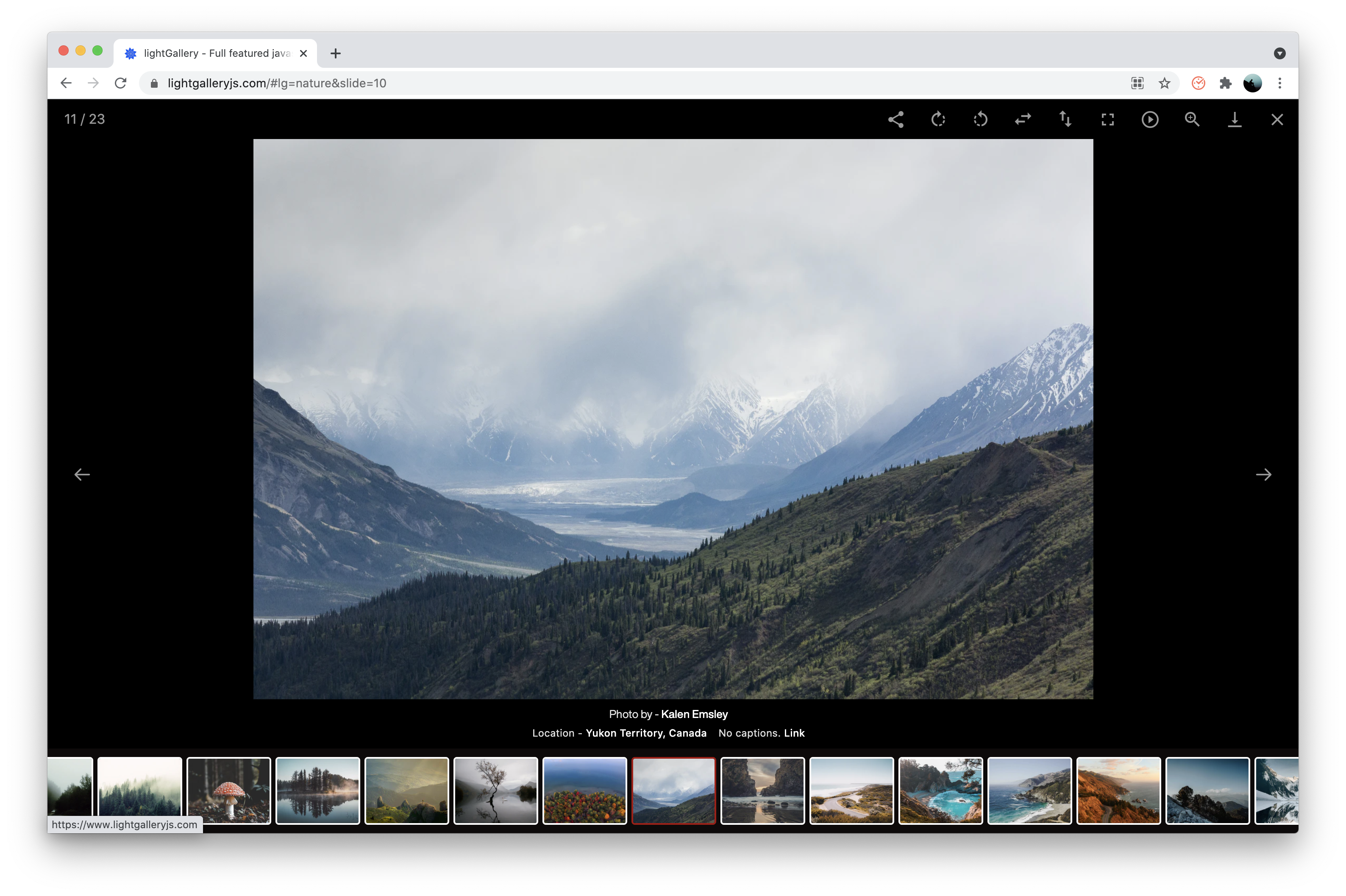
lightGallery is a JavaScript lightbox and gallery for images and video, with native React, Vue and Angular packages. No dependencies, 15 plugins, and the same features in every stack.
One gallery, four packages with the same features and settings:
| Stack | Package |
|---|---|
| Vanilla JS / TypeScript | lightgallery |
| React | @lightgallery/react |
| Vue 3 | @lightgallery/vue |
| Angular | @lightgallery/angular |
The framework-free core they share is available on its own as
@lightgallery/headless.
Every docs page has a markdown twin at the same URL plus index.md, and
llms.txt indexes them all.
lgSize on every item.skills/lightgallery/SKILL.md that
teaches the same workflow for all four stacks.lightGallery is available on NPM, Yarn, CDNs, and GitHub. You can use any of the following methods to download lightGallery.
NPM - NPM is a package manager for the JavaScript
programming language. You can install lightgallery using the following
command
npm install lightgallery
YARN - Yarn is another popular package manager for the JavaScript programming language. If you prefer you can use Yarn instead of NPM
yarn add lightgallery
GitHub - You can also download a release directly from GitHub
CDN - If you prefer to use a CDN, you can load files via jsdelivr, cdnjs or unpkg
First of all, include lightgallery.css in the <head> of the document. If you want include any lightGallery plugin such as thumbnails or zoom, you need to include respective css files as well.
Alternatively you can include lightgallery-bundle.css which contains
lightGallery and all plugin styles instead of separate stylesheets.
If you like you can also import scss files instead of css files from the scss
folder.
<head>
    <link type="text/css" rel="stylesheet" href="css/lightgallery.css" />

    <!-- lightgallery plugins -->
    <link type="text/css" rel="stylesheet" href="css/lg-zoom.css" />
    <link type="text/css" rel="stylesheet" href="css/lg-thumbnail.css" />


    <!-- OR -->

    <link type="text/css" rel="stylesheet" href="css/lightgallery-bundle.css" />
</head>
Then include lightgallery.umd.js into your document. If you want to include
any lightgallery plugin you can include it after lightgallery.umd.js.
<body>
    ....

    <script src="lightgallery.umd.js"></script>
    <!-- Or use the minified version -->
    <script src="lightgallery.min.js"></script>

    <!-- lightgallery plugins -->
    <script src="plugins/thumbnail/lg-thumbnail.umd.js"></script>
    <script src="plugins/zoom/lg-zoom.umd.js"></script>
</body>
lightGallery supports AMD, CommonJS and ES6 modules too.
import lightGallery from 'lightgallery';

// Plugins
import lgThumbnail from 'lightgallery/plugins/thumbnail'
import lgZoom from 'lightgallery/plugins/zoom'
lightgallery does not force you to use any kind of markup. you can use whatever markup you want. Here can find detailed examples of different kinds of markups.
Give each anchor the natural size of its full image via
data-lg-size="${width}-${height}". It drives the
zoom-from-origin
animation: the slide opens from the clicked thumbnail and closes back to it.
Without the attribute the slide fades in instead.
<div id="lightgallery">
    <a href="img/img1.jpg" data-lg-size="1600-2400">
        <img alt=".." src="img/thumb1.jpg" />
    </a>
    <a href="img/img2.jpg" data-lg-size="1024-800">
        <img alt=".." src="img/thumb2.jpg" />
    </a>
    ...
</div>
Finally, you need to initiate the gallery by adding the following code.
<script type="text/javascript">
    lightGallery(document.getElementById('lightgallery'), {
        plugins: [lgZoom, lgThumbnail],
        licenseKey: 'your_license_key',
        speed: 500,
        // ... other settings
    });
</script>
Pass your key with the
licenseKey
setting.
LIG.0000-0000-000-0000. It unlocks every feature
and plugin and only prints a reminder in the console.As shown above, you need to pass the plugins via settings if you want to use any lightGallery plugins.
If you are including lightGallery files via script tag, please use the same plugins names as follows.
lgZoom, lgAutoplay, lgComment, lgFullscreen, lgHash, lgJustified,
lgPager, lgRelativeCaption, lgRotate, lgShare, lgThumbnail, lgVideo,
lgVimeoThumbnail, lgMediumZoom, lgOriginCrop
lightGallery works in all modern browsers: Chrome, Edge, Firefox and Safari on desktop, Safari on iOS and Chrome on Android, with no build step needed. Internet Explorer is not supported; lightGallery v2 remains available for it.
If something misbehaves in a browser you care about, please open an issue with the browser and version.
Is lightGallery free? Yes. Every package and every plugin is free and open source under the GPLv3, for personal and commercial projects alike, as long as your project is distributed under GPLv3-compatible terms.
If you want to keep your own source proprietary, choose the commercial license. It covers the same code with every feature and plugin included, nothing is gated, and it is a one-time payment. See LICENSE-COMMERCIAL.md.
If the gallery misbehaves, the troubleshooting guide covers the symptoms behind most bug reports, with the fix for each package.
If you have any questions, suggestions, feedback, please reach out to contact@lightgalleryjs.com or DM me on X
Overall
Maintained
Code review
npm
Latest release
Releases this year
(top 24 of 32)
6,260 followers · starred Oct 2025
230 followers · starred Nov 2014
249 followers · starred Sep 2018
153 followers · starred Oct 2025
A customizable, modular, responsive, lightbox gallery plugin.
See the code
lightGallery is a JavaScript lightbox and gallery for images and video, with native React, Vue and Angular packages. No dependencies, 15 plugins, and the same features in every stack.
One gallery, four packages with the same features and settings:
| Stack | Package |
|---|---|
| Vanilla JS / TypeScript | lightgallery |
| React | @lightgallery/react |
| Vue 3 | @lightgallery/vue |
| Angular | @lightgallery/angular |
The framework-free core they share is available on its own as
@lightgallery/headless.
Every docs page has a markdown twin at the same URL plus index.md, and
llms.txt indexes them all.
lgSize on every item.skills/lightgallery/SKILL.md that
teaches the same workflow for all four stacks.lightGallery is available on NPM, Yarn, CDNs, and GitHub. You can use any of the following methods to download lightGallery.
NPM - NPM is a package manager for the JavaScript
programming language. You can install lightgallery using the following
command
npm install lightgallery
YARN - Yarn is another popular package manager for the JavaScript programming language. If you prefer you can use Yarn instead of NPM
yarn add lightgallery
GitHub - You can also download a release directly from GitHub
CDN - If you prefer to use a CDN, you can load files via jsdelivr, cdnjs or unpkg
First of all, include lightgallery.css in the <head> of the document. If you want include any lightGallery plugin such as thumbnails or zoom, you need to include respective css files as well.
Alternatively you can include lightgallery-bundle.css which contains
lightGallery and all plugin styles instead of separate stylesheets.
If you like you can also import scss files instead of css files from the scss
folder.
<head>
    <link type="text/css" rel="stylesheet" href="css/lightgallery.css" />

    <!-- lightgallery plugins -->
    <link type="text/css" rel="stylesheet" href="css/lg-zoom.css" />
    <link type="text/css" rel="stylesheet" href="css/lg-thumbnail.css" />


    <!-- OR -->

    <link type="text/css" rel="stylesheet" href="css/lightgallery-bundle.css" />
</head>
Then include lightgallery.umd.js into your document. If you want to include
any lightgallery plugin you can include it after lightgallery.umd.js.
<body>
    ....

    <script src="lightgallery.umd.js"></script>
    <!-- Or use the minified version -->
    <script src="lightgallery.min.js"></script>

    <!-- lightgallery plugins -->
    <script src="plugins/thumbnail/lg-thumbnail.umd.js"></script>
    <script src="plugins/zoom/lg-zoom.umd.js"></script>
</body>
lightGallery supports AMD, CommonJS and ES6 modules too.
import lightGallery from 'lightgallery';

// Plugins
import lgThumbnail from 'lightgallery/plugins/thumbnail'
import lgZoom from 'lightgallery/plugins/zoom'
lightgallery does not force you to use any kind of markup. you can use whatever markup you want. Here can find detailed examples of different kinds of markups.
Give each anchor the natural size of its full image via
data-lg-size="${width}-${height}". It drives the
zoom-from-origin
animation: the slide opens from the clicked thumbnail and closes back to it.
Without the attribute the slide fades in instead.
<div id="lightgallery">
    <a href="img/img1.jpg" data-lg-size="1600-2400">
        <img alt=".." src="img/thumb1.jpg" />
    </a>
    <a href="img/img2.jpg" data-lg-size="1024-800">
        <img alt=".." src="img/thumb2.jpg" />
    </a>
    ...
</div>
Finally, you need to initiate the gallery by adding the following code.
<script type="text/javascript">
    lightGallery(document.getElementById('lightgallery'), {
        plugins: [lgZoom, lgThumbnail],
        licenseKey: 'your_license_key',
        speed: 500,
        // ... other settings
    });
</script>
Pass your key with the
licenseKey
setting.
LIG.0000-0000-000-0000. It unlocks every feature
and plugin and only prints a reminder in the console.As shown above, you need to pass the plugins via settings if you want to use any lightGallery plugins.
If you are including lightGallery files via script tag, please use the same plugins names as follows.
lgZoom, lgAutoplay, lgComment, lgFullscreen, lgHash, lgJustified,
lgPager, lgRelativeCaption, lgRotate, lgShare, lgThumbnail, lgVideo,
lgVimeoThumbnail, lgMediumZoom, lgOriginCrop
lightGallery works in all modern browsers: Chrome, Edge, Firefox and Safari on desktop, Safari on iOS and Chrome on Android, with no build step needed. Internet Explorer is not supported; lightGallery v2 remains available for it.
If something misbehaves in a browser you care about, please open an issue with the browser and version.
Is lightGallery free? Yes. Every package and every plugin is free and open source under the GPLv3, for personal and commercial projects alike, as long as your project is distributed under GPLv3-compatible terms.
If you want to keep your own source proprietary, choose the commercial license. It covers the same code with every feature and plugin included, nothing is gated, and it is a one-time payment. See LICENSE-COMMERCIAL.md.
If the gallery misbehaves, the troubleshooting guide covers the symptoms behind most bug reports, with the fix for each package.
If you have any questions, suggestions, feedback, please reach out to contact@lightgalleryjs.com or DM me on X
Overall
Maintained
Code review
npm
Latest release
Releases this year
(top 24 of 32)
6,260 followers · starred Oct 2025
230 followers · starred Nov 2014
249 followers · starred Sep 2018
153 followers · starred Oct 2025



