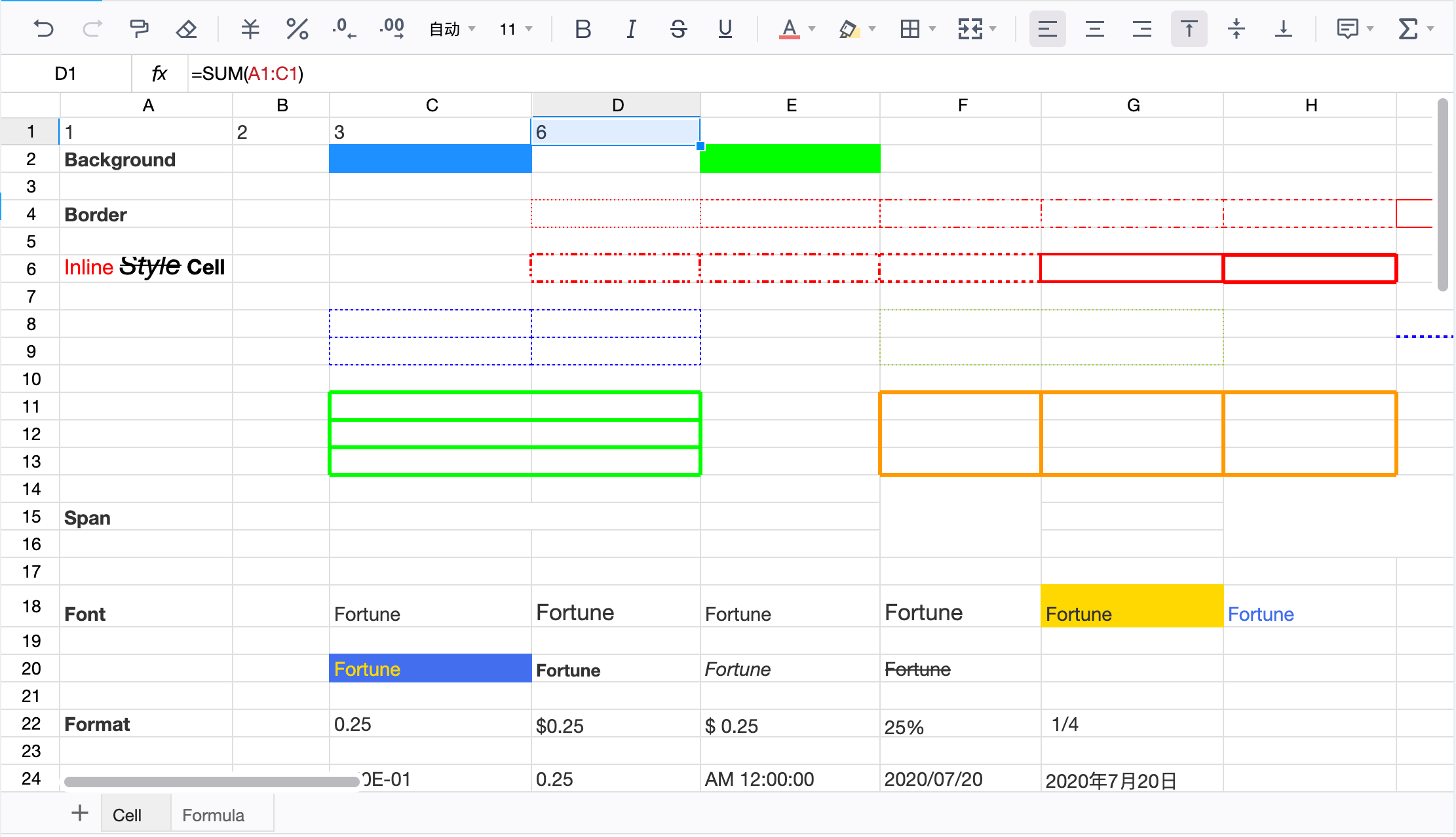
A drop-in javascript spreadsheet library that provides rich features like Excel and Google Sheets
See the code

FortuneSheet is a drop-in javascript spreadsheet library that provides rich features like Excel and Google Sheets




English | 简体中文
The goal of FortuneSheet is to make a feature-rich, easy-to-configure online spreadsheet that you can use out-of-the-box.
This project is originated from Luckysheet and has inherited many code from it. Lots of efforts have done to translate the whole project to typescript (still in progress), and solved problems in the design of the original project.
We aim to make FortuneSheet powerful yet easy to maintain.
Note: Some part of Storybook is outdated
Take a look at the live demo at fortune-sheet-demo.
Before stable release of 1.0, input data structure and APIs may change during development. If you encounter errors after upgrading a version, check Changelog and Migration Guide.
import / require to use the library.
import { Workbook } from '@fortune-sheet/react'
jQuery dependency, uses native React / Vue + immer to manage the dom and state.iconfont with SVGs, as iconfont icons are inconvenient to update for other maintainers.window object.Note: Some topics in documentation is outdated
See detailed documentation at fortune-sheet-doc.
npm install @fortune-sheet/react
pnpm install @fortune-sheet/react
yarn add @fortune-sheet/react
<style>
  html, body, #root {
    width: 100%;
    height: 100%;
  }
</style>
<div id="root"></div>
NOTE: width and height doesn't have to be 100%, but should at least have a value. If set to auto, table area may not show.
import React from 'react';
import ReactDOM from 'react-dom';
import { Workbook } from "@fortune-sheet/react";
import "@fortune-sheet/react/dist/index.css"

ReactDOM.render(
  <Workbook data={[{ name: "Sheet1" }]} />,
  document.getElementById('root')
);
Each time a user operates on the sheet, an array of Op will be emiited through onOp callback. An op describes how to modify the current data to reach the new data after the user's operation. For example, here is an op when user sets the cell font to be bold on cell A2.
[
    {
        "op": "replace",
        "index": "0",
        "path": ["data", 1, 0, "bl"],
        "value": 1
    }
]
The op is useful for database modification and syncing state in online collabration.
A working example with Express (backend server) and MongoDB (data persistence) is avaiable in backend-demo folder.
Run it with node index.js and visit Collabration example (initialize data by visiting http://localhost:8081/init)
For detailed doc about Op, refer to fortune-sheet-doc
The overall data structure of FortuneSheet is the same as Luckysheet, with some naming differences:
Expected workflow is: Fork -> Patch -> Push -> Pull Request
Please make sure to read the Contributing Guide before making a pull request.
yarn
yarn dev
yarn build
This project is licensed under the MIT License. See MIT for the full license text.
1,718 followers · starred Feb 2025
1,303 followers · starred Feb 2025
258 followers · starred Jun 2023
137 followers · starred Sep 2024
A drop-in javascript spreadsheet library that provides rich features like Excel and Google Sheets
See the code
FortuneSheet is a drop-in javascript spreadsheet library that provides rich features like Excel and Google Sheets
English | 简体中文
The goal of FortuneSheet is to make a feature-rich, easy-to-configure online spreadsheet that you can use out-of-the-box.
This project is originated from Luckysheet and has inherited many code from it. Lots of efforts have done to translate the whole project to typescript (still in progress), and solved problems in the design of the original project.
We aim to make FortuneSheet powerful yet easy to maintain.
Note: Some part of Storybook is outdated
Take a look at the live demo at fortune-sheet-demo.
Before stable release of 1.0, input data structure and APIs may change during development. If you encounter errors after upgrading a version, check Changelog and Migration Guide.
import / require to use the library.
import { Workbook } from '@fortune-sheet/react'
jQuery dependency, uses native React / Vue + immer to manage the dom and state.iconfont with SVGs, as iconfont icons are inconvenient to update for other maintainers.window object.Note: Some topics in documentation is outdated
See detailed documentation at fortune-sheet-doc.
npm install @fortune-sheet/react
pnpm install @fortune-sheet/react
yarn add @fortune-sheet/react
<style>
  html, body, #root {
    width: 100%;
    height: 100%;
  }
</style>
<div id="root"></div>
NOTE: width and height doesn't have to be 100%, but should at least have a value. If set to auto, table area may not show.
import React from 'react';
import ReactDOM from 'react-dom';
import { Workbook } from "@fortune-sheet/react";
import "@fortune-sheet/react/dist/index.css"

ReactDOM.render(
  <Workbook data={[{ name: "Sheet1" }]} />,
  document.getElementById('root')
);
Each time a user operates on the sheet, an array of Op will be emiited through onOp callback. An op describes how to modify the current data to reach the new data after the user's operation. For example, here is an op when user sets the cell font to be bold on cell A2.
[
    {
        "op": "replace",
        "index": "0",
        "path": ["data", 1, 0, "bl"],
        "value": 1
    }
]
The op is useful for database modification and syncing state in online collabration.
A working example with Express (backend server) and MongoDB (data persistence) is avaiable in backend-demo folder.
Run it with node index.js and visit Collabration example (initialize data by visiting http://localhost:8081/init)
For detailed doc about Op, refer to fortune-sheet-doc
The overall data structure of FortuneSheet is the same as Luckysheet, with some naming differences:
Expected workflow is: Fork -> Patch -> Push -> Pull Request
Please make sure to read the Contributing Guide before making a pull request.
yarn
yarn dev
yarn build
This project is licensed under the MIT License. See MIT for the full license text.
1,718 followers · starred Feb 2025
1,303 followers · starred Feb 2025
258 followers · starred Jun 2023
137 followers · starred Sep 2024