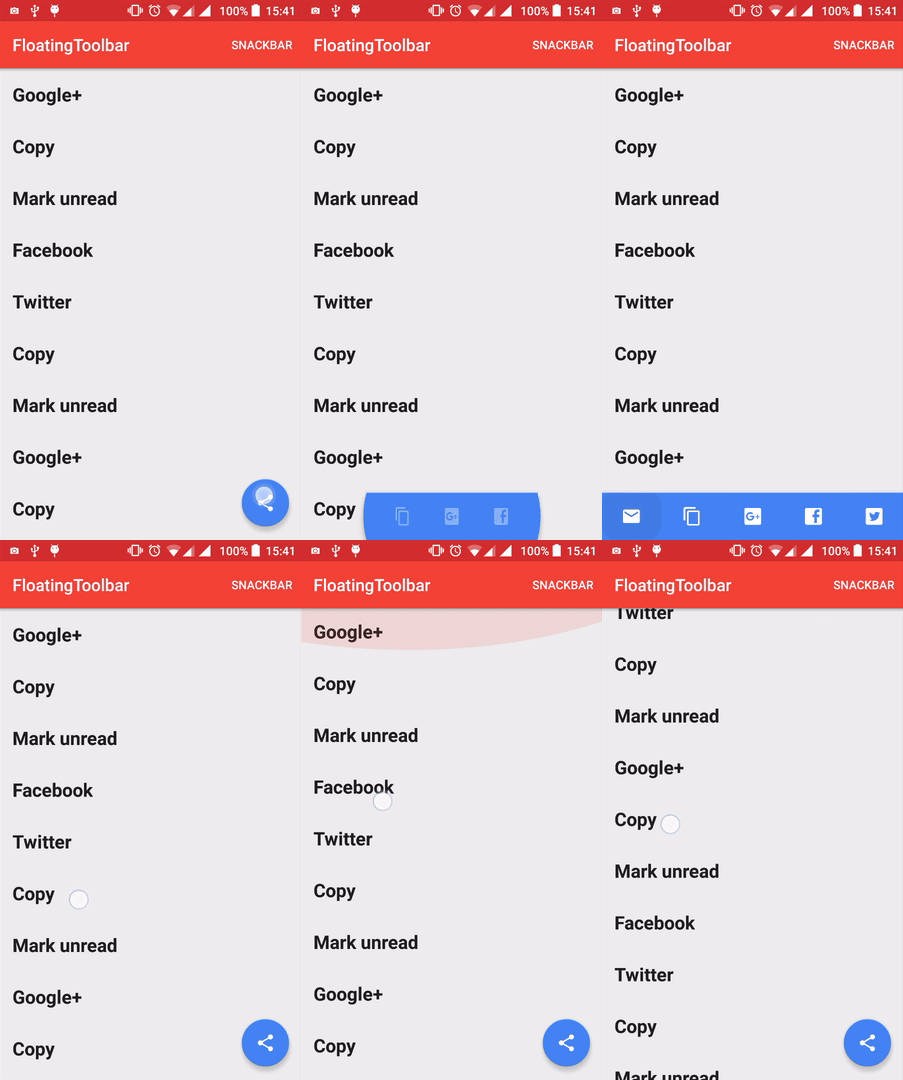
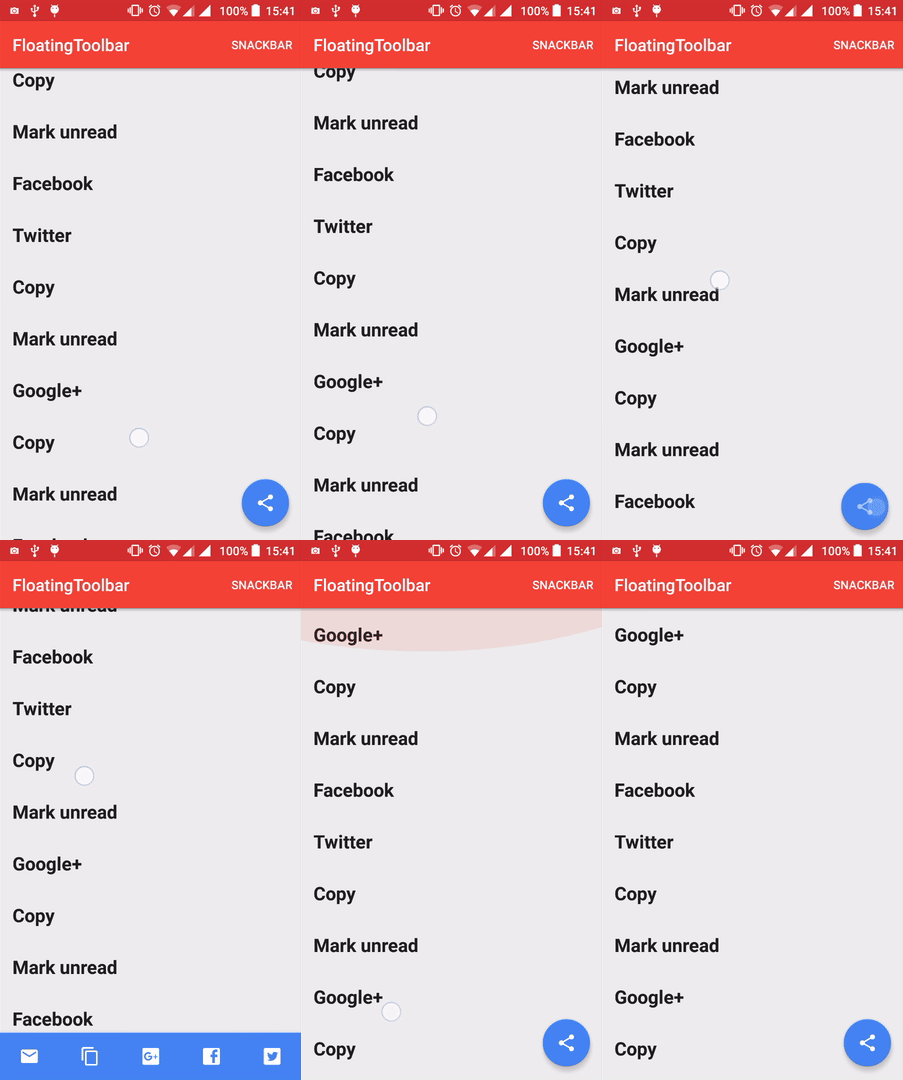
A toolbar that morphs from a FloatingActionButton
Java
1,537
151 commits
updated Jul 28, 2017
A toolbar that morphs from a FloatingActionButton
Inspired by the material design spec: https://www.google.com/design/spec/components/buttons-floating-action-button.html#buttons-floating-action-button-transitions
Available from API 14.
compile 'com.github.rubensousa:floatingtoolbar:1.5.1'
<android.support.design.widget.CoordinatorLayout
    xmlns:android="http://schemas.android.com/apk/res/android"
    xmlns:app="http://schemas.android.com/apk/res-auto"
    android:id="@+id/coordinatorLayout"
    android:layout_width="match_parent"
    android:layout_height="match_parent"
    android:fitsSystemWindows="true">

    <!-- Appbar -->

    <com.github.rubensousa.floatingtoolbar.FloatingToolbar
        android:id="@+id/floatingToolbar"
        android:layout_width="match_parent"
        android:layout_height="?attr/actionBarSize"
        android:layout_gravity="bottom"
        app:floatingMenu="@menu/main" />

    <android.support.design.widget.FloatingActionButton
        android:id="@+id/fab"
        android:layout_width="wrap_content"
        android:layout_height="wrap_content"
        android:layout_gravity="bottom|end"
        android:layout_margin="@dimen/fab_margin"
        android:src="@drawable/ic_share_black_24dp" />


</android.support.design.widget.CoordinatorLayout>
You can also build a menu programmatically using FloatingToolbarMenuBuilder:
 mFloatingToolbar.setMenu(new FloatingToolbarMenuBuilder(this)
                .addItem(R.id.action_unread, R.drawable.ic_markunread_black_24dp, "Mark unread")
                .addItem(R.id.action_copy, R.drawable.ic_content_copy_black_24dp, "Copy")
                .addItem(R.id.action_google, R.drawable.ic_google_plus_box, "Google+")
                .addItem(R.id.action_facebook, R.drawable.ic_facebook_box, "Facebook")
                .addItem(R.id.action_twitter, R.drawable.ic_twitter_box, "Twitter")
                .build());
mFloatingToolbar.attachFab(fab);
mFloatingToolbar.setClickListener(new FloatingToolbar.ItemClickListener() {
            @Override
            public void onItemClick(MenuItem item) {

            }

            @Override
            public void onItemLongClick(MenuItem item) {

            }
        });
mFloatingToolbar.showSnackBar(snackbar);
mFloatingToolbar.attachRecyclerView(recyclerView);
mFloatingToolbar.show();
mFloatingToolbar.hide();
mFloatingToolbar.addMorphListener(new FloatingToolbar.MorphListener() {
    @Override
    public void onMorphEnd() {

    }

    @Override
    public void onMorphStart() {

    }

    @Override
    public void onUnmorphStart() {

    }

    @Override
    public void onUnmorphEnd() {

    }
});
Copyright 2016 Rúben Sousa

Licensed under the Apache License, Version 2.0 (the "License");
you may not use this file except in compliance with the License.
You may obtain a copy of the License at

    http://www.apache.org/licenses/LICENSE-2.0

Unless required by applicable law or agreed to in writing, software
distributed under the License is distributed on an "AS IS" BASIS,
WITHOUT WARRANTIES OR CONDITIONS OF ANY KIND, either express or implied.
See the License for the specific language governing permissions and
limitations under the License.
Overall
Maintained
Code review
Latest release
Releases this year
2,234 followers · starred Apr 2016
394 followers · starred Apr 2016
402 followers · starred Apr 2016
255 followers · starred Feb 2017
A toolbar that morphs from a FloatingActionButton
Java
1,537
151 commits
updated Jul 28, 2017
A toolbar that morphs from a FloatingActionButton
Inspired by the material design spec: https://www.google.com/design/spec/components/buttons-floating-action-button.html#buttons-floating-action-button-transitions
Available from API 14.
compile 'com.github.rubensousa:floatingtoolbar:1.5.1'
<android.support.design.widget.CoordinatorLayout
    xmlns:android="http://schemas.android.com/apk/res/android"
    xmlns:app="http://schemas.android.com/apk/res-auto"
    android:id="@+id/coordinatorLayout"
    android:layout_width="match_parent"
    android:layout_height="match_parent"
    android:fitsSystemWindows="true">

    <!-- Appbar -->

    <com.github.rubensousa.floatingtoolbar.FloatingToolbar
        android:id="@+id/floatingToolbar"
        android:layout_width="match_parent"
        android:layout_height="?attr/actionBarSize"
        android:layout_gravity="bottom"
        app:floatingMenu="@menu/main" />

    <android.support.design.widget.FloatingActionButton
        android:id="@+id/fab"
        android:layout_width="wrap_content"
        android:layout_height="wrap_content"
        android:layout_gravity="bottom|end"
        android:layout_margin="@dimen/fab_margin"
        android:src="@drawable/ic_share_black_24dp" />


</android.support.design.widget.CoordinatorLayout>
You can also build a menu programmatically using FloatingToolbarMenuBuilder:
 mFloatingToolbar.setMenu(new FloatingToolbarMenuBuilder(this)
                .addItem(R.id.action_unread, R.drawable.ic_markunread_black_24dp, "Mark unread")
                .addItem(R.id.action_copy, R.drawable.ic_content_copy_black_24dp, "Copy")
                .addItem(R.id.action_google, R.drawable.ic_google_plus_box, "Google+")
                .addItem(R.id.action_facebook, R.drawable.ic_facebook_box, "Facebook")
                .addItem(R.id.action_twitter, R.drawable.ic_twitter_box, "Twitter")
                .build());
mFloatingToolbar.attachFab(fab);
mFloatingToolbar.setClickListener(new FloatingToolbar.ItemClickListener() {
            @Override
            public void onItemClick(MenuItem item) {

            }

            @Override
            public void onItemLongClick(MenuItem item) {

            }
        });
mFloatingToolbar.showSnackBar(snackbar);
mFloatingToolbar.attachRecyclerView(recyclerView);
mFloatingToolbar.show();
mFloatingToolbar.hide();
mFloatingToolbar.addMorphListener(new FloatingToolbar.MorphListener() {
    @Override
    public void onMorphEnd() {

    }

    @Override
    public void onMorphStart() {

    }

    @Override
    public void onUnmorphStart() {

    }

    @Override
    public void onUnmorphEnd() {

    }
});
Copyright 2016 Rúben Sousa

Licensed under the Apache License, Version 2.0 (the "License");
you may not use this file except in compliance with the License.
You may obtain a copy of the License at

    http://www.apache.org/licenses/LICENSE-2.0

Unless required by applicable law or agreed to in writing, software
distributed under the License is distributed on an "AS IS" BASIS,
WITHOUT WARRANTIES OR CONDITIONS OF ANY KIND, either express or implied.
See the License for the specific language governing permissions and
limitations under the License.
Overall
Maintained
Code review
Latest release
Releases this year
2,234 followers · starred Apr 2016
394 followers · starred Apr 2016
402 followers · starred Apr 2016
255 followers · starred Feb 2017