As of 2026, Highlightr is no longer actively maintained. We recommend using HighlighterSwift instead.
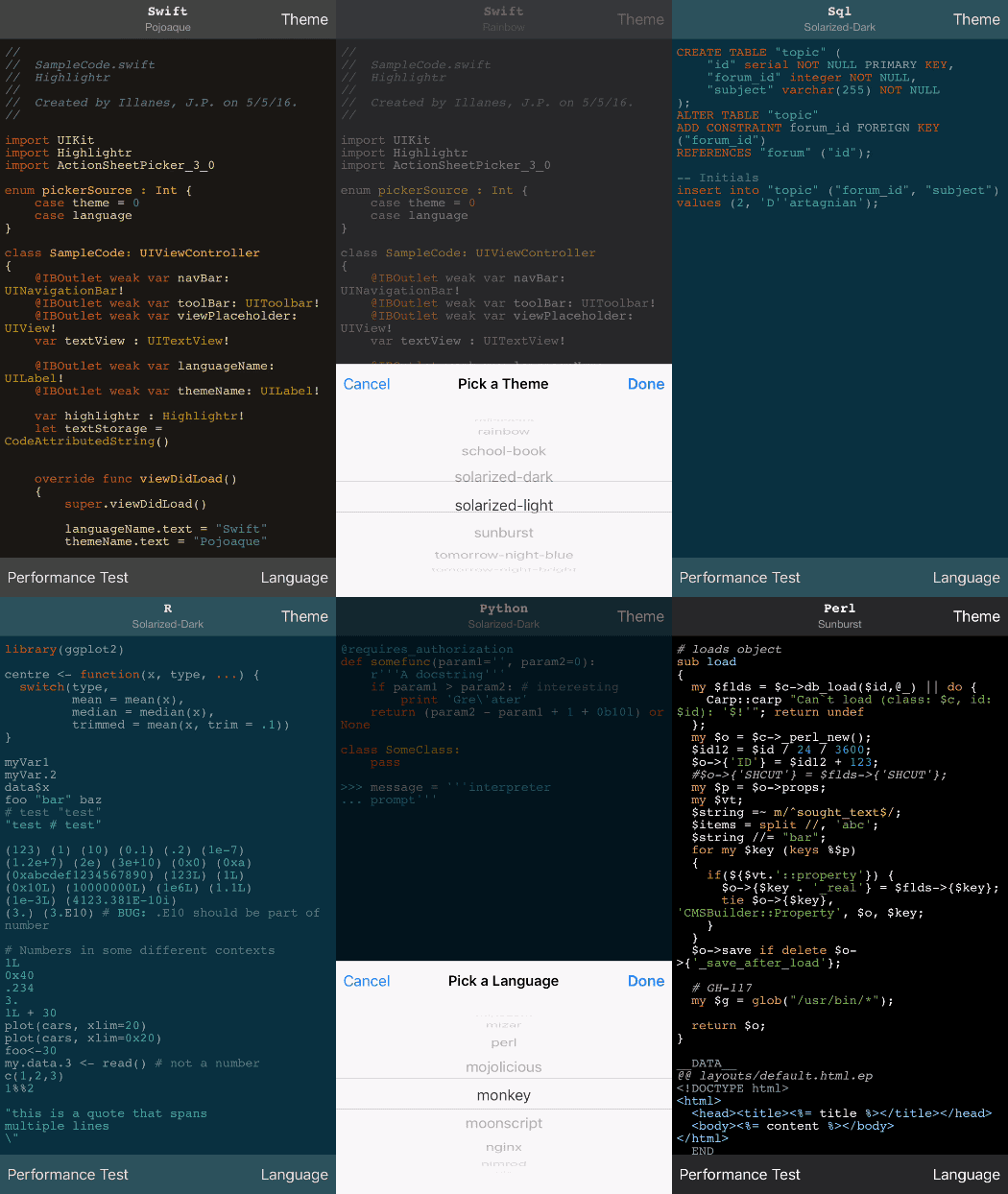
Highlightr is an iOS & macOS syntax highlighter built with Swift. It uses highlight.js as it core, supports 185 languages and comes with 89 styles.
Takes your lame string with code and returns a NSAttributtedString with proper syntax highlighting.
https://github.com/raspu/Highlightr/ into the Search or Enter Package URL search fieldFinally, add import Highlightr to your source code.
CocoaPods & Carthage are no longer supported.
Highlightr provides two main classes:
This is the main endpoint, you can use it to convert code strings into NSAttributed strings.
	let highlightr = Highlightr()
	highlightr.setTheme(to: "paraiso-dark")
	let code = "let a = 1"
	// You can omit the second parameter to use automatic language detection.
	let highlightedCode = highlightr.highlight(code, as: "swift")
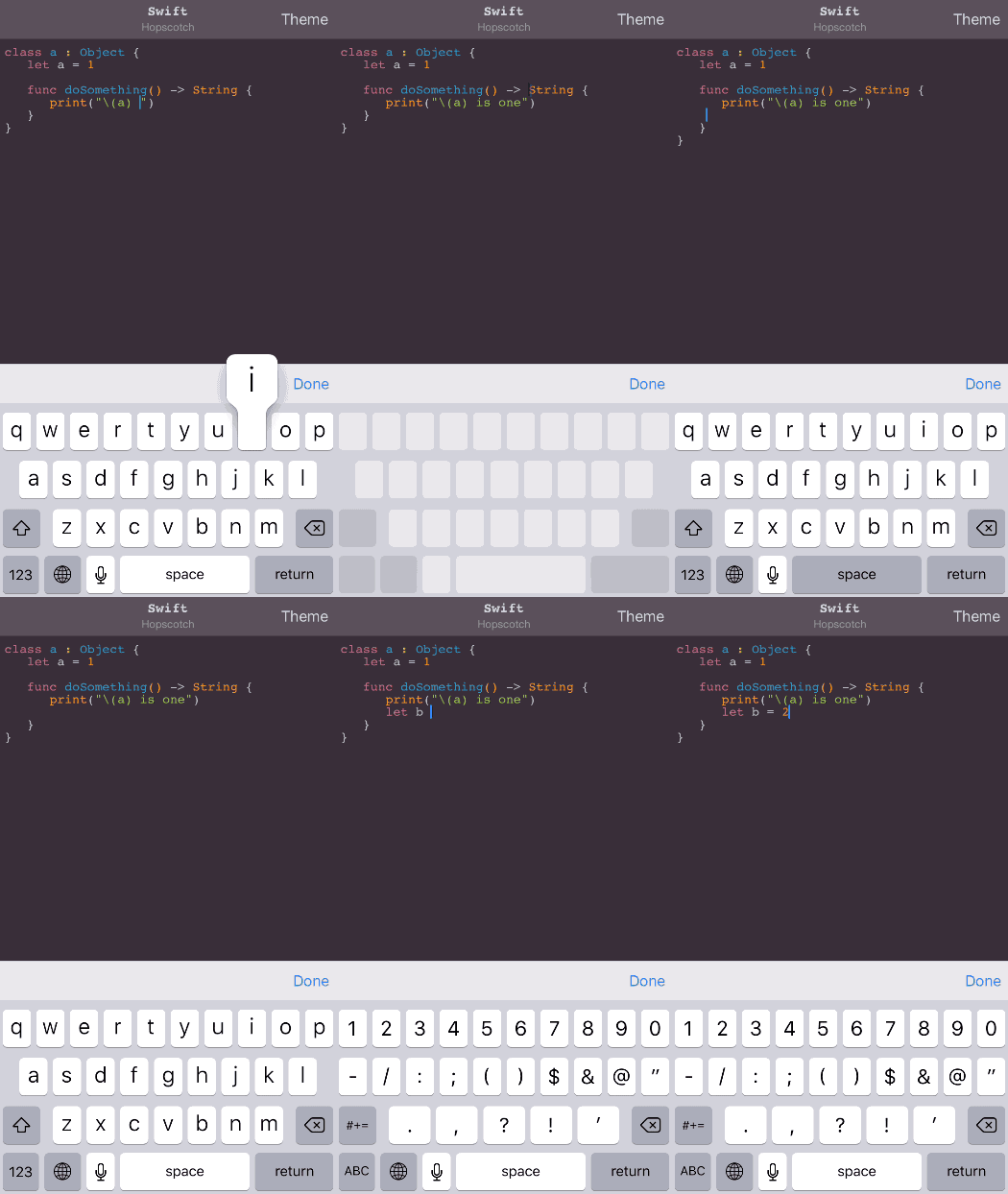
A subclass of NSTextStorage, you can use it to highlight text on real time.
	let textStorage = CodeAttributedString()
	textStorage.language = "Swift"
	let layoutManager = NSLayoutManager()
	textStorage.addLayoutManager(layoutManager)

	let textContainer = NSTextContainer(size: view.bounds.size)
	layoutManager.addTextContainer(textContainer)

	let textView = UITextView(frame: yourFrame, textContainer: textContainer)
Yes, Highlightr relies on iOS & macOS JavaScriptCore to parse the code using highlight.js. This is actually quite fast!
It will never be as fast as a native solution, but it's fast enough to be used on a real time editor.
It comes with a custom made HTML parser for creating NSAttributtedStrings, is pre-processing the themes and is preloading the JS libraries. As result it's taking around of 50 ms on my iPhone 6s for processing 500 lines of code.
You can find the documentation for the latest release on cocoadocs.
Highlightr is available under the MIT license. See the LICENSE file for more info.
Highlight.js is available under the BSD license. You can find the license file here.
428 followers · starred Oct 2024
134 followers · starred Mar 2022
124 followers · starred Dec 2024
435 followers · starred Jul 2023
As of 2026, Highlightr is no longer actively maintained. We recommend using HighlighterSwift instead.
Highlightr is an iOS & macOS syntax highlighter built with Swift. It uses highlight.js as it core, supports 185 languages and comes with 89 styles.
Takes your lame string with code and returns a NSAttributtedString with proper syntax highlighting.
https://github.com/raspu/Highlightr/ into the Search or Enter Package URL search fieldFinally, add import Highlightr to your source code.
CocoaPods & Carthage are no longer supported.
Highlightr provides two main classes:
This is the main endpoint, you can use it to convert code strings into NSAttributed strings.
	let highlightr = Highlightr()
	highlightr.setTheme(to: "paraiso-dark")
	let code = "let a = 1"
	// You can omit the second parameter to use automatic language detection.
	let highlightedCode = highlightr.highlight(code, as: "swift")
A subclass of NSTextStorage, you can use it to highlight text on real time.
	let textStorage = CodeAttributedString()
	textStorage.language = "Swift"
	let layoutManager = NSLayoutManager()
	textStorage.addLayoutManager(layoutManager)

	let textContainer = NSTextContainer(size: view.bounds.size)
	layoutManager.addTextContainer(textContainer)

	let textView = UITextView(frame: yourFrame, textContainer: textContainer)
Yes, Highlightr relies on iOS & macOS JavaScriptCore to parse the code using highlight.js. This is actually quite fast!
It will never be as fast as a native solution, but it's fast enough to be used on a real time editor.
It comes with a custom made HTML parser for creating NSAttributtedStrings, is pre-processing the themes and is preloading the JS libraries. As result it's taking around of 50 ms on my iPhone 6s for processing 500 lines of code.
You can find the documentation for the latest release on cocoadocs.
Highlightr is available under the MIT license. See the LICENSE file for more info.
Highlight.js is available under the BSD license. You can find the license file here.
428 followers · starred Oct 2024
134 followers · starred Mar 2022
124 followers · starred Dec 2024
435 followers · starred Jul 2023