The home of Raspberry Pi Imager, a user-friendly tool for creating bootable media for Raspberry Pi devices.
See the code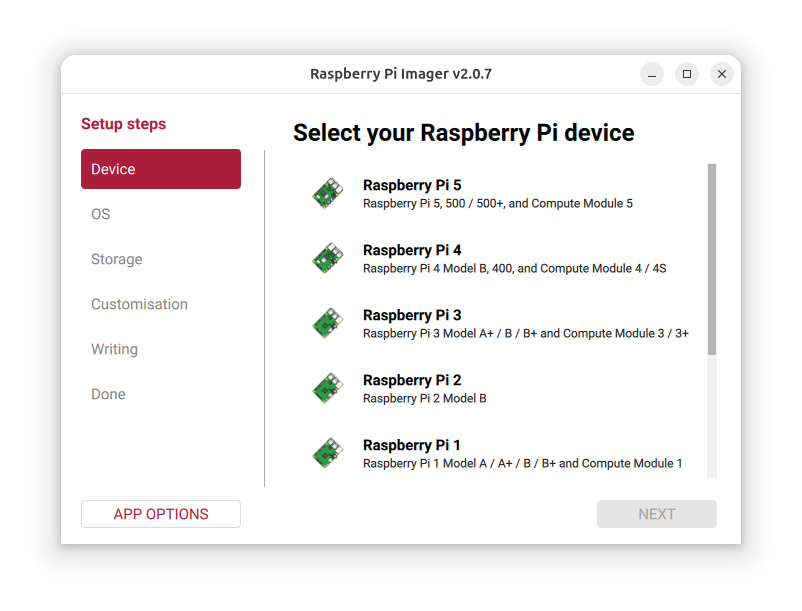
Raspberry Pi Imaging Utility
sudo apt update && sudo apt install rpi-imager.Please see our official documentation.
To build Raspberry Pi Imager from source-code, see our separate instructions in CONTRIBUTING.md
For the Linux release pipeline — the rootless, multi-architecture chroot build that produces the AppImages and .deb packages — see doc/linux-build.md.
If the application is started with "--repo [your own URL]" it will use a custom image repository. So can simply create another 'start menu shortcut' to the application with that parameter to use the application with your own images.
In order to understand usage of the application (e.g. uptake of Raspberry Pi Imager versions and which images and operating systems are most popular), Raspberry Pi Imager collects anonymous metrics (telemetry) by default. These metrics are used to prioritise and justify work on the Raspberry Pi Imager, and contain the following information:
If the Raspberry Pi Imager is being run a part of the Network Installer, Imager will also collect the revision of Raspberry Pi it is running on.
This web service is hosted by Heroku and only stores an incrementing counter using a Redis Sorted Set for each URL, operating system name and category per day in the eu-west-1 region and does not associate any personal data with those counts. This allows us to query the number of downloads over time and nothing else.
The last 1,500 requests to the service are logged for one week before expiring as this is the minimum log retention period for Heroku.
As the data is stored in aggregate form, only aggregate data is available to any viewer. See what we see at: rpi-imager-stats
The most convenient way to opt-out of anonymous metric collection is via the Raspberry Pi Imager UI:
(top 24 of 34)
1,130 followers · starred Mar 2026
369 followers · starred Mar 2020
735 followers · starred Jan 2026
425 followers · starred Mar 2021
The home of Raspberry Pi Imager, a user-friendly tool for creating bootable media for Raspberry Pi devices.
See the code
Raspberry Pi Imaging Utility
sudo apt update && sudo apt install rpi-imager.Please see our official documentation.
To build Raspberry Pi Imager from source-code, see our separate instructions in CONTRIBUTING.md
For the Linux release pipeline — the rootless, multi-architecture chroot build that produces the AppImages and .deb packages — see doc/linux-build.md.
If the application is started with "--repo [your own URL]" it will use a custom image repository. So can simply create another 'start menu shortcut' to the application with that parameter to use the application with your own images.
In order to understand usage of the application (e.g. uptake of Raspberry Pi Imager versions and which images and operating systems are most popular), Raspberry Pi Imager collects anonymous metrics (telemetry) by default. These metrics are used to prioritise and justify work on the Raspberry Pi Imager, and contain the following information:
If the Raspberry Pi Imager is being run a part of the Network Installer, Imager will also collect the revision of Raspberry Pi it is running on.
This web service is hosted by Heroku and only stores an incrementing counter using a Redis Sorted Set for each URL, operating system name and category per day in the eu-west-1 region and does not associate any personal data with those counts. This allows us to query the number of downloads over time and nothing else.
The last 1,500 requests to the service are logged for one week before expiring as this is the minimum log retention period for Heroku.
As the data is stored in aggregate form, only aggregate data is available to any viewer. See what we see at: rpi-imager-stats
The most convenient way to opt-out of anonymous metric collection is via the Raspberry Pi Imager UI:
(top 24 of 34)
1,130 followers · starred Mar 2026
369 followers · starred Mar 2020
735 followers · starred Jan 2026
425 followers · starred Mar 2021



