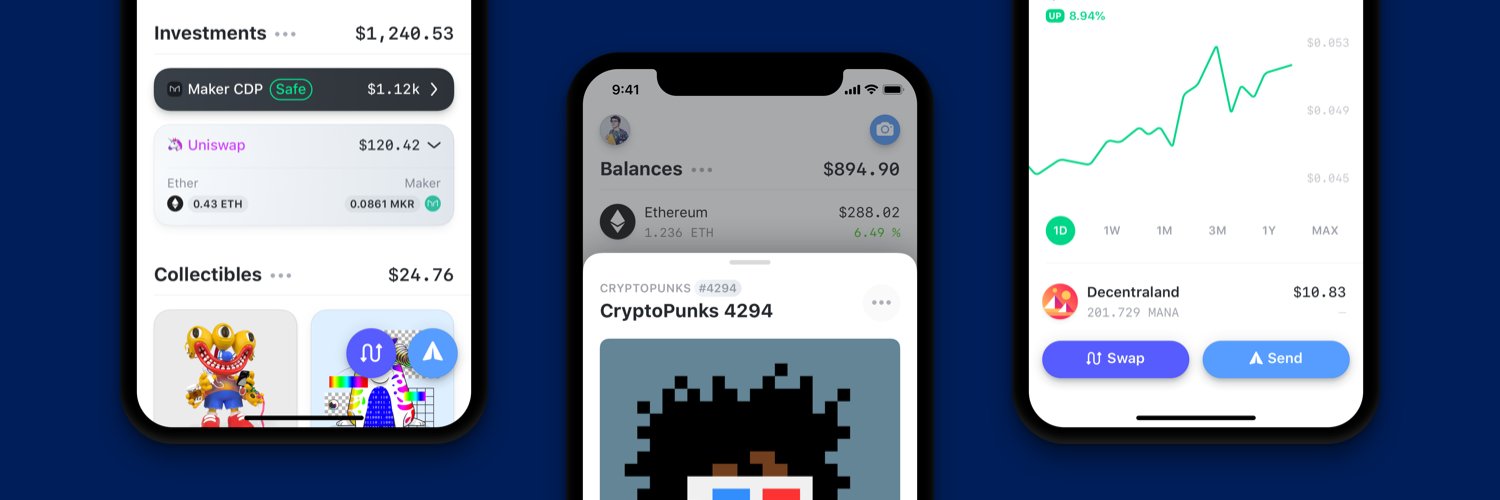
🌈‒ the Ethereum wallet that lives in your pocket
See the codethe Ethereum wallet that lives in your pocket!
📲️ Available on the iOS App Store.
🤖 Android available on the Google Play Store
💻 Browser extension available on, Chrome, Brave, Edge, FireFox, and Arc.
[!TIP] > Internal developers can also use the
rainbow-me/rainbow-setupscript to install all dependencies and configure the project in one step.
curl https://mise.run | sh. See the
installation docs for shell
activation (required so tool versions auto-switch when you cd into the repo).mise install. This installs all pinned tools.corepack enableSet up these before running yarn install, as the postinstall script reads
.env and rainbow-scripts to generate build configs and run prebuild hooks.
gh auth login), or
export a GITHUB_TOKEN with access to our private repos.yarn update-env to install .env (overwrites any existing local .env).rainbow-me/rainbow-scripts
into the project root (the postinstall prebuild hooks depend on it).yarn install && yarn setup..env.example to .env and fill in your own API keys. Note that some
features are currently not accessible; we are working with our Data
Providers to provide open source API Keys.
google-services.json in android/app/ from a personal
Firebase project registered under the package name me.rainbow. For Google
Drive backup/restore to work in your builds, also register your signing
keystore's SHA-1 fingerprint as an Android OAuth client in that project's
Google Cloud console.yarn install && yarn setupThe iOS GoogleService-Info.plist is already in the repo and gets its API key
patched by the postinstall script from GOOGLE_SERVICE_API_KEY in your .env.
.xcode-version.
Recommended: use the xcodes CLI,
which reads .xcode-version automatically:
brew install xcodesorg/made/xcodes
xcodes install
brew install watchmanyarn install-bundle && yarn install-pods
Install JDK 17. Do not use the JDK bundled with Android Studio (it's JDK 21, which causes build failures). On macOS:
brew install --cask zulu@17
Add to your shell profile (~/.zshrc or ~/.bashrc):
export JAVA_HOME=/Library/Java/JavaVirtualMachines/zulu-17.jdk/Contents/Home
export ANDROID_HOME=$HOME/Library/Android/sdk  # macOS
# export ANDROID_HOME=$HOME/Android/Sdk        # Linux
export PATH=$PATH:$ANDROID_HOME/emulator
export PATH=$PATH:$ANDROID_HOME/platform-tools
On Linux, also install system dependencies: sudo apt install libsecret-tools watchman
Install Android Studio (the standard setup wizard is fine).
Increase the IDE memory: Android Studio > Settings > Memory Settings and set the heap to at least 4096 MB. This project is large enough that the default 2048 MB will cause slow syncs and builds.
Set the Gradle JDK: Settings > Build, Execution, Deployment > Build
Tools > Gradle > Gradle JDK and select the JAVA_HOME (Azul Zulu 17)
entry. The default points to the bundled JDK 21.
Restart any open terminals so the new environment variables take effect.
Create an emulator via Android Studio > Device Manager (unless using a physical device).
Run the first build from the terminal to generate native headers that Android Studio needs for Gradle sync:
cd android && ./gradlew assembleDebug && cd ..
Quit Android Studio completely, then reopen it from the terminal so Gradle sync picks up the generated headers:
open -a "Android Studio" # macOS
Always launch Android Studio this way so it inherits your shell PATH
(including node from mise). Launching from Spotlight or the Dock will
cause Gradle sync to fail with "Cannot run program node".
Start Metro in one terminal:
yarn start
Then build and run:
ios/Rainbow.xcworkspace in Xcode (not the .xcodeproj) and
press Cmd+R, or run yarn ios from the terminal.android/ folder in Android Studio, or run
yarn android from the terminal.(top 24 of 31)
13,582 followers · starred Mar 2022
825 followers · starred Mar 2021
6,235 followers · starred Oct 2021
367 followers · starred Mar 2021
🌈‒ the Ethereum wallet that lives in your pocket
See the codethe Ethereum wallet that lives in your pocket!
📲️ Available on the iOS App Store.
🤖 Android available on the Google Play Store
💻 Browser extension available on, Chrome, Brave, Edge, FireFox, and Arc.
[!TIP] > Internal developers can also use the
rainbow-me/rainbow-setupscript to install all dependencies and configure the project in one step.
curl https://mise.run | sh. See the
installation docs for shell
activation (required so tool versions auto-switch when you cd into the repo).mise install. This installs all pinned tools.corepack enableSet up these before running yarn install, as the postinstall script reads
.env and rainbow-scripts to generate build configs and run prebuild hooks.
gh auth login), or
export a GITHUB_TOKEN with access to our private repos.yarn update-env to install .env (overwrites any existing local .env).rainbow-me/rainbow-scripts
into the project root (the postinstall prebuild hooks depend on it).yarn install && yarn setup..env.example to .env and fill in your own API keys. Note that some
features are currently not accessible; we are working with our Data
Providers to provide open source API Keys.
google-services.json in android/app/ from a personal
Firebase project registered under the package name me.rainbow. For Google
Drive backup/restore to work in your builds, also register your signing
keystore's SHA-1 fingerprint as an Android OAuth client in that project's
Google Cloud console.yarn install && yarn setupThe iOS GoogleService-Info.plist is already in the repo and gets its API key
patched by the postinstall script from GOOGLE_SERVICE_API_KEY in your .env.
.xcode-version.
Recommended: use the xcodes CLI,
which reads .xcode-version automatically:
brew install xcodesorg/made/xcodes
xcodes install
brew install watchmanyarn install-bundle && yarn install-pods
Install JDK 17. Do not use the JDK bundled with Android Studio (it's JDK 21, which causes build failures). On macOS:
brew install --cask zulu@17
Add to your shell profile (~/.zshrc or ~/.bashrc):
export JAVA_HOME=/Library/Java/JavaVirtualMachines/zulu-17.jdk/Contents/Home
export ANDROID_HOME=$HOME/Library/Android/sdk  # macOS
# export ANDROID_HOME=$HOME/Android/Sdk        # Linux
export PATH=$PATH:$ANDROID_HOME/emulator
export PATH=$PATH:$ANDROID_HOME/platform-tools
On Linux, also install system dependencies: sudo apt install libsecret-tools watchman
Install Android Studio (the standard setup wizard is fine).
Increase the IDE memory: Android Studio > Settings > Memory Settings and set the heap to at least 4096 MB. This project is large enough that the default 2048 MB will cause slow syncs and builds.
Set the Gradle JDK: Settings > Build, Execution, Deployment > Build
Tools > Gradle > Gradle JDK and select the JAVA_HOME (Azul Zulu 17)
entry. The default points to the bundled JDK 21.
Restart any open terminals so the new environment variables take effect.
Create an emulator via Android Studio > Device Manager (unless using a physical device).
Run the first build from the terminal to generate native headers that Android Studio needs for Gradle sync:
cd android && ./gradlew assembleDebug && cd ..
Quit Android Studio completely, then reopen it from the terminal so Gradle sync picks up the generated headers:
open -a "Android Studio" # macOS
Always launch Android Studio this way so it inherits your shell PATH
(including node from mise). Launching from Spotlight or the Dock will
cause Gradle sync to fail with "Cannot run program node".
Start Metro in one terminal:
yarn start
Then build and run:
ios/Rainbow.xcworkspace in Xcode (not the .xcodeproj) and
press Cmd+R, or run yarn ios from the terminal.android/ folder in Android Studio, or run
yarn android from the terminal.(top 24 of 31)
13,582 followers · starred Mar 2022
825 followers · starred Mar 2021
6,235 followers · starred Oct 2021
367 followers · starred Mar 2021