Android port of melonDS, a DS and DSi emulator.


| Rom List | Dark Theme | Pocket Physics | Layout Editor |
|---|---|---|---|
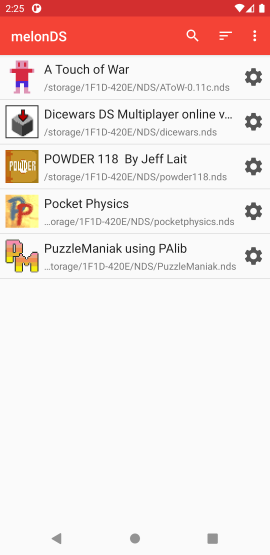 | 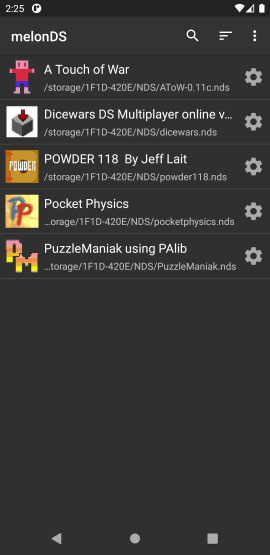 | 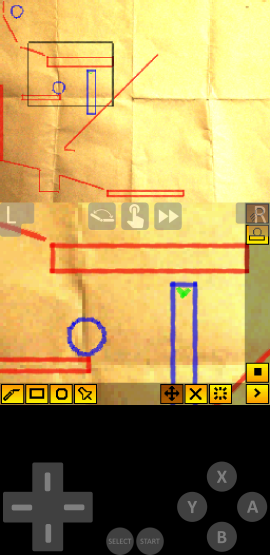 | 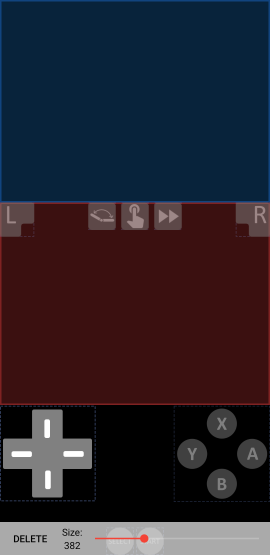 |
Performance is solid on 64 bit devices with thread rendering and JIT enabled, and should run at full speed on flagship devices. Performance on older devices, specially 32 bit devices, is very poor due to the lack of JIT support.
It's possible to launch melonDS from third part frontends. For that, you will need to have the ROMs you want to launch already scanned by melonDS. Then, you can configure your third-party frontend with the following configuration:
me.magnum.melondsme.magnum.melonds.ui.emulator.EmulatorActivityuri (deprecated) - a string with the SAF URI of the NDS ROM (ZIP and 7z files are supported)PATH (deprecated) - a string with the absolute path to the NDS ROM (ZIP and 7z files are supported)When launching ROMs from third-party frontends, if melonDS hasn't scanned that particular ROM previously, it won't be able to create the save file next to the ROM file if the
option "Save next to ROM file" is enabled in the settings or the save file directory is not set. Instead, melonDS will create a save file in
Android/data/me.magnum.melonds/files/saves
To have access to the latest changes, you can install nightly builds that you can find here.
Be aware that these builds can contain more bugs than usual and you may need to clear your app data to get it to work properly after updates.
To build the project you will need Android SDK, NDK and CMake.
Clone the project, including submodules with:
git clone --recurse-submodules https://github.com/rafaelvcaetano/melonDS-android.git
Install the Android SDK, NDK and CMake
Build with:
./gradlew :app:assembleGitHubProdDebuggradlew.bat :app:assembleGitHubProdDebugThe generated APK can be found at app/gitHubProd/debug
If you want to create a release build, you will need to modify your local.properties file to include the following fields:
MELONDS_KEYSTORE=<path_to_your_keystore>MELONDS_KEYSTORE_PASSWORD=<keystore_password>MELONDS_KEY_ALIAS=<name_of_your_key_alias>MELONDS_KEY_PASSWORD=<key_alias_password>3,500 followers · starred Nov 2025
7,493 followers · starred Nov 2025
18 followers · starred Apr 2026
339 followers · starred Aug 2021
Android port of melonDS, a DS and DSi emulator.
| Rom List | Dark Theme | Pocket Physics | Layout Editor |
|---|---|---|---|
| | | |
Performance is solid on 64 bit devices with thread rendering and JIT enabled, and should run at full speed on flagship devices. Performance on older devices, specially 32 bit devices, is very poor due to the lack of JIT support.
It's possible to launch melonDS from third part frontends. For that, you will need to have the ROMs you want to launch already scanned by melonDS. Then, you can configure your third-party frontend with the following configuration:
me.magnum.melondsme.magnum.melonds.ui.emulator.EmulatorActivityuri (deprecated) - a string with the SAF URI of the NDS ROM (ZIP and 7z files are supported)PATH (deprecated) - a string with the absolute path to the NDS ROM (ZIP and 7z files are supported)When launching ROMs from third-party frontends, if melonDS hasn't scanned that particular ROM previously, it won't be able to create the save file next to the ROM file if the
option "Save next to ROM file" is enabled in the settings or the save file directory is not set. Instead, melonDS will create a save file in
Android/data/me.magnum.melonds/files/saves
To have access to the latest changes, you can install nightly builds that you can find here.
Be aware that these builds can contain more bugs than usual and you may need to clear your app data to get it to work properly after updates.
To build the project you will need Android SDK, NDK and CMake.
Clone the project, including submodules with:
git clone --recurse-submodules https://github.com/rafaelvcaetano/melonDS-android.git
Install the Android SDK, NDK and CMake
Build with:
./gradlew :app:assembleGitHubProdDebuggradlew.bat :app:assembleGitHubProdDebugThe generated APK can be found at app/gitHubProd/debug
If you want to create a release build, you will need to modify your local.properties file to include the following fields:
MELONDS_KEYSTORE=<path_to_your_keystore>MELONDS_KEYSTORE_PASSWORD=<keystore_password>MELONDS_KEY_ALIAS=<name_of_your_key_alias>MELONDS_KEY_PASSWORD=<key_alias_password>3,500 followers · starred Nov 2025
7,493 followers · starred Nov 2025
18 followers · starred Apr 2026
339 followers · starred Aug 2021



