
Simple Features for R
See the codeREADME





Simple Features for R

A package that provides simple features access for R.
Blogs, links • Cheatsheet • Installing • Contributing • Acknowledgment • How to cite
Package sf:
- represents simple features as records in a
data.frameortibblewith a geometry list-column - represents natively in R all 17 simple feature types for all dimensions (XY, XYZ, XYM, XYZM)
- interfaces to GEOS for geometrical operations on projected coordinates, and (through R package s2) to s2geometry for geometrical operations on ellipsoidal coordinates
- interfaces to GDAL, supporting all driver options,
DateandPOSIXctand list-columns - interfaces to PRØJ for coordinate reference system conversion and transformation
- uses well-known-binary serialisations written in C++/Rcpp for fast I/O with GDAL and GEOS
- reads from and writes to spatial databases such as PostGIS using DBI
- is extended by
- lwgeom for selected liblwgeom/PostGIS functions
- stars for raster data, and raster or vector data cubes (spatial time series)
- sfnetworks for geospatial network data
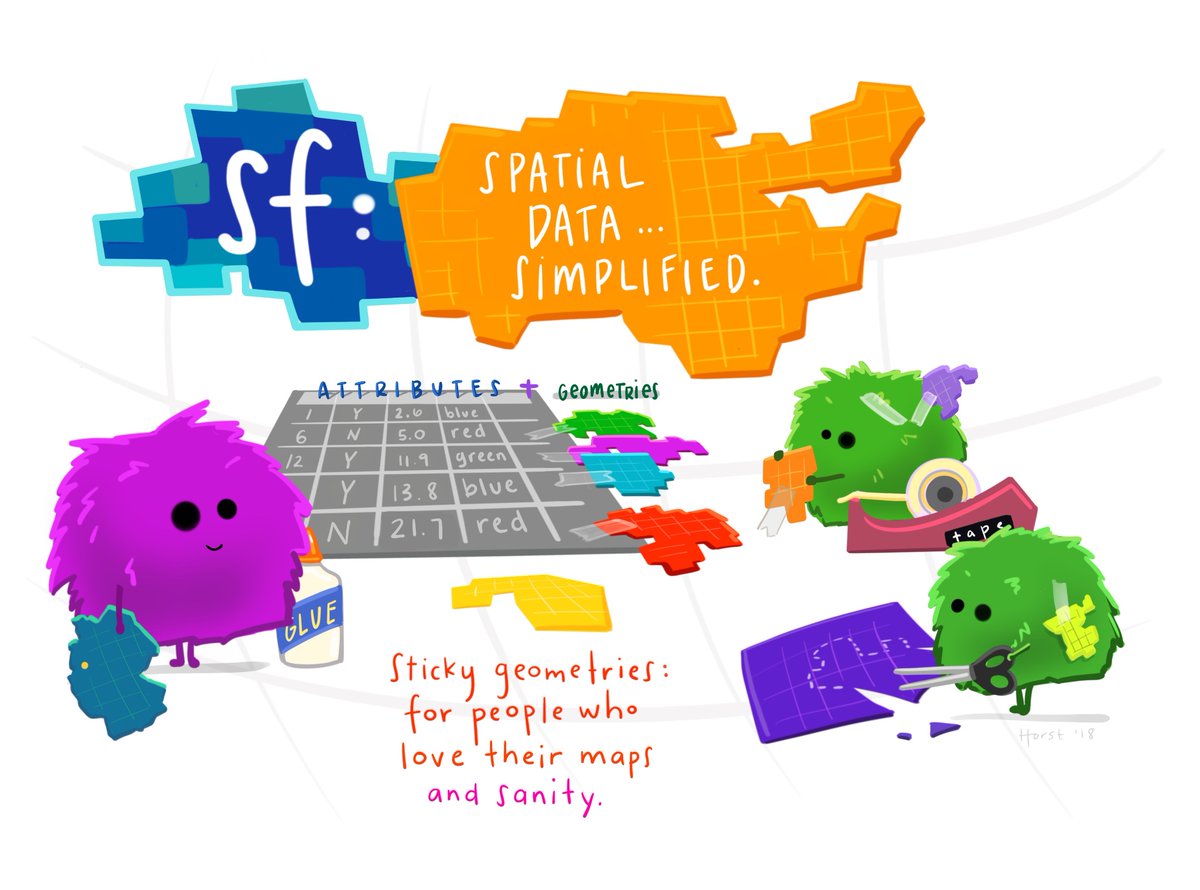
(Illustration (c) 2018 by Allison Horst)
Books, journal articles, blogs, presentations, vignettes, sp-sf wiki
- an open access R Journal article summarizes the package
- two books: Spatial Data Science: with applications in R, Geocomputation with R
- package vignettes: first, second, third, fourth, fifth, sixth, seventh
- blog posts: first, second, third, fourth
- the original R Consortium ISC proposal, the R Consortium blog post
- presentations: rstudio::conf 2018 (video), UseR! 2016
- wiki page describing sp-sf migration
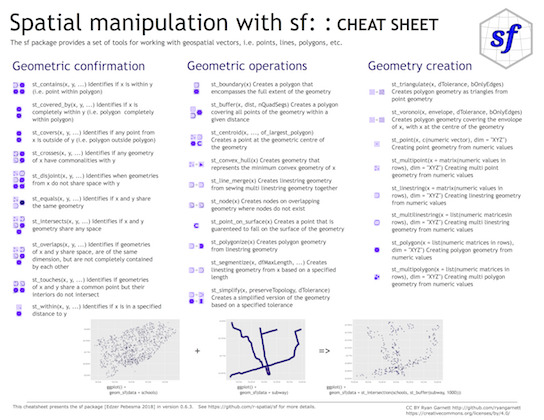
Cheatsheet
Installing
Install either from CRAN with:
install.packages("sf")
This will install binary packages on Windows and MacOS, unless you configured R such that it tries to install source packages; in that case, see below.
Install development versions from GitHub with:
library(remotes)
install_github("r-spatial/sf")
Windows
Installing sf from source works under Windows when Rtools is installed.
MacOS
MacOS users are strongly encouraged to install the sf binary packages from CRAN, unless they are familiar with compilers, linking, C++ source code, and homebrew. If you experience that R tries to install sf from source (or otherwise your install fails but you don't understand what is going on) try again by explicitly installing the binary, using
install.packages("sf", type = "binary")
The remainder of this section is for those who understand what source installs mean, and imply.
Perhaps the easiest way of an install from source is to first install gdal using Homebrew. Recent versions of Homebrew include a full-featured up-to-date gdal formula, which installs proj and gdal at the same time:
brew install pkg-config
brew install gdal
Once gdal is installed, you may be able to install sf package from source in R. With the current version of proj on homebrew, installation requires additional configuration:
install.packages("sf", type = "source", configure.args = "--with-proj-lib=$(brew --prefix)/lib/")
Or the development version:
library(remotes)
install_github("r-spatial/sf", configure.args = "--with-proj-lib=$(brew --prefix)/lib/")
Alternatively, these instructions explain how to install gdal using kyngchaos frameworks.
For Mac OS 11 Big Sur source install instruction, see here
Linux
For Unix-alikes, GDAL (>= 2.0.1), GEOS (>= 3.4.0) and PROJ (>= 4.8.0) are required.
Ubuntu
Dependencies for recent versions of Ubuntu (18.04 and later) are available in the official repositories; you can install them with:
sudo apt -y update && apt install -y libudunits2-dev libgdal-dev libgeos-dev libproj-dev libsqlite3-dev
However, to get more up-to-date versions of dependencies such as GDAL, GEOS and PROJ we recommend adding the ubuntugis-unstable PPA to the package repositories and installing them as follows:
sudo add-apt-repository ppa:ubuntugis/ubuntugis-unstable
sudo apt update
sudo apt install libudunits2-dev libgdal-dev libgeos-dev libproj-dev libsqlite3-dev
Adding this PPA is required for installing sf on older versions of Ubuntu (e.g. Xenial).
Another option, for advanced users, is to install dependencies from source; see e.g. an older Travis config file for hints.
Fedora
The following command installs all required dependencies:
sudo dnf install gdal-devel proj-devel geos-devel sqlite-devel udunits2-devel
Arch
Get gdal, proj, geos and podofo from the main repos, and udunits from the AUR:
pacman -S gdal proj geos arrow podofo
yay/pacaur/yaourt/whatever -S udunits
renv or conda
There are several reports that sf fails to install as a source package when R is used with renv, or when R is installed in a conda environment. If you experience this, please only raise an issue here if the problem persists without renv or conda, and otherwise
- try to sort this out with the
renvdevelopers or thecondamaintainers, or - try to use binary installs of the
sfpackage, e.g. from r2u, or the Posit package manager
Other
To install on Debian, the rocker geospatial Dockerfiles may be helpful. Ubuntu Dockerfiles are found here.
Support for (Geo)Parquet and Arrow
sf links to GDAL, but does not control how GDAL was configured and built. Not every GDAL installation has built-in support for GeoParquet or Arrow. Please see this issue, or configure and compile GDAL with Parquet support e.g. using this Dockerfile.
Multiple GDAL, GEOS and/or PROJ versions on your system
If you use dynamic linking (installation from source) and have multiple versions of these libraries installed (e.g. one from ubuntugis-unstable, another installed from source in /usr/local/lib) then this will in general not work, even when setting LD_LIBRARY_PATH manually. See here for the reason why.
lwgeom
Functions and methods that require liblwgeom, including ellipsoidal (not spherical or Euclidean) metrics (area, distances), are provided by and used from lwgeom, which is also on CRAN.
Contributing
- Contributions of all sorts are most welcome, issues and pull requests are the preferred ways of sharing them.
- When contributing pull requests, please adhere to the package style (in package code use
=rather than<-; don't change indentation; tab stops of 4 spaces are preferred). - This project is released with a Contributor Code of Conduct. By participating in this project, you agree to abide by its terms.
How to cite
Package sf can be cited as:
-
Edzer Pebesma, 2018. Simple Features for R: Standardized Support for Spatial Vector Data. The R Journal 10:1, 439-446.
-
Pebesma, E.; Bivand, R. (2023). Spatial Data Science: With Applications in R (1st ed.). 314 pages. Chapman and Hall/CRC.
Acknowledgment
This project gratefully acknowledges financial support from the

Contributors
(top 30 of 116)


Similar repos


Languages
R
64.7%
C++
29.5%
Dockerfile
3.7%
M4
1.7%
Simple Features for R
See the codeREADME
Simple Features for R
A package that provides simple features access for R.
Blogs, links • Cheatsheet • Installing • Contributing • Acknowledgment • How to cite
Package sf:
- represents simple features as records in a
data.frameortibblewith a geometry list-column - represents natively in R all 17 simple feature types for all dimensions (XY, XYZ, XYM, XYZM)
- interfaces to GEOS for geometrical operations on projected coordinates, and (through R package s2) to s2geometry for geometrical operations on ellipsoidal coordinates
- interfaces to GDAL, supporting all driver options,
DateandPOSIXctand list-columns - interfaces to PRØJ for coordinate reference system conversion and transformation
- uses well-known-binary serialisations written in C++/Rcpp for fast I/O with GDAL and GEOS
- reads from and writes to spatial databases such as PostGIS using DBI
- is extended by
- lwgeom for selected liblwgeom/PostGIS functions
- stars for raster data, and raster or vector data cubes (spatial time series)
- sfnetworks for geospatial network data
(Illustration (c) 2018 by Allison Horst)
Books, journal articles, blogs, presentations, vignettes, sp-sf wiki
- an open access R Journal article summarizes the package
- two books: Spatial Data Science: with applications in R, Geocomputation with R
- package vignettes: first, second, third, fourth, fifth, sixth, seventh
- blog posts: first, second, third, fourth
- the original R Consortium ISC proposal, the R Consortium blog post
- presentations: rstudio::conf 2018 (video), UseR! 2016
- wiki page describing sp-sf migration
Cheatsheet
Installing
Install either from CRAN with:
install.packages("sf")
This will install binary packages on Windows and MacOS, unless you configured R such that it tries to install source packages; in that case, see below.
Install development versions from GitHub with:
library(remotes)
install_github("r-spatial/sf")
Windows
Installing sf from source works under Windows when Rtools is installed.
MacOS
MacOS users are strongly encouraged to install the sf binary packages from CRAN, unless they are familiar with compilers, linking, C++ source code, and homebrew. If you experience that R tries to install sf from source (or otherwise your install fails but you don't understand what is going on) try again by explicitly installing the binary, using
install.packages("sf", type = "binary")
The remainder of this section is for those who understand what source installs mean, and imply.
Perhaps the easiest way of an install from source is to first install gdal using Homebrew. Recent versions of Homebrew include a full-featured up-to-date gdal formula, which installs proj and gdal at the same time:
brew install pkg-config
brew install gdal
Once gdal is installed, you may be able to install sf package from source in R. With the current version of proj on homebrew, installation requires additional configuration:
install.packages("sf", type = "source", configure.args = "--with-proj-lib=$(brew --prefix)/lib/")
Or the development version:
library(remotes)
install_github("r-spatial/sf", configure.args = "--with-proj-lib=$(brew --prefix)/lib/")
Alternatively, these instructions explain how to install gdal using kyngchaos frameworks.
For Mac OS 11 Big Sur source install instruction, see here
Linux
For Unix-alikes, GDAL (>= 2.0.1), GEOS (>= 3.4.0) and PROJ (>= 4.8.0) are required.
Ubuntu
Dependencies for recent versions of Ubuntu (18.04 and later) are available in the official repositories; you can install them with:
sudo apt -y update && apt install -y libudunits2-dev libgdal-dev libgeos-dev libproj-dev libsqlite3-dev
However, to get more up-to-date versions of dependencies such as GDAL, GEOS and PROJ we recommend adding the ubuntugis-unstable PPA to the package repositories and installing them as follows:
sudo add-apt-repository ppa:ubuntugis/ubuntugis-unstable
sudo apt update
sudo apt install libudunits2-dev libgdal-dev libgeos-dev libproj-dev libsqlite3-dev
Adding this PPA is required for installing sf on older versions of Ubuntu (e.g. Xenial).
Another option, for advanced users, is to install dependencies from source; see e.g. an older Travis config file for hints.
Fedora
The following command installs all required dependencies:
sudo dnf install gdal-devel proj-devel geos-devel sqlite-devel udunits2-devel
Arch
Get gdal, proj, geos and podofo from the main repos, and udunits from the AUR:
pacman -S gdal proj geos arrow podofo
yay/pacaur/yaourt/whatever -S udunits
renv or conda
There are several reports that sf fails to install as a source package when R is used with renv, or when R is installed in a conda environment. If you experience this, please only raise an issue here if the problem persists without renv or conda, and otherwise
- try to sort this out with the
renvdevelopers or thecondamaintainers, or - try to use binary installs of the
sfpackage, e.g. from r2u, or the Posit package manager
Other
To install on Debian, the rocker geospatial Dockerfiles may be helpful. Ubuntu Dockerfiles are found here.
Support for (Geo)Parquet and Arrow
sf links to GDAL, but does not control how GDAL was configured and built. Not every GDAL installation has built-in support for GeoParquet or Arrow. Please see this issue, or configure and compile GDAL with Parquet support e.g. using this Dockerfile.
Multiple GDAL, GEOS and/or PROJ versions on your system
If you use dynamic linking (installation from source) and have multiple versions of these libraries installed (e.g. one from ubuntugis-unstable, another installed from source in /usr/local/lib) then this will in general not work, even when setting LD_LIBRARY_PATH manually. See here for the reason why.
lwgeom
Functions and methods that require liblwgeom, including ellipsoidal (not spherical or Euclidean) metrics (area, distances), are provided by and used from lwgeom, which is also on CRAN.
Contributing
- Contributions of all sorts are most welcome, issues and pull requests are the preferred ways of sharing them.
- When contributing pull requests, please adhere to the package style (in package code use
=rather than<-; don't change indentation; tab stops of 4 spaces are preferred). - This project is released with a Contributor Code of Conduct. By participating in this project, you agree to abide by its terms.
How to cite
Package sf can be cited as:
-
Edzer Pebesma, 2018. Simple Features for R: Standardized Support for Spatial Vector Data. The R Journal 10:1, 439-446.
-
Pebesma, E.; Bivand, R. (2023). Spatial Data Science: With Applications in R (1st ed.). 314 pages. Chapman and Hall/CRC.
Acknowledgment
This project gratefully acknowledges financial support from the
Similar repos
Contributors
(top 30 of 116)
Languages
R
64.7%
C++
29.5%
Dockerfile
3.7%
M4
1.7%