Qtap: An eBPF agent that captures pre-encrypted network traffic, providing rich context about egress connections and their originating processes.
See the code




An eBPF agent that captures traffic flowing through the Linux kernel. By attaching to TLS/SSL functions, data is intercepted before and after encryption and then passed to flexible plugins with full visibility along with all of the available context - process/container/host/user/protocol/etc. Qtap makes it possible to understand what's happening with your egress traffic, without modifying apps, installing proxies, or managing certs.
Qtap shows you exactly what data is being sent and received in its original, unencrypted form while operating out-of-band with minimal overhead, without adding latency or disrupting application performance.

Qtap can augment your existing observability piplines or can be used as a foundational component for a custom solution, like Qpoint, in a variety of ways, including:
For more information see the "How It Works" section of our website.
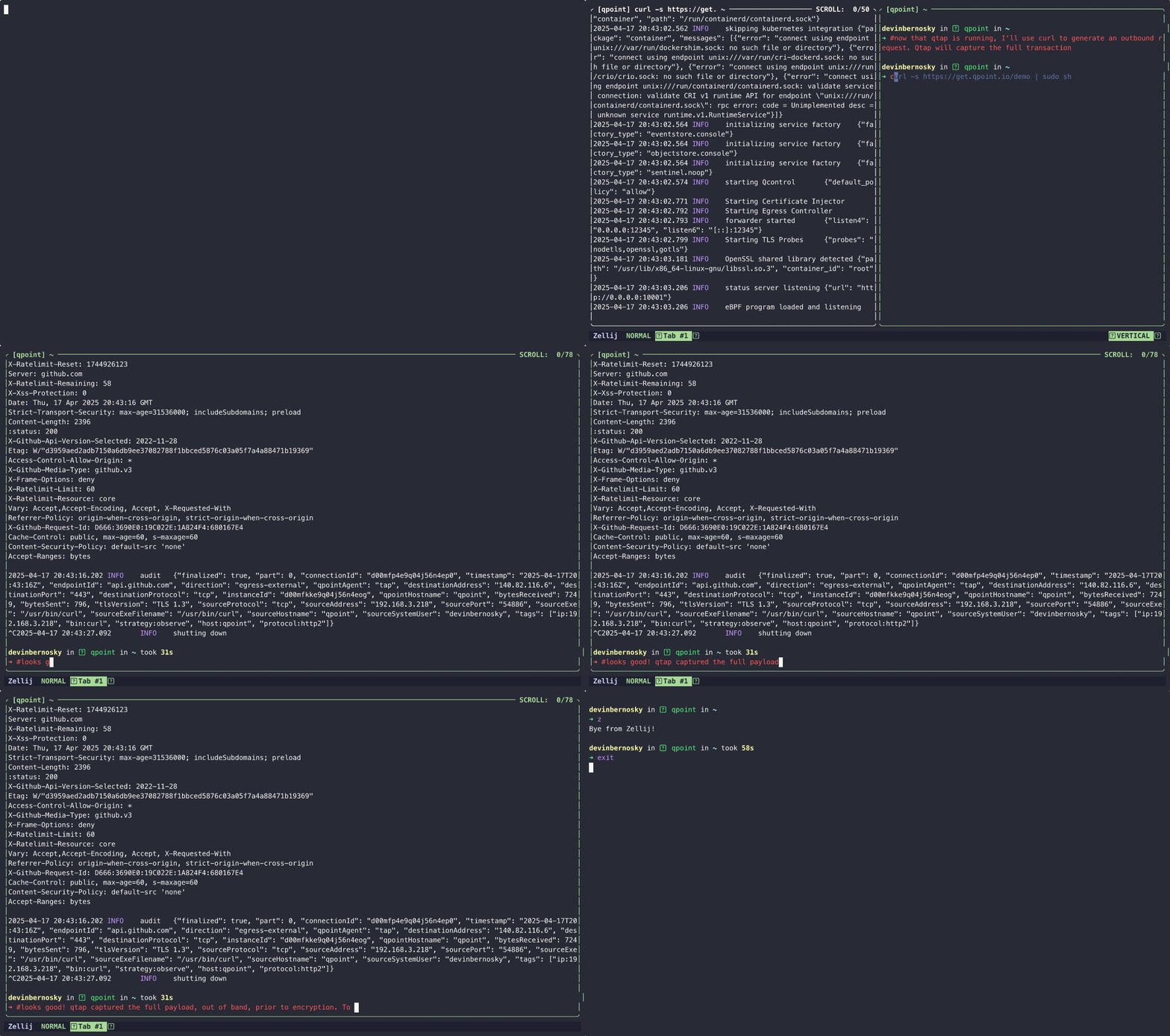
Want to give Qtap a test run? Spin up a temporary instance in Demo mode! See the traffic in real time right in your terminal.
# Run Qtap in demo mode
$ curl -s https://get.qpoint.io/demo | sudo sh
Or install and start running right away!
# Install the Qtap agent
$ curl -s https://get.qpoint.io/install | sudo sh

# Run with defaults!
$ sudo qtap
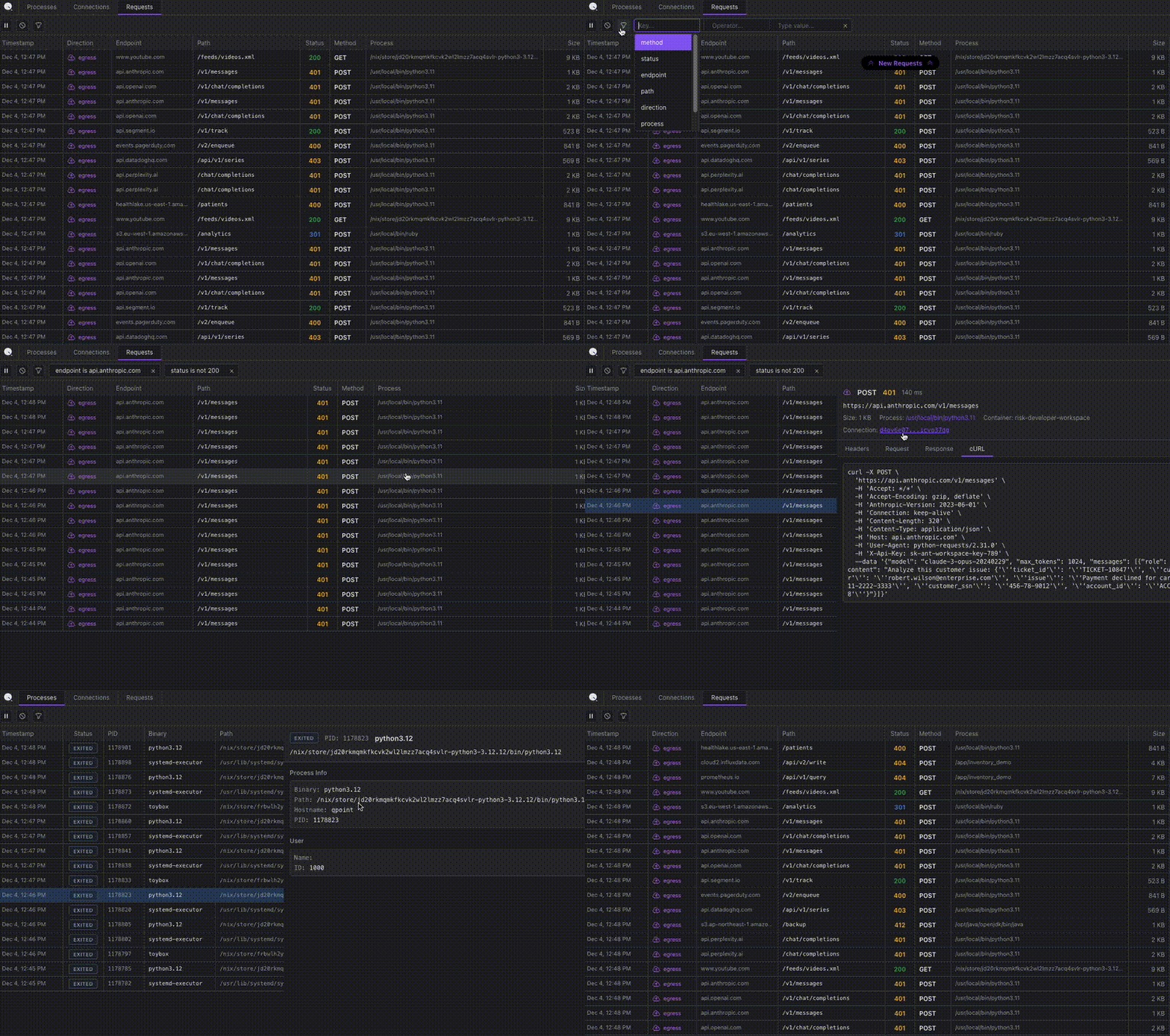
Qtap includes a built-in DevTools interface (located in pkg/devtools/app) that provides a Chrome DevTools-like network tab for monitoring processes and traffic on a single Linux node. The interface offers real-time monitoring of HTTP transactions, network connections, and processes with filtering, search, and detailed inspection capabilities. See the DevTools README and DevTools documentation for more details.
Converse with Qpoint devs and the contributors in Github Discussions.
/sys/kernel/btf/vmlinux exists on your system.sudoCAP_BPF, host pids, and privileged. For example:docker run \
--user 0:0 \
--privileged \
--cap-add CAP_BPF \
--cap-add CAP_SYS_ADMIN \
--pid=host \
--network=host \
-v /sys:/sys \
-v /var/run/docker.sock:/var/run/docker.sock \
-e TINI_SUBREAPER=1 \
--ulimit=memlock=-1 \
us-docker.pkg.dev/qpoint-edge/public/qtap:v0 \
--log-level=info
Go applications can use process.NewMonitor in pkg/process to construct one
Linux process monitor, receive the existing lifecycle callbacks, and release its resources
without starting the QTap application. See the separate Go module example
for usage, runtime requirements, and callback limitations.
$ git clone https://github.com/qpoint-io/qtap.git
$ make build
Makefile targetsThese are the most commonly used targets by Qpoint devs:
build - generates the eBPF binaries and builds the Go applicationgenerate - generates the eBPF binariesrun - runs a debug instance of the Qtapci - runs all of the ci checks (nice to use before pushing code)Tracing can be enabled by setting the OTEL_TRACES_EXPORTER and OTEL_EXPORTER_OTLP_PROTOCOL env vars per the OpenTelemetry docs [1] [2].
We have two metrics endpoints on localhost:10001:
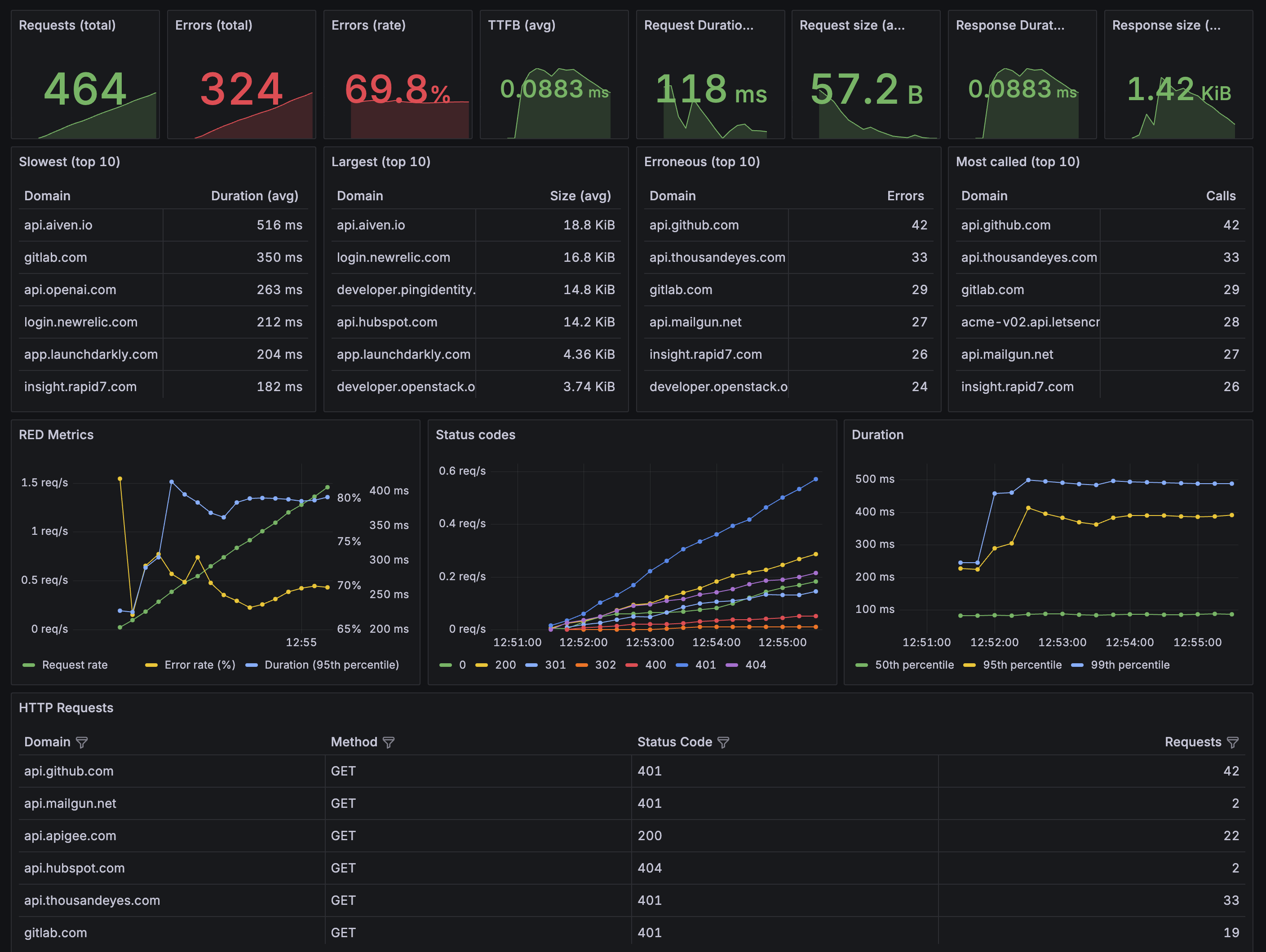
/metrics contains metrics that can be used to create dashboards for monitoring the activity on your system/system/metrics contains metrics related to the health of the qtap agentWe have a sample Grafana dashboard: examples/dashboards/qtap-http-overview.json.
This project is currently in early development. We're excited to share our work with the community and welcome your feedback! While we're actively improving things, please note that:
We welcome contributions through GitHub issues and appreciate your understanding that we're a small team balancing multiple priorities. We value constructive feedback that helps us make this project better.
Thank you for checking out our work!
See the Contributing Guide to get started. Contributions are accepted under the Apache License 2.0.
This project is licensed under the Apache License 2.0.

(top 24 of 44)
3,108 followers · starred May 2025
1,061 followers · starred May 2025
133 followers · starred May 2025
254 followers · starred May 2025
Qtap: An eBPF agent that captures pre-encrypted network traffic, providing rich context about egress connections and their originating processes.
See the code
An eBPF agent that captures traffic flowing through the Linux kernel. By attaching to TLS/SSL functions, data is intercepted before and after encryption and then passed to flexible plugins with full visibility along with all of the available context - process/container/host/user/protocol/etc. Qtap makes it possible to understand what's happening with your egress traffic, without modifying apps, installing proxies, or managing certs.
Qtap shows you exactly what data is being sent and received in its original, unencrypted form while operating out-of-band with minimal overhead, without adding latency or disrupting application performance.
Qtap can augment your existing observability piplines or can be used as a foundational component for a custom solution, like Qpoint, in a variety of ways, including:
For more information see the "How It Works" section of our website.
Want to give Qtap a test run? Spin up a temporary instance in Demo mode! See the traffic in real time right in your terminal.
# Run Qtap in demo mode
$ curl -s https://get.qpoint.io/demo | sudo sh
Or install and start running right away!
# Install the Qtap agent
$ curl -s https://get.qpoint.io/install | sudo sh

# Run with defaults!
$ sudo qtap
Qtap includes a built-in DevTools interface (located in pkg/devtools/app) that provides a Chrome DevTools-like network tab for monitoring processes and traffic on a single Linux node. The interface offers real-time monitoring of HTTP transactions, network connections, and processes with filtering, search, and detailed inspection capabilities. See the DevTools README and DevTools documentation for more details.
Converse with Qpoint devs and the contributors in Github Discussions.
/sys/kernel/btf/vmlinux exists on your system.sudoCAP_BPF, host pids, and privileged. For example:docker run \
--user 0:0 \
--privileged \
--cap-add CAP_BPF \
--cap-add CAP_SYS_ADMIN \
--pid=host \
--network=host \
-v /sys:/sys \
-v /var/run/docker.sock:/var/run/docker.sock \
-e TINI_SUBREAPER=1 \
--ulimit=memlock=-1 \
us-docker.pkg.dev/qpoint-edge/public/qtap:v0 \
--log-level=info
Go applications can use process.NewMonitor in pkg/process to construct one
Linux process monitor, receive the existing lifecycle callbacks, and release its resources
without starting the QTap application. See the separate Go module example
for usage, runtime requirements, and callback limitations.
$ git clone https://github.com/qpoint-io/qtap.git
$ make build
Makefile targetsThese are the most commonly used targets by Qpoint devs:
build - generates the eBPF binaries and builds the Go applicationgenerate - generates the eBPF binariesrun - runs a debug instance of the Qtapci - runs all of the ci checks (nice to use before pushing code)Tracing can be enabled by setting the OTEL_TRACES_EXPORTER and OTEL_EXPORTER_OTLP_PROTOCOL env vars per the OpenTelemetry docs [1] [2].
We have two metrics endpoints on localhost:10001:
/metrics contains metrics that can be used to create dashboards for monitoring the activity on your system/system/metrics contains metrics related to the health of the qtap agentWe have a sample Grafana dashboard: examples/dashboards/qtap-http-overview.json.
This project is currently in early development. We're excited to share our work with the community and welcome your feedback! While we're actively improving things, please note that:
We welcome contributions through GitHub issues and appreciate your understanding that we're a small team balancing multiple priorities. We value constructive feedback that helps us make this project better.
Thank you for checking out our work!
See the Contributing Guide to get started. Contributions are accepted under the Apache License 2.0.
This project is licensed under the Apache License 2.0.
(top 24 of 44)
3,108 followers · starred May 2025
1,061 followers · starred May 2025
133 followers · starred May 2025
254 followers · starred May 2025