
README
iris
a language implementation for PureScript
Iris is a language implementation for PureScript, powered by an incremental, query-based build system. Instead of a sequence of compiler phases, Iris models compilation and semantic information as incrementally computed queries. These queries are used extensively to implement code intelligence features in the language server.
The build system is designed with interactive editing in mind. To support this, it tracks dependencies between inputs and queries, caches query results, deduplicates in-progress work across threads, and supports cooperative cancellation when inputs change. Crucially, many query results are designed to be incrementally reusable. For example, the compiler uses stable identities in lieu of source ranges to enable minimal recomputation across trivial formatting changes.
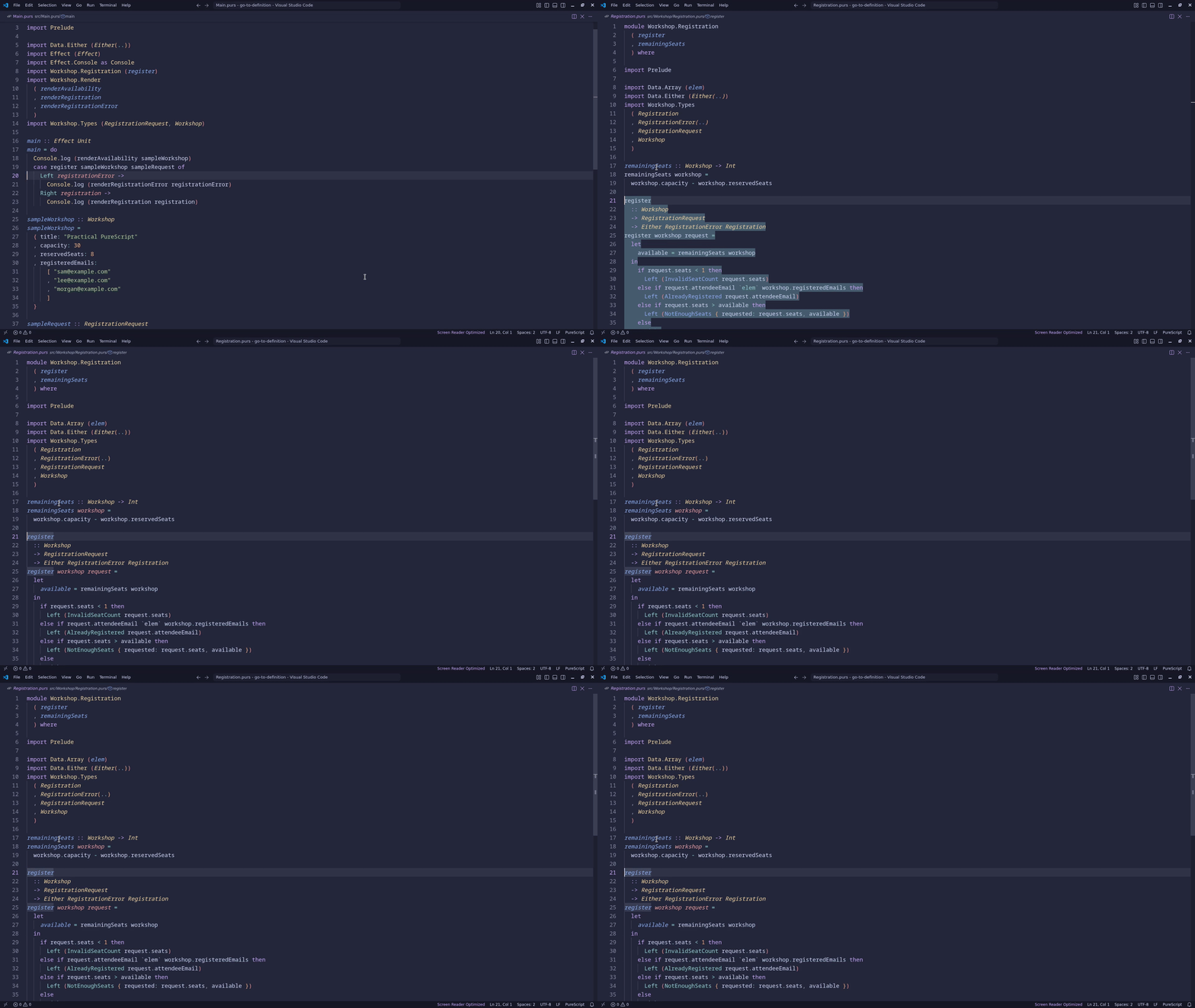
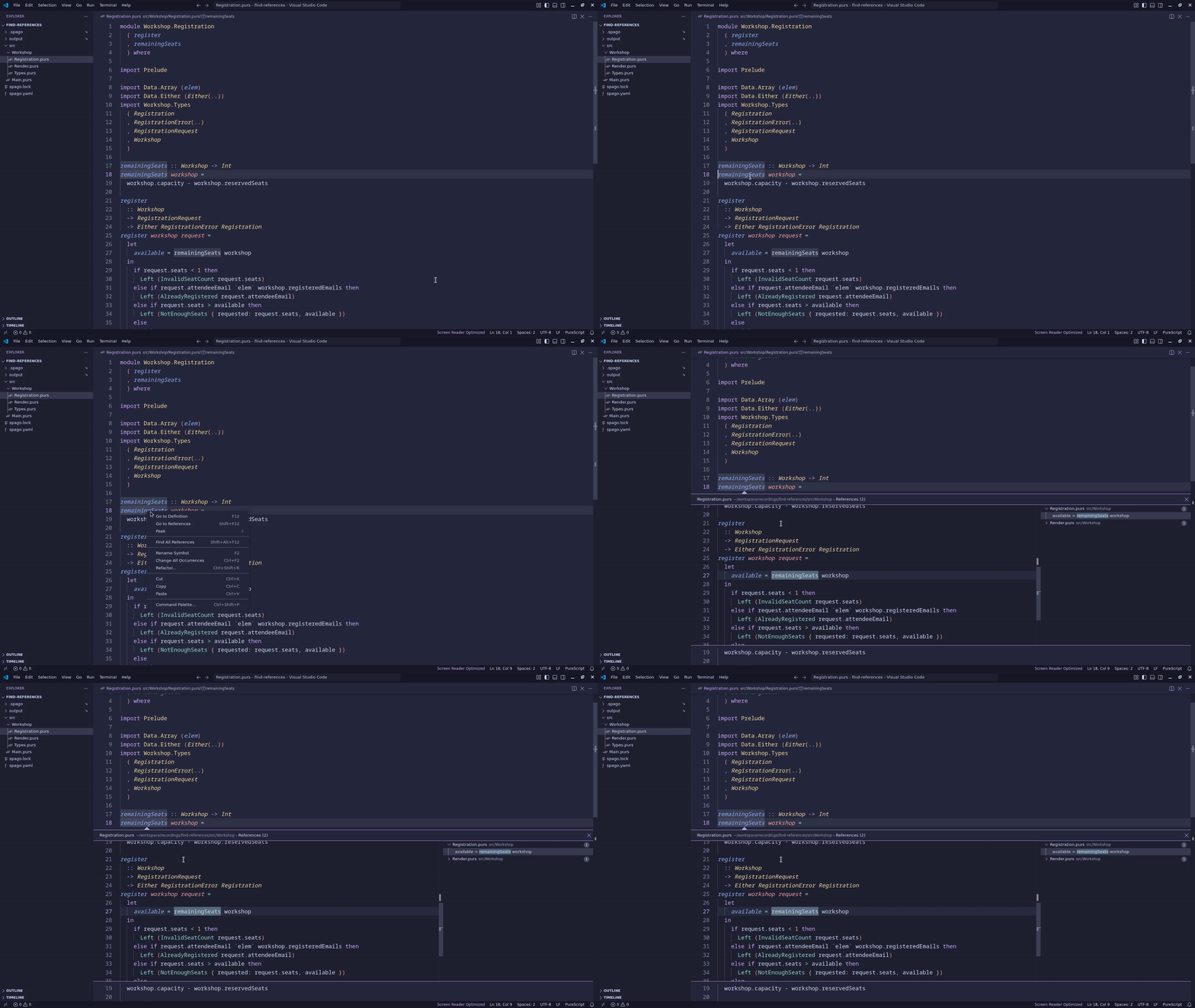
The language server component implements core code intelligence features such as completion, jump to definition, hover information, find references, workspace symbol search, and diagnostics.
Language server configuration
Run iris lsp --stdio to start the language server. The lsp subcommand is required;
iris alone no longer starts the server, and language-server options must follow lsp.
Editors that advertise the LSP workspace.configuration capability can provide settings in the
iris.server workspace configuration section. Iris requests that section for the first workspace
folder after initialization and requests it again after each
workspace/didChangeConfiguration notification; the notification's settings value is only an
invalidation signal. Each response is a complete configuration, so omitted or null fields inherit
from the defaults rather than from the preceding response. Invalid updates are shown in the editor
and leave the last valid configuration active. Clients without workspace-configuration support use
the defaults.
Iris prepares the Spago workspace during startup before serving analysis. It runs spago fetch in
the workspace root, then discovers sources from spago.yaml and package manifests, using the
resolution written by that fetch to select fetched .spago checkouts exactly. Preparation runs off
the protocol loop, so the server keeps accepting document notifications and replays them in order
once the workspace is ready. Requests made before preparation completes are rejected with
ContentModified and the message Workspace is loading, so clients that retry stale requests can
try again. If preparation fails, Iris reports the failure in the editor and does not
serve analysis from the partially installed project; correct the project (for example, by running
spago fetch) and restart Iris. Iris does not retry preparation automatically.
The defaults are:
{
  "diagnostics": {
    "onOpen": true,
    "onSave": true,
    "onChange": false
  }
}
All settings are optional. Missing or null fields retain their defaults; {} and top-level
null also select the defaults. Unknown fields and invalid values are shown in the editor. Use the
configuration JSON Schema for editor
validation; associate it through editor settings rather than adding a $schema property.
Diagnostic settings control the corresponding document-event triggers, not all diagnostic publishing.
Editor features
Iris provides code intelligence for PureScript projects through its VS Code extension.
Completion
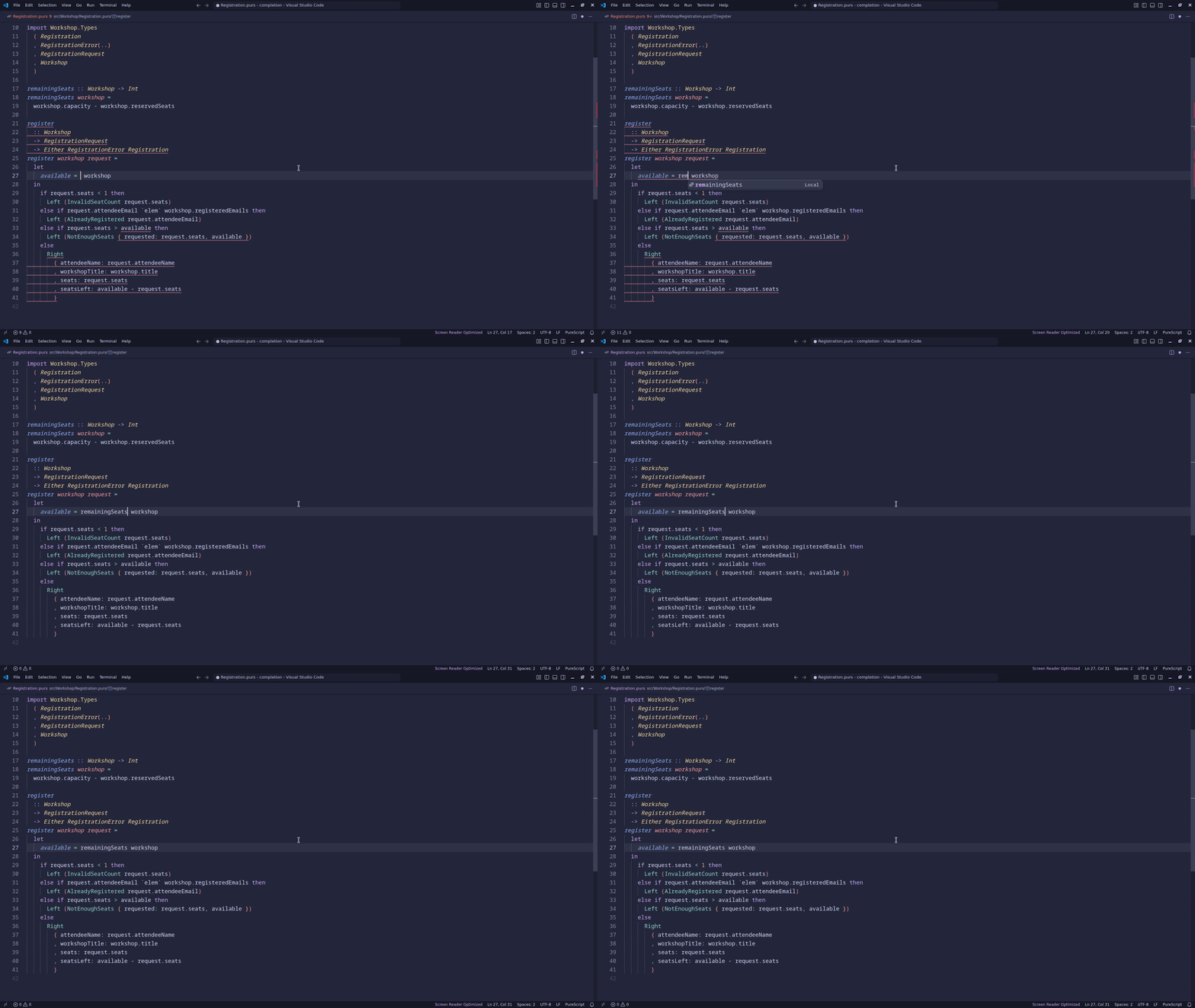
Automatic imports
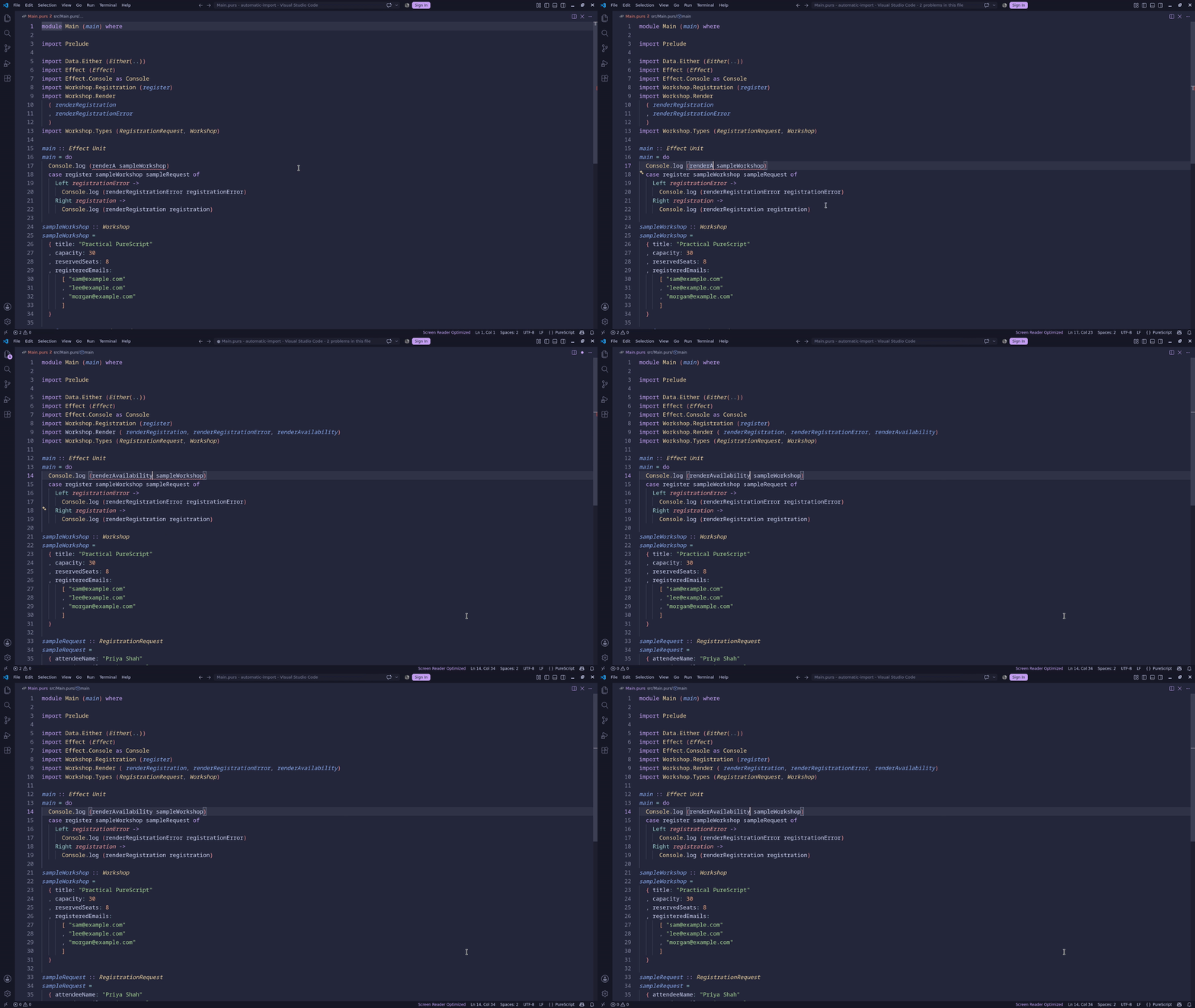
Live diagnostics
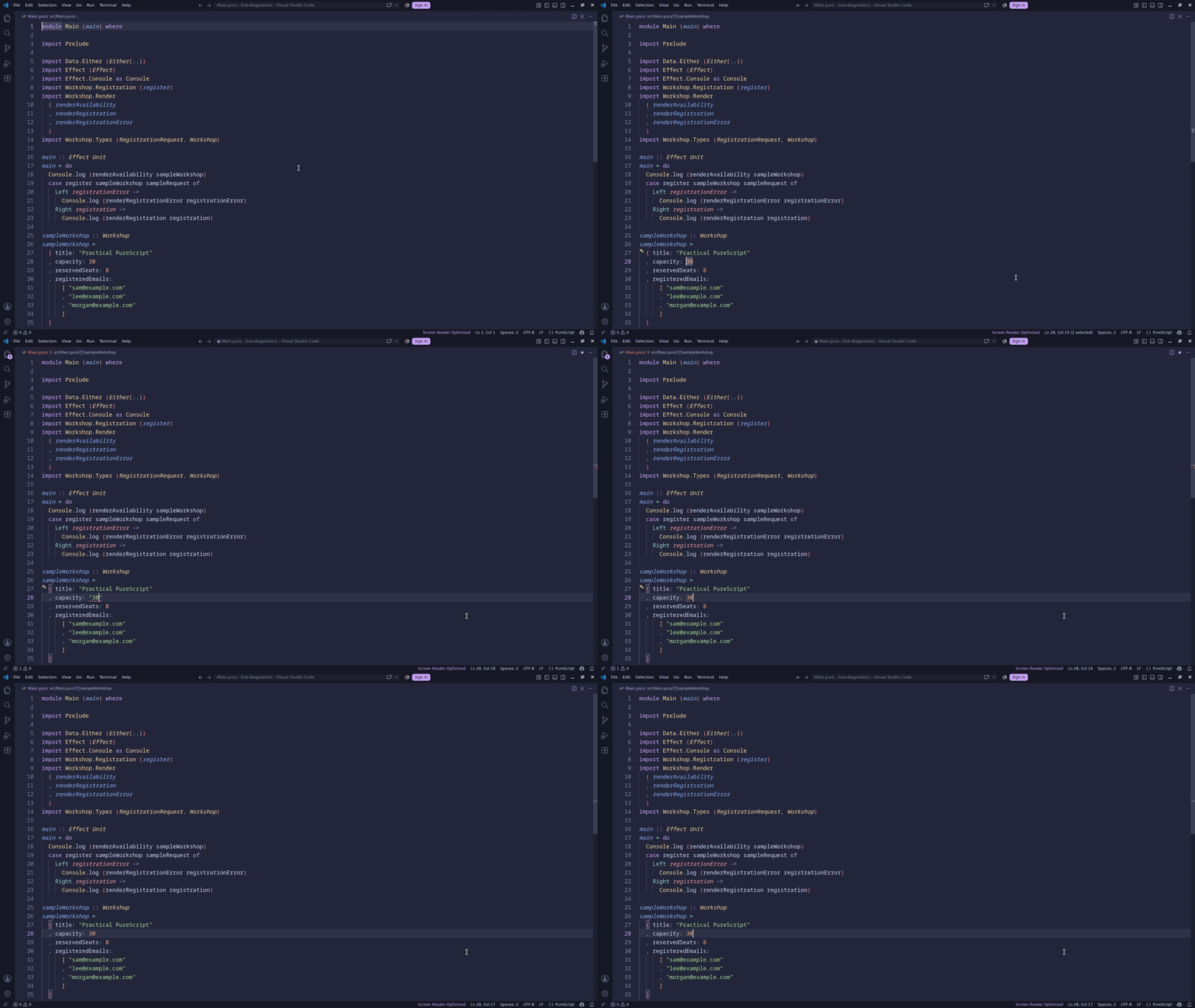
Inferred types
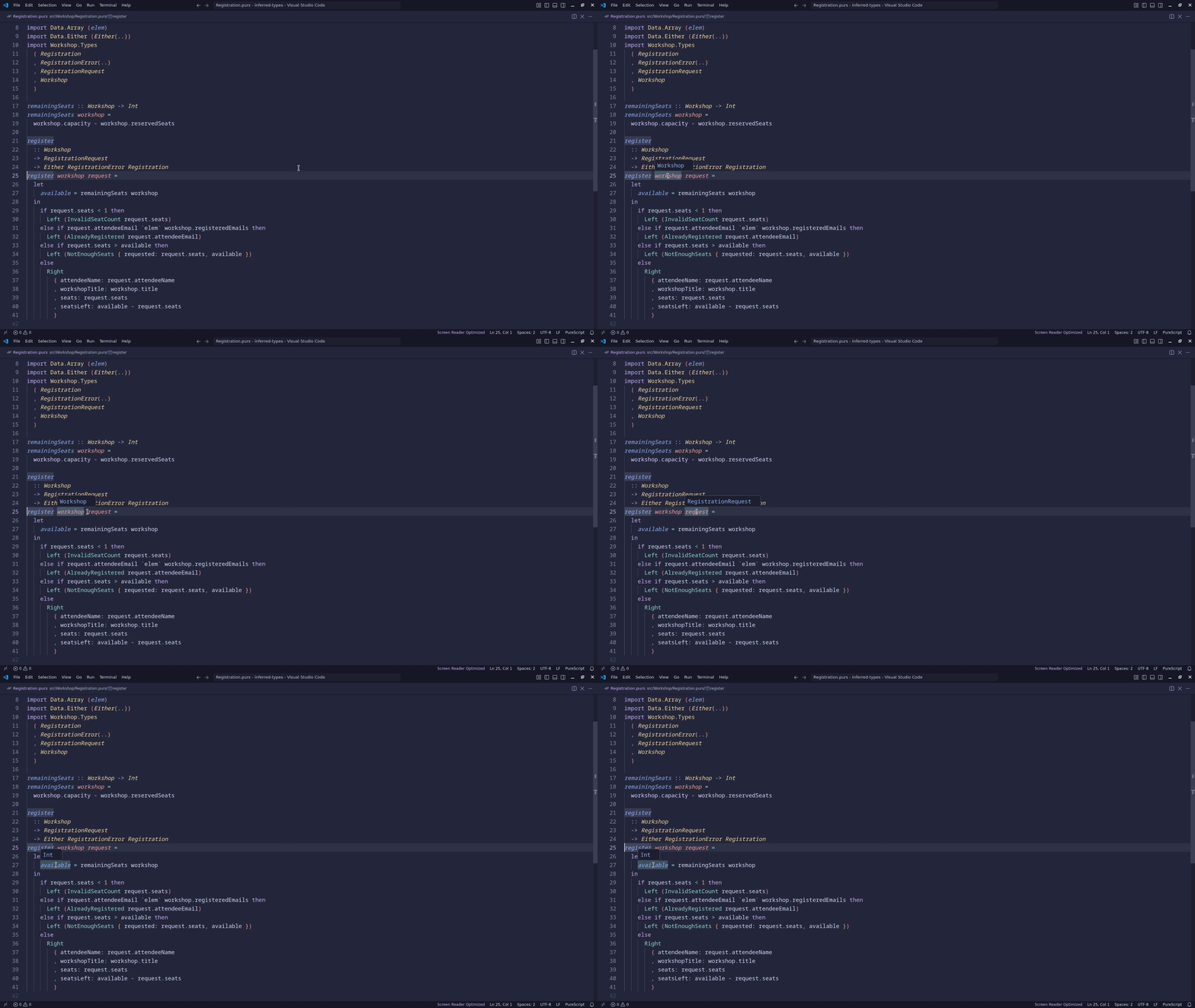
Go to definition
Find references
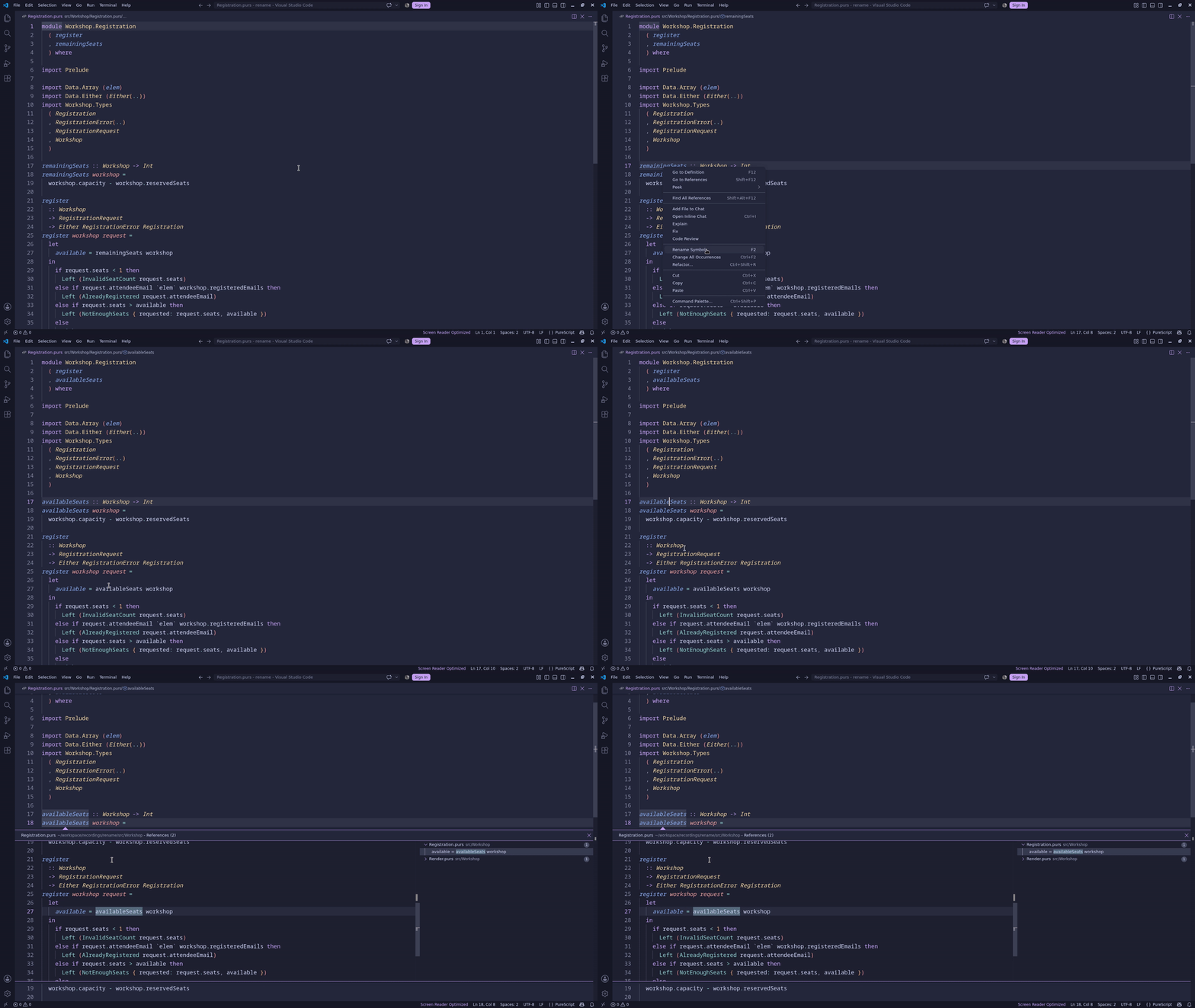
Rename
Document symbols
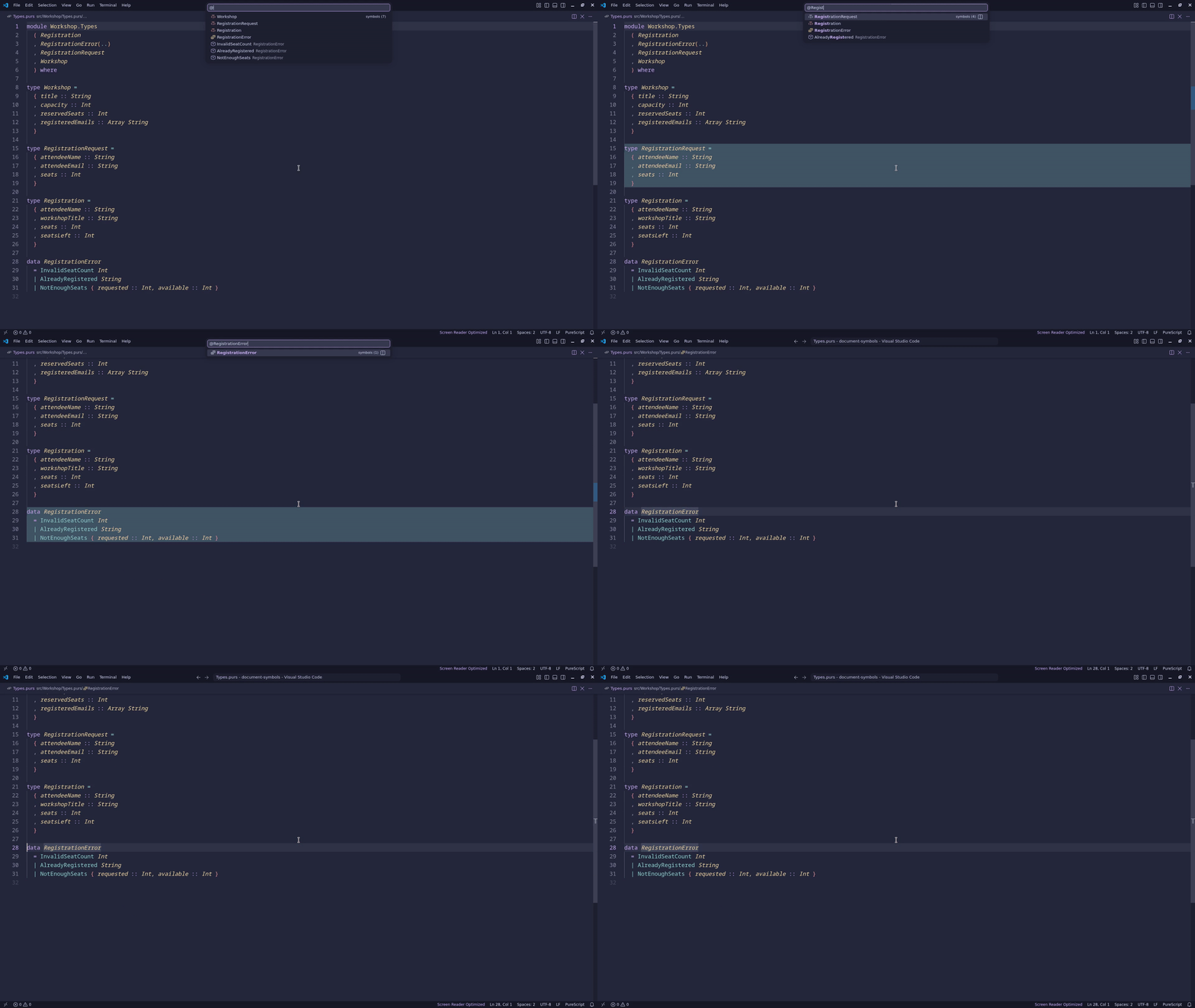
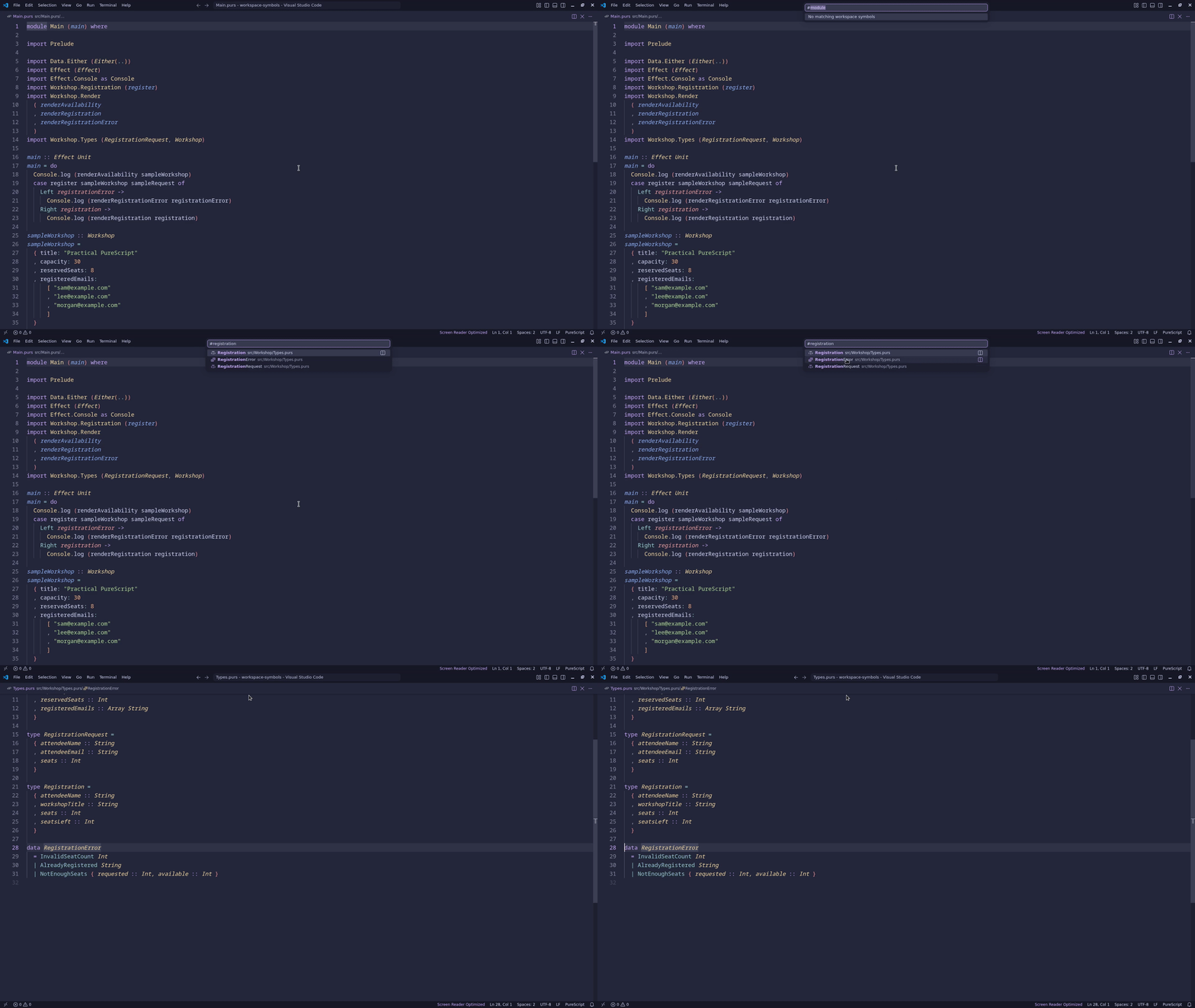
Workspace symbols
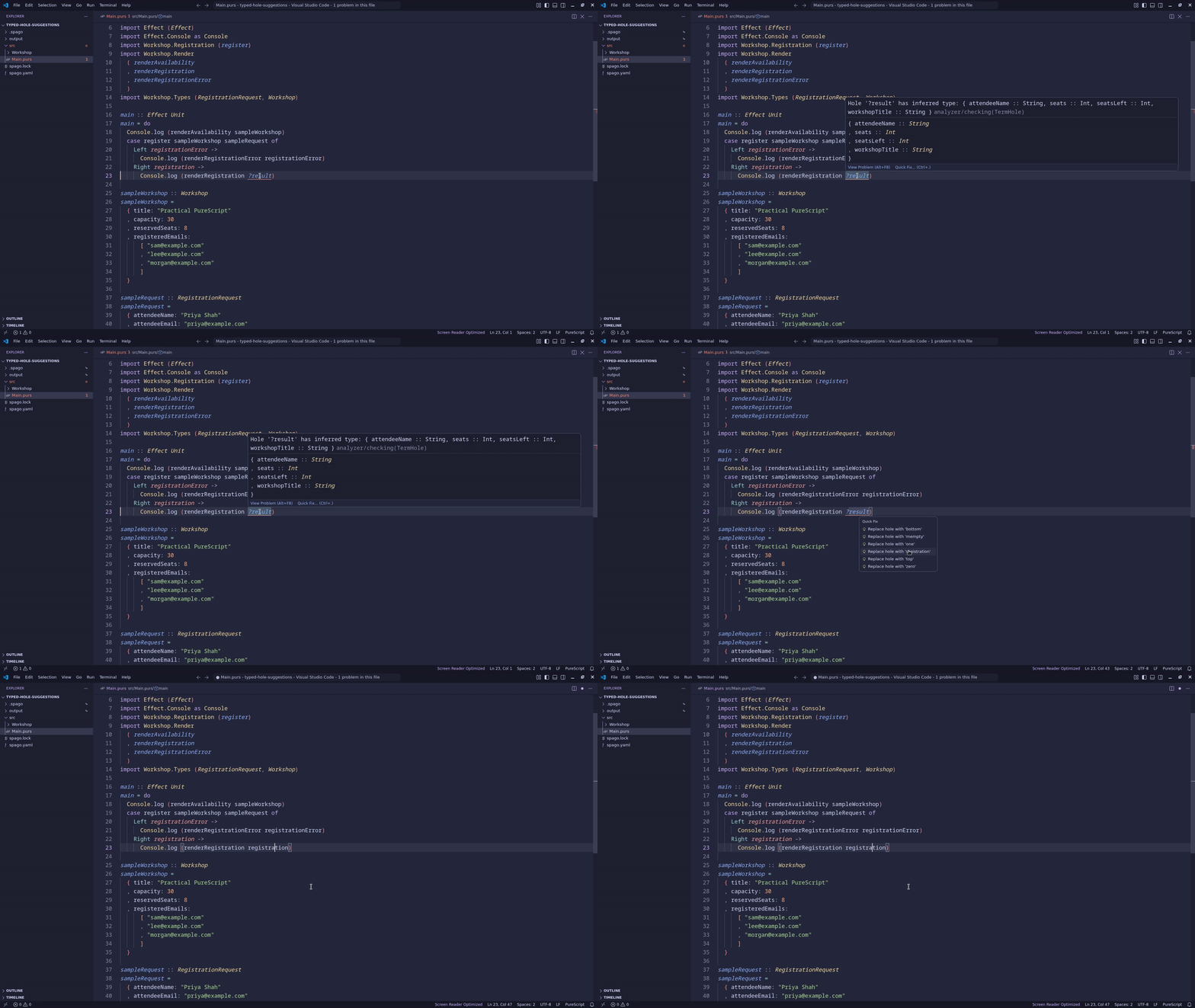
Typed-hole suggestions
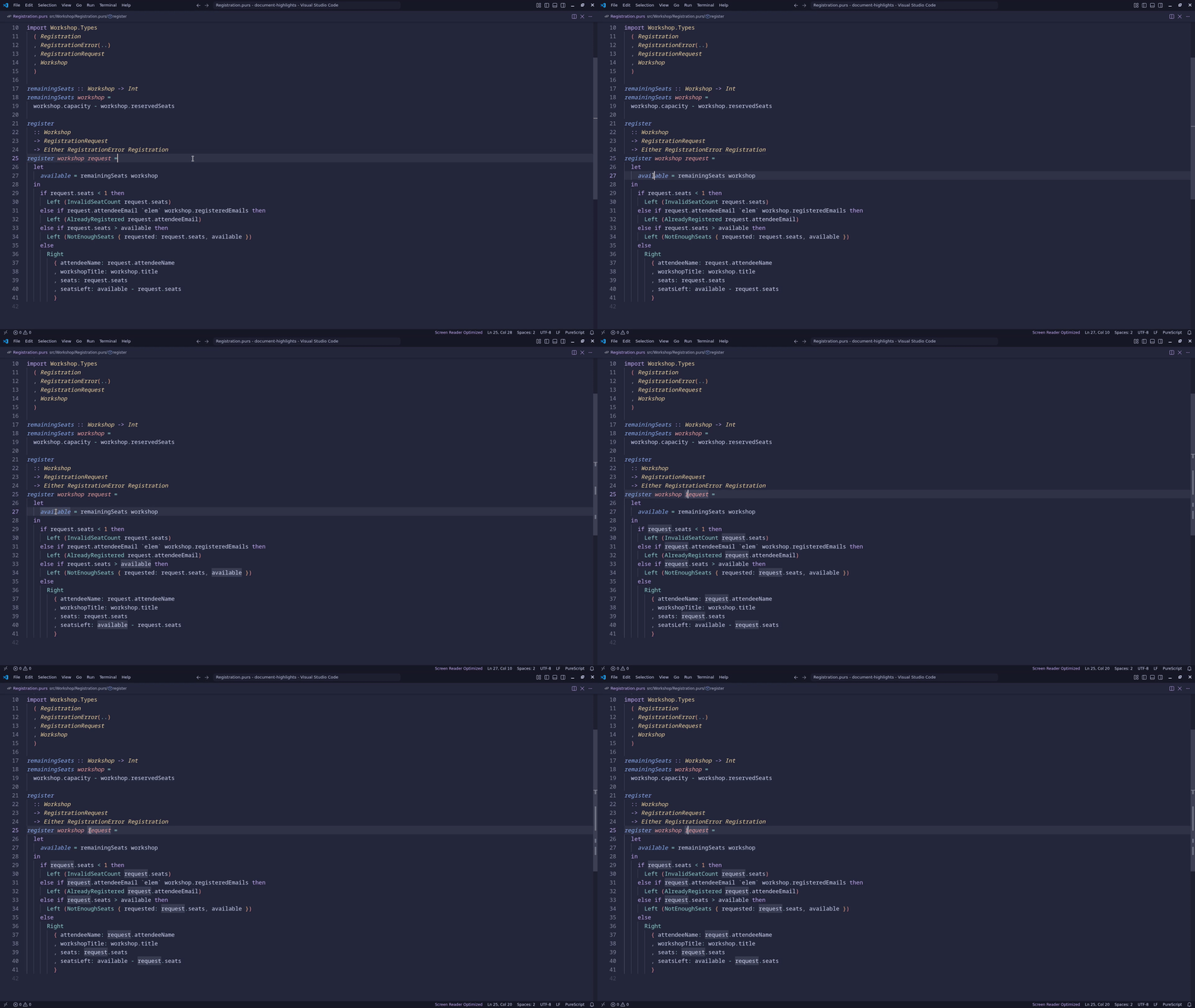
Document highlights
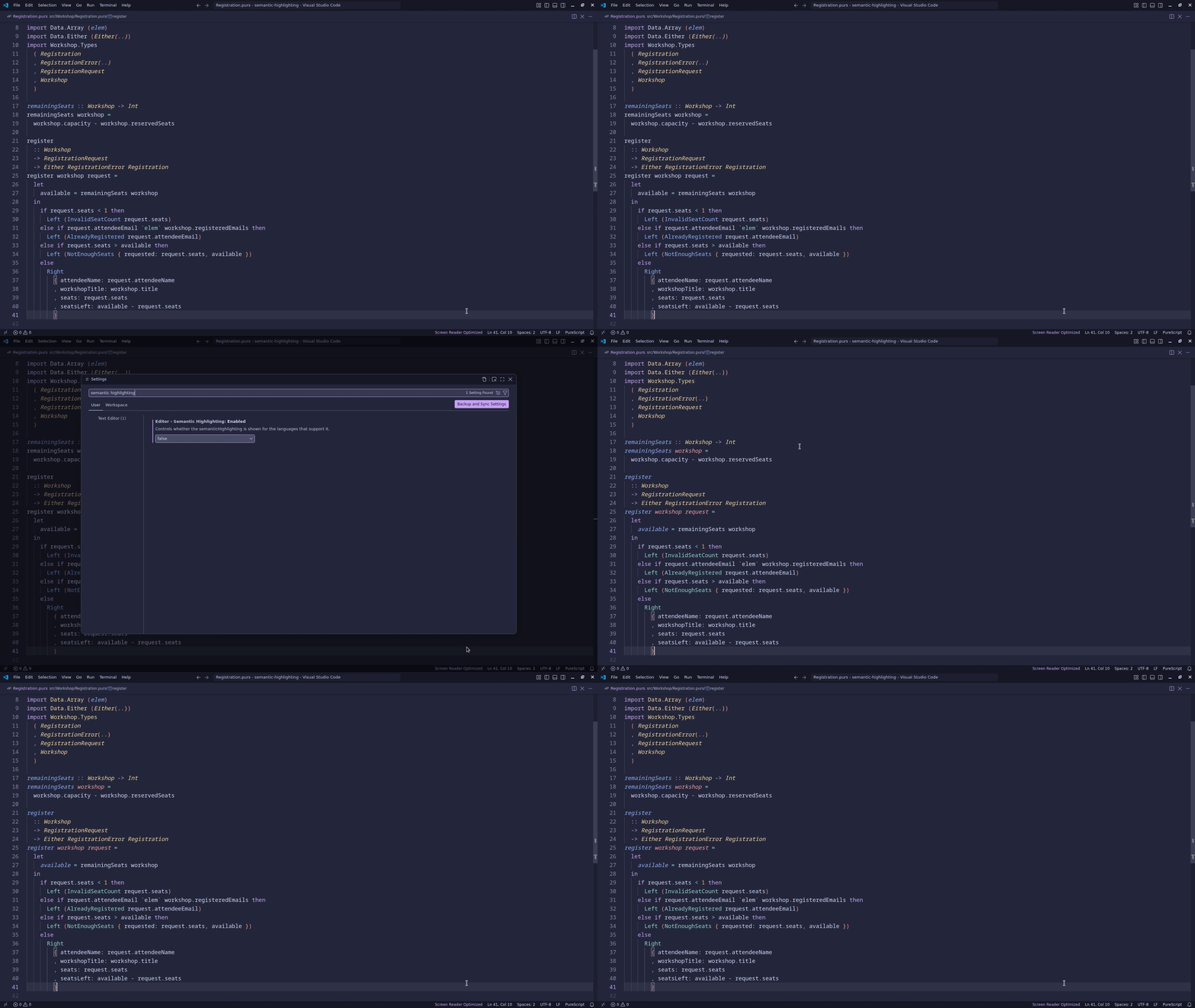
Semantic highlighting
Installation
On Linux and macOS:
curl --proto '=https' --tlsv1.2 -LsSf \
  https://raw.githubusercontent.com/purefunctor/purescript-iris/main/install.sh | sh
On Windows PowerShell:
irm https://raw.githubusercontent.com/purefunctor/purescript-iris/main/install.ps1 | iex
The installers verify the release's GitHub build-provenance attestation when
GitHub CLI is available. They display a warning and continue when it is not
installed. These installers require v0.1.0 or later; to install v0.0.x, use the installer from that
release's Git tag. Set IRIS_VERSION to a release tag or
IRIS_INSTALL_DIR to an installation directory to override the defaults.
Successful builds of the main branch are published as GitHub prereleases tagged
v<version>-dev.<revision>. Consumers testing against the canary channel should resolve the newest
published, non-draft prerelease and pass its exact tag through IRIS_VERSION. Stable installations
continue to use GitHub's latest release.
Iris keeps its package version separate from source provenance. Packagers can set
IRIS_BUILD_REVISION to a Git revision when invoking Cargo to include that revision in the reported
CLI and language-server versions. The value is read at compile time; builds that omit it report the
version from compiler-executable/iris-cli/Cargo.toml unchanged.
Contributors


Similar repos


Languages
Rust
79.3%
JavaScript
12.7%
PureScript
7.4%
README
iris
a language implementation for PureScript
Iris is a language implementation for PureScript, powered by an incremental, query-based build system. Instead of a sequence of compiler phases, Iris models compilation and semantic information as incrementally computed queries. These queries are used extensively to implement code intelligence features in the language server.
The build system is designed with interactive editing in mind. To support this, it tracks dependencies between inputs and queries, caches query results, deduplicates in-progress work across threads, and supports cooperative cancellation when inputs change. Crucially, many query results are designed to be incrementally reusable. For example, the compiler uses stable identities in lieu of source ranges to enable minimal recomputation across trivial formatting changes.
The language server component implements core code intelligence features such as completion, jump to definition, hover information, find references, workspace symbol search, and diagnostics.
Language server configuration
Run iris lsp --stdio to start the language server. The lsp subcommand is required;
iris alone no longer starts the server, and language-server options must follow lsp.
Editors that advertise the LSP workspace.configuration capability can provide settings in the
iris.server workspace configuration section. Iris requests that section for the first workspace
folder after initialization and requests it again after each
workspace/didChangeConfiguration notification; the notification's settings value is only an
invalidation signal. Each response is a complete configuration, so omitted or null fields inherit
from the defaults rather than from the preceding response. Invalid updates are shown in the editor
and leave the last valid configuration active. Clients without workspace-configuration support use
the defaults.
Iris prepares the Spago workspace during startup before serving analysis. It runs spago fetch in
the workspace root, then discovers sources from spago.yaml and package manifests, using the
resolution written by that fetch to select fetched .spago checkouts exactly. Preparation runs off
the protocol loop, so the server keeps accepting document notifications and replays them in order
once the workspace is ready. Requests made before preparation completes are rejected with
ContentModified and the message Workspace is loading, so clients that retry stale requests can
try again. If preparation fails, Iris reports the failure in the editor and does not
serve analysis from the partially installed project; correct the project (for example, by running
spago fetch) and restart Iris. Iris does not retry preparation automatically.
The defaults are:
{
  "diagnostics": {
    "onOpen": true,
    "onSave": true,
    "onChange": false
  }
}
All settings are optional. Missing or null fields retain their defaults; {} and top-level
null also select the defaults. Unknown fields and invalid values are shown in the editor. Use the
configuration JSON Schema for editor
validation; associate it through editor settings rather than adding a $schema property.
Diagnostic settings control the corresponding document-event triggers, not all diagnostic publishing.
Editor features
Iris provides code intelligence for PureScript projects through its VS Code extension.
Completion
Automatic imports
Live diagnostics
Inferred types
Go to definition
Find references
Rename
Document symbols
Workspace symbols
Typed-hole suggestions
Document highlights
Semantic highlighting
Installation
On Linux and macOS:
curl --proto '=https' --tlsv1.2 -LsSf \
  https://raw.githubusercontent.com/purefunctor/purescript-iris/main/install.sh | sh
On Windows PowerShell:
irm https://raw.githubusercontent.com/purefunctor/purescript-iris/main/install.ps1 | iex
The installers verify the release's GitHub build-provenance attestation when
GitHub CLI is available. They display a warning and continue when it is not
installed. These installers require v0.1.0 or later; to install v0.0.x, use the installer from that
release's Git tag. Set IRIS_VERSION to a release tag or
IRIS_INSTALL_DIR to an installation directory to override the defaults.
Successful builds of the main branch are published as GitHub prereleases tagged
v<version>-dev.<revision>. Consumers testing against the canary channel should resolve the newest
published, non-draft prerelease and pass its exact tag through IRIS_VERSION. Stable installations
continue to use GitHub's latest release.
Iris keeps its package version separate from source provenance. Packagers can set
IRIS_BUILD_REVISION to a Git revision when invoking Cargo to include that revision in the reported
CLI and language-server versions. The value is read at compile time; builds that omit it report the
version from compiler-executable/iris-cli/Cargo.toml unchanged.
Similar repos
Contributors
Languages
Rust
79.3%
JavaScript
12.7%
PureScript
7.4%