Adminator is easy to use and well design admin dashboard template with dark mode for web apps, websites, services and more
See the code






Adminator 4 is a vanilla-JS admin dashboard template with a token-driven CSS-variable design system, dark mode, and zero framework dependencies. No jQuery. No Bootstrap. Just clean HTML, modern CSS, and ~700 KB of production JS for the entire 18-page template.
Heads up — v4.0.0 is a ground-up rewrite. New design system, new shell architecture, Bootstrap removed. If you prefer the previous design, the v3 codebase lives on the
legacy-v3branch and will continue to receive security updates.
adminator.colorlib.com → · Live Demo → · Documentation → · Looking for premium templates? Visit DashboardPack →
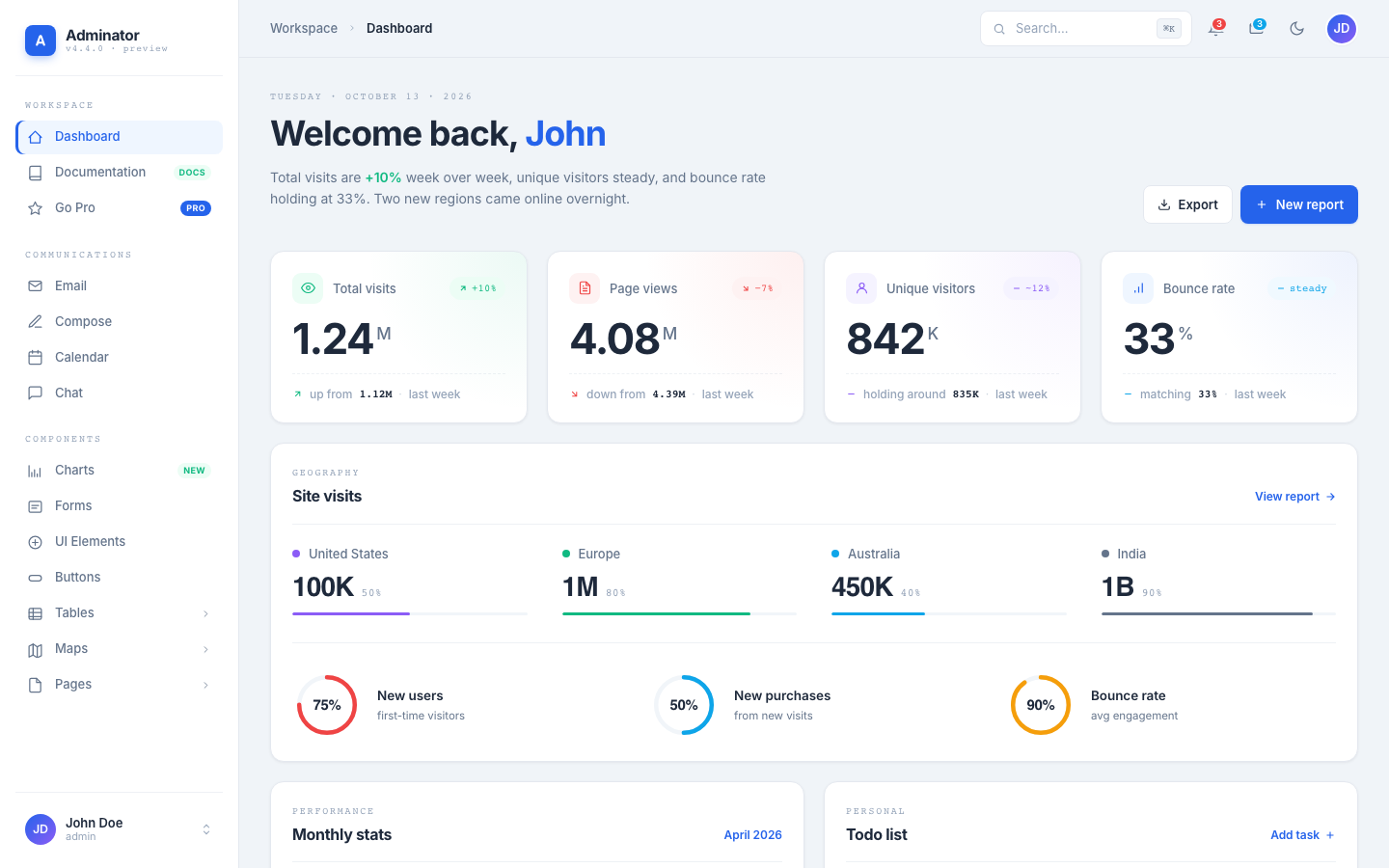
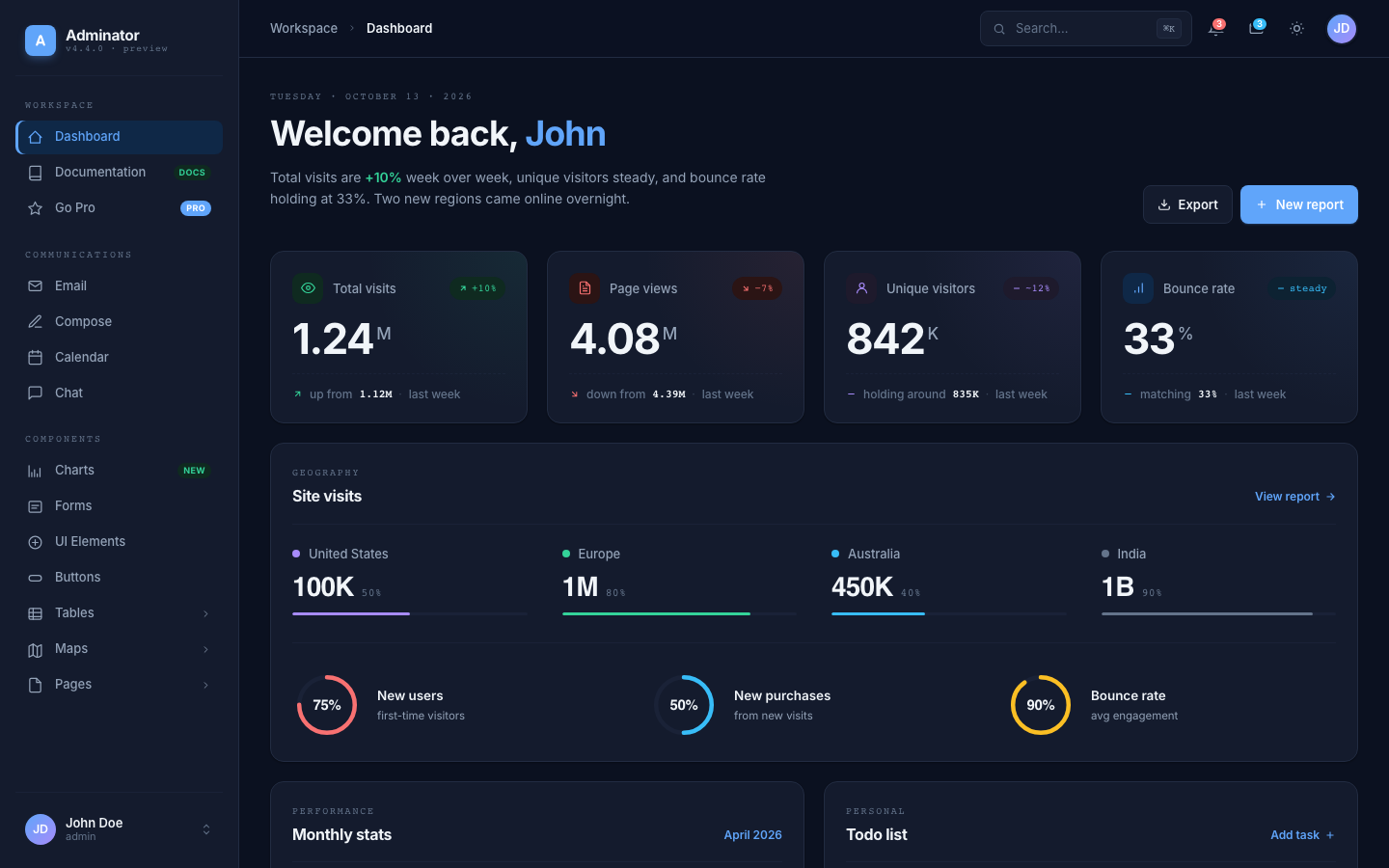
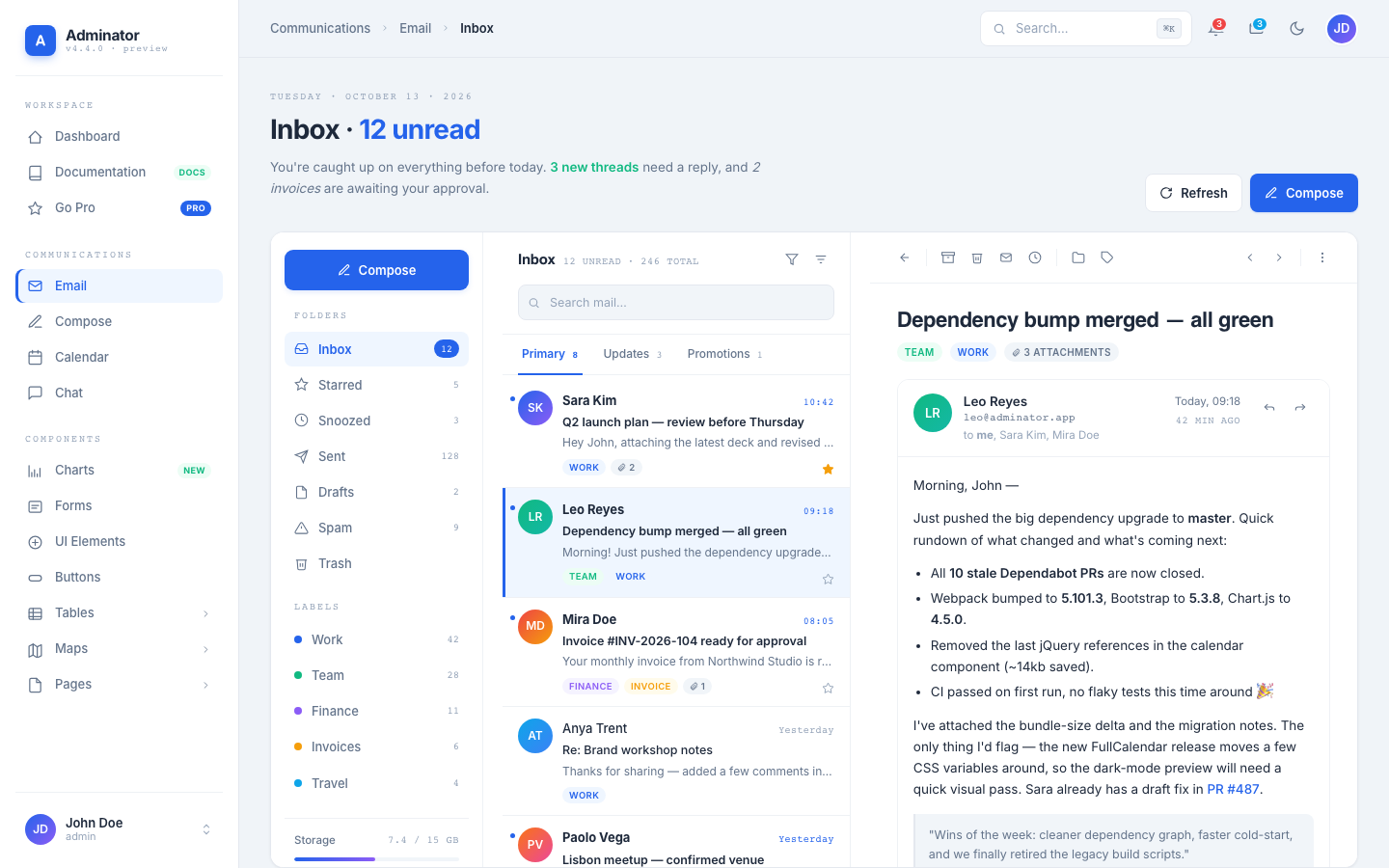 Email — 3-pane inbox | 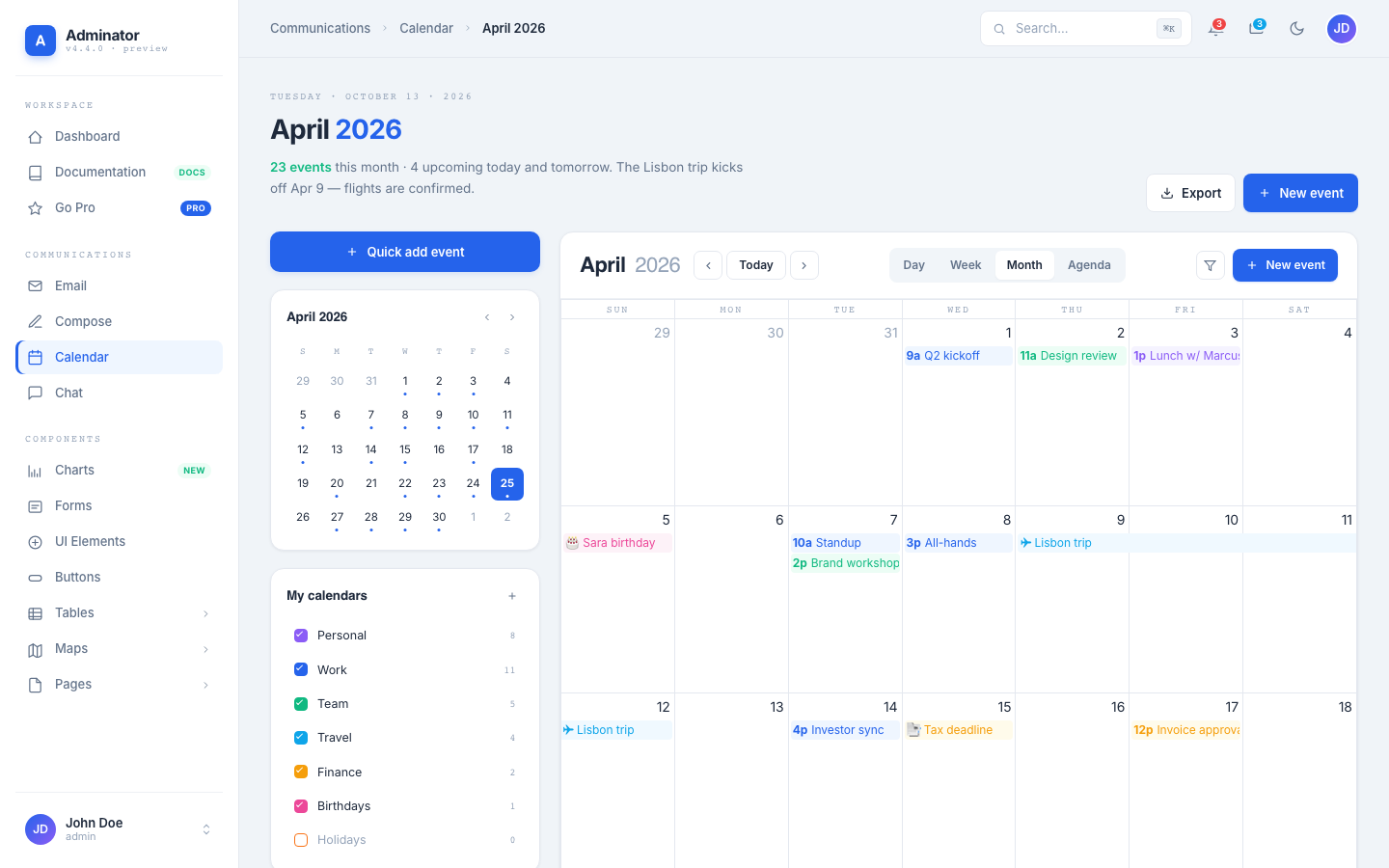 Calendar — full FullCalendar | 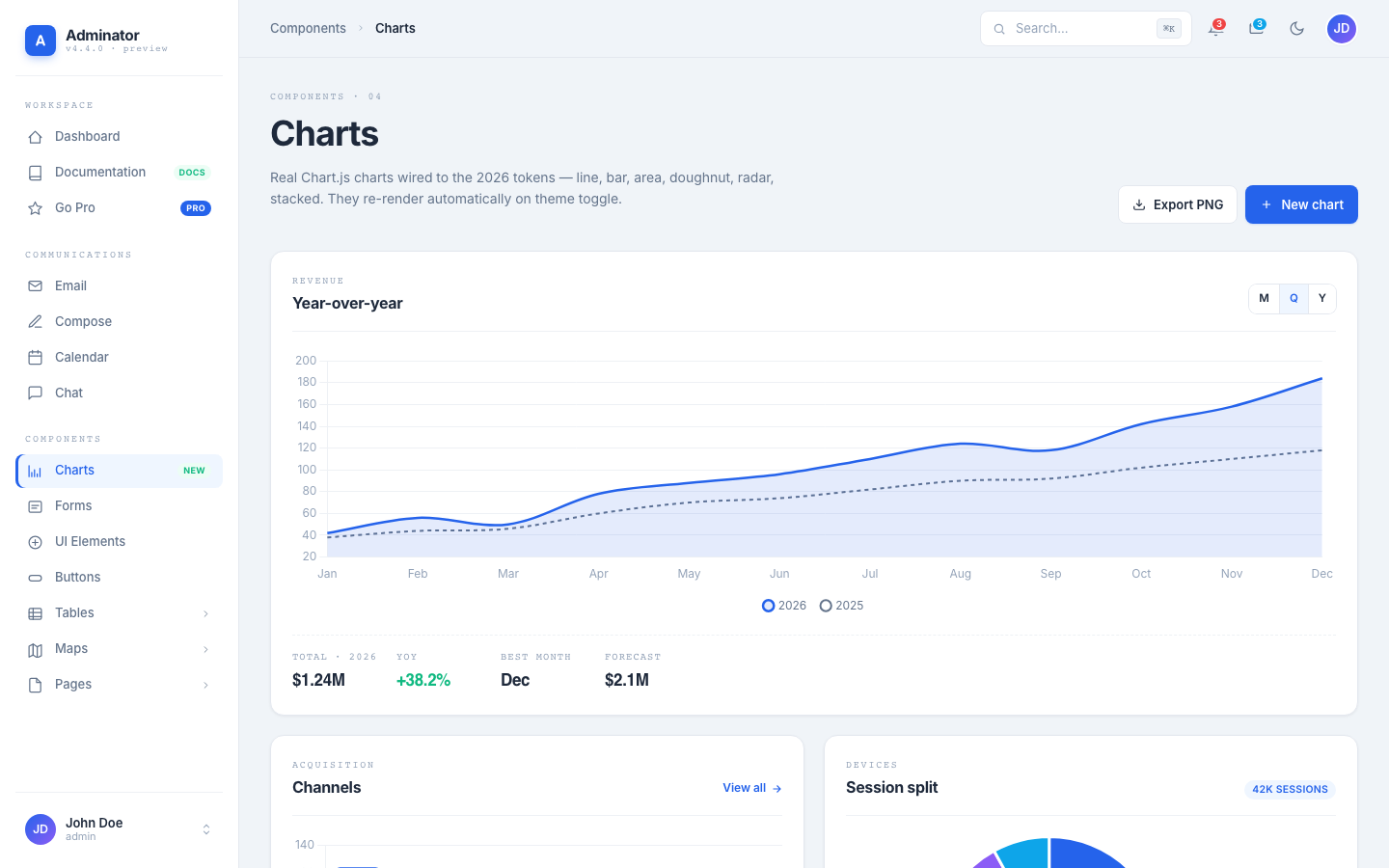 Charts — themed Chart.js |
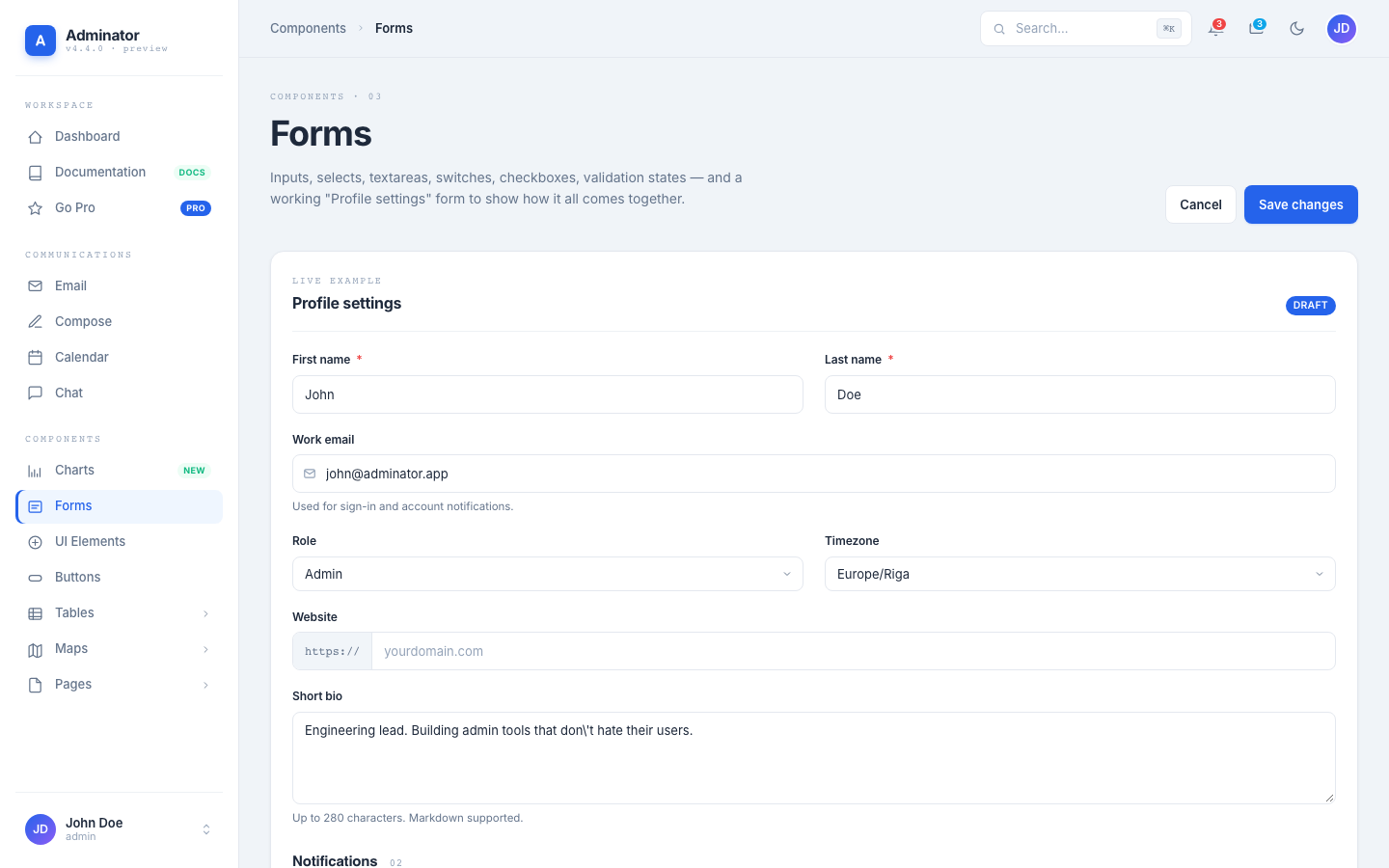 Forms — inputs, switches | 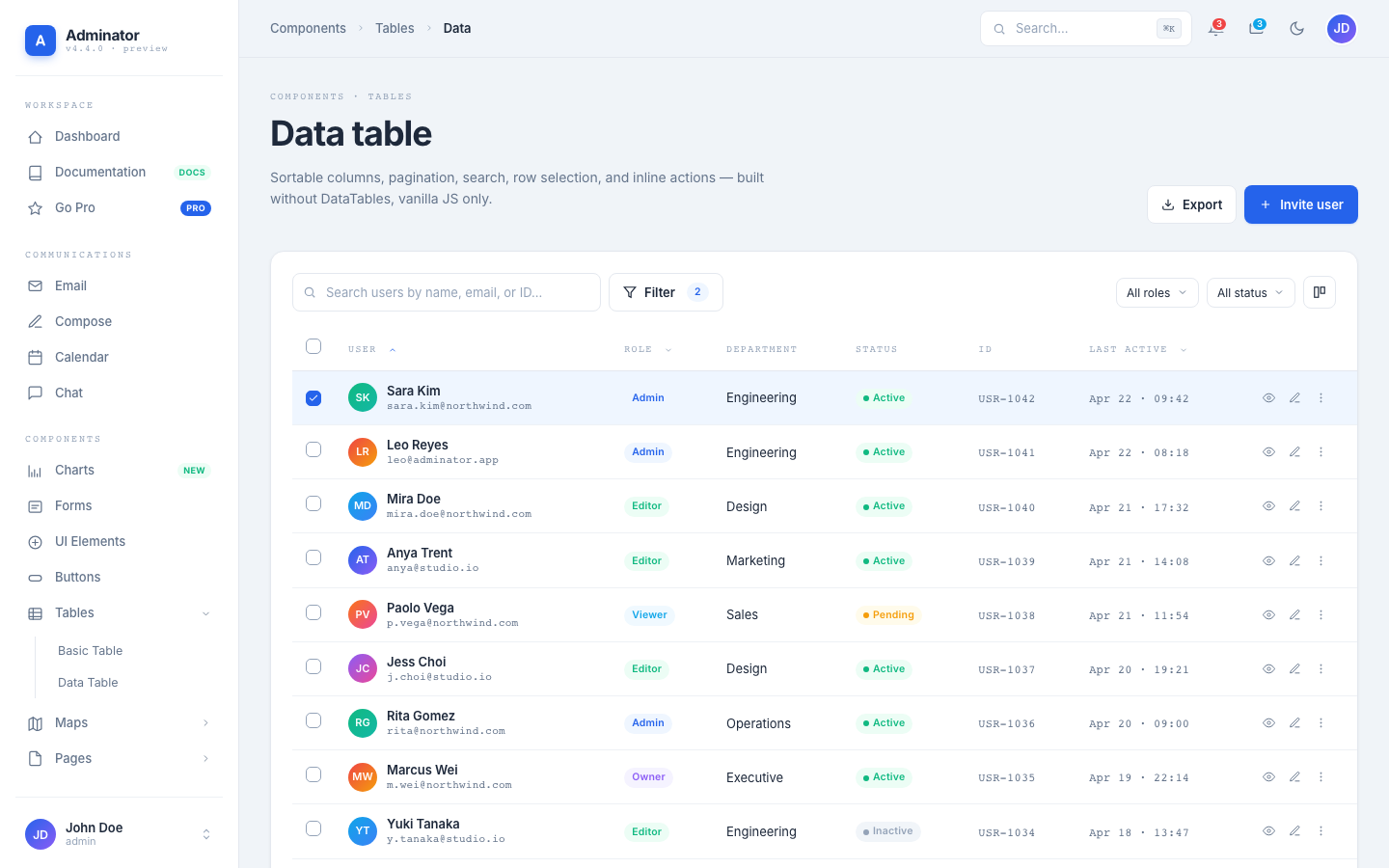 Data Table — sort, filter, paginate | 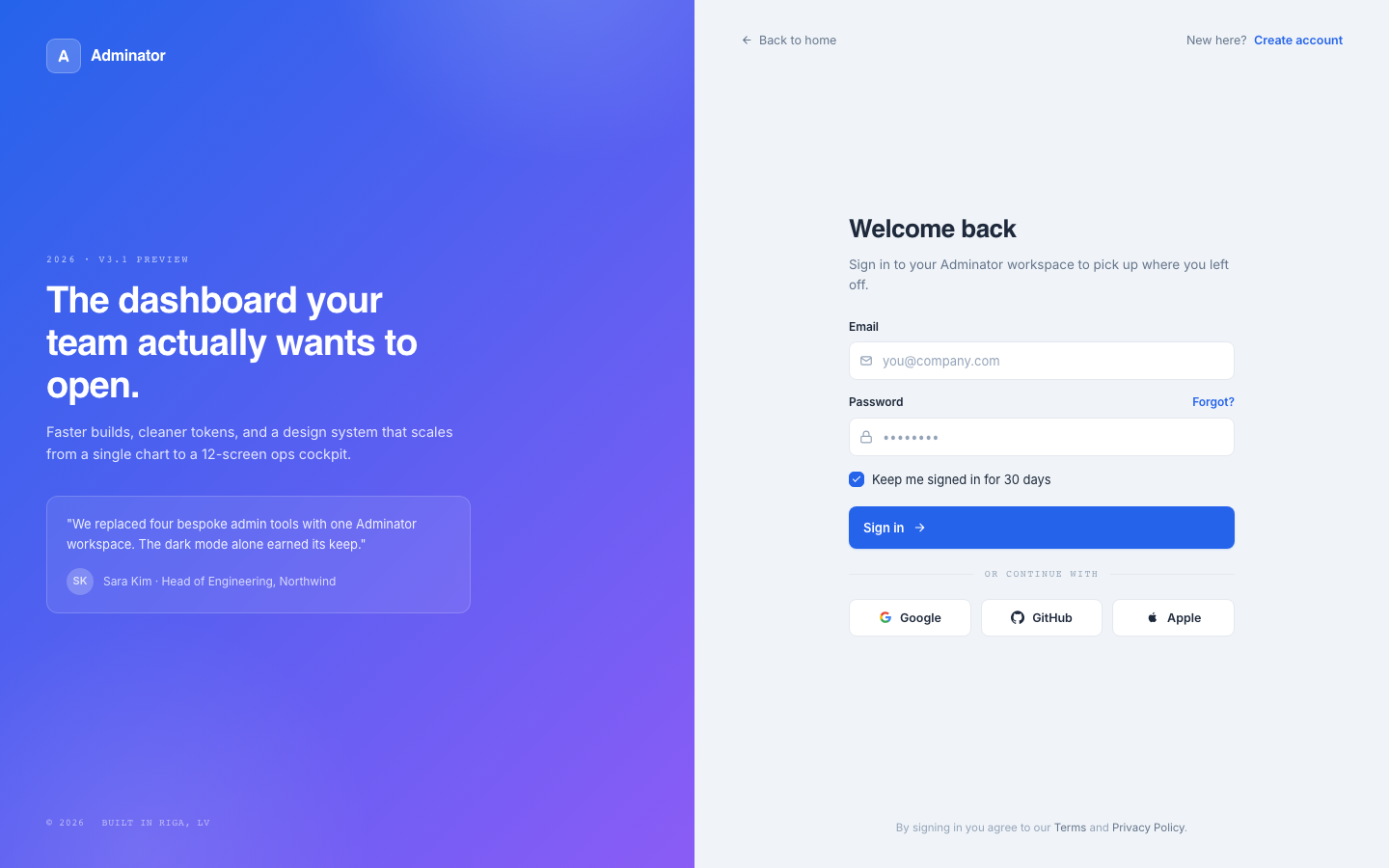 Sign In — split-screen auth |
Need advanced features, dedicated support, and production-ready code? Explore our handpicked collection of professional admin templates on DashboardPack.
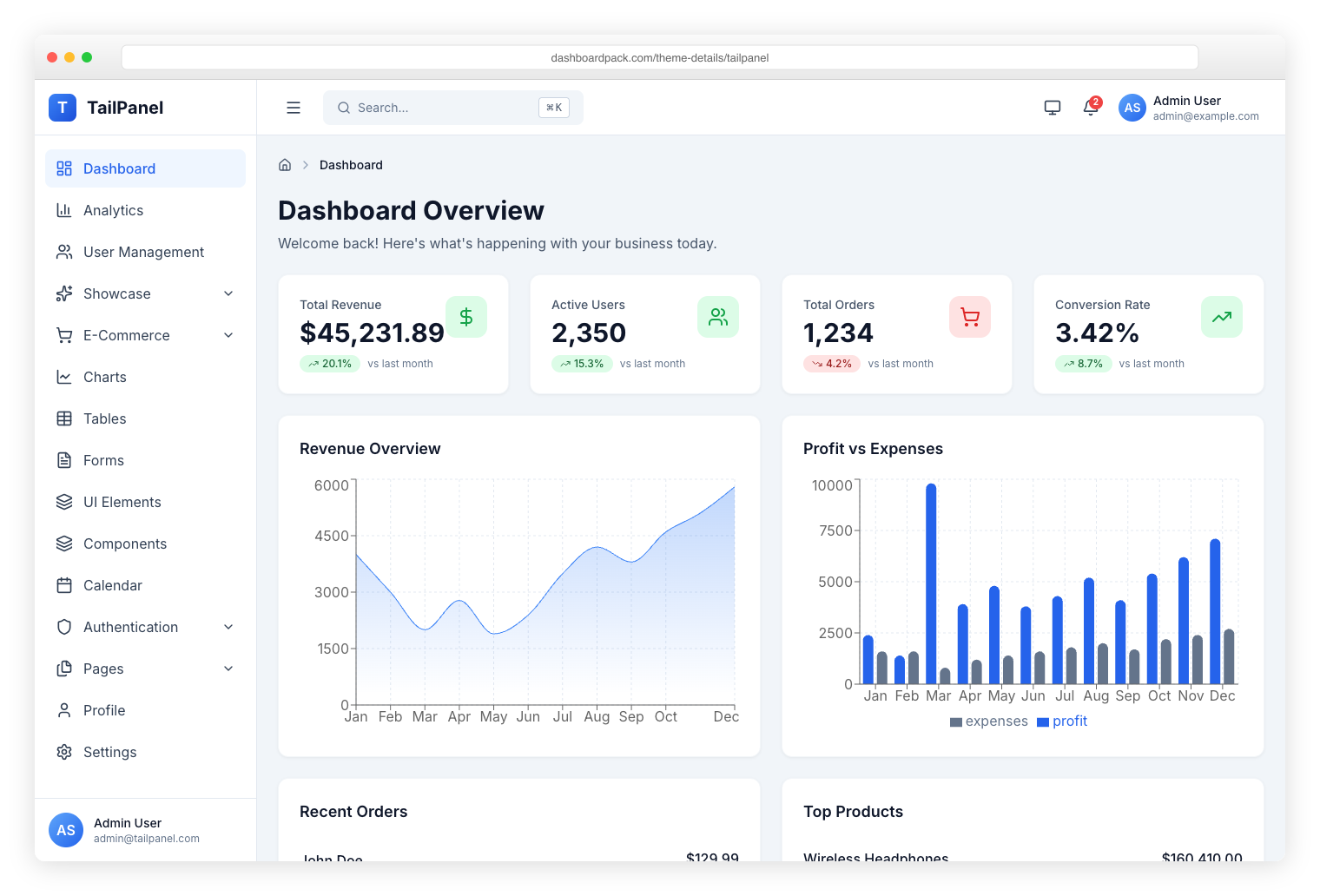
TailPanel React + TypeScript + Tailwind CSS + Vite. 9 dashboard designs, dark and light themes. |
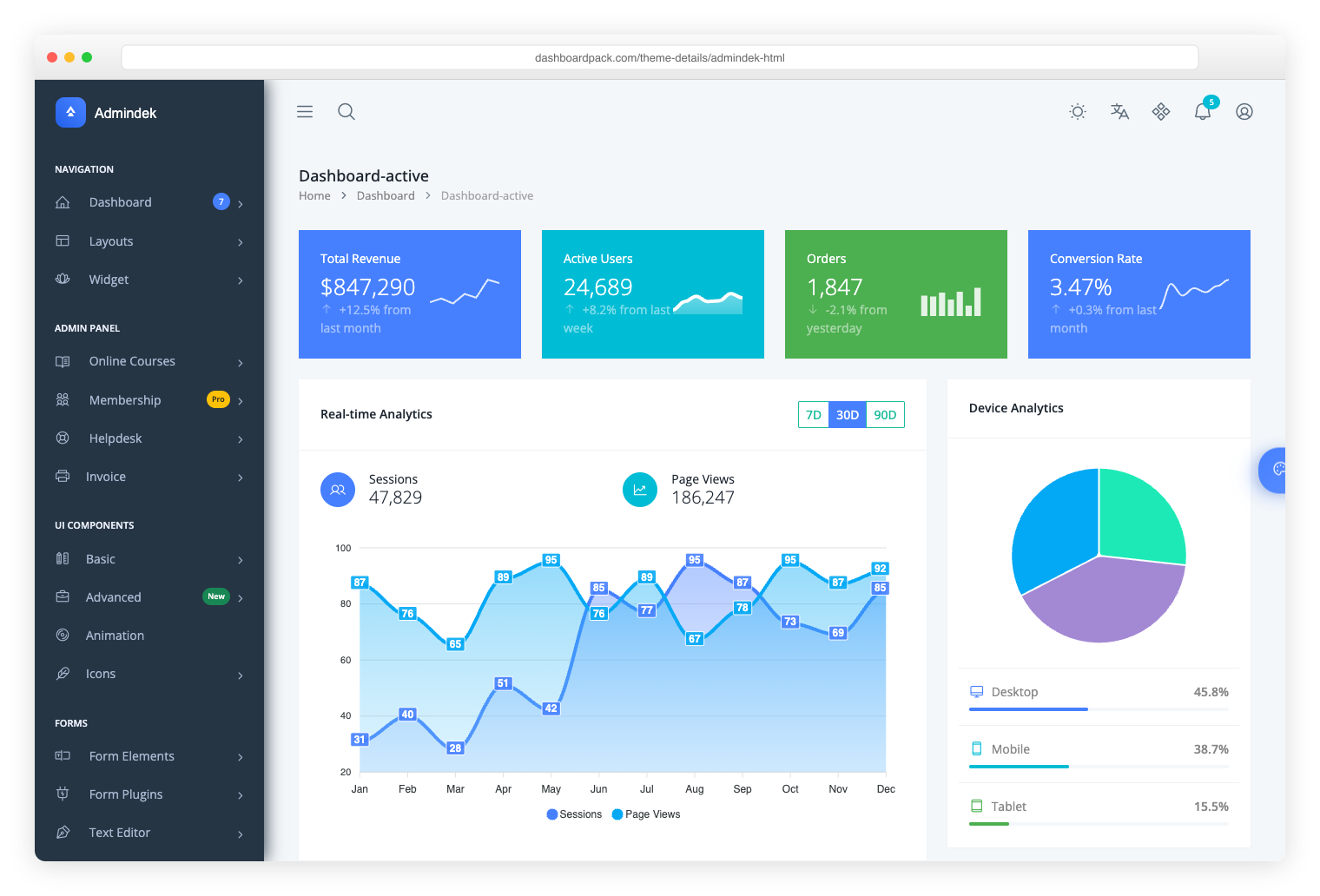
Admindek Bootstrap 5 + vanilla JS. 100+ components, dark/light modes, RTL support, 10 color presets. |
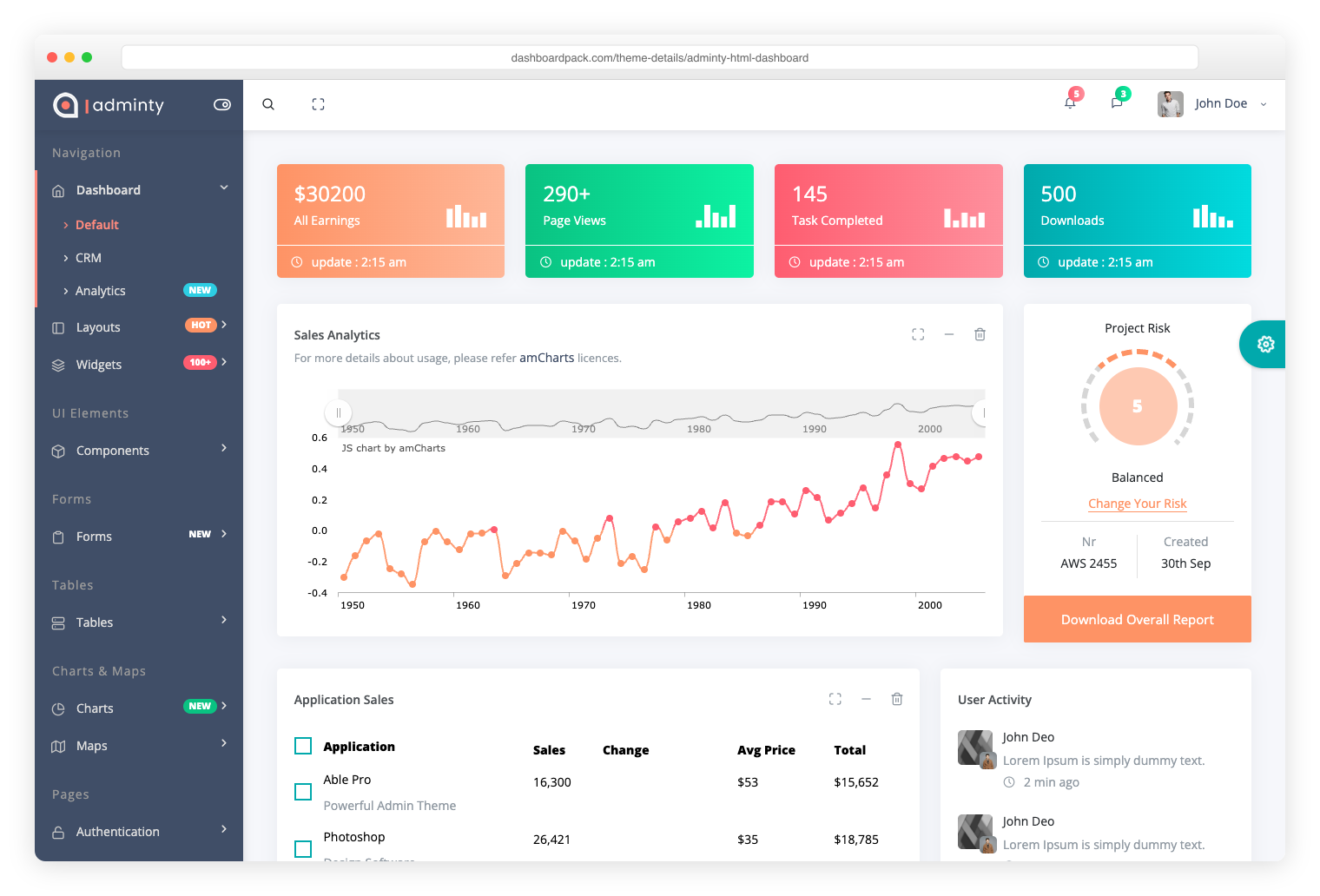
Adminty Bootstrap 5. 160+ ready-made pages, full UI component library for rapid development. |

ArchitectUI Bootstrap 5. 250+ components, modular architecture, 9 unique dashboard layouts. |
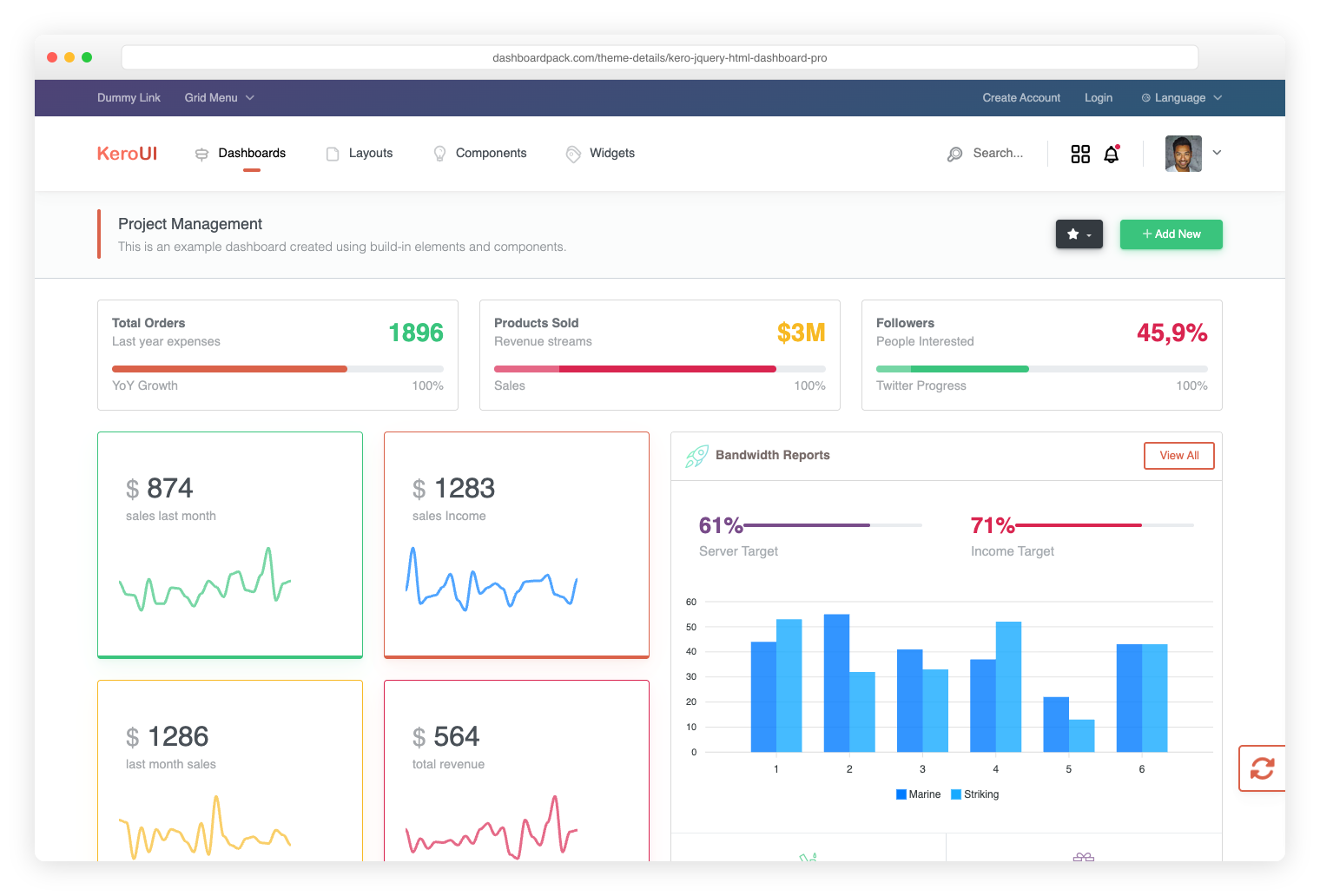
Kero Bootstrap 5 + Webpack. Dual layout system (horizontal + sidebar), SASS theming. |
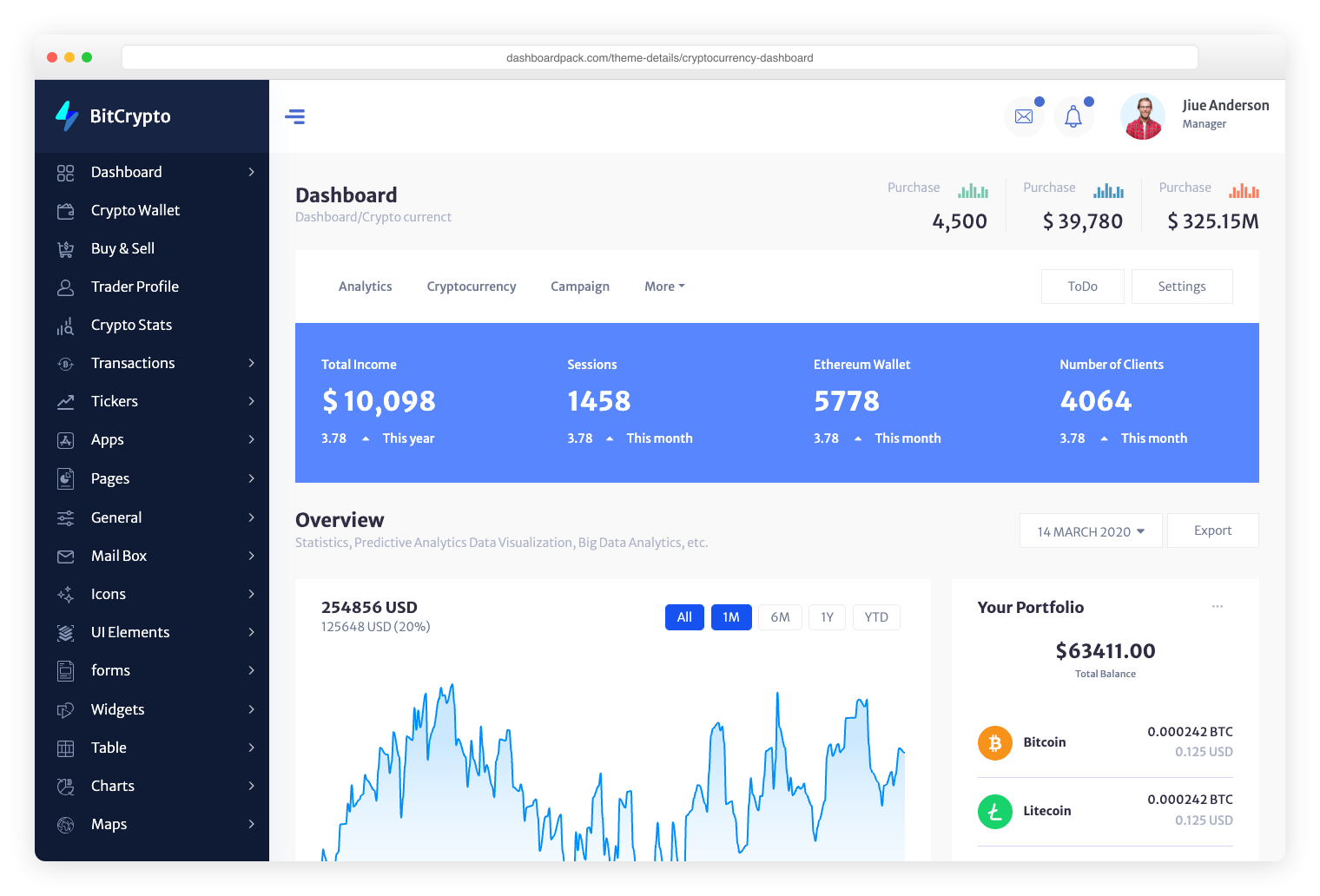
Cryptocurrency Dashboard Bootstrap. Built specifically for ICO platforms, Bitcoin tracking, and crypto portfolios. |
A ground-up redesign and rewrite. The whole template is built around a single CSS-variable token system, with a JS shell that renders the sidebar, topbar, and footer once for all 18 pages. Bootstrap is gone. Production JS dropped from ~4.5 MB to ~700 KB — an 85% reduction.
_tokens.scss as CSS variables with light + dark variants. Edit one variable, every component updates.data-theme attribute on <html> swaps the entire UI — including Chart.js, FullCalendar, and jsvectormap, which all re-render via a MutationObserver to read the new token values.NAV manifest in Shell.js. Pages declare <body data-active="..." data-crumbs="..."> and three placeholders. Add a nav item by editing one array.Since v4.2.0 the three heavy libraries are lazy-loaded, so what a page costs depends on what it actually renders.
| Metric | v3.0.0 | v4.0.0 | v4.2.0 |
|---|---|---|---|
| JS + CSS on every page | ~4.8 MB | 726 KB | 130 KB (28 KB gz) |
| Chart.js, fetched by 2 of 18 pages | bundled | bundled | 200 KB (67 KB gz) |
| FullCalendar, fetched by 1 of 18 | bundled | bundled | 287 KB + 15 KB CSS (84 gz) |
| jsvectormap, fetched by 1 of 18 | bundled | bundled | 133 KB (49 KB gz) |
| Top-level npm dependencies | 16 | 8 | 3 |
See CHANGELOG.md for the full release notes, including the migration guide.
.nvmrc)# Clone the repo
git clone https://github.com/puikinsh/Adminator-admin-dashboard.git adminator
cd adminator
# Install the locked dependencies (Node.js >= 22.22.2)
npm ci
# Start the dev server (http://localhost:4000)
npm start
# Development server with HMR
npm start

# Production build (extracted CSS, minified)
npm run release:minified

# Default build (extracted CSS, unminified — useful for debugging)
npm run build

# Lint everything (JS + SCSS) — must be 0/0 to ship
npm run lint

# Verify lint, unit tests, production assets, and bundle budgets
npm run check

# Serve the existing production build without recompiling (port 3001)
npm run preview

# Browser checks: all 18 pages in both themes at desktop/mobile widths
npx playwright install chromium
npm run test:browser

# Write dist/bundle-report.html without opening a browser
npm run build:analyze

# Wipe dist/
npm run clean
The development server binds to 127.0.0.1 by default. For deliberate LAN testing, run npx cross-env HOST=0.0.0.0 npm start. webpack caches compilations in node_modules/.cache/webpack/; minified, unminified, and development builds use separate caches.
PR checks test Node 22/24, enforce production bundle budgets, and exercise Chromium on Node 24. Routine PRs do not require a version bump. Bump package.json for a release; pushes to master validate every change and create archives only for an unreleased version. Dependabot checks npm and GitHub Actions weekly.
The canonical release history is CHANGELOG.md, also published at adminator.colorlib.com/docs/changelog/. The release workflow extracts the current version's notes with node scripts/release-notes.mjs and includes them in the GitHub release alongside both ZIP variants.
The product website and live documentation are maintained in the ColorlibHQ/tailwind-templates monorepo under templates/adminator-landing/ and deployed to the existing adminator-colorlib Cloudflare Pages project. Demo files are served from the colorlib-preview R2 bucket at theme/adminator/; downloadable ZIPs live in colorlib-downloads at theme/adminator.zip and a versioned key.
For publication, verify the release, upload hashed demo assets before HTML, preserve older hashed assets for cached pages, update both download keys, deploy the website/docs, and verify the live routes and files. npm publication is a separate authenticated step; check its current registry version before announcing an npm release.
The current v4 line is published as adminator-admin-dashboard on npm:
npm install adminator-admin-dashboard
The package ships both src/ and a pre-built dist/. Import the source stylesheet in a Sass-enabled bundler:
// In a Sass-enabled bundler / app
import 'adminator-admin-dashboard/src/assets/styles/2026/index.scss';
// dist/index.html + 17 other prebuilt pages are also in node_modules
Or copy the prebuilt files out of node_modules/adminator-admin-dashboard/dist/ and serve them statically. Built CSS/JS filenames contain content hashes; use the references in the generated HTML instead of assuming a fixed dist/style.css filename.
⚠️ Don't pin to
@^2or@^3. Older majors on npm (2.7.x – 2.9.0) point to legacy code from before the 2026 redesign — they predate the token-driven design system, dark mode, and the new shell architecture. The latest4.xis what corresponds to this repository.
The npm package ships the pre-built dist/, so the full static template is reachable via jsDelivr without installing anything. Each demo HTML references its CSS/JS via relative paths, so every page renders complete with all assets straight from the CDN:
https://cdn.jsdelivr.net/npm/adminator-admin-dashboard@4/dist/index.html
https://cdn.jsdelivr.net/npm/adminator-admin-dashboard@4/dist/email.html
https://cdn.jsdelivr.net/npm/adminator-admin-dashboard@4/dist/calendar.html
https://cdn.jsdelivr.net/npm/adminator-admin-dashboard@4/dist/charts.html
https://cdn.jsdelivr.net/npm/adminator-admin-dashboard@4/dist/datatable.html
Useful for design-system inspection, quick prototyping, or embedding a single page in a sandbox. Pin to @4 for the latest 4.x, or to @4.1.5 for an exact release.
Heads-up on hashing. Webpack emits content-hashed asset filenames (style.ee7b6e3f.css, 2026.f17e3cec.js), so direct CDN URLs for those individual chunks change on every release. For a single-file <script src> drop-in with a stable URL, install via npm and bundle through your own setup. The CDN's strength here is the ready-to-use demo pages.
All 18 pages share the same shell (sidebar + topbar + footer) and theme system. Standalone pages (auth, errors) skip the shell.
| Page | Description |
|---|---|
| Dashboard | KPIs, real Chart.js monthly chart, regional stats, todo, weather |
| 3-pane inbox with folders, message list, reader pane, attachments | |
| Calendar | Real FullCalendar (Day/Week/Month/Agenda) with seed events |
| Chat | 2-pane conversation list + thread with typing indicator |
| Compose | Rich-text email composer with attachments and scheduling |
| Charts | 6 themed Chart.js examples (line, bar, doughnut, radar, area, stack) |
| Forms | Inputs, selects, switches, checkboxes, validation states |
| UI Elements | Alerts, badges, progress, spinners, tabs, accordion, modal, tooltips |
| Buttons | Solid/soft/outline/ghost variants, sizes, icons, button groups |
| Basic Table | Striped table with status tags and trend indicators |
| Data Table | Sortable + paginated table with filters, search, row selection |
| Google Maps | Embedded Google Map with offices table |
| Vector Maps | Real jsvectormap with city markers and continent KPIs |
| Blank | Starter page with hero + empty card |
| Sign In / Sign Up | Split-screen auth with social buttons |
| 404 / 500 | Themed error pages with gradient codes |
The full architecture is documented in CLAUDE.md. The short version:
src/
├── *.html                       # 18 pages, ~500 lines each
└── assets/
    ├── scripts/2026/            # The only JS — 6 modules
    │   ├── index.js             # entry: imports SCSS, mounts shell, runs init
    │   ├── Shell.js             # NAV manifest + sidebar/topbar/footer renderers
    │   ├── init.js              # theme toggle, dropdowns, accordions, tabs, etc.
    │   ├── charts.js            # Chart.js seeds, theme-aware
    │   ├── calendar.js          # FullCalendar 7, theme-aware
    │   └── maps.js              # jsvectormap, theme-aware
    └── styles/2026/             # The only SCSS — 18 partials
        ├── index.scss           # entry, @use's everything below
        ├── _tokens.scss         # CSS variables (light + dark)
        ├── _shell.scss          # sidebar, topbar, footer chrome
        ├── _components.scss     # buttons, cards, hero, table, tag
        ├── _ui.scss             # alerts, badges, progress, tabs, modal
        ├── _forms.scss          # inputs, select, switch, check, radio
        ├── _auth.scss / _error.scss / _chat.scss / _data.scss / _charts.scss
        ├── _dashboard.scss / _email.scss / _calendar.scss
        ├── _fullcalendar.scss   # FullCalendar 7 token bridge
        └── _responsive.scss     # all media queries in one place
Every shell page follows the same anatomy:
<body data-active="dashboard" data-crumbs="Workspace | Dashboard">
  <div class="shell">
    <div data-shell-sidebar></div>      <!-- rendered by Shell.js -->
    <div class="main">
      <div data-shell-topbar></div>     <!-- rendered by Shell.js -->
      <main class="content">
        <!-- page-specific content -->
      </main>
      <div data-shell-footer></div>     <!-- rendered by Shell.js -->
    </div>
  </div>
</body>
data-active matches a key in Shell.js's NAV manifest. data-crumbs is a |-separated breadcrumb (last segment is highlighted as the current page).
src/foo.html with the body anatomy above.'foo': 'Adminator · Foo' to the titles map in webpack/plugins/htmlPlugin.js.NAV in src/assets/scripts/2026/Shell.js.Every visual decision is a CSS variable in src/assets/styles/2026/_tokens.scss. Change one, the whole template updates.
:root[data-theme="light"] {
  --primary:       #2563EB;
  --primary-light: #3B82F6;
  --primary-dark:  #1D4ED8;
  --primary-soft:  #EFF6FF;

  --bg-body:    #F0F4F8;
  --bg-card:    #FFFFFF;
  --bg-hover:   #F8FAFC;

  --t-base:     #1E293B;   /* primary text */
  --t-muted:    #64748B;
  --t-light:    #94A3B8;

  /* ... plus success / warning / danger / info / purple / pink / teal / orange */
}

:root[data-theme="dark"] {
  /* dark variants of the same tokens */
}
Toggle theme programmatically:
// Set
document.documentElement.setAttribute('data-theme', 'dark');
localStorage.setItem('dash26-theme', 'dark');
Charts/maps re-render automatically — they observe the data-theme attribute.
@use syntax) — preprocessorAll fonts loaded from Google Fonts via a single @import at the top of _base.scss.
The following dependencies were dropped — none of them are used in the new design:
bootstrap, @popperjs/core — replaced with custom UI primitivesdayjs — replaced with native Intl.DateTimeFormatperfect-scrollbar — native scrollbars styled via CSSmasonry-layout, load-google-maps-api, skycons, brand-colors — unusedv4 is a rewrite, not an upgrade. The class names, file paths, and JS APIs all changed. If you have a v3 project with custom work:
_tokens.scss.data-active, data-crumbs, three placeholder divs).AdminatorApp / Sidebar / ChartComponent classes to the data-attribute pattern in init.js.For a smoother path, stay on v3 — see below.
If you've built on v3 and prefer the old design, the v3 codebase lives on the legacy-v3 branch and will continue to receive security updates for at least 12 months.
# Get v3 from the legacy-v3 git branch
git clone -b legacy-v3 https://github.com/puikinsh/Adminator-admin-dashboard.git adminator-v3
Note on npm and v3. v3 was never published to npm. The published versions are 2.7.x–2.9.0 (the older line) and 4.1.5+ (the 2026 redesign — current
latest). If you specifically need v3, clone the branch above. If you need the older legacy code that predates v3 too,npm install adminator-admin-dashboard@^2lands you on 2.9.0.
Modern evergreen browsers — Chrome, Firefox, Safari, Edge (last 2 versions). The template uses color-mix(), CSS custom properties, aspect-ratio, container queries are not yet used. IE11 is not supported.
See CHANGELOG.md for the full version history.
v4.4.0 (2026-10-13) — Dependency refresh, smaller production output, faster cached builds, theme-toggle fixes, and browser verification. See release notes.
v4.0.0 (2026-04-27) — The 2026 redesign. New design system, Bootstrap dropped, ~85% bundle reduction. Details.
v3.0.0 (2026-01-13) — Architecture release. New utility modules, Vitest, code splitting, bundle analyzer.
v2.7.1 — Fully jQuery-free.
v2.6.0 — Dark mode system.
Adminator is licensed under The MIT License. Use, copy, modify, merge, publish, distribute, sublicense, and sell copies — but always credit Colorlib as the original author.
Overall
Maintained
Code review
Latest release
Releases this year
336 followers · starred Feb 2018
224 followers · starred May 2018
154 followers · starred Feb 2020
78 followers · starred Mar 2022
Adminator is easy to use and well design admin dashboard template with dark mode for web apps, websites, services and more
See the code
Adminator 4 is a vanilla-JS admin dashboard template with a token-driven CSS-variable design system, dark mode, and zero framework dependencies. No jQuery. No Bootstrap. Just clean HTML, modern CSS, and ~700 KB of production JS for the entire 18-page template.
Heads up — v4.0.0 is a ground-up rewrite. New design system, new shell architecture, Bootstrap removed. If you prefer the previous design, the v3 codebase lives on the
legacy-v3branch and will continue to receive security updates.
adminator.colorlib.com → · Live Demo → · Documentation → · Looking for premium templates? Visit DashboardPack →
Email — 3-pane inbox | Calendar — full FullCalendar | Charts — themed Chart.js |
Forms — inputs, switches | Data Table — sort, filter, paginate | Sign In — split-screen auth |
Need advanced features, dedicated support, and production-ready code? Explore our handpicked collection of professional admin templates on DashboardPack.
|
TailPanel React + TypeScript + Tailwind CSS + Vite. 9 dashboard designs, dark and light themes. |
Admindek Bootstrap 5 + vanilla JS. 100+ components, dark/light modes, RTL support, 10 color presets. |
|
Adminty Bootstrap 5. 160+ ready-made pages, full UI component library for rapid development. |
ArchitectUI Bootstrap 5. 250+ components, modular architecture, 9 unique dashboard layouts. |
|
Kero Bootstrap 5 + Webpack. Dual layout system (horizontal + sidebar), SASS theming. |
Cryptocurrency Dashboard Bootstrap. Built specifically for ICO platforms, Bitcoin tracking, and crypto portfolios. |
A ground-up redesign and rewrite. The whole template is built around a single CSS-variable token system, with a JS shell that renders the sidebar, topbar, and footer once for all 18 pages. Bootstrap is gone. Production JS dropped from ~4.5 MB to ~700 KB — an 85% reduction.
_tokens.scss as CSS variables with light + dark variants. Edit one variable, every component updates.data-theme attribute on <html> swaps the entire UI — including Chart.js, FullCalendar, and jsvectormap, which all re-render via a MutationObserver to read the new token values.NAV manifest in Shell.js. Pages declare <body data-active="..." data-crumbs="..."> and three placeholders. Add a nav item by editing one array.Since v4.2.0 the three heavy libraries are lazy-loaded, so what a page costs depends on what it actually renders.
| Metric | v3.0.0 | v4.0.0 | v4.2.0 |
|---|---|---|---|
| JS + CSS on every page | ~4.8 MB | 726 KB | 130 KB (28 KB gz) |
| Chart.js, fetched by 2 of 18 pages | bundled | bundled | 200 KB (67 KB gz) |
| FullCalendar, fetched by 1 of 18 | bundled | bundled | 287 KB + 15 KB CSS (84 gz) |
| jsvectormap, fetched by 1 of 18 | bundled | bundled | 133 KB (49 KB gz) |
| Top-level npm dependencies | 16 | 8 | 3 |
See CHANGELOG.md for the full release notes, including the migration guide.
.nvmrc)# Clone the repo
git clone https://github.com/puikinsh/Adminator-admin-dashboard.git adminator
cd adminator
# Install the locked dependencies (Node.js >= 22.22.2)
npm ci
# Start the dev server (http://localhost:4000)
npm start
# Development server with HMR
npm start

# Production build (extracted CSS, minified)
npm run release:minified

# Default build (extracted CSS, unminified — useful for debugging)
npm run build

# Lint everything (JS + SCSS) — must be 0/0 to ship
npm run lint

# Verify lint, unit tests, production assets, and bundle budgets
npm run check

# Serve the existing production build without recompiling (port 3001)
npm run preview

# Browser checks: all 18 pages in both themes at desktop/mobile widths
npx playwright install chromium
npm run test:browser

# Write dist/bundle-report.html without opening a browser
npm run build:analyze

# Wipe dist/
npm run clean
The development server binds to 127.0.0.1 by default. For deliberate LAN testing, run npx cross-env HOST=0.0.0.0 npm start. webpack caches compilations in node_modules/.cache/webpack/; minified, unminified, and development builds use separate caches.
PR checks test Node 22/24, enforce production bundle budgets, and exercise Chromium on Node 24. Routine PRs do not require a version bump. Bump package.json for a release; pushes to master validate every change and create archives only for an unreleased version. Dependabot checks npm and GitHub Actions weekly.
The canonical release history is CHANGELOG.md, also published at adminator.colorlib.com/docs/changelog/. The release workflow extracts the current version's notes with node scripts/release-notes.mjs and includes them in the GitHub release alongside both ZIP variants.
The product website and live documentation are maintained in the ColorlibHQ/tailwind-templates monorepo under templates/adminator-landing/ and deployed to the existing adminator-colorlib Cloudflare Pages project. Demo files are served from the colorlib-preview R2 bucket at theme/adminator/; downloadable ZIPs live in colorlib-downloads at theme/adminator.zip and a versioned key.
For publication, verify the release, upload hashed demo assets before HTML, preserve older hashed assets for cached pages, update both download keys, deploy the website/docs, and verify the live routes and files. npm publication is a separate authenticated step; check its current registry version before announcing an npm release.
The current v4 line is published as adminator-admin-dashboard on npm:
npm install adminator-admin-dashboard
The package ships both src/ and a pre-built dist/. Import the source stylesheet in a Sass-enabled bundler:
// In a Sass-enabled bundler / app
import 'adminator-admin-dashboard/src/assets/styles/2026/index.scss';
// dist/index.html + 17 other prebuilt pages are also in node_modules
Or copy the prebuilt files out of node_modules/adminator-admin-dashboard/dist/ and serve them statically. Built CSS/JS filenames contain content hashes; use the references in the generated HTML instead of assuming a fixed dist/style.css filename.
⚠️ Don't pin to
@^2or@^3. Older majors on npm (2.7.x – 2.9.0) point to legacy code from before the 2026 redesign — they predate the token-driven design system, dark mode, and the new shell architecture. The latest4.xis what corresponds to this repository.
The npm package ships the pre-built dist/, so the full static template is reachable via jsDelivr without installing anything. Each demo HTML references its CSS/JS via relative paths, so every page renders complete with all assets straight from the CDN:
https://cdn.jsdelivr.net/npm/adminator-admin-dashboard@4/dist/index.html
https://cdn.jsdelivr.net/npm/adminator-admin-dashboard@4/dist/email.html
https://cdn.jsdelivr.net/npm/adminator-admin-dashboard@4/dist/calendar.html
https://cdn.jsdelivr.net/npm/adminator-admin-dashboard@4/dist/charts.html
https://cdn.jsdelivr.net/npm/adminator-admin-dashboard@4/dist/datatable.html
Useful for design-system inspection, quick prototyping, or embedding a single page in a sandbox. Pin to @4 for the latest 4.x, or to @4.1.5 for an exact release.
Heads-up on hashing. Webpack emits content-hashed asset filenames (style.ee7b6e3f.css, 2026.f17e3cec.js), so direct CDN URLs for those individual chunks change on every release. For a single-file <script src> drop-in with a stable URL, install via npm and bundle through your own setup. The CDN's strength here is the ready-to-use demo pages.
All 18 pages share the same shell (sidebar + topbar + footer) and theme system. Standalone pages (auth, errors) skip the shell.
| Page | Description |
|---|---|
| Dashboard | KPIs, real Chart.js monthly chart, regional stats, todo, weather |
| 3-pane inbox with folders, message list, reader pane, attachments | |
| Calendar | Real FullCalendar (Day/Week/Month/Agenda) with seed events |
| Chat | 2-pane conversation list + thread with typing indicator |
| Compose | Rich-text email composer with attachments and scheduling |
| Charts | 6 themed Chart.js examples (line, bar, doughnut, radar, area, stack) |
| Forms | Inputs, selects, switches, checkboxes, validation states |
| UI Elements | Alerts, badges, progress, spinners, tabs, accordion, modal, tooltips |
| Buttons | Solid/soft/outline/ghost variants, sizes, icons, button groups |
| Basic Table | Striped table with status tags and trend indicators |
| Data Table | Sortable + paginated table with filters, search, row selection |
| Google Maps | Embedded Google Map with offices table |
| Vector Maps | Real jsvectormap with city markers and continent KPIs |
| Blank | Starter page with hero + empty card |
| Sign In / Sign Up | Split-screen auth with social buttons |
| 404 / 500 | Themed error pages with gradient codes |
The full architecture is documented in CLAUDE.md. The short version:
src/
├── *.html                       # 18 pages, ~500 lines each
└── assets/
    ├── scripts/2026/            # The only JS — 6 modules
    │   ├── index.js             # entry: imports SCSS, mounts shell, runs init
    │   ├── Shell.js             # NAV manifest + sidebar/topbar/footer renderers
    │   ├── init.js              # theme toggle, dropdowns, accordions, tabs, etc.
    │   ├── charts.js            # Chart.js seeds, theme-aware
    │   ├── calendar.js          # FullCalendar 7, theme-aware
    │   └── maps.js              # jsvectormap, theme-aware
    └── styles/2026/             # The only SCSS — 18 partials
        ├── index.scss           # entry, @use's everything below
        ├── _tokens.scss         # CSS variables (light + dark)
        ├── _shell.scss          # sidebar, topbar, footer chrome
        ├── _components.scss     # buttons, cards, hero, table, tag
        ├── _ui.scss             # alerts, badges, progress, tabs, modal
        ├── _forms.scss          # inputs, select, switch, check, radio
        ├── _auth.scss / _error.scss / _chat.scss / _data.scss / _charts.scss
        ├── _dashboard.scss / _email.scss / _calendar.scss
        ├── _fullcalendar.scss   # FullCalendar 7 token bridge
        └── _responsive.scss     # all media queries in one place
Every shell page follows the same anatomy:
<body data-active="dashboard" data-crumbs="Workspace | Dashboard">
  <div class="shell">
    <div data-shell-sidebar></div>      <!-- rendered by Shell.js -->
    <div class="main">
      <div data-shell-topbar></div>     <!-- rendered by Shell.js -->
      <main class="content">
        <!-- page-specific content -->
      </main>
      <div data-shell-footer></div>     <!-- rendered by Shell.js -->
    </div>
  </div>
</body>
data-active matches a key in Shell.js's NAV manifest. data-crumbs is a |-separated breadcrumb (last segment is highlighted as the current page).
src/foo.html with the body anatomy above.'foo': 'Adminator · Foo' to the titles map in webpack/plugins/htmlPlugin.js.NAV in src/assets/scripts/2026/Shell.js.Every visual decision is a CSS variable in src/assets/styles/2026/_tokens.scss. Change one, the whole template updates.
:root[data-theme="light"] {
  --primary:       #2563EB;
  --primary-light: #3B82F6;
  --primary-dark:  #1D4ED8;
  --primary-soft:  #EFF6FF;

  --bg-body:    #F0F4F8;
  --bg-card:    #FFFFFF;
  --bg-hover:   #F8FAFC;

  --t-base:     #1E293B;   /* primary text */
  --t-muted:    #64748B;
  --t-light:    #94A3B8;

  /* ... plus success / warning / danger / info / purple / pink / teal / orange */
}

:root[data-theme="dark"] {
  /* dark variants of the same tokens */
}
Toggle theme programmatically:
// Set
document.documentElement.setAttribute('data-theme', 'dark');
localStorage.setItem('dash26-theme', 'dark');
Charts/maps re-render automatically — they observe the data-theme attribute.
@use syntax) — preprocessorAll fonts loaded from Google Fonts via a single @import at the top of _base.scss.
The following dependencies were dropped — none of them are used in the new design:
bootstrap, @popperjs/core — replaced with custom UI primitivesdayjs — replaced with native Intl.DateTimeFormatperfect-scrollbar — native scrollbars styled via CSSmasonry-layout, load-google-maps-api, skycons, brand-colors — unusedv4 is a rewrite, not an upgrade. The class names, file paths, and JS APIs all changed. If you have a v3 project with custom work:
_tokens.scss.data-active, data-crumbs, three placeholder divs).AdminatorApp / Sidebar / ChartComponent classes to the data-attribute pattern in init.js.For a smoother path, stay on v3 — see below.
If you've built on v3 and prefer the old design, the v3 codebase lives on the legacy-v3 branch and will continue to receive security updates for at least 12 months.
# Get v3 from the legacy-v3 git branch
git clone -b legacy-v3 https://github.com/puikinsh/Adminator-admin-dashboard.git adminator-v3
Note on npm and v3. v3 was never published to npm. The published versions are 2.7.x–2.9.0 (the older line) and 4.1.5+ (the 2026 redesign — current
latest). If you specifically need v3, clone the branch above. If you need the older legacy code that predates v3 too,npm install adminator-admin-dashboard@^2lands you on 2.9.0.
Modern evergreen browsers — Chrome, Firefox, Safari, Edge (last 2 versions). The template uses color-mix(), CSS custom properties, aspect-ratio, container queries are not yet used. IE11 is not supported.
See CHANGELOG.md for the full version history.
v4.4.0 (2026-10-13) — Dependency refresh, smaller production output, faster cached builds, theme-toggle fixes, and browser verification. See release notes.
v4.0.0 (2026-04-27) — The 2026 redesign. New design system, Bootstrap dropped, ~85% bundle reduction. Details.
v3.0.0 (2026-01-13) — Architecture release. New utility modules, Vitest, code splitting, bundle analyzer.
v2.7.1 — Fully jQuery-free.
v2.6.0 — Dark mode system.
Adminator is licensed under The MIT License. Use, copy, modify, merge, publish, distribute, sublicense, and sell copies — but always credit Colorlib as the original author.
Overall
Maintained
Code review
Latest release
Releases this year
336 followers · starred Feb 2018
224 followers · starred May 2018
154 followers · starred Feb 2020
78 followers · starred Mar 2022