
See what people are saying
README
🏗️ PH's AIxArchviz ComfyUI Workflows (FLUX.2 + LTX-2.5)
Dedicated to Architectural Imagery & Animation
Author: Paul Hansen
Version: v1.0_261002
License: CC BY-SA 4.0
🏆 Sponsorship
-
Please consider sponsoring me if you find the results of my work useful. A good way to keep code development open and free is through sponsorship.
-
.
.

📺 Showcase & Resources
- 🎥 Showcase Video: YouTube
- ☁️ Run STAGE 1 in the cloud:STAGE 1 on ComfyCloud
- ☁️ Run STAGE 3 in the cloud:STAGE 3 on ComfyCloud (affiliate links, i may earn a commission)
- 💬 Discord: PH's AIxArchviz Discord
- 🌐 Web: https://www.paulhansen.de
- 📸 Instagram: https://www.instagram.com/paulhansen.design/
- 💼 LinkedIn: https://www.linkedin.com/in/ph3d
- 🤗 Custom LoRA: paulhax/flux2-klein-9b-localforestlab
🎯 Overview
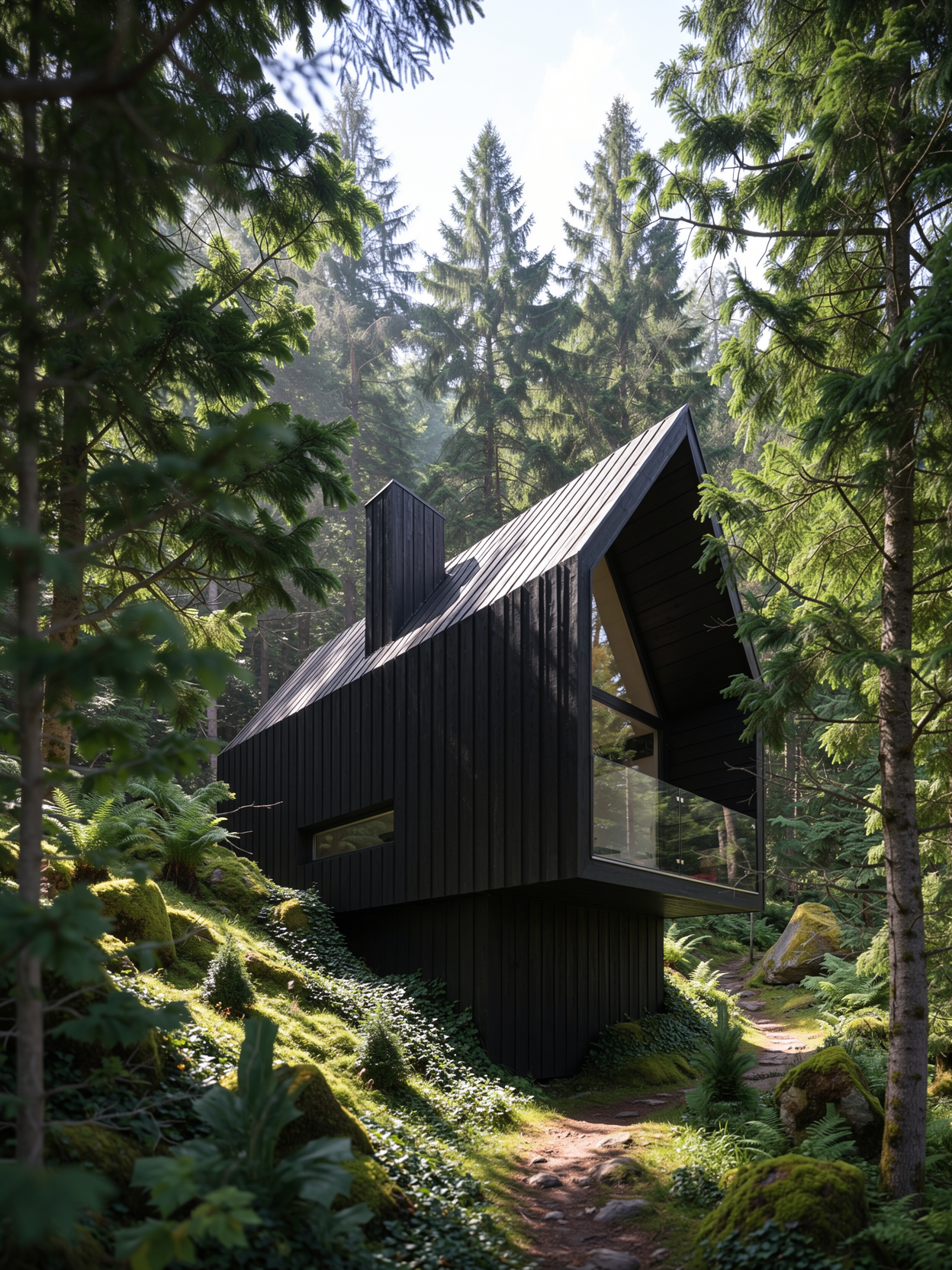
This is a complete rework of my AIxArchviz SDXL x FLUX workflow, rebuilt from scratch around current models: FLUX.2 [klein] 9B for image generation and editing, LTX-2.5 for camera-controlled image-to-video, and a custom LoRA trained for architectural vegetation.
Instead of one monolithic graph, the series is split into three focused workflows plus an all-in-one bundle. Each workflow is packed into subgraphs with only the relevant controls exposed, uses ComfyUI core nodes wherever possible, and runs locally or on ComfyCloud.
| Workflow | File | What it does |
|---|---|---|
| IMAGE GENERATE | ph_flux2_generate_V1.json | Visually guided generation from 1–2 guidance images (depth, canny, normals, sketches, lineart, …) or plain text with FLUX.2 [klein] base 9B |
| IMAGE EDIT | ph_flux2_imageedit_V1.json | Masked, reference-based editing without pixel degradation outside the mask, using FLUX.2 [klein] 9B, SAM 3.1 automasking and LanPaint |
| CAMCONTROLLED IMAGE 2 VIDEO | ph_ltx25_img2video_V1.json | Turns a still into a video, with the camera move copied from a driving animation via LTX-2.5 and the Cameraman IC-LoRA |
| ALL-IN-ONE | ph_FLUX2xLTX_aio_V1.json | All three stages in one graph: generate → edit → animate |
✨ Key Features
Stage I – IMAGE GENERATE (FLUX.2 [klein] base 9B)
- Visual guidance: Load 1 or 2 guidance images (up to 4 MP / 2048×2048) such as depth, canny, normals, sketches, lineart or scribbles straight from your 3D software, and toggle USE 2 INPUT IMAGES to match
- TXT2IMG mode: Ignore the input images and create free assets, e.g. references for IMAGE EDIT
- Custom LoRA:
ph_f2k9b_localforestlab_v1for detailed trees & foliage (trigger word prefilled in the workflow:phflg) - Built-in upscale with RealESRGAN x2 and a before/after image compare
Stage II – IMAGE EDIT (FLUX.2 [klein] 9B)
- Reference-based editing: Load a base image (image 1) and a reference (image 2), then refer to both in your prompt, e.g. "add the flamingo from image 2 to stand on the summer meadow in image 1, bright sunlight"
- Three ways to mask: an RGB mask image, the ComfyUI Mask Editor, or AUTOMASK BY PROMPT (SAM 3.1)
- Degradation-free: Only the masked area is re-generated (crop & stitch) and the rest of the image stays pixel-identical
- SOFTEN MASK and SEPARATE MASK COMPONENTS (works best with SOFTEN MASK values below 5)
- Auto-enhance, auto-remove and auto-outpaint modes
Stage III – CAMCONTROLLED IMAGE 2 VIDEO (LTX-2.5)
- Camera control by example: Load a still as the first frame and any video as the driving camera animation. The Cameraman IC-LoRA by Cseti transfers the camera move
- Ready-made driving animations in
assets/driving_animation:crane_up,dolly_in,truck_right,truck_right_static_target - Aspect ratio from your image: Resolution snaps to multiples of 32, so expect slight cropping
- Spatial latent upscale plus FILM frame interpolation for smooth output, with audio generated alongside
✅ These Workflows ARE:
- A potential replacement for many paid services like image enhancement, AI editing and image-to-video
- Tools developed for daily work as a technical artist, from previsualization to final image and animation
- Based on best intentions and latest findings in AI-assisted architectural visualization
- Flexible systems you can adapt and modify to fit your own needs
- Part of a complete workflow that still includes 3D environments, rendering software and manual post-processing
❌ These Workflows ARE NOT:
- Never-before-seen masterpiece ComfyUI workflows. They're practical tools built from available components
- Ultimate magic technology that produces award-winning images every time
- Standalone solutions. You still need skills in 3D software, prompting and ComfyUI
- Optimized for all hardware. FLUX.2 [klein] 9B and LTX-2.5 22B need a capable GPU. If yours isn't, use the fp8/int8 variants or ComfyCloud
🎯 Output Quality Depends On:
Your 3D Skills
Your input is crucial. The workflows are designed for architecture-related imagery and assume you can:
- Work in a 3D environment (3ds Max, Blender, SketchUp, …)
- Export suitable guidance passes (depth, canny/outline, normals, segmentation masks)
- Create simple camera animations to use as driving videos
Your Prompting Ability
- Describe materials, environment, light and camera clearly. See the example prompts in
assets/inputs - In IMAGE EDIT, refer to image 1 / image 2 explicitly
Your Hardware
- Use the fp8 / int8 model variants and lower resolutions on smaller GPUs
- All custom nodes used are available on ComfyCloud
📦 Models Used
Every workflow has a note with direct download links and the folder layout. Gated models need you to log in to huggingface and accept the license before downloading.
FLUX.2 (Image Generate / Image Edit)
| Folder | Model | Used in |
|---|---|---|
diffusion_models | flux-2-klein-base-9b-fp8.safetensors (gated) | Generate |
diffusion_models | flux-2-klein-base-9b.safetensors (gated) | All-in-One (Generate); optional full-precision for Generate |
diffusion_models | flux-2-klein-9b.safetensors (gated) | Edit, All-in-One |
text_encoders | qwen_3_8b.safetensors | Generate |
text_encoders | qwen_3_8b_fp8mixed.safetensors | Edit, All-in-One |
loras | ph_f2k9b_localforestlab_v1.safetensors | Generate, Edit, All-in-One |
vae | flux2-vae.safetensors | Generate, Edit, All-in-One |
checkpoints | sam3.1_multiplex_fp16.safetensors | Edit, All-in-One |
upscale_models | RealESRGAN_x2.pth | Generate, Edit, All-in-One |
LTX-2.5 (CamControlled Image 2 Video)
| Folder | Model |
|---|---|
diffusion_models | ltx-2.5-22b-distilled-transformer-comfy-int8-convrot.safetensors (gated) |
text_encoders | gemma4-12b-with-proj-ltx-2.5-comfy-int8-convrot.safetensors (gated) |
loras | ltx-2.3-22b-distilled-lora-384.safetensors |
loras | LTX2.3-22B_IC-LoRA-Cameraman_v1_10500.safetensors by Cseti |
vae | ltx-2.5-video-vae-bf16.safetensors (gated) |
vae | ltx-2.5-audio-vae-bf16.safetensors (gated) |
latent_upscale_models | ltx-2.5-latent-spatial-upscaler-x2-bf16-1.0.safetensors (gated) |
frame_interpolation | film_net_fp16.safetensors |
Model Storage Location (All-in-One)
📂 ComfyUI/
└── 📂 models/
     ├── 📂 checkpoints/
     │    └── sam3.1_multiplex_fp16.safetensors
     ├── 📂 diffusion_models/
     │    ├── flux-2-klein-base-9b.safetensors
     │    ├── flux-2-klein-9b.safetensors
     │    └── ltx-2.5-22b-distilled-transformer-comfy-int8-convrot.safetensors
     ├── 📂 text_encoders/
     │    ├── qwen_3_8b_fp8mixed.safetensors
     │    └── gemma4-12b-with-proj-ltx-2.5-comfy-int8-convrot.safetensors
     ├── 📂 loras/
     │    ├── ph_f2k9b_localforestlab_v1.safetensors
     │    ├── ltx-2.3-22b-distilled-lora-384.safetensors
     │    └── LTX2.3-22B_IC-LoRA-Cameraman_v1_10500.safetensors
     ├── 📂 vae/
     │    ├── flux2-vae.safetensors
     │    ├── ltx-2.5-video-vae-bf16.safetensors
     │    └── ltx-2.5-audio-vae-bf16.safetensors
     ├── 📂 upscale_models/
     │    └── RealESRGAN_x2.pth
     ├── 📂 latent_upscale_models/
     │    └── ltx-2.5-latent-spatial-upscaler-x2-bf16-1.0.safetensors
     └── 📂 frame_interpolation/
          └── film_net_fp16.safetensors
🔧 Custom Nodes Required
Far fewer than in the SDXL x FLUX workflow: IMAGE GENERATE runs on ComfyUI core nodes only. All packs below are available on ComfyCloud.
| Node pack | Author | Generate | Edit | Img2Video |
|---|---|---|---|---|
| ComfyUI-KJNodes | kijai | ✅ | ✅ | |
| ComfyUI_essentials | cubiq | ✅ | ||
| masquerade-nodes-comfyui | BadCafeCode | ✅ | ||
| LanPaint | scraed | ✅ | ||
| ComfyUI-Inpaint-CropAndStitch | lquesada | ✅ | ||
| ComfyUI-VideoHelperSuite | Kosinkadink | ✅ |
The All-in-One workflow needs all of them. Install with the ComfyUI-Manager, or clone each repo into ComfyUI/custom_nodes/, e.g.:
cd <YOUR_PATH_TO_COMFYUI>/ComfyUI/custom_nodes/
git clone https://github.com/kijai/ComfyUI-KJNodes
The workflows were saved with a recent ComfyUI frontend (1.53.x), which supports subgraphs. Update ComfyUI before loading them.
📁 Repository Structure
📂 AIxArchviz_FLUX2xLTX25/
├── 📂 workflows/            → the four ComfyUI workflows (.json)
└── 📂 assets/
     ├── 📂 inputs/           → example guidance images, prompts & reference images (cabin, pavillon, twist, warroom)
     └── 📂 driving_animation/ → camera driving videos for Img2Video
📝 Version History
v1.0_261002
- Initial release of the FLUX.2 x LTX-2.5 series, a complete rework of AIxArchviz_SDXLxFLUX
- FLUX.2 [klein] 9B image generate & image edit workflows
- LTX-2.5 camera-controlled image 2 video workflow
- All-in-One bundle
- Custom LoRA
ph_f2k9b_localforestlab_v1
🙏 Acknowledgements
These workflows would not be possible without the great work of the model creators and custom node developers.
Special thanks to:
- Black Forest Labs for FLUX.2 [klein]
- Lightricks for LTX-2.5
- Cseti for the Cameraman IC-LoRA
- Comfy-Org for the repackaged models and ComfyUI
- All the custom node developers listed above
- The ComfyUI community and everyone who has provided feedback and suggestions
⚖️ License
PH's AIxArchviz ComfyUI Workflows (FLUX.2 + LTX-2.5) © 2026 by Paul Hansen is licensed under CC BY-SA 4.0.
The models used by these workflows have their own licenses. These include the FLUX Non-Commercial License (FLUX.2 [klein]), the LTX-2 Community License (LTX-2.x) and CC BY-NC 4.0 (ph_f2k9b_localforestlab_v1). Check each model's license before any commercial use.
📚 Additional Notes
Target Audience
These workflows assume you:
- Know your way around a 3D environment (3ds Max, Blender, SketchUp, …)
- Can create the necessary guidance passes and camera animations
- Want to adopt some of these techniques in your own workflows
- Are willing to modify everything to fit your specific needs
Tips for Best Results
- Prepare your guidance passes carefully. Clean depth and canny passes give the strongest structural control in IMAGE GENERATE
- Combine two guidance images, e.g. depth + canny, for both volume and edge fidelity
- Use IMAGE EDIT for local fixes instead of re-generating. Areas outside the mask stay untouched
- Keep SOFTEN MASK below 5 when using SEPARATE MASK COMPONENTS
- Match your driving video to your shot. Simple, clean camera moves (dolly, truck, crane) transfer best
- Use resolutions divisible by 32 for IMG2VIDEO to avoid unexpected cropping
These workflows are a practical approach to AI-assisted architectural visualization, combining current open models with traditional 3D rendering workflows.
Similar repos


See what people are saying
README
🏗️ PH's AIxArchviz ComfyUI Workflows (FLUX.2 + LTX-2.5)
Dedicated to Architectural Imagery & Animation
Author: Paul Hansen
Version: v1.0_261002
License: CC BY-SA 4.0
🏆 Sponsorship
-
Please consider sponsoring me if you find the results of my work useful. A good way to keep code development open and free is through sponsorship.
-
📺 Showcase & Resources
- 🎥 Showcase Video: YouTube
- ☁️ Run STAGE 1 in the cloud:STAGE 1 on ComfyCloud
- ☁️ Run STAGE 3 in the cloud:STAGE 3 on ComfyCloud (affiliate links, i may earn a commission)
- 💬 Discord: PH's AIxArchviz Discord
- 🌐 Web: https://www.paulhansen.de
- 📸 Instagram: https://www.instagram.com/paulhansen.design/
- 💼 LinkedIn: https://www.linkedin.com/in/ph3d
- 🤗 Custom LoRA: paulhax/flux2-klein-9b-localforestlab
🎯 Overview
This is a complete rework of my AIxArchviz SDXL x FLUX workflow, rebuilt from scratch around current models: FLUX.2 [klein] 9B for image generation and editing, LTX-2.5 for camera-controlled image-to-video, and a custom LoRA trained for architectural vegetation.
Instead of one monolithic graph, the series is split into three focused workflows plus an all-in-one bundle. Each workflow is packed into subgraphs with only the relevant controls exposed, uses ComfyUI core nodes wherever possible, and runs locally or on ComfyCloud.
| Workflow | File | What it does |
|---|---|---|
| IMAGE GENERATE | ph_flux2_generate_V1.json | Visually guided generation from 1–2 guidance images (depth, canny, normals, sketches, lineart, …) or plain text with FLUX.2 [klein] base 9B |
| IMAGE EDIT | ph_flux2_imageedit_V1.json | Masked, reference-based editing without pixel degradation outside the mask, using FLUX.2 [klein] 9B, SAM 3.1 automasking and LanPaint |
| CAMCONTROLLED IMAGE 2 VIDEO | ph_ltx25_img2video_V1.json | Turns a still into a video, with the camera move copied from a driving animation via LTX-2.5 and the Cameraman IC-LoRA |
| ALL-IN-ONE | ph_FLUX2xLTX_aio_V1.json | All three stages in one graph: generate → edit → animate |
✨ Key Features
Stage I – IMAGE GENERATE (FLUX.2 [klein] base 9B)
- Visual guidance: Load 1 or 2 guidance images (up to 4 MP / 2048×2048) such as depth, canny, normals, sketches, lineart or scribbles straight from your 3D software, and toggle USE 2 INPUT IMAGES to match
- TXT2IMG mode: Ignore the input images and create free assets, e.g. references for IMAGE EDIT
- Custom LoRA:
ph_f2k9b_localforestlab_v1for detailed trees & foliage (trigger word prefilled in the workflow:phflg) - Built-in upscale with RealESRGAN x2 and a before/after image compare
Stage II – IMAGE EDIT (FLUX.2 [klein] 9B)
- Reference-based editing: Load a base image (image 1) and a reference (image 2), then refer to both in your prompt, e.g. "add the flamingo from image 2 to stand on the summer meadow in image 1, bright sunlight"
- Three ways to mask: an RGB mask image, the ComfyUI Mask Editor, or AUTOMASK BY PROMPT (SAM 3.1)
- Degradation-free: Only the masked area is re-generated (crop & stitch) and the rest of the image stays pixel-identical
- SOFTEN MASK and SEPARATE MASK COMPONENTS (works best with SOFTEN MASK values below 5)
- Auto-enhance, auto-remove and auto-outpaint modes
Stage III – CAMCONTROLLED IMAGE 2 VIDEO (LTX-2.5)
- Camera control by example: Load a still as the first frame and any video as the driving camera animation. The Cameraman IC-LoRA by Cseti transfers the camera move
- Ready-made driving animations in
assets/driving_animation:crane_up,dolly_in,truck_right,truck_right_static_target - Aspect ratio from your image: Resolution snaps to multiples of 32, so expect slight cropping
- Spatial latent upscale plus FILM frame interpolation for smooth output, with audio generated alongside
✅ These Workflows ARE:
- A potential replacement for many paid services like image enhancement, AI editing and image-to-video
- Tools developed for daily work as a technical artist, from previsualization to final image and animation
- Based on best intentions and latest findings in AI-assisted architectural visualization
- Flexible systems you can adapt and modify to fit your own needs
- Part of a complete workflow that still includes 3D environments, rendering software and manual post-processing
❌ These Workflows ARE NOT:
- Never-before-seen masterpiece ComfyUI workflows. They're practical tools built from available components
- Ultimate magic technology that produces award-winning images every time
- Standalone solutions. You still need skills in 3D software, prompting and ComfyUI
- Optimized for all hardware. FLUX.2 [klein] 9B and LTX-2.5 22B need a capable GPU. If yours isn't, use the fp8/int8 variants or ComfyCloud
🎯 Output Quality Depends On:
Your 3D Skills
Your input is crucial. The workflows are designed for architecture-related imagery and assume you can:
- Work in a 3D environment (3ds Max, Blender, SketchUp, …)
- Export suitable guidance passes (depth, canny/outline, normals, segmentation masks)
- Create simple camera animations to use as driving videos
Your Prompting Ability
- Describe materials, environment, light and camera clearly. See the example prompts in
assets/inputs - In IMAGE EDIT, refer to image 1 / image 2 explicitly
Your Hardware
- Use the fp8 / int8 model variants and lower resolutions on smaller GPUs
- All custom nodes used are available on ComfyCloud
📦 Models Used
Every workflow has a note with direct download links and the folder layout. Gated models need you to log in to huggingface and accept the license before downloading.
FLUX.2 (Image Generate / Image Edit)
| Folder | Model | Used in |
|---|---|---|
diffusion_models | flux-2-klein-base-9b-fp8.safetensors (gated) | Generate |
diffusion_models | flux-2-klein-base-9b.safetensors (gated) | All-in-One (Generate); optional full-precision for Generate |
diffusion_models | flux-2-klein-9b.safetensors (gated) | Edit, All-in-One |
text_encoders | qwen_3_8b.safetensors | Generate |
text_encoders | qwen_3_8b_fp8mixed.safetensors | Edit, All-in-One |
loras | ph_f2k9b_localforestlab_v1.safetensors | Generate, Edit, All-in-One |
vae | flux2-vae.safetensors | Generate, Edit, All-in-One |
checkpoints | sam3.1_multiplex_fp16.safetensors | Edit, All-in-One |
upscale_models | RealESRGAN_x2.pth | Generate, Edit, All-in-One |
LTX-2.5 (CamControlled Image 2 Video)
| Folder | Model |
|---|---|
diffusion_models | ltx-2.5-22b-distilled-transformer-comfy-int8-convrot.safetensors (gated) |
text_encoders | gemma4-12b-with-proj-ltx-2.5-comfy-int8-convrot.safetensors (gated) |
loras | ltx-2.3-22b-distilled-lora-384.safetensors |
loras | LTX2.3-22B_IC-LoRA-Cameraman_v1_10500.safetensors by Cseti |
vae | ltx-2.5-video-vae-bf16.safetensors (gated) |
vae | ltx-2.5-audio-vae-bf16.safetensors (gated) |
latent_upscale_models | ltx-2.5-latent-spatial-upscaler-x2-bf16-1.0.safetensors (gated) |
frame_interpolation | film_net_fp16.safetensors |
Model Storage Location (All-in-One)
📂 ComfyUI/
└── 📂 models/
     ├── 📂 checkpoints/
     │    └── sam3.1_multiplex_fp16.safetensors
     ├── 📂 diffusion_models/
     │    ├── flux-2-klein-base-9b.safetensors
     │    ├── flux-2-klein-9b.safetensors
     │    └── ltx-2.5-22b-distilled-transformer-comfy-int8-convrot.safetensors
     ├── 📂 text_encoders/
     │    ├── qwen_3_8b_fp8mixed.safetensors
     │    └── gemma4-12b-with-proj-ltx-2.5-comfy-int8-convrot.safetensors
     ├── 📂 loras/
     │    ├── ph_f2k9b_localforestlab_v1.safetensors
     │    ├── ltx-2.3-22b-distilled-lora-384.safetensors
     │    └── LTX2.3-22B_IC-LoRA-Cameraman_v1_10500.safetensors
     ├── 📂 vae/
     │    ├── flux2-vae.safetensors
     │    ├── ltx-2.5-video-vae-bf16.safetensors
     │    └── ltx-2.5-audio-vae-bf16.safetensors
     ├── 📂 upscale_models/
     │    └── RealESRGAN_x2.pth
     ├── 📂 latent_upscale_models/
     │    └── ltx-2.5-latent-spatial-upscaler-x2-bf16-1.0.safetensors
     └── 📂 frame_interpolation/
          └── film_net_fp16.safetensors
🔧 Custom Nodes Required
Far fewer than in the SDXL x FLUX workflow: IMAGE GENERATE runs on ComfyUI core nodes only. All packs below are available on ComfyCloud.
| Node pack | Author | Generate | Edit | Img2Video |
|---|---|---|---|---|
| ComfyUI-KJNodes | kijai | ✅ | ✅ | |
| ComfyUI_essentials | cubiq | ✅ | ||
| masquerade-nodes-comfyui | BadCafeCode | ✅ | ||
| LanPaint | scraed | ✅ | ||
| ComfyUI-Inpaint-CropAndStitch | lquesada | ✅ | ||
| ComfyUI-VideoHelperSuite | Kosinkadink | ✅ |
The All-in-One workflow needs all of them. Install with the ComfyUI-Manager, or clone each repo into ComfyUI/custom_nodes/, e.g.:
cd <YOUR_PATH_TO_COMFYUI>/ComfyUI/custom_nodes/
git clone https://github.com/kijai/ComfyUI-KJNodes
The workflows were saved with a recent ComfyUI frontend (1.53.x), which supports subgraphs. Update ComfyUI before loading them.
📁 Repository Structure
📂 AIxArchviz_FLUX2xLTX25/
├── 📂 workflows/            → the four ComfyUI workflows (.json)
└── 📂 assets/
     ├── 📂 inputs/           → example guidance images, prompts & reference images (cabin, pavillon, twist, warroom)
     └── 📂 driving_animation/ → camera driving videos for Img2Video
📝 Version History
v1.0_261002
- Initial release of the FLUX.2 x LTX-2.5 series, a complete rework of AIxArchviz_SDXLxFLUX
- FLUX.2 [klein] 9B image generate & image edit workflows
- LTX-2.5 camera-controlled image 2 video workflow
- All-in-One bundle
- Custom LoRA
ph_f2k9b_localforestlab_v1
🙏 Acknowledgements
These workflows would not be possible without the great work of the model creators and custom node developers.
Special thanks to:
- Black Forest Labs for FLUX.2 [klein]
- Lightricks for LTX-2.5
- Cseti for the Cameraman IC-LoRA
- Comfy-Org for the repackaged models and ComfyUI
- All the custom node developers listed above
- The ComfyUI community and everyone who has provided feedback and suggestions
⚖️ License
PH's AIxArchviz ComfyUI Workflows (FLUX.2 + LTX-2.5) © 2026 by Paul Hansen is licensed under CC BY-SA 4.0.
The models used by these workflows have their own licenses. These include the FLUX Non-Commercial License (FLUX.2 [klein]), the LTX-2 Community License (LTX-2.x) and CC BY-NC 4.0 (ph_f2k9b_localforestlab_v1). Check each model's license before any commercial use.
📚 Additional Notes
Target Audience
These workflows assume you:
- Know your way around a 3D environment (3ds Max, Blender, SketchUp, …)
- Can create the necessary guidance passes and camera animations
- Want to adopt some of these techniques in your own workflows
- Are willing to modify everything to fit your specific needs
Tips for Best Results
- Prepare your guidance passes carefully. Clean depth and canny passes give the strongest structural control in IMAGE GENERATE
- Combine two guidance images, e.g. depth + canny, for both volume and edge fidelity
- Use IMAGE EDIT for local fixes instead of re-generating. Areas outside the mask stay untouched
- Keep SOFTEN MASK below 5 when using SEPARATE MASK COMPONENTS
- Match your driving video to your shot. Simple, clean camera moves (dolly, truck, crane) transfer best
- Use resolutions divisible by 32 for IMG2VIDEO to avoid unexpected cropping
These workflows are a practical approach to AI-assisted architectural visualization, combining current open models with traditional 3D rendering workflows.