English | 简体中文


A Vite/Rollup plugin which support Module Federation. Inspired by Webpack and compatible with Webpack Module Federation.
virtual:__federation__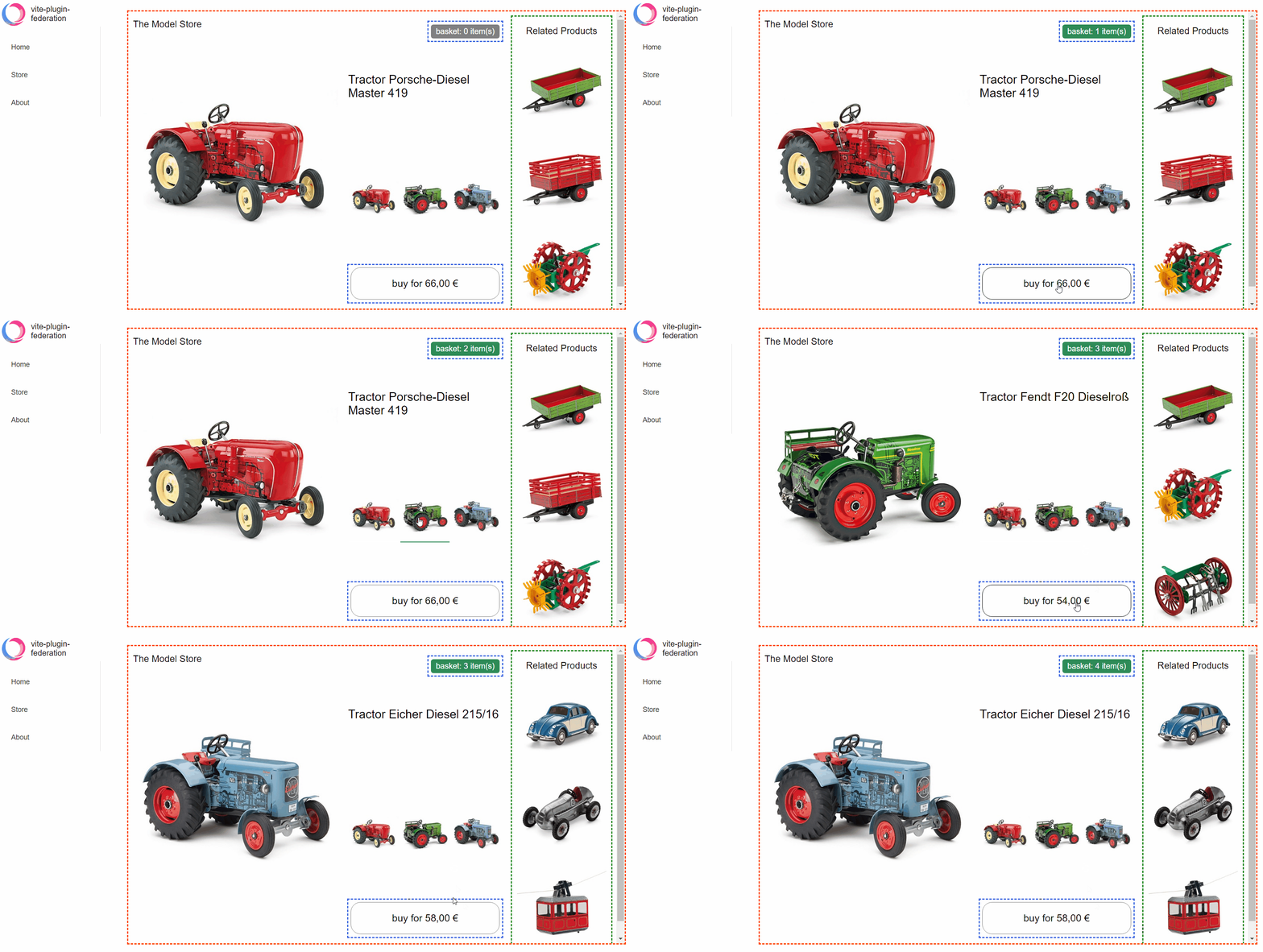
npm install @originjs/vite-plugin-federation --save-dev
or
yarn add @originjs/vite-plugin-federation --dev
Using the Module Federation usually requires more than 2 projects, one as the host side and one as the remote side.
vite.config.js:// vite.config.js
import federation from "@originjs/vite-plugin-federation";
export default {
plugins: [
federation({
name: 'remote-app',
filename: 'remoteEntry.js',
// Modules to expose
exposes: {
'./Button': './src/Button.vue',
},
shared: ['vue']
})
]
}
rollup.config.js:// rollup.config.js
import federation from '@originjs/vite-plugin-federation'
export default {
input: 'src/index.js',
plugins: [
federation({
name: 'remote-app',
filename: 'remoteEntry.js',
// Modules to expose
exposes: {
'./Button': './src/button'.
},
shared: ['vue']
})
]
}
vite.config.js:// vite.config.js
import federation from "@originjs/vite-plugin-federation";
export default {
plugins: [
federation({
name: 'host-app',
remotes: {
remote_app: "http://localhost:5001/assets/remoteEntry.js",
},
shared: ['vue']
})
]
}
rollup.config.js:// rollup.config.js
import federation from '@originjs/vite-plugin-federation'
export default {
input: 'src/index.js',
plugins: [
federation({
name: 'host-app',
remotes: {
remote_app: "http://localhost:5001/remoteEntry.js",
},
shared: ['vue']
})
]
}
Using a Vue project as an example
import { createApp, defineAsyncComponent } from "vue";
const app = createApp(Layout);
...
const RemoteButton = defineAsyncComponent(() => import("remote_app/Button"));
app.component("RemoteButton", RemoteButton);
app.mount("#root");
Using remote components in templates
<template>
    <div>
        <RemoteButton />
    </div>
</template>
| Examples | Host | Remote |
|---|---|---|
| basic-host-remote | rollup+esm | rollup+esm |
| react-in-vue | vite+esm | vite+esm |
| simple-react-esm | rollup+esm | rollup+esm |
| simple-react-systemjs | rollup+systemjs | rollup+systemjs |
| simple-react-webpack | rollup+systemjs | webpack+systemjs |
| vue2-demo | vite+esm | vite+esm |
| vue3-advanced-demo | vite+esm vue-router/pinia | vite+esmvue-router/pinia |
| vue3-demo-esm | vite+esm | vite+esm |
| vue3-demo-systemjs | vite+systemjs | vite+systemjs |
| vue3-demo-webpack-esm-esm | vite/webpack+esm | vite/webpack+esm |
| vue3-demo-webpack-esm-var | vite+esm | webpack+var |
| vue3-demo-webpack-systemjs | vite+systemjs | webpack+systemjs |
| react-vite | vite+react | vite + react |
It is now possible to use Module Federation without the restrictions of Vite and Webpack! That is, you can choose to use the components exposed by vite-plugin-federation in Webpack or the components exposed by Webpack ModuleFederationPlugin in Vite. But you need to pay attention to the configuration in remotes, for different frameworks you need to specify remotes.from and remotes.format to make them work better. A couple of example projects can be found here.
⚠️ Note:
Vite is relatively easy to use with the Webpack component, but Webpack is best used with the vite-plugin-federation component using the esm format, as the other formats lack complete test cases for now.
It is not recommended to mix Vite and Webpack in React projects, as there is no guarantee that Vite/Rollup and Webpack will generate the same chunk when packaging commonjs, which may cause problems with shared.
As Vite is built on esbuild in dev development mode, we provide separate support for dev mode to take advantage of Vite's high performance development server in the case of remote module deployment.
⚠️ Note:
vite build. This is because Vite Dev mode is Bundleless and you can use vite build --watch to achieve a hot update effect.Static import and dynamic import of components are supported, the following shows the difference between the two methods, you can see examples of dynamic import and static import in the project in examples, here is a simple example.
// dynamic import
const myButton = defineAsyncComponent(() => import('remote/myButton'));
app.component('my-button' , myButton);
// or
export default {
  name: 'App',
  components: {
    myButton: () => import('remote/myButton'),
  }
}
// static import
import myButton from 'remote/myButton';
app.component('my-button' , myButton);
// or
export default {
  name: 'App',
  components: {
    myButton: myButton
  }
}
// dynamic import
const myButton = React.lazy(() => import('remote/myButton'))

// static import
import myButton from 'remote/myButton'
⚠️ Note:
Top-level await feature, so you will need to set build.target in the configuration file to next or use the plugin vite-plugin-top-level-await. You can see the browser compatibility of top-level await here compatibility)name: stringRequired as the module name of the remote module.
filename:stringAs the entry file of the remote module, not required, default is remoteEntry.js
transformFileTypes:string[]vite-plugin-federation plugin processing, please add it to the array configuration.exposesexposes: {
// 'externally exposed component name': 'externally exposed component address'
'./remote-simple-button': './src/components/Button.vue',
'./remote-simple-section': './src/components/Section.vue'
},
exposes: {
    './remote-simple-button': {
        import: './src/components/Button.vue',
        name: 'customChunkName',
        dontAppendStylesToHead: true
    },
},
The import property is the address of the module. If you need to specify a custom chunk name for the module use the name property.
The dontAppendStylesToHead property is used if you don't want the plugin to automatically append all styles of the exposed component to the <head> element, which is the default behavior. It's useful if your component uses a ShadowDOM and the global styles wouldn't affect it anyway. The plugin will then expose the addresses of the CSS files in the global window object, so that your exposed component can append the styles inside the ShadowDOM itself. The key under the window object used for styles will be css__{name_of_the_app}__{key_of_the_exposed_component}. In the above example it would be css__App__./remote-simple-button, assuming that the global name option (not the one under exposed component configuration) is App. The value under this key is an array of strings, which contains the addresses of CSS files. In your exposed component you can iterate over this array and manually create <link> elements with href attribute set to the elements of the array like this:
const styleContainer = document.createElement("div");
const hrefs = window["css__App__./remote-simple-button"];

hrefs.forEach((href: string) => {
    const link = document.createElement('link')
    link.href = href
    link.rel = 'stylesheet'
    styleContainer.appendChild(link);
});
remotesThe remote module entry file referenced as a local module
external:string|Promise<string> remotes: {
// 'remote module name': 'remote module entry file address'
'remote-simple': 'http://localhost:5011/remoteEntry.js',
}
remotes: {
    remote-simple: {
        external: 'http://localhost:5011/remoteEntry.js',
        format: 'var',
    }
}
externalType: 'url'|'promise'default: 'url'external as promise, but please note that you need to set the externalType as 'promise' at the same time, and please ensure that the code of the promise part is correct, otherwise the package may fail,here is a simple example.remotes: {
home: {
external: `Promise.resolve('your url')`,
externalType: 'promise'
},
},
// or from networke
remotes: {
remote-simple: {
external: `fetch('your url').then(response=>response.json()).then(data=>data.url)`,
externalType: 'promise'
}
}
format:'esm'|'systemjs'|'var'default:'esm'type : 'var'from : 'vite'|'webpack'default : 'vite'vite-plugin-federation select vite, from webpack select webpacksharedDependencies shared by local and remote modules. Local modules need to configure the dependencies of all used remote modules; remote modules need to configure the dependencies of externally provided components.
import: booleandefault: truetrue, whether to add shared to the module, only for the remote side, remote will reduce some of the packaging time when this configuration is turned on, because there is no need to package some of the shared, but once there is no shared module available on the host side, it will report an error directly, because there is no fallback module availableshareScope: stringdefault: 'default'default, the shared domain name, just keep the remote and host sides the sameversion: stringOnly works on host side, the version of the shared module provided is version of the package.json file in the shared package by default, you need to configure it manually only if you can't get version by this method
requiredVersion: stringOnly for the remote side, it specifies the required version of the host shared used, when the version of the host side does not meet the requiredVersion requirement, it will use its own shared module, provided that it is not configured with import=false, which is not enabled by default
packagePath: stringsupportMode: only serveshared :{
packageName:{
...
}
}
shared: {
    packageName: {
        packagePath: './src/a/index.js'
    }
}
generate : booleandefault: trueshared: {
packageName: {
generate: false
}
}
modulePreload : booleandefault: falseshared: {
packageName: {
modulePreload: true
}
}
virtual:__federation__It is not always possible to define the list of remote applications in advance in vite.config. Some applications may load the list of these remotes asynchronously when the user visits the website. In such cases, you can use the virtual:__federation__ API.
Note: This is a virtual module, for a deeper understanding of virtual modules in Vite, see: https://vite.dev/guide/api-plugin#virtual-modules-convention
virtual:__federation__Using methods from the virtual:__federation__ module, you can implement dynamic loading of a remote application.
import {
  __federation_method_getRemote as getRemote,
  __federation_method_setRemote as setRemote,
  __federation_method_unwrapDefault as unwrapModule,
  type IRemoteConfig,
} from "virtual:__federation__";

const renderComponent = () => {
  throw Error("Not implemented");
}

const loadCrmPlugins = async () => {
  try {
    const pluginsResponse = await fetch("some-backed.com/plugins");
    const pluginsJson = await pluginsResponse.json();

    const unresolvedPlugins = pluginsJson.map(async (plugin) => {
      setRemote(plugin.name, {
        ...commonRemoteConfig,
        url: plugin.entry,
      });

      const remoteModule = await getRemote(plugin.name, plugin.component);
      const remoteComponent = await unwrapModule(remoteModule);
      renderComponent(plugin.name, remoteComponent);
    });

    await Promise.all(unresolvedPlugins);
  } catch (e) {
    console.error(e);
  }
};
Available methods:
Syntax
/**
 * Adds a new remote to the shared map of all remotes on the page.
 * @param {string} name - The name of the remote.
 * @param {IRemoteConfig} config - The configuration of the remote.
 */
function __federation_method_setRemote(name: string, config: IRemoteConfig): void;
Types
interface IRemoteConfig {
    url: (() => Promise<string>) | string;
    format: "esm" | "systemjs" | "var";
    from: "vite" | "webpack;
}
Syntax
/**
 * Returns a component from a remote.
 * @param {string} remoteName - The name of the remote.
 * @param {string} componentName - The name of the component to retrieve.
 * @returns {Promise<unknown>} - The retrieved component.
 */
function __federation_method_getRemote(remoteName: string, componentName: string): Promise<unknown>;
Syntax
/**
 * Unwraps a module and returns its default export or the module itself.
 * @param {unknown} module - The module to unwrap.
 * @returns {unknown} - The default export or the module itself.
 */
function __federation_method_unwrapDefault(module: unknown): unknown;
Syntax
/**
 * Checks for a default export and creates a wrapper if necessary.
 * @param {unknown} module - The module to process.
 * @param {boolean} need - A flag indicating whether to create a wrapper.
 * @returns {Promise<unknown>} - The wrapped module or the original.
 */
function __federation_method_wrapDefault(module: unknown, need: boolean): Promise<unknown>;
Syntax
/**
 * Checks if a module is initialized and initializes it if necessary.
 * @param {string} remoteName - The name of the remote.
 * @returns {Promise<unknown>} - The initialized remote.
 */
async function __federation_method_ensure(remoteName: string): Promise<unknown>;
virtual:__federation__ with TypeScriptIf you are using TypeScript, define the module types using declare module.
To ensure correct functionality in the TypeScript environment, describe the module in a *.d.ts file:
declare module "virtual:__federation__" {
  interface IRemoteConfig {
    url: (() => Promise<string>) | string;
    format: "esm" | "systemjs" | "var";
    from: "vite" | "webpack";
  }

  export function __federation_method_setRemote(
    name: string,
    config: IRemoteConfig,
  ): void;

  export function __federation_method_getRemote(
    name: string,
    exposedPath: string,
  ): Promise<unknown>;

  export function __federation_method_unwrapDefault(
    unwrappedModule: unknown,
  ): Promise<unknown>;

  export function __federation_method_ensure(
    remoteName: string,
  ): Promise<unknown>;

  export function __federation_method_wrapDefault(
    module: unknown,
    need: boolean,
  ): Promise<unknown>;
}
Now you can load remote applications without predefining them in vite.config.
First of all, you need to determine whether the test is suitable for dev mode or build&serve mode, or both.
In addition, the current test will directly access localhost:5000 for testing, which means that the startup port of host must be 5000, otherwise it will directly lead to test failure.
dev mode or build&serve mode?According to the file name of the test file.
For example, vue3-demo-esm.dev&serve.spec.ts means that tests will be built in dev mode and build&serve mode.
The vue3-demo-esm.dev.spec.ts will only build tests in dev mode, as summarized as follows
| Mode | File Name |
|---|---|
Only for dev mode | *.dev.spec.ts |
Only for build&serve mode | *.serve.spec.ts |
dev and build&serve mode | *.dev&serve.spec.ts |
Dev modeSince the current plug-in only supports the dev mode of vite on the host end, the dev mode test will execute the following code on the root path of the test project in turn.
pnpm run dev:hostpnpm run build:remotespnpm run serve:remotespnpm run stopThis also means that there are at least four instructions in the package.json file of the project in dev mode.
  "scripts": {
    "build:remotes": "pnpm --filter \"./remote\"  build",
    "serve:remotes": "pnpm --filter \"./remote\"  serve",
    "dev:hosts": "pnpm --filter \"./host\" dev",
    "stop": "kill-port --port 5000,5001"
  },
  "workspaces": [
    "host",
    "remote"
  ]
Build&Serve modeThe build&serve mode will execute the following instructions in turn
pnpm run buildpnpm run servepnpm run stopThis also means that there are at least three instructions in the package.json file of the project in build&serve mode.
  "scripts": {
    "build": "pnpm --parallel --filter \"./**\" build",
    "serve": "pnpm --parallel --filter \"./**\" serve ",
    "stop": "kill-port --port 5000,5001"
  },
  "workspaces": [
    "host",
    "remote"
  ]
Top-level await is not available in the configured target environmentThe solution is to set build.target to esnext, which you can find at https://developer.mozilla.org/en-US/docs/Web/JavaScript/Reference/Operators/await to see the support for this feature in each browser.
build: {
    target: "esnext"
  }
or
 build: {
    target: ["chrome89", "edge89", "firefox89", "safari15"]
 }
Or you can try using the plugin vite-plugin-top-level-await to eliminate top-level-await, as demonstrated in vue3-demo- esm demonstrates this usage
Please check if you have started the project in dev mode with vite, currently only the fully pure host side can use dev mode, the remote side must use build mode to make the plugin take effect.
It is recommended to check this Issue, which contains most of the React related issues
localhost/:1 Uncaught (in promise) TypeError: Failed to fetch dynamically imported module: http://your urlReason: Vite has auto fetch logic for IP and Port when starting the service, no full fetch logic has been found in the Plugin, and in some cases a fetch failure may occur.
Solutions:
Explicitly declaring IP, Port, cacheDir in the local module ensures that our Plugin can correctly fetch and pass the dependent addresses.
Local module's vite.config.ts
export default defineConfig({
  server:{
    https: "http",
    host: "192.168.56.1",
    port: 5100,
  },
  cacheDir: "node_modules/.cacheDir",
}
Add declarations in the d.ts file, like this
declare module "router-remote/*"{}
Overall
Maintained
Code review
Contributors
Latest release
Releases this year
(top 24 of 34)
593 followers · starred Jun 2023
444 followers · starred May 2023
1,117 followers · starred Sep 2024
80 followers · starred Aug 2021
English | 简体中文
A Vite/Rollup plugin which support Module Federation. Inspired by Webpack and compatible with Webpack Module Federation.
virtual:__federation__
npm install @originjs/vite-plugin-federation --save-dev
or
yarn add @originjs/vite-plugin-federation --dev
Using the Module Federation usually requires more than 2 projects, one as the host side and one as the remote side.
vite.config.js:// vite.config.js
import federation from "@originjs/vite-plugin-federation";
export default {
plugins: [
federation({
name: 'remote-app',
filename: 'remoteEntry.js',
// Modules to expose
exposes: {
'./Button': './src/Button.vue',
},
shared: ['vue']
})
]
}
rollup.config.js:// rollup.config.js
import federation from '@originjs/vite-plugin-federation'
export default {
input: 'src/index.js',
plugins: [
federation({
name: 'remote-app',
filename: 'remoteEntry.js',
// Modules to expose
exposes: {
'./Button': './src/button'.
},
shared: ['vue']
})
]
}
vite.config.js:// vite.config.js
import federation from "@originjs/vite-plugin-federation";
export default {
plugins: [
federation({
name: 'host-app',
remotes: {
remote_app: "http://localhost:5001/assets/remoteEntry.js",
},
shared: ['vue']
})
]
}
rollup.config.js:// rollup.config.js
import federation from '@originjs/vite-plugin-federation'
export default {
input: 'src/index.js',
plugins: [
federation({
name: 'host-app',
remotes: {
remote_app: "http://localhost:5001/remoteEntry.js",
},
shared: ['vue']
})
]
}
Using a Vue project as an example
import { createApp, defineAsyncComponent } from "vue";
const app = createApp(Layout);
...
const RemoteButton = defineAsyncComponent(() => import("remote_app/Button"));
app.component("RemoteButton", RemoteButton);
app.mount("#root");
Using remote components in templates
<template>
    <div>
        <RemoteButton />
    </div>
</template>
| Examples | Host | Remote |
|---|---|---|
| basic-host-remote | rollup+esm | rollup+esm |
| react-in-vue | vite+esm | vite+esm |
| simple-react-esm | rollup+esm | rollup+esm |
| simple-react-systemjs | rollup+systemjs | rollup+systemjs |
| simple-react-webpack | rollup+systemjs | webpack+systemjs |
| vue2-demo | vite+esm | vite+esm |
| vue3-advanced-demo | vite+esm vue-router/pinia | vite+esmvue-router/pinia |
| vue3-demo-esm | vite+esm | vite+esm |
| vue3-demo-systemjs | vite+systemjs | vite+systemjs |
| vue3-demo-webpack-esm-esm | vite/webpack+esm | vite/webpack+esm |
| vue3-demo-webpack-esm-var | vite+esm | webpack+var |
| vue3-demo-webpack-systemjs | vite+systemjs | webpack+systemjs |
| react-vite | vite+react | vite + react |
It is now possible to use Module Federation without the restrictions of Vite and Webpack! That is, you can choose to use the components exposed by vite-plugin-federation in Webpack or the components exposed by Webpack ModuleFederationPlugin in Vite. But you need to pay attention to the configuration in remotes, for different frameworks you need to specify remotes.from and remotes.format to make them work better. A couple of example projects can be found here.
⚠️ Note:
Vite is relatively easy to use with the Webpack component, but Webpack is best used with the vite-plugin-federation component using the esm format, as the other formats lack complete test cases for now.
It is not recommended to mix Vite and Webpack in React projects, as there is no guarantee that Vite/Rollup and Webpack will generate the same chunk when packaging commonjs, which may cause problems with shared.
As Vite is built on esbuild in dev development mode, we provide separate support for dev mode to take advantage of Vite's high performance development server in the case of remote module deployment.
⚠️ Note:
vite build. This is because Vite Dev mode is Bundleless and you can use vite build --watch to achieve a hot update effect.Static import and dynamic import of components are supported, the following shows the difference between the two methods, you can see examples of dynamic import and static import in the project in examples, here is a simple example.
// dynamic import
const myButton = defineAsyncComponent(() => import('remote/myButton'));
app.component('my-button' , myButton);
// or
export default {
  name: 'App',
  components: {
    myButton: () => import('remote/myButton'),
  }
}
// static import
import myButton from 'remote/myButton';
app.component('my-button' , myButton);
// or
export default {
  name: 'App',
  components: {
    myButton: myButton
  }
}
// dynamic import
const myButton = React.lazy(() => import('remote/myButton'))

// static import
import myButton from 'remote/myButton'
⚠️ Note:
Top-level await feature, so you will need to set build.target in the configuration file to next or use the plugin vite-plugin-top-level-await. You can see the browser compatibility of top-level await here compatibility)name: stringRequired as the module name of the remote module.
filename:stringAs the entry file of the remote module, not required, default is remoteEntry.js
transformFileTypes:string[]vite-plugin-federation plugin processing, please add it to the array configuration.exposesexposes: {
// 'externally exposed component name': 'externally exposed component address'
'./remote-simple-button': './src/components/Button.vue',
'./remote-simple-section': './src/components/Section.vue'
},
exposes: {
    './remote-simple-button': {
        import: './src/components/Button.vue',
        name: 'customChunkName',
        dontAppendStylesToHead: true
    },
},
The import property is the address of the module. If you need to specify a custom chunk name for the module use the name property.
The dontAppendStylesToHead property is used if you don't want the plugin to automatically append all styles of the exposed component to the <head> element, which is the default behavior. It's useful if your component uses a ShadowDOM and the global styles wouldn't affect it anyway. The plugin will then expose the addresses of the CSS files in the global window object, so that your exposed component can append the styles inside the ShadowDOM itself. The key under the window object used for styles will be css__{name_of_the_app}__{key_of_the_exposed_component}. In the above example it would be css__App__./remote-simple-button, assuming that the global name option (not the one under exposed component configuration) is App. The value under this key is an array of strings, which contains the addresses of CSS files. In your exposed component you can iterate over this array and manually create <link> elements with href attribute set to the elements of the array like this:
const styleContainer = document.createElement("div");
const hrefs = window["css__App__./remote-simple-button"];

hrefs.forEach((href: string) => {
    const link = document.createElement('link')
    link.href = href
    link.rel = 'stylesheet'
    styleContainer.appendChild(link);
});
remotesThe remote module entry file referenced as a local module
external:string|Promise<string> remotes: {
// 'remote module name': 'remote module entry file address'
'remote-simple': 'http://localhost:5011/remoteEntry.js',
}
remotes: {
    remote-simple: {
        external: 'http://localhost:5011/remoteEntry.js',
        format: 'var',
    }
}
externalType: 'url'|'promise'default: 'url'external as promise, but please note that you need to set the externalType as 'promise' at the same time, and please ensure that the code of the promise part is correct, otherwise the package may fail,here is a simple example.remotes: {
home: {
external: `Promise.resolve('your url')`,
externalType: 'promise'
},
},
// or from networke
remotes: {
remote-simple: {
external: `fetch('your url').then(response=>response.json()).then(data=>data.url)`,
externalType: 'promise'
}
}
format:'esm'|'systemjs'|'var'default:'esm'type : 'var'from : 'vite'|'webpack'default : 'vite'vite-plugin-federation select vite, from webpack select webpacksharedDependencies shared by local and remote modules. Local modules need to configure the dependencies of all used remote modules; remote modules need to configure the dependencies of externally provided components.
import: booleandefault: truetrue, whether to add shared to the module, only for the remote side, remote will reduce some of the packaging time when this configuration is turned on, because there is no need to package some of the shared, but once there is no shared module available on the host side, it will report an error directly, because there is no fallback module availableshareScope: stringdefault: 'default'default, the shared domain name, just keep the remote and host sides the sameversion: stringOnly works on host side, the version of the shared module provided is version of the package.json file in the shared package by default, you need to configure it manually only if you can't get version by this method
requiredVersion: stringOnly for the remote side, it specifies the required version of the host shared used, when the version of the host side does not meet the requiredVersion requirement, it will use its own shared module, provided that it is not configured with import=false, which is not enabled by default
packagePath: stringsupportMode: only serveshared :{
packageName:{
...
}
}
shared: {
    packageName: {
        packagePath: './src/a/index.js'
    }
}
generate : booleandefault: trueshared: {
packageName: {
generate: false
}
}
modulePreload : booleandefault: falseshared: {
packageName: {
modulePreload: true
}
}
virtual:__federation__It is not always possible to define the list of remote applications in advance in vite.config. Some applications may load the list of these remotes asynchronously when the user visits the website. In such cases, you can use the virtual:__federation__ API.
Note: This is a virtual module, for a deeper understanding of virtual modules in Vite, see: https://vite.dev/guide/api-plugin#virtual-modules-convention
virtual:__federation__Using methods from the virtual:__federation__ module, you can implement dynamic loading of a remote application.
import {
  __federation_method_getRemote as getRemote,
  __federation_method_setRemote as setRemote,
  __federation_method_unwrapDefault as unwrapModule,
  type IRemoteConfig,
} from "virtual:__federation__";

const renderComponent = () => {
  throw Error("Not implemented");
}

const loadCrmPlugins = async () => {
  try {
    const pluginsResponse = await fetch("some-backed.com/plugins");
    const pluginsJson = await pluginsResponse.json();

    const unresolvedPlugins = pluginsJson.map(async (plugin) => {
      setRemote(plugin.name, {
        ...commonRemoteConfig,
        url: plugin.entry,
      });

      const remoteModule = await getRemote(plugin.name, plugin.component);
      const remoteComponent = await unwrapModule(remoteModule);
      renderComponent(plugin.name, remoteComponent);
    });

    await Promise.all(unresolvedPlugins);
  } catch (e) {
    console.error(e);
  }
};
Available methods:
Syntax
/**
 * Adds a new remote to the shared map of all remotes on the page.
 * @param {string} name - The name of the remote.
 * @param {IRemoteConfig} config - The configuration of the remote.
 */
function __federation_method_setRemote(name: string, config: IRemoteConfig): void;
Types
interface IRemoteConfig {
    url: (() => Promise<string>) | string;
    format: "esm" | "systemjs" | "var";
    from: "vite" | "webpack;
}
Syntax
/**
 * Returns a component from a remote.
 * @param {string} remoteName - The name of the remote.
 * @param {string} componentName - The name of the component to retrieve.
 * @returns {Promise<unknown>} - The retrieved component.
 */
function __federation_method_getRemote(remoteName: string, componentName: string): Promise<unknown>;
Syntax
/**
 * Unwraps a module and returns its default export or the module itself.
 * @param {unknown} module - The module to unwrap.
 * @returns {unknown} - The default export or the module itself.
 */
function __federation_method_unwrapDefault(module: unknown): unknown;
Syntax
/**
 * Checks for a default export and creates a wrapper if necessary.
 * @param {unknown} module - The module to process.
 * @param {boolean} need - A flag indicating whether to create a wrapper.
 * @returns {Promise<unknown>} - The wrapped module or the original.
 */
function __federation_method_wrapDefault(module: unknown, need: boolean): Promise<unknown>;
Syntax
/**
 * Checks if a module is initialized and initializes it if necessary.
 * @param {string} remoteName - The name of the remote.
 * @returns {Promise<unknown>} - The initialized remote.
 */
async function __federation_method_ensure(remoteName: string): Promise<unknown>;
virtual:__federation__ with TypeScriptIf you are using TypeScript, define the module types using declare module.
To ensure correct functionality in the TypeScript environment, describe the module in a *.d.ts file:
declare module "virtual:__federation__" {
  interface IRemoteConfig {
    url: (() => Promise<string>) | string;
    format: "esm" | "systemjs" | "var";
    from: "vite" | "webpack";
  }

  export function __federation_method_setRemote(
    name: string,
    config: IRemoteConfig,
  ): void;

  export function __federation_method_getRemote(
    name: string,
    exposedPath: string,
  ): Promise<unknown>;

  export function __federation_method_unwrapDefault(
    unwrappedModule: unknown,
  ): Promise<unknown>;

  export function __federation_method_ensure(
    remoteName: string,
  ): Promise<unknown>;

  export function __federation_method_wrapDefault(
    module: unknown,
    need: boolean,
  ): Promise<unknown>;
}
Now you can load remote applications without predefining them in vite.config.
First of all, you need to determine whether the test is suitable for dev mode or build&serve mode, or both.
In addition, the current test will directly access localhost:5000 for testing, which means that the startup port of host must be 5000, otherwise it will directly lead to test failure.
dev mode or build&serve mode?According to the file name of the test file.
For example, vue3-demo-esm.dev&serve.spec.ts means that tests will be built in dev mode and build&serve mode.
The vue3-demo-esm.dev.spec.ts will only build tests in dev mode, as summarized as follows
| Mode | File Name |
|---|---|
Only for dev mode | *.dev.spec.ts |
Only for build&serve mode | *.serve.spec.ts |
dev and build&serve mode | *.dev&serve.spec.ts |
Dev modeSince the current plug-in only supports the dev mode of vite on the host end, the dev mode test will execute the following code on the root path of the test project in turn.
pnpm run dev:hostpnpm run build:remotespnpm run serve:remotespnpm run stopThis also means that there are at least four instructions in the package.json file of the project in dev mode.
  "scripts": {
    "build:remotes": "pnpm --filter \"./remote\"  build",
    "serve:remotes": "pnpm --filter \"./remote\"  serve",
    "dev:hosts": "pnpm --filter \"./host\" dev",
    "stop": "kill-port --port 5000,5001"
  },
  "workspaces": [
    "host",
    "remote"
  ]
Build&Serve modeThe build&serve mode will execute the following instructions in turn
pnpm run buildpnpm run servepnpm run stopThis also means that there are at least three instructions in the package.json file of the project in build&serve mode.
  "scripts": {
    "build": "pnpm --parallel --filter \"./**\" build",
    "serve": "pnpm --parallel --filter \"./**\" serve ",
    "stop": "kill-port --port 5000,5001"
  },
  "workspaces": [
    "host",
    "remote"
  ]
Top-level await is not available in the configured target environmentThe solution is to set build.target to esnext, which you can find at https://developer.mozilla.org/en-US/docs/Web/JavaScript/Reference/Operators/await to see the support for this feature in each browser.
build: {
    target: "esnext"
  }
or
 build: {
    target: ["chrome89", "edge89", "firefox89", "safari15"]
 }
Or you can try using the plugin vite-plugin-top-level-await to eliminate top-level-await, as demonstrated in vue3-demo- esm demonstrates this usage
Please check if you have started the project in dev mode with vite, currently only the fully pure host side can use dev mode, the remote side must use build mode to make the plugin take effect.
It is recommended to check this Issue, which contains most of the React related issues
localhost/:1 Uncaught (in promise) TypeError: Failed to fetch dynamically imported module: http://your urlReason: Vite has auto fetch logic for IP and Port when starting the service, no full fetch logic has been found in the Plugin, and in some cases a fetch failure may occur.
Solutions:
Explicitly declaring IP, Port, cacheDir in the local module ensures that our Plugin can correctly fetch and pass the dependent addresses.
Local module's vite.config.ts
export default defineConfig({
  server:{
    https: "http",
    host: "192.168.56.1",
    port: 5100,
  },
  cacheDir: "node_modules/.cacheDir",
}
Add declarations in the d.ts file, like this
declare module "router-remote/*"{}
Overall
Maintained
Code review
Contributors
Latest release
Releases this year
(top 24 of 34)
593 followers · starred Jun 2023
444 followers · starred May 2023
1,117 followers · starred Sep 2024
80 followers · starred Aug 2021