
Build plugins that feel like native, first-class features of ChatGPT.
TypeScript
407
11 commits
updated Sep 29, 2026
See what people are saying
README
OpenAI MCP Extensions
OpenAI MCP Extensions adds ChatGPT-specific capabilities to MCP so developers can build plugins that feel like native, first-class features.
Showcase
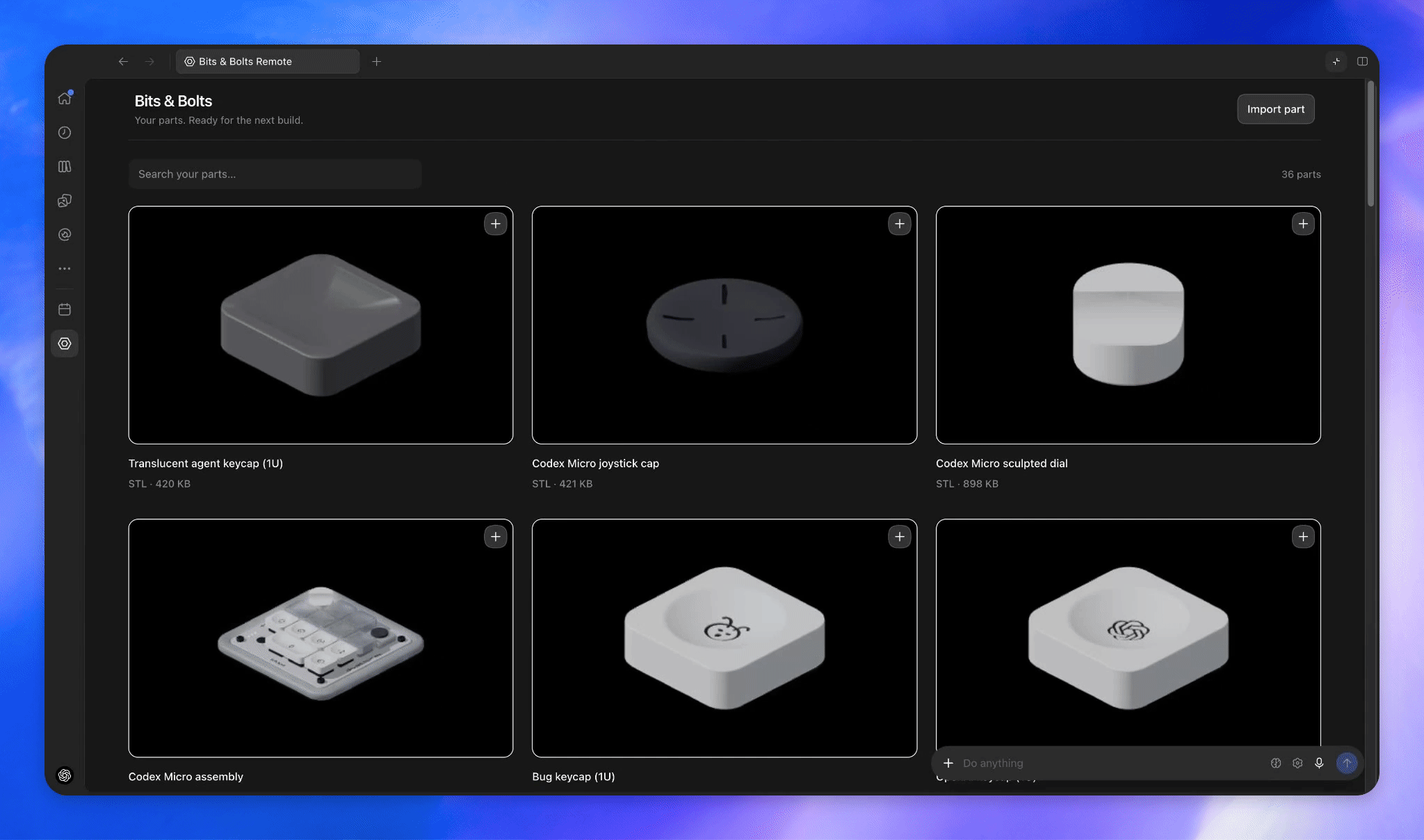
All examples below use the Bits & Bolts plugin, which you can try by installing the plugin.
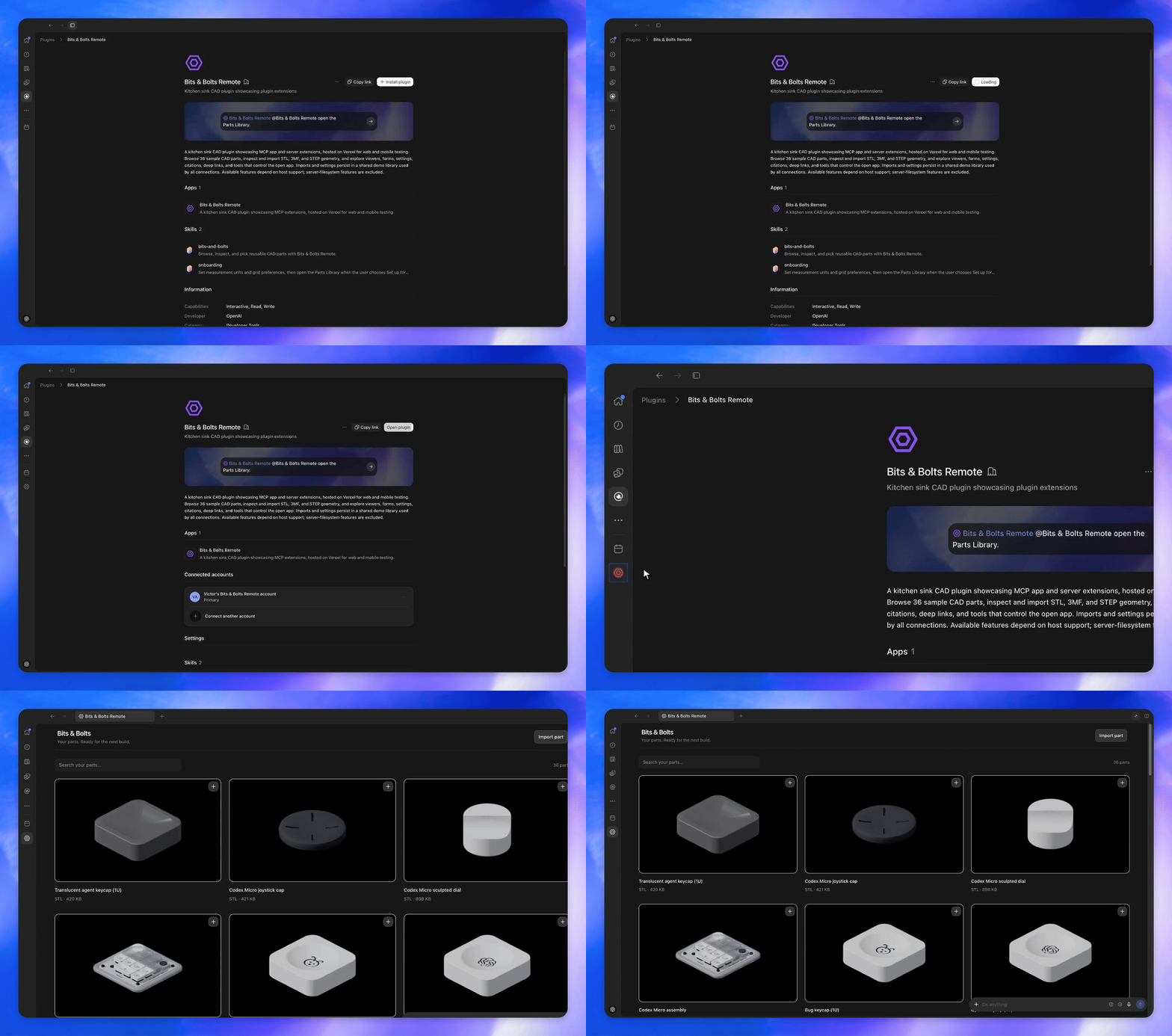
Sidebar entrypoints
Allow users to access your app from the sidebar.
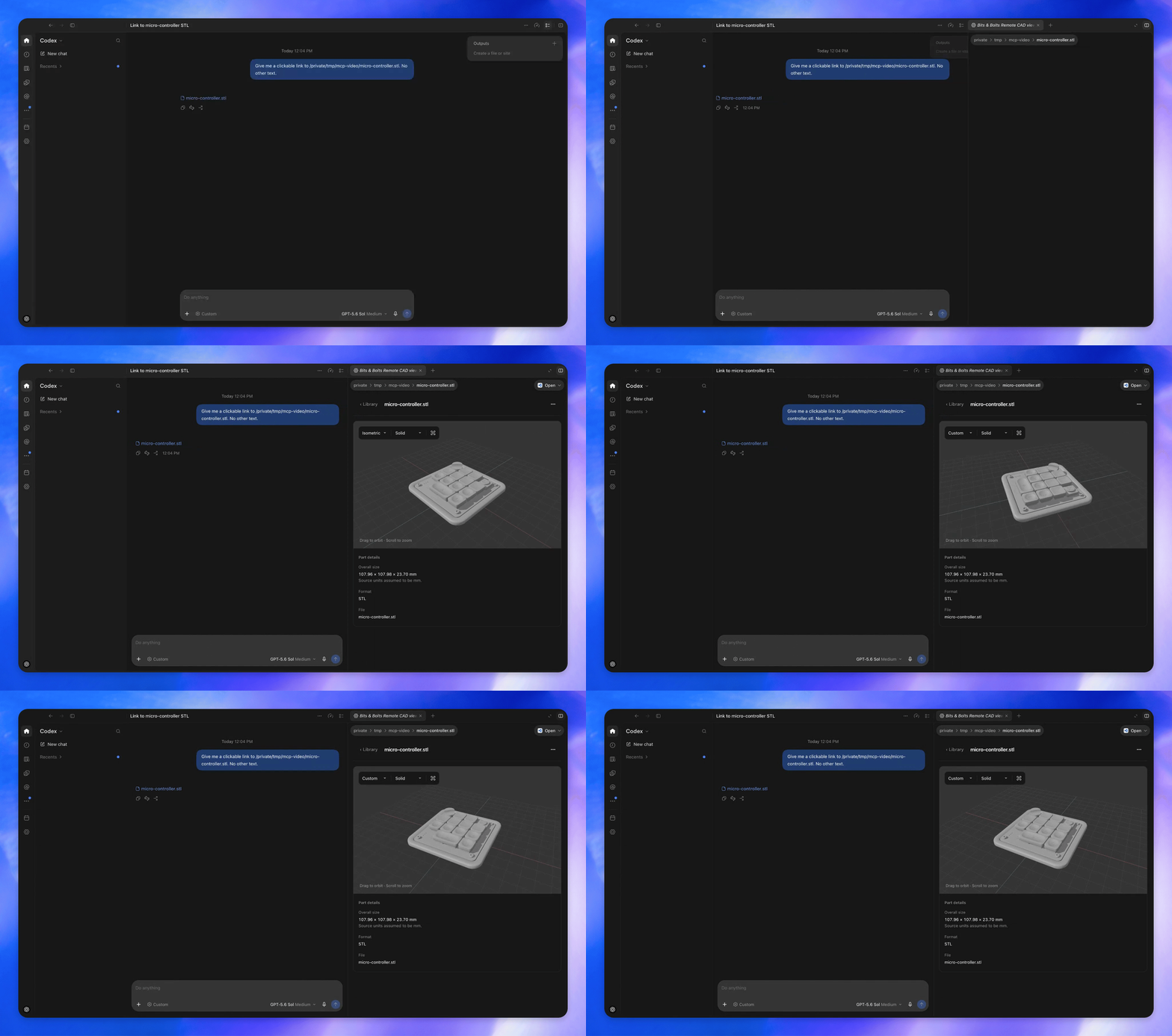
File extension handlers
Render custom file viewers when users open a supported file type.
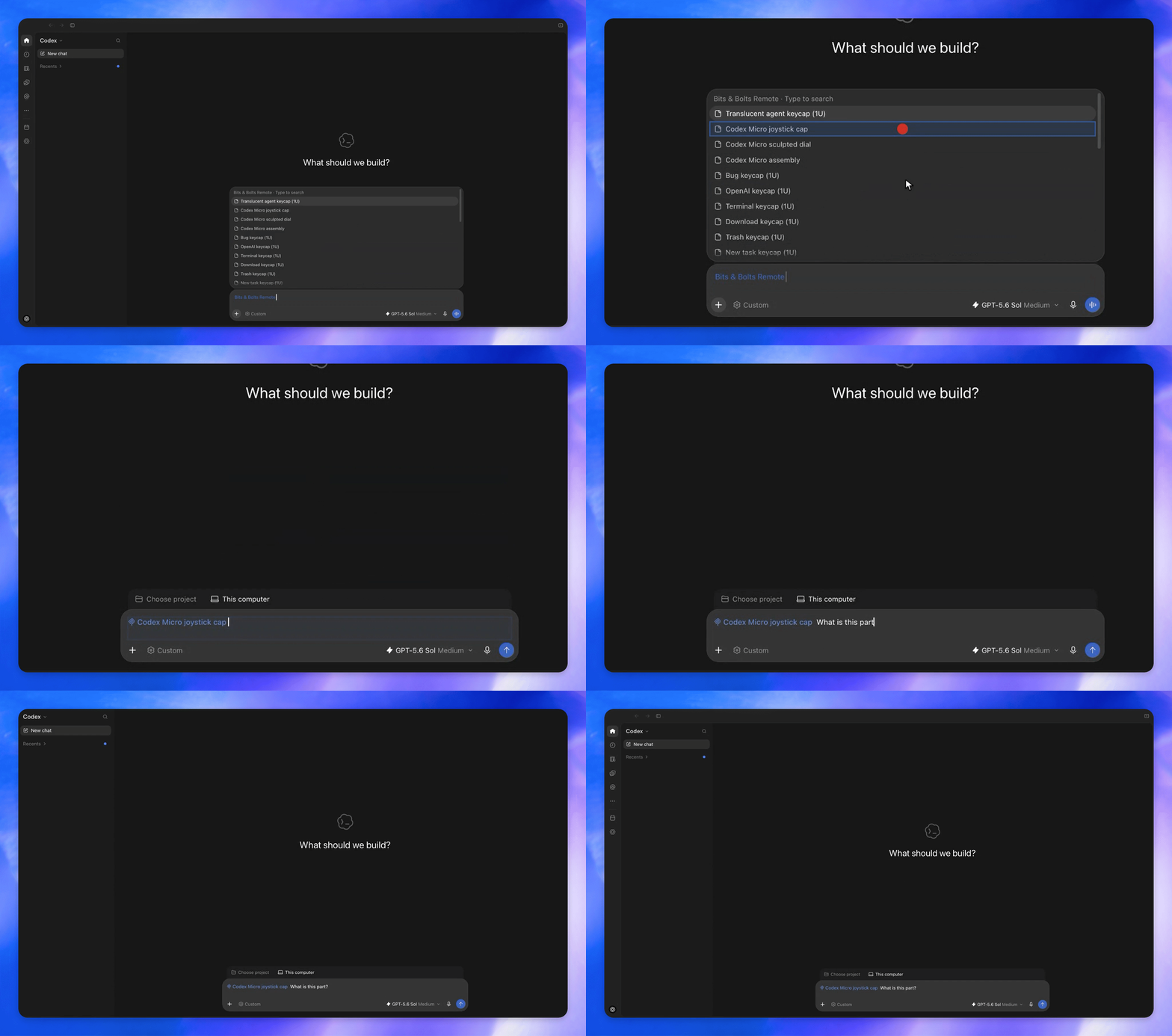
Composer mentions
Let users search your plugin’s resources from the composer and add references to a message.
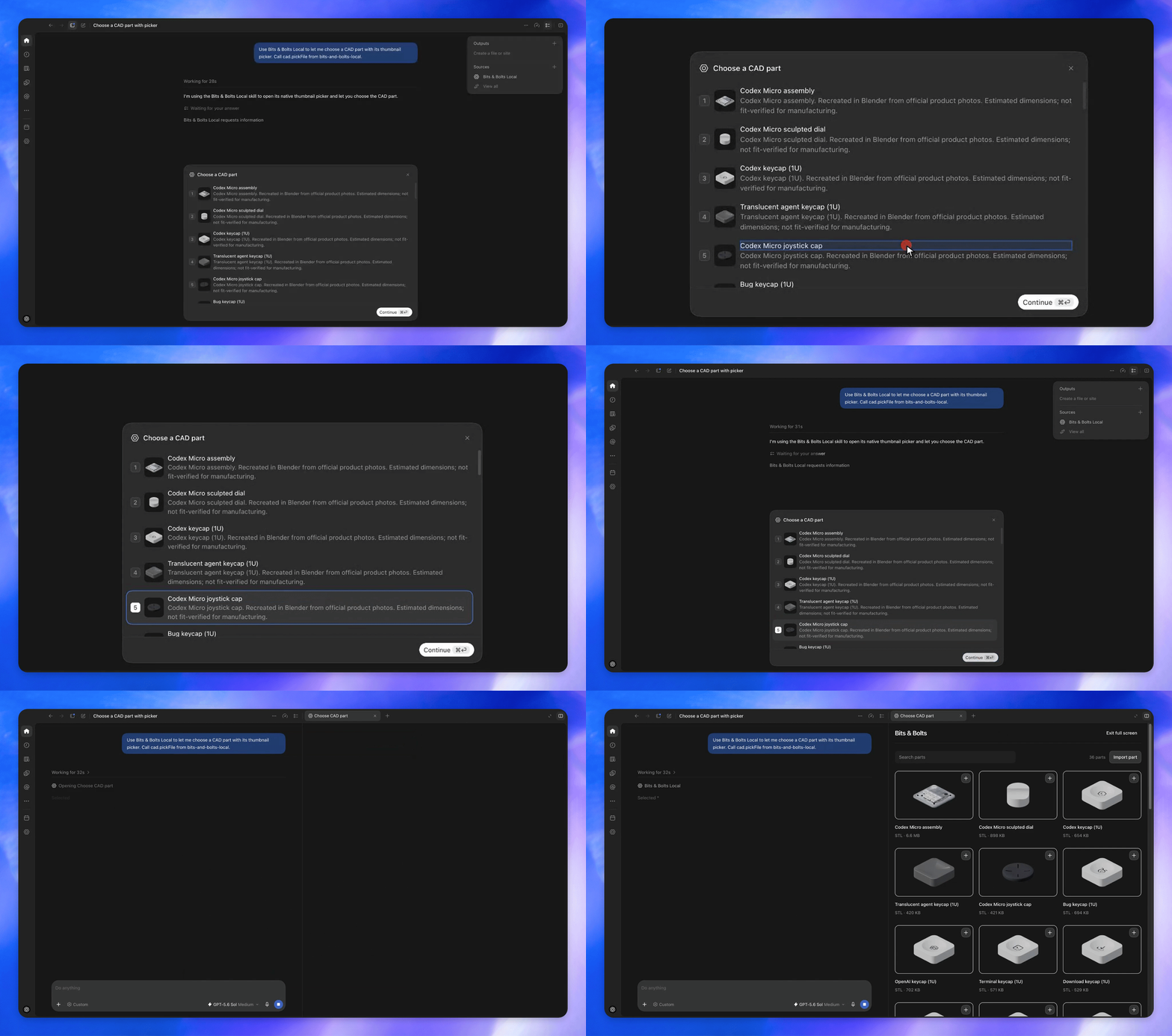
Extended forms
Let users select a CAD part using thumbnail choices.
Get started
0. Try it out
Install the Bits & Bolts Remote plugin:
-
Select Bits & Bolts Remote in the sidebar to open the Parts Library.
1. Create a plugin
Read the plugin documentation about how to create a plugin. Once you have a plugin…
2. Add the SDKs to your MCP server
Follow the SDK installation instructions for the current source:
- TypeScript:
@openai/mcp-extensionsfor MCP servers and Apps. - Python:
openai-mcp-extensionsfor MCP servers.
3. Explore supported extensions
Read the spec to learn more about supported extensions.
License
This project is licensed under the Apache License 2.0.
Similar repos



Languages
TypeScript
62.9%
Python
30.6%
CSS
2.5%
JavaScript
2.2%
HTML
2.0%
Build plugins that feel like native, first-class features of ChatGPT.
TypeScript
407
11 commits
updated Sep 29, 2026
See what people are saying
README
OpenAI MCP Extensions
OpenAI MCP Extensions adds ChatGPT-specific capabilities to MCP so developers can build plugins that feel like native, first-class features.
Showcase
All examples below use the Bits & Bolts plugin, which you can try by installing the plugin.
Sidebar entrypoints
Allow users to access your app from the sidebar.
File extension handlers
Render custom file viewers when users open a supported file type.
Composer mentions
Let users search your plugin’s resources from the composer and add references to a message.
Extended forms
Let users select a CAD part using thumbnail choices.
Get started
0. Try it out
Install the Bits & Bolts Remote plugin:
-
Select Bits & Bolts Remote in the sidebar to open the Parts Library.
1. Create a plugin
Read the plugin documentation about how to create a plugin. Once you have a plugin…
2. Add the SDKs to your MCP server
Follow the SDK installation instructions for the current source:
- TypeScript:
@openai/mcp-extensionsfor MCP servers and Apps. - Python:
openai-mcp-extensionsfor MCP servers.
3. Explore supported extensions
Read the spec to learn more about supported extensions.
License
This project is licensed under the Apache License 2.0.
Similar repos
Languages
TypeScript
62.9%
Python
30.6%
CSS
2.5%
JavaScript
2.2%
HTML
2.0%