
ComfyUI custom node for using .char. Exports refmode, lora adapters, guided prompts for your consistent character.
See the codeSee what people are saying
README
ComfyUI Omnichar Custom Node
One .char format for consistent portable characters
Official .char integration with ComfyUI. Build a character once, use it across image and
video models. Same face, cloths & body across every model.
Currently supports: Minimax H3, Krea2, Flux2 dev, klein9B & 4B.
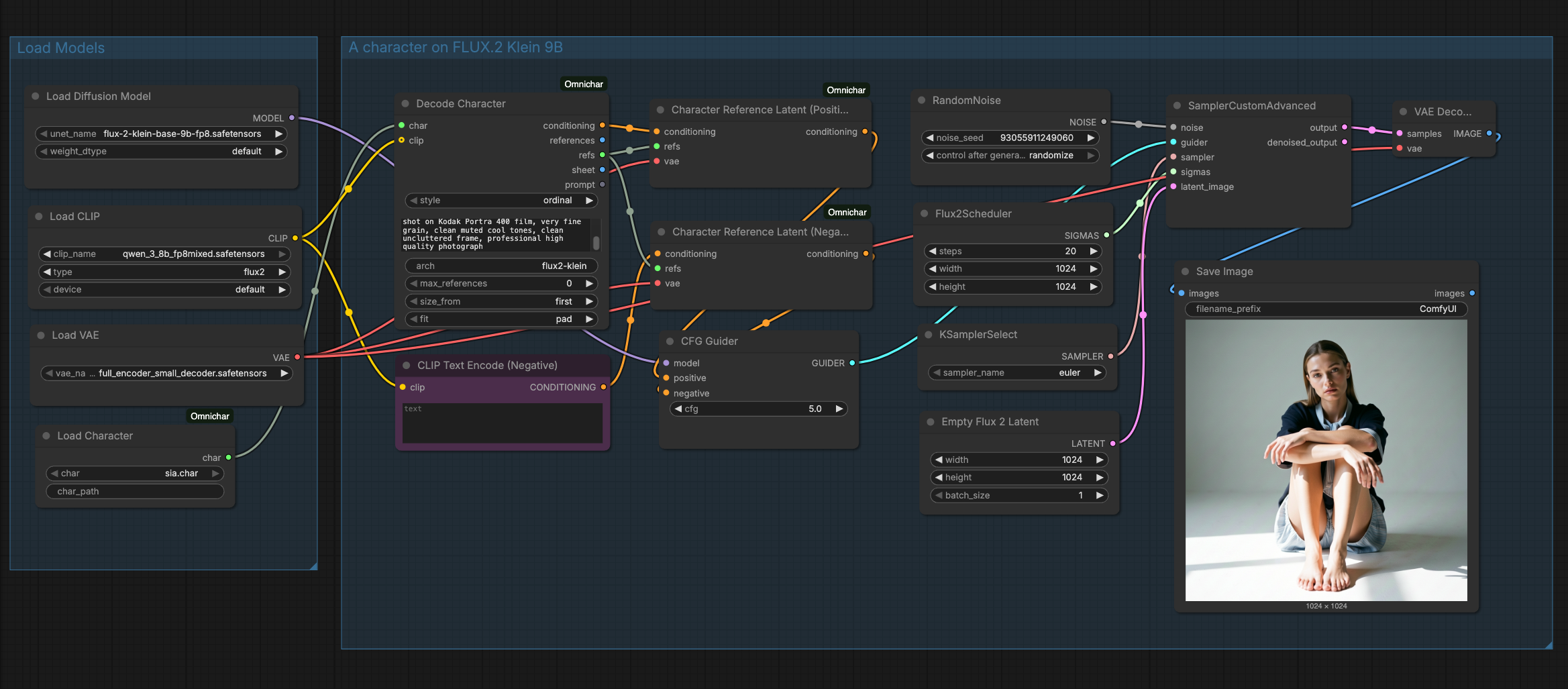
A .char holds a character's reference images, its locked description, and often a trained LoRA.
Build one here with Encode Character, or in Omnichar Studio on your own GPU
or Omnichar Cloud. The same file then feeds FLUX.2, MiniMax H3 and
anything else that takes references.
Features
- Character Files: Open a
.charbuilt in Omnichar Studio or Cloud - Reference Images: One batch, or one per numbered slot, both from the same resolved set
- Positions Kept: Reference order is preserved, because a prompt addresses images by number
- Conditioning: Wire a CLIP to get conditioning straight out, or take the prompt as text
- Trained LoRA: Applied to MODEL and CLIP when the character carries one
- Build Characters: Encode face, body and wardrobe references into a new
.char, three slots each - Python Library: Omnichar's standalone package for
.charintegration, no dependencies
Requirements
- ComfyUI
- Python 3.10+
omnichar-sdk(installed fromrequirements.txt)
Installation
-
Go to your ComfyUI custom nodes directory:
cd ComfyUI/custom_nodes -
Clone this repository:
git clone https://github.com/omnichar/ComfyUI-Omnichar cd ComfyUI-Omnichar -
Install the reader:
pip install -r requirements.txt -
Restart ComfyUI
Where Characters Live
Put .char files in ComfyUI/models/characters/. The loader lists whatever is there.
To share one folder with Omnichar Studio, set INLINE_CHARACTERS_DIR to its characters directory
and both read the same files.
Nodes
| Node | Inputs | Outputs |
|---|---|---|
| Load Character | char, char_path | char |
| Decode Character | char, style, clip, prompt, arch, max_references, size_from, fit | conditioning, references, refs, sheet, prompt |
| Character Reference | refs, index | image, role, count |
| Character References Split | refs | image_0 to image_4, count |
| Character Reference Latent | conditioning, refs, vae | conditioning |
| Apply Character LoRA | model, clip, char, strength, arch, min_key_coverage | model, clip |
| Encode Character | name, description, resolution, face/body/cloths (3 slots each) | char |
| Save Character | char, filename, overwrite | path |
Guide
A character is a few reference images plus a description. Encode Character sorts them by role, so face comes first and the prompt numbers follow that order.
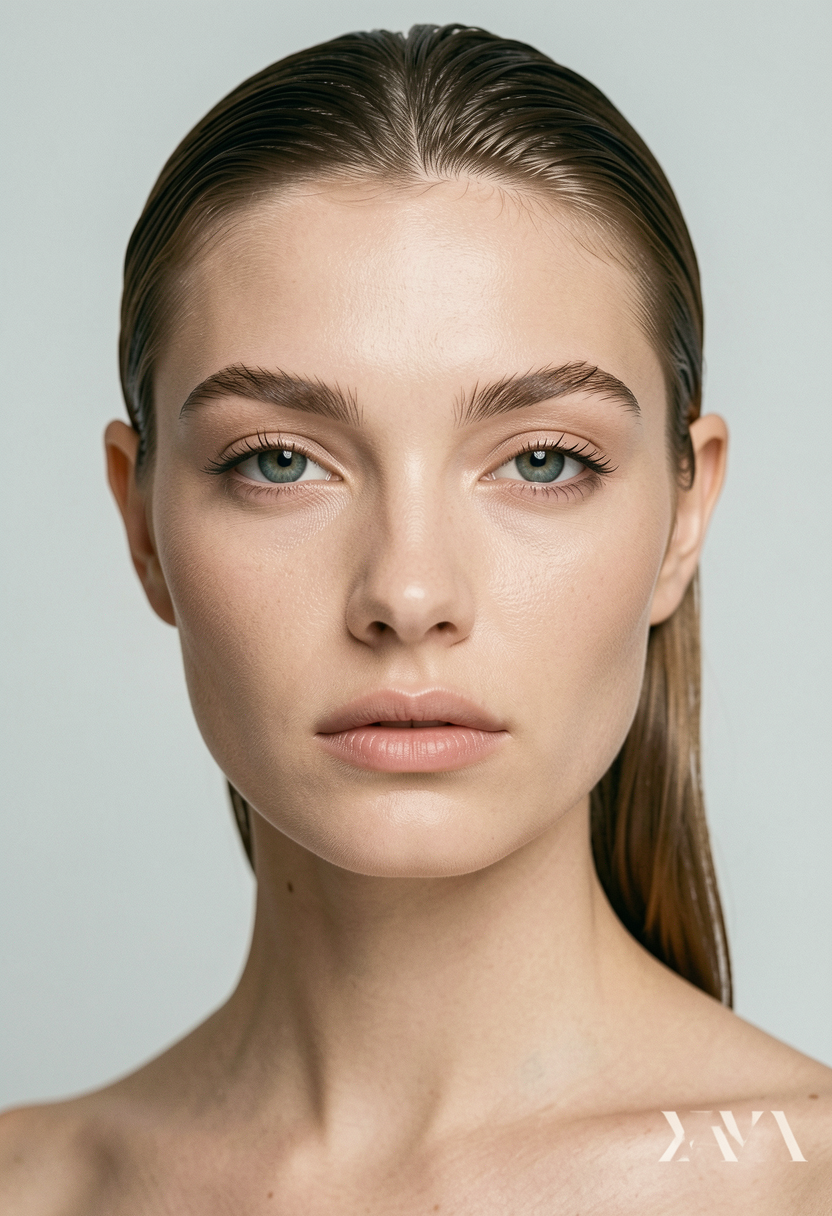 | 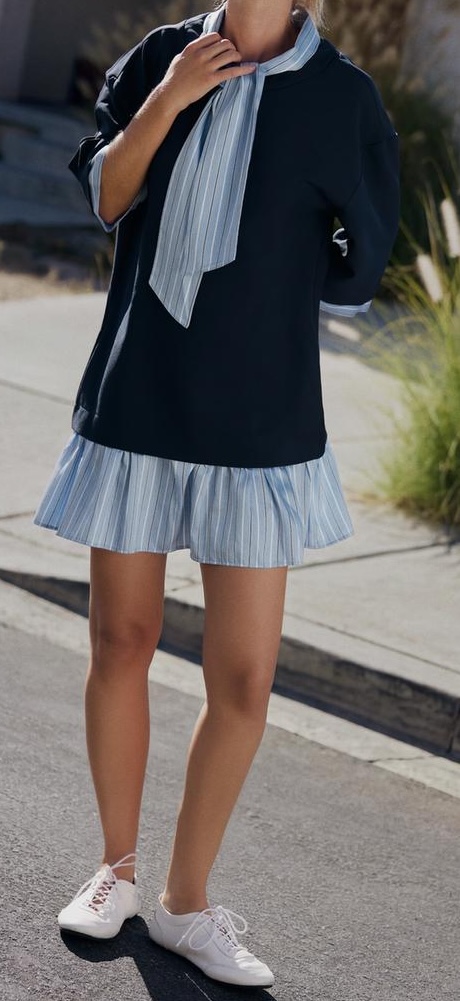 | 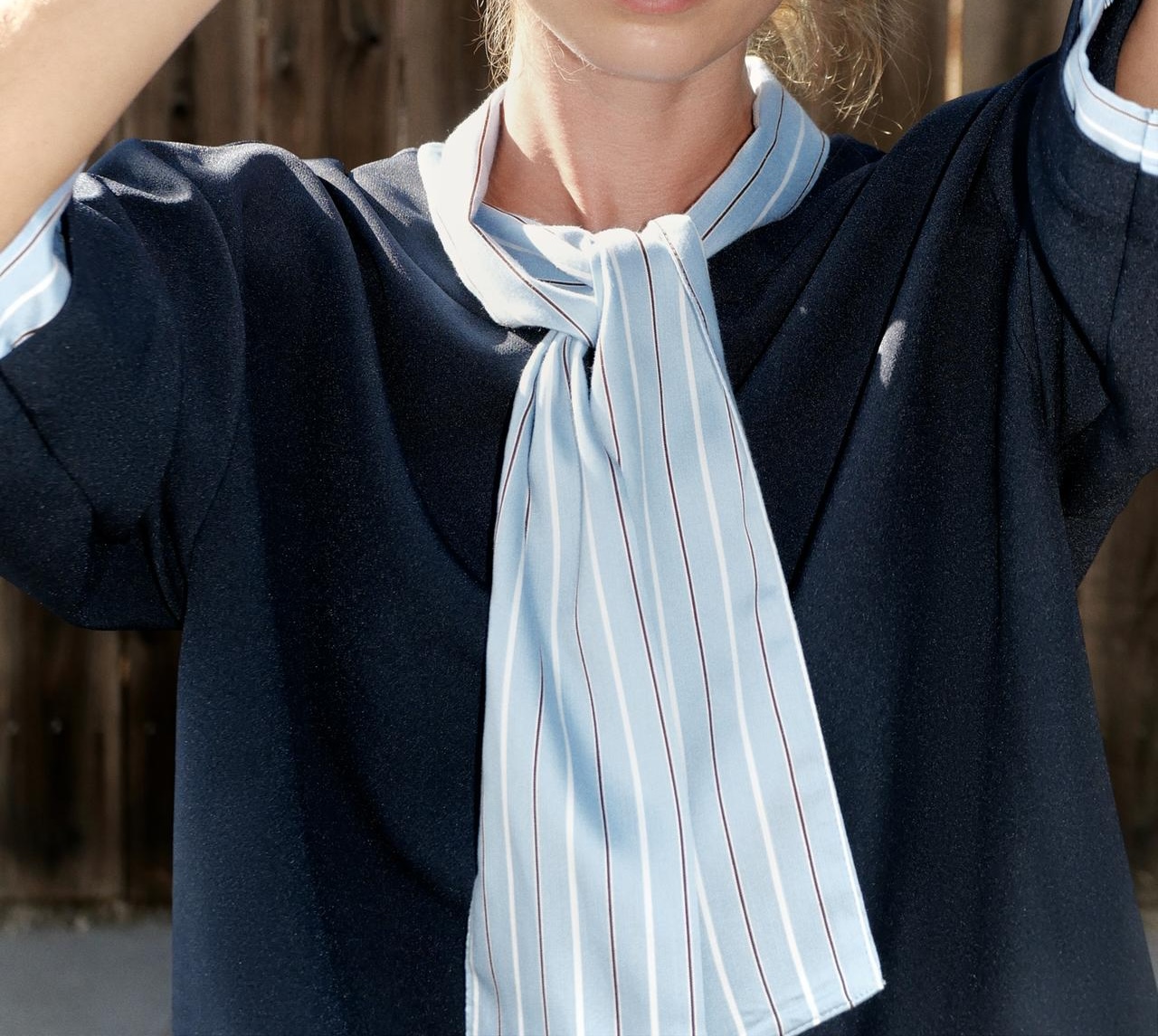 | 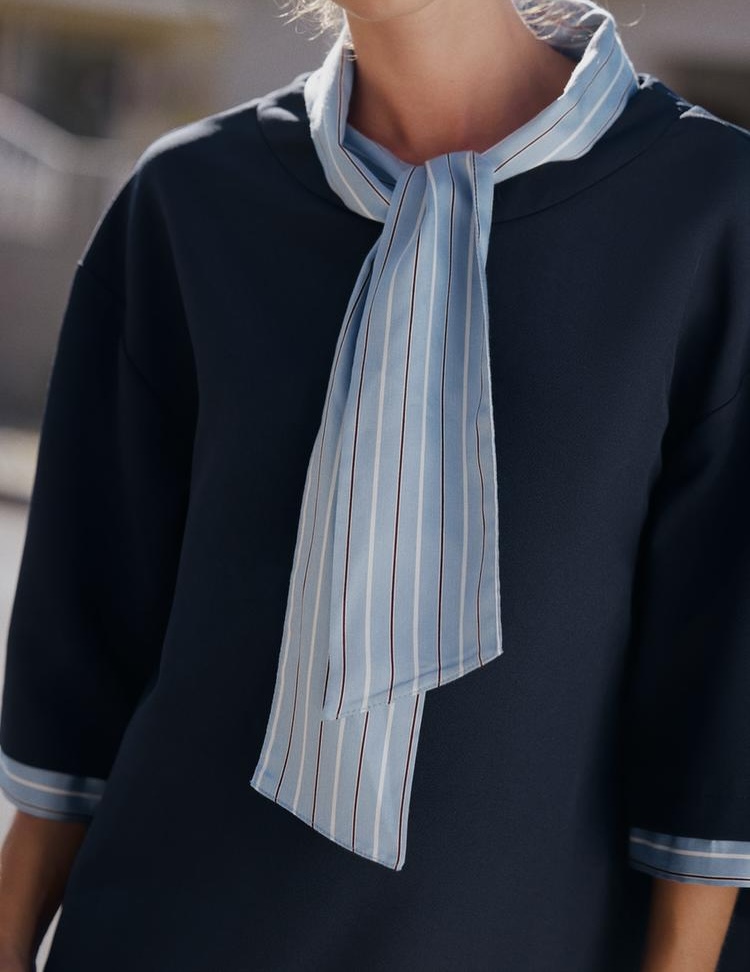 |
face | body | cloths | cloths_2 |
Those four go into Encode Character, which writes sia.char. Save Character puts it in
ComfyUI/models/characters/, and Load Character picks it up from there.
Decode Character turns a character into a prompt and a resolved reference list. Models
that take one batch read references. Models with numbered slots, like MiniMax H3, take refs into
a Character References Split node, or a Character Reference node per slot. Edit models that read references as latents, like FLUX.2, take
refs into a Character Reference Latent node on both the positive and the negative conditioning.
Workflows
- Build a
.charfrom face, body and wardrobe references - FLUX.2 Klein 9B, references as latents, to an image
- MiniMax H3, references in numbered slots, to a video
Python Library
Omnichar's standalone package for .char integration. Install it anywhere, not only in ComfyUI:
pip install omnichar-sdk
See packages/omnichar-sdk/README.md.
License
packages/omnichar-sdk/ is Apache-2.0, so closed-source tools can read .char files.
Everything else is GPL-3.0-or-later, because ComfyUI is.
Links
Similar repos


Languages
Python
99.7%
ComfyUI custom node for using .char. Exports refmode, lora adapters, guided prompts for your consistent character.
See the codeSee what people are saying
README
ComfyUI Omnichar Custom Node
One .char format for consistent portable characters
Official .char integration with ComfyUI. Build a character once, use it across image and
video models. Same face, cloths & body across every model.
Currently supports: Minimax H3, Krea2, Flux2 dev, klein9B & 4B.
A .char holds a character's reference images, its locked description, and often a trained LoRA.
Build one here with Encode Character, or in Omnichar Studio on your own GPU
or Omnichar Cloud. The same file then feeds FLUX.2, MiniMax H3 and
anything else that takes references.
Features
- Character Files: Open a
.charbuilt in Omnichar Studio or Cloud - Reference Images: One batch, or one per numbered slot, both from the same resolved set
- Positions Kept: Reference order is preserved, because a prompt addresses images by number
- Conditioning: Wire a CLIP to get conditioning straight out, or take the prompt as text
- Trained LoRA: Applied to MODEL and CLIP when the character carries one
- Build Characters: Encode face, body and wardrobe references into a new
.char, three slots each - Python Library: Omnichar's standalone package for
.charintegration, no dependencies
Requirements
- ComfyUI
- Python 3.10+
omnichar-sdk(installed fromrequirements.txt)
Installation
-
Go to your ComfyUI custom nodes directory:
cd ComfyUI/custom_nodes -
Clone this repository:
git clone https://github.com/omnichar/ComfyUI-Omnichar cd ComfyUI-Omnichar -
Install the reader:
pip install -r requirements.txt -
Restart ComfyUI
Where Characters Live
Put .char files in ComfyUI/models/characters/. The loader lists whatever is there.
To share one folder with Omnichar Studio, set INLINE_CHARACTERS_DIR to its characters directory
and both read the same files.
Nodes
| Node | Inputs | Outputs |
|---|---|---|
| Load Character | char, char_path | char |
| Decode Character | char, style, clip, prompt, arch, max_references, size_from, fit | conditioning, references, refs, sheet, prompt |
| Character Reference | refs, index | image, role, count |
| Character References Split | refs | image_0 to image_4, count |
| Character Reference Latent | conditioning, refs, vae | conditioning |
| Apply Character LoRA | model, clip, char, strength, arch, min_key_coverage | model, clip |
| Encode Character | name, description, resolution, face/body/cloths (3 slots each) | char |
| Save Character | char, filename, overwrite | path |
Guide
A character is a few reference images plus a description. Encode Character sorts them by role, so face comes first and the prompt numbers follow that order.
| | | |
face | body | cloths | cloths_2 |
Those four go into Encode Character, which writes sia.char. Save Character puts it in
ComfyUI/models/characters/, and Load Character picks it up from there.
Decode Character turns a character into a prompt and a resolved reference list. Models
that take one batch read references. Models with numbered slots, like MiniMax H3, take refs into
a Character References Split node, or a Character Reference node per slot. Edit models that read references as latents, like FLUX.2, take
refs into a Character Reference Latent node on both the positive and the negative conditioning.
Workflows
- Build a
.charfrom face, body and wardrobe references - FLUX.2 Klein 9B, references as latents, to an image
- MiniMax H3, references in numbered slots, to a video
Python Library
Omnichar's standalone package for .char integration. Install it anywhere, not only in ComfyUI:
pip install omnichar-sdk
See packages/omnichar-sdk/README.md.
License
packages/omnichar-sdk/ is Apache-2.0, so closed-source tools can read .char files.
Everything else is GPL-3.0-or-later, because ComfyUI is.
Links
Similar repos
Languages
Python
99.7%