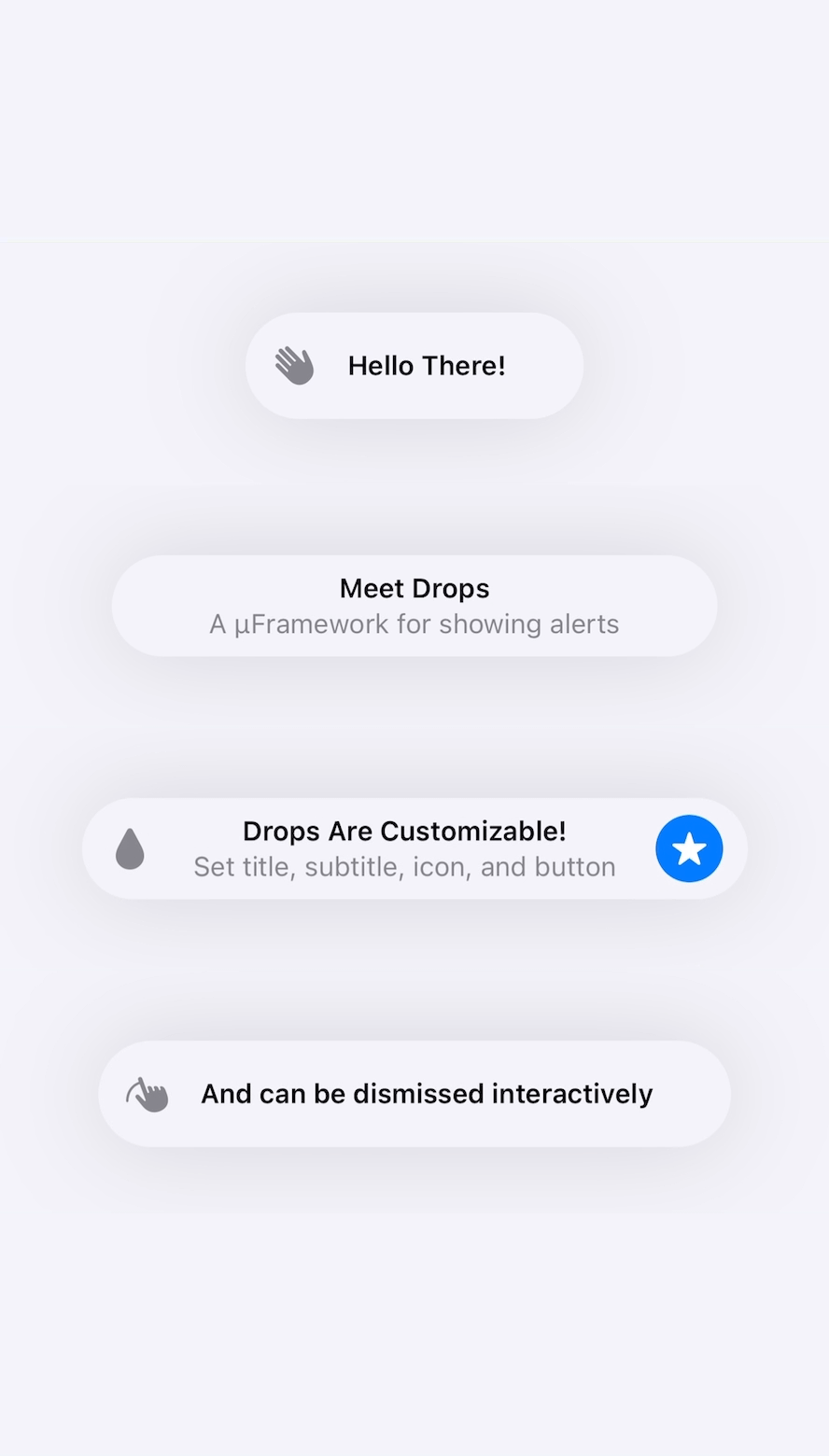
A µFramework for showing alerts like the one used when copying from pasteboard or connecting Apple pencil
See the codeA µFramework for showing alerts like the one used when copying from pasteboard or connecting Apple pencil.



let drop: Drop = "Title Only"
let drop = Drop(title: "Title Only")
let drop = Drop(title: "Title", subtitle: "Subtitle")
let drop = Drop(title: "Title", subtitle: "Subtitle", duration: 5.0)
let drop = Drop(
    title: "Title",
    subtitle: "Subtitle",
    icon: UIImage(systemName: "star.fill"),
    action: .init {
        print("Drop tapped")
        Drops.hideCurrent()
    },
    position: .bottom,
    duration: 5.0,
    accessibility: "Alert: Title, Subtitle"
)
Drops.show("Title")
Drops.show(drop)
import SwiftUI
import Drops

struct ContentView: View {
    var body: some View {
        Button("Show Drop") {
            Drops.show(drop)
        }
    }
}
import UIKit
import Drops

class ViewController: UIViewController {
    let drops = Drops(delayBetweenDrops: 1.0)

    func showDrop() {
        drops.show(drop)
    }
}
Read the docs for more usage options.
SwiftUIExample target to see how Drops works in SwiftUI applications.UIKitExample target to see how Drops works in UIKit applications.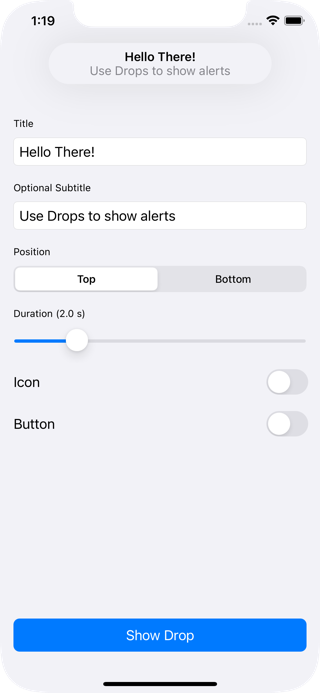
The Swift Package Manager is a tool for managing the distribution of Swift code.
Package.swift file:dependencies: [
.package(url: "https://github.com/omaralbeik/Drops.git", from: "1.7.0")
]
$ swift build
To integrate Drops into your Xcode project using CocoaPods, specify it in your Podfile:
pod 'Drops', :git => 'https://github.com/omaralbeik/Drops.git', :tag => '1.7.0'
To integrate Drops into your Xcode project using Carthage, specify it in your Cartfile:
github "omaralbeik/Drops" ~> 1.7.0
Add the Sources folder to your Xcode project.
Special thanks to SwiftKickMobile team for creating SwiftMessages, this project was heavily inspired by their work.
Drops is released under the MIT license. See LICENSE for more information.
15,877 followers · starred Jul 2022
449 followers · starred Jul 2022
213 followers · starred Jul 2022
195 followers · starred Jul 2022
A µFramework for showing alerts like the one used when copying from pasteboard or connecting Apple pencil
See the codeA µFramework for showing alerts like the one used when copying from pasteboard or connecting Apple pencil.
let drop: Drop = "Title Only"
let drop = Drop(title: "Title Only")
let drop = Drop(title: "Title", subtitle: "Subtitle")
let drop = Drop(title: "Title", subtitle: "Subtitle", duration: 5.0)
let drop = Drop(
    title: "Title",
    subtitle: "Subtitle",
    icon: UIImage(systemName: "star.fill"),
    action: .init {
        print("Drop tapped")
        Drops.hideCurrent()
    },
    position: .bottom,
    duration: 5.0,
    accessibility: "Alert: Title, Subtitle"
)
Drops.show("Title")
Drops.show(drop)
import SwiftUI
import Drops

struct ContentView: View {
    var body: some View {
        Button("Show Drop") {
            Drops.show(drop)
        }
    }
}
import UIKit
import Drops

class ViewController: UIViewController {
    let drops = Drops(delayBetweenDrops: 1.0)

    func showDrop() {
        drops.show(drop)
    }
}
Read the docs for more usage options.
SwiftUIExample target to see how Drops works in SwiftUI applications.UIKitExample target to see how Drops works in UIKit applications.
The Swift Package Manager is a tool for managing the distribution of Swift code.
Package.swift file:dependencies: [
.package(url: "https://github.com/omaralbeik/Drops.git", from: "1.7.0")
]
$ swift build
To integrate Drops into your Xcode project using CocoaPods, specify it in your Podfile:
pod 'Drops', :git => 'https://github.com/omaralbeik/Drops.git', :tag => '1.7.0'
To integrate Drops into your Xcode project using Carthage, specify it in your Cartfile:
github "omaralbeik/Drops" ~> 1.7.0
Add the Sources folder to your Xcode project.
Special thanks to SwiftKickMobile team for creating SwiftMessages, this project was heavily inspired by their work.
Drops is released under the MIT license. See LICENSE for more information.
15,877 followers · starred Jul 2022
449 followers · starred Jul 2022
213 followers · starred Jul 2022
195 followers · starred Jul 2022