Infinitely transfer between every device over pure HTTP with pipes or browsers
TypeScript
3,169
1,533 commits
updated Feb 2, 2026




Infinitely transfer between every device over HTTP/HTTPS
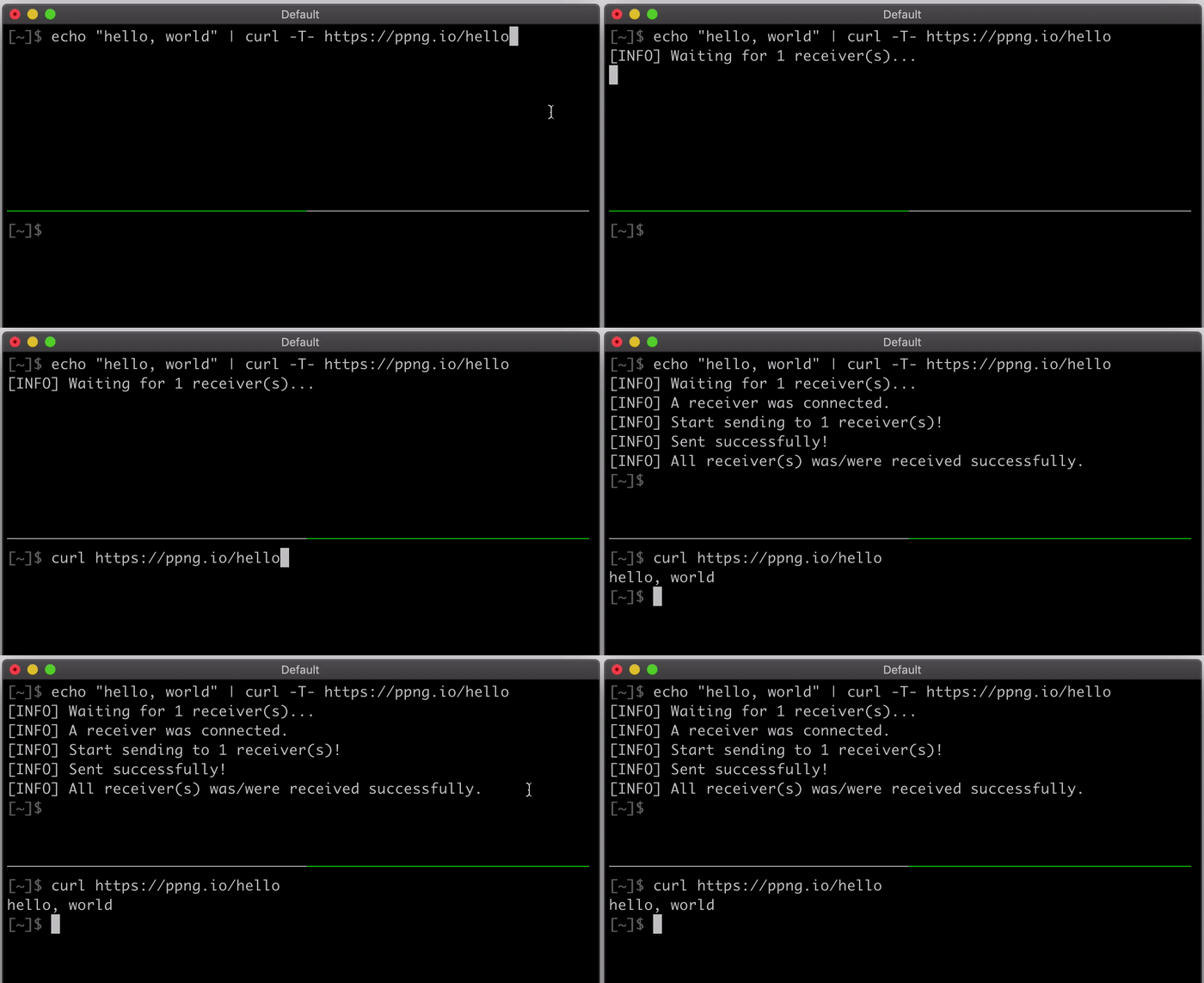
Piping Server is simple. You can transfer as follows.
# Send
echo 'hello, world' | curl -T - https://ppng.io/hello
# Get
curl https://ppng.io/hello > hello.txt
Piping Server transfers data to POST /hello or PUT /hello into GET /hello. The path /hello can be anything such as /mypath or /mypath/123/. A sender and receivers who specify the same path can transfer. Both the sender and the recipient can start the transfer first. The first one waits for the other.
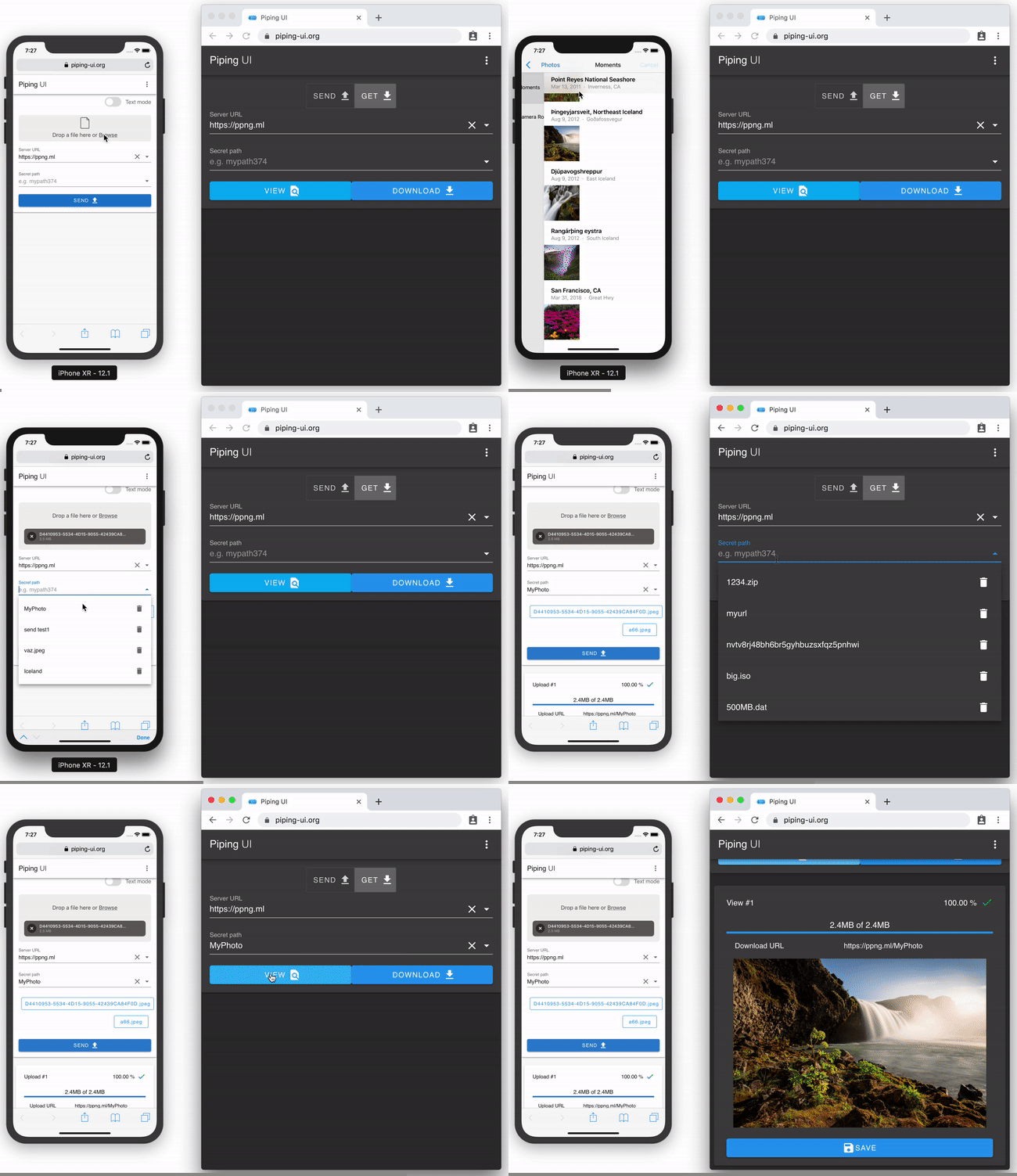
You can also use Web UI like https://ppng.io on your browser. A more modern UI is found in https://piping-ui.org, which supports E2E encryption.
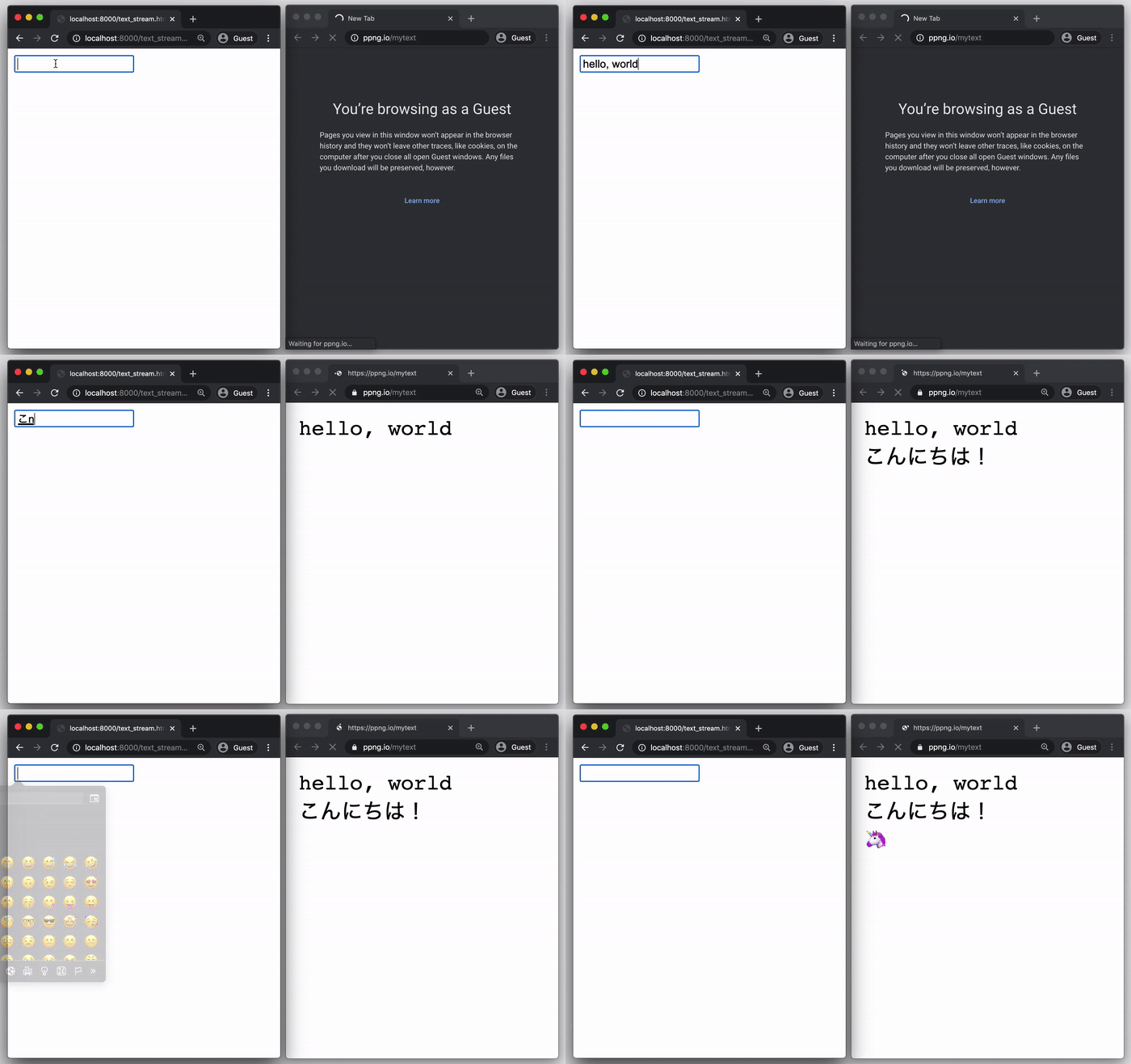
The most important thing is that the data are streamed. This means that you can transfer any data infinitely. The demo below transfers an infinite text stream with seq inf.
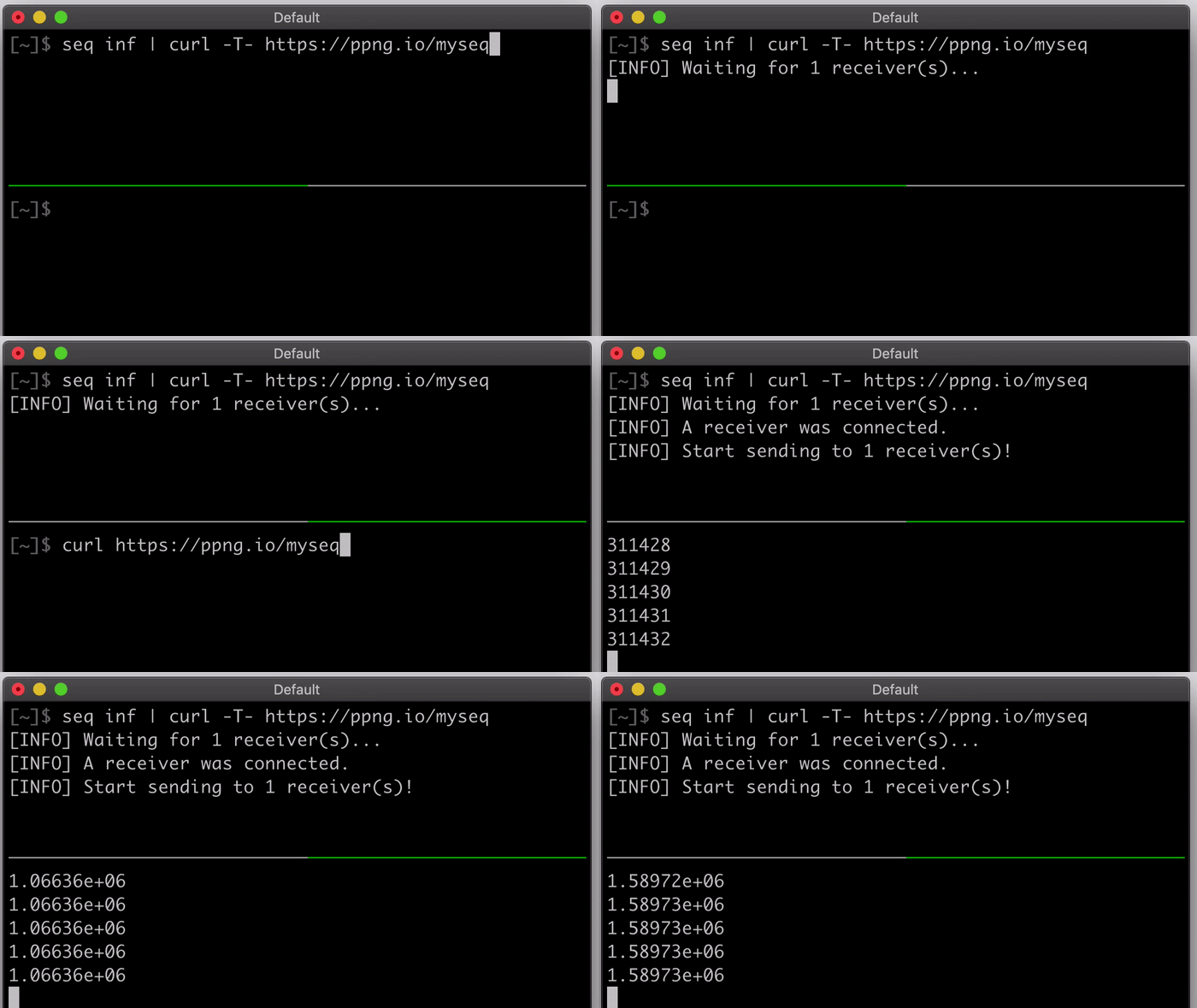
Piping Server is designed based on the ideas as follows.
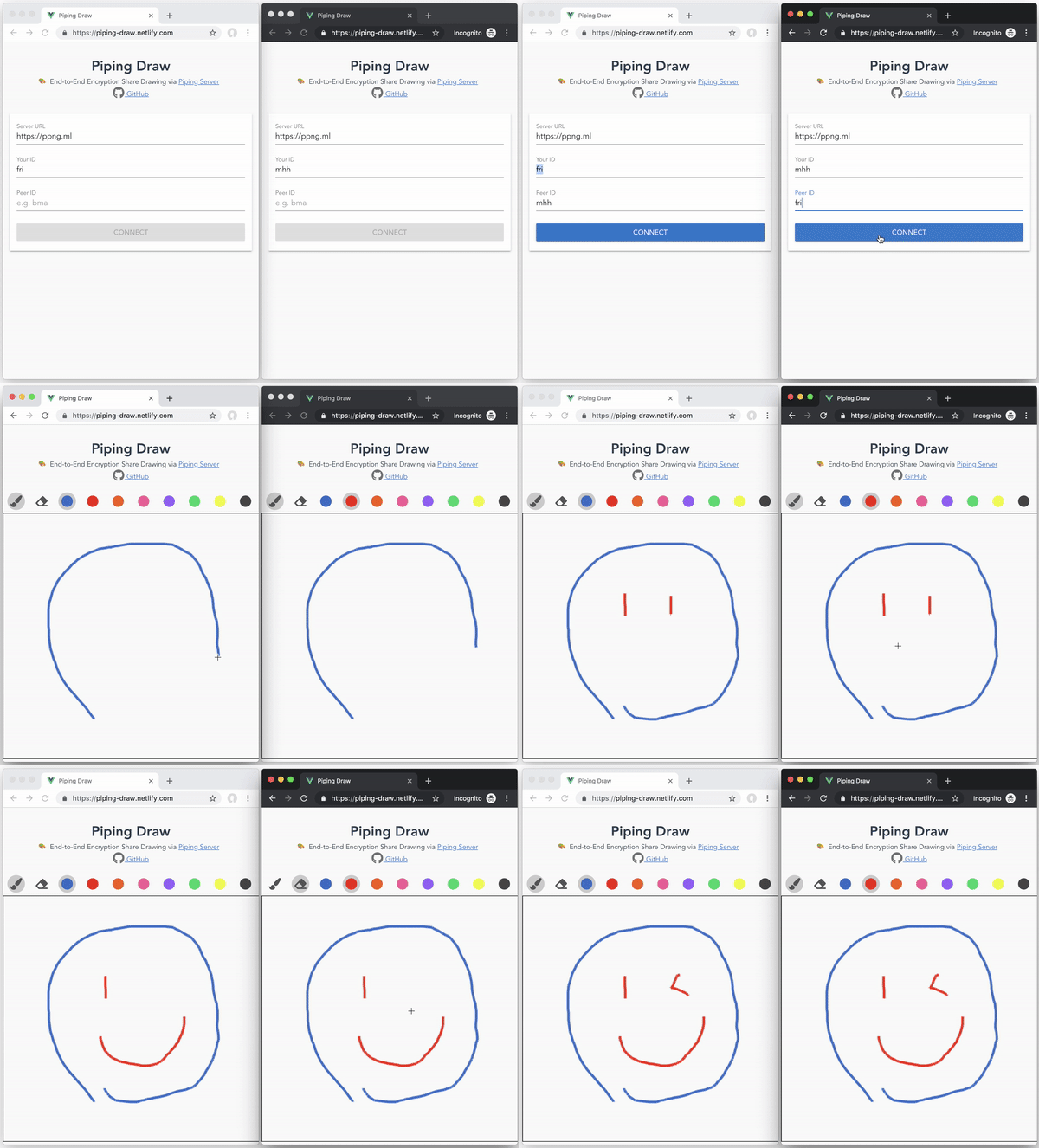
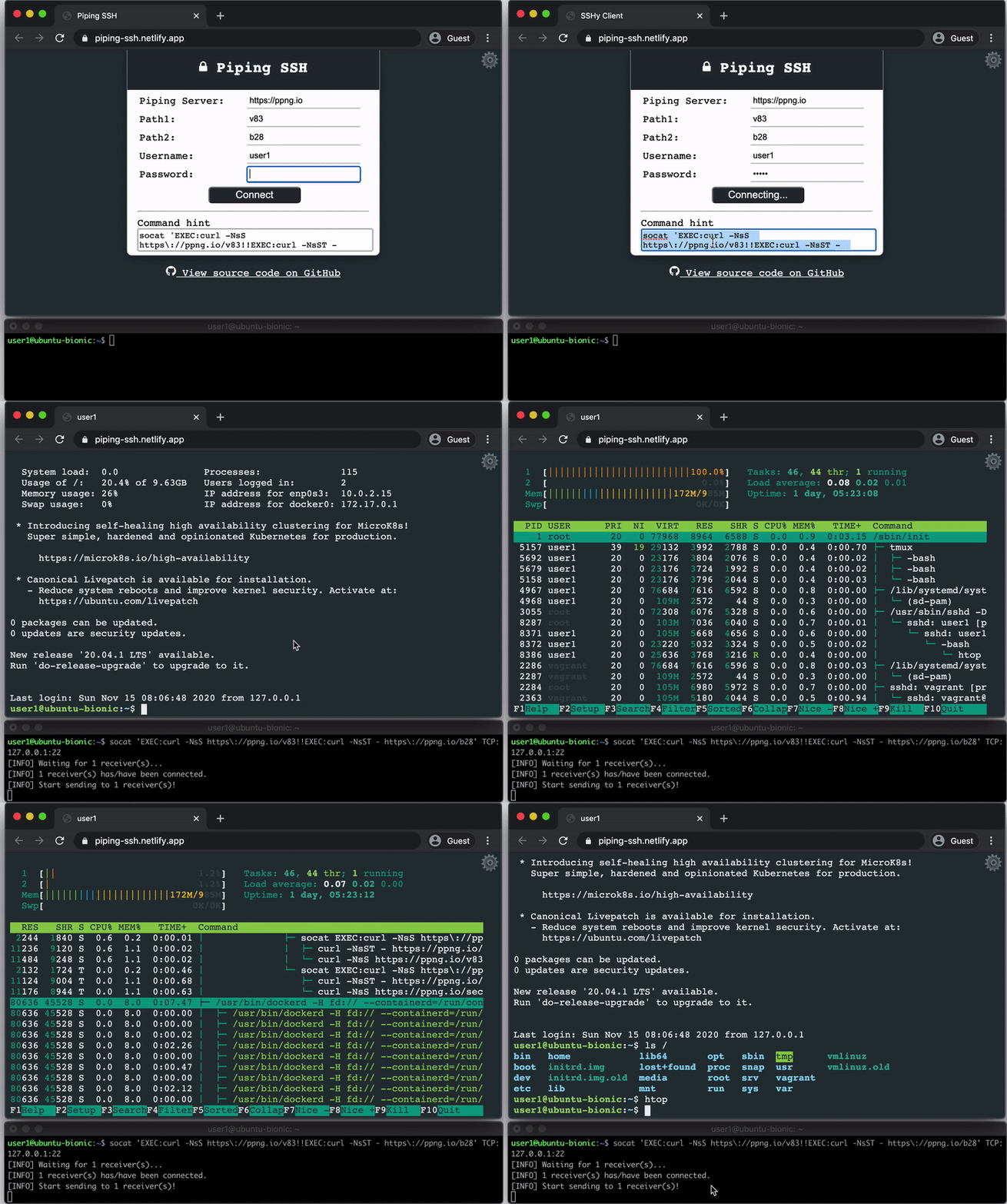
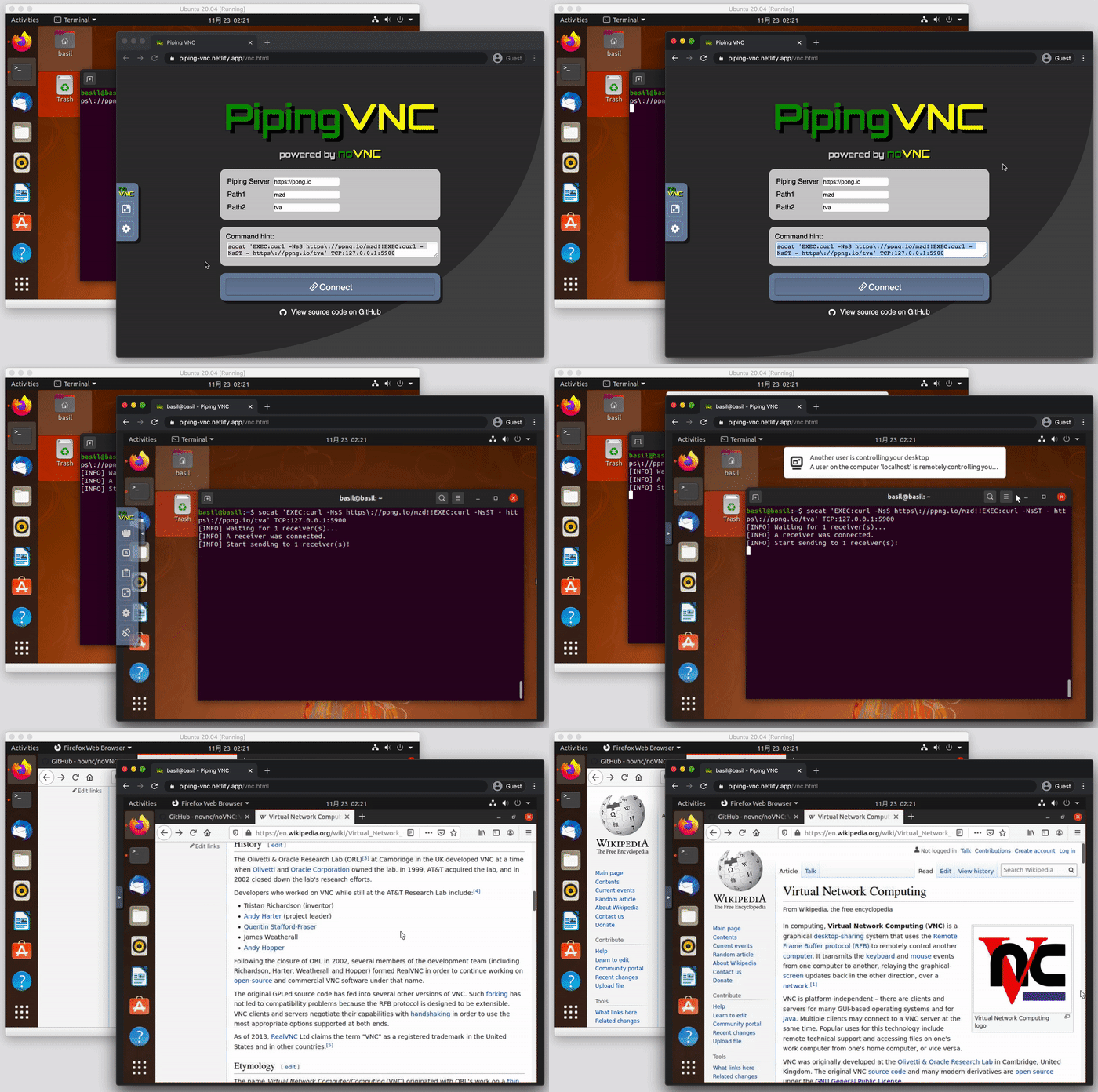
curl, which are widely pre-installed. You do not need to install any extra software.Any data such as text streams, video streams and protocols can be streamed over Piping Server. Here are applications that fully use the power of pure HTTP.
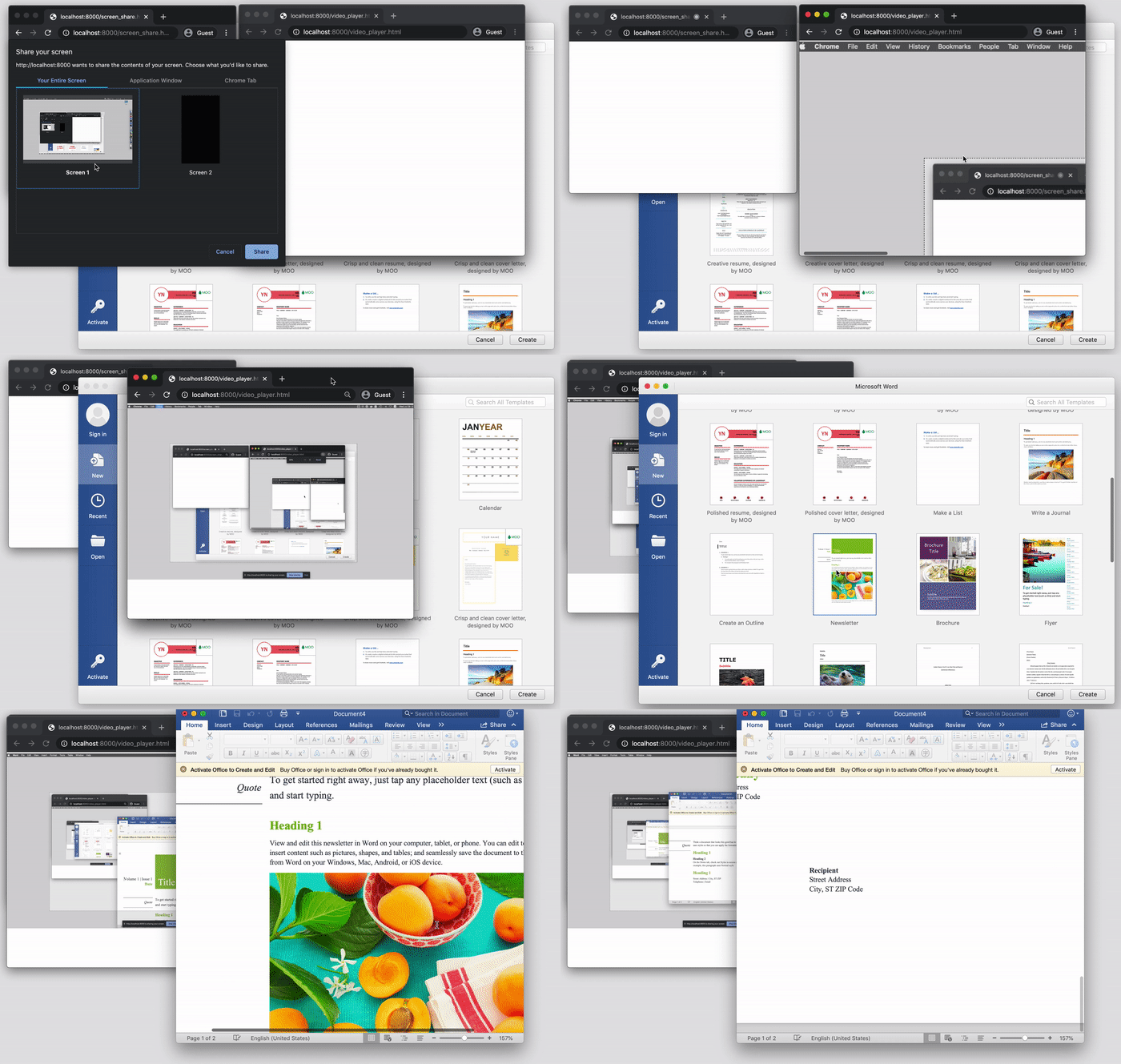
See: "The Power of Pure HTTP – screen share, real-time messaging, SSH and VNC"
The most important thing is that Piping Server stays simple. The applications use Piping Server as a core of data communication. It transfers data to POST /thepath into GET /thepath streamingly. The stream makes real-time communications over every device possible.
See "Ecosystem around Piping Server · nwtgck/piping-server Wiki" to find more about softwares using Piping Server.
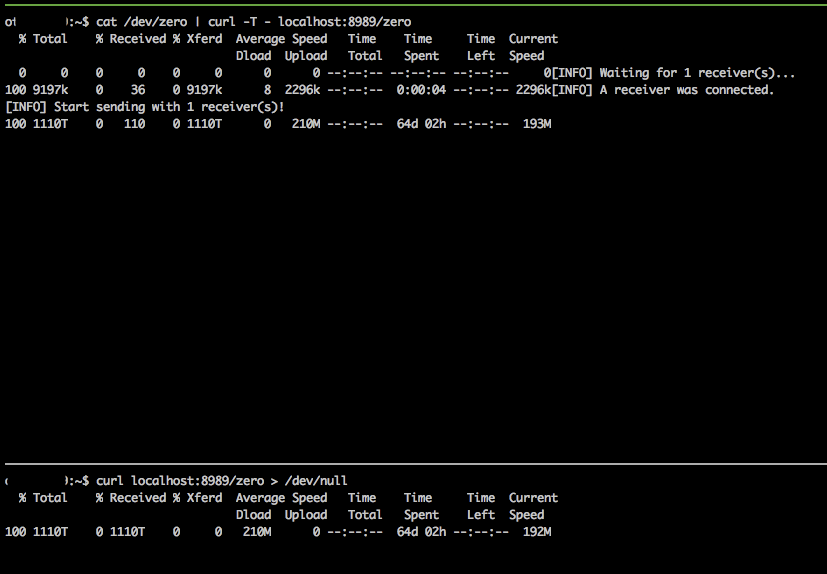
In my experiment, Piping Server transferred 1,110TB (≈ 1PB) in a single HTTP request for 64 days and 2 hours at least. This means that it can transfer huge data and keep a request for about 2 months.
Get help and version only with curl.
curl https://ppng.io/help
curl https://ppng.io/version
You can transfer to multiple receivers. In the demo below, query parameter ?n=3 is specified to allow three receivers.

Here are public Piping Servers.
Run a Piping Server on http://localhost:8080 as follows.
docker run -p 8080:8080 nwtgck/piping-server
Run a server in background and it automatically always restarts.
docker run -p 8080:8080 -d --restart=always nwtgck/piping-server
Run a Piping Server on http://localhost:8080 as follows on Linux.
curl -L https://github.com/nwtgck/piping-server-pkg/releases/download/v1.12.0/piping-server-pkg-linuxstatic-x64.tar.gz | tar xzvf -
./piping-server-pkg-linuxstatic-x64/piping-server --http-port=8080
The binaries are for multi-platform including Linux on x64, Linux on ARM64, Linux on ARMv7, Intel macOS, Apple Silicon macOS and Windows on x64. See https://github.com/nwtgck/piping-server-pkg to run on the other platform.
See "Ecosystem around Piping Server · nwtgck/piping-server Wiki" to find more about self-hosting.
Here are headers passed to receivers.
Content-TypeContent-LengthContent-DispositionX-Piping: custom header whose value is freely specified by the senderHere is available CLI options by piping-server --help.
Options:
  --help          Show help                                            [boolean]
  --version       Show version number                                  [boolean]
  --host          Bind address (e.g. 127.0.0.1, ::1)                    [string]
  --http-port     Port of HTTP server                            [default: 8080]
  --enable-https  Enable HTTPS                        [boolean] [default: false]
  --https-port    Port of HTTPS server                                  [number]
  --key-path      Private key path                                      [string]
  --crt-path      Certification path                                    [string]
Piping Server is also developed in Rust.
https://github.com/nwtgck/piping-server-rust
Overall
Maintained
Code review
Latest release
Releases this year
(top 24 of 27)
3,978 followers · starred Aug 2021
329 followers · starred Dec 2020
907 followers · starred Nov 2021
96 followers · starred Jul 2023
Infinitely transfer between every device over pure HTTP with pipes or browsers
TypeScript
3,169
1,533 commits
updated Feb 2, 2026
Infinitely transfer between every device over HTTP/HTTPS
Piping Server is simple. You can transfer as follows.
# Send
echo 'hello, world' | curl -T - https://ppng.io/hello
# Get
curl https://ppng.io/hello > hello.txt
Piping Server transfers data to POST /hello or PUT /hello into GET /hello. The path /hello can be anything such as /mypath or /mypath/123/. A sender and receivers who specify the same path can transfer. Both the sender and the recipient can start the transfer first. The first one waits for the other.
You can also use Web UI like https://ppng.io on your browser. A more modern UI is found in https://piping-ui.org, which supports E2E encryption.
The most important thing is that the data are streamed. This means that you can transfer any data infinitely. The demo below transfers an infinite text stream with seq inf.
Piping Server is designed based on the ideas as follows.
curl, which are widely pre-installed. You do not need to install any extra software.Any data such as text streams, video streams and protocols can be streamed over Piping Server. Here are applications that fully use the power of pure HTTP.
See: "The Power of Pure HTTP – screen share, real-time messaging, SSH and VNC"
The most important thing is that Piping Server stays simple. The applications use Piping Server as a core of data communication. It transfers data to POST /thepath into GET /thepath streamingly. The stream makes real-time communications over every device possible.
See "Ecosystem around Piping Server · nwtgck/piping-server Wiki" to find more about softwares using Piping Server.
In my experiment, Piping Server transferred 1,110TB (≈ 1PB) in a single HTTP request for 64 days and 2 hours at least. This means that it can transfer huge data and keep a request for about 2 months.
Get help and version only with curl.
curl https://ppng.io/help
curl https://ppng.io/version
You can transfer to multiple receivers. In the demo below, query parameter ?n=3 is specified to allow three receivers.
Here are public Piping Servers.
Run a Piping Server on http://localhost:8080 as follows.
docker run -p 8080:8080 nwtgck/piping-server
Run a server in background and it automatically always restarts.
docker run -p 8080:8080 -d --restart=always nwtgck/piping-server
Run a Piping Server on http://localhost:8080 as follows on Linux.
curl -L https://github.com/nwtgck/piping-server-pkg/releases/download/v1.12.0/piping-server-pkg-linuxstatic-x64.tar.gz | tar xzvf -
./piping-server-pkg-linuxstatic-x64/piping-server --http-port=8080
The binaries are for multi-platform including Linux on x64, Linux on ARM64, Linux on ARMv7, Intel macOS, Apple Silicon macOS and Windows on x64. See https://github.com/nwtgck/piping-server-pkg to run on the other platform.
See "Ecosystem around Piping Server · nwtgck/piping-server Wiki" to find more about self-hosting.
Here are headers passed to receivers.
Content-TypeContent-LengthContent-DispositionX-Piping: custom header whose value is freely specified by the senderHere is available CLI options by piping-server --help.
Options:
  --help          Show help                                            [boolean]
  --version       Show version number                                  [boolean]
  --host          Bind address (e.g. 127.0.0.1, ::1)                    [string]
  --http-port     Port of HTTP server                            [default: 8080]
  --enable-https  Enable HTTPS                        [boolean] [default: false]
  --https-port    Port of HTTPS server                                  [number]
  --key-path      Private key path                                      [string]
  --crt-path      Certification path                                    [string]
Piping Server is also developed in Rust.
https://github.com/nwtgck/piping-server-rust
Overall
Maintained
Code review
Latest release
Releases this year
(top 24 of 27)
3,978 followers · starred Aug 2021
329 followers · starred Dec 2020
907 followers · starred Nov 2021
96 followers · starred Jul 2023