Build pixel isometric graphics with HTML5 canvas
JavaScript
2,326
90 commits
updated Jun 29, 2019

obelisk.js is a JavaScript library for building isometric pixel objects.
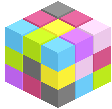
With the simple and flexible API provided, you can easily add isometric pixel elements like brick, cube, pyramid and slope in HTML5 canvas. Obelisk.js strictly follows pixel neat pattern: lines with 1:2 pixel dot arrangement, leading to an angle of 22.6 degrees.
Also you should know obelisk.js is not for vector isometric graphics drawing and rendering. Internally it does not use any canvas graphic drawing API, instead, it manipulates all the rendering in pixel level to obtain precise pixel arrangement. Just try it out to pixelate something. Have fun.
The newest version is written by CommonJS style, which means you can easily use it in browserify project. See details here
Origin:
User Contributed:
Simply include obelisk.js in your project
<script src="//path/to/obelisk.min.js"></script>
CDN url
https://unpkg.com/[email protected]/
In JavaScript
// create a canvas 2D point for pixel view world
var point = new obelisk.Point(200, 200);

// create view instance to nest everything
// canvas could be either DOM or jQuery element
var pixelView = new obelisk.PixelView(canvas, point);

// create cube dimension and color instance
var dimension = new obelisk.CubeDimension(80, 100, 120);
var gray = obelisk.ColorPattern.GRAY;
var color = new obelisk.CubeColor().getByHorizontalColor(gray);

// build cube with dimension and color instance
var cube = new obelisk.Cube(dimension, color, true);

// render cube primitive into view
pixelView.renderObject(cube);
For more details, check the tutorial part 1: To build the first cube, or try the code yourself
Step by step:
Sample code for building all primitives:
Obelisk.js can be used from browserify project. Simply:
$ npm install obelisk.js
In your JavaScript
var obelisk = require('obelisk.js');

// Now you can do the same as above
$ git clone https://github.com/nosir/obelisk.js.git
$ npm install
Build
$ gulp build
Develop
$ gulp browserify:watch
Also you can use it in your Node.js canvas project
As node.js
canvasdependency can be tricky to install (binary dependency on Cairo) we are not adding it as a project dependency. You will need to add thecanvasdependency explicitly on your project:
$ npm install canvas
$ npm install obelisk.js
In your JavaScript
// load Node Canvas dependency
var Canvas = require('canvas');

// load obelisk.js module
// here we need the Canvas as a module parameter
var obelisk = require('obelisk.js')(Canvas);

// create a Node Canvas instance
var canvas = new Canvas(600,450);

// Use obelisk the same way you will use it in the browser ...

// Save canvas to a file
canvas.createPNGStream().pipe(fs.createWriteStream('./figure.png'));
For more details, check the Node.js Canvas example.
See details here: release notes.
Pixel art is a form of digital art, where images are edited and displayed on the pixel level. The isometric projection is commonly seen in games to provide a 3D view without using any real 3D processing.
Obelisk.js is released under the MIT License
Overall
Maintained
Code review
npm
Latest release
Releases this year
661 followers · starred Mar 2014
1,528 followers · starred Mar 2014
284 followers · starred Apr 2014
158 followers · starred Mar 2014
Build pixel isometric graphics with HTML5 canvas
JavaScript
2,326
90 commits
updated Jun 29, 2019
obelisk.js is a JavaScript library for building isometric pixel objects.
With the simple and flexible API provided, you can easily add isometric pixel elements like brick, cube, pyramid and slope in HTML5 canvas. Obelisk.js strictly follows pixel neat pattern: lines with 1:2 pixel dot arrangement, leading to an angle of 22.6 degrees.
Also you should know obelisk.js is not for vector isometric graphics drawing and rendering. Internally it does not use any canvas graphic drawing API, instead, it manipulates all the rendering in pixel level to obtain precise pixel arrangement. Just try it out to pixelate something. Have fun.
The newest version is written by CommonJS style, which means you can easily use it in browserify project. See details here
Origin:
User Contributed:
Simply include obelisk.js in your project
<script src="//path/to/obelisk.min.js"></script>
CDN url
https://unpkg.com/[email protected]/
In JavaScript
// create a canvas 2D point for pixel view world
var point = new obelisk.Point(200, 200);

// create view instance to nest everything
// canvas could be either DOM or jQuery element
var pixelView = new obelisk.PixelView(canvas, point);

// create cube dimension and color instance
var dimension = new obelisk.CubeDimension(80, 100, 120);
var gray = obelisk.ColorPattern.GRAY;
var color = new obelisk.CubeColor().getByHorizontalColor(gray);

// build cube with dimension and color instance
var cube = new obelisk.Cube(dimension, color, true);

// render cube primitive into view
pixelView.renderObject(cube);
For more details, check the tutorial part 1: To build the first cube, or try the code yourself
Step by step:
Sample code for building all primitives:
Obelisk.js can be used from browserify project. Simply:
$ npm install obelisk.js
In your JavaScript
var obelisk = require('obelisk.js');

// Now you can do the same as above
$ git clone https://github.com/nosir/obelisk.js.git
$ npm install
Build
$ gulp build
Develop
$ gulp browserify:watch
Also you can use it in your Node.js canvas project
As node.js
canvasdependency can be tricky to install (binary dependency on Cairo) we are not adding it as a project dependency. You will need to add thecanvasdependency explicitly on your project:
$ npm install canvas
$ npm install obelisk.js
In your JavaScript
// load Node Canvas dependency
var Canvas = require('canvas');

// load obelisk.js module
// here we need the Canvas as a module parameter
var obelisk = require('obelisk.js')(Canvas);

// create a Node Canvas instance
var canvas = new Canvas(600,450);

// Use obelisk the same way you will use it in the browser ...

// Save canvas to a file
canvas.createPNGStream().pipe(fs.createWriteStream('./figure.png'));
For more details, check the Node.js Canvas example.
See details here: release notes.
Pixel art is a form of digital art, where images are edited and displayed on the pixel level. The isometric projection is commonly seen in games to provide a 3D view without using any real 3D processing.
Obelisk.js is released under the MIT License
Overall
Maintained
Code review
npm
Latest release
Releases this year
661 followers · starred Mar 2014
1,528 followers · starred Mar 2014
284 followers · starred Apr 2014
158 followers · starred Mar 2014