
Open-Audio TTS: A robust web app leveraging KaniTTS models to generate natural-sounding audio from text. Built with modern web technologies for an intuitive user experience, including customizable voice and speech speed settings, and the ability to download audio files directly.
JavaScript
3
31 commits
updated Feb 19, 2026
README
Open-Audio TTS


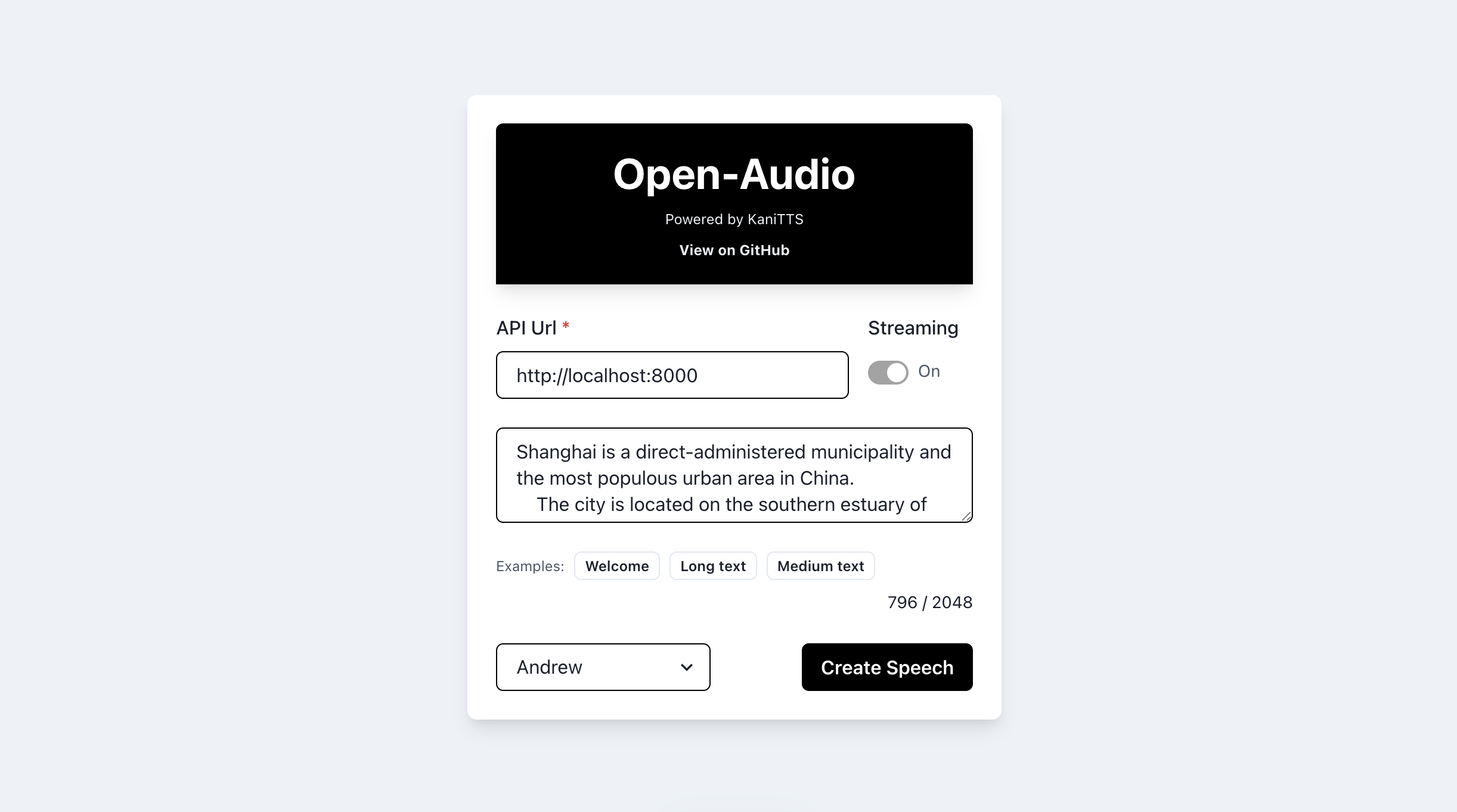
Open-Audio TTS is a web application that allows users to convert text into natural-sounding speech. Powered by KaniTTS text-to-speech models, this tool offers an intuitive user interface built with Chakra UI, providing a seamless experience for generating and downloading speech audio files.
Features
- Text-to-Speech: Convert any text into speech.
- Customizable Voices: Choose from a variety of voices to find the one that best suits your needs.
- BYO: Bring your Own (BYO) API url.
- Downloadable Audio: Easily download the generated speech as an MP3 file directly from the browser.
- User-Friendly Interface: Built with responsiveness in mind, offering a comfortable experience across different devices.
Installation
To set up the project locally, follow these steps:
- Clone the repository to your local machine.
- Navigate to the project directory.
- Install dependencies with
npm install. - Start the development server with
npm run dev. - Open
http://localhost:3000to view it in the browser.
Usage
To use Open-Audio TTS, simply:
- Enter your server API url in the provided field. (The server app is available at https://github.com/nineninesix-ai/kanitts-vllm)
- Type or paste the text you wish to convert into the 'Input Text' field.
- Select the voice.
- Click on 'Create Speech' to generate the audio.
- Once the audio is generated, use the controls to play it or click 'Download WAV' to save it.
Contributing
Contributions are welcome! If you have a suggestion or an issue, please use the issues page to let me know.
License
This project is licensed under the Apache License 2.0 - see the LICENSE file for details.
Acknowledgments
- Thanks to OpenAI for providing the text-to-speech API.
- Chakra UI for the beautiful component library.
- Speech To Text icon by Icons8
- The repo was forked from Justmalhar/open-audio
Contributors

24 commits

7 commits
Similar repos


Languages
JavaScript
97.5%
CSS
2.5%
Open-Audio TTS: A robust web app leveraging KaniTTS models to generate natural-sounding audio from text. Built with modern web technologies for an intuitive user experience, including customizable voice and speech speed settings, and the ability to download audio files directly.
JavaScript
3
31 commits
updated Feb 19, 2026
README
Open-Audio TTS
Open-Audio TTS is a web application that allows users to convert text into natural-sounding speech. Powered by KaniTTS text-to-speech models, this tool offers an intuitive user interface built with Chakra UI, providing a seamless experience for generating and downloading speech audio files.
Features
- Text-to-Speech: Convert any text into speech.
- Customizable Voices: Choose from a variety of voices to find the one that best suits your needs.
- BYO: Bring your Own (BYO) API url.
- Downloadable Audio: Easily download the generated speech as an MP3 file directly from the browser.
- User-Friendly Interface: Built with responsiveness in mind, offering a comfortable experience across different devices.
Installation
To set up the project locally, follow these steps:
- Clone the repository to your local machine.
- Navigate to the project directory.
- Install dependencies with
npm install. - Start the development server with
npm run dev. - Open
http://localhost:3000to view it in the browser.
Usage
To use Open-Audio TTS, simply:
- Enter your server API url in the provided field. (The server app is available at https://github.com/nineninesix-ai/kanitts-vllm)
- Type or paste the text you wish to convert into the 'Input Text' field.
- Select the voice.
- Click on 'Create Speech' to generate the audio.
- Once the audio is generated, use the controls to play it or click 'Download WAV' to save it.
Contributing
Contributions are welcome! If you have a suggestion or an issue, please use the issues page to let me know.
License
This project is licensed under the Apache License 2.0 - see the LICENSE file for details.
Acknowledgments
- Thanks to OpenAI for providing the text-to-speech API.
- Chakra UI for the beautiful component library.
- Speech To Text icon by Icons8
- The repo was forked from Justmalhar/open-audio
Similar repos
Contributors
24 commits
7 commits
Languages
JavaScript
97.5%
CSS
2.5%