This repository is designed to create an enterprise Blazor Server application that follows the principles of Clean Architecture and implements Blazor Clean Architecture best practices for scalability, maintainability, and testability.
See the code


A production-ready Blazor Server application template built on Clean Architecture principles, offering advanced code generation, AI-assisted development workflows, and enterprise-grade capabilities for building scalable and maintainable systems.
This repository provides a production-grade Blazor Server solution template designed in strict accordance with Clean Architecture principles and modern enterprise application standards.
Built on .NET 10, the template demonstrates a well-structured, scalable, and maintainable architecture for developing complex business systems. It integrates advanced code generation capabilities, AI-assisted development workflows, and specification-driven design patterns, enabling teams to accelerate development while preserving architectural consistency and code quality.
The solution is intended to serve both as a reference implementation for Blazor Clean Architecture best practices and as a ready-to-use foundation for enterprise-level applications that require long-term maintainability, extensibility, and high development efficiency.
Experience the application in action:
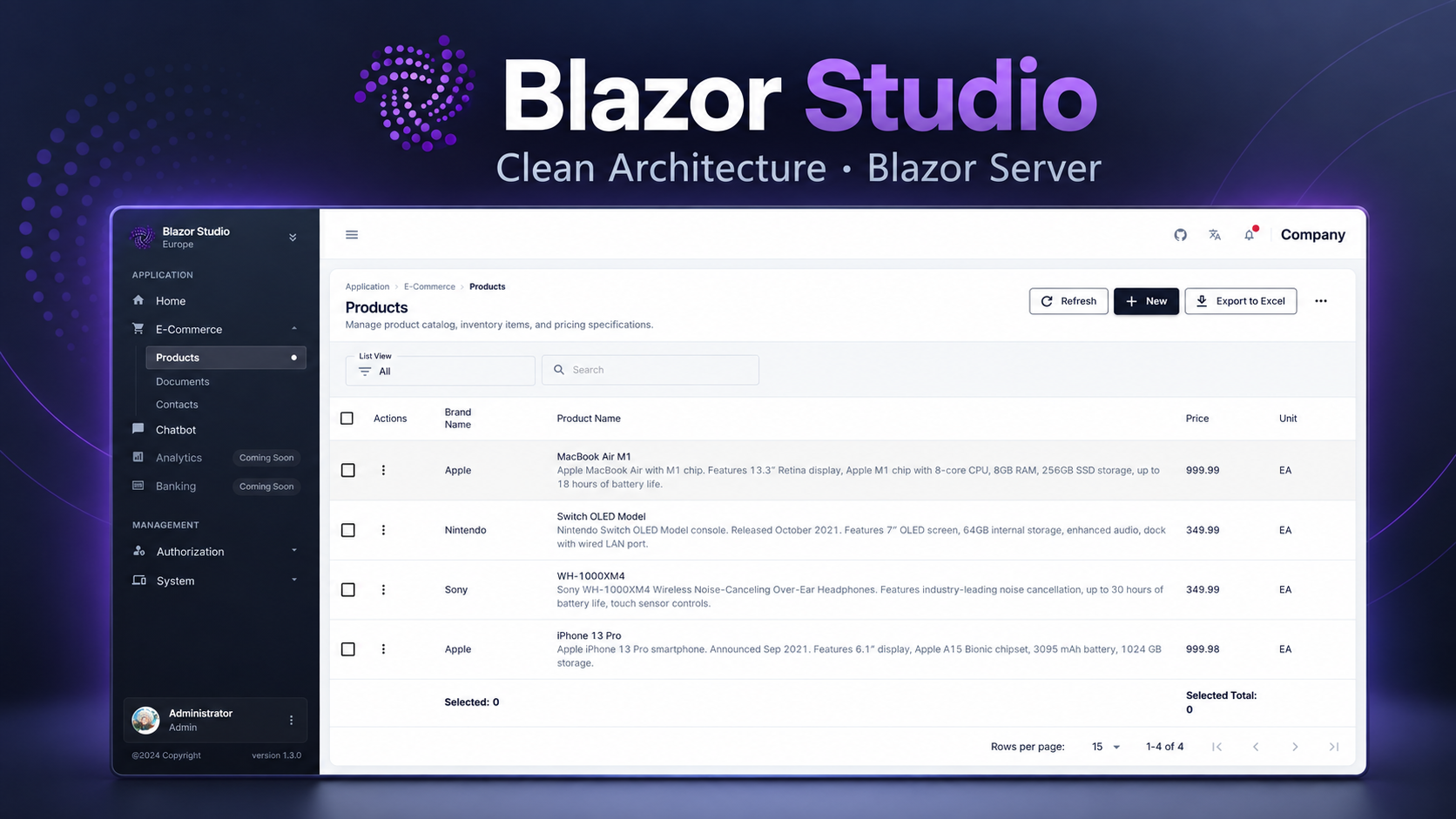
Live Demo: architecture.blazorserver.com
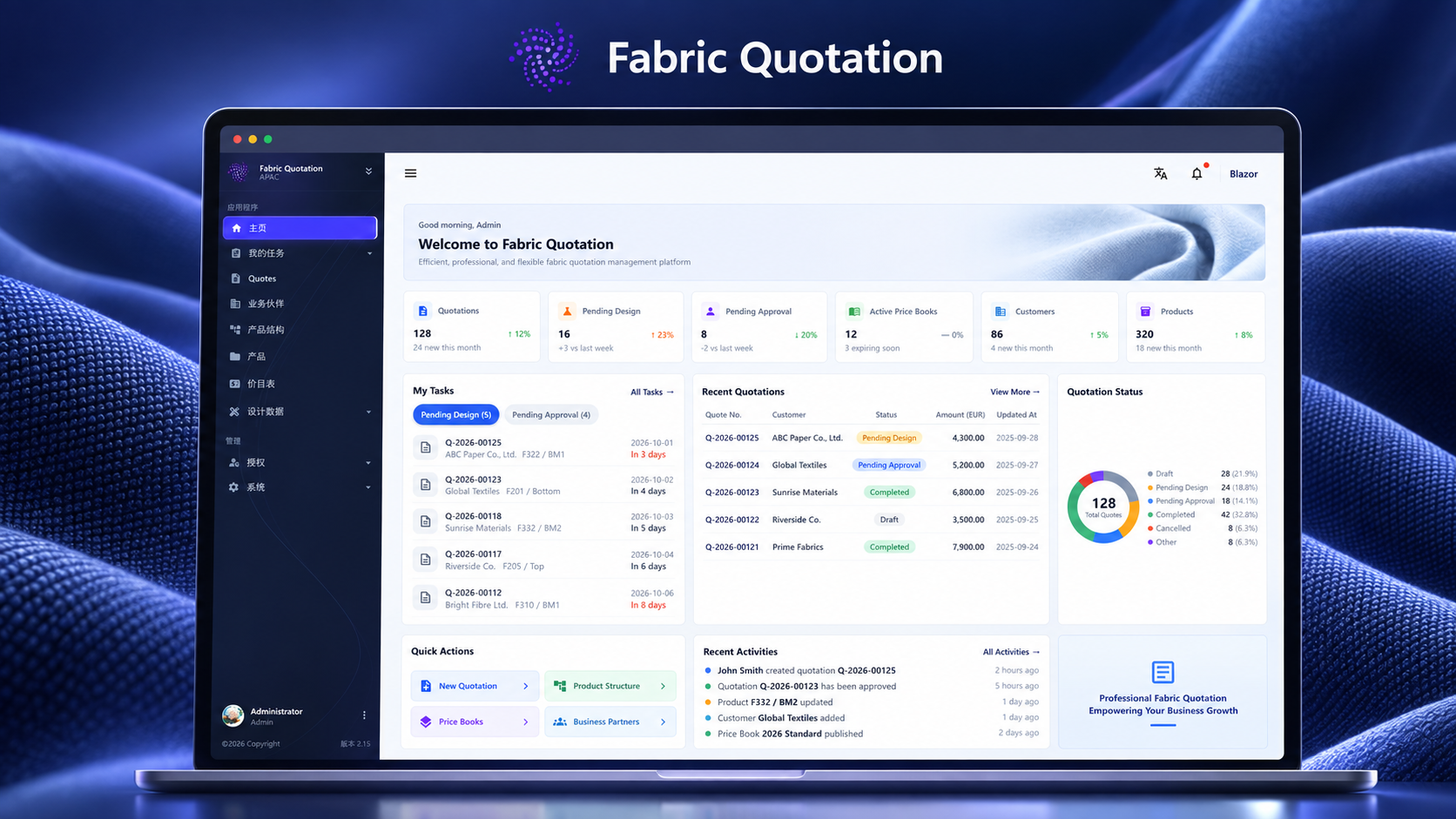
Fabric Quotation is a modern textile quotation management platform for coordinating product structures, price books, business partners, quotation workflows, and approvals in one place. Built with this Clean Architecture Blazor Server template, it demonstrates how the foundation can support a polished, data-rich business application.
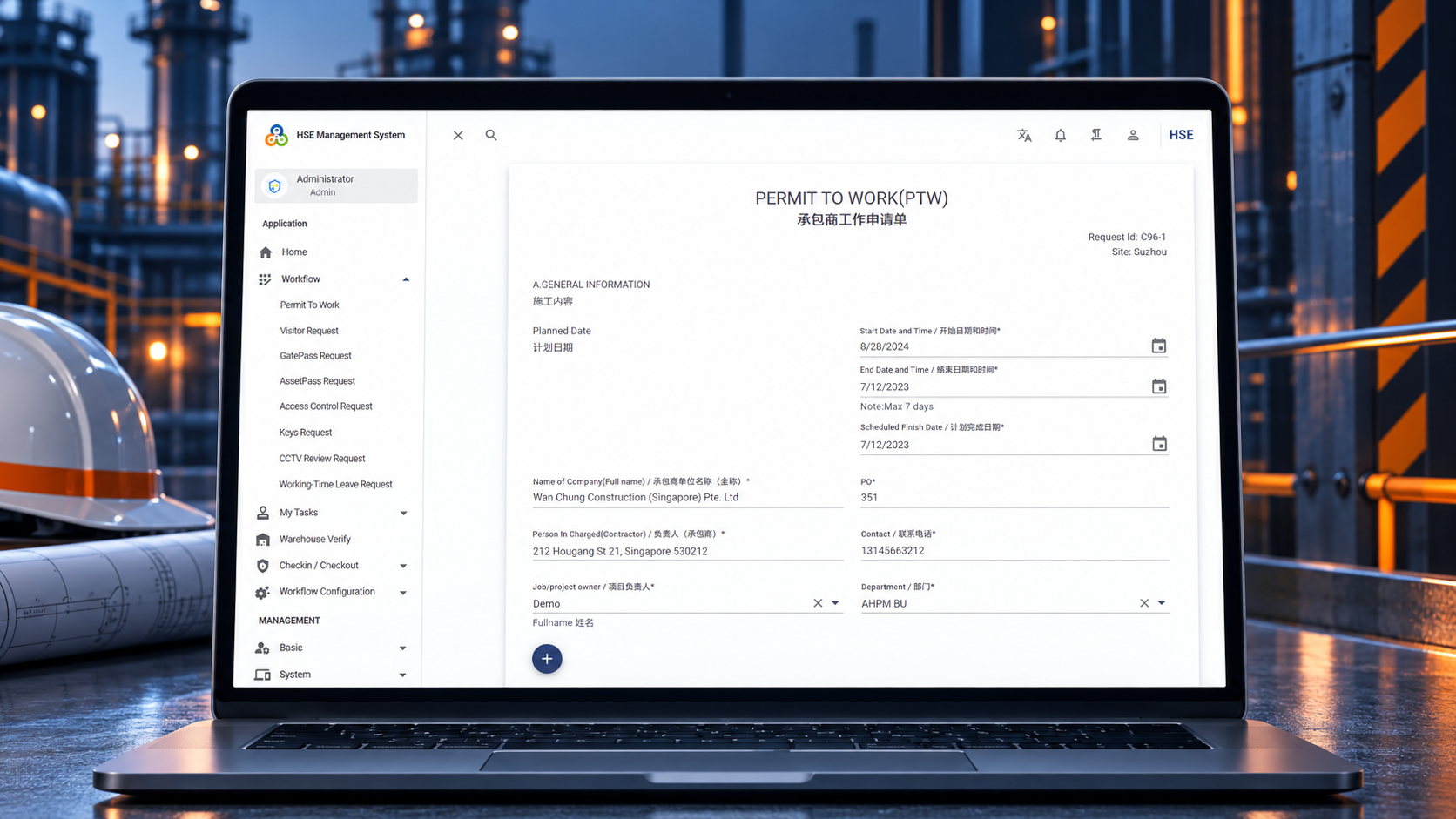
HSE Management System is a workflow-driven operations platform for managing permits to work, visitor and gate-pass requests, access control, and task approvals.
GitHub | Explore the Live Demo
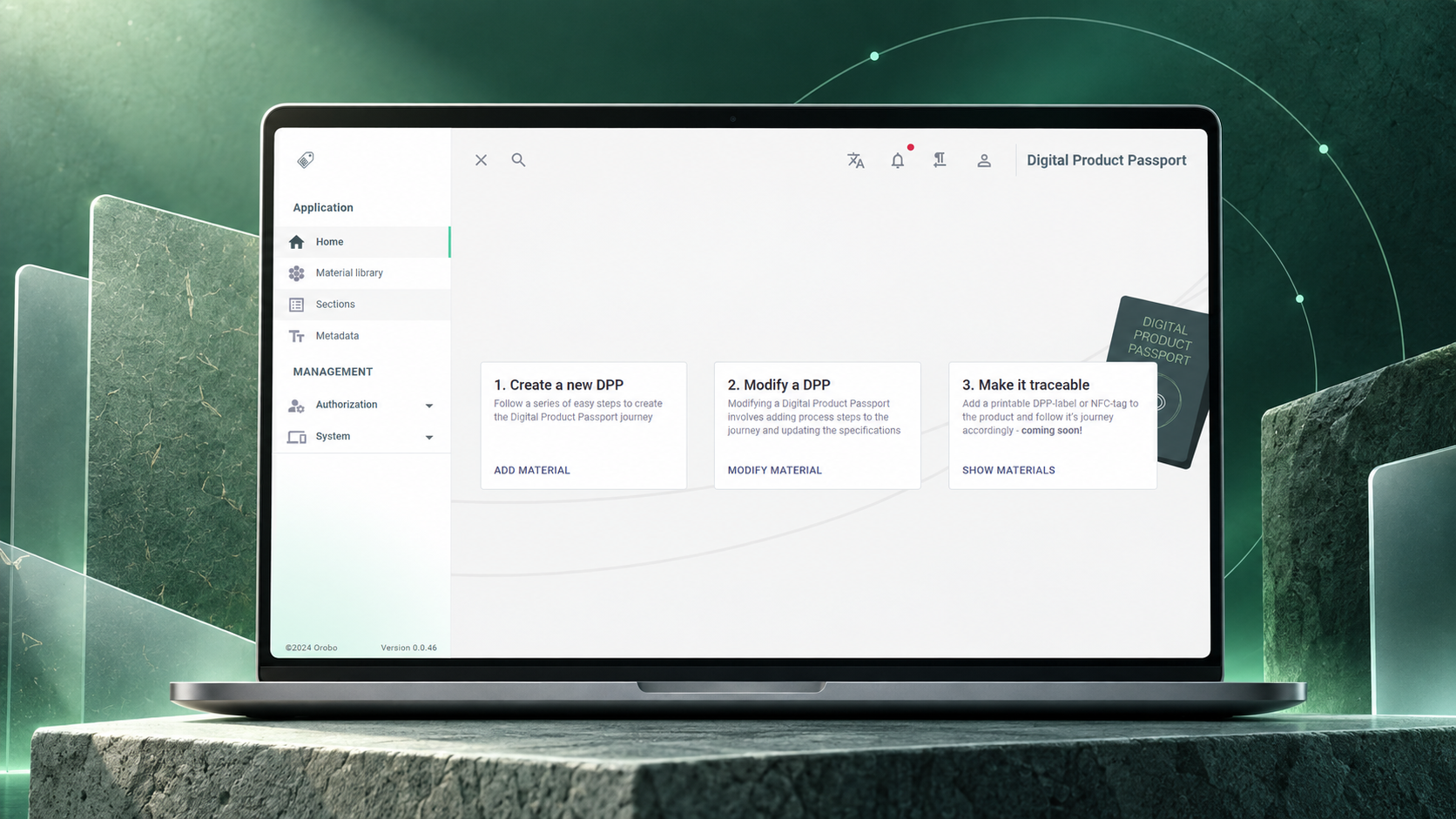
EU Digital Product Passport helps teams structure product material data, manage passport content, and prepare traceable digital product records through a clear, guided workflow.
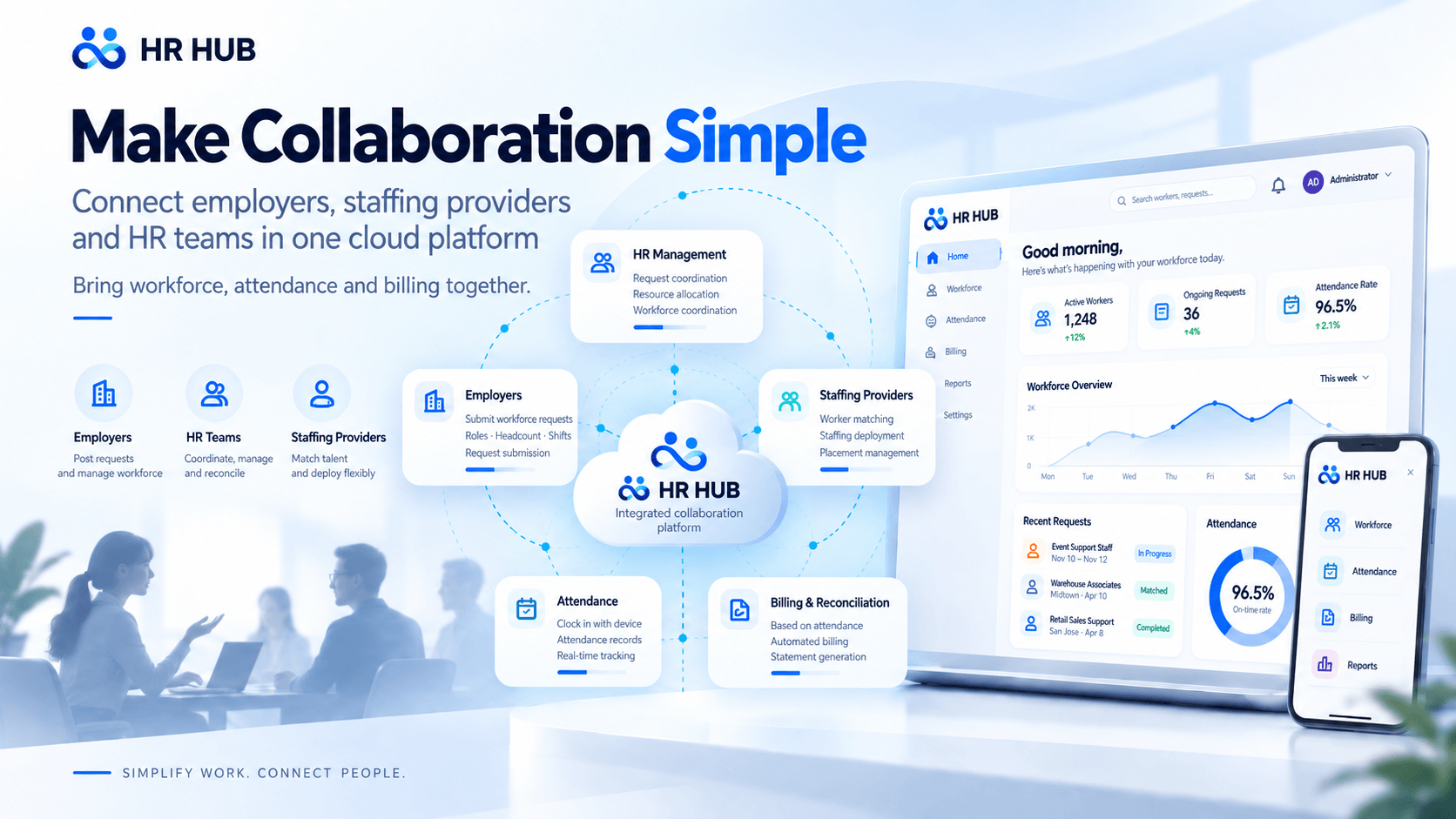
HR Cloud (HRHub) is a labor outsourcing HR service platform connecting employers, suppliers, and HR teams. It integrates employee management, device-based attendance tracking, shift-based work hours, and automated monthly billing in one workflow.
GitHub | Explore the Live Demo
| Layer | Technologies |
|---|---|
| Frontend | Blazor Server, MudBlazor, SignalR |
| Backend | .NET 10, ASP.NET Core, MediatR, FluentValidation |
| Database | Entity Framework Core, MSSQL/PostgreSQL/SQLite |
| Authentication | ASP.NET Core Identity, OAuth 2.0, JWT |
| Caching | FusionCache, Redis |
| Background Processing | Hosted services, in-memory queues |
| Testing | xUnit, FluentAssertions, Moq |
| DevOps | Docker, GitHub Actions |
The diagram shows runtime calls and domain model usage. Application calls Infrastructure implementations through Application-owned interfaces; these arrows do not represent compile-time project references.
Download the interactive Archify diagram and open it locally to inspect source references, switch themes, and export images.
The dynamic-fields subsystem adds template-driven attributes to selected business entities without adding entity-specific columns for every custom field. Product is the reference implementation, and the same building blocks can be reused by future entities such as Contract or Asset.
FieldGroupTemplate
└── FieldSection
    └── FieldSectionItem ──> FieldDefinition
                               (type, label, limits, regex, unit, picklist)

ExtensibleEntity
└── FieldGroupInstance ──> FieldGroupTemplate
    └── FieldValue ──────> FieldDefinition
The model separates field metadata from record values:
FieldDefinition describes a reusable field and its validation metadata.FieldGroupTemplate organizes definitions into ordered sections and determines which fields apply to a business record.FieldGroupInstance binds one extensible business record to one template.FieldValue stores one normalized string value for one definition.ExtensibleEntity exposes the optional DynamicFields navigation used by supported business entities.ExtensibleEntity uses EF Core table-per-type (TPT) mapping. FieldGroupInstance.Id is both its primary key and a foreign key to ExtensibleEntity.Id, which enforces at most one dynamic-field instance per business record while preserving normal EF navigation properties and referential integrity.
public abstract class ExtensibleEntity : BaseAuditableEntity
{
    public FieldGroupInstance? DynamicFields { get; set; }
}

public class Product : ExtensibleEntity
{
    // Product fields...
}
ProductDynamicFields.DefaultTemplateCode.DynamicFieldsEditor renders the template and delegates each typed control to DynamicFieldInput.FieldValueDto values identified by FieldDefinitionId; submitted definition metadata and row IDs are not authoritative.FieldGroupInstanceSynchronizer validates the complete value set against the database-loaded template, normalizes values, and updates the owner's entity graph.SaveChangesAsync operation.The reusable synchronizer does not select templates, query the database, start transactions, or save changes. Those responsibilities remain in the business command handler. It validates required fields, length and regex rules, numeric ranges, dates, Booleans, and single/multiple picklists before mutating the graph.
Supported values are stored in culture-independent formats:
| Field type | Stored representation |
|---|---|
| String | Trimmed string or null |
| Integer | Invariant integer string |
| Number | Invariant decimal string |
| DateOnly | yyyy-MM-dd |
| DateTime | yyyy-MM-dd HH:mm:ss |
| Boolean | true or false |
| Single picklist | Selected option |
| Multiple picklist | JSON string array |
Use the following steps to add dynamic fields to another business entity. Keep template selection inside that entity's Application feature; do not add entity-specific foreign keys or type switches to FieldGroupInstance.
Inherit from ExtensibleEntity:
public class Contract : ExtensibleEntity
{
    public string ContractNumber { get; set; } = null!;
    public DateOnly EffectiveDate { get; set; }
}
Keep the entity's normal EF configuration and add a migration. The existing TPT and shared-primary-key configurations provide the dynamic-fields relationship.
Define the module-owned template policy:
public static class ContractDynamicFields
{
    public const string DefaultTemplateCode = "contract-attributes";
}
Create or seed the corresponding FieldGroupTemplate, sections, items, and definitions through the existing management module.
In create/update handlers, load the authoritative template and the owner's current dynamic values, then call the shared synchronizer before the handler's single save:
var result = new FieldGroupInstanceSynchronizer()
    .Synchronize(contract, template, request.DynamicFieldValues);

if (!result.Succeeded)
    return await Result<int>.FailureAsync(result.ErrorMessage);

await context.SaveChangesAsync(cancellationToken);
Reuse GetFieldGroupTemplateByCodeQuery, FieldValueDto, DynamicFieldsEditor, and DynamicFieldInput in the entity form. The reusable components contain no Product-specific template code.
Add tests for create, update, required/invalid values, foreign or duplicate definition IDs, template mismatch, and atomic persistence.
For the complete design decisions and Product example, see Extensible Entity Dynamic Fields Design and Product Dynamic Fields Editor Design.
The project includes a comprehensive Development Workflow with:
Install the Template
dotnet new install CleanArchitecture.Blazor.Solution.Template
Create New Project
dotnet new ca-blazorserver-sln -n YourProjectName
cd YourProjectName
Setup Database
dotnet ef database update --project src/Migrators/Migrators.MSSQL
Run the Application
dotnet run --project src/Server.UI
Access the Application
https://localhost:7152Run with configured database provider (In-Memory removed):
docker run -p 8443:443 \
  -e DatabaseSettings__DBProvider=mssql \
  -e DatabaseSettings__ConnectionString="Server=127.0.0.1;Database=BlazorDashboardDb;User Id=sa;Password=<YourPassword>;MultipleActiveResultSets=true;Encrypt=false;TrustServerCertificate=false" \
  blazordevlab/cleanarchitectureblazorserver:latest
Production Setup (docker compose):
docker-compose up -d
See Docker Setup Documentation for detailed configuration.
Accelerate development with the Visual Studio extension:
| Database | Provider Name | Status |
|---|---|---|
| SQL Server | mssql | ✅ Fully Supported |
| PostgreSQL | postgresql | ✅ Fully Supported |
| SQLite | sqlite | ✅ Fully Supported |
Configure in appsettings.json:
{
  "DatabaseSettings": {
    "DBProvider": "mssql",
    "ConnectionString": "Server=localhost;Database=YourDb;Trusted_Connection=true;"
  }
}
Configure OAuth providers in appsettings.json:
docker pull blazordevlab/cleanarchitectureblazorserver:latest
For Development:
docker run -p 8443:443 -e ASPNETCORE_ENVIRONMENT=Development -e ASPNETCORE_HTTPS_PORTS=443 \
  -e DatabaseSettings__DBProvider=mssql \
  -e DatabaseSettings__ConnectionString="Server=127.0.0.1;Database=BlazorDashboardDb;User Id=sa;Password=<YourPassword>;MultipleActiveResultSets=true;Encrypt=false;TrustServerCertificate=false" \
  blazordevlab/cleanarchitectureblazorserver:latest
For Production (Persistent Database and SMTP Configuration):
docker run -d -p 8443:443 \
-e ASPNETCORE_ENVIRONMENT=Development \
-e ASPNETCORE_HTTP_PORTS=80 \
-e ASPNETCORE_HTTPS_PORTS=443 \
-e DatabaseSettings__DBProvider=mssql \
-e DatabaseSettings__ConnectionString="Server=127.0.0.1;Database=BlazorDashboardDb;User Id=sa;Password=<YourPassword>;MultipleActiveResultSets=true;Encrypt=false;TrustServerCertificate=false" \
-e SmtpClientOptions__User=<YourSMTPUser> \
-e SmtpClientOptions__Port=25 \
-e SmtpClientOptions__Server=<YourSMTPServer> \
-e SmtpClientOptions__Password=<YourSMTPPassword> \
-e Authentication__Microsoft__ClientId=<YourMicrosoftClientId> \
-e Authentication__Microsoft__ClientSecret=<YourMicrosoftClientSecret> \
-e Authentication__Google__ClientId=<YourGoogleClientId> \
-e Authentication__Google__ClientSecret=<YourGoogleClientSecret> \
-e Authentication__Facebook__AppId=<YourFacebookAppId> \
-e Authentication__Facebook__AppSecret=<YourFacebookAppSecret> \
blazordevlab/cleanarchitectureblazorserver:latest
For easier management, use a docker-compose.yml file:
version: '3.8'
services:
  blazorserverapp:
    image: blazordevlab/cleanarchitectureblazorserver:latest
    environment:
      - ASPNETCORE_ENVIRONMENT=Development
      - ASPNETCORE_URLS=http://+:80;https://+:443
      - ASPNETCORE_HTTP_PORTS=80
      - ASPNETCORE_HTTPS_PORTS=443
      - DatabaseSettings__DBProvider=mssql
      - DatabaseSettings__ConnectionString=Server=127.0.0.1;Database=BlazorDashboardDb;User Id=sa;Password=***;MultipleActiveResultSets=true;Encrypt=false;TrustServerCertificate=false
      - SmtpClientOptions__User=<YourSMTPUser>
      - SmtpClientOptions__Port=25
      - SmtpClientOptions__Server=<YourSMTPServer>
      - SmtpClientOptions__Password=<YourSMTPPassword>
      - Authentication__Microsoft__ClientId=<YourMicrosoftClientId>
      - Authentication__Microsoft__ClientSecret=<YourMicrosoftClientSecret>
      - Authentication__Google__ClientId=<YourGoogleClientId>
      - Authentication__Google__ClientSecret=<YourGoogleClientSecret>
      - Authentication__Facebook__AppId=<YourFacebookAppId>
      - Authentication__Facebook__AppSecret=<YourFacebookAppSecret>
    ports:
      - "8443:443"
    volumes:
      - files_volume:/app/Files

  mssql:
    image: mcr.microsoft.com/mssql/server:2022-latest
    environment:
      - ACCEPT_EULA=Y
      - SA_PASSWORD=YourStrongPassword!
    ports:
      - "1433:1433"
    volumes:
      - mssql_data:/var/opt/mssql

volumes:
  files_volume:
  mssql_data:
Install the EF Core CLI version that matches the project:
dotnet tool install --global dotnet-ef --version 10.0.11
Create a migration and apply it to the configured SQL Server database:
dotnet ef migrations add <MigrationName> --project src/Migrators/Migrators.MSSQL/Migrators.MSSQL.csproj --startup-project src/Server.UI/Server.UI.csproj --context ApplicationDbContext --output-dir Migrations
dotnet ef database update --project src/Migrators/Migrators.MSSQL/Migrators.MSSQL.csproj --startup-project src/Server.UI/Server.UI.csproj --context ApplicationDbContext
We welcome contributions! Please see our Contributing Guidelines for details.
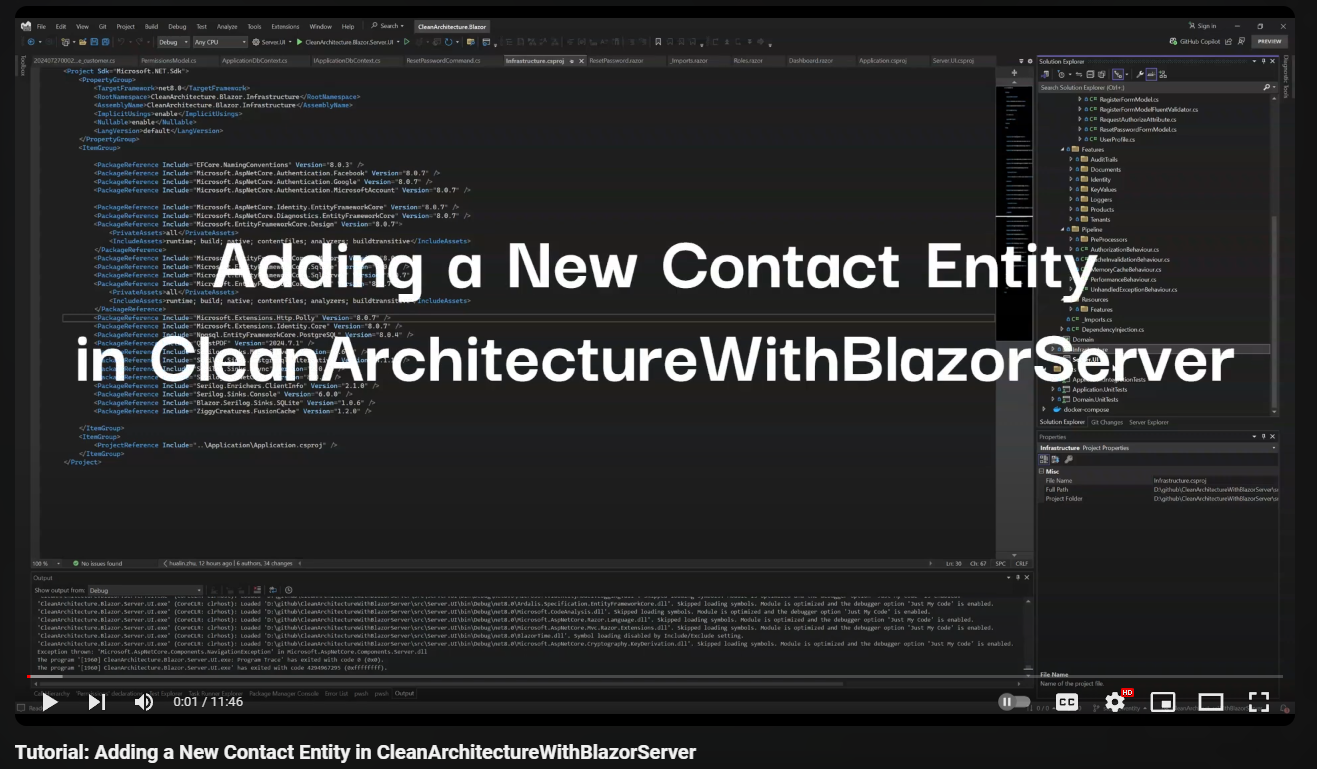 Tutorial: Adding a Contact Entity
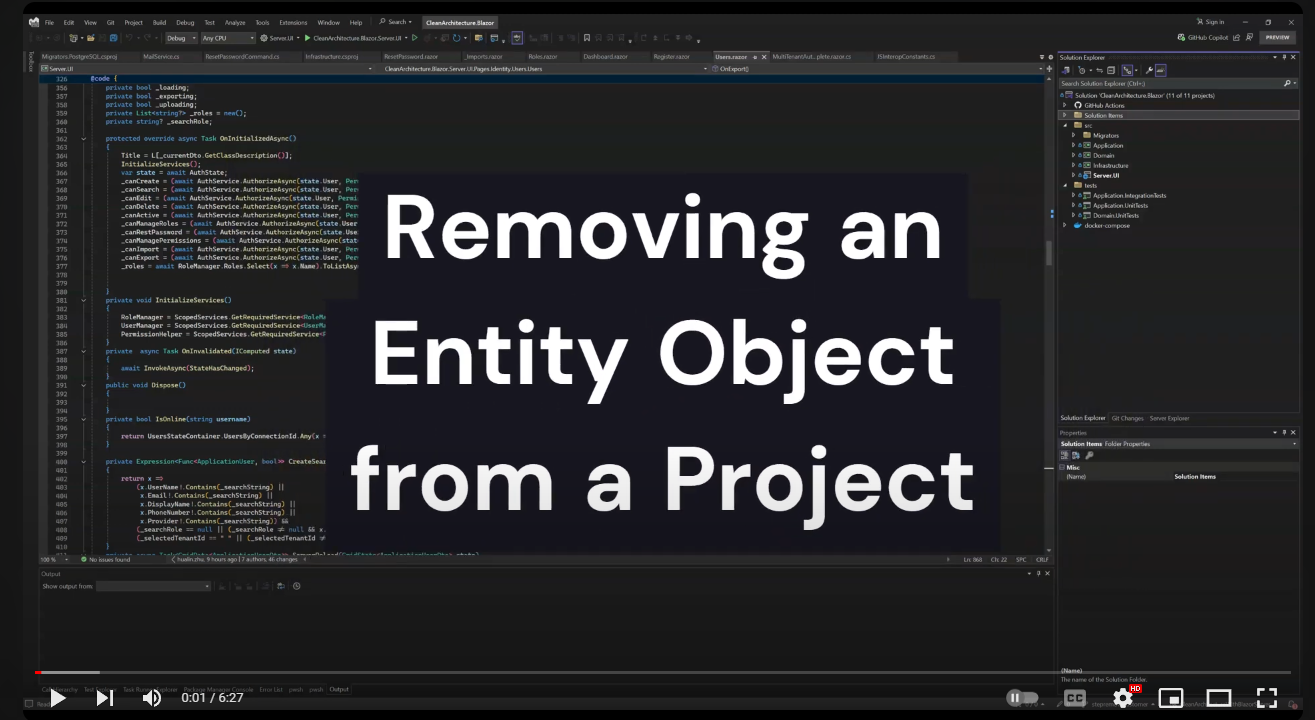 Tutorial: Removing a Customer Object
Visit my website for more Blazor resources and professional services:
BlazorServer.com - Blazor Development Services & Resources
If this project helps you, please consider supporting its development:
Your support helps maintain and improve this project. Thank you! 🙏
This project is licensed under the MIT License - see the LICENSE file for details.
Built with ❤️ using Clean Architecture principles
39 followers · starred Oct 2023
109 followers · starred May 2026
58 followers · starred Oct 2022
This repository is designed to create an enterprise Blazor Server application that follows the principles of Clean Architecture and implements Blazor Clean Architecture best practices for scalability, maintainability, and testability.
See the code
A production-ready Blazor Server application template built on Clean Architecture principles, offering advanced code generation, AI-assisted development workflows, and enterprise-grade capabilities for building scalable and maintainable systems.
This repository provides a production-grade Blazor Server solution template designed in strict accordance with Clean Architecture principles and modern enterprise application standards.
Built on .NET 10, the template demonstrates a well-structured, scalable, and maintainable architecture for developing complex business systems. It integrates advanced code generation capabilities, AI-assisted development workflows, and specification-driven design patterns, enabling teams to accelerate development while preserving architectural consistency and code quality.
The solution is intended to serve both as a reference implementation for Blazor Clean Architecture best practices and as a ready-to-use foundation for enterprise-level applications that require long-term maintainability, extensibility, and high development efficiency.
Experience the application in action:
Live Demo: architecture.blazorserver.com
Fabric Quotation is a modern textile quotation management platform for coordinating product structures, price books, business partners, quotation workflows, and approvals in one place. Built with this Clean Architecture Blazor Server template, it demonstrates how the foundation can support a polished, data-rich business application.
HSE Management System is a workflow-driven operations platform for managing permits to work, visitor and gate-pass requests, access control, and task approvals.
GitHub | Explore the Live Demo
EU Digital Product Passport helps teams structure product material data, manage passport content, and prepare traceable digital product records through a clear, guided workflow.
HR Cloud (HRHub) is a labor outsourcing HR service platform connecting employers, suppliers, and HR teams. It integrates employee management, device-based attendance tracking, shift-based work hours, and automated monthly billing in one workflow.
GitHub | Explore the Live Demo
| Layer | Technologies |
|---|---|
| Frontend | Blazor Server, MudBlazor, SignalR |
| Backend | .NET 10, ASP.NET Core, MediatR, FluentValidation |
| Database | Entity Framework Core, MSSQL/PostgreSQL/SQLite |
| Authentication | ASP.NET Core Identity, OAuth 2.0, JWT |
| Caching | FusionCache, Redis |
| Background Processing | Hosted services, in-memory queues |
| Testing | xUnit, FluentAssertions, Moq |
| DevOps | Docker, GitHub Actions |
The diagram shows runtime calls and domain model usage. Application calls Infrastructure implementations through Application-owned interfaces; these arrows do not represent compile-time project references.
Download the interactive Archify diagram and open it locally to inspect source references, switch themes, and export images.
The dynamic-fields subsystem adds template-driven attributes to selected business entities without adding entity-specific columns for every custom field. Product is the reference implementation, and the same building blocks can be reused by future entities such as Contract or Asset.
FieldGroupTemplate
└── FieldSection
    └── FieldSectionItem ──> FieldDefinition
                               (type, label, limits, regex, unit, picklist)

ExtensibleEntity
└── FieldGroupInstance ──> FieldGroupTemplate
    └── FieldValue ──────> FieldDefinition
The model separates field metadata from record values:
FieldDefinition describes a reusable field and its validation metadata.FieldGroupTemplate organizes definitions into ordered sections and determines which fields apply to a business record.FieldGroupInstance binds one extensible business record to one template.FieldValue stores one normalized string value for one definition.ExtensibleEntity exposes the optional DynamicFields navigation used by supported business entities.ExtensibleEntity uses EF Core table-per-type (TPT) mapping. FieldGroupInstance.Id is both its primary key and a foreign key to ExtensibleEntity.Id, which enforces at most one dynamic-field instance per business record while preserving normal EF navigation properties and referential integrity.
public abstract class ExtensibleEntity : BaseAuditableEntity
{
    public FieldGroupInstance? DynamicFields { get; set; }
}

public class Product : ExtensibleEntity
{
    // Product fields...
}
ProductDynamicFields.DefaultTemplateCode.DynamicFieldsEditor renders the template and delegates each typed control to DynamicFieldInput.FieldValueDto values identified by FieldDefinitionId; submitted definition metadata and row IDs are not authoritative.FieldGroupInstanceSynchronizer validates the complete value set against the database-loaded template, normalizes values, and updates the owner's entity graph.SaveChangesAsync operation.The reusable synchronizer does not select templates, query the database, start transactions, or save changes. Those responsibilities remain in the business command handler. It validates required fields, length and regex rules, numeric ranges, dates, Booleans, and single/multiple picklists before mutating the graph.
Supported values are stored in culture-independent formats:
| Field type | Stored representation |
|---|---|
| String | Trimmed string or null |
| Integer | Invariant integer string |
| Number | Invariant decimal string |
| DateOnly | yyyy-MM-dd |
| DateTime | yyyy-MM-dd HH:mm:ss |
| Boolean | true or false |
| Single picklist | Selected option |
| Multiple picklist | JSON string array |
Use the following steps to add dynamic fields to another business entity. Keep template selection inside that entity's Application feature; do not add entity-specific foreign keys or type switches to FieldGroupInstance.
Inherit from ExtensibleEntity:
public class Contract : ExtensibleEntity
{
    public string ContractNumber { get; set; } = null!;
    public DateOnly EffectiveDate { get; set; }
}
Keep the entity's normal EF configuration and add a migration. The existing TPT and shared-primary-key configurations provide the dynamic-fields relationship.
Define the module-owned template policy:
public static class ContractDynamicFields
{
    public const string DefaultTemplateCode = "contract-attributes";
}
Create or seed the corresponding FieldGroupTemplate, sections, items, and definitions through the existing management module.
In create/update handlers, load the authoritative template and the owner's current dynamic values, then call the shared synchronizer before the handler's single save:
var result = new FieldGroupInstanceSynchronizer()
    .Synchronize(contract, template, request.DynamicFieldValues);

if (!result.Succeeded)
    return await Result<int>.FailureAsync(result.ErrorMessage);

await context.SaveChangesAsync(cancellationToken);
Reuse GetFieldGroupTemplateByCodeQuery, FieldValueDto, DynamicFieldsEditor, and DynamicFieldInput in the entity form. The reusable components contain no Product-specific template code.
Add tests for create, update, required/invalid values, foreign or duplicate definition IDs, template mismatch, and atomic persistence.
For the complete design decisions and Product example, see Extensible Entity Dynamic Fields Design and Product Dynamic Fields Editor Design.
The project includes a comprehensive Development Workflow with:
Install the Template
dotnet new install CleanArchitecture.Blazor.Solution.Template
Create New Project
dotnet new ca-blazorserver-sln -n YourProjectName
cd YourProjectName
Setup Database
dotnet ef database update --project src/Migrators/Migrators.MSSQL
Run the Application
dotnet run --project src/Server.UI
Access the Application
https://localhost:7152Run with configured database provider (In-Memory removed):
docker run -p 8443:443 \
  -e DatabaseSettings__DBProvider=mssql \
  -e DatabaseSettings__ConnectionString="Server=127.0.0.1;Database=BlazorDashboardDb;User Id=sa;Password=<YourPassword>;MultipleActiveResultSets=true;Encrypt=false;TrustServerCertificate=false" \
  blazordevlab/cleanarchitectureblazorserver:latest
Production Setup (docker compose):
docker-compose up -d
See Docker Setup Documentation for detailed configuration.
Accelerate development with the Visual Studio extension:
| Database | Provider Name | Status |
|---|---|---|
| SQL Server | mssql | ✅ Fully Supported |
| PostgreSQL | postgresql | ✅ Fully Supported |
| SQLite | sqlite | ✅ Fully Supported |
Configure in appsettings.json:
{
  "DatabaseSettings": {
    "DBProvider": "mssql",
    "ConnectionString": "Server=localhost;Database=YourDb;Trusted_Connection=true;"
  }
}
Configure OAuth providers in appsettings.json:
docker pull blazordevlab/cleanarchitectureblazorserver:latest
For Development:
docker run -p 8443:443 -e ASPNETCORE_ENVIRONMENT=Development -e ASPNETCORE_HTTPS_PORTS=443 \
  -e DatabaseSettings__DBProvider=mssql \
  -e DatabaseSettings__ConnectionString="Server=127.0.0.1;Database=BlazorDashboardDb;User Id=sa;Password=<YourPassword>;MultipleActiveResultSets=true;Encrypt=false;TrustServerCertificate=false" \
  blazordevlab/cleanarchitectureblazorserver:latest
For Production (Persistent Database and SMTP Configuration):
docker run -d -p 8443:443 \
-e ASPNETCORE_ENVIRONMENT=Development \
-e ASPNETCORE_HTTP_PORTS=80 \
-e ASPNETCORE_HTTPS_PORTS=443 \
-e DatabaseSettings__DBProvider=mssql \
-e DatabaseSettings__ConnectionString="Server=127.0.0.1;Database=BlazorDashboardDb;User Id=sa;Password=<YourPassword>;MultipleActiveResultSets=true;Encrypt=false;TrustServerCertificate=false" \
-e SmtpClientOptions__User=<YourSMTPUser> \
-e SmtpClientOptions__Port=25 \
-e SmtpClientOptions__Server=<YourSMTPServer> \
-e SmtpClientOptions__Password=<YourSMTPPassword> \
-e Authentication__Microsoft__ClientId=<YourMicrosoftClientId> \
-e Authentication__Microsoft__ClientSecret=<YourMicrosoftClientSecret> \
-e Authentication__Google__ClientId=<YourGoogleClientId> \
-e Authentication__Google__ClientSecret=<YourGoogleClientSecret> \
-e Authentication__Facebook__AppId=<YourFacebookAppId> \
-e Authentication__Facebook__AppSecret=<YourFacebookAppSecret> \
blazordevlab/cleanarchitectureblazorserver:latest
For easier management, use a docker-compose.yml file:
version: '3.8'
services:
  blazorserverapp:
    image: blazordevlab/cleanarchitectureblazorserver:latest
    environment:
      - ASPNETCORE_ENVIRONMENT=Development
      - ASPNETCORE_URLS=http://+:80;https://+:443
      - ASPNETCORE_HTTP_PORTS=80
      - ASPNETCORE_HTTPS_PORTS=443
      - DatabaseSettings__DBProvider=mssql
      - DatabaseSettings__ConnectionString=Server=127.0.0.1;Database=BlazorDashboardDb;User Id=sa;Password=***;MultipleActiveResultSets=true;Encrypt=false;TrustServerCertificate=false
      - SmtpClientOptions__User=<YourSMTPUser>
      - SmtpClientOptions__Port=25
      - SmtpClientOptions__Server=<YourSMTPServer>
      - SmtpClientOptions__Password=<YourSMTPPassword>
      - Authentication__Microsoft__ClientId=<YourMicrosoftClientId>
      - Authentication__Microsoft__ClientSecret=<YourMicrosoftClientSecret>
      - Authentication__Google__ClientId=<YourGoogleClientId>
      - Authentication__Google__ClientSecret=<YourGoogleClientSecret>
      - Authentication__Facebook__AppId=<YourFacebookAppId>
      - Authentication__Facebook__AppSecret=<YourFacebookAppSecret>
    ports:
      - "8443:443"
    volumes:
      - files_volume:/app/Files

  mssql:
    image: mcr.microsoft.com/mssql/server:2022-latest
    environment:
      - ACCEPT_EULA=Y
      - SA_PASSWORD=YourStrongPassword!
    ports:
      - "1433:1433"
    volumes:
      - mssql_data:/var/opt/mssql

volumes:
  files_volume:
  mssql_data:
Install the EF Core CLI version that matches the project:
dotnet tool install --global dotnet-ef --version 10.0.11
Create a migration and apply it to the configured SQL Server database:
dotnet ef migrations add <MigrationName> --project src/Migrators/Migrators.MSSQL/Migrators.MSSQL.csproj --startup-project src/Server.UI/Server.UI.csproj --context ApplicationDbContext --output-dir Migrations
dotnet ef database update --project src/Migrators/Migrators.MSSQL/Migrators.MSSQL.csproj --startup-project src/Server.UI/Server.UI.csproj --context ApplicationDbContext
We welcome contributions! Please see our Contributing Guidelines for details.
Tutorial: Adding a Contact Entity
Tutorial: Removing a Customer Object
Visit my website for more Blazor resources and professional services:
BlazorServer.com - Blazor Development Services & Resources
If this project helps you, please consider supporting its development:
Your support helps maintain and improve this project. Thank you! 🙏
This project is licensed under the MIT License - see the LICENSE file for details.
Built with ❤️ using Clean Architecture principles
39 followers · starred Oct 2023
109 followers · starred May 2026
58 followers · starred Oct 2022



