
p(bloom): an Omarchy theme with 42 blueprint wallpapers of machines from a future worth building
Python
5
57 commits
updated Oct 3, 2026
See what people are saying
README
▶ Watch the music video (sound on) and read how it was made
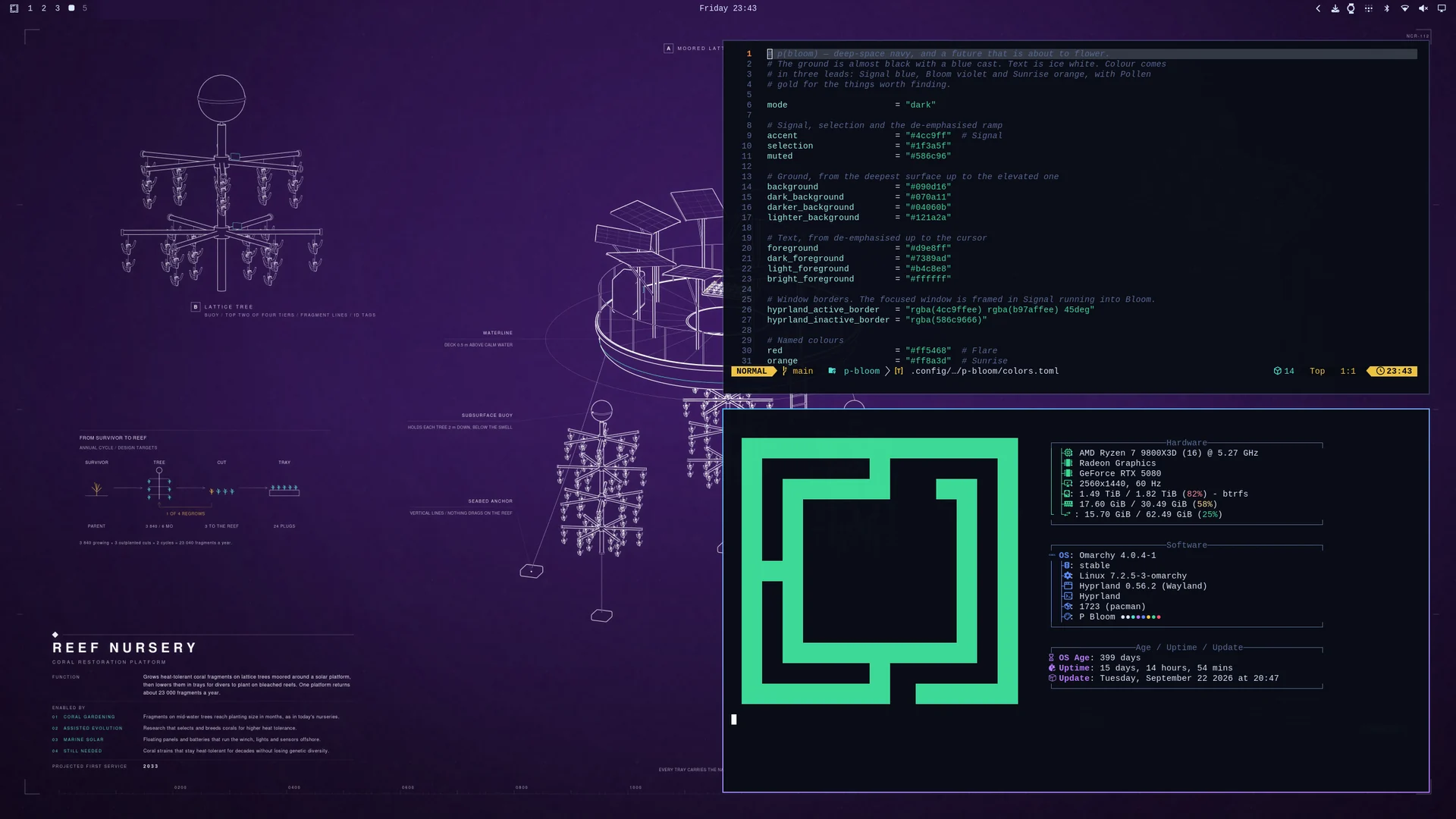
p(bloom) is a theme for Omarchy. Deep-space navy, ice-white text, Signal · Bloom · Sunrise. And 42 blueprint wallpapers of machines from a future worth building.
omarchy theme install https://github.com/ncr/omarchy-p-bloom-theme.git
Composed for your screen, not scaled to it

Each wallpaper is laid out again for 18 screens, from 1080p to 7680 × 2160, in 16:9, 16:10, 3:2, 4:3, 21:9 and 32:9. Backgrounds come in three strengths, Muted, Default and Vivid, with every caption kept readable in each.
p(bloom) Wallpapers
The companion app is a gallery for the 42 wallpapers: ← → browse, ↑ ↓ show one at another intensity, Enter puts it on your desktop. It also downloads the set made for your monitors and switches when you plug in another screen; after a theme update it fetches only the wallpapers that changed. Open it from Omarchy's menu (Super + Space, type pbloom).
python3 ~/.config/omarchy/themes/p-bloom/companion/install.py
Removing the theme (Remove > Theme) removes the app with it. To remove only the app, add --uninstall; --purge also deletes its downloaded sets and settings.
What it installs and how it works
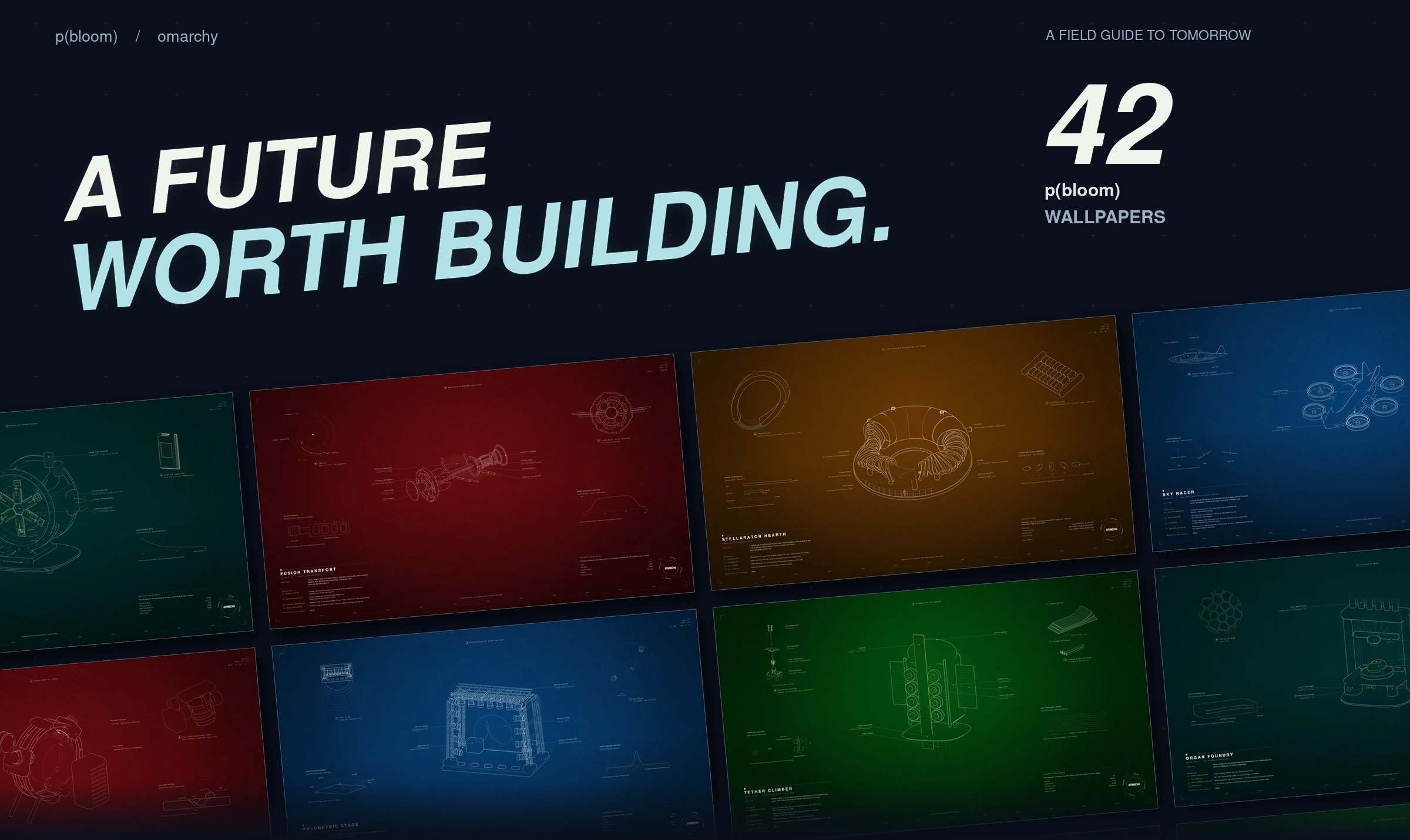
All 42 wallpapers · MIT · Omarchy wordmark from Omarchy.
Similar repos


Languages
Python
97.5%
HTML
2.1%
p(bloom): an Omarchy theme with 42 blueprint wallpapers of machines from a future worth building
Python
5
57 commits
updated Oct 3, 2026
See what people are saying
README
▶ Watch the music video (sound on) and read how it was made
p(bloom) is a theme for Omarchy. Deep-space navy, ice-white text, Signal · Bloom · Sunrise. And 42 blueprint wallpapers of machines from a future worth building.
omarchy theme install https://github.com/ncr/omarchy-p-bloom-theme.git
Composed for your screen, not scaled to it
Each wallpaper is laid out again for 18 screens, from 1080p to 7680 × 2160, in 16:9, 16:10, 3:2, 4:3, 21:9 and 32:9. Backgrounds come in three strengths, Muted, Default and Vivid, with every caption kept readable in each.
p(bloom) Wallpapers
The companion app is a gallery for the 42 wallpapers: ← → browse, ↑ ↓ show one at another intensity, Enter puts it on your desktop. It also downloads the set made for your monitors and switches when you plug in another screen; after a theme update it fetches only the wallpapers that changed. Open it from Omarchy's menu (Super + Space, type pbloom).
python3 ~/.config/omarchy/themes/p-bloom/companion/install.py
Removing the theme (Remove > Theme) removes the app with it. To remove only the app, add --uninstall; --purge also deletes its downloaded sets and settings.
What it installs and how it works
All 42 wallpapers · MIT · Omarchy wordmark from Omarchy.
Similar repos
Languages
Python
97.5%
HTML
2.1%